Best Internet Providers for Remote Workers in 2026: What the Data Says
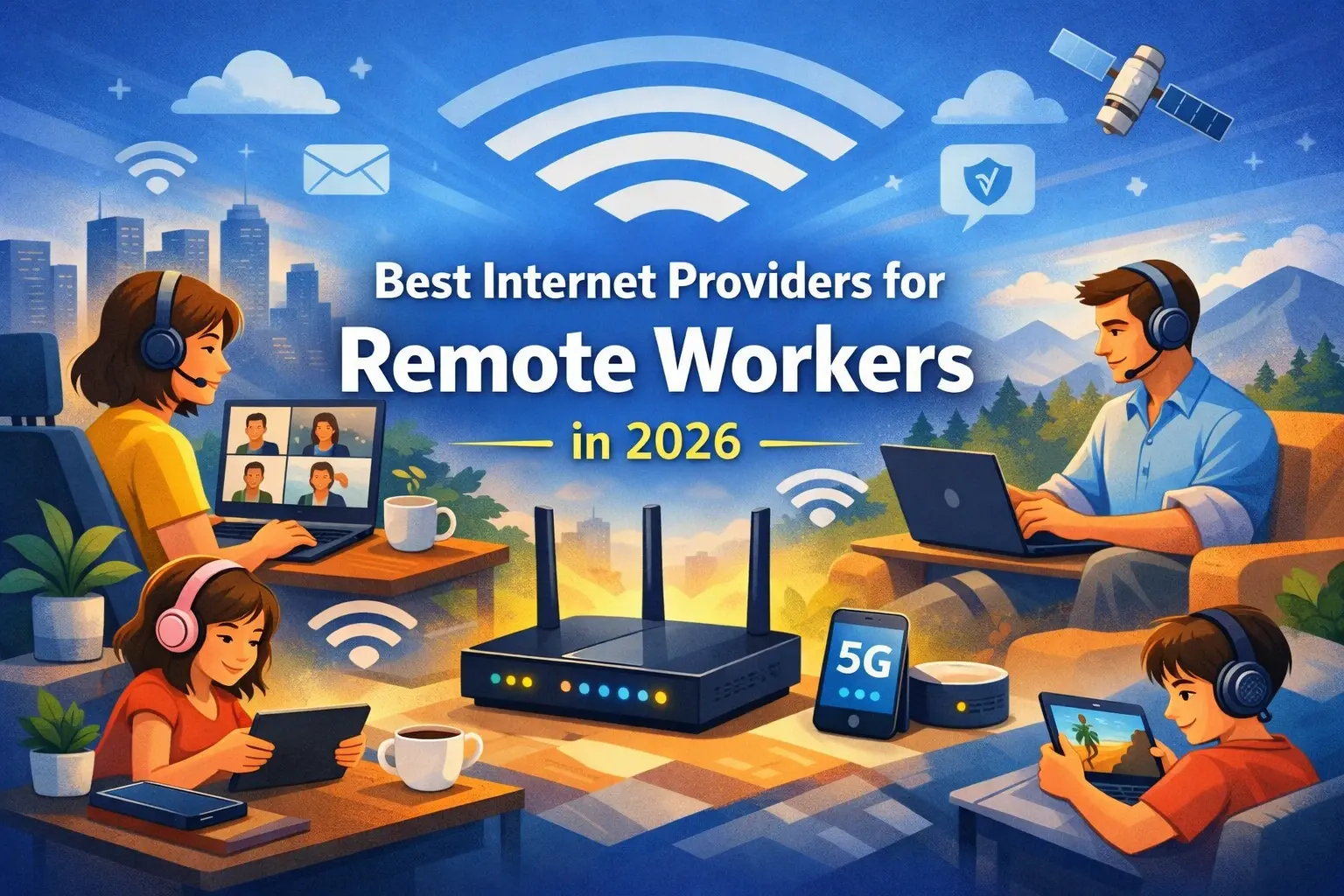
For most remote workers in 2026, the practical minimum is 100 Mbps download and 20 Mbps upload per household — the current FCC broadband benchmark. Workers on frequent video calls, using cloud-based tools, or connecting through a VPN should aim higher, particularly on upload speed, where cable connections often bottleneck. Fiber internet, where available, is generally the strongest option for remote work because it offers symmetrical or near-symmetrical upload and download speeds. Cable internet remains a workable option in most markets, but typically caps upload speeds well below download speeds, even on gigabit-tier plans. Fixed wireless and satellite are usable for light remote work but introduce latency that can affect video calls and VPN stability.
Key Findings
The FCC's current broadband standard, adopted in 2024, sets the minimum at 100 Mbps download / 20 Mbps upload, replacing the previous 25/3 Mbps benchmark that had been in place since 2015.
The FCC has also established a long-term aspirational goal of 1 Gbps download / 500 Mbps upload for future-ready broadband infrastructure, though no timeline has been set for this becoming the standard.
Upload speed, not download speed, is the most common bottleneck for remote workers. A single HD video call on Zoom, Microsoft Teams, or Google Meet requires roughly 3 to 5 Mbps of upload bandwidth per participant.
Many cable ISPs cap upload speeds at 28 to 40 Mbps even on gigabit-download plans, which becomes a constraint in households with two or more people on simultaneous video calls plus background cloud sync.
Approximately 34.6 million Americans teleworked at least part of the week as of August 2025, per BLS data — a figure that has been stable for roughly three years rather than declining as some return-to-office narratives suggest.
Among remote-capable workers, Gallup data indicates roughly 51 to 52 percent work hybrid schedules, meaning their home connection needs to reliably support work-grade usage on a recurring, not occasional, basis.
OpenVault data from Q1 2025 shows the average U.S. household now consumes 564 Mbps in downstream traffic and 34 Mbps upstream during peak periods — a figure driven primarily by the growing number of connected devices per household (17 to 21, per Parks Associates research), not by any single application.
Main Analysis: What Remote Work Actually Demands From a Connection
The FCC Standard, and Why It Changed
In March 2024, the FCC raised its definition of broadband from 25 Mbps download / 3 Mbps upload — a standard that had been in place since 2015 — to 100 Mbps download / 20 Mbps upload. This was not a cosmetic update. The previous 25/3 standard was set before remote work became a mainstream arrangement, and its upload figure in particular reflected an internet usage pattern dominated by downloading content (web pages, video, files) rather than uploading it (video calls, cloud backups, VPN traffic).
The new 100/20 Mbps standard is explicitly described by the FCC as a baseline, not a target. Pew Research analyst Kathryn de Wit noted that even 100/20 Mbps "may be insufficient for many current and future needs, like working from home, remote learning, and telehealth services." The FCC's separate long-term goal of 1 Gbps/500 Mbps signals that regulators view symmetrical, high-capacity connections as the eventual norm — though that remains aspirational rather than required for most current programs.
Why Upload Speed Is the Hidden Constraint
Download speed gets the marketing attention because it is the bigger, more impressive number on a provider's website. But for remote work specifically, upload speed is usually the limiting factor, for a simple reason: video conferencing, cloud file sync, and VPN connections all depend on how much data your connection can send, not just receive.
A single 1080p video call on Zoom or Teams requires approximately 4 to 5 Mbps of upload bandwidth. That sounds manageable until you consider a household scenario that has become increasingly common: two adults in a household both working hybrid schedules, each on a video call at the same time, while a phone or laptop runs a background cloud backup. That scenario alone can require 15 to 20 Mbps of upload — and this is where the gap between cable and fiber becomes practically significant.
Cable internet, which remains the most widely available high-speed option in the U.S., is built on a hybrid fiber-coaxial architecture that was historically optimized for downstream traffic (because most residential usage was downstream). Even on gigabit-download cable plans, upload speeds are commonly capped in the 28 to 40 Mbps range. For a single remote worker, that is workable. For a household with multiple remote workers, it can become a genuine constraint during overlapping meeting times.
Fiber internet, by contrast, is built on infrastructure that supports symmetrical or near-symmetrical speeds — meaning a 500 Mbps fiber plan often delivers close to 500 Mbps upload as well as download. This is the structural reason fiber is generally recommended for remote work households where it's available, independent of any specific provider's marketing claims.
Latency: The Factor That Doesn't Show Up on a Speed Test
Raw speed numbers don't tell the whole story. Latency — the delay between sending a request and receiving a response, measured in milliseconds — affects how "responsive" a connection feels during real-time activities like video calls, VPN sessions, and cloud-based applications.
This is where connection type matters as much as advertised speed. Cable and fiber connections typically deliver latency in the 10 to 30 millisecond range. Satellite internet, even modern low-earth-orbit (LEO) satellite services, introduces meaningfully higher latency — often 600 milliseconds or more for traditional geostationary satellite, and improved but still elevated figures for LEO systems. For a remote worker relying on VoIP calls or a corporate VPN, high latency can cause noticeable lag, dropped calls, or VPN timeouts even when the advertised download speed looks sufficient on paper.
This is also why a household's choice between providers shouldn't be based on download speed alone. A 200 Mbps cable connection with 25 ms latency will generally provide a better remote work experience than a 250 Mbps satellite connection with 600 ms latency, even though the satellite plan has a higher headline number.
Matching Connection Type to Remote Work Profile
Different remote work patterns place different demands on a connection. The table below summarizes how common connection types align with typical remote work scenarios.
Connection Type | Typical Download | Typical Upload | Typical Latency | Best Suited For |
|---|---|---|---|---|
Fiber | 300 Mbps – 2 Gbps | Often symmetrical | 5–15 ms | Multiple remote workers, heavy video conferencing, large file uploads |
Cable | 100 Mbps – 1.2 Gbps | 10–40 Mbps (capped) | 10–30 ms | Single remote worker, moderate video call usage |
Fixed Wireless (5G Home) | 50–300 Mbps | 10–30 Mbps | 20–50 ms | Light remote work, areas without cable/fiber |
DSL | 10–100 Mbps | 1–20 Mbps | 20–40 ms | Basic email and browsing; limited for video calls |
Satellite (LEO) | 25–220 Mbps | 5–25 Mbps | 25–60 ms | Rural areas with no wired option; usable but variable |
Satellite (Geostationary) | 12–100 Mbps | 3 Mbps | 600+ ms | Last-resort option; not recommended for video calls or VPN |
For households evaluating options, the practical takeaway is that connection type sets a ceiling on remote work suitability that speed tier alone cannot overcome. A household choosing between a 500 Mbps cable plan and a 300 Mbps fiber plan may find the fiber plan performs better for remote work specifically, due to the upload and latency advantages — even though the cable plan has a higher download number.
Research Insights: What This Means for Households and the Market
A few patterns emerge from this data that go beyond the basic "what speed do I need" question.
The gap between advertised speed and remote work suitability is widening, not narrowing. As download speeds have increased dramatically over the past decade — gigabit cable plans are now common — upload speeds on the same infrastructure have increased much more modestly. This means the "headline number gap" between cable and fiber is becoming less relevant to remote work suitability than the "upload gap," which has remained relatively stable. A consumer comparing a 1 Gbps cable plan to a 500 Mbps fiber plan based on download speed alone is likely making a worse decision for remote work than the numbers suggest, because the fiber plan's upload speed may be 10 to 15 times higher.
The FCC's 100/20 Mbps standard functions more as a floor for funding programs than a target for households. It's worth understanding that this benchmark was adopted primarily to determine which areas qualify as "underserved" for federal broadband funding purposes (such as the BEAD program), not as a recommendation for how much speed a household actually needs. A household relying on exactly 100/20 Mbps with two hybrid remote workers is likely to experience the connection as "adequate but tight" rather than comfortable — particularly during overlapping meeting times.
Hybrid work patterns create demand spikes that didn't exist in fully-remote or fully-office models. When 51 to 52 percent of remote-capable workers operate hybrid schedules, household internet usage becomes less predictable than either extreme. A household might have light usage on Tuesday (everyone in the office) and heavy simultaneous usage on Wednesday (everyone working from home with overlapping calls). This variability argues for provisioning a connection with headroom above the daily average, rather than sizing exactly to typical usage — a point that average-usage statistics like OpenVault's 564 Mbps figure can obscure.
Latency is becoming the more important differentiator as download speeds commoditize. As gigabit and multi-gigabit download speeds become widely available and inexpensive across both cable and fiber, the meaningful differentiation between providers for remote work purposes is shifting toward upload speed and latency — factors that are harder for consumers to compare because they're less prominently advertised than download speed.
Consumer Impact: What to Actually Check Before Choosing a Plan
For households evaluating internet options for remote work, the research points to a few practical checks that matter more than headline download speed:
Check the upload speed, not just the download. Providers prominently display download speed; upload speed is often listed in smaller text or requires checking the plan details page. For remote work, this number deserves equal attention.
Run a baseline speed test on your current connection during a typical workday, not late at night when network congestion is lowest. If your connection struggles during peak hours (typically weekday mornings and early afternoons), the issue may be your plan's capacity rather than your home network setup.
Consider the household total, not per-person minimums. If two people in a household both have video calls scheduled during overlapping hours, their bandwidth needs are additive, not averaged. A plan that's "enough for one person" may not be enough for a household with multiple remote workers.
Where fiber is available, it's generally worth strong consideration for remote work households, even at a comparable or slightly higher price than a cable alternative, due to the structural upload and latency advantages described above.
For areas without fiber or cable, fixed wireless 5G home internet has become a credible middle-ground option, generally outperforming both DSL and satellite for remote work purposes, though still behind fiber and cable on latency consistency.
Readers researching providers available in their specific area can find additional provider-by-provider analysis on CablePapa.com, including breakdowns of how individual providers perform for remote work scenarios.
Future Outlook
Several trends suggest the gap between "adequate" and "good" remote work connections will continue to be defined by upload speed and latency rather than download speed over the next several years.
Fiber buildouts continue to expand, driven partly by federal infrastructure funding programs that use the FCC's 100/20 Mbps standard as a qualifying threshold for "underserved" designations. As fiber becomes available in more markets, cable providers have begun responding with "upload speed boost" initiatives in some regions, though these remain inconsistent across providers and markets.
On the satellite side, LEO satellite constellations have meaningfully improved latency compared to traditional geostationary satellites, and the FCC's BEAD program now requires LEO systems to meet the 100/20 Mbps standard in funded areas — a sign that satellite is increasingly being positioned as a legitimate option for remote work in areas without wired infrastructure, rather than purely a last resort.
At the same time, the structural stability of remote work itself — holding at roughly 22 percent of the U.S. workforce for three consecutive years despite significant return-to-office pressure in some sectors — suggests that "remote work suitability" will remain a persistent factor in how consumers evaluate internet plans, rather than a temporary consideration tied to pandemic-era circumstances.
FAQ Section
Q: What internet speed do I need to work from home in 2026?
The FCC's current broadband minimum is 100 Mbps download and 20 Mbps upload, which serves as a reasonable baseline for a single remote worker. Households with multiple remote workers, frequent video conferencing, or heavy cloud file usage should look for higher upload speeds specifically, since upload — not download — is typically the bottleneck for remote work.
Q: Is fiber internet better than cable for remote work?
Generally, yes, primarily due to upload speed. Fiber connections often offer symmetrical or near-symmetrical upload and download speeds, while cable connections commonly cap uploads at 28 to 40 Mbps even on gigabit-download plans. For households with multiple people on simultaneous video calls, fiber's upload advantage typically translates to a more stable experience.
Q: How much upload speed does a video call actually need?
A single HD video call on platforms like Zoom, Microsoft Teams, or Google Meet typically requires 3 to 5 Mbps of upload bandwidth per participant. For a household with two people on simultaneous calls plus background activity like cloud sync, a realistic upload requirement is closer to 15 to 20 Mbps.
Q: Can I work from home effectively with satellite internet?
It depends on the type. Traditional geostationary satellite internet has latency often exceeding 600 milliseconds, which can cause noticeable lag on video calls and instability on VPN connections. Newer low-earth-orbit (LEO) satellite services have substantially lower latency and are increasingly viable for remote work in areas without wired alternatives, though they generally still lag behind fiber and cable in consistency.
Q: Why does my internet feel slow during work hours but fine in the evening?
This pattern often indicates that your connection is being used near its capacity during peak weekday hours, when video calls, VPN connections, and cloud syncing across your household overlap. Running a speed test during your typical work hours, rather than late at night, gives a more accurate picture of whether your plan provides adequate headroom.
Q: Does a higher download speed plan automatically mean better remote work performance?
Not necessarily. Download speed is the most heavily advertised metric, but for remote work, upload speed and latency often matter more. A lower download-speed fiber plan can outperform a higher download-speed cable plan for remote work specifically, because of fiber's upload and latency advantages.
Q: How many connected devices does a typical household have, and does that affect remote work?
Research from Parks Associates indicates U.S. households now average 17 to 21 connected devices. While most of these devices use minimal bandwidth individually, the cumulative load — combined with active remote work usage — is part of why average household bandwidth consumption has risen to roughly 564 Mbps downstream during peak periods, according to OpenVault data.
Q: Is the FCC's 100/20 Mbps standard enough for a household with two remote workers?
It's workable but tight, particularly on the upload side. Two people on simultaneous video calls can require 8 to 10 Mbps of upload combined before accounting for any other household activity. A 20 Mbps upload allocation leaves limited headroom, which is why households in this situation often benefit from plans offering meaningfully higher upload speeds than the FCC minimum.
Conclusion
The data on remote work and internet requirements points to a consistent theme: the metric most consumers use to compare plans — download speed — is increasingly disconnected from the metric that actually determines remote work performance, which is the combination of upload speed and latency. The FCC's 2024 update to the broadband standard, raising the upload requirement from 3 Mbps to 20 Mbps, reflects a regulatory acknowledgment of this shift, even as the new 100/20 Mbps benchmark remains, by the FCC's own framing, a floor rather than a target for households with active remote work needs.
For the roughly 34.6 million Americans teleworking at least part of the week — a figure that has proven structurally stable for three years — the practical guidance is to evaluate connections based on upload speed and connection type (fiber, cable, fixed wireless, or satellite) at least as carefully as download speed, and to test current connections during actual working hours rather than relying on advertised figures alone.
Households researching specific providers and plans available in their area can find detailed, provider-specific breakdowns on CablePapa.com, or speak with a specialist at (855) 210-8090 for help comparing options based on individual remote work requirements.
📚Read More Articles About Internet Providers

How to Get Cheap Internet in Texas That's Actually Reliable
September 7, 2026
How Do I Know If I Can Get Fiber Internet? A Step-by-Step Availability Guide
August 24, 2026
Verizon Fios vs. AT&T Fiber: Which Fiber Internet Is Better in 2026?
August 3, 2026