How long does it take AT&T to install fiber?

Wondering about the timeline for AT&T fiber installation? This comprehensive guide breaks down the typical installation duration, factors influencing it, and what to expect, helping you plan your new high-speed internet connection effectively. Get ready for faster speeds and reliable service!
Understanding the AT&T Fiber Installation Timeline
When you decide to upgrade to AT&T's Fiber internet, one of the most pressing questions is invariably: "How long does it take AT&T to install fiber?" This isn't a simple question with a single, universal answer. The timeline for getting your new fiber optic connection up and running can vary significantly based on a multitude of factors, from your specific location and the existing infrastructure to the complexity of the installation itself and even the availability of technicians. AT&T, like other major internet service providers, aims to make the process as smooth and efficient as possible, but understanding the potential variables is key to setting realistic expectations. This guide will delve deep into every aspect of the AT&T fiber installation process, providing you with the most accurate and up-to-date information for 2025, so you can confidently anticipate when you'll be enjoying blazing-fast internet speeds.
Typical AT&T Fiber Installation Duration
For most residential customers in areas where AT&T Fiber is readily available and infrastructure is already in place, the actual in-home installation appointment typically takes between 2 to 4 hours. This is the time the technician spends at your premises, running cables, setting up equipment, and ensuring your service is active and functioning correctly. However, this 2-4 hour window is just the service appointment itself. The entire process, from placing your order to having a fully operational fiber connection, can span anywhere from a few days to several weeks.
Let's break down the typical phases:
- Order Placement & Initial Verification: This is immediate, but the system needs to verify serviceability at your address.
- Appointment Scheduling: Once verified, you'll be offered available appointment slots. This can range from 2 days to 2 weeks, depending on technician availability in your area. Peak demand periods might see longer waits.
- Technician Visit (Installation): As mentioned, this is the 2-4 hour core installation period.
- Service Activation: Usually occurs immediately after the technician completes the installation.
It's crucial to differentiate between the time it takes to get the appointment and the time the appointment itself takes. While the in-home work is relatively short, the scheduling backlog is often the longest part of the waiting game.
New Construction vs. Existing Areas
The distinction between installing fiber in a brand-new development versus an established neighborhood is significant. In new construction, AT&T might be working alongside builders to lay conduit and fiber lines during the development phase. This can sometimes streamline the process, but it can also depend on the overall construction schedule. In existing neighborhoods, the work often involves connecting to existing AT&T infrastructure, which can be quicker if the lines are readily accessible. However, if new trenching or aerial cable deployment is required, it can extend the timeline considerably.
Availability and Demand
AT&T Fiber is not available in every single location. Its rollout is strategic, focusing on areas where the company sees the greatest potential for adoption and where it's economically feasible to invest in the necessary infrastructure. In areas with high demand for fiber internet and limited technician availability, appointment slots can fill up quickly, leading to longer waiting periods. Conversely, in areas with less demand or more readily available technicians, you might secure an appointment sooner.
Key Factors Influencing Installation Time
Several variables can influence how long your AT&T fiber installation takes. Understanding these factors can help you prepare and potentially expedite the process.
Location and Infrastructure
Your geographical location plays a paramount role. If you live in a densely populated urban area with existing AT&T fiber infrastructure already running down the street, the installation is likely to be more straightforward. Technicians can often tap into existing underground conduits or aerial cables with relative ease. However, if you're in a more rural area, or a neighborhood where fiber hasn't been extensively deployed, the process might involve more extensive work. This could include:
- Trenching: Digging new trenches to lay fiber optic cables from the street to your home. This is a more time-consuming process and requires coordination with local authorities for permits and right-of-way.
- Aerial Installation: Running cables from utility poles to your house. While sometimes quicker than trenching, it still requires careful planning and can be affected by weather or pole access issues.
- Apartment Buildings and Multi-Dwelling Units (MDUs): Installations in apartment complexes can be more complex. They often require coordination with building management for access to common areas and internal wiring, which can add significant time to the process.
The proximity of the nearest AT&T fiber distribution point (like a terminal box or hub) to your home is also a critical factor. The shorter the distance, the simpler the connection typically is.
Type of Installation Required
There are generally two main types of fiber installations for residential customers:
- New Service Drop: This is the most common scenario, where a new fiber optic cable needs to be run from the street infrastructure directly to your home. The complexity here depends on whether the cable will be buried (underground) or strung overhead (aerial). Underground installations are more involved.
- Existing Service Drop (Less Common): In rare cases, if fiber was previously run to your home for a different service or a previous installation, and the drop is still viable, the installation might be quicker. However, AT&T typically prefers to install a new, dedicated fiber line for optimal performance and reliability.
The need for new conduit, trenching, or aerial work directly impacts the time required for the physical installation phase.
Technician Availability and Scheduling
This is often the biggest bottleneck. AT&T, like all major ISPs, relies on a network of skilled technicians. The number of available technicians in your specific area, combined with the overall demand for installations, dictates how quickly you can get an appointment. During periods of high demand (e.g., after a major fiber expansion announcement, or during peak moving seasons), appointment slots can be scarce, leading to longer wait times. Conversely, in areas with a robust technician presence and lower demand, you might be able to schedule an appointment within a few days of your order.
2025 Insight: As AT&T continues its aggressive fiber expansion, technician training and deployment are ongoing. However, localized shortages can still occur, especially in rapidly growing suburban areas or newly developed urban zones. Planning ahead is always advisable.
Home Characteristics
The physical characteristics of your home can also play a role:
- Accessibility: Is the path from the street to your home easily accessible for technicians and equipment? Obstacles like dense landscaping, steep inclines, or difficult terrain can add time.
- Wiring: If internal wiring is needed to run the fiber from the entry point to your desired modem/router location, this adds complexity.
- Type of Home: Single-family homes are generally simpler than apartments or townhouses where shared walls and common areas are involved.
Weather and Permitting
Outdoor installations, especially trenching or aerial work, are highly susceptible to weather conditions. Heavy rain, snow, or extreme temperatures can cause delays. Furthermore, if new trenching is required, AT&T must obtain permits from local municipalities. The permitting process can sometimes add unforeseen delays, depending on the efficiency of local government offices.
The AT&T Fiber Installation Process: A Step-by-Step Breakdown
Understanding the sequence of events can demystify the installation process and help you know what to expect at each stage. Here’s a typical step-by-step breakdown for AT&T Fiber:
Step 1: Service Verification and Order Placement
The process begins with you checking AT&T's website or contacting them to see if fiber service is available at your address. You'll provide your address, and AT&T's system will verify if fiber infrastructure is present or planned for your area. If service is available, you'll select your desired internet plan and place your order. You'll typically need to provide contact information and payment details.
Step 2: Appointment Scheduling
Once your order is confirmed and serviceability is verified, AT&T will offer you available appointment slots for the installation. This is where the wait time begins. You'll be presented with dates and times, and you'll choose the one that best fits your schedule. Be aware that popular times can book up quickly, especially during peak seasons.
Tip: Be flexible if possible. If you need service by a specific date, try to book as far in advance as you can.
Step 3: Pre-Installation Preparation and Communication
Before the technician arrives, AT&T may send you reminders or instructions. This might include:
- Confirming your availability: A final confirmation of the appointment date and time.
- Identifying desired equipment location: Thinking about where you want the AT&T Fiber Gateway (modem/router) to be installed. It typically needs access to a power outlet and ideally a central location for good Wi-Fi coverage.
- Clearing the area: Ensuring the technician has clear access to the outside of your home (where the fiber will enter) and the inside area where the equipment will be placed.
You might also receive communication about any necessary permits if new trenching is involved, though AT&T usually handles this.
Step 4: Technician Arrival and Assessment
On the scheduled day, the AT&T technician will arrive within the confirmed appointment window. They will:
- Introduce themselves and confirm the service address.
- Assess the best route for the fiber cable from the street connection point to your home. This involves checking for existing conduits, identifying potential obstacles, and determining whether aerial or underground installation is feasible and preferred.
- Discuss the installation plan with you, including where the fiber will enter the house and where the AT&T Fiber Gateway will be installed. This is your opportunity to voice any preferences or concerns.
Step 5: Fiber Cable Installation
This is the core physical work. Depending on your location and infrastructure, this can involve:
- Trenching: If underground installation is required, the technician (or a specialized crew) will dig a shallow trench from the street demarcation point to your home's exterior.
- Aerial Installation: If aerial installation is the method, the technician will run a fiber cable from the nearest pole or aerial terminal to your house.
- Entry Point: A small hole is drilled through your home's exterior wall to bring the fiber cable inside.
- Internal Routing: The technician will run the fiber cable from the entry point to the designated location for the AT&T Fiber Gateway. They aim to do this as neatly as possible, often using clips or conduits.
This phase can take anywhere from 1 to 3 hours, depending on the complexity of the route and the installation method.
Step 6: Equipment Installation and Connection
Once the fiber cable is in place, the technician will:
- Install the Optical Network Terminal (ONT): This device converts the optical signal from the fiber cable into an electrical signal. It's usually mounted near where the fiber enters the house.
- Connect the AT&T Fiber Gateway: The Gateway (which acts as your modem and router) is connected to the ONT via an Ethernet cable.
- Power up and configure the Gateway: The technician will ensure the Gateway is powered on, connected to the AT&T network, and configured for your service.
Step 7: Service Testing and Activation
After the equipment is set up, the technician will perform several tests to ensure the connection is stable and delivering the advertised speeds:
- Signal Strength Test: Verifying the fiber optic signal is strong and clear.
- Speed Test: Conducting a speed test using a connected device (often a laptop directly connected via Ethernet) to confirm you're receiving the speeds associated with your plan.
- Wi-Fi Check: Ensuring the Wi-Fi network is broadcasting and accessible.
Once these tests are satisfactory, the service is activated, and you'll have internet access.
Step 8: Customer Orientation
Finally, the technician will:
- Explain the equipment and how to use it.
- Provide you with your Wi-Fi network name (SSID) and password.
- Answer any questions you may have about your new service.
- Clean up the work area and ensure everything is tidy.
The entire appointment, from arrival to departure, typically concludes within the 2-4 hour timeframe.
What to Expect on Installation Day
Installation day is the culmination of your wait. Here’s a more detailed look at what the experience is like:
The Technician and Their Vehicle
AT&T technicians are typically uniformed professionals driving marked AT&T vehicles. They carry all the necessary tools, equipment (including the ONT and AT&T Fiber Gateway), and materials for the installation. They are trained to perform the work safely and efficiently.
Your Role During Installation
Your primary role is to be present and available to:
- Grant access to your property and home.
- Communicate your preferences regarding the placement of the equipment and the entry point of the fiber cable.
- Be available to answer questions the technician might have.
- Observe the process if you wish, but be mindful of safety and avoid interfering with the technician's work.
It's recommended to have a responsible adult present for the entire duration of the appointment.
Equipment Provided
AT&T typically provides the following equipment as part of the installation:
- AT&T Fiber Gateway: This is a modern, high-performance modem and Wi-Fi router combined into one unit. It's essential for accessing your fiber internet service and creating your home Wi-Fi network.
- Optical Network Terminal (ONT): This device is installed outside or inside your home and is the direct interface for the fiber optic cable.
- Cables and connectors: All necessary fiber optic and Ethernet cables.
There is usually no additional charge for this equipment, as it's included with your monthly service fee, though specific terms can vary.
Potential Disruptions
While technicians strive to minimize disruption, some minor inconveniences are possible:
- Temporary power outages: In rare cases, if existing AT&T lines are being rerouted or modified, there might be very brief, localized power interruptions.
- Noise: Drilling or trenching can create noise.
- Mess: While technicians clean up, there might be some dust or debris from drilling or trenching.
AT&T aims to leave your property as clean as they found it.
Troubleshooting and Common Installation Delays
Even with careful planning, installation processes can sometimes encounter hiccups. Understanding common issues can help you navigate them.
Unforeseen Infrastructure Issues
Sometimes, the technician might discover unexpected issues with existing underground conduits, utility lines, or aerial pathways that weren't apparent during the initial assessment. This could require additional work, potentially extending the installation time or, in rare cases, requiring a follow-up appointment.
Permitting Delays
If new trenching is required, AT&T must obtain permits from the local municipality. The speed at which these permits are issued can vary greatly by location. Some cities are very efficient, while others can have lengthy backlogs. If a permit is delayed, your installation appointment will be postponed until it's approved.
Access Issues
Difficulty accessing the installation site can cause delays. This could include:
- Locked gates or fences that prevent the technician from reaching the necessary connection points.
- Overgrown landscaping that obstructs the path for trenching or cable running.
- Inability to gain access to common areas in apartment buildings.
Ensuring clear access beforehand can prevent these issues.
Weather-Related Delays
As mentioned, severe weather can halt outdoor work. If your appointment is scheduled during a period of inclement weather, the technician may need to reschedule.
Scheduling Backlogs
The most common cause of delay is simply a lack of available technician appointments. This is particularly true in high-demand areas or during peak periods. If you're facing a long wait, consider asking about:
- Alternative appointment times (e.g., early morning, late afternoon, weekdays vs. weekends).
- Potential cancellations that might open up an earlier slot.
What to Do If Your Installation is Delayed
If you experience a delay:
- Stay in communication with AT&T: Contact customer service to understand the reason for the delay and get an updated estimated timeline.
- Be patient but persistent: While patience is necessary, don't hesitate to follow up if you feel you're not receiving clear information or an acceptable resolution.
- Inquire about compensation: In some cases, significant delays might warrant a discussion about service credits or other compensation, especially if the delay is due to AT&T's internal issues.
Comparing Fiber Installation Times: AT&T vs. Competitors (2025 Insights)
Understanding how AT&T's fiber installation timeline stacks up against other major providers can offer valuable perspective. While exact times fluctuate based on local availability and technician resources, general trends emerge. In 2025, the landscape of fiber deployment is highly competitive, with companies like Verizon (FiOS), Google Fiber, and various regional providers vying for market share.
General Timelines Comparison
Here's a comparative look, keeping in mind these are averages and can vary significantly by region:
| Provider | Typical Appointment Window (Days from Order) | Typical Installation Duration (Hours) | Notes |
|---|---|---|---|
| AT&T Fiber | 2-14 days | 2-4 hours | Strong presence in many states, efficient scheduling in established areas. |
| Verizon FiOS | 3-10 days | 2-4 hours | Primarily in Northeast/Mid-Atlantic. Known for robust infrastructure. |
| Google Fiber | 1-3 weeks (often longer in new markets) | 3-5 hours | Aggressive expansion but can face longer waits in new city rollouts due to infrastructure build-out. |
| Xfinity (Comcast) Fiber (where available) | 3-10 days | 2-3 hours | Availability is growing but still less widespread than AT&T Fiber in many areas. |
| Regional Fiber Providers | Varies widely (can be faster or slower) | 2-5 hours | Highly dependent on the provider's scale and local infrastructure investment. |
Factors Influencing Competitor Timelines
The same factors influencing AT&T's installation times apply to competitors:
- Infrastructure Density: Providers with more extensive pre-existing fiber networks can often install faster.
- Technician Pool: The number of trained technicians available in a given area is critical.
- Construction/Permitting: For providers actively building out new fiber lines, these processes can add significant time. Google Fiber, for instance, often requires extensive municipal permitting and trenching in new cities, leading to longer initial wait times.
- Demand: High demand in a specific neighborhood or city will stretch appointment availability for any provider.
2025 Trends in Fiber Installation
As of 2025, the fiber internet market is maturing. Providers are investing heavily in network upgrades and expansion. This means:
- Increased Competition: More providers are entering or expanding in various markets, which can sometimes lead to quicker installations as they compete for customers.
- Standardization: Installation processes are becoming more standardized, leading to more predictable timelines for basic installations.
- Focus on Speed and Reliability: While installation time is important, the focus remains on delivering the promised gigabit speeds reliably.
- Technological Advancements: New tools and techniques for fiber splicing and deployment are constantly being developed, potentially speeding up future installations.
Overall, AT&T generally offers a competitive and often efficient installation process, especially in areas where its fiber network is well-established. For areas undergoing new fiber build-outs, timelines might extend for all providers, including AT&T.
Maximizing Your AT&T Fiber Installation Experience
While you can't control every aspect of the installation, you can take steps to ensure the process is as smooth and efficient as possible for you and the technician.
Prepare Your Home
Before the technician arrives:
- Designate an equipment location: Decide where you want the AT&T Fiber Gateway. A central location, away from obstructions and near a power outlet, is ideal for optimal Wi-Fi coverage.
- Clear the path: Ensure the technician has easy access to the exterior of your home (where the fiber will enter) and the interior path to your chosen equipment location. Remove any clutter, furniture, or landscaping that might impede their work.
- Identify potential entry points: If you have preferences for where the fiber enters your home (e.g., through a basement wall, a specific utility entry point), communicate this to the technician upon their arrival.
- Ensure power access: The technician will need access to a working power outlet for the AT&T Fiber Gateway and ONT.
Communicate Effectively with the Technician
The technician is your primary point of contact on installation day. Clear communication is key:
- Be present and available: Don't let the technician work unsupervised. Be there to answer questions and make decisions.
- Voice your preferences clearly: Discuss your desired equipment location and any concerns you have about the installation route.
- Ask questions: Don't hesitate to ask the technician to explain what they are doing, especially if you're curious about the process.
- Understand the final setup: Ensure you understand how to connect to your Wi-Fi, the network name (SSID), and password before the technician leaves.
Understand the Equipment
The AT&T Fiber Gateway is your gateway to the internet. Familiarize yourself with its basic functions:
- Indicator lights: Learn what the different lights on the Gateway signify (e.g., power, internet connection, Wi-Fi).
- Reset button: Know where it is, though it's usually a last resort for troubleshooting.
- Wi-Fi settings: The technician will provide your Wi-Fi network name and password. You can usually log into the Gateway's administrative interface later to customize these settings if desired.
For more advanced networking needs, consider exploring options for using your own router with the AT&T Gateway in bridge mode, though this is an advanced topic.
Post-Installation Checks
Once the technician leaves:
- Test your connection: Connect multiple devices (laptop, smartphone, tablet) and perform speed tests to confirm you're getting the speeds you expect. Use a reliable speed test website like Speedtest.net or AT&T's own diagnostic tools if available.
- Check Wi-Fi coverage: Walk around your home to assess Wi-Fi signal strength in different areas. If you experience dead zones, you might need to consider Wi-Fi extenders or a mesh Wi-Fi system.
- Keep documentation: Save any paperwork or notes the technician provides regarding your installation, account number, and Wi-Fi credentials.
Planning for Future Needs
Fiber optic internet is designed for the future. As you experience the speeds, consider how you can leverage them:
- Smart home devices: Fiber can reliably support numerous connected devices.
- 4K streaming and gaming: Enjoy buffer-free streaming and low-latency online gaming.
- Remote work and education: High-speed, stable connections are crucial for video conferencing and cloud-based applications.
By preparing your home and communicating effectively, you can help ensure your AT&T Fiber installation is a positive and swift experience, getting you online with lightning-fast speeds sooner rather than later.
Conclusion
In summary, the question "How long does it take AT&T to install fiber?" doesn't have a single answer, but it typically involves a 2-4 hour in-home appointment scheduled anywhere from 2 days to 2 weeks after ordering, depending heavily on your location and technician availability. Factors like infrastructure complexity, home characteristics, and local demand significantly influence this timeline. While the physical installation is relatively quick, the scheduling phase often accounts for the longest wait. By understanding the step-by-step process, preparing your home, and communicating effectively with your technician, you can significantly enhance your installation experience. As of 2025, AT&T offers a competitive fiber installation timeline compared to other providers, especially in areas with established fiber networks. Be proactive in checking availability, scheduling your appointment, and preparing your home to ensure a smooth transition to the unparalleled speeds and reliability of AT&T Fiber.
📚Read More Articles About AT&T

AT&T Business Expands Enterprise and Public Sector Connectivity Architecture with Amazon Leo Satellite
September 9, 2026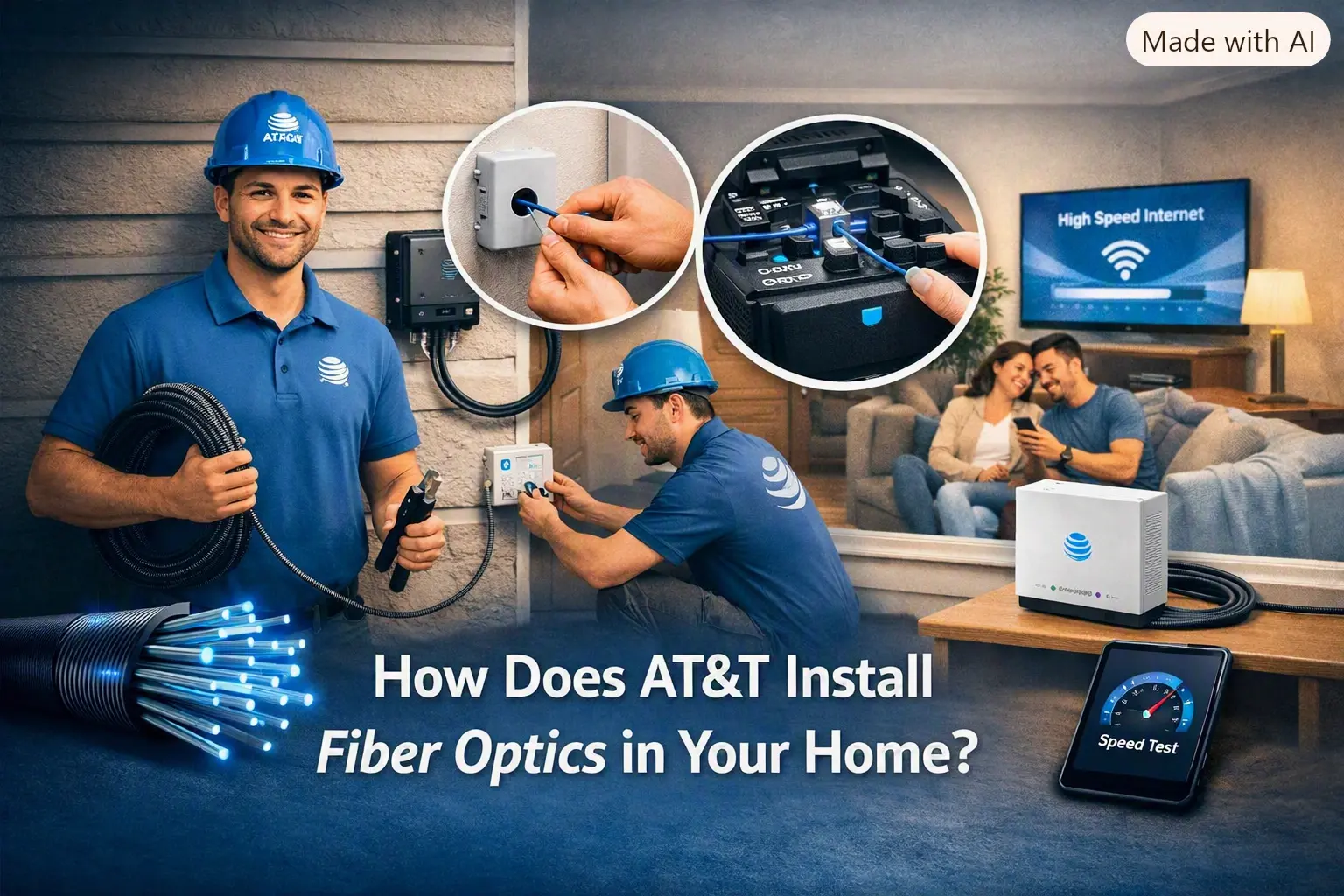
How Does AT&T Install Fiber Optics in Your Home?
August 10, 2026
How Much Does It Cost to Install AT&T Internet?
July 27, 2026