Finding the ideal modem for your Windstream internet service can significantly boost your connection speed and reliability. This comprehensive review delves into the top modem options available in 2025-26, helping you navigate compatibility, features, and performance to make an informed purchase that maximizes your Windstream experience.
Introduction to Windstream Modems
In the ever-evolving landscape of internet connectivity, having the right modem is paramount for a seamless online experience. For Windstream subscribers, this means selecting a device that not only meets but exceeds the demands of their service plan. This guide aims to demystify the process of choosing the best modem for Windstream in 2025-26, covering everything from compatibility to performance-enhancing features. We'll explore why owning your modem is often superior to renting and highlight top-performing models tailored for Windstream's diverse network infrastructure.
Why Owning Your Windstream Modem is a Smart Move
Many internet service providers, including Windstream, offer modem rental services. While convenient initially, this monthly fee can add up significantly over time. By purchasing your own modem, you can often achieve substantial long-term savings. Beyond the financial benefits, owning your equipment gives you greater control over your network. You can select a modem with features and performance capabilities that best suit your specific needs and internet plan, rather than being limited to the ISP's standard offering. This often translates to improved speeds, better Wi-Fi coverage (if you opt for a combo unit), and more advanced network management options. In 2025-26, the market is flooded with high-performance modems that offer a superior experience compared to many ISP-provided devices. Making the switch to an owned modem can unlock the full potential of your Windstream internet service.
Understanding Windstream Compatibility: What You Need to Know
The most critical aspect of selecting a new modem is ensuring it's compatible with Windstream's network infrastructure in your specific area. Windstream utilizes different technologies, primarily DSL and, in some regions, fiber optic. The modem you choose must align with the technology deployed by Windstream to your home.
DSL vs. Fiber: The Crucial Difference
DSL (Digital Subscriber Line) technology uses existing telephone lines to transmit internet data. This is Windstream's most prevalent technology across its service areas. DSL modems connect to the phone jack in your home. For DSL, you'll need a modem that supports the specific DSL standards Windstream uses, such as ADSL2+ or VDSL2. The speed and performance of DSL are highly dependent on the distance from your home to the local telephone exchange. In 2025-26, Windstream continues to upgrade its DSL infrastructure, offering higher speeds in many areas, which necessitates compatible modems.
Fiber optic internet, on the other hand, uses light signals transmitted through glass fibers. This technology offers significantly higher speeds and lower latency than DSL. If Windstream offers fiber to your home (often marketed as Kinetic Fiber), you will typically not need a separate modem in the traditional sense. Instead, Windstream will install an Optical Network Terminal (ONT), which acts as the gateway to their fiber network. You would then connect your router directly to the ONT. However, some fiber deployments might still utilize a modem-like device for conversion, but it's less common and specific to the ONT setup. It's crucial to confirm with Windstream whether your service is DSL or fiber.
Modem Requirements and Certifications
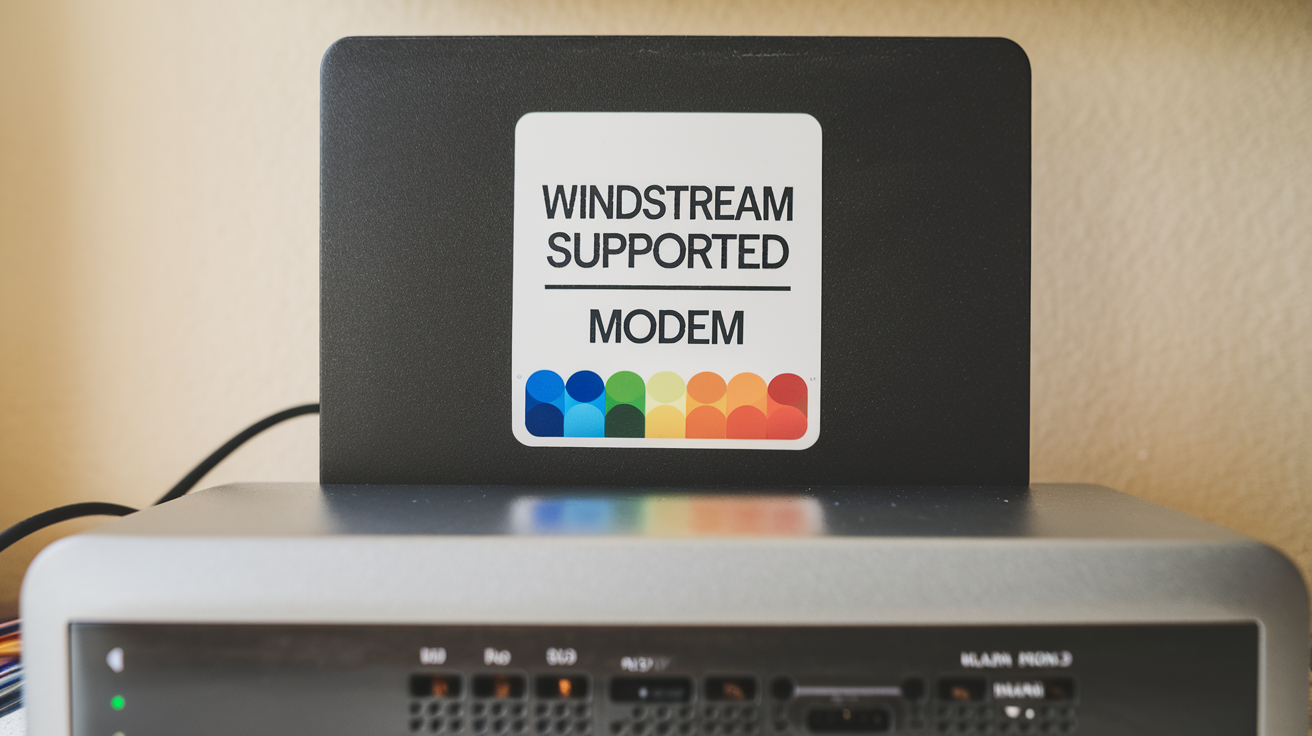
Windstream, like other ISPs, often provides a list of approved or certified modems. While it's not always mandatory to purchase from this list, it's highly recommended to choose a modem that meets their technical specifications. These specifications ensure that the modem can properly communicate with Windstream's network equipment. Key standards to look for include:
- ADSL2+ (G.992.5): This is a widely supported standard for DSL connections, offering speeds up to 24 Mbps downstream and 3.3 Mbps upstream.
- VDSL2 (G.993.2): This is a more advanced DSL standard that can deliver much higher speeds, often exceeding 100 Mbps, especially over shorter distances. Windstream is increasingly deploying VDSL2 in areas where it's feasible.
- DOCSIS 3.0/3.1: These standards are relevant only if you have Windstream Cable internet in your area. If you have cable, you'll need a cable modem, not a DSL modem.
Always check Windstream's official website or contact their customer support to get the most current list of compatible modems or the specific technical requirements for your service type and speed tier. Purchasing a modem from their approved list significantly reduces the risk of compatibility issues and simplifies the setup process.
Avoiding Common Pitfalls
Several common mistakes can lead to purchasing an incompatible modem:
- Buying a Cable Modem for DSL Service: These are fundamentally different technologies and devices. A cable modem will not work on a DSL line.
- Purchasing an Unlocked Modem for a Different ISP: While many modems are advertised as "unlocked," they may still be configured or certified for specific network types. Always verify compatibility with Windstream.
- Ignoring Speed Tiers: A modem rated for lower speeds might bottleneck your internet service if you're subscribed to a higher-tier plan. Ensure the modem can handle the maximum speeds offered by your Windstream plan.
- Not Checking for Firmware Updates: Even compatible modems may require firmware updates for optimal performance and security. Ensure the modem you choose supports easy firmware updates.
By understanding these distinctions and requirements, you can confidently navigate the modem selection process for your Windstream service.
Top Modems for Windstream in 2025-26: A Detailed Breakdown
Based on performance, compatibility, and user reviews for 2025-26, here are some of the best modems suitable for Windstream DSL and, where applicable, cable services. Remember to confirm Windstream's specific requirements for your area before purchasing.
Netgear Nighthawk DM200 DSL Modem
The Netgear Nighthawk DM200 is a highly regarded standalone DSL modem known for its reliability and performance. It's a great option for users who want to pair it with their own high-performance Wi-Fi router for a customized network experience.
Key Features:
- Supports ADSL, ADSL2, and ADSL2+
- Up to 24 Mbps downstream and 3.3 Mbps upstream speeds
- Gigabit Ethernet port for router connection
- Compact and energy-efficient design
- Easy setup with Netgear Genie app
Pros:
- Excellent performance and stability
- Reliable brand reputation
- Ideal for users who want to use a separate, superior Wi-Fi router
- Often compatible with a wide range of DSL providers
Cons:
- Does not include Wi-Fi capabilities (requires a separate router)
- May not support the latest VDSL2 standards for higher speed tiers
Best For: Users with standard ADSL2+ Windstream plans who already own or plan to purchase a separate, powerful Wi-Fi router and prioritize a stable, dedicated modem.
Motorola MD1600 DSL Modem
Motorola is a trusted name in networking hardware, and the MD1600 is a solid DSL modem choice for Windstream customers. It offers a good balance of features and performance for many DSL subscribers.
Key Features:
- Supports ADSL2+ and VDSL2 standards
- Capable of delivering speeds up to 100 Mbps (depending on line conditions and plan)
- Built-in Wi-Fi (802.11ac) for wireless connectivity
- Dual-band wireless for better performance and range
- Gigabit Ethernet ports
Pros:
- Versatile with support for both ADSL2+ and VDSL2
- Integrated Wi-Fi simplifies setup for users who don't need a separate router
- Good performance for its price point
- Reputable brand known for reliability
Cons:
- Wi-Fi performance might not match dedicated high-end routers
- Setup can sometimes be slightly more involved than simpler modems
Best For: Windstream DSL subscribers looking for an all-in-one solution that handles both modem and Wi-Fi duties, especially those on VDSL2 plans seeking higher speeds.
Actiontec C1000A Wireless DSL Modem/Router Combo
The Actiontec C1000A is a popular choice, often recommended or even provided by ISPs like Windstream. It's a robust modem/router combo unit designed for ease of use and reliable performance on DSL networks.
Key Features:
- Supports ADSL2+
- Integrated 802.11n Wi-Fi
- Multiple Gigabit Ethernet ports
- Quality of Service (QoS) features for prioritizing traffic
- Easy setup and management interface
Pros:
- Often pre-configured or easily configurable for Windstream
- All-in-one solution reduces clutter and simplifies setup
- Stable performance for standard DSL speeds
- Good value for money
Cons:
- Wi-Fi standard (802.11n) is older and less capable than newer AC or AX standards
- May not be the best choice for very high-speed DSL plans or demanding Wi-Fi users
- Limited advanced customization options compared to dedicated routers
Best For: Windstream DSL users who prefer a simple, integrated solution for basic internet needs and are not looking for cutting-edge Wi-Fi performance. It's a reliable workhorse for everyday browsing, streaming, and general use.
Arris Surfboard SB6183 (Cable Modem - for areas with Windstream Cable)
While Windstream is primarily known for DSL, some areas may have access to their cable internet service. If this is the case for you, the Arris Surfboard SB6183 is an excellent DOCSIS 3.0 cable modem.
Key Features:
- DOCSIS 3.0 compliant
- Supports up to 16 download and 4 upload channels
- Maximum download speeds of up to 686 Mbps
- Gigabit Ethernet port
- Plug-and-play setup
Pros:
- Extremely reliable and fast for cable internet
- Future-proof for many cable speed tiers
- Arris is a leading manufacturer of cable modems
- Simple to activate with your ISP
Cons:
- Only compatible with Windstream Cable service, NOT DSL.
- Does not include Wi-Fi capabilities (requires a separate router)
Best For: Windstream customers in areas where cable internet is available and who want a high-performance, reliable cable modem to pair with their own router.
TP-Link TD-W8961N Wireless N ADSL2+ Modem Router
The TP-Link TD-W8961N is a cost-effective, all-in-one solution for Windstream DSL users who need basic internet connectivity with integrated Wi-Fi.
Key Features:
- ADSL2+ compliant
- Wireless N speeds (up to 300 Mbps)
- 4 LAN ports for wired connections
- Easy setup wizard
- SPI firewall and DoS attack prevention
Pros:
- Affordable all-in-one solution
- Simple to set up for basic home networking
- Good for users with lower-speed DSL plans
Cons:
- Wi-Fi speed and range are limited by the 802.11n standard
- May struggle with higher-speed DSL plans or multiple demanding devices
- Less robust than higher-end models
Best For: Budget-conscious Windstream DSL users with basic internet needs who want a simple, integrated modem and router.
Key Features to Consider When Buying
When selecting a modem for Windstream, several technical specifications and features are crucial for optimal performance. Understanding these will help you make a choice that aligns with your internet plan and usage habits.
Speed and Standards (ADSL2+, VDSL2)
The primary function of a modem is to translate the signal from your ISP's network into a format your devices can understand. For Windstream DSL, this means supporting the correct standards:
- ADSL2+ (Asymmetric Digital Subscriber Line 2+): This is a common standard for DSL that offers decent speeds for general internet use. It typically provides download speeds up to 24 Mbps and upload speeds up to 3.3 Mbps. If your Windstream plan is 50 Mbps or lower, an ADSL2+ modem is likely sufficient.
- VDSL2 (Very High-Speed Digital Subscriber Line 2): This is a more advanced DSL technology capable of much higher speeds, often exceeding 100 Mbps, and sometimes reaching up to 300 Mbps in specific configurations. If you have a Windstream plan offering speeds above 50 Mbps, you will almost certainly need a VDSL2-compatible modem. Ensure the modem explicitly states VDSL2 support.
Always check your Windstream plan's advertised speeds and confirm the technology used (DSL or Fiber) to select a modem that can handle the maximum throughput. Buying a modem with higher capabilities than your current plan might be a good investment for future upgrades.
Ethernet Ports
Modems, especially standalone ones, will have at least one Ethernet port. This port is used to connect the modem to your router (if you have a separate router) or directly to a computer for wired internet access. For modern home networks, a Gigabit Ethernet port (10/100/1000 Mbps) is essential. This ensures that the wired connection between your modem and router is not a bottleneck, allowing your router to distribute the full speed of your internet connection.
Modem/router combo units will have multiple Ethernet ports, typically 4 LAN ports, allowing you to connect multiple wired devices directly to the unit.
Wireless Capabilities (for Combo Units)
If you opt for a modem/router combo unit, the wireless capabilities are a key consideration. In 2025-26, you'll encounter different Wi-Fi standards:
- 802.11n (Wi-Fi 4): An older standard, offering theoretical speeds up to 300 Mbps. Sufficient for basic internet use but can be a bottleneck for streaming HD content or multiple devices.
- 802.11ac (Wi-Fi 5): A significant upgrade, offering much higher speeds (up to several Gbps) and better performance in crowded Wi-Fi environments. This is a good standard for most modern homes.
- 802.11ax (Wi-Fi 6): The latest standard, offering even higher speeds, improved efficiency, and better performance in environments with many connected devices. While not strictly necessary for most DSL users, it's a future-proofing option.
For combo units, look for 802.11ac or, ideally, 802.11ax if your budget allows and you have many wireless devices. If you already have a powerful Wi-Fi router, a standalone modem is often a better choice.
Security Features
While the primary security of your network comes from your router's firewall and Wi-Fi encryption, modems also play a role. Look for modems that offer:
- SPI Firewall (Stateful Packet Inspection): This helps protect your network by monitoring incoming and outgoing traffic and blocking unauthorized access.
- DoS Attack Prevention: Protects against denial-of-service attacks that can disrupt your internet connection.
- WPA2/WPA3 Encryption (for combo units): Essential for securing your Wi-Fi network. WPA3 is the latest and most secure standard.
For standalone modems, the security features are less extensive as they are typically managed by your router. However, for combo units, robust security is crucial.
Ease of Setup and Management
Setting up a new modem can sometimes be daunting. Look for modems that offer:
- Simple Plug-and-Play Installation: Many modern modems are designed for easy setup, often with clear instructions and minimal configuration required.
- Web-Based Interface: A user-friendly web interface for configuration and monitoring is standard.
- Mobile App Support: Some manufacturers offer mobile apps for easier setup, network management, and monitoring.
Checking user reviews for setup experiences can be very insightful. Often, modems listed as compatible by Windstream will have a smoother setup process.
Step-by-Step Installation Guide for Your New Modem
Installing a new modem for your Windstream service is generally straightforward. Follow these steps for a successful setup:
- Confirm Compatibility: Before you begin, double-check that your new modem is on Windstream's approved list or meets their technical specifications for your service area and speed tier.
- Gather Your Equipment: You'll need your new modem, its power adapter, a coaxial cable (for cable internet) or a phone cable (for DSL), and an Ethernet cable. If you're using a separate router, have that ready too.
- Disconnect Your Old Modem: Unplug the power from your current modem. Then, disconnect the coaxial or phone cable. If you have a modem/router combo, you'll also disconnect your router.
- Connect the New Modem:
- For DSL: Connect one end of the phone cable to the DSL port on your new modem and the other end to your wall's phone jack.
- For Cable: Connect one end of the coaxial cable to the cable port on your new modem and the other end to your wall's cable outlet.
- Connect the Power: Plug the modem's power adapter into the modem and then into a power outlet.
- Wait for the Modem to Boot Up: The modem will go through a startup sequence. Watch the indicator lights. They will typically blink and then become solid, indicating a successful connection to Windstream's network. This process can take several minutes. Consult your modem's manual for specific light meanings.
- Connect Your Router (if applicable): Once the modem lights indicate a stable connection, connect one end of an Ethernet cable to the Ethernet port on your modem and the other end to the WAN/Internet port on your router.
- Power On Your Router: If you're using a separate router, power it on after connecting it to the modem.
- Activate Your Modem:
- For DSL: In many cases, once the modem is connected and has a stable connection, your internet should start working. If not, you may need to log into the modem's web interface or call Windstream to activate it.
- For Cable: You will almost certainly need to activate your new cable modem. This usually involves visiting a specific activation website provided by Windstream (e.g., `windstream.com/activate`) or calling their activation line. You'll typically need your account number and the modem's MAC address (found on a sticker on the modem).
- Connect Your Devices: Once activation is complete and your router is online (if used), you can connect your computers and other devices via Wi-Fi or Ethernet.
If you encounter any issues, refer to your modem's user manual, Windstream's support resources, or contact their customer service for assistance. Ensure you have your account information handy.
Frequently Asked Questions About Windstream Modems
Q1: Can I use any modem with Windstream?
A1: No, not any modem will work. Windstream requires modems to be compatible with their specific network technology (DSL or Fiber) and standards (like ADSL2+ or VDSL2). It's crucial to check Windstream's approved modem list or technical specifications for your service area.
Q2: How do I find out if my Windstream service is DSL or Fiber?
A2: The best way is to check your service agreement or contact Windstream customer support directly. They can confirm the technology deployed to your home and the specific requirements for your internet plan.
Q3: What is the difference between a modem and a router?
A3: A modem connects your home to your Internet Service Provider's network. A router creates a local network within your home, allowing multiple devices to share the internet connection and communicate with each other. Modem/router combo units perform both functions.
Q4: Should I buy a modem/router combo or separate devices?
A4: If you have basic internet needs and prefer simplicity, a combo unit is convenient. For better Wi-Fi performance, advanced features, and easier upgrades, separate modem and router devices are generally recommended.
Q5: What does "DOCSIS 3.0" mean?
A5: DOCSIS (Data Over Cable Service Interface Specification) is the standard for cable internet. DOCSIS 3.0 is an older but still widely used version that supports higher speeds than previous versions. DOCSIS 3.1 is the latest standard for even faster speeds.
Q6: My new modem isn't working. What should I do?
A6: First, ensure all cables are securely connected and the modem has been powered on for at least 5-10 minutes. Check the indicator lights against your modem's manual. If it's a cable modem, confirm you have completed the activation process with Windstream. If problems persist, contact Windstream support.
Q7: Can I use a modem that was previously used with another ISP?
A7: It depends. If the modem is unlocked and compatible with Windstream's DSL or cable standards, it might work. However, you will still need to activate it with Windstream and ensure it meets their current requirements. It's generally safer to buy a modem specifically listed as compatible with Windstream.
Conclusion: Your Best Windstream Modem Awaits
Selecting the right modem for your Windstream service in 2025-26 is a crucial step towards optimizing your internet experience. By understanding the difference between DSL and fiber, verifying compatibility with Windstream's network, and considering key features like speed standards and connectivity options, you can make an informed decision. Owning your modem not only offers long-term cost savings but also provides greater control over your network's performance. Whether you opt for a dedicated DSL modem like the Netgear Nighthawk DM200 for its reliability or a versatile combo unit like the Motorola MD1600 for convenience, the goal is to match the device to your specific Windstream plan and usage needs. For those in areas with Windstream Cable, the Arris Surfboard SB6183 remains a top-tier choice. Always consult Windstream's official compatibility list and customer support to ensure a seamless setup and optimal performance. Invest wisely, and enjoy a faster, more stable internet connection with your chosen Windstream modem.