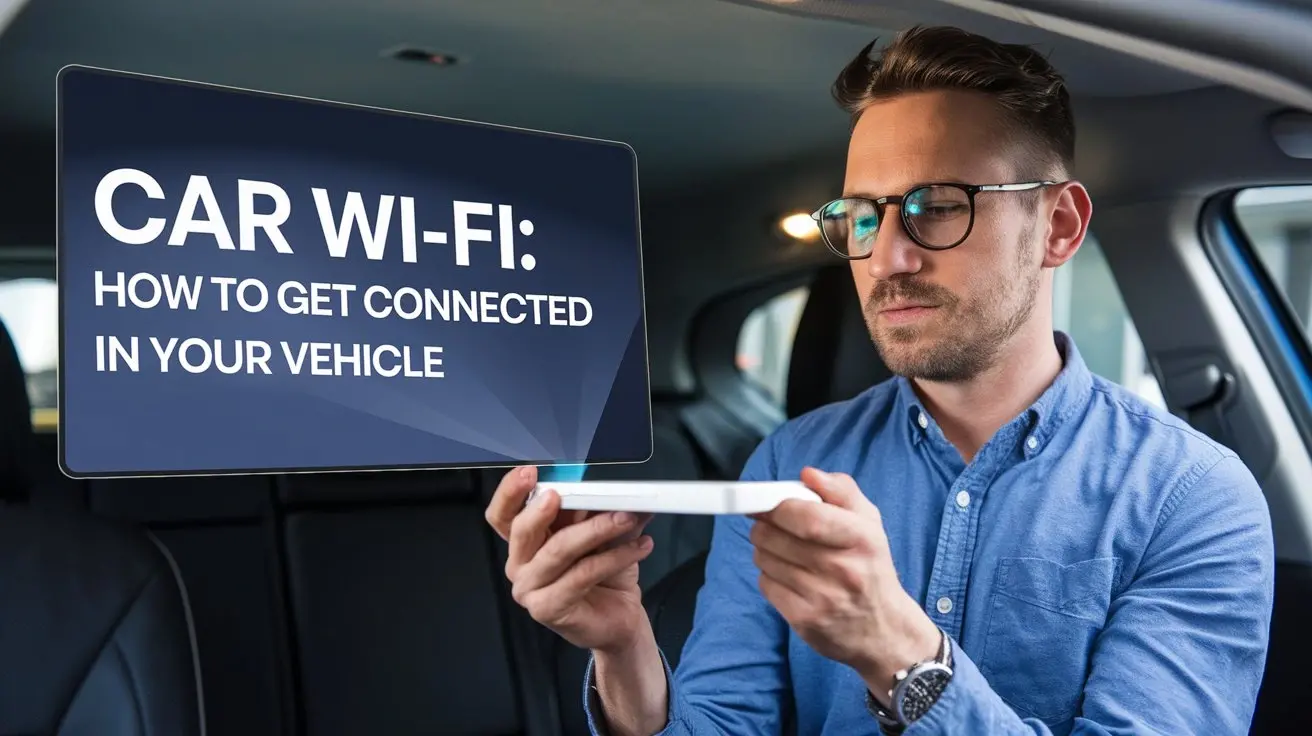
Unlock seamless connectivity on the go with our comprehensive guide to car Wi-Fi. Discover the best ways to get your vehicle online, from portable hotspots to integrated systems, ensuring you and your passengers stay connected, entertained, and productive wherever your journey takes you.
What is Car Wi-Fi?
Car Wi-Fi refers to the ability to establish a wireless internet connection within a vehicle. This allows multiple devices, such as smartphones, tablets, laptops, and even smart car features, to access the internet simultaneously without relying on cellular data from individual devices. It transforms your car into a mobile hotspot, enhancing productivity, entertainment, and convenience for everyone on board.
Why You Need Car Wi-Fi in 2025-26
In the rapidly evolving landscape of 2025-26, reliable internet access is no longer a luxury but a necessity, and this extends to our vehicles. The demand for constant connectivity is driven by several key trends:
- Remote Work and Education: With hybrid and remote work models becoming standard, many professionals and students need to stay connected for meetings, assignments, and online learning sessions even while traveling. A study by Global Workforce Analytics (2025) indicates that over 60% of the workforce utilizes remote or hybrid arrangements, highlighting the need for mobile connectivity solutions.
- Entertainment on the Go: Passengers, especially children, rely on internet-connected devices for entertainment. Streaming music, watching videos, and playing online games are common activities during road trips, making car Wi-Fi essential for a peaceful journey. The Automotive Entertainment Report (2026) projects that over 75% of vehicle occupants will use streaming services during travel.
- Navigation and Real-time Information: Advanced navigation apps, traffic updates, and real-time information services are heavily reliant on internet connectivity. While some systems have offline capabilities, live data significantly enhances the accuracy and usefulness of these tools.
- Vehicle Diagnostics and Updates: Modern vehicles are increasingly connected, utilizing Wi-Fi for over-the-air (OTA) software updates, remote diagnostics, and integration with smart home ecosystems. This ensures your car's systems are up-to-date and functioning optimally. According to TechCrunch Mobility Insights (2025), 85% of new vehicles sold in 2025 feature some form of built-in connectivity for these purposes.
- Productivity and Business Travel: Business travelers can leverage car Wi-Fi to respond to emails, join conference calls, and access cloud-based documents, turning commute time or long drives into productive work periods.
- Safety and Emergency Services: Connected car features can provide enhanced safety through real-time hazard alerts and improved communication capabilities in emergency situations.
Failing to have car Wi-Fi can lead to frustrating experiences, missed opportunities, and an overall less enjoyable travel experience. In 2025-26, it's about more than just convenience; it's about staying integrated with the digital world.
Types of Car Wi-Fi Solutions
Several distinct approaches exist for bringing internet connectivity into your vehicle. Each has its own advantages, disadvantages, and ideal use cases. Understanding these options is the first step to finding the best fit for your needs.
Portable Wi-Fi Hotspots (Mi-Fi Devices)
Often referred to as Mi-Fi devices or mobile hotspots, these are compact, battery-powered gadgets that connect to a cellular network (like 4G LTE or 5G) and broadcast a Wi-Fi signal that your devices can connect to.
- How they work: They contain a SIM card from a mobile carrier, which provides the internet data. The device then acts as a router, creating a local Wi-Fi network.
- Pros:
- Portability: Can be used anywhere, not just in the car.
- Device Flexibility: Can connect multiple devices simultaneously (typically 5-15).
- Dedicated Data: Offers a separate data plan, preserving your smartphone's data allowance.
- Ease of Use: Generally simple to set up and operate.
- Cons:
- Battery Life: Requires regular charging, and battery life can vary.
- Additional Device: Another gadget to manage and charge.
- Cost: Involves the cost of the device plus a monthly data plan.
- Signal Dependency: Performance is entirely dependent on the cellular signal strength in your location.
- Best for: Frequent travelers, families needing to connect multiple devices, individuals who want a dedicated internet solution separate from their phone.
Smartphone Tethering
Tethering, also known as a "hotspot" feature on your smartphone, allows your phone to share its cellular data connection with other devices via Wi-Fi, Bluetooth, or USB.
- How it works: Your smartphone uses its cellular data plan to connect to the internet, and then broadcasts that connection as a Wi-Fi network for other devices to use.
- Pros:
- No Extra Device: Utilizes hardware you already own.
- Convenience: Quick and easy to set up when needed.
- Cost-Effective: If your existing phone plan includes hotspot data, there's no additional hardware or plan cost.
- Cons:
- Data Limits: Can quickly consume your smartphone's monthly data allowance, potentially leading to overage charges or throttled speeds. Many plans have specific, often lower, data caps for tethering.
- Battery Drain: Tethering significantly drains your smartphone's battery.
- Performance: Can sometimes be slower or less stable than dedicated hotspot devices.
- Device Limit: Typically supports fewer simultaneous connections than dedicated hotspots.
- Potential for Throttling: Mobile carriers may throttle tethering speeds more aggressively than direct phone usage.
- Best for: Occasional use, short trips, users with unlimited or generous hotspot data allowances on their phone plans, situations where you only need to connect one or two devices for a short period.
In-Car Wi-Fi Systems
Many modern vehicles come equipped with built-in Wi-Fi capabilities. These systems are integrated directly into the car's infotainment system and use a dedicated cellular modem and antenna.
- How they work: Similar to portable hotspots, they use a SIM card to connect to a cellular network. However, they are permanently installed, often with enhanced antennas for better reception, and powered by the car's electrical system.
- Pros:
- Seamless Integration: Works directly with the car's systems.
- Enhanced Reception: Often feature external antennas for improved signal strength.
- Always Available: No need to remember to bring another device.
- Power Source: Runs off the car's battery, no separate charging needed.
- Multiple Device Support: Typically supports a good number of simultaneous connections.
- Cons:
- Cost: Often an optional upgrade or part of a higher trim level when purchasing a new vehicle.
- Data Plans: Requires a separate data plan, often through the car manufacturer's partner provider, which can sometimes be more expensive.
- Limited Portability: Only usable when you are in the car.
- Potential for Obsolescence: Technology can become outdated as cellular networks evolve.
- Best for: New car buyers who want integrated connectivity, families who frequently travel together, those who prioritize convenience and a clean dashboard.
Aftermarket Solutions
For older vehicles or those without built-in Wi-Fi, aftermarket solutions can provide similar functionality to integrated systems. These can range from simple plug-and-play devices to more complex installations.
- How they work: These devices typically connect to the car's power source (e.g., 12V socket) and may require a SIM card. Some might integrate with the car's antenna system for better reception, while others are standalone units.
- Pros:
- Retrofit Capability: Brings Wi-Fi to older vehicles.
- Customization: Options available for different budgets and technical needs.
- Potentially Better Antennas: Some units offer superior signal reception compared to a smartphone.
- Cons:
- Installation Complexity: Some solutions may require professional installation.
- Aesthetics: Can add clutter to the car's interior.
- Power Consumption: Needs to be managed to avoid draining the car battery when the engine is off.
- Compatibility: Ensuring compatibility with your vehicle's electrical system and infotainment is crucial.
- Best for: Owners of older vehicles who want to add modern connectivity features, DIY enthusiasts looking for a custom solution.
Choosing the Right Car Wi-Fi Solution for You
Selecting the best car Wi-Fi solution involves carefully evaluating your specific needs, budget, and usage patterns. There's no one-size-fits-all answer, so let's break down the key considerations.
Key Factors to Consider
- Budget: What is your upfront budget for hardware, and what is your monthly budget for data plans?
- Data Usage: How much data do you anticipate using? Consider streaming, downloading, video conferencing, and general browsing for all connected devices.
- Number of Devices: How many devices will typically be connected to the Wi-Fi network at any given time?
- Frequency of Use: Will you use car Wi-Fi daily, only on long road trips, or occasionally?
- Vehicle Type: Is it a new car with potential built-in options, or an older vehicle that needs an aftermarket solution?
- Convenience vs. Cost: Are you willing to pay more for seamless integration and ease of use, or are you comfortable with a more manual setup like tethering?
- Signal Strength in Your Area: Research the coverage of different mobile carriers in the areas where you most frequently drive.
- Battery Management: How important is it to avoid draining your primary devices' batteries?
Comparison Table of Car Wi-Fi Options
Here's a comparative look at the primary car Wi-Fi solutions to help you visualize the differences:
| Feature | Portable Wi-Fi Hotspot (Mi-Fi) | Smartphone Tethering | In-Car Wi-Fi System (Built-in) | Aftermarket Car Wi-Fi |
|---|---|---|---|---|
| Upfront Cost | Moderate (device purchase) | None (uses existing phone) | High (part of vehicle purchase/upgrade) | Moderate to High (device purchase, potential installation) |
| Monthly Data Cost | Varies by plan | Included in phone plan (may have limits) | Varies by plan (often manufacturer-specific) | Varies by plan |
| Device Limit | 5-15 devices | 1-5 devices | Typically 5-10 devices | Varies by device |
| Portability | High (can be used anywhere) | High (uses phone) | Low (vehicle-specific) | Moderate (vehicle-specific, but removable) |
| Battery Impact | Requires charging device | Significant drain on phone battery | None (uses car power) | Uses car power (potential drain if not managed) |
| Ease of Use | Easy | Very Easy | Very Easy (once set up) | Easy to Moderate (depending on installation) |
| Signal Strength Potential | Good (depends on device antenna) | Moderate (depends on phone antenna) | Excellent (often uses external antennas) | Good to Excellent (depending on device) |
Getting Connected: Step-by-Step Guides
Now that you understand the options, let's walk through the practical steps to get your car connected.
Setting Up a Portable Wi-Fi Hotspot
- Purchase a Device: Choose a reputable brand of portable Wi-Fi hotspot (e.g., Netgear, TP-Link, GlocalMe).
- Obtain a SIM Card and Data Plan:
- You'll need a SIM card with a data plan. This can be from a major mobile carrier (e.g., Verizon, AT&T, T-Mobile) or a specialized mobile hotspot provider.
- Ensure the plan is suitable for your expected data usage. Some plans offer unlimited data, while others have caps.
- Insert the SIM card into the designated slot on the hotspot device.
- Power On and Configure:
- Press the power button to turn on the hotspot.
- Access the device's settings, usually via a web interface (by typing an IP address into a browser on a connected device) or a dedicated mobile app.
- You will typically need to set a Wi-Fi network name (SSID) and a strong password.
- Check the device's manual for specific instructions.
- Connect Your Devices:
- On your smartphone, tablet, or laptop, go to Wi-Fi settings.
- Look for the Wi-Fi network name (SSID) you just created.
- Select it and enter the password.
- Your device should now be connected to the internet via the portable hotspot.
- Placement in Vehicle: Place the hotspot in a central location in your car, away from metal obstructions, for optimal signal distribution.
Enabling Smartphone Tethering
The process varies slightly between iOS and Android, but the core steps are similar.
For Android Devices:
- Check Your Plan: Ensure your mobile carrier plan allows for hotspot/tethering usage and that you have sufficient data.
- Navigate to Settings: Open the Settings app on your Android phone.
- Find Network & Internet: Look for options like "Network & Internet," "Connections," or "Wi-Fi & Network."
- Enable Hotspot: Find "Hotspot & tethering" or "Mobile Hotspot and Tethering."
- Configure Hotspot:
- Tap on "Wi-Fi hotspot" or "Mobile Hotspot."
- You can usually set the network name (SSID) and a password.
- Enable the hotspot toggle switch.
- Connect Other Devices: On your other devices, go to Wi-Fi settings, find your phone's hotspot name, and enter the password.
For iOS (iPhone) Devices:
- Check Your Plan: Confirm your carrier plan includes Personal Hotspot functionality.
- Navigate to Settings: Open the Settings app on your iPhone.
- Select Personal Hotspot: Tap on "Personal Hotspot."
- Enable "Allow Others to Join": Toggle this option on.
- Note Wi-Fi Password: The Wi-Fi password for your hotspot will be displayed on this screen.
- Connect Other Devices: On your other devices, go to Wi-Fi settings, find your iPhone's name (e.g., "John's iPhone"), and enter the password shown in your iPhone's Personal Hotspot settings.
Note: For both Android and iOS, you can often choose to tether via Bluetooth or USB cable for a more stable connection, though Wi-Fi is the most common method for multiple devices.
Integrating In-Car Wi-Fi Systems
If your car has a built-in Wi-Fi system, the initial setup is usually done by the dealership or during the vehicle's initial configuration.
- Activation: The system often requires activation with a specific mobile carrier partnered with the car manufacturer. This might involve signing up for a data plan at the time of purchase or shortly after.
- Initial Setup:
- Follow prompts on the car's infotainment screen.
- You'll likely need to create an account with the provider.
- Configure the Wi-Fi network name and password, or use the default settings provided.
- Connecting Devices:
- On your devices, go to Wi-Fi settings.
- Look for the Wi-Fi network name broadcast by your car (often includes the car's make or model).
- Enter the password provided by the system.
- Data Plan Management: You'll typically manage your data plan through a web portal or app provided by the car manufacturer's partner. This is where you'll monitor usage, upgrade your plan, or add data.
- Troubleshooting: If you encounter issues, consult your car's owner's manual or the infotainment system's help section. Contacting the car manufacturer's support or their data provider is the next step.
Understanding Data Plans and Costs
The financial aspect of car Wi-Fi is crucial. Choosing the right data plan can save you money and prevent frustrating data caps.
Assessing Your Data Needs
This is the most critical step in selecting a plan. Consider the following:
- Streaming Video: High-definition video streaming consumes a lot of data. One hour of HD streaming can use up to 3GB of data.
- Streaming Music: Lower bandwidth than video, but still adds up. One hour of standard streaming might use around 150MB.
- Web Browsing and Social Media: Generally uses less data, but can increase with image and video content.
- Online Gaming: Varies greatly, but can be data-intensive, especially for downloads and updates.
- Video Conferencing: Similar to video streaming, can consume 1-3GB per hour depending on quality.
- Downloads/Updates: Software updates for devices or apps can be several gigabytes.
Example Calculation: If two passengers stream HD video for 2 hours on a Saturday road trip (4GB total), and you use your phone for navigation and emails for 3 hours (approx. 500MB), that's 4.5GB for one trip. If this happens weekly, you're looking at 18GB per month just for these activities.
Types of Data Plans Available
- Prepaid Plans: You pay a set amount for a certain amount of data, valid for a specific period (e.g., 10GB for 30 days). Good for infrequent users or those who want to avoid recurring bills.
- Monthly Subscription Plans: Recurring monthly charges for a set data allowance. These can be more cost-effective for regular users.
- Unlimited Data Plans: Offer unlimited data usage, though often subject to "fair usage policies" where speeds may be throttled after a certain high-usage threshold (e.g., 50GB or 100GB). Be sure to read the fine print.
- Pay-As-You-Go: You pay for data only when you use it. This can be expensive if you're not careful but offers flexibility.
- Family/Shared Plans: Some mobile carriers allow you to add a hotspot device to your existing family plan, sharing data across multiple lines and devices.
- Vehicle Manufacturer Plans: For built-in systems, plans are often offered through partners like AT&T, Verizon, or T-Mobile, with specific packages tailored for automotive use.
Cost-Saving Tips for Car Wi-Fi
- Monitor Data Usage: Regularly check your data consumption through your provider's app or portal.
- Utilize Wi-Fi When Available: Connect your devices to home or public Wi-Fi whenever possible to save mobile data.
- Download Content Offline: For entertainment, download movies, music, or podcasts when you have access to Wi-Fi.
- Adjust Streaming Quality: Lowering video streaming quality from HD to standard definition can significantly reduce data usage.
- Choose the Right Plan: Don't overpay for data you don't need. Match your plan to your actual usage.
- Look for Deals: Compare offers from different providers regularly, as plans and pricing change.
- Consider Prepaid for Occasional Use: If you only need Wi-Fi for a few long trips a year, a prepaid option might be more economical than a monthly subscription.
- Leverage Your Smartphone Plan: If your phone plan includes generous hotspot data, tethering might be the most cost-effective solution.
Troubleshooting Common Car Wi-Fi Issues
Even with the best setup, you might encounter problems. Here are some common issues and their solutions:
- No Internet Connection:
- Check Signal Strength: Ensure you have a good cellular signal. Move to a different location if possible.
- Restart Device: Power cycle your Wi-Fi hotspot, smartphone, or in-car system.
- Verify Data Plan: Check if your data plan has expired or if you've exceeded your data limit.
- Check SIM Card: Ensure the SIM card is properly inserted and active.
- Router/Hotspot Settings: Log into the device's interface to check its status.
- Slow Speeds:
- Signal Strength: Poor signal is the most common cause.
- Too Many Devices: Disconnect some devices to see if performance improves.
- Network Congestion: Cellular networks can become congested in crowded areas.
- Device Limitations: Older devices or those with older Wi-Fi standards may not perform as well.
- Throttling: Your provider might be throttling your speed due to high usage or plan limitations.
- Devices Not Connecting:
- Correct Password: Double-check that you're entering the correct Wi-Fi password.
- Restart Devices: Restart both the Wi-Fi source and the device trying to connect.
- Device Compatibility: Ensure the device supports the Wi-Fi standard being broadcast (e.g., 2.4GHz vs. 5GHz).
- MAC Filtering: Check if MAC address filtering is enabled on the hotspot and if your device is allowed.
- Battery Drain (for portable hotspots/phones):
- Reduce Screen Brightness: On phones and hotspots with screens.
- Disable Unused Features: Turn off Bluetooth, GPS, etc., when not needed.
- Use a Car Charger: Keep your device plugged in while in use.
- Consider an External Battery Pack: For portable hotspots.
- In-Car System Not Working:
- Check Infotainment System: Ensure the Wi-Fi feature is enabled within the car's settings.
- Consult Manual: Refer to your car's owner's manual for specific troubleshooting steps.
- Contact Manufacturer Support: For integrated systems, the manufacturer or their partner provider is usually the best resource.
The Future of Car Connectivity
The evolution of car Wi-Fi is intrinsically linked to the broader advancements in automotive technology and telecommunications. As we look towards the future, several trends are shaping the connected car experience:
- 5G Integration: The widespread adoption of 5G networks will offer significantly faster speeds, lower latency, and greater capacity, enabling more robust in-car Wi-Fi experiences. This will support higher-quality streaming, real-time augmented reality navigation, and more responsive vehicle-to-everything (V2X) communication.
- Enhanced In-Car Entertainment: With faster speeds, expect more immersive entertainment options, including cloud gaming, higher-resolution video streaming, and personalized content delivery.
- Advanced Driver-Assistance Systems (ADAS) and Autonomous Driving: These technologies rely heavily on constant, high-bandwidth data transfer for sensor data processing, software updates, and communication with infrastructure and other vehicles.
- Vehicle-to-Everything (V2X) Communication: Cars will increasingly communicate with traffic signals, other vehicles, pedestrians, and the network infrastructure, requiring reliable and low-latency internet connectivity.
- Software-Defined Vehicles: Cars are becoming more like smartphones on wheels, with functionalities determined by software. This necessitates seamless over-the-air (OTA) updates for everything from infotainment to critical driving systems, powered by robust connectivity.
- Integration with Smart Homes and Cities: Your car will become an even more integrated part of your digital ecosystem, allowing for smoother transitions between home, work, and travel.
The trend is clear: cars are becoming increasingly connected hubs. The solutions available today are paving the way for a future where your vehicle is an extension of your digital life, offering unparalleled convenience, productivity, and safety.
In conclusion, car Wi-Fi is an indispensable tool for modern travel, offering a gateway to productivity, entertainment, and essential services. Whether you opt for a portable hotspot, smartphone tethering, or a sophisticated in-car system, understanding your needs and the available options is key to achieving seamless connectivity. Prioritize your data usage, budget, and desired convenience level to select the solution that best fits your lifestyle. By following the setup guides and staying mindful of data plan management, you can ensure your journeys are always connected and enjoyable. Embrace the future of mobile connectivity and transform your vehicle into a true digital sanctuary.