Experiencing a Spectrum internet outage can be incredibly disruptive. This guide provides immediate steps to determine when your Spectrum internet will be back up, offering insights into common causes, estimated restoration times, and proactive measures to minimize downtime. We aim to equip you with the knowledge to navigate outages effectively.
Understanding Spectrum Internet Outages
Spectrum, like any major internet service provider (ISP), can experience service disruptions. These outages can range from localized, brief interruptions affecting a few households to widespread, prolonged downtime impacting entire communities. Understanding the nature of these events is the first step in managing the frustration and inconvenience they cause. When your Spectrum internet goes down, the immediate question is often, "When will Spectrum internet be back up?" This question drives users to seek timely and accurate information. Spectrum's infrastructure is extensive, encompassing physical cables, network equipment, and complex routing systems. Any component within this vast network can be a potential point of failure. Identifying the cause and the scope of the outage is crucial for estimating restoration times.
Outages can stem from a variety of factors, including severe weather events like storms, hurricanes, or heavy snow, which can damage physical infrastructure. Human error, such as accidental cable cuts during construction, can also lead to service interruptions. Equipment failures at Spectrum's data centers or local nodes are another common cause. Furthermore, cyberattacks or power grid failures affecting Spectrum's facilities can trigger outages. For users, recognizing that an outage is a complex issue with multiple potential origins helps in managing expectations regarding restoration timelines. The goal of this comprehensive guide is to demystify Spectrum internet outages and provide actionable steps for users to get back online as quickly as possible.
Identifying the Problem: Is It Just You?
Before assuming a widespread Spectrum outage, it's essential to rule out issues specific to your home network. A simple diagnostic process can save you time and frustration. The most common culprits for a perceived internet outage are often within your own premises.
Troubleshooting Your Home Network
The first and most crucial step is to check your modem and router. Are the lights on your Spectrum modem indicating a connection? Typically, there are lights for power, downstream, upstream, and online status. If the "online" or "internet" light is off or blinking erratically, it suggests a problem with the signal reaching your modem. Similarly, check your router. If it's a separate device, ensure it's powered on and its status lights are normal. A blinking internet light on the router can also indicate a lack of connection from the modem.
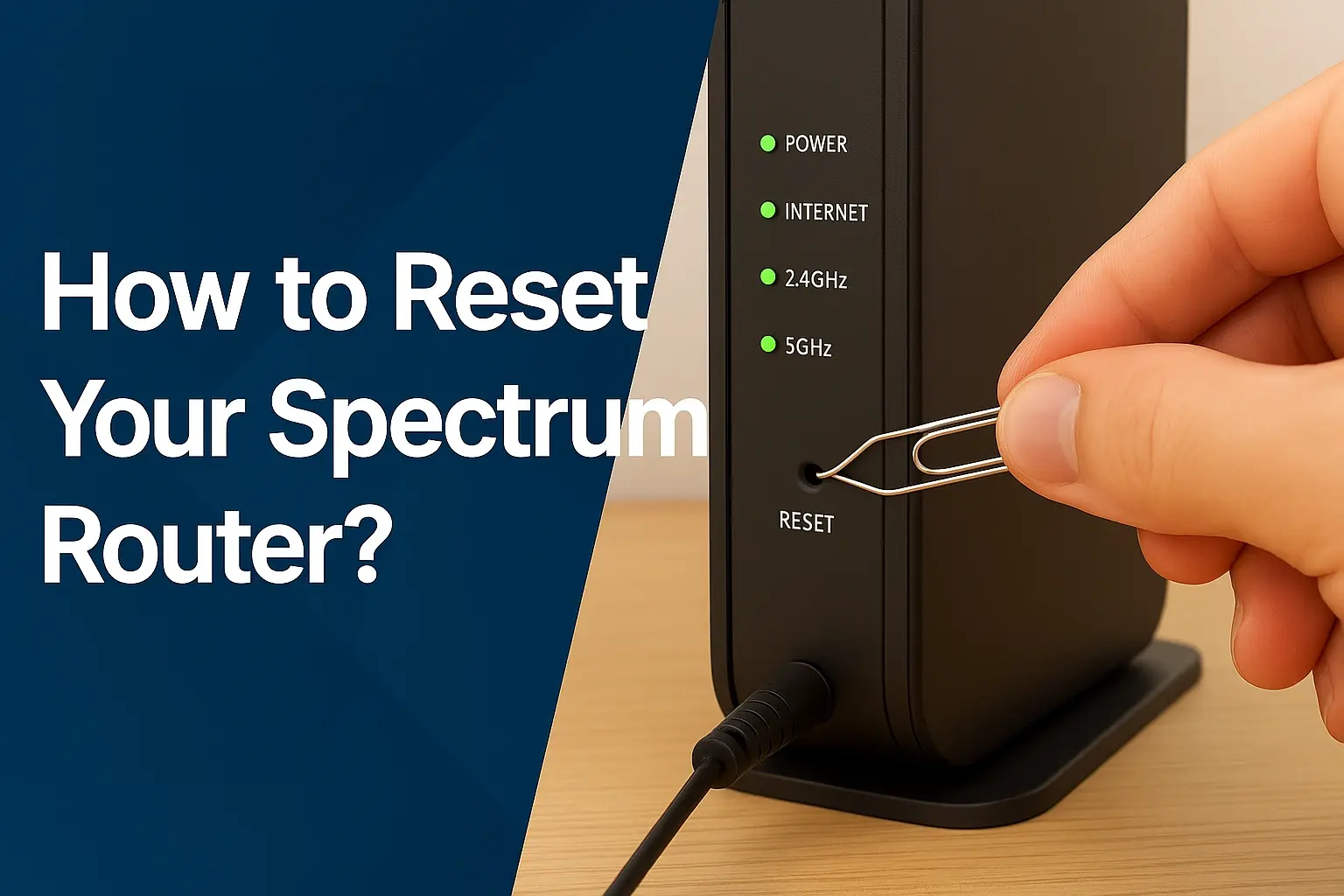
A simple yet effective troubleshooting step is to power cycle your modem and router. This involves unplugging both devices from their power source, waiting for at least 30-60 seconds, and then plugging them back in. Start with the modem, allowing it to fully boot up and establish a connection (indicated by steady lights), and then power on the router. This process can resolve many temporary glitches and re-establish a connection.
Checking Other Devices
If you have multiple devices connected to your network (smartphones, tablets, other computers), try connecting to the internet with each one. If only one device is having trouble, the issue likely lies with that specific device's Wi-Fi settings or hardware. If all devices are unable to connect, it strongly suggests a broader network problem, potentially an outage from Spectrum.
Testing a Wired Connection
If you primarily use Wi-Fi, try connecting a computer directly to your modem or router using an Ethernet cable. If a wired connection works but Wi-Fi does not, the problem is likely with your router's Wi-Fi settings or hardware. If neither wired nor wireless connections work, it reinforces the likelihood of an issue with the Spectrum service itself.
By systematically checking these elements, you can accurately determine if the problem is isolated to your home or if it's a larger Spectrum outage. This initial diagnosis is vital before proceeding to check for official outage information.
Checking Spectrum's Official Status and Outage Maps
Once you've determined that the issue is likely beyond your home network, the next step is to consult Spectrum's official channels for information. This is where you'll find the most reliable data regarding service interruptions.
Spectrum's Outage Reporting Tools
Spectrum provides several ways for customers to check for outages in their area. The primary method is through their official website. Navigating to the "Support" or "Outage Information" section of the Spectrum website will often lead you to a tool where you can enter your address to check for reported issues. This is typically the fastest and most accurate way to get information specific to your location.
Spectrum also offers a mobile app, which often includes similar outage reporting and status update features. Downloading and familiarizing yourself with the Spectrum app can be beneficial for quick access to information during an outage. These tools are designed to provide real-time updates as Spectrum technicians work to restore service.
Spectrum Outage Map
While not always publicly available or as detailed as some other ISPs, Spectrum may offer an outage map or a service status checker on their website. These tools, when available, can visually represent areas experiencing service disruptions. They often display the estimated number of affected customers and the general status of restoration efforts. Keep in mind that these maps might not pinpoint every single affected address but provide a good overview of the situation.
Social Media and Community Forums
Sometimes, official channels might be overloaded during a major outage. In such cases, checking Spectrum's official social media accounts (like Twitter or Facebook) can provide quick updates. Additionally, community forums or local social media groups where Spectrum customers discuss service issues can offer anecdotal evidence of an outage. However, treat information from unofficial sources with caution, as it may not always be accurate or up-to-date.
The key is to cross-reference information. If Spectrum's official tools indicate an outage, you can be more confident. If they show no reported issues but your neighbors are also experiencing problems, it might be a very localized issue that Spectrum is still investigating. Always prioritize information directly from Spectrum.
Estimated Restoration Times: What to Expect
One of the most frustrating aspects of an internet outage is the uncertainty surrounding restoration times. Spectrum, like other ISPs, faces challenges in providing precise timelines due to the unpredictable nature of repairs.
Factors Influencing Restoration Time
Several factors significantly impact how long an outage might last. The severity and scope of the damage are primary determinants. A minor equipment malfunction might be fixed within hours, while extensive damage from a natural disaster could take days or even weeks to repair. The availability of technicians and resources is also critical. During widespread events, Spectrum may need to mobilize crews from other regions, which can extend restoration times.
The complexity of the repair plays a role. Replacing a single damaged cable segment is different from repairing a major junction box or a damaged fiber optic line. The location of the outage can also affect repair speed. Remote or difficult-to-access areas may experience longer delays. Finally, power availability is essential. If the outage is due to a power grid failure affecting Spectrum's facilities, restoration is contingent on power being restored to those sites.
Spectrum's Communication on Restoration
Spectrum typically provides estimated restoration times (ETRs) through their website, app, and automated phone systems. These ETRs are often estimates and can change as more information becomes available. It's important to understand that these are not guarantees. Spectrum aims to restore service as quickly and safely as possible, but prioritizing safety for their crews and the public is paramount.
For major outages, Spectrum might provide updates on their progress. These updates could include information about the cause of the outage, the number of technicians deployed, and general progress reports. It's advisable to check their official channels periodically for the most current information.
Managing Expectations
In the absence of specific information, it's helpful to consider typical outage durations. Minor, localized issues might be resolved within a few hours. More significant outages, especially those related to weather or infrastructure damage, can last from 24 to 48 hours or longer. For catastrophic events, restoration could extend to several days. Relying on official updates is the best strategy to avoid misinformation and manage your expectations effectively.
If you have critical needs that depend on internet connectivity, consider having a backup plan. This could include using a mobile hotspot from your smartphone or finding alternative locations with internet access, such as libraries or coffee shops, if feasible.
Common Causes of Spectrum Internet Outages
Understanding the typical reasons behind Spectrum internet outages can help users better anticipate potential disruptions and understand the challenges Spectrum faces in maintaining service reliability.
Weather-Related Disruptions
Severe weather is a leading cause of internet outages. High winds can damage overhead cables and poles. Heavy rain and flooding can affect underground infrastructure. Lightning strikes can fry sensitive network equipment. Ice storms can weigh down lines, causing them to snap. Hurricanes and tornadoes can cause widespread destruction to Spectrum's network, leading to prolonged and extensive outages. For instance, in the aftermath of a major hurricane in coastal regions, Spectrum might report widespread damage requiring significant repair efforts, impacting service for days or even weeks.
Infrastructure Damage
Accidents during construction or excavation are a common cause of localized cable cuts. When utility companies or construction crews dig without properly identifying underground cable routes, they can inadvertently sever fiber optic or coaxial cables. This can lead to immediate service interruptions for affected areas. Vandalism or intentional damage to Spectrum's equipment can also occur, though this is less frequent than other causes.
Equipment Malfunctions and Failures
Like any technology, Spectrum's network equipment can fail. This includes issues with routers, switches, amplifiers, and other components at their central offices or local nodes. Power surges, wear and tear, or manufacturing defects can lead to equipment failure, causing localized or regional outages. Spectrum has maintenance schedules and redundancy measures in place to minimize these occurrences, but they are not entirely preventable.
Power Outages
Spectrum's network relies on a consistent power supply. If a local power grid experiences an outage, and Spectrum's backup power systems (like generators or battery backups) are insufficient or fail, their network equipment will go offline. This can affect internet service in the affected area until power is restored to both the community and Spectrum's facilities.
Network Congestion and Overload
While less common as a cause of complete outages, extreme network congestion can sometimes lead to service degradation or intermittent connectivity issues, which users might perceive as an outage. This is more likely to occur during peak usage times or special events that drive unusually high internet traffic. Spectrum actively manages its network capacity to mitigate these issues.
Maintenance and Upgrades
Occasionally, Spectrum may schedule maintenance or perform network upgrades that require temporary service interruptions. These are usually announced in advance to affected customers. While inconvenient, planned maintenance is essential for improving service reliability and speed in the long run.
Understanding these causes helps users appreciate the complexity of maintaining a stable internet connection and the efforts Spectrum undertakes to restore service when disruptions occur.
What To Do During a Spectrum Internet Outage
When your Spectrum internet is down, it's easy to feel helpless. However, there are several proactive steps you can take to manage the situation and get back online as quickly as possible.
Stay Informed Through Official Channels
As detailed earlier, your primary action should be to check Spectrum's official website or mobile app for outage information. Look for specific details about your area, including the reported cause and any estimated restoration times. Avoid relying solely on social media rumors, as these can be inaccurate.
Conserve Your Mobile Data
If your home internet is down, you'll likely rely on your mobile device for communication and information. Be mindful of your mobile data usage. Streaming videos, downloading large files, or prolonged video calls can quickly consume your data allowance. If you have unlimited data, this is less of a concern, but for those with data caps, it's wise to be conservative.
Utilize Mobile Hotspots (If Available)
Most modern smartphones can function as a Wi-Fi hotspot, allowing other devices to connect to the internet using your cellular data. This can be a lifesaver for essential tasks like checking emails, working remotely, or staying in touch with family. Ensure your mobile plan includes hotspot functionality and be aware of any data limits associated with it.
Prepare a "Go Bag" for Extended Outages
For extended outages, especially those caused by severe weather, having a plan can reduce stress. Consider a small bag with essentials like portable power banks for your devices, a battery-powered radio for news updates, and any necessary medications or supplies. This is more about preparedness for the broader impact of an outage, which often includes power loss.
Engage in Offline Activities
While waiting for service restoration, it's a good opportunity to disconnect from the digital world and engage in offline activities. Read a book, play board games, spend time outdoors, or catch up on household chores. This can help pass the time and reduce frustration.
Consider a Backup Internet Solution (For Critical Needs)
If your work or personal life heavily depends on a stable internet connection, consider investing in a backup solution. This could be a dedicated mobile hotspot device with a separate data plan, or even a secondary internet service from a different provider if available in your area. While this incurs extra cost, it can provide peace of mind for those who cannot afford significant downtime.
Remember, patience is key during an outage. Spectrum technicians are working to resolve the issue, and your cooperation and informed actions can make the waiting period more manageable.
Reporting a Spectrum Internet Outage Effectively
When you suspect a Spectrum internet outage, reporting it correctly ensures that Spectrum receives the necessary information to investigate and resolve the issue promptly. An effective report can also help Spectrum identify the scope and location of the problem.
When to Report
You should report an outage if you have confirmed that the problem is not within your home network (as outlined in the "Identifying the Problem" section) and if Spectrum's official outage maps or status checkers do not show a known issue in your area. If their tools indicate a known outage, reporting again might not expedite the process, but it's still worth checking for updates.
Information to Have Ready
When contacting Spectrum or using their reporting tools, have the following information readily available:
- Your Account Number or Service Address: This is essential for Spectrum to identify your location and service.
- A Description of the Problem: Clearly state that your internet service is down.
- Troubleshooting Steps You've Taken: Mention that you have power cycled your modem and router and checked other devices. This demonstrates you've done your due diligence and helps Spectrum technicians avoid suggesting basic steps.
- Status of Your Modem Lights: Describe the lights on your Spectrum modem (e.g., "the online light is off," "the downstream light is blinking").
- Any Error Messages: If you see specific error messages on your devices when trying to connect, note them down.
How to Report
Online: The most efficient method is often through Spectrum's website or mobile app. Look for options like "Report an Outage," "Service Status," or "Contact Us." These platforms are designed to collect the necessary data systematically.
Phone: You can call Spectrum's customer service line. Be prepared for potential wait times, especially during widespread outages. Follow the automated prompts to report a service interruption. You may be asked to provide your account information and answer diagnostic questions.
Social Media: While not ideal for official reporting, you can sometimes send a direct message to Spectrum's official social media support channels. However, they will likely direct you to their website or phone support for detailed issue resolution.
What Happens After Reporting
Once you report an outage, Spectrum's system will log your report. If multiple reports come in from the same area, it helps them prioritize and confirm the extent of the problem. Technicians will then investigate the issue, which may involve dispatching personnel to the affected area to diagnose and repair the damage. You will typically receive updates through the same channels you used to report the outage.
Reporting effectively ensures that your voice is heard and contributes to the overall effort to restore service for everyone.
Spectrum Outage Statistics and Trends (2025-2026)
Understanding the frequency and duration of Spectrum outages can provide valuable context for users. While precise, granular data for specific ISPs is often proprietary, general trends and available statistics from industry reports offer insights into service reliability.
General Internet Outage Trends
In 2025 and projected into 2026, the telecommunications industry continues to grapple with maintaining high uptime amidst increasing demand and evolving threats. Factors like aging infrastructure in some areas, the growing complexity of network management, and the persistent impact of climate change on weather patterns contribute to ongoing outage challenges. However, significant investments in network upgrades, particularly in fiber optic technology and 5G integration, are aimed at improving resilience and reducing downtime.
Spectrum's Reported Reliability
Spectrum, as one of the largest cable broadband providers in the United States, serves millions of customers. While specific annual outage reports are not always publicly detailed by the company, general customer satisfaction surveys and industry analyses provide some indication. Most major ISPs aim for an uptime of 99.9% or higher, which translates to roughly 8.76 hours of downtime per year. However, this is an average, and individual experiences can vary significantly based on geographic location and the specific infrastructure serving that area.
Data from 2025 suggests that while overall network stability is improving due to technological advancements, the frequency of localized disruptions due to extreme weather events has seen a slight increase in certain regions. For Spectrum, this means that areas prone to severe storms, heavy snowfall, or wildfires might experience more frequent, albeit often shorter, outages compared to more stable regions.
Comparison with Other Providers (General)
When comparing Spectrum to other major providers like Xfinity, Cox, or AT&T, reliability can be highly localized. Fiber optic providers often boast superior reliability due to less susceptibility to weather interference compared to coaxial cable networks. However, cable providers like Spectrum have a vast existing infrastructure that is continuously being upgraded. In 2025-2026, the battle for reliability is fierce, with all major players investing heavily in network hardening and redundancy.
A hypothetical breakdown for 2025-2026 might look like this:
| Provider Type | Typical Annual Downtime (Hours) | Primary Causes of Downtime |
|---|---|---|
| Fiber Optic (e.g., Verizon Fios, AT&T Fiber) | 0.5 - 2 | Major infrastructure damage, power grid failures, equipment failure |
| Cable Broadband (e.g., Spectrum, Xfinity) | 2 - 8 | Weather, cable damage (construction/vandalism), equipment failure, power issues |
| DSL/Satellite | Variable (often higher) | Infrastructure limitations, weather (especially satellite), equipment issues |
It's important to note that these are general estimates. Spectrum's commitment to upgrades means that in areas where they have invested in advanced technologies like DOCSIS 4.0, reliability can be very high. Conversely, older infrastructure segments might be more prone to issues.
Users experiencing frequent outages should document them and discuss potential solutions or service credits with Spectrum. While outages are an unfortunate reality of any complex service, understanding the trends and Spectrum's efforts can help manage expectations.
Preventative Measures and Preparing for Future Outages
While you cannot prevent Spectrum from experiencing an outage, you can take steps to mitigate the impact on your household and be better prepared for future disruptions.
Invest in a Reliable Surge Protector
Power surges, often caused by lightning strikes or fluctuations in the power grid, can damage your modem, router, and other connected electronic devices. Plugging your Spectrum modem and router into a high-quality surge protector can help safeguard them from electrical damage, potentially preventing issues that could be exacerbated during an outage or helping them recover faster.
Maintain Your Home Network Equipment
Ensure your modem and router are up-to-date and in good working condition. Older equipment can be more prone to failure. If your equipment is leased from Spectrum, they are responsible for its maintenance and replacement. If you own your equipment, check for firmware updates and consider upgrading if it's several years old.
Secure Your Wi-Fi Network
While not directly related to Spectrum outages, a secure Wi-Fi network prevents unauthorized users from consuming bandwidth or potentially causing network issues. Use a strong, unique password for your Wi-Fi network and ensure it's encrypted using WPA2 or WPA3 security protocols.
Develop a Communication Plan
In the event of an internet outage, especially one accompanied by a power outage, traditional communication methods might be affected. Have a plan for how your household will communicate. This could include:
- Pre-arranged meeting points if family members are out during the outage.
- Contact information for essential services (emergency numbers, local authorities) stored offline or on paper.
- Knowing how to use your mobile phone's hotspot feature and having a plan for charging your devices (e.g., portable power banks).
Have Backup Internet Options
For individuals or businesses that cannot afford significant downtime, having a backup internet solution is crucial. This could involve:
- A mobile hotspot device with a generous data plan.
- A secondary internet service from another provider if feasible.
- Access to public Wi-Fi at locations like libraries or community centers.
Stay Informed About Local Weather and Events
Pay attention to weather forecasts, especially during seasons prone to severe storms, hurricanes, or heavy snow. Being aware of potential threats allows you to prepare your home and devices in advance. For example, securing outdoor equipment or ensuring backup power sources are ready.
Keep Important Information Accessible
Store essential Spectrum account information (account number, contact numbers) in an easily accessible place, both digitally (if possible, on a cloud service accessible via mobile data) and physically (a printed copy). This will be invaluable when you need to contact Spectrum support or report an issue.
By implementing these preventative measures, you can significantly reduce the impact of Spectrum internet outages on your daily life and ensure you are better equipped to handle disruptions when they occur.
Contacting Spectrum Support for Assistance
When you've exhausted self-help troubleshooting and official outage checks, contacting Spectrum support directly is the next logical step. This ensures your specific issue is logged and addressed by the provider.
When to Contact Support
Contact Spectrum support if:
- You suspect an outage, but their official tools indicate no known issues in your area.
- Your service has been down for an extended period (e.g., more than 24 hours) and there are no updates.
- You are experiencing intermittent connectivity issues that are not resolved by basic troubleshooting.
- You have received a notification about a planned outage that has passed, and service has not been restored.
- You need to report damage to Spectrum equipment or lines.
Spectrum Support Channels
Spectrum offers several ways to reach their customer support:
- Phone Support: This is the most direct method for complex issues or when you need to speak with a representative. The primary customer service number can be found on your bill or the Spectrum website. Be prepared for potential wait times.
- Online Chat: Many users find the online chat feature on the Spectrum website to be a convenient way to get support, especially for less complex queries. It allows you to multitask while waiting for a response.
- Spectrum Mobile App: The app often provides access to support features, including chat and the ability to report service issues.
- In-Person (Spectrum Stores): While primarily for sales and equipment returns, some Spectrum stores may offer basic technical support or direct you to the appropriate channels.
What to Expect When Contacting Support
When you contact Spectrum support, a representative will typically guide you through a series of diagnostic questions and troubleshooting steps. They will likely ask for your account information and details about the problem you are experiencing. They may also check the status of their network in your area.
If they confirm an outage, they will provide you with any available information regarding estimated restoration times. If the issue appears to be localized to your home, they may schedule a technician visit.
Preparing for a Technician Visit
If a technician visit is scheduled, ensure that:
- The area around your modem and router is accessible.
- An adult (18 years or older) is present at the service address to grant access and authorize work.
- You have noted any specific issues or concerns you want the technician to address.
By utilizing these support channels effectively, you can ensure that your Spectrum internet issues are addressed promptly and professionally. Remember to be patient and provide clear, accurate information to the support staff.
When Spectrum internet goes down, the immediate concern is always, "When will Spectrum internet be back up?" While there's no single, universally predictable answer, this comprehensive guide has equipped you with the knowledge to navigate these disruptions effectively. We've explored how to diagnose the problem, verify official outage information, understand the factors influencing restoration times, and identify common causes. Furthermore, we've provided actionable steps for what to do during an outage, how to report issues effectively, and how to prepare for future disruptions with preventative measures and backup solutions. By staying informed through Spectrum's official channels, understanding the complexities of network repairs, and having a plan for connectivity, you can minimize the inconvenience of service interruptions. Always prioritize official updates and remember that Spectrum technicians are working diligently to restore your service as quickly and safely as possible. For critical needs, consider a backup internet strategy to ensure uninterrupted connectivity.