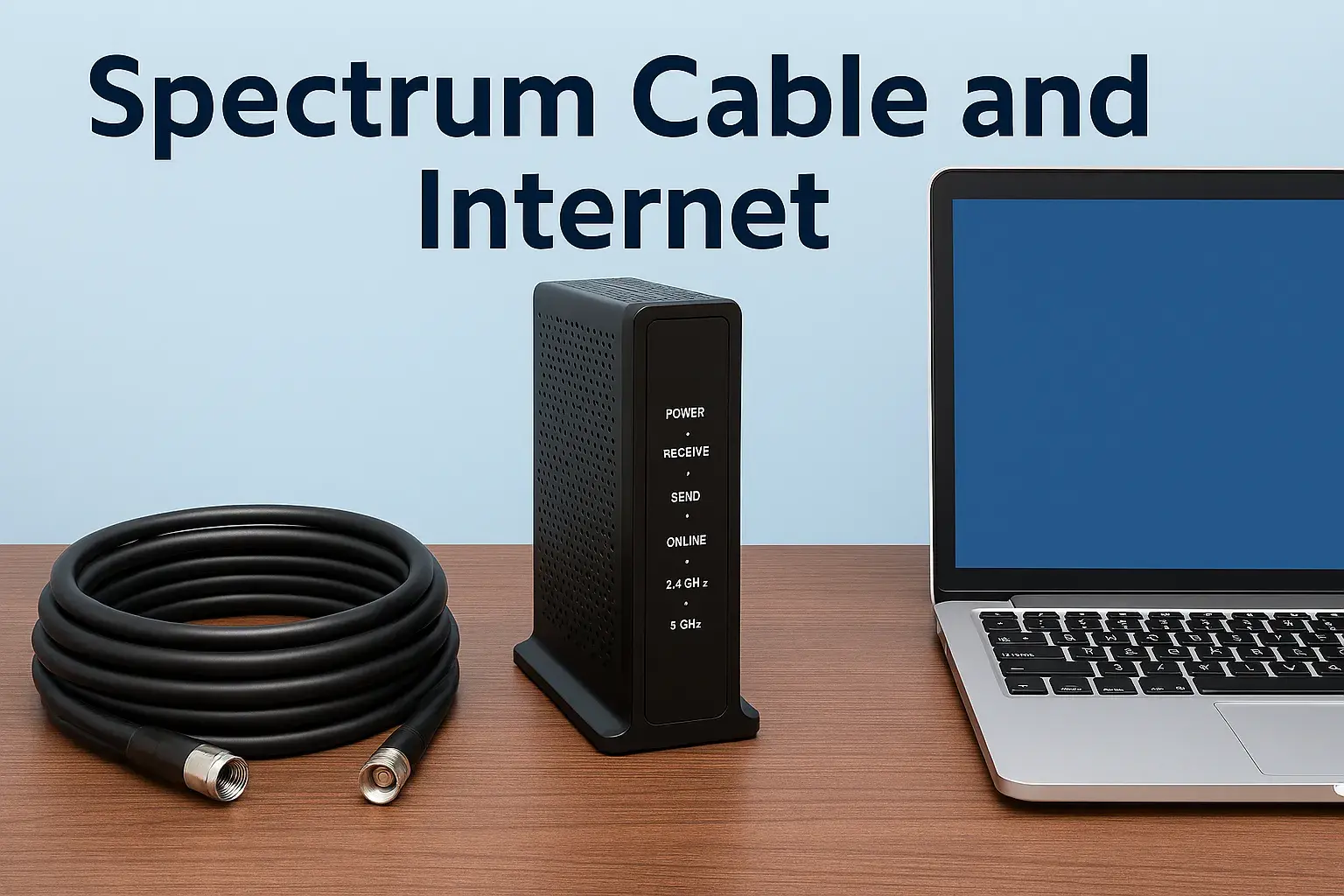
Spectrum primarily offers high-speed internet services through its advanced hybrid fiber-coaxial (HFC) network, often referred to as cable internet. This technology combines fiber optic cables for the main backbone and coaxial cables for the final connection to your home, delivering reliable and fast internet access for a wide range of online activities.
Spectrum Internet: An Overview
Spectrum, a brand of Charter Communications, is one of the largest broadband internet providers in the United States. When consumers ask "What type of internet is Spectrum?", they are essentially inquiring about the technology Spectrum uses to deliver its services and what kind of performance they can expect. Spectrum's core offering is its high-speed internet, which is primarily delivered via a hybrid fiber-coaxial (HFC) network. This means that while the bulk of the network infrastructure relies on robust fiber optic cables, the final connection to individual homes typically uses coaxial cable, similar to what is used for cable television. This blend of technologies allows Spectrum to offer competitive speeds and reliability across its vast service footprint, making it a significant player in the residential and business internet market. In 2025-26, Spectrum continues to invest in upgrading its HFC network, pushing speeds higher and improving overall service quality to meet the ever-increasing demands of modern internet usage, from streaming high-definition content and online gaming to supporting remote work and smart home devices.
Understanding Spectrum's Internet Technology
The question "What type of internet is Spectrum?" is best answered by delving into the technology that powers its services. Spectrum predominantly utilizes a Hybrid Fiber-Coaxial (HFC) network. This sophisticated infrastructure is a cornerstone of its service delivery, blending the strengths of two established technologies: fiber optics and coaxial cable.
The Hybrid Fiber-Coaxial (HFC) Network Explained
An HFC network is designed to bring high-speed internet, along with cable television and phone services, to homes and businesses. Here's a breakdown of how it works:
- Fiber Optic Backbone: The primary network infrastructure consists of fiber optic cables. These cables transmit data using light signals, which allows for incredibly high bandwidth, minimal signal degradation over long distances, and immunity to electromagnetic interference. Spectrum's fiber optic lines form the backbone, connecting its central offices to neighborhood nodes.
- Neighborhood Nodes: At strategic points in neighborhoods, the fiber optic cable terminates at a device called a node. This node acts as a distribution point.
- Coaxial Cable Connection: From the node, coaxial cables branch out to individual homes and businesses. Coaxial cables, while not as inherently fast as fiber optics over long distances, are robust and cost-effective for the "last mile" connection. They carry the data signals from the node to your modem.
- DOCSIS Technology: The signals transmitted over the coaxial cable are managed by Data Over Cable Service Interface Specification (DOCSIS) technology. DOCSIS is a set of standards that enables high-speed data transfer over existing coaxial cable networks. Spectrum utilizes the latest DOCSIS standards (such as DOCSIS 3.1 and increasingly DOCSIS 4.0 in 2025-26) to maximize the speeds and efficiency of its network. These newer standards allow for greater capacity and higher download and upload speeds.
Advantages of Spectrum's HFC Network
Spectrum's reliance on HFC technology offers several key advantages that contribute to its market position:
- High Speeds: HFC networks, especially with advanced DOCSIS versions, can deliver multi-gigabit download speeds. This is more than sufficient for most household needs, including streaming 4K video, online gaming, and large file downloads.
- Reliability: While not entirely immune to physical damage, HFC networks are generally reliable. The fiber optic backbone is very robust, and coaxial cables are well-established and resilient.
- Scalability: Spectrum can upgrade its network by deploying newer DOCSIS standards or by increasing the capacity of its fiber optic backbone, allowing it to offer progressively faster speeds without a complete overhaul of the physical infrastructure in many areas.
- Widespread Availability: Because coaxial cable infrastructure is already in place in many areas for cable TV, Spectrum can often deploy its internet services more quickly and widely than providers relying solely on fiber-to-the-home (FTTH) installations.
Comparison to Other Internet Technologies
Understanding Spectrum's HFC technology also means understanding how it compares to other common internet types:
- Fiber-to-the-Home (FTTH): This is considered the gold standard for internet connectivity. FTTH uses fiber optic cables all the way from the provider's central office directly to the user's home. It offers the highest potential speeds, symmetrical upload and download speeds, and superior reliability. Spectrum offers FTTH in some select areas, but its primary offering is HFC.
- Digital Subscriber Line (DSL): DSL internet uses existing telephone lines to transmit data. It is generally much slower than HFC and FTTH, with speeds that degrade significantly with distance from the telephone company's central office. Spectrum's HFC is significantly faster and more capable than DSL.
- Fixed Wireless: This technology uses radio waves to connect users to a nearby base station. It can be a good option in rural areas where wired infrastructure is scarce, but speeds and reliability can be more variable and dependent on weather conditions and line-of-sight to the tower. Spectrum's HFC generally offers more consistent and higher speeds.
- Satellite Internet: Satellite internet involves a dish that communicates with a satellite in orbit. It is available in very remote areas but is known for high latency (delay), slower speeds, and data caps, making it unsuitable for most demanding internet users. Spectrum's HFC is a vastly superior option for speed and responsiveness.
In essence, Spectrum's HFC technology represents a powerful and widely deployed solution that balances high performance with practical deployment, making it a leading choice for millions of consumers seeking fast and dependable internet access in 2025-26.
Types of Spectrum Internet Plans and Speeds
Spectrum offers a tiered approach to its internet plans, catering to a variety of user needs and budgets. The primary differentiator between these plans is the advertised download speed. While upload speeds are generally lower than download speeds on HFC networks, Spectrum's latest DOCSIS 4.0 deployments are beginning to offer more competitive upload capabilities in select areas.
Spectrum Internet's Speed Tiers (2025-26 Data)
Spectrum's plan names and speeds can vary slightly by region and promotions, but generally, they fall into these categories:
- Spectrum Internet®: This is typically the entry-level plan. It's designed for basic internet use, such as checking email, browsing websites, and social media.
- Advertised Download Speeds: Often starts at 300 Mbps.
- Advertised Upload Speeds: Typically around 10-20 Mbps.
- Best For: Single users or small households with minimal internet demands, or those on a tighter budget.
- Spectrum Internet Ultra: This plan offers a significant boost in speed, making it suitable for more demanding activities.
- Advertised Download Speeds: Commonly around 500 Mbps.
- Advertised Upload Speeds: Usually in the range of 20-30 Mbps.
- Best For: Households with multiple users, streaming HD and 4K content, casual online gaming, and moderate file downloads.
- Spectrum Internet Gig: This is Spectrum's highest-tier residential offering, designed for power users and households with extensive bandwidth needs.
- Advertised Download Speeds: Typically 1 Gbps (1000 Mbps).
- Advertised Upload Speeds: Can range from 30 Mbps to potentially higher with DOCSIS 4.0 upgrades (e.g., 50-100 Mbps in some areas).
- Best For: Large households with many connected devices, heavy 4K/8K streaming, professional online gaming, large file transfers, remote work requiring significant bandwidth, and smart home enthusiasts.
Understanding Advertised Speeds vs. Real-World Speeds
It's crucial to understand that advertised speeds are "up to" speeds. Actual speeds can fluctuate due to several factors:
- Network Congestion: During peak usage hours (evenings, weekends), more users on the same node can lead to shared bandwidth, potentially slowing down speeds for everyone. Spectrum's HFC network is designed to mitigate this, but it can still occur.
- Home Network Setup: The quality of your Wi-Fi router, the number of devices connected wirelessly, and the physical layout of your home can all impact speeds. Using a wired Ethernet connection directly to the modem or router generally provides the most stable and fastest speeds.
- Device Capabilities: Older devices or those with less powerful Wi-Fi adapters may not be able to achieve the maximum speeds offered by your Spectrum plan.
- Spectrum's Network Upgrades: As Spectrum continues to roll out DOCSIS 4.0, actual speeds, particularly upload speeds, may exceed the general ranges listed above in specific service areas.
How to Choose the Right Spectrum Internet Plan
Selecting the appropriate plan depends on your household's internet usage habits. Here's a guide:
- For Basic Browsing and Email: If your internet use is limited to checking emails, browsing social media, and occasional light web surfing, the entry-level Spectrum Internet® plan (starting at 300 Mbps) is likely sufficient.
- For Streaming and Moderate Use: For households that stream movies and TV shows (HD or 4K), engage in moderate online gaming, and have a few users online simultaneously, Spectrum Internet Ultra (around 500 Mbps) offers a good balance of performance and value.
- For Heavy Users and Gamers: If you have a large family with many devices, download large files frequently, participate in competitive online gaming, or work from home with high bandwidth needs, Spectrum Internet Gig (1 Gbps) is the best choice to ensure a smooth and uninterrupted experience.
It's always recommended to assess your current internet usage and consider future needs. Spectrum often provides tools or customer service representatives to help you determine the best plan for your specific situation. Remember to check availability and current promotions in your area.
Checking Spectrum Internet Availability in Your Area
One of the most critical steps in considering Spectrum as your internet provider is verifying if their services are actually available at your specific address. Spectrum's service footprint is extensive, covering many urban, suburban, and some rural areas across the United States, but it is not universal. Their availability is tied to the existing infrastructure they own and operate, primarily their HFC network.
How to Check Spectrum Availability
Spectrum provides several convenient methods for you to check service availability:
- Online Availability Checker: The most direct and efficient method is to visit the official Spectrum website. They have a dedicated tool where you can enter your street address, city, and zip code. The system will then instantly tell you if Spectrum internet, TV, and phone services are available at your location. This tool also often provides information on available plans, speeds, and pricing specific to your address.
- Phone Inquiry: You can call Spectrum's customer service line. A representative can assist you with checking availability by taking your address information. This can be helpful if you have questions or prefer speaking with someone directly.
- In-Person Visit (Less Common): While less common for initial checks, some retail stores or authorized dealers might be able to assist with availability inquiries.
Factors Affecting Availability
Several factors determine whether Spectrum can offer service at a particular address:
- Existing Infrastructure: Spectrum's primary limitation is the presence of their HFC network. If their coaxial cable lines do not extend to your street or building, service will not be available. This is why availability can vary even within the same city or neighborhood.
- Ownership and Rights-of-Way: Spectrum needs the legal rights to run its cables through public and private property. In some areas, these rights may be held exclusively by other providers, or Spectrum may not have secured them.
- Building Type: For apartment buildings, condos, or multi-dwelling units (MDUs), availability can depend on agreements between Spectrum and the building management or owner. Sometimes, buildings may have exclusive contracts with other providers.
- Geographic Location: Spectrum's service areas are concentrated in specific regions of the United States. They do not operate nationwide in the same way some other providers might offer satellite or cellular-based internet.
What to Do If Spectrum Isn't Available
If your address is not serviceable by Spectrum, don't despair. You'll need to explore alternative internet providers in your area. Common alternatives include:
- Other Cable Providers: Companies like Xfinity (Comcast), Cox, or Optimum operate their own HFC networks in different regions.
- Fiber Internet Providers: Companies like AT&T Fiber, Verizon Fios, Google Fiber, or smaller regional fiber providers offer FTTH services, which are often faster and more reliable than HFC.
- DSL Providers: Companies like AT&T or CenturyLink may offer DSL internet if it's the only wired option available.
- Fixed Wireless and Satellite Providers: For rural or underserved areas, providers like T-Mobile Home Internet (fixed wireless), Verizon 5G Home Internet (fixed wireless), Starlink (satellite), or HughesNet (satellite) might be your only options.
When checking availability, pay attention not only to whether Spectrum offers service but also to the specific plans and speeds they can provide at your address. This will give you a clear picture of your options and allow you to make an informed decision about your internet service.
Spectrum Internet vs. Other Providers: A 2025-26 Comparison
When evaluating "What type of internet is Spectrum?", it's essential to compare its offerings against those of its competitors. Spectrum, with its HFC network, competes in a dynamic market against various technologies and providers. Here's a look at how Spectrum stacks up in 2025-26, considering key factors like speed, pricing, availability, and technology.
Spectrum vs. Fiber Internet Providers (e.g., AT&T Fiber, Verizon Fios, Google Fiber)
Technology: Fiber providers offer Fiber-to-the-Home (FTTH), which is considered the most advanced internet technology. Spectrum primarily uses Hybrid Fiber-Coaxial (HFC).
Speed: Fiber generally offers higher symmetrical speeds (download and upload are the same) and can support speeds far exceeding what HFC can typically offer. While Spectrum's Gig plan reaches 1 Gbps download, fiber providers often offer 2 Gbps, 5 Gbps, or even 10 Gbps symmetrical plans. Spectrum's upload speeds on HFC are also considerably lower than fiber.
Reliability: Both HFC and FTTH are generally reliable. However, fiber is less susceptible to interference and degradation over distance than coaxial cable, giving it a slight edge in extreme conditions.
Availability: Fiber is still being rolled out and is not as widely available as HFC. Spectrum's HFC network has a much larger footprint, making it accessible to more households.
Pricing: Pricing can be competitive, but fiber plans, especially higher-speed ones, can sometimes be more expensive. Spectrum often offers aggressive introductory pricing and bundles.
Summary: If fiber is available at your address, it's generally the superior technology for speed and symmetry. However, Spectrum's HFC offers excellent performance for most users and is available in far more locations.
Spectrum vs. DSL Internet Providers (e.g., AT&T, CenturyLink)
Technology: DSL uses existing telephone lines. Spectrum uses HFC.
Speed: This is where the difference is most stark. DSL speeds are significantly lower than Spectrum's, often ranging from 10-100 Mbps download, and are heavily dependent on distance from the central office. Spectrum's entry-level plans start at 300 Mbps.
Reliability: DSL can be reliable but is prone to speed fluctuations and degradation over distance. HFC is generally more consistent and faster.
Availability: DSL is widely available due to the existing phone network, but its performance limitations make it a less desirable option for many.
Pricing: DSL is often cheaper, but the performance trade-off is substantial.
Summary: Spectrum's HFC internet is vastly superior to DSL in terms of speed, performance, and overall capability for modern internet usage.
Spectrum vs. Fixed Wireless Providers (e.g., T-Mobile Home Internet, Verizon 5G Home Internet)
Technology: Fixed wireless uses radio waves to connect a modem in your home to a nearby cell tower or wireless hub. Spectrum uses HFC.
Speed: Fixed wireless speeds can be competitive, often ranging from 100-300 Mbps download, and can be very good in areas with strong 5G coverage. However, speeds can be more variable than HFC, influenced by network congestion, weather, and line-of-sight to the tower. Spectrum's Gig plan offers higher and more consistent peak speeds.
Reliability: Fixed wireless reliability can be more variable. Congestion on the cellular network or physical obstructions can impact performance. HFC is generally more stable.
Availability: Fixed wireless is expanding rapidly, particularly in suburban and some rural areas where wired infrastructure is lacking. It's a strong alternative where cable or fiber isn't available.
Pricing: Fixed wireless often boasts simple, flat-rate pricing with no data caps, making it very attractive. Spectrum's pricing can be more complex with tiered plans and potential data allowances (though Spectrum is generally known for unlimited data on residential plans).
Summary: Fixed wireless is a compelling alternative, especially for its simplicity and potential lack of data caps. However, Spectrum's HFC offers higher peak speeds and generally more consistent performance.
Spectrum vs. Satellite Internet Providers (e.g., Starlink, HughesNet)
Technology: Satellite internet uses a dish to communicate with satellites in orbit. Spectrum uses HFC.
Speed: Satellite speeds have historically been the slowest and most inconsistent. While Starlink has significantly improved satellite internet speeds (often comparable to DSL or basic cable), it still suffers from higher latency and can be affected by weather. HughesNet is much slower.
Reliability: Satellite internet is the most susceptible to weather interference (rain, snow, clouds). Latency is also a significant issue for real-time applications like gaming or video conferencing.
Availability: Satellite is available virtually anywhere with a clear view of the sky, making it the only option for many remote locations.
Pricing: Satellite plans often involve high upfront equipment costs and can have strict data caps, leading to overage charges. Starlink has a higher monthly cost but offers more data.
Summary: Satellite internet is a niche solution for very remote areas. Spectrum's HFC is a vastly superior option for speed, latency, and reliability for anyone in a serviceable area.
Spectrum's Competitive Edge
Spectrum's strength lies in its extensive HFC network, which provides a strong balance of high speeds, widespread availability, and competitive pricing, especially when bundled with TV and phone services. While fiber offers superior technology, Spectrum's reach and performance make it a leading choice for millions. For users where fiber isn't an option, Spectrum's HFC is often the best-performing wired alternative, far surpassing DSL and satellite.
Spectrum Internet Packages, Bundles, and Pricing
Spectrum offers a range of internet-only plans, but they also heavily promote bundled packages that combine internet, TV, and phone services. These bundles can offer significant savings and convenience for households looking to consolidate their home entertainment and communication needs. Understanding Spectrum's pricing structure, including potential discounts and the value of bundles, is key to making an informed decision.
Internet-Only Plans and Pricing (Illustrative 2025-26 Data)
As detailed previously, Spectrum's internet-only plans typically include:
- Spectrum Internet®: Starting around $64.99/month for 300 Mbps download.
- Spectrum Internet Ultra: Starting around $84.99/month for 500 Mbps download.
- Spectrum Internet Gig: Starting around $109.99/month for 1 Gbps download.
Note: These prices are illustrative and can vary based on location, current promotions, and contract terms. Prices often increase after an initial promotional period.
Spectrum Bundles: The "Triple Play" and "Double Play"
Spectrum's bundled offerings are a significant part of their strategy, aiming to capture customers looking for a comprehensive home service solution.
- Double Play: Combines two services, typically Internet and TV, or Internet and Phone.
- Example: Internet + TV bundles can start at competitive price points, often offering a good selection of channels alongside high-speed internet.
- Triple Play: Combines Internet, TV, and Phone services. This is often the most heavily promoted bundle.
- Example: A Triple Play package might include internet speeds comparable to the "Internet Ultra" tier, a wide array of TV channels, and unlimited local and long-distance calling. These bundles can offer substantial savings compared to subscribing to each service individually.
Pricing Considerations and Potential Savings
- Promotional Pricing: Spectrum, like most providers, frequently offers introductory or promotional pricing for new customers, especially on bundles. These rates are usually valid for 12-24 months. It's crucial to be aware of the regular price after the promotional period ends.
- No Annual Contracts: A significant selling point for Spectrum is its "no contract" policy for most residential services. This provides flexibility, allowing customers to cancel or change plans without early termination fees. However, this also means prices may be less stable than with long-term contracts.
- Equipment Rental Fees: Spectrum typically charges a monthly fee for modem and Wi-Fi router rentals. While sometimes included in bundles, it's important to clarify this. Purchasing your own compatible modem and router can sometimes lead to long-term savings, though Spectrum may have specific compatibility requirements.
- Installation Fees: A one-time installation fee may apply, though Spectrum often waives these fees during promotional periods or for self-installation options.
- Taxes and Fees: Be aware that advertised prices rarely include all applicable taxes, surcharges, and fees, which can add a noticeable amount to your monthly bill.
How to Get the Best Deal
- Visit the Spectrum Website: Always start by checking your address online. The website will show available plans, bundles, and current promotions specific to your location.
- Call and Negotiate: Don't hesitate to call Spectrum's sales department. You can often negotiate better rates, especially if you are a new customer or are considering switching from a competitor. Mentioning competitor offers can be a strong negotiation tactic.
- Understand Your Needs: Before looking at bundles, assess your actual needs for TV channels and phone service. If you primarily need internet, an internet-only plan might be more cost-effective, even if bundles appear cheaper initially.
- Read the Fine Print: Pay close attention to the terms and conditions, especially regarding promotional periods, price increases, and data allowances (though Spectrum residential plans are typically unlimited).
By understanding Spectrum's pricing structure and the value of their bundles, you can find a service package that meets your connectivity and entertainment needs while staying within your budget.
Spectrum Internet Installation and Equipment Options
Once you've decided on a Spectrum internet plan, the next steps involve getting your service set up. This includes the installation process and the equipment you'll need to connect to the network.
Spectrum Installation Process
Spectrum offers a couple of primary installation options:
- Professional Installation: This is the most common method for new customers or when moving to a new address. A certified Spectrum technician will visit your home on a scheduled date to ensure the service is properly connected.
- What the Technician Does: They will activate the service, connect the necessary lines to your home, install outlets if needed, and set up your modem. They will also test the connection to ensure it's working optimally.
- Duration: Professional installations typically take 1-3 hours, depending on the complexity of the setup.
- Fees: A one-time professional installation fee usually applies, though this can often be waived through promotions.
- Self-Installation: For customers who are comfortable with basic setup or are moving within a Spectrum-serviced area where the lines are already active, self-installation might be an option.
- What You Do: Spectrum will mail you a self-installation kit containing a modem, cables, and clear instructions. You will need to connect the modem to the cable outlet and power, and then follow the on-screen prompts to activate your service online or via phone.
- Benefits: This option is often free or significantly cheaper than professional installation and offers more flexibility in scheduling.
- When It's Possible: Self-installation is usually only available if there's an active cable outlet in your home and no complex wiring is required.
Spectrum Internet Equipment
To access Spectrum's internet service, you will need a modem. You have two main choices:
- Spectrum-Provided Equipment (Modem/Router Rental):
- Modem: Spectrum will provide a DOCSIS-compatible modem. For higher-speed plans (like Gig), they will provide a DOCSIS 3.1 or DOCSIS 4.0 modem capable of handling those speeds.
- Wi-Fi Router: Spectrum also offers a Wi-Fi router, often referred to as their "Wi-Fi 6" or "Advanced Wi-Fi" router, which provides wireless internet access throughout your home. This is typically bundled with the modem rental.
- Cost: There is a monthly rental fee for Spectrum-provided equipment, which can add up over time. For example, renting both a modem and a router might cost around $20-$30 per month.
- Convenience: The main advantage is convenience. Spectrum handles the compatibility and support for their own equipment.
- Your Own Compatible Equipment:
- Modem: You can purchase your own DOCSIS 3.0 or DOCSIS 3.1 (or DOCSIS 4.0 if available and compatible) modem from a retail store. You'll need to ensure it's on Spectrum's approved modem list. You can find this list on Spectrum's website.
- Wi-Fi Router: You can also purchase your own high-quality Wi-Fi router to create your wireless network. This gives you more control over features, security settings, and network performance.
- Cost Savings: While there's an upfront cost for purchasing your own equipment (typically $100-$200 for a good modem and router), it can lead to significant savings over the years compared to monthly rental fees.
- Responsibility: If you use your own equipment, you are responsible for its setup, maintenance, and ensuring it remains compatible with Spectrum's network. Spectrum's technical support for issues related to your own equipment may be limited.
Setting Up Your Wi-Fi Network
Whether you use Spectrum's equipment or your own, setting up a robust Wi-Fi network is crucial for a good internet experience:
- Placement: Position your router in a central location in your home, away from obstructions like thick walls, metal objects, or appliances that can cause interference (e.g., microwaves).
- Security: Always secure your Wi-Fi network with a strong, unique password (WPA2 or WPA3 encryption). Change the default network name (SSID) and password provided by the manufacturer.
- Updates: Keep your router's firmware updated to the latest version for security patches and performance improvements.
- Mesh Systems: For larger homes or areas with Wi-Fi dead spots, consider a mesh Wi-Fi system, which uses multiple nodes to create a seamless, whole-home network.
By understanding the installation options and equipment choices, you can ensure a smooth transition to Spectrum internet service and optimize your home network for the best possible performance.
Spectrum Internet Customer Support and Reliability
When choosing an internet provider, customer support and overall network reliability are paramount. Users want to know that if something goes wrong, they can get help, and that their internet connection will be stable and consistent. Spectrum, as a major provider, faces scrutiny in these areas.
Spectrum Customer Support Channels
Spectrum offers multiple avenues for customers to seek assistance:
- Phone Support: This is the most traditional method. Spectrum's customer service lines are available for technical support, billing inquiries, and sales. Wait times can vary, especially during peak hours.
- Online Chat: Many customers find the online chat feature on Spectrum's website to be a convenient way to get quick answers to common questions or to troubleshoot basic technical issues without having to make a phone call.
- Spectrum App: The Spectrum mobile app provides access to account management tools, service troubleshooting guides, and often direct links to customer support. It can also be used to monitor network status in your area.
- In-Store Support: Spectrum has physical retail stores where customers can receive in-person assistance with account issues, equipment returns, and sometimes basic troubleshooting.
- Online Knowledge Base and FAQs: Spectrum's website features a comprehensive support section with articles, guides, and frequently asked questions that can help users resolve common problems independently.
Reliability of Spectrum's HFC Network
Spectrum's Hybrid Fiber-Coaxial (HFC) network is generally considered reliable for residential use. However, like any complex infrastructure, it's not entirely immune to issues.
- Network Uptime: While specific uptime guarantees are rare for residential services, Spectrum generally aims for high levels of network availability. Outages can occur due to various reasons, including severe weather, equipment failures, or accidental damage to infrastructure (e.g., construction accidents).
- Speed Consistency: As discussed, advertised speeds are "up to" maximums. Actual speeds can fluctuate, particularly during peak usage times when network bandwidth is shared among users in a neighborhood. However, with advancements in DOCSIS technology, Spectrum's network is designed to handle high demand efficiently.
- Proactive Monitoring: Spectrum, like other major providers, employs sophisticated systems to monitor its network for potential issues and often works to resolve them proactively before they significantly impact customers.
- Area-Specific Outages: Outages are often localized. If you experience an outage, it's usually best to check the Spectrum app or website for reported issues in your specific area.
Customer Reviews and Perceptions (2025-26 Trends)
Customer satisfaction with Spectrum can be mixed, as is common with large telecommunications companies. Common themes in reviews and feedback include:
- Positive Feedback: Many users praise Spectrum's high-speed internet offerings, particularly their Gig plan, and the convenience of bundled services. The absence of annual contracts is also frequently cited as a major advantage.
- Areas for Improvement: Some customers report challenges with long wait times for customer support, occasional price increases after promotional periods, and frustration with technical issues that require multiple service calls. The consistency of upload speeds, while improving, can still be a point of contention for users with very high demands.
- Comparison to Competitors: Spectrum's reliability is often seen as superior to DSL and satellite but may be perceived as slightly less consistent than dedicated fiber-to-the-home services in areas where both are available.
Tips for Maximizing Your Experience
- Utilize the Spectrum App: For quick checks, account management, and basic troubleshooting, the app is often the most efficient tool.
- Be Prepared for Support Calls: When calling support, have your account information ready, clearly describe the issue, and note any troubleshooting steps you've already taken.
- Consider Your Own Equipment: If you experience persistent Wi-Fi issues with rented equipment, investing in your own high-quality router might improve performance and reliability.
- Understand Your Bill: Regularly review your bill to ensure you are being charged correctly and to be aware of any upcoming price adjustments after promotional periods end.
Overall, Spectrum provides a generally reliable internet service backed by multiple support channels. While experiences can vary, their HFC network is robust, and their commitment to upgrades suggests continued improvement in performance and stability.
Making the Right Choice for Your Spectrum Internet Needs
Navigating the question, "What type of internet is Spectrum?", ultimately leads to understanding how their HFC technology, plan offerings, and service model align with your individual or household needs. Spectrum provides a compelling option for many, particularly due to its widespread availability and high-speed capabilities. However, making the "right" choice involves a careful assessment of several factors.
Key Takeaways for Your Decision
- Technology Foundation: Spectrum primarily uses Hybrid Fiber-Coaxial (HFC) technology, which blends fiber optics for the network backbone with coaxial cable for the final connection to your home. This provides a strong balance of speed, reliability, and cost-effectiveness, making it a leading choice for millions.
- Speed Tiers for Every Need: Spectrum offers plans ranging from 300 Mbps to 1 Gbps (and potentially higher with future upgrades), catering to basic browsing, heavy streaming, online gaming, and professional remote work. Carefully evaluate your household's typical internet usage to select the most appropriate speed tier.
- Availability is Crucial: Spectrum's service is not available everywhere. Always begin by using their online availability checker or calling to confirm service at your specific address. If Spectrum isn't an option, explore alternatives like other cable providers, fiber, fixed wireless, or satellite.
- Bundles Offer Value: Spectrum heavily promotes "Double Play" and "Triple Play" bundles (Internet + TV, Internet + Phone, or all three). These can offer significant cost savings compared to subscribing to individual services, but ensure you genuinely need all the bundled components.
- Equipment Choices Matter: You can rent equipment from Spectrum or purchase your own compatible modem and router. While renting offers convenience and support, owning your equipment can lead to long-term savings.
- Reliability and Support: Spectrum's HFC network is generally reliable, though speeds can fluctuate, and outages can occur. They offer multiple customer support channels, but it's wise to be prepared for potential wait times.
Actionable Recommendation
To make the best decision regarding Spectrum internet:
- Assess Your Usage: Honestly evaluate how many devices connect to your internet, what activities they are used for (streaming, gaming, work, browsing), and how many people are online simultaneously.
- Check Availability and Pricing: Visit Spectrum's official website and enter your address to see precisely what plans, speeds, and bundles are offered at your location, along with current pricing and any available promotions.
- Compare with Competitors: If Spectrum is available, compare its offerings (especially speed, price, and contract terms) with other providers in your area, including fiber, fixed wireless, and other cable companies.
- Read the Fine Print: Pay close attention to the details of any plan or bundle you consider, particularly promotional pricing, the regular rate after promotions end, and any equipment rental fees or installation charges.
- Consider Your Priorities: If maximum speed and symmetrical upload/download are your absolute top priorities and fiber is available, it might be a better choice. However, if you need a reliable, high-speed internet connection with broad availability and competitive pricing, Spectrum's HFC service is an excellent contender.
By following these steps, you can confidently determine if Spectrum's type of internet service is the right fit for your home in 2025-26, ensuring you get the performance and value you deserve.