Experiencing Spectrum internet outages or slow speeds? This comprehensive guide dives deep into common Spectrum internet issues, offering practical solutions and insights into why your service might be acting up. We'll help you diagnose and resolve problems, ensuring you get the reliable connection you deserve.
Understanding Spectrum Outages and Slowdowns
Spectrum internet services, while generally reliable for millions of users across the United States, can occasionally experience disruptions. These can range from complete service outages to frustratingly slow speeds that hinder everyday online activities. Understanding the nuances of these issues is the first step toward resolution. An outage means your connection is completely down, while a slowdown implies that data is still flowing, but at a significantly reduced rate. Both can be caused by a multitude of factors, from simple home network glitches to larger, more complex infrastructure problems affecting a wider area. In 2025, with the increasing demand for bandwidth driven by remote work, advanced gaming, and high-definition streaming, maintaining a stable and fast internet connection is more critical than ever. This section aims to demystify why these problems occur and what you can do about them.
Distinguishing Between Outages and Slowdowns
It's crucial to differentiate between a complete outage and a slowdown. An outage is characterized by a total loss of connectivity. You won't be able to load any websites, stream video, or use online applications. This is often indicated by the status lights on your modem and router, which may be off, blinking erratically, or displaying a specific error pattern. Slowdowns, on the other hand, are more insidious. Your internet might still work, but pages load sluggishly, videos buffer constantly, and online games experience high latency. This can be due to network congestion, issues with your equipment, or even problems with the specific websites or services you are trying to access. Recognizing the difference helps in diagnosing the root cause more effectively. For instance, if only one website is slow, the problem is likely with that website, not your Spectrum service. However, if all online activities are sluggish, the issue is more likely with your connection or home network.
Impact of Internet Issues in 2025
In 2025, the reliance on stable internet has reached unprecedented levels. For many, it's the backbone of their professional lives, educational pursuits, and social connections. A Spectrum internet outage or significant slowdown can lead to lost productivity for remote workers, missed deadlines for students, and significant frustration for families relying on streaming services and online entertainment. The economic implications are also substantial, with businesses losing revenue and customers due to connectivity issues. The increasing adoption of smart home devices, which constantly communicate over the internet, further amplifies the need for a robust and consistent connection. Therefore, understanding and resolving these issues is not just about convenience; it's about maintaining essential daily functions.
Common Spectrum Internet Problems and Their Causes
Spectrum internet problems can manifest in various ways, from complete loss of service to intermittent connectivity and slow speeds. Identifying the specific symptom is the first step in pinpointing the underlying cause. These issues can stem from a variety of sources, including your own equipment, Spectrum's network infrastructure, or even environmental factors. By understanding these common problems, you can better diagnose what's happening with your service and take appropriate action.
No Internet Connection
This is the most severe issue, where you have no access to the internet whatsoever. The lights on your Spectrum modem and router might be off, red, or blinking in an unusual pattern, indicating a lack of signal or a device malfunction. This could be due to a widespread Spectrum outage in your area, a disconnected cable, a faulty modem or router, or an issue with your account status. Sometimes, a simple power cycle of your equipment can resolve temporary glitches that lead to a complete loss of connection. However, if the problem persists, it often points to a more significant issue that requires investigation.
Intermittent Internet Connectivity
Intermittent connectivity is characterized by the internet connection dropping in and out. You might be able to browse for a while, only to have your connection suddenly disappear, then reappear after a few minutes or hours. This can be incredibly frustrating, especially during important video calls or online gaming sessions. Common causes include loose cable connections, interference with your Wi-Fi signal, overheating equipment, or network congestion, either within your home or on Spectrum's network. It can also be a sign of a failing modem or router, or issues with the signal strength coming into your home.
Slow Internet Speeds
Slow internet speeds are perhaps the most common complaint. Websites take a long time to load, videos buffer endlessly, and downloads crawl. This can be due to several factors. Your subscribed internet plan might not be sufficient for your household's usage needs, especially in 2025 with increased data consumption. Network congestion, where too many users are trying to access the same network resources simultaneously, can also cause slowdowns. Issues with your Wi-Fi signal, such as being too far from the router or interference from other devices, can make your wired connection seem slow. Furthermore, problems with Spectrum's infrastructure, such as outdated equipment or capacity limitations in your neighborhood, can also contribute to sluggish performance.
Wi-Fi Issues
Even if your wired internet connection is stable and fast, you might experience problems with your Wi-Fi. This can include weak Wi-Fi signals in certain areas of your home, slow Wi-Fi speeds, or devices frequently disconnecting from the network. These issues are often related to the placement of your router, interference from other electronic devices (like microwaves or Bluetooth devices), the number of devices connected to your network, or the age and capabilities of your router. Sometimes, the router provided by Spectrum might not be powerful enough for larger homes or for supporting a high number of connected devices, a common challenge in 2025.
Connection Drops During Peak Hours
Experiencing connection drops or significant slowdowns specifically during peak usage hours (typically evenings and weekends) is a strong indicator of network congestion. Spectrum, like all internet service providers, manages a finite amount of bandwidth in each area. When a large number of users in your neighborhood are online simultaneously, the available bandwidth gets divided among them, leading to reduced speeds and potential connection instability. This is a common challenge for cable internet providers, and while Spectrum works to manage its network, it can still be a factor impacting your service.
Example of Peak Hour Congestion
Imagine a suburban neighborhood in the evening. Many residents are streaming movies, playing online games, and working from home. If the total bandwidth allocated to that neighborhood by Spectrum is strained by this simultaneous demand, each user will experience a portion of that strain, resulting in slower speeds and potentially dropped connections. This is different from a localized issue affecting only your home.
Troubleshooting Your Spectrum Connection: A Step-by-Step Guide
When you encounter issues with your Spectrum internet service, a systematic troubleshooting approach can save you time and potentially resolve the problem without needing to contact support. This guide outlines a series of steps you can take to diagnose and fix common problems, starting with the simplest solutions and progressing to more complex ones.
Step 1: Check Your Spectrum Account Status
Before diving into technical troubleshooting, ensure there are no account-related issues. This includes checking if your bill is paid up to date. Sometimes, services can be temporarily suspended due to missed payments. You can usually check your account status through the Spectrum website or mobile app. This is a quick and easy first step that can rule out a common cause of service disruption.
Step 2: Check for Local Outages
The most common reason for a complete loss of internet service is a Spectrum outage affecting your area. Spectrum provides tools to check for these outages.
- Visit the Spectrum Service Status page (or similar official Spectrum resource).
- Enter your address or account information to see if there are any reported outages in your vicinity.
- If an outage is reported, Spectrum will typically provide an estimated time for restoration. In this case, there's little you can do but wait for Spectrum to resolve the issue.
You can often find this information via the Spectrum mobile app as well. Knowing if it's a widespread issue helps manage expectations and avoids unnecessary troubleshooting at your end.
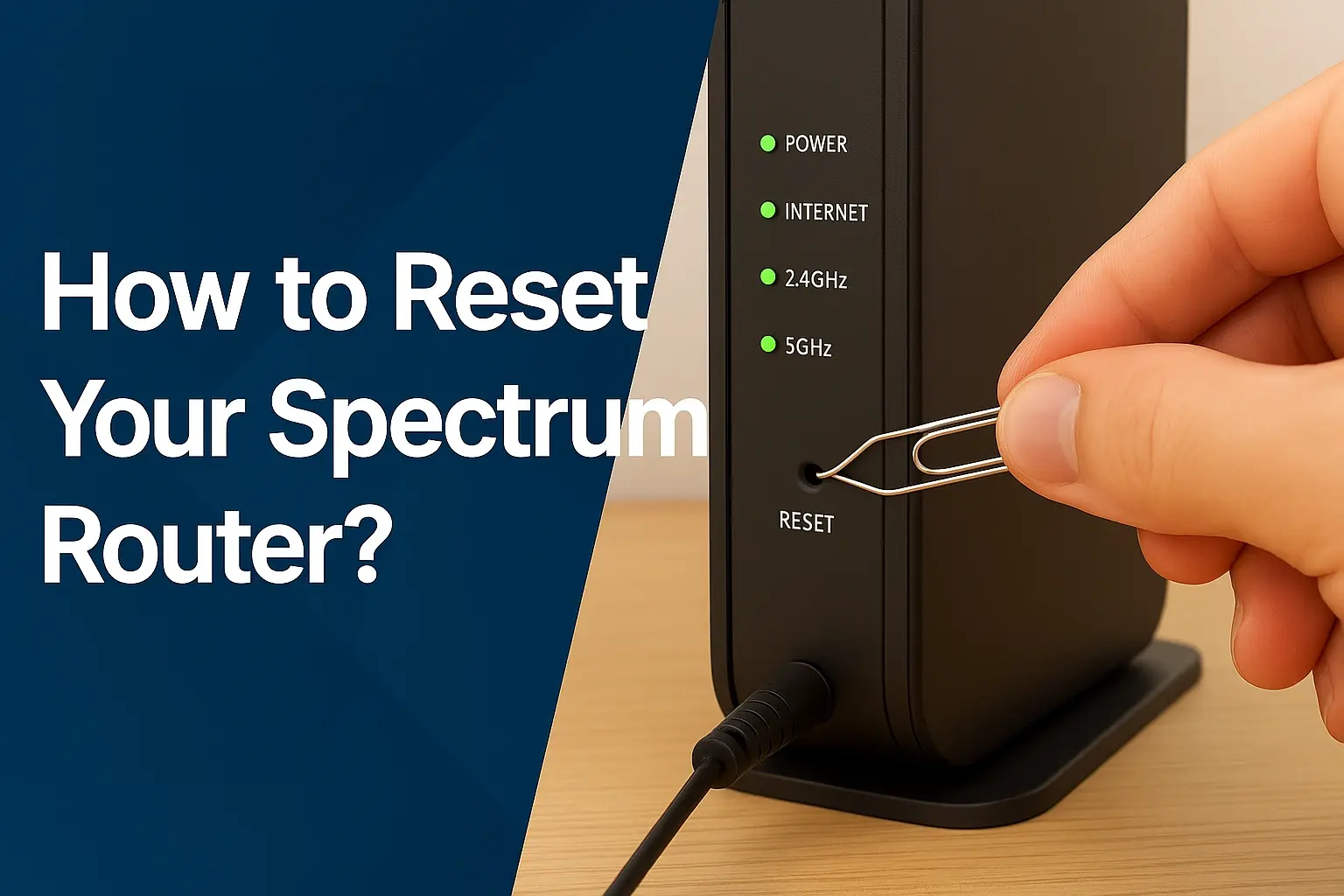
Step 3: Restart Your Modem and Router (Power Cycle)
This is the universal first step for almost any electronic device issue, and it's highly effective for internet problems. A power cycle can clear temporary glitches and re-establish a stable connection.
- Unplug the power cord from your Spectrum modem.
- If you have a separate router, unplug its power cord as well.
- Wait for at least 30-60 seconds. This allows the devices to fully discharge and reset.
- Plug the modem back in first. Wait for its lights to stabilize (usually indicating it has a connection to Spectrum's network). This can take a few minutes.
- Once the modem lights are stable, plug your router back in. Wait for its lights to stabilize.
- Test your internet connection.
This simple process resolves a surprising number of connectivity issues, from complete outages to slow speeds.
Step 4: Check Cables and Connections
Loose or damaged cables can cause intermittent connectivity or slow speeds. Ensure all cables are securely connected:
- Coaxial Cable: Check the cable connecting your modem to the wall outlet. Ensure it's screwed in tightly at both ends. Look for any visible damage to the cable itself.
- Ethernet Cables: If you're using a wired connection, check the Ethernet cable connecting your computer to the router or modem. Ensure it's firmly plugged in at both ends. Try swapping it with another known-good Ethernet cable if you suspect it might be faulty.
- Power Cords: Ensure the power cords for your modem and router are securely plugged into the devices and the wall outlet or power strip.
Step 5: Test with a Wired Connection
If you're experiencing Wi-Fi issues, or if your internet seems slow, it's essential to test your connection using a wired Ethernet cable directly from your modem or router to a computer. This helps determine if the problem lies with your Wi-Fi signal or the internet service itself.
- Connect a computer directly to your Spectrum modem (if it has built-in routing capabilities) or your router using an Ethernet cable.
- Disable Wi-Fi on your computer to ensure you're using the wired connection.
- Run a speed test (e.g., by searching "internet speed test" on Google, which usually brings up a built-in tool, or using sites like Speedtest.net).
If your wired connection is fast and stable, the problem is likely with your Wi-Fi setup. If the wired connection is also slow or unstable, the issue is more likely with your Spectrum service or equipment.
Step 6: Run a Speed Test
A speed test is crucial for diagnosing slow internet. Perform speed tests at different times of the day (peak and off-peak hours) and from different devices (wired and wireless) to get a comprehensive picture.
- Wired Test: As mentioned in Step 5, connect directly via Ethernet.
- Wireless Test: Test your Wi-Fi speeds from various locations in your home.
- Compare to Your Plan: Compare the results to the speeds advertised for your Spectrum internet plan. Keep in mind that advertised speeds are often "up to" speeds, and actual speeds can vary. However, if your speeds are consistently far below what you're paying for, it's a cause for concern.
Note down the download and upload speeds, as well as the ping (latency), for your records when you contact support.
Step 7: Check Your Spectrum Equipment
The modem and router are critical components of your internet connection. Issues with these devices can cause all sorts of problems.
- Overheating: Ensure your modem and router are in a well-ventilated area and are not overheating.
- Status Lights: Observe the status lights on your modem and router. Consult your Spectrum device manual or Spectrum's support website to understand what each light indicates. Unusual patterns can signal specific problems.
- Age of Equipment: If you're using older equipment, it might not be capable of supporting the speeds of your current Spectrum plan or the demands of modern internet usage in 2025. Spectrum may offer equipment upgrades.
Step 8: Scan for Malware
Malware or viruses on your computer can consume significant bandwidth and slow down your internet connection. Run a full system scan with reputable antivirus software. If malware is detected, remove it and then test your internet speed again.
Step 9: Consider Network Congestion Within Your Home
If multiple devices are using the internet heavily simultaneously (streaming 4K video, large downloads, online gaming), it can saturate your home network, even if your Spectrum service itself is performing well. Try disconnecting some devices to see if performance improves.
Spectrum Equipment: Modems, Routers, and Wi-Fi Extenders
The hardware Spectrum provides, or that you purchase for your home network, plays a pivotal role in your internet experience. Understanding the function and potential issues with your modem, router, and any Wi-Fi extenders is key to troubleshooting.
Spectrum Modems
The modem is the device that connects your home to Spectrum's network. It translates the signal from Spectrum's infrastructure into a format your devices can use. Spectrum typically provides modems, and in some cases, they are "gateway" devices that combine modem and router functionalities. It's crucial to ensure your modem is compatible with Spectrum's network and the speed tier you subscribe to. Using an outdated or incompatible modem can severely limit your internet performance.
Modem Status Lights
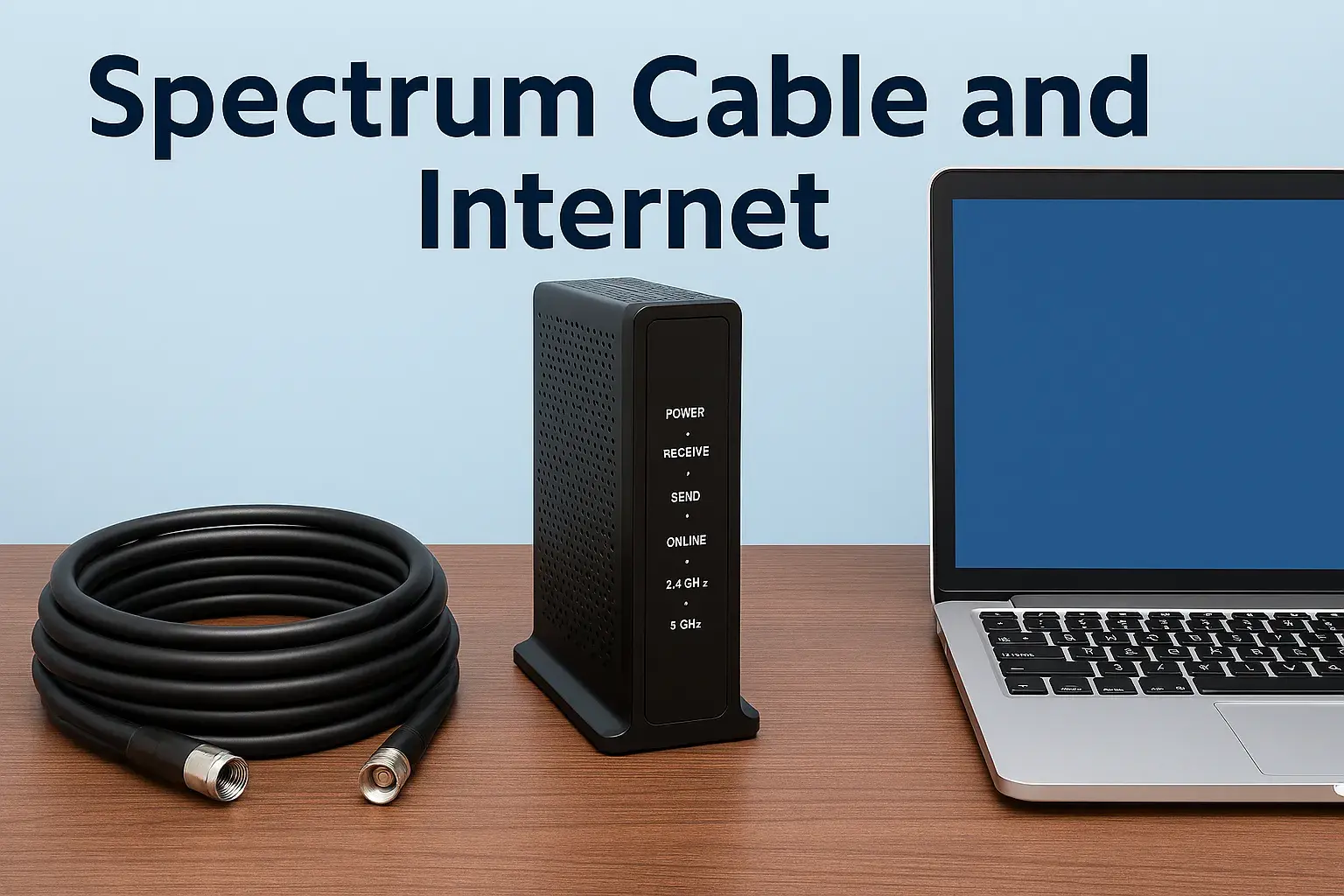
The lights on your modem are your first diagnostic tool. While they vary by model, generally:
- Power: Should be solid, indicating the modem is powered on.
- Downstream/Receive: Indicates it's receiving a signal from Spectrum. Should be solid or blinking, depending on the model and connection status.
- Upstream/Send: Indicates it's sending a signal back to Spectrum. Should be solid or blinking.
- Online/Internet: This is the most important light. It should be solid, indicating a successful connection to Spectrum's network. If this light is off or blinking, there's a problem with the connection.
- DS/US (Downstream/Upstream) Lights: These often indicate the number of channels the modem is bonded to for download and upload. More bonded channels generally mean better performance.
Consult your specific modem's manual or Spectrum's support site for a precise explanation of its lights.
Spectrum-Provided vs. Customer-Owned Modems
Spectrum allows customers to use their own compatible modems, which can sometimes save on monthly equipment rental fees. However, if you choose to use your own modem, you are responsible for ensuring it meets Spectrum's requirements and is properly provisioned on their network. Spectrum's own modems are generally guaranteed to be compatible and receive firmware updates, simplifying troubleshooting.
Spectrum Routers and Gateways
If your Spectrum modem is not a gateway device, you will need a separate router to create a Wi-Fi network and allow multiple devices to connect to the internet simultaneously. Many Spectrum customers opt for Spectrum's provided gateway devices, which combine modem and router functions. These devices manage your home network, assigning IP addresses, and broadcasting your Wi-Fi signal.
Router Performance Considerations
In 2025, with the proliferation of smart home devices and the demand for high-bandwidth applications, your router's capabilities are crucial. Older routers may struggle to provide adequate Wi-Fi coverage and speeds for a modern household. Key factors include:
- Wi-Fi Standard: Newer standards like Wi-Fi 6 (802.11ax) offer better speeds, capacity, and efficiency compared to older standards like Wi-Fi 5 (802.11ac) or Wi-Fi 4 (802.11n).
- Bandwidth: Ensure your router supports the speeds your Spectrum plan provides.
- Coverage Area: The router's signal strength determines how far its Wi-Fi signal reaches.
- Number of Connected Devices: Routers have a limit to how many devices they can efficiently manage.
Wi-Fi Extenders and Mesh Systems
If you have a large home or areas with weak Wi-Fi signals, you might consider Wi-Fi extenders or mesh Wi-Fi systems. Extenders rebroadcast your existing Wi-Fi signal, while mesh systems use multiple nodes to create a single, seamless Wi-Fi network throughout your home. These can significantly improve Wi-Fi coverage and performance but are not a substitute for a strong internet connection from Spectrum.
Potential Issues with Extenders
While beneficial, extenders can sometimes halve your Wi-Fi bandwidth and create separate network names (SSIDs), leading to confusion. Mesh systems generally offer a more integrated and robust solution for extending Wi-Fi coverage.
External Factors Affecting Your Spectrum Service
Beyond your home network and Spectrum's immediate infrastructure, several external factors can influence the quality and reliability of your internet service. Understanding these can help you identify issues that are beyond your direct control and require intervention from Spectrum or even environmental adjustments.
Neighborhood Congestion
As discussed, cable internet services share bandwidth among users in a particular area. During peak hours, when many people in your neighborhood are online, the available bandwidth can become strained. This is a common cause of slowdowns, particularly in densely populated areas. Spectrum continuously works on network upgrades to alleviate this, but it remains a factor, especially in rapidly growing communities.
Weather Conditions
Severe weather can sometimes impact internet service, especially for providers that rely on aerial cable lines. Strong winds, heavy rain, snow, or ice storms can damage cables, poles, and other network equipment, leading to outages or service degradation. While Spectrum's infrastructure is designed to be resilient, extreme weather events can still cause temporary disruptions.
Infrastructure Maintenance and Upgrades
Spectrum, like any major service provider, periodically conducts maintenance and upgrades to its network. These activities can sometimes result in planned or unplanned service interruptions. Spectrum usually notifies customers of planned maintenance in advance, but unexpected issues can also arise during these processes. If you notice persistent problems following a period of work in your area, it's worth inquiring if it's related.
Physical Damage to Cables
External cables, both those running to your home and those within the broader network, can be damaged by construction, accidents, animals, or even digging. If the coaxial cable entering your home is damaged, it will directly affect your service. Similarly, damage to larger trunk lines in your area can impact many customers.
Spectrum Network Capacity
The overall capacity of Spectrum's network in your region is a critical factor. As more users come online and demand for bandwidth increases (driven by technologies like 5G, IoT, and high-definition content), providers must continually invest in expanding their network capacity. If your area is experiencing rapid growth without corresponding infrastructure upgrades, you may notice performance issues. In 2025, the demand for bandwidth continues to surge, making network capacity a constant consideration for ISPs.
Interference from Other Signals
While less common for wired connections, certain types of interference can affect signal quality. For Wi-Fi, this is a major factor (e.g., from microwaves, cordless phones, or neighboring Wi-Fi networks). For the wired connection, severe electromagnetic interference in proximity to the lines could theoretically impact signal integrity, though this is rare.
Optimizing Your Home Network for Better Spectrum Performance
Even with a robust Spectrum internet connection, your home network setup can significantly impact your overall experience. Optimizing your internal network can help you get the most out of your subscribed speeds and ensure reliable connectivity for all your devices.
Router Placement
The location of your Wi-Fi router is crucial for signal strength and coverage.
- Central Location: Place your router in a central location in your home, away from exterior walls.
- Elevated Position: Position it on a shelf or table, rather than on the floor, to allow the signal to propagate more effectively.
- Avoid Obstructions: Keep the router away from large metal objects, thick walls, aquariums, and other electronic devices that can cause interference (e.g., microwaves, cordless phones, Bluetooth devices).
- Antenna Orientation: If your router has adjustable antennas, experiment with their positioning. For single-story homes, pointing them vertically might be best. For multi-story homes, one might be vertical and another horizontal.
Managing Wi-Fi Channels
Your Wi-Fi operates on specific channels. If many nearby Wi-Fi networks are using the same channel, it can cause interference and slow speeds. Most modern routers have an "auto" setting for channel selection, which is usually sufficient. However, if you suspect channel congestion, you can manually select a less crowded channel using your router's settings or a Wi-Fi analyzer app.
Upgrading Your Router
As mentioned earlier, if your router is several years old, it might not be capable of supporting the speeds of your Spectrum plan or the demands of modern internet usage in 2025. Consider upgrading to a router that supports the latest Wi-Fi standards (like Wi-Fi 6) and has sufficient processing power to handle multiple connected devices.
Using Ethernet Cables When Possible
For devices that are stationary and require the highest speeds and lowest latency (e.g., desktop computers, gaming consoles, smart TVs), using a wired Ethernet connection is always preferable to Wi-Fi. Ethernet connections are generally more stable and faster than wireless connections.
Network Security Practices
Ensure your Wi-Fi network is secured with a strong, unique password using WPA2 or WPA3 encryption. An unsecured network can be accessed by unauthorized users, consuming your bandwidth and potentially compromising your devices. Regularly change your Wi-Fi password.
Quality of Service (QoS) Settings
Some advanced routers offer Quality of Service (QoS) settings. QoS allows you to prioritize certain types of traffic or specific devices on your network. For example, you could prioritize video conferencing traffic to ensure smoother calls or gaming traffic for lower latency. Consult your router's manual to see if it supports QoS and how to configure it.
Regularly Update Firmware
Keep the firmware on your modem, router, and any other networking equipment up to date. Manufacturers release firmware updates to fix bugs, improve performance, and patch security vulnerabilities. Check your router's administration interface for firmware update options.
When to Contact Spectrum Support
After exhausting the self-troubleshooting steps, it's time to reach out to Spectrum's customer support. Knowing when and how to contact them can make the process more efficient and productive.
Persistent Issues After Troubleshooting
If you've performed all the relevant troubleshooting steps outlined in this guide (restarting equipment, checking cables, testing wired connections, checking for outages) and the problem persists, it's a strong indication that the issue may lie with Spectrum's network or their provided equipment.
Outages Not Reported on Spectrum Website
If you suspect an outage in your area but Spectrum's website or app doesn't show one, it's still worth contacting them. Sometimes, localized issues might not be immediately flagged in their automated systems. Your report can help them identify and address the problem.
Consistently Slow Speeds Below Plan Limits
If your speed tests (especially wired ones) consistently show speeds significantly lower than what you're paying for, even after troubleshooting, it's time to involve Spectrum. Have your speed test results ready to share.
Equipment Malfunctions
If you suspect your Spectrum-provided modem or router is faulty (e.g., unusual lights, frequent reboots, no connection despite signal), Spectrum support can diagnose the equipment remotely or arrange for a technician visit or replacement.
Scheduling a Technician Visit
In cases where remote troubleshooting and diagnostics are insufficient, Spectrum support may schedule a technician to visit your home. Technicians can check the external lines, connections, and equipment to identify and resolve more complex issues.
What to Have Ready for Support
- Your account number.
- A clear description of the problem (e.g., no internet, slow speeds, intermittent connection).
- When the problem started.
- Any troubleshooting steps you've already taken.
- Results from speed tests (download, upload, ping).
- The status of the lights on your modem and router.
- Your service address.
Being prepared will help the support representative diagnose your issue more quickly and efficiently.
Understanding Spectrum's Network and Future Developments
Spectrum operates a vast cable broadband network that utilizes coaxial cable infrastructure originally designed for cable television. This technology, known as DOCSIS (Data Over Cable Service Interface Specification), has evolved significantly over the years to deliver increasingly faster internet speeds. Understanding the underlying technology and Spectrum's ongoing efforts can provide context for service performance and future expectations.
DOCSIS Technology Explained
DOCSIS allows for high-speed data transmission over the same coaxial cables used for TV. Each generation of DOCSIS has brought substantial improvements:
- DOCSIS 3.0: The standard for many years, offering speeds typically up to several hundred Mbps.
- DOCSIS 3.1: Introduced in recent years, this standard significantly increases capacity and efficiency, enabling gigabit speeds and beyond. Spectrum has been actively deploying DOCSIS 3.1 in many areas.
- DOCSIS 4.0: The latest iteration, promising even higher speeds (multi-gigabit symmetrical speeds) and improved network performance. Spectrum is expected to continue its rollout of DOCSIS 4.0 in the coming years, further enhancing their network capabilities.
The transition to newer DOCSIS versions is key to Spectrum's ability to compete and meet the growing demand for bandwidth in 2025 and beyond.
Spectrum Network Upgrades
Spectrum is continuously investing in its network infrastructure. These upgrades include:
- Fiber Deep Deployments: Bringing fiber optic cable closer to neighborhoods, which then connects to the existing coaxial network. This "fiber deep" approach enhances capacity and reliability.
- DOCSIS 3.1 and 4.0 Rollouts: As mentioned, these are crucial for delivering multi-gigabit speeds.
- Capacity Enhancements: Increasing the bandwidth available in specific network segments to alleviate congestion.
These upgrades are vital for supporting the increasing number of connected devices and data-intensive applications that are becoming commonplace in 2025.
Impact of Fiber Optic Technology
While Spectrum primarily uses a hybrid fiber-coaxial (HFC) network, the increasing presence of pure fiber optic networks (like those offered by some competitors) represents a significant technological shift. Fiber optics offer superior bandwidth, lower latency, and greater future-proofing compared to coaxial cable. Spectrum's strategy of "fiber deep" deployments aims to leverage the advantages of fiber closer to the end-user while still utilizing the existing coaxial infrastructure for the final connection.
Spectrum Internet Plans and Speeds in 2025
As of 2025, Spectrum offers a range of internet plans designed to meet various needs. These plans typically include:
- Standard Internet: Often providing speeds suitable for basic browsing and email.
- Ultra Internet: Offering higher download speeds for streaming and moderate online activity.
- Gigabit Internet: Providing multi-gigabit download speeds, ideal for heavy users, multiple devices, and demanding applications.
It's important to choose a plan that aligns with your household's usage patterns. If you're experiencing consistent slowdowns, it might be time to review your current plan and consider an upgrade if your usage has increased.
Table: Spectrum Internet Plan Tiers (Illustrative 2025 Data)
| Plan Name | Typical Download Speed | Typical Upload Speed | Best For |
|---|---|---|---|
| Spectrum Internet | Up to 300 Mbps | Up to 10 Mbps | Basic browsing, email, light streaming |
| Spectrum Internet Ultra | Up to 500 Mbps | Up to 20 Mbps | HD streaming, online gaming, multiple devices |
| Spectrum Internet Gig | Up to 1 Gbps (1000 Mbps) | Up to 35 Mbps | 4K streaming, large downloads/uploads, many connected devices |
Note: Speeds and plan availability may vary by location. Always check Spectrum's official website for the most current information for your address.
Conclusion
Experiencing issues with your Spectrum internet service can be frustrating, but by understanding the common causes and employing a systematic troubleshooting approach, you can often resolve the problem yourself. From checking for local outages and power cycling your equipment to optimizing your home network and understanding your subscribed plan, this guide has provided a comprehensive roadmap. Remember that Spectrum's network is constantly evolving with upgrades to DOCSIS technology and infrastructure enhancements aimed at delivering faster, more reliable service. If self-troubleshooting doesn't yield results, don't hesitate to contact Spectrum support with detailed information about your issue. By being informed and prepared, you can effectively address "What's going on with my Spectrum internet services" and work towards restoring a stable, high-performing connection.