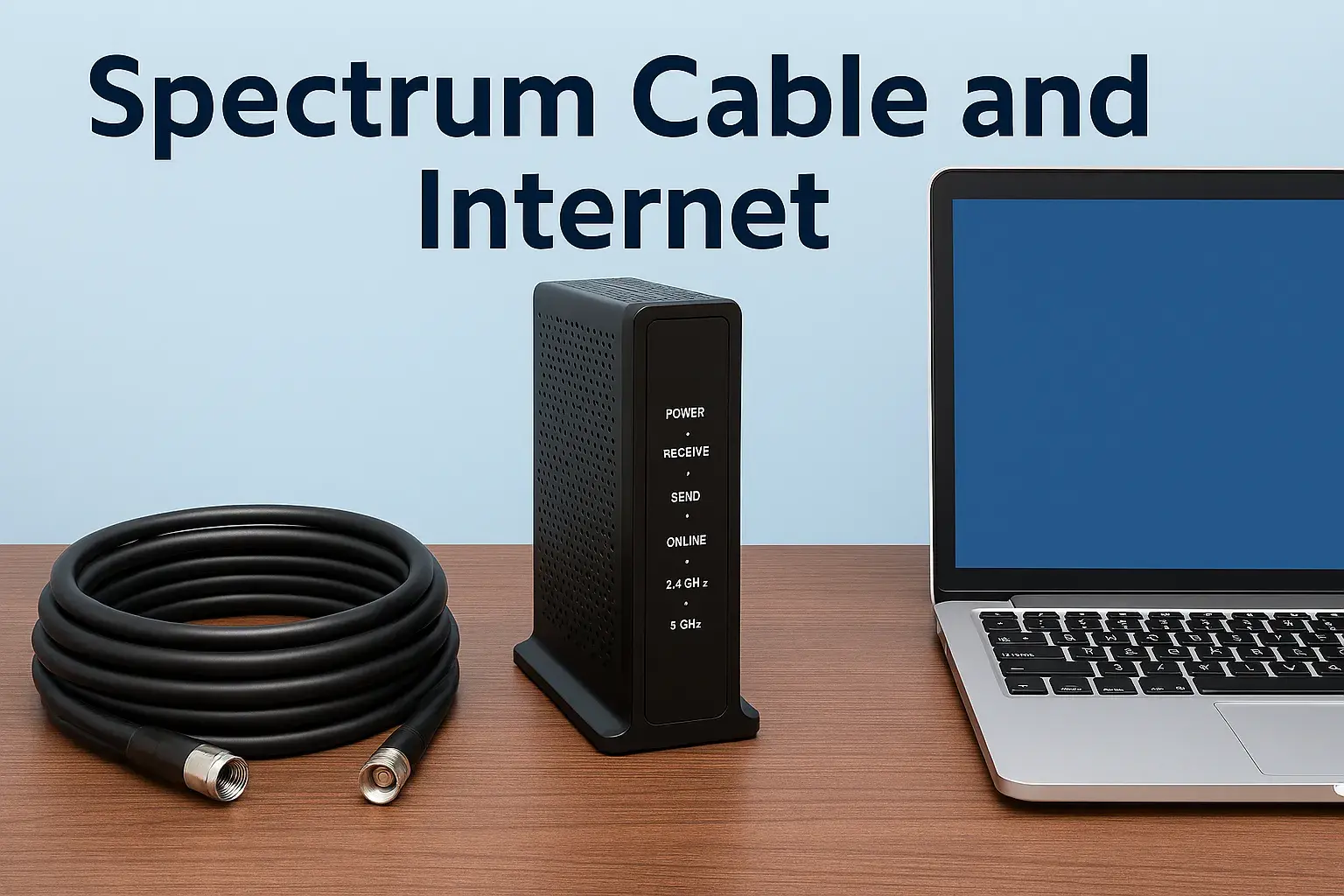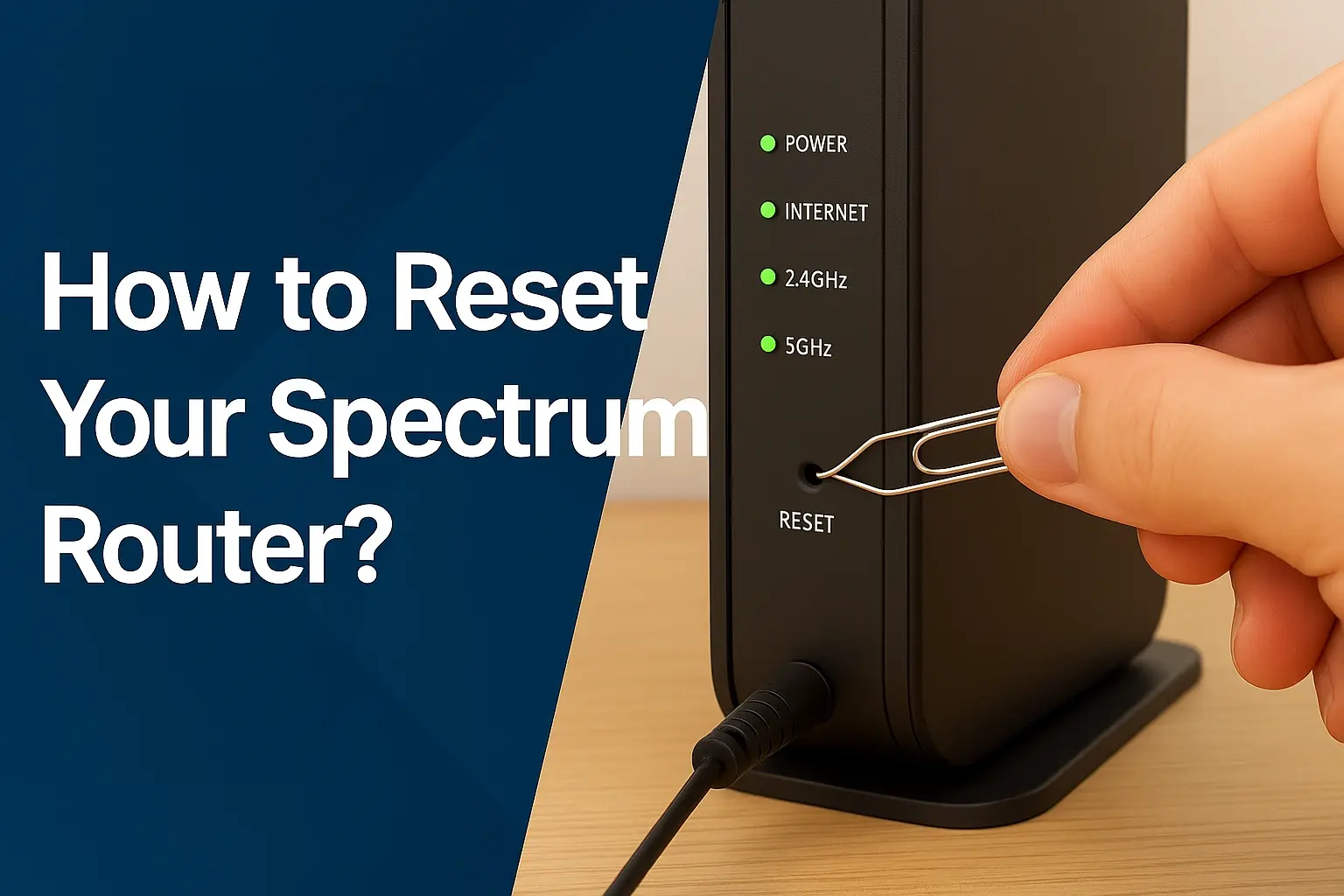
Experiencing issues with your Spectrum internet service? This comprehensive guide delves into common problems users face, offering insights into potential causes and solutions. We'll explore everything from slow speeds and frequent outages to billing disputes and customer service challenges, helping you understand "What Is Wrong With Spectrum Internet" and how to address it.
Spectrum Internet: A Brief Overview
Spectrum, a brand of Charter Communications, is one of the largest broadband internet providers in the United States, serving millions of households across numerous states. They offer a range of services including high-speed internet, cable television, and home phone. Known for its extensive cable network, Spectrum typically provides reliable internet access to many urban and suburban areas. However, like any large service provider, users sometimes encounter issues, leading to the common query: "What Is Wrong With Spectrum Internet?" This guide aims to dissect these potential problems, offering clarity and actionable advice for consumers.
Common Spectrum Internet Problems and Their Causes
Understanding the root cause of your Spectrum internet issues is the first step towards resolution. While Spectrum generally offers a stable connection, several factors can lead to dissatisfaction. These range from performance-related issues to service and billing concerns.
Slow Internet Speeds
One of the most frequent complaints about any internet service provider, including Spectrum, is experiencing internet speeds that are significantly slower than advertised. This can manifest in sluggish web page loading, buffering during video streaming, and slow download/upload times. Several factors contribute to this:
- Network Congestion: During peak hours (typically evenings and weekends), when many users in a neighborhood are online, the shared bandwidth can become congested, leading to reduced speeds for everyone. In 2025, with the continued rise of remote work, online gaming, and high-definition streaming, this issue remains prevalent in densely populated areas.
- Outdated Equipment: The modem or router provided by Spectrum, or your own equipment, might not be capable of handling the speeds of your current plan. Older modems, especially those not DOCSIS 3.1 compliant, can be a bottleneck.
- Wi-Fi Interference: Your home's Wi-Fi network can be affected by other electronic devices (microwaves, cordless phones), neighboring Wi-Fi networks, and physical obstructions (walls, furniture).
- Plan Limitations: It's possible your current Spectrum internet plan simply doesn't offer the speeds required for your online activities. Many users may not realize the difference between advertised "up to" speeds and actual sustained speeds.
- Distance from the Router: If you are far from your Wi-Fi router, the signal strength diminishes, resulting in slower speeds.
- Malware or Viruses: Infected devices on your network can consume bandwidth, slowing down your overall internet performance.
- Spectrum's Network Infrastructure: While Spectrum invests in its network, aging infrastructure in certain areas or issues with local nodes can impact speeds.
Frequent Outages and Disruptions
Sporadic internet outages are incredibly frustrating. These can range from brief interruptions that last a few minutes to extended periods without service. Common causes include:
- Local Infrastructure Damage: Weather events (storms, high winds, ice), construction accidents, or even animal interference can damage Spectrum's physical cables and equipment. In 2025, continued infrastructure projects and extreme weather patterns can exacerbate these risks.
- Power Outages: If the local Spectrum equipment or your home experiences a power outage, your internet will obviously go down.
- Maintenance and Upgrades: Spectrum occasionally schedules maintenance or upgrades to its network, which can result in temporary service interruptions. These are usually announced in advance, but sometimes unexpected issues arise.
- Equipment Malfunctions: Issues with Spectrum's network equipment in your area, or with your own modem/router, can lead to intermittent service.
- Overload on Network Segments: Similar to speed issues, extreme demand on a particular network segment can sometimes lead to instability and outages.
Connectivity Issues and Dropped Connections
This category encompasses situations where your internet connection is unstable, frequently dropping and reconnecting. This is different from a complete outage, as the service might return after a short period. Causes often overlap with slow speeds and outages but can be more subtle:
- Loose or Damaged Cables: Coaxial cables connecting your modem to the wall outlet, or Ethernet cables connecting your router to your modem, can become loose or damaged, leading to intermittent signal loss.
- Faulty Splitters: If you use a coaxial cable splitter to connect multiple devices, a faulty splitter can degrade the signal.
- Modem/Router Overheating: Electronic devices can overheat, especially in warm environments or if ventilation is poor, leading to performance issues and dropped connections.
- Firmware Glitches: Software bugs in your modem or router firmware can sometimes cause connectivity instability.
- Interference: As mentioned earlier, Wi-Fi interference can cause dropped wireless connections.
Modem and Router Problems
The modem and router are the gateways to your internet connection. Issues with these devices are a common source of problems:
- Outdated Technology: Older modems may not support the latest internet standards, limiting your speeds and reliability. For example, a DOCSIS 3.0 modem will struggle to deliver the full potential of gigabit plans.
- Device Failure: Like any electronic device, modems and routers can fail over time due to age, power surges, or manufacturing defects.
- Configuration Errors: Incorrect settings on your router can lead to connectivity problems or security vulnerabilities.
- Spectrum-Provided Equipment: While Spectrum provides equipment, it might not always be the latest or most robust model. Users often find upgrading their own router can significantly improve Wi-Fi performance.
Billing and Pricing Disputes
Many Spectrum customers report issues related to billing and pricing. These can include unexpected charges, confusing statements, and difficulty understanding promotional pricing:
- Price Increases After Promotions: Spectrum, like many ISPs, offers introductory pricing. After the promotional period ends (often 12 or 24 months), the price can increase significantly, catching customers off guard.
- Hidden Fees: Installation fees, equipment rental fees, and other service charges can sometimes be unclear or appear unexpectedly on bills.
- Incorrect Charges: Errors can occur, leading to charges for services not rendered or incorrect plan pricing.
- Bundling Issues: When bundling internet, TV, and phone, discrepancies in package pricing or add-on charges can arise.
Customer Service Complaints
Customer service experiences can vary widely. Common complaints about Spectrum's customer service include:
- Long Wait Times: Reaching a customer service representative can sometimes involve lengthy hold times, especially during peak periods.
- Unhelpful Representatives: Some customers report interactions with representatives who lack the knowledge or authority to resolve their issues effectively.
- Difficulty Escalating Issues: Getting a complex problem escalated to a supervisor or a specialized department can be challenging.
- Inconsistent Information: Different representatives may provide conflicting information, leading to confusion.
Technical Support Challenges
While Spectrum offers technical support, users sometimes find it difficult to get effective assistance:
- Scripted Responses: Support agents may follow scripts that don't address the specific nuances of a user's problem.
- Inability to Diagnose Remote Issues: Some issues require an on-site technician, and it can be a hurdle to convince support to dispatch one.
- Limited Remote Troubleshooting: While some basic diagnostics can be done remotely, complex issues might require more in-depth investigation.
Equipment Issues
Problems with Spectrum-provided modems and routers are a recurring theme:
- Faulty Devices: Spectrum's rented equipment can sometimes be faulty or refurbished, leading to performance degradation or outright failure.
- Outdated Models: As mentioned, Spectrum may not always provide the latest generation of modems, which can limit your internet speeds, especially on higher-tier plans.
- Compatibility Problems: While Spectrum's equipment is designed to work with their network, it might not always be optimized for the latest Wi-Fi standards or offer the advanced features some users desire.
Diagnosing Your Spectrum Internet Issue
Before contacting Spectrum or making changes, it's crucial to diagnose the problem accurately. This will help you articulate the issue clearly and potentially resolve it yourself.
Speed Tests and Analysis
A speed test is your primary tool for assessing your internet speed. Use reputable sites like Speedtest.net, Fast.com, or Spectrum's own speed test tool.
- Run Tests Multiple Times: Conduct tests at different times of the day (peak and off-peak hours) to see if speeds fluctuate.
- Test Wired vs. Wireless: Connect a computer directly to your modem via an Ethernet cable and run the test. Then, test over Wi-Fi. This helps determine if the issue is with your internet service itself or your Wi-Fi network.
- Compare to Your Plan: Check your Spectrum internet plan's advertised speeds and compare them to your test results. Remember that advertised speeds are "up to" and actual speeds can vary. For 2025-26, typical advertised speeds range from 300 Mbps to 1 Gbps download, with upload speeds being a fraction of download speeds (e.g., 10-35 Mbps for gigabit plans).
Checking Your Equipment
Inspect your modem and router:
- Status Lights: Check the indicator lights on your modem and router. Consult your device manual or Spectrum's support site to understand what each light signifies (e.g., power, internet connection, Wi-Fi activity). Solid lights usually indicate a good connection, while blinking or off lights can signal a problem.
- Physical Condition: Ensure cables are securely connected and not visibly damaged. Check for overheating by feeling the devices.
Understanding Spectrum Outage Maps
Spectrum provides an online outage map (usually accessible through their website or app) that shows reported outages in your area. This is a quick way to see if your problem is widespread or isolated.
- Check Before Calling: Always check the outage map first. If an outage is reported, your best course of action is to wait for Spectrum to resolve it.
- Report If Not Listed: If you're experiencing an outage but it's not shown on the map, it might be a localized issue that Spectrum needs to be made aware of.
Reviewing Your Billing Statement
If your concern is related to billing or pricing, a thorough review of your statement is essential.
- Understand Each Line Item: Familiarize yourself with what each charge represents.
- Compare to Previous Bills: Look for any unexpected increases or new charges.
- Note Promotional End Dates: Keep track of when promotional pricing expires.
Troubleshooting Steps for Spectrum Internet
Once you've diagnosed the potential issue, here are step-by-step troubleshooting methods.
Basic Troubleshooting for Slow Speeds
If your speed tests consistently show speeds below your plan's promise, try these steps:
- Restart Your Modem and Router: This is the most common fix for many internet issues. Unplug both devices from power for at least 30 seconds, then plug the modem back in first. Wait for it to fully boot up (all lights stable), then plug in the router.
- Check Connected Devices: Too many devices streaming, downloading, or gaming simultaneously can strain your bandwidth. Temporarily disconnect some devices to see if speeds improve.
- Scan for Malware: Run a full system scan on all your devices to ensure no malware is consuming bandwidth.
- Update Your Router's Firmware: Outdated firmware can cause performance issues. Check your router manufacturer's website for instructions on how to update.
- Consider a Wired Connection: If you're primarily experiencing slow speeds on Wi-Fi, try connecting a device directly via Ethernet to rule out Wi-Fi issues.
Rebooting Your Modem and Router
This process clears temporary glitches and re-establishes a fresh connection to Spectrum's network.
- Locate your Spectrum modem and Wi-Fi router.
- Unplug the power adapter from both devices.
- Wait for at least 30 seconds. This allows the devices to fully discharge.
- Plug the modem back into power first. Wait for its lights to stabilize (usually 1-2 minutes).
- Once the modem is fully online, plug the router back into power. Wait for its lights to stabilize.
- Test your internet connection.
Checking Cables and Connections
Loose or damaged cables are a frequent culprit for intermittent connectivity.
- Coaxial Cable: Ensure the coaxial cable is screwed tightly into the back of the modem and the wall outlet. Check for any visible damage, kinks, or cuts in the cable.
- Ethernet Cables: If you have a separate router, ensure the Ethernet cable connecting the modem to the router is securely plugged in at both ends. Also, check any Ethernet cables connecting devices directly to the router.
- Power Cables: Make sure the power adapters for both the modem and router are firmly seated in the devices and the wall outlet.
- Splitters: If you use a coaxial splitter, ensure it's in good condition and connections are secure. If possible, bypass the splitter temporarily to see if it resolves the issue.
Optimizing Your Wi-Fi Network
If your wired connection is fast but Wi-Fi is slow or unreliable, focus on your Wi-Fi setup:
- Router Placement: Position your router in a central, open location, away from obstructions like thick walls, metal objects, and other electronics that can cause interference (microwaves, cordless phones, Bluetooth devices).
- Change Wi-Fi Channel: Your router's Wi-Fi signal operates on specific channels. If your neighbors' networks are using the same channel, it can cause interference. Most routers have an "auto" setting, but manually selecting a less congested channel (often 1, 6, or 11 for 2.4GHz) can help. Use a Wi-Fi analyzer app on your smartphone to identify less crowded channels.
- Use the 5GHz Band: If your router is dual-band, use the 5GHz band for devices that are close to the router and require high speeds (like streaming devices or gaming consoles). The 2.4GHz band has a longer range but is more susceptible to interference and offers slower speeds.
- Update Router Firmware: Ensure your router has the latest firmware installed.
- Consider a Wi-Fi Extender or Mesh System: For larger homes or areas with weak Wi-Fi signals, a Wi-Fi extender or a mesh Wi-Fi system can significantly improve coverage and performance.
Updating Router Firmware
Firmware is the software that runs your router. Keeping it updated is crucial for performance, security, and bug fixes.
- Access Router Settings: Open a web browser and type your router's IP address (usually 192.168.1.1 or 192.168.0.1) into the address bar. Log in using your router's username and password.
- Find Firmware Update Section: Navigate to the "Administration," "System," or "Firmware Update" section of your router's settings.
- Check for Updates: The router will usually have an option to check for new firmware. If an update is available, follow the on-screen instructions to download and install it.
- Do Not Interrupt: Ensure the router remains powered on and connected to the internet during the update process.
Steps for Addressing Outages
When your Spectrum internet goes down completely:
- Check the Spectrum Outage Map: Visit the Spectrum website or use their mobile app to see if an outage is reported in your area.
- Restart Your Equipment: Even if there's a reported outage, restarting your modem and router is a good first step in case the issue is localized to your equipment.
- Check Cables: Ensure all physical connections are secure.
- Contact Spectrum Support: If the outage map shows no reported issues, or if the outage persists for an extended period, contact Spectrum customer support. Provide them with your account information and a clear description of the problem.
- Inquire About Estimated Resolution Time: If an outage is confirmed, ask for an estimated time for service restoration.
When to Contact Spectrum Support
While self-troubleshooting is effective for many issues, there are times when professional assistance is necessary.
Escalating Technical Issues
Contact Spectrum support when:
- Persistent Problems: You've tried all the troubleshooting steps, and the issue (slow speeds, dropped connections, no internet) persists.
- Equipment Malfunction: Your modem or router lights indicate a problem that you cannot resolve, or the devices are unresponsive.
- No Service: You have no internet connection at all, and the outage map shows no reported issues in your area.
- Intermittent Service: The connection drops frequently, and you cannot identify a consistent cause.
When you call, be prepared to provide your account number, a detailed description of the problem, the troubleshooting steps you've already taken, and the results of any speed tests you've performed.
Resolving Billing Discrepancies
Reach out to Spectrum's billing department if:
- Unexpected Charges: You find charges on your bill that you don't understand or believe are incorrect.
- Promotional Pricing Issues: Your bill doesn't reflect the agreed-upon promotional pricing.
- Fees Not Disclosed: You were not informed about certain fees prior to signing up for service.
- Difficulty Understanding Bill: The billing statement is confusing, and you need clarification.
Have your most recent bill handy when you call. Note down any specific charges you want to dispute.
Requesting Equipment Replacement
If you suspect your Spectrum-provided modem or router is faulty, you can request a replacement.
- Troubleshoot First: Spectrum will likely ask you to perform basic troubleshooting steps over the phone before agreeing to a replacement.
- Schedule a Technician or Swap: Depending on your location and the issue, they may schedule a technician to visit your home or arrange for you to swap equipment at a local Spectrum store.
- Consider Purchasing Your Own: For better performance and potentially lower long-term costs, consider purchasing your own compatible modem and router. Check Spectrum's list of approved modems to ensure compatibility.
Alternatives to Spectrum Internet
If Spectrum's service continues to be problematic, or if you're looking for better options, consider these alternatives:
Fiber Optic Internet
Fiber optic internet uses light signals transmitted through glass fibers. It offers the fastest and most reliable speeds available, with symmetrical upload and download speeds. Providers like Verizon Fios, AT&T Fiber, and Google Fiber are expanding their fiber networks. If available in your area, fiber is generally the superior choice for performance and stability.
5G Home Internet
Offered by major wireless carriers such as T-Mobile and Verizon, 5G home internet uses the latest cellular technology to provide broadband service wirelessly. It's a strong contender for areas where traditional broadband options are limited or expensive. Speeds can be comparable to cable internet, and installation is typically very simple. Availability is growing rapidly, with significant expansion expected through 2026.
Satellite Internet
For rural or remote areas where other options are unavailable, satellite internet (like Starlink or HughesNet) is an option. However, it typically comes with higher latency, lower speeds, and data caps compared to terrestrial services. Starlink, with its low-earth orbit constellation, offers significantly improved performance over traditional geostationary satellites, making it a viable option for some underserved areas.
DSL Internet
DSL (Digital Subscriber Line) internet uses existing telephone lines to provide service. It's generally slower and less reliable than cable or fiber but can be a more affordable option in areas where it's the only alternative to dial-up. Speeds vary greatly depending on distance from the provider's central office.
Making the Most of Your Spectrum Service
Even with the best intentions, understanding your service can lead to a better experience.
Understanding Spectrum Plans and Tiers
Spectrum offers various internet plans with different speed tiers. It's crucial to choose a plan that matches your household's needs. For 2025-26, common plans include:
- Spectrum Internet Gig: Offers speeds up to 1 Gbps download. Ideal for heavy users, multiple streaming devices, online gaming, and large file downloads.
- Spectrum Internet Ultra: Typically offers speeds up to 500 Mbps download. A good balance for most families.
- Spectrum Internet: Often provides speeds up to 300 Mbps download. Sufficient for moderate usage, browsing, and streaming on a few devices.
Be aware of the upload speeds, which are significantly lower than download speeds on most cable internet plans.
Managing Data Usage
Spectrum generally offers unlimited data on its internet plans, which is a significant advantage over some competitors. However, it's always good practice to monitor your usage, especially if you're concerned about potential throttling or if you're using a bundled service where data limits might apply differently.
Maximizing Internet Performance
Beyond basic troubleshooting, consider these tips:
- Quality of Service (QoS) Settings: If your router supports QoS, you can prioritize certain devices or applications (e.g., gaming, video conferencing) to ensure they receive sufficient bandwidth, even when other devices are active.
- Wired Connections for Critical Devices: For devices that require the most stable and fastest connection (e.g., gaming consoles, desktop computers used for work, smart TVs), use an Ethernet cable whenever possible.
- Regularly Update Devices: Ensure your computers, smartphones, and other connected devices have the latest operating system and software updates.
Conclusion and Final Recommendations
Spectrum Internet, while a widely available service, can present a variety of challenges for its users. From frustratingly slow speeds and unexpected outages to billing disputes and customer service hurdles, understanding the potential issues is key. By systematically diagnosing problems through speed tests, equipment checks, and reviewing your billing statements, you can often pinpoint the cause. Implementing basic troubleshooting steps like rebooting your modem and router, checking cable connections, and optimizing your Wi-Fi network can resolve many common problems. When self-help isn't enough, knowing when and how to contact Spectrum support is crucial for technical escalations or billing corrections. If persistent issues make Spectrum an untenable option, exploring alternatives like fiber optic, 5G home internet, or even satellite in remote areas might offer a superior experience. Ultimately, making informed choices about your plan, managing your network effectively, and being a proactive consumer will help you navigate and overcome the common pitfalls associated with Spectrum Internet.