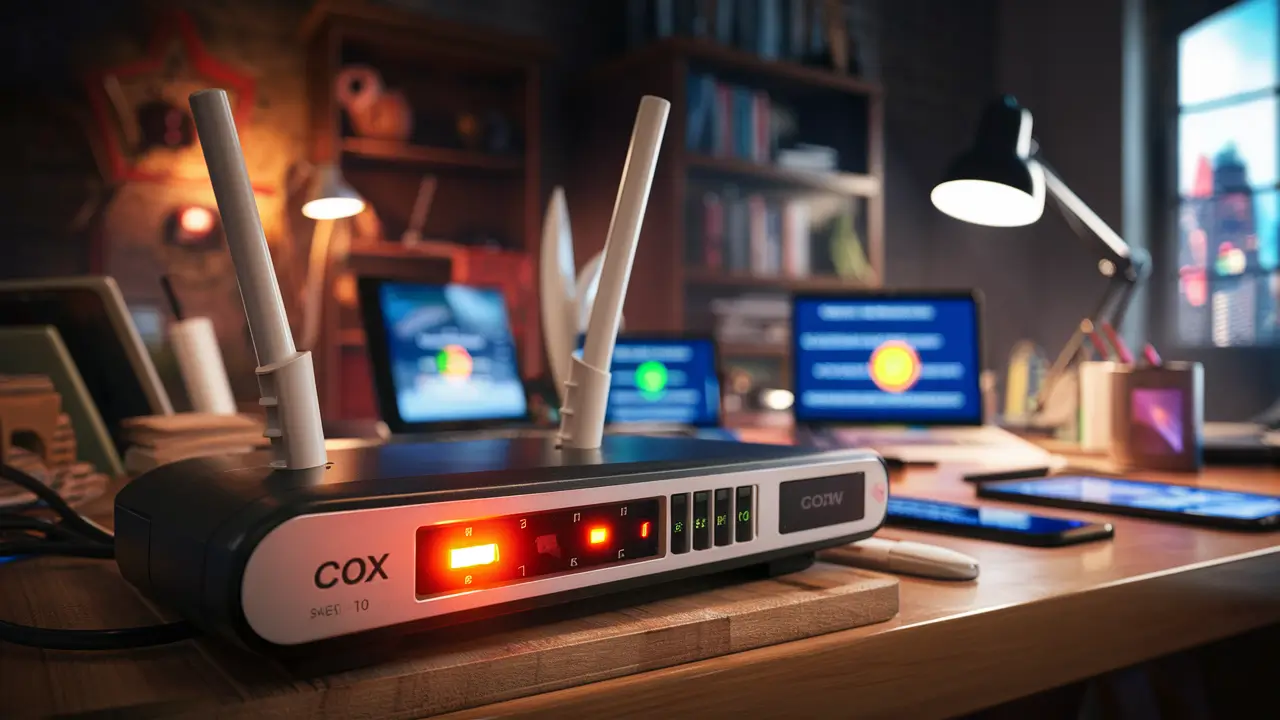
Cox Panoramic Wifi offers a revolutionary approach to home internet, delivering unparalleled speed, reliability, and advanced features designed for the modern connected household. This comprehensive guide dives deep into what Cox Panoramic Wifi is, its benefits, how it stacks up against traditional plans, and why it's the future of home networking.
What is Cox Panoramic Wifi?
Cox Panoramic Wifi is not just another internet plan; it's a comprehensive, high-performance home internet solution designed to meet the escalating demands of today's digital lifestyle. It represents a significant evolution in how Cox delivers internet connectivity, moving beyond basic bandwidth to offer a more robust, intelligent, and user-friendly networking experience. At its core, Panoramic Wifi aims to provide consistently fast speeds, enhanced reliability, and advanced features that seamlessly support multiple devices, high-bandwidth applications, and smart home ecosystems. This service is built on Cox's advanced fiber-optic network infrastructure, ensuring that users can enjoy the benefits of cutting-edge internet technology without compromise. Whether you're streaming 4K content, gaming online, working from home, or managing a smart home, Panoramic Wifi is engineered to keep pace with your needs, offering a premium internet experience that simplifies connectivity and maximizes performance.
Key Features and Technologies
Cox Panoramic Wifi distinguishes itself through a suite of advanced features and underlying technologies that collectively elevate the home internet experience. These elements work in concert to deliver superior performance, stability, and convenience, addressing the pain points often associated with traditional internet services. Understanding these components is crucial to appreciating the full value proposition of Panoramic Wifi.
Advanced Wi-Fi 6 Technology
At the heart of the Panoramic Wifi experience is the integration of Wi-Fi 6 (802.11ax) technology. This is a significant upgrade from previous Wi-Fi standards, offering substantial improvements in speed, efficiency, and capacity. Wi-Fi 6 is designed to handle the increasing number of connected devices in a typical household. Key advancements include:
- Higher Speeds: Wi-Fi 6 can theoretically deliver up to 40% faster speeds than Wi-Fi 5 (802.11ac). This translates to quicker downloads, smoother streaming, and more responsive online gaming.
- Increased Capacity: With technologies like OFDMA (Orthogonal Frequency Division Multiple Access) and MU-MIMO (Multi-User, Multiple-Input, Multiple-Output), Wi-Fi 6 can communicate with more devices simultaneously and more efficiently. This means less congestion, even when many devices are active.
- Improved Efficiency: Wi-Fi 6 introduces Target Wake Time (TWT), which allows devices to schedule their wake-up times to send and receive data. This conserves battery life for connected devices and reduces network congestion.
- Better Performance in Congested Areas: Wi-Fi 6 is engineered to perform better in environments with many Wi-Fi networks, such as apartment buildings or densely populated neighborhoods.
Intelligent Gateway Devices
Cox provides its subscribers with advanced, intelligent gateway devices that are more than just modems or routers. These gateways are the central hub of the Panoramic Wifi system, incorporating the latest Wi-Fi 6 technology, robust security features, and intelligent management capabilities. These devices are optimized to work seamlessly with Cox's network, ensuring a stable and high-performance connection. They often feature:
- Dual-Band or Tri-Band Operation: Supporting both 2.4 GHz and 5 GHz (and sometimes 6 GHz in Wi-Fi 6E) bands to optimize device connectivity based on range and speed requirements.
- High-Performance Antennas: Designed for optimal signal distribution throughout the home.
- Advanced Processing Power: To handle complex network traffic and manage multiple devices efficiently.
Cox App Integration
A significant aspect of the Panoramic Wifi experience is its integration with the Cox app. This mobile application provides users with unprecedented control and visibility over their home network. Features typically include:
- Network Management: Users can easily monitor network status, check internet speeds, and view connected devices.
- Device Prioritization: The ability to prioritize bandwidth for specific devices or applications, ensuring critical tasks like video conferencing or gaming receive the necessary resources.
- Guest Network Setup: Simple creation of separate, secure networks for guests.
- Parental Controls: Tools to manage internet access for children, including content filtering and scheduling.
- Troubleshooting Tools: Built-in diagnostics and guided troubleshooting steps to resolve common network issues quickly.
Built on Cox's Fiber-Optic Network
The foundation of Panoramic Wifi's performance is Cox's extensive fiber-optic network. Fiber optics transmit data using light signals, which allows for significantly higher speeds, lower latency, and greater reliability compared to traditional copper-based cable networks. By leveraging this advanced infrastructure, Cox ensures that the potential of Wi-Fi 6 and intelligent gateways can be fully realized, providing a consistent and robust internet connection to the home.
Proactive Network Monitoring and Support
Cox's Panoramic Wifi service often includes proactive network monitoring. This means Cox can identify and sometimes even resolve potential issues before they impact the user. This advanced support model aims to minimize downtime and ensure a consistently optimal internet experience. When issues do arise, the integrated app and dedicated support channels are designed for efficient problem resolution.
Benefits of Panoramic Wifi
The adoption of Cox Panoramic Wifi brings a multitude of advantages that directly translate into a superior and more convenient home internet experience. These benefits cater to the diverse needs of modern households, from entertainment and productivity to smart home integration and enhanced security. By understanding these advantages, users can better appreciate the value proposition of this advanced service.
Unmatched Speed and Performance
The most immediate benefit is the significant increase in internet speed. With Wi-Fi 6 technology and Cox's fiber-optic backbone, users can expect faster download and upload speeds. This is crucial for bandwidth-intensive activities such as:
- Seamless 4K/8K Streaming: Enjoy buffer-free high-definition video playback on multiple devices simultaneously.
- Lag-Free Online Gaming: Experience lower latency and quicker response times for a competitive edge in online gaming.
- Rapid Downloads and Uploads: Quickly download large files, upload videos, and share content without lengthy waits.
- Efficient Cloud Computing: Access and work with cloud-based applications and storage with greater speed and responsiveness.
Enhanced Reliability and Stability
Panoramic Wifi is engineered for consistent performance. The advanced Wi-Fi 6 standard, combined with intelligent gateway devices, significantly reduces network congestion and interference. This means fewer dropped connections and a more stable internet experience, even during peak usage hours or when multiple devices are active. The underlying fiber-optic infrastructure further contributes to this reliability, being less susceptible to environmental factors than older cable technologies.
Superior Device Support
In today's connected homes, the number of devices vying for internet access is constantly growing. From smartphones and laptops to smart TVs, gaming consoles, smart speakers, and IoT devices, the demand on the home network is immense. Panoramic Wifi, with its Wi-Fi 6 capabilities, is designed to handle this load efficiently. It ensures that each device receives a stable and adequate connection, preventing the slowdowns and performance degradation often seen with older Wi-Fi standards when many devices are in use.
Simplified Network Management
The integration with the Cox app transforms network management from a complex task into a user-friendly experience. Users can effortlessly:
- Monitor Network Health: Keep an eye on your internet speed and connection quality in real-time.
- Control Connected Devices: See which devices are using your network and manage their access.
- Create Guest Networks: Easily set up a separate Wi-Fi network for visitors, keeping your main network secure.
- Implement Parental Controls: Protect your children from inappropriate content and manage their screen time effectively.
This level of control empowers users to tailor their internet experience to their specific needs and preferences.
Advanced Security Features
Security is paramount in the digital age. Cox Panoramic Wifi gateways come equipped with built-in security features designed to protect your home network from threats. These often include automatic firmware updates, WPA3 encryption support for enhanced security, and firewall capabilities. The ability to manage guest networks and monitor connected devices further contributes to a safer online environment.
Future-Proofing Your Home Network
By adopting Panoramic Wifi, you are investing in a technology that is built for the future. Wi-Fi 6 is the current standard, and it offers significant improvements that will serve users well for years to come. As new devices and applications emerge that require higher bandwidth and lower latency, your Panoramic Wifi setup will be better equipped to handle them, reducing the need for frequent upgrades.
Seamless Smart Home Integration
The proliferation of smart home devices, from thermostats and security cameras to lighting and entertainment systems, requires a robust and reliable network. Panoramic Wifi provides the stable, high-speed connection necessary for these devices to function optimally, ensuring that your smart home operates smoothly and efficiently without interruption.
How Panoramic Wifi Differs from Traditional Cox Plans
To truly understand the value of Cox Panoramic Wifi, it's essential to contrast it with traditional internet plans offered by Cox. While traditional plans focus primarily on delivering a certain speed tier, Panoramic Wifi represents a more holistic approach to home networking, incorporating advanced technology and integrated management tools. The differences are significant and impact performance, user experience, and overall value.
Technology Standard
Traditional Plans: Often rely on older Wi-Fi standards like Wi-Fi 5 (802.11ac) or even Wi-Fi 4 (802.11n) in their provided equipment. These standards are less efficient in handling multiple devices and can be more susceptible to congestion.
Panoramic Wifi: Exclusively utilizes Wi-Fi 6 (802.11ax) technology in its provided gateway devices. This newer standard offers substantial improvements in speed, capacity, and efficiency, making it ideal for modern, multi-device households.
Gateway Equipment
Traditional Plans: Typically come with standard modems or basic routers that perform essential connectivity functions but lack advanced features. These devices may not be optimized for the highest speeds or the latest Wi-Fi protocols.
Panoramic Wifi: Includes Cox's intelligent gateway devices. These are high-performance, integrated units that combine modem and router functionalities, featuring Wi-Fi 6, advanced processing, and robust antenna design. They are specifically engineered to maximize performance on Cox's network.
Network Management and Control
Traditional Plans: Network management is often limited. Users might have basic router settings accessible through a web interface, but advanced features like device prioritization, easy guest network setup, or comprehensive parental controls are either unavailable or cumbersome to configure.
Panoramic Wifi: Offers a user-friendly, app-based management system. The Cox app provides intuitive control over the entire home network, allowing users to easily monitor, manage, and secure their internet connection, including features like device prioritization, guest network creation, and robust parental controls.
Performance in Congested Environments
Traditional Plans: Can experience significant performance degradation in areas with many competing Wi-Fi networks or when many devices are connected. Speeds may drop, and connections can become unstable.
Panoramic Wifi: Wi-Fi 6 technology is specifically designed to perform better in congested environments. Technologies like OFDMA and improved BSS coloring help reduce interference and improve overall network efficiency, leading to more consistent speeds and stability.
Smart Home and IoT Support
Traditional Plans: While they can support smart home devices, older Wi-Fi standards may struggle to provide the consistent, high-bandwidth connectivity required for a growing number of interconnected devices, potentially leading to lag or dropped connections.
Panoramic Wifi: The increased capacity and efficiency of Wi-Fi 6 make it far better suited for the demands of a modern smart home, ensuring all your connected devices function reliably.
Security Features
Traditional Plans: Security features vary but are often basic. Users may need to implement additional security measures themselves.
Panoramic Wifi: The intelligent gateways often include enhanced security features, such as WPA3 encryption support and integrated firewalls, providing a more secure foundation for your home network out-of-the-box.
Proactive Support
Traditional Plans: Support typically relies on reactive troubleshooting initiated by the customer.
Panoramic Wifi: Often includes proactive network monitoring by Cox, allowing for potential issue resolution before the customer even notices a problem. This leads to a more seamless and less frustrating internet experience.
In essence, traditional Cox plans offer a foundational internet service, whereas Panoramic Wifi provides a premium, integrated, and intelligent home networking solution designed for the demands of the 2025-26 digital landscape.
Understanding the Technology Behind Panoramic Wifi
Cox Panoramic Wifi is built upon a sophisticated technological framework that combines advancements in networking hardware, wireless protocols, and network infrastructure. This synergy is what enables the high performance, reliability, and advanced features that define the service. Delving into the technical underpinnings reveals why Panoramic Wifi is a significant leap forward.
Fiber-Optic Network Infrastructure
The foundation of Cox's internet service, including Panoramic Wifi, is its extensive fiber-optic network. Unlike traditional copper coaxial cable, fiber optics use thin strands of glass or plastic to transmit data as pulses of light. This technology offers several critical advantages:
- Higher Bandwidth: Fiber can carry vastly more data than copper cables, enabling much higher internet speeds.
- Lower Latency: Light travels faster than electrical signals, resulting in lower latency, which is crucial for real-time applications like online gaming and video conferencing.
- Immunity to Interference: Fiber optic cables are not susceptible to electromagnetic interference, ensuring a more stable and reliable connection.
- Future Scalability: The capacity of fiber is immense, allowing for future speed increases without requiring a complete overhaul of the physical infrastructure.
Cox's investment in this advanced infrastructure means that the potential for high-speed internet is present right up to the customer's home.
Wi-Fi 6 (802.11ax) Standard
The wireless component of Panoramic Wifi relies heavily on the Wi-Fi 6 standard. This is the sixth generation of Wi-Fi technology and represents a significant evolution from its predecessor, Wi-Fi 5 (802.11ac). Key technologies within Wi-Fi 6 include:
- OFDMA (Orthogonal Frequency Division Multiple Access): This is a crucial innovation that allows the Wi-Fi router to divide a channel into smaller sub-channels. This enables the router to communicate with multiple devices simultaneously and more efficiently, rather than dedicating a full channel to each device. This dramatically improves efficiency, especially in environments with many devices.
- MU-MIMO (Multi-User, Multiple-Input, Multiple-Output): While present in Wi-Fi 5, MU-MIMO in Wi-Fi 6 is enhanced. It allows the router to communicate with multiple devices simultaneously by using multiple antennas. This improves the overall capacity and performance of the network when multiple devices are active.
- 1024-QAM (Quadrature Amplitude Modulation): This encoding scheme allows for more data to be transmitted per symbol, leading to higher theoretical speeds compared to the 256-QAM used in Wi-Fi 5.
- Target Wake Time (TWT): This feature allows devices to schedule their wake-up times to send and receive data. This conserves battery life for connected devices and reduces network congestion by minimizing the time devices are actively communicating.
- BSS Coloring: This feature helps reduce interference from neighboring Wi-Fi networks. It assigns a "color" to each network, allowing devices to ignore traffic from networks with different colors, thus improving performance in dense environments.
Intelligent Gateway Devices
Cox provides subscribers with advanced gateway devices that are the nexus of the Panoramic Wifi experience. These are not just simple modems or routers; they are sophisticated pieces of hardware designed to:
- Integrate Modem and Router: Combining these functions into a single unit simplifies setup and reduces the number of devices needed.
- Support Wi-Fi 6: Equipped with the latest Wi-Fi 6 chipsets and antennas to broadcast a strong, efficient wireless signal.
- Process Network Traffic: Feature powerful processors capable of managing the complex demands of Wi-Fi 6 and multiple connected devices.
- Enable Advanced Features: Host the software that powers the Cox app integration, security protocols, and network management capabilities.
- Receive Over-the-Air Updates: Allow Cox to push firmware updates remotely to improve performance, security, and add new features without requiring user intervention.
Cox App and Cloud Management
The Cox app acts as the user interface for managing the Panoramic Wifi network. Behind the scenes, Cox utilizes cloud-based management systems to:
- Monitor Network Performance: Track the health and performance of the gateway and the network.
- Facilitate Remote Diagnostics: Allow Cox support to diagnose and resolve issues remotely.
- Push Software Updates: Deploy new features and security patches to the gateway devices.
- Manage User Settings: Store and manage user-defined settings like network names, passwords, and parental controls.
This combination of advanced hardware, cutting-edge wireless protocols, and intelligent software management is what enables Cox Panoramic Wifi to deliver a superior internet experience.
Choosing the Right Panoramic Wifi Plan
Selecting the appropriate Cox Panoramic Wifi plan is crucial to ensure you are getting the best value and performance for your specific household needs. Cox offers various speed tiers within its Panoramic Wifi offerings, each designed to cater to different usage patterns and household sizes. Making an informed decision involves understanding your internet consumption habits and the capabilities of each plan.
Assessing Your Household's Internet Needs
Before diving into specific plans, take stock of how your household uses the internet. Consider the following:
- Number of Users: How many people regularly use the internet in your home?
- Number of Devices: How many devices are simultaneously connected to the network (smartphones, tablets, laptops, smart TVs, gaming consoles, smart home devices)?
- Primary Activities: What are the main internet activities? (e.g., basic web browsing, email, social media, streaming standard-definition video, streaming 4K video, online gaming, video conferencing for work/school, large file downloads/uploads).
- Smart Home Devices: Do you have a significant number of smart home devices that require constant connectivity?
Understanding Cox's Speed Tiers (Illustrative for 2025-26)
Cox typically offers several Panoramic Wifi speed tiers. While exact names and speeds can vary by region, they generally follow a pattern. Here's a breakdown of common tiers and what they are suitable for:
Entry-Level Panoramic Wifi (e.g., up to 100-300 Mbps Download)
Ideal for: Smaller households (1-3 users) with moderate internet usage.
Suitable for:
- Basic web browsing and email.
- Social media usage.
- Streaming standard-definition (SD) and some high-definition (HD) video on 1-2 devices.
- Light online gaming.
- A few basic smart home devices.
Not ideal for: Households with heavy streaming habits, multiple 4K streamers, or extensive online gaming.
Mid-Tier Panoramic Wifi (e.g., up to 300-500 Mbps Download)
Ideal for: Average-sized households (3-5 users) with diverse internet activities.
Suitable for:
- Simultaneous HD streaming on multiple devices.
- Smooth 4K streaming on 1-2 devices.
- More demanding online gaming.
- Reliable video conferencing for work or school.
- Supporting a moderate number of smart home devices.
- Faster downloads and uploads compared to entry-level plans.
Not ideal for: Very large households with numerous power users or those who frequently download/upload extremely large files.
High-Tier Panoramic Wifi (e.g., 500 Mbps - 1 Gbps+ Download)
Ideal for: Large households (5+ users), power users, or those with very demanding internet needs.
Suitable for:
- Simultaneous 4K/8K streaming on multiple devices.
- Professional online gaming with minimal latency.
- Extensive use of cloud-based applications and services.
- Rapid downloads and uploads of large files (e.g., video editing, large software installations).
- Supporting a large and complex smart home ecosystem.
- Future-proofing for emerging bandwidth-intensive applications.
This tier offers the most robust performance and is best for those who consistently push their internet connection to its limits.
Factors to Consider When Choosing
- Upload Speeds: While download speeds are often emphasized, upload speeds are critical for video conferencing, uploading files, and live streaming. Ensure the plan offers adequate upload capacity for your needs. Panoramic Wifi plans generally offer symmetrical or near-symmetrical speeds, which is a significant advantage.
- Contract Length and Promotions: Be aware of any contract requirements and available promotional pricing. Understand the regular price after promotional periods end.
- Equipment Fees: Confirm whether the rental fee for the intelligent gateway is included in the advertised price or is an additional charge.
- Data Caps: While many high-speed plans have unlimited data, always verify if there are any data caps that could impact your usage. Cox generally offers unlimited data with its higher-tier plans.
- Service Area: Ensure the specific Panoramic Wifi plan and speeds are available in your location.
Making the Decision
For most households in 2025-26, a mid-tier to high-tier Panoramic Wifi plan will provide the best balance of performance and future-proofing. If you're unsure, it's often better to err on the side of slightly higher speed, as it ensures a smoother experience during peak usage times and accommodates future technology adoption. You can always downgrade if you find you're not utilizing the full capacity of a higher tier.
Installation and Setup
Setting up Cox Panoramic Wifi is designed to be a straightforward process, leveraging Cox's advanced gateway devices and the user-friendly Cox app. While professional installation is often an option, many users can successfully set up their service themselves, saving time and potential fees. The process typically involves a few key steps.
Self-Installation vs. Professional Installation
Cox generally offers both self-installation and professional installation options for their services, including Panoramic Wifi. The choice depends on your comfort level with technology and the complexity of your home's wiring.
- Self-Installation: This is the most common and often preferred method for its convenience and cost-effectiveness. Cox will ship the necessary equipment (the intelligent gateway) directly to your home. The process involves connecting the gateway to your existing Cox service outlet and powering it on. The Cox app then guides you through the rest of the setup, including Wi-Fi network configuration. This is typically feasible if you have an existing Cox outlet in a suitable location.
- Professional Installation: If you are new to Cox service, have complex wiring needs, or prefer expert assistance, a professional installation is recommended. A Cox technician will visit your home, ensure optimal placement of the gateway, connect all necessary cables, and verify the service is working correctly. This option ensures the service is set up optimally from the start.
Steps for Self-Installation
If you opt for self-installation, follow these general steps:
- Unpack the Equipment: Carefully unpack your Cox Panoramic Wifi gateway and any accompanying accessories (power adapter, Ethernet cable, coaxial cable if needed).
- Choose a Location: Select a central location in your home for the gateway. Ideally, it should be relatively open, away from obstructions like thick walls or large metal objects, and close to where you'll need the strongest Wi-Fi signal. Avoid placing it near microwaves or cordless phones, which can cause interference.
- Connect the Gateway:
- Connect the coaxial cable from your Cox wall outlet to the appropriate port on the back of the gateway.
- Connect the power adapter to the gateway and plug it into a working electrical outlet.
- Power On and Activate: The gateway will power on and begin its boot-up sequence. This can take several minutes. Once the gateway is online and ready, you will typically need to activate it. This is usually done through the Cox app or by visiting a Cox activation website.
- Download and Use the Cox App: If you haven't already, download the Cox app from your smartphone's app store (iOS or Android). Log in with your Cox account credentials.
- Configure Your Wi-Fi Network: The Cox app will guide you through setting up your Wi-Fi network name (SSID) and password. You'll be able to customize these to your preference. The app may also prompt you to set up a guest network.
- Connect Your Devices: Once your Wi-Fi network is set up, connect your smartphones, laptops, smart TVs, and other devices to your new Wi-Fi network using the SSID and password you created.
- Test Your Connection: Use the Cox app's speed test feature or visit a speed test website to verify your internet speeds. Check connectivity on various devices throughout your home.
Tips for Optimal Setup
- Gateway Placement: For the best Wi-Fi coverage, place the gateway in a central, elevated location.
- Minimize Interference: Keep the gateway away from other electronic devices that emit radio waves.
- Use the Cox App: The app is your primary tool for managing your network, troubleshooting, and optimizing performance. Familiarize yourself with its features.
- Secure Your Network: Always choose a strong, unique password for your Wi-Fi network.
- Consider Wi-Fi Extenders (if needed): For very large homes or areas with weak signals, you might consider Cox's mesh Wi-Fi solutions or third-party Wi-Fi extenders, although the intelligent gateway is designed to provide broad coverage.
By following these steps, you can ensure a smooth and successful installation of your Cox Panoramic Wifi service, unlocking the full potential of your home internet.
Troubleshooting Common Issues
While Cox Panoramic Wifi is designed for reliability, like any internet service, occasional issues can arise. Fortunately, the advanced nature of the service, coupled with the Cox app and Cox's support infrastructure, makes troubleshooting relatively straightforward. Here are some common issues and how to address them:
Slow Internet Speeds
Symptoms: Websites load slowly, videos buffer, downloads take a long time.
Troubleshooting Steps:
- Restart Your Gateway: This is the most common fix. Unplug the power cord from your Cox gateway, wait for 30 seconds, and then plug it back in. Allow it a few minutes to fully reboot.
- Run a Speed Test: Use the speed test feature within the Cox app or visit a reliable speed test website (e.g., Speedtest.net). Compare the results to the speeds advertised for your plan.
- Check Connected Devices: Too many devices using bandwidth simultaneously can slow down your connection. Temporarily disconnect some devices to see if speeds improve.
- Check for Bandwidth Hogs: Identify any devices or applications that might be consuming excessive bandwidth (e.g., large downloads, streaming on multiple devices).
- Test Wired Connection: Connect a computer directly to the gateway using an Ethernet cable. If speeds are significantly faster via Ethernet, the issue may be with your Wi-Fi signal strength or interference.
- Check Wi-Fi Signal Strength: Ensure you are within a good range of the gateway. Walls and distance can degrade Wi-Fi signals.
- Scan for Malware: Malware on a device can consume bandwidth. Run a scan with reputable antivirus software.
- Contact Cox Support: If speeds remain consistently slow after these steps, there might be an issue with the service line or the gateway itself.
Intermittent Connectivity / Dropped Connections
Symptoms: Your Wi-Fi connection drops periodically, or devices lose their internet connection unexpectedly.
Troubleshooting Steps:
- Restart Your Gateway: As with slow speeds, a reboot can often resolve temporary glitches.
- Check Cable Connections: Ensure the coaxial cable is securely connected to both the wall outlet and the gateway.
- Check for Interference: Microwaves, cordless phones, Bluetooth devices, and even neighboring Wi-Fi networks can cause interference. Try moving the gateway or turning off potential sources of interference.
- Update Gateway Firmware: Cox typically pushes firmware updates automatically, but you can check the Cox app or contact support to ensure your gateway is running the latest firmware.
- Check for Device Issues: Try connecting a different device to see if the problem persists. The issue might be with a specific device's Wi-Fi adapter.
- Consider Gateway Placement: If certain areas of your home experience more frequent drops, the signal may be weak there.
- Contact Cox Support: Persistent drops could indicate a hardware issue with the gateway or a problem with Cox's network.
Unable to Connect to Wi-Fi
Symptoms: Your devices cannot find or connect to your Wi-Fi network. The Wi-Fi network name (SSID) may not appear in the list of available networks.
Troubleshooting Steps:
- Verify Gateway is On: Check that the gateway is powered on and the indicator lights show it's operational.
- Restart Your Gateway: A simple reboot can often resolve connectivity issues.
- Check Wi-Fi Settings: Ensure Wi-Fi is enabled on your device and that you are selecting the correct network name (SSID).
- Verify Password: Double-check that you are entering the correct Wi-Fi password. Passwords are case-sensitive.
- Check Gateway's Wi-Fi Broadcast: Use the Cox app to confirm that the Wi-Fi network is enabled and broadcasting.
- Try Connecting Another Device: If one device cannot connect, try another to see if the issue is device-specific.
- Factory Reset (Last Resort): If all else fails, you may need to perform a factory reset on the gateway. This will revert it to its default settings, and you will need to reconfigure your Wi-Fi network using the Cox app. Consult Cox support before attempting a factory reset.
Slow Wi-Fi in Certain Areas of the House
Symptoms: Good internet speeds near the gateway, but significantly slower speeds or weak signals in other rooms or floors.
Troubleshooting Steps:
- Gateway Placement: Ensure the gateway is centrally located and not obstructed by walls, furniture, or large appliances.
- Utilize the Cox App: The app may offer tools to check Wi-Fi signal strength in different areas of your home.
- Consider a Wi-Fi Extender or Mesh System: For larger homes or those with challenging layouts, a Wi-Fi extender or a mesh Wi-Fi system (like Cox's own solutions) can significantly improve coverage by creating a stronger, more widespread network.
- Check for Interference: Other electronic devices in the affected areas could be causing interference.
Troubleshooting with the Cox App
The Cox app is an invaluable tool for troubleshooting Panoramic Wifi. It typically offers features such as:
- Network Status: A quick overview of your internet connection's health.
- Speed Test: To measure your current download and upload speeds.
- Device List: To see all connected devices and identify any unusual activity.
- Troubleshooting Guides: Step-by-step assistance for common problems.
- Restart Gateway: An option to remotely reboot your gateway.
Always consult the Cox app first for guided troubleshooting. If issues persist, contacting Cox customer support directly is the next best step.
Security Features
Cox Panoramic Wifi places a strong emphasis on security, integrating multiple layers of protection to safeguard your home network and connected devices. The intelligent gateway devices and the Cox app work in tandem to provide robust security measures, giving users peace of mind in an increasingly connected world.
WPA3 Encryption
One of the most significant security advancements in Wi-Fi 6 is the support for WPA3 (Wi-Fi Protected Access 3) encryption. While not all Panoramic Wifi gateways may support WPA3 immediately upon launch, it is the direction of the technology. WPA3 offers several improvements over its predecessor, WPA2:
- Stronger Password Protection: WPA3 uses Simultaneous Authentication of Equals (SAE), which provides enhanced protection against brute-force attacks on passwords.
- Improved Encryption for Public Networks: For networks that offer public access, WPA3 can provide individualized data encryption, even when not connected to a VPN.
- Enhanced Security for IoT Devices: WPA3 includes provisions for simplified and more secure onboarding of Internet of Things (IoT) devices.
Cox ensures that their gateways are configured with the strongest available encryption protocols to protect your data transmitted over the Wi-Fi network.
Integrated Firewall
The Cox Panoramic Wifi gateway includes a built-in firewall. A firewall acts as a barrier between your home network and the internet, monitoring incoming and outgoing network traffic and blocking unauthorized access. It helps prevent malicious actors from accessing your devices and sensitive data.
Automatic Firmware Updates
Security vulnerabilities are constantly being discovered and patched. Cox manages the security of the Panoramic Wifi network by providing automatic firmware updates to the intelligent gateway devices. These updates deliver the latest security patches, bug fixes, and performance enhancements, ensuring that your network is protected against emerging threats without any effort required from the user.
Guest Network Capabilities
The Cox app makes it easy to set up a separate guest Wi-Fi network. This is a crucial security feature because:
- Isolation: Devices connected to the guest network are isolated from your primary home network. This means guests cannot access your personal files, printers, or other sensitive devices.
- Controlled Access: You can provide guests with internet access without compromising the security of your main network.
- Customization: Guest networks can often be configured with their own password and bandwidth limits.
Device Monitoring and Control
Through the Cox app, you can view a list of all devices currently connected to your network. This visibility is a key security benefit:
- Identify Unauthorized Devices: You can quickly spot any unfamiliar devices connected to your network, which could indicate a security breach.
- Disconnect Devices: If you identify an unauthorized device, you can typically disconnect it directly from the app.
- Device Prioritization: While primarily a performance feature, managing which devices get priority can also help ensure that critical security updates are downloaded promptly.
Parental Controls
While primarily a content management tool, parental controls also contribute to a safer online environment for children. By filtering inappropriate content and limiting access to certain websites or applications, parents can help protect their children from online risks.
Secure Password Management
The Cox app facilitates the creation and management of strong, unique passwords for your Wi-Fi network. It encourages the use of complex passwords that are difficult to guess or crack, which is fundamental to network security.
By integrating these security features, Cox Panoramic Wifi aims to provide a secure and protected online experience for all its users, making it a reliable choice for the modern connected home.
Pricing and Value
Understanding the pricing structure and overall value proposition of Cox Panoramic Wifi is essential for making an informed decision. While the initial cost might seem higher than basic internet plans, the advanced features, performance, and integrated services often justify the investment, especially for households with significant internet demands.
Understanding the Pricing Model
Cox's pricing for Panoramic Wifi typically involves several components:
- Monthly Service Fee: This is the primary cost, which varies based on the speed tier you select. Higher speeds naturally come with higher monthly fees.
- Equipment Rental Fee: The intelligent gateway device, which is crucial for Panoramic Wifi, usually incurs a monthly rental fee. This fee covers the advanced hardware and its maintenance. It's important to confirm if this fee is included in advertised promotional prices or is an additional charge.
- Installation Fees: Self-installation is often free or has a nominal fee. Professional installation usually incurs a one-time charge.
- Promotional Offers: Cox frequently offers introductory promotions, such as discounted monthly rates for the first 12 or 24 months, or waived installation fees. It's crucial to understand the regular price after the promotional period ends.
- Contract Terms: Some plans may require a contract (e.g., 1 or 2 years), while others might be month-to-month. Contracted plans often come with lower monthly rates but may include early termination fees.
Factors Influencing Value
The "value" of Cox Panoramic Wifi is determined by more than just the monthly price. Consider these factors:
- Speed and Performance: For households that require high speeds for streaming, gaming, or remote work, the performance gains of Panoramic Wifi can significantly enhance productivity and entertainment, making the higher cost worthwhile.
- Wi-Fi 6 Technology: The inclusion of Wi-Fi 6 means your home network is equipped with the latest wireless standard, offering better efficiency, capacity, and speed for all your devices. This future-proofs your network.
- Intelligent Gateway: The advanced gateway device is more than just a modem/router; it's a central hub for your smart home network, offering enhanced features and performance that separate equipment might not provide as seamlessly.
- Cox App Integration: The convenience and control offered by the Cox app (network management, parental controls, troubleshooting) add significant value by simplifying network administration.
- Reliability: The combination of Cox's fiber-optic network and advanced Wi-Fi 6 technology generally leads to a more stable and reliable connection, reducing frustration and downtime.
- Unlimited Data: Most high-speed Cox plans, including Panoramic Wifi, come with unlimited data, removing the worry of exceeding usage limits and incurring extra charges.
- Bundling Options: Cox often offers discounts when bundling internet with TV and/or phone services. This can significantly reduce the overall monthly cost for multiple services.
Comparing Costs and Benefits
When comparing Panoramic Wifi to traditional Cox plans or competitor offerings, consider the total package:
- Traditional Plans: May offer lower advertised prices but often come with older equipment, slower speeds, and fewer management features. The cost of purchasing a separate high-quality Wi-Fi 6 router could offset some of the savings.
- Competitor Plans: Evaluate competitor offerings based on their speeds, technology (e.g., fiber vs. cable), equipment, data caps, and contract terms. Panoramic Wifi's integrated approach and Wi-Fi 6 technology are key differentiators.
Maximizing Value
- Choose the Right Speed Tier: Select a plan that matches your actual needs. Overpaying for unused speed is not good value. Conversely, underspending can lead to a poor experience, diminishing perceived value.
- Take Advantage of Promotions: Lock in introductory offers when available, but always be aware of the standard pricing that follows.
- Bundle Services: If you use other Cox services, explore bundling options for potential savings.
- Avoid Unnecessary Add-ons: Only opt for additional services or equipment if they genuinely enhance your experience.
In 2025-26, with the increasing demand for bandwidth and the proliferation of connected devices, Cox Panoramic Wifi offers a compelling value proposition for those seeking a high-performance, reliable, and feature-rich home internet solution. The investment in advanced technology translates directly into a superior user experience.
Real-World Performance and User Experiences (2025-26)
As we move further into 2025 and look towards 2026, user experiences with Cox Panoramic Wifi are largely positive, particularly for those upgrading from older internet services. The real-world performance often aligns with the promised benefits of Wi-Fi 6 and Cox's robust network, though individual experiences can vary based on location, home setup, and specific usage patterns.
Consistent Speeds and Reliability
Many users report a significant and noticeable improvement in internet speeds and overall reliability after switching to Panoramic Wifi. The ability to achieve speeds closer to the advertised tiers, even during peak hours, is a common theme. This is largely attributed to the underlying fiber-optic infrastructure and the efficiency of Wi-Fi 6 technology, which handles network congestion far better than previous standards.
User Testimonials often highlight:
- Seamless 4K Streaming: Households with multiple smart TVs are reporting uninterrupted 4K streaming experiences, even when several devices are active simultaneously.
- Improved Gaming Latency: Online gamers frequently mention lower ping times and a more responsive gaming experience, which is crucial for competitive play.
- Faster Downloads/Uploads: Professionals and content creators appreciate the quicker turnaround times for downloading large project files or uploading video content.
Handling Multiple Devices
The increased capacity of Wi-Fi 6 is a standout feature for many users. In homes with numerous connected devices – smartphones, tablets, laptops, smart speakers, security cameras, smart thermostats, and more – Panoramic Wifi generally performs admirably. Users note that the network remains stable and responsive, avoiding the slowdowns and dropped connections that were common with older Wi-Fi standards when faced with such a high device load.
Example Scenario: A family of five, each with their own smartphone, plus two smart TVs, a gaming console, and a smart home hub, can often stream, game, and browse without experiencing significant performance degradation. This is a testament to the OFDMA and MU-MIMO technologies within Wi-Fi 6.
Ease of Use and Management
The integration with the Cox app receives widespread praise for simplifying network management. Users appreciate the intuitive interface that allows them to:
- Monitor Network Health: Easily check speeds and identify any potential issues.
- Manage Devices: See who is connected and disconnect unwanted devices.
- Set Up Guest Networks: Quickly provide internet access to visitors without compromising their main network.
- Implement Parental Controls: Manage children's online activity effectively.
This user-friendly approach makes advanced network control accessible to non-technical users.
Challenges and Considerations
While overwhelmingly positive, some users encounter challenges:
- Coverage in Large/Complex Homes: Even with Wi-Fi 6, very large homes with multiple floors, thick walls, or unusual layouts may still experience Wi-Fi dead zones. In such cases, users often find that Cox's mesh Wi-Fi solutions or third-party extenders are necessary additions.
- Initial Cost: The upfront or monthly cost for Panoramic Wifi, especially for higher speed tiers, can be a barrier for some consumers compared to basic internet packages. However, users often conclude that the enhanced performance and features justify the expense.
- Regional Variations: While Cox's fiber-optic network is extensive, the exact performance and availability of the highest speed tiers can still vary slightly by region.
- Troubleshooting Complexity: While the app is helpful, complex network issues can still require contacting Cox support, and wait times can occasionally be a point of frustration for some users.
Overall Sentiment (2025-26)
The general sentiment surrounding Cox Panoramic Wifi in 2025-26 is that it represents a significant upgrade for most households. It effectively addresses the growing demands of the digital age, providing a robust, fast, and reliable internet connection. For users who rely heavily on their internet for entertainment, work, or smart home functionality, Panoramic Wifi is often seen as a worthwhile investment that delivers on its promises of superior performance and convenience. It is frequently recommended for those looking to future-proof their home network and enjoy a premium online experience.
The Future of Home Wifi with Cox
Cox Panoramic Wifi is not just a current offering; it represents Cox's strategic vision for the future of home internet connectivity. As technology continues to evolve at an unprecedented pace, Cox is positioning itself to meet the escalating demands of a hyper-connected world. The advancements seen in Panoramic Wifi are indicative of trends that will shape home networking for years to come.
Continued Evolution of Wi-Fi Standards
While Wi-Fi 6 is the current standard, the industry is already moving towards Wi-Fi 6E and the upcoming Wi-Fi 7. Wi-Fi 6E introduces the 6 GHz band, offering even more spectrum for faster speeds and less interference. Wi-Fi 7 promises further leaps in speed, latency, and capacity through technologies like Multi-Link Operation (MLO). Cox's commitment to providing advanced gateway devices suggests they will continue to adopt and integrate these future Wi-Fi standards as they become mainstream, ensuring their subscribers remain at the forefront of wireless technology.
Increased Bandwidth Demands
The future will bring even more bandwidth-intensive applications. Think higher resolution streaming (beyond 8K), more immersive virtual and augmented reality experiences, advanced cloud gaming, and increasingly sophisticated smart home ecosystems with more connected devices. Cox's fiber-optic infrastructure is inherently scalable to meet these future bandwidth needs. Panoramic Wifi's architecture is designed to leverage this capacity, ensuring that as applications demand more, the network can deliver.
Smarter, More Automated Networks
The intelligence embedded in the Panoramic Wifi gateway and the Cox app is just the beginning. Future home networks will likely become even more automated and self-optimizing. Expect advancements in AI-driven network management that can predict and resolve issues before they impact users, dynamically allocate bandwidth for optimal performance, and enhance security through intelligent threat detection. Cox's investment in these integrated management platforms lays the groundwork for such future innovations.
Seamless Integration with Emerging Technologies
As technologies like 5G, edge computing, and the Internet of Things (IoT) mature and become more integrated into daily life, home internet will play an even more critical role. Cox Panoramic Wifi's robust and reliable foundation will be essential for connecting and managing these diverse technologies. This includes supporting the growing number of smart home devices, enabling seamless communication between them, and providing the necessary bandwidth for advanced applications that leverage these interconnected systems.
Focus on User Experience and Control
The trend towards user-friendly management tools, exemplified by the Cox app, will continue. Future iterations will likely offer even more granular control, personalized insights, and proactive support. The goal will be to make managing a complex home network as simple and intuitive as possible, empowering users to tailor their internet experience to their evolving needs.
In essence, Cox Panoramic Wifi is a forward-looking service. It's built on a foundation of cutting-edge technology designed to adapt and grow with the digital landscape. By investing in fiber, Wi-Fi 6, and intelligent network management, Cox is preparing its subscribers for the future of home connectivity, ensuring they have the speed, reliability, and control needed to thrive in an increasingly digital world.
Conclusion
Cox Panoramic Wifi represents a significant leap forward in home internet service, moving beyond basic connectivity to offer a comprehensive, high-performance networking solution. By leveraging Cox's advanced fiber-optic infrastructure and integrating cutting-edge Wi-Fi 6 technology through intelligent gateway devices, Panoramic Wifi delivers unparalleled speeds, enhanced reliability, and superior capacity for the modern connected household. The intuitive management offered by the Cox app empowers users with control over their network, including advanced security features and parental controls, making it easier than ever to manage your digital environment.
Whether you're a heavy streamer, an avid online gamer, a remote professional, or managing a burgeoning smart home, Panoramic Wifi is engineered to meet your demands. Its ability to handle multiple devices simultaneously without performance degradation sets it apart from traditional plans. While pricing reflects its premium nature, the value derived from its speed, reliability, and advanced features makes it a compelling investment for those seeking a future-proofed and seamless internet experience. For a truly optimized and advanced home network in 2025-26 and beyond, Cox Panoramic Wifi stands out as a leading solution.