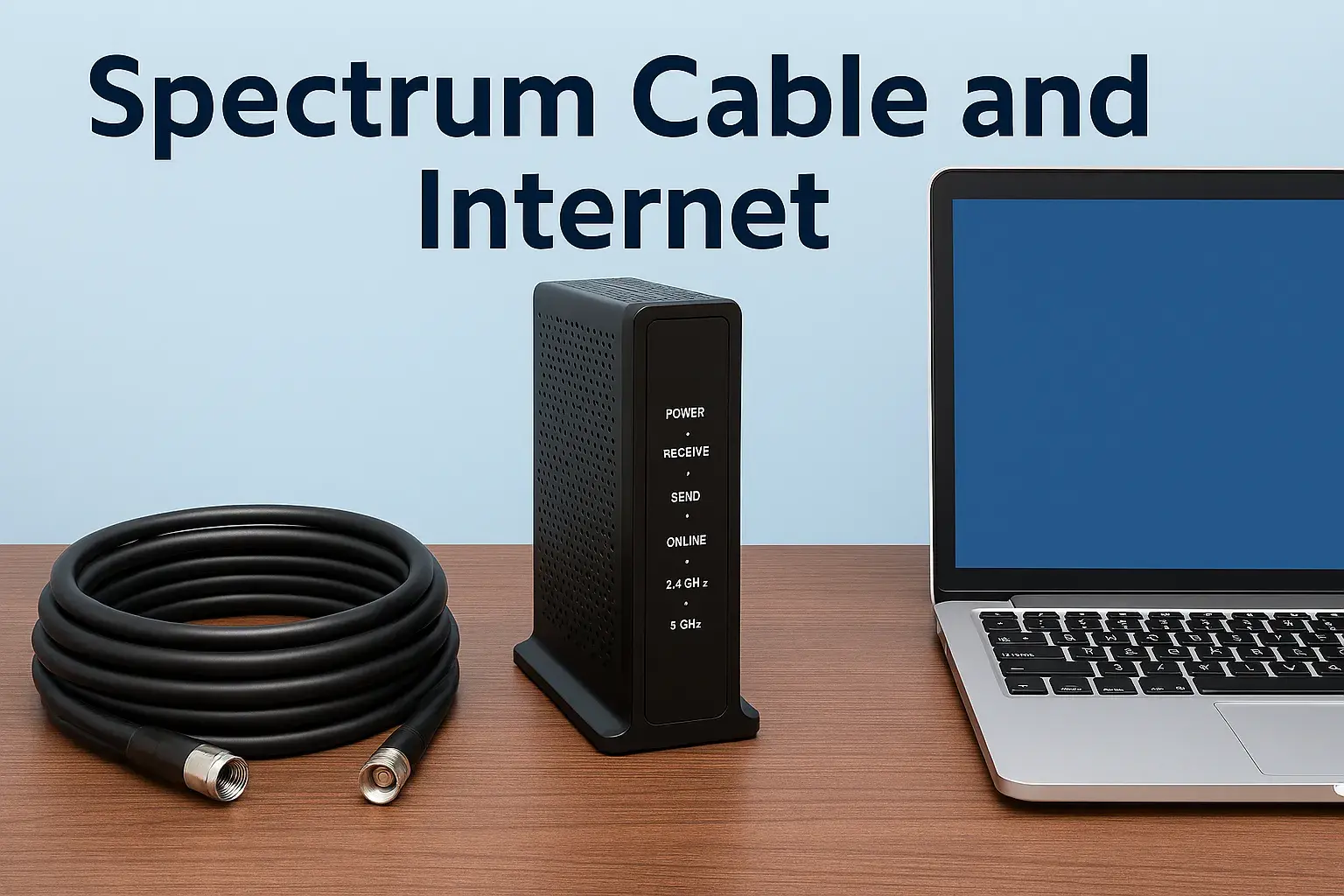
Spectrum Internet Transfer Made Simple

Moving your Spectrum internet service doesn't have to be a hassle. This guide simplifies Spectrum internet transfer, offering clear steps and expert tips to ensure a smooth transition. We'll cover everything from scheduling to setup, making your move stress-free.
Understanding Spectrum Internet Transfer
Transferring your Spectrum internet service is a common need for individuals and families who are relocating. Whether you're moving across town or to a new city within Spectrum's service area, the process aims to be straightforward. The core idea is to disconnect your service at your old address and reconnect it at your new one, often leveraging existing infrastructure to minimize disruption and costs. This is distinct from a brand-new installation, which typically involves more extensive setup and potentially higher fees. Spectrum endeavors to make this transition as seamless as possible, recognizing that reliable internet is a necessity in today's connected world.
The key benefit of a transfer is continuity. Instead of going through the entire application process for a new account, you're essentially migrating your existing service. This usually means keeping your current account number, billing information, and potentially even your current internet plan, provided it's still offered and available at your new location. However, it's crucial to understand that availability can vary. While Spectrum has a wide reach, not every address is covered. Therefore, the first and most critical step is to verify serviceability at your new home.
In 2025 and 2026, the demand for high-speed, reliable internet continues to grow. With the rise of remote work, online education, and streaming services, a stable connection is more important than ever. Spectrum, as a major provider, understands this and has refined its transfer process to meet these evolving needs. They aim to ensure that your internet service is up and running quickly after you move, minimizing downtime. This guide will walk you through each stage, from initial preparation to final setup, ensuring you're well-equipped to handle your Spectrum internet transfer made simple.
What is a Spectrum Internet Transfer?
A Spectrum internet transfer is the process of moving your existing Spectrum internet service from one residential address to another. Instead of canceling your current service and signing up for a new one, you inform Spectrum of your move, and they arrange for the service to be deactivated at your old address and activated at your new one. This process is designed to be more efficient and potentially less costly than a new installation. It assumes that Spectrum service is available at both your current and new locations.
Benefits of Transferring vs. New Installation
The primary advantage of transferring is convenience and potential cost savings. When you transfer, you typically avoid some of the fees associated with a brand-new installation, such as activation fees or equipment installation charges, especially if you're reusing existing Spectrum equipment. Furthermore, it streamlines the process of maintaining service continuity. You're not starting from scratch with a new account, which can save time and administrative effort. For instance, if you're moving within the same city, the infrastructure might already be in place, making the transfer a relatively quick technical adjustment rather than a complete setup.
Key Considerations for Transfer
Several factors influence the success of your Spectrum internet transfer. Firstly, service availability at the new address is paramount. Spectrum's network coverage varies, and not all addresses are serviceable. Secondly, the timing of your move is crucial. You'll need to coordinate the disconnection and reconnection dates to minimize any period without internet access. Finally, understanding your current plan and whether it's still available at the new location is important. Sometimes, newer plans or different speed tiers might be offered, requiring a potential adjustment to your service.
Preparing for Your Spectrum Move
Successful Spectrum internet transfer hinges on thorough preparation. Before you even contact Spectrum, gather essential information and assess your needs. This proactive approach will save you time and potential headaches during the scheduling and setup phases. It’s about being organized so that when you initiate the transfer, you have all the necessary details at your fingertips, making the entire process smoother and faster.
Gather Your Account Information
Before contacting Spectrum, ensure you have your account number readily available. This is usually found on your monthly bill or can be accessed through your online Spectrum account portal. You'll also need the primary phone number associated with your account and your security PIN or password for verification purposes. Having this information organized will allow the Spectrum representative to quickly access your account details and initiate the transfer process without delays.
Verify Service Availability at Your New Address
This is arguably the most critical step. Spectrum's service area is extensive but not universal. You must confirm that Spectrum internet is actually available at your new home. You can do this by visiting the Spectrum website and using their address checker tool, or by calling Spectrum customer service directly. Be prepared to provide the full new address, including apartment or unit numbers if applicable. If Spectrum service is not available, you'll need to explore alternative internet providers for your new location.
Determine Your Internet Needs at the New Location
Consider how you'll be using the internet at your new home. Will you be working remotely, streaming high-definition content, gaming, or primarily browsing and checking email? Your usage patterns will dictate the internet speed and plan that best suits your needs. Spectrum offers a range of plans, from basic internet to high-speed options. If your current plan is no longer offered or doesn't meet your new requirements, you might need to upgrade or change your plan during the transfer process. Researching Spectrum's current offerings for 2025-2026 can help you make an informed decision.
Understand Your Current Equipment
Are you using Spectrum-provided equipment (modem, router) or your own? If you're using Spectrum's equipment, you'll likely need to return it at your old address or arrange for its transfer. If you own your modem and router, you can usually take them with you. However, it's essential to confirm compatibility with Spectrum's network at the new location. You can usually find this information on Spectrum's support pages or by asking a representative. Ensure your equipment meets the technical requirements for the plan you intend to have at your new home.
Plan Your Moving Timeline
Coordinate your internet transfer with your moving date. You'll want to schedule the disconnection at your old address for the day you move out or shortly after, and the reconnection at your new address for the day you move in or as soon as possible thereafter. Avoid scheduling the disconnection too early, leaving you without internet at your old place, or the reconnection too late, causing a prolonged outage at your new home. Flexibility is key, as appointment availability can influence your options.
Scheduling Your Spectrum Internet Transfer
Once you've completed the preparatory steps, it's time to schedule your Spectrum internet transfer. This involves contacting Spectrum and providing them with all the necessary details to arrange the service move. The scheduling process is designed to be efficient, but it's important to be clear and precise to avoid misunderstandings.
Contacting Spectrum Customer Service
The primary way to schedule a transfer is by calling Spectrum's customer service line. You can find the correct number on their official website. Be prepared for potential wait times, especially during peak hours. Alternatively, some users may find options to initiate a transfer through their online account portal, though a phone call is often the most direct route for this specific service.
Providing Necessary Information
When you speak with a Spectrum representative, you will need to provide:
- Your account number
- Your current service address
- Your new service address (confirming it's serviceable)
- Your desired disconnection date at the old address
- Your desired reconnection date at the new address
- Your contact phone number
- Your security PIN or password
Be explicit about your moving dates. It's often recommended to schedule the disconnection for your move-out day and the reconnection for your move-in day. This minimizes the time you'll be without service.
Choosing Appointment Windows
Spectrum will offer available appointment windows for both the disconnection (if a technician visit is required) and the reconnection. While they strive to accommodate your preferred times, availability can vary based on your location and the technician's schedule. Be flexible if possible. If a technician visit is required for disconnection, ensure someone is present at the old address. For reconnection, someone must be present at the new address to grant access and confirm the service is working.
Confirming Your Plan and Equipment
During the scheduling call, reiterate your desired internet plan for the new location. Confirm if your current plan is still available or if you need to switch. Discuss your equipment situation: will you be taking your own equipment, or do you need to arrange for new or transferred Spectrum equipment? If you're returning Spectrum equipment, clarify the process and locations where you can do so.
Receiving Confirmation
After scheduling, you should receive a confirmation of your transfer appointment, typically via email or text message. This confirmation will include the dates and times for disconnection and reconnection, as well as any specific instructions. Review this confirmation carefully to ensure all details are accurate. If you notice any discrepancies, contact Spectrum immediately to correct them.
The Day of Your Spectrum Internet Transfer
The day of your move is when the physical transfer of your Spectrum internet service takes place. It's a critical day where coordination and adherence to the schedule are key to ensuring minimal disruption. Whether a technician visit is required or not, there are specific actions to take.
At Your Old Address: Disconnection
If a technician visit is scheduled for disconnection, ensure you or an authorized adult is present during the appointment window. The technician will deactivate the service and may collect any Spectrum-provided equipment. If no technician visit is required for disconnection (which is often the case if you're simply moving out and the service is being turned off remotely), ensure all Spectrum equipment you own is unplugged and ready for return or transport.
Important: If you are returning Spectrum equipment, make sure you understand the return process. This might involve dropping it off at a Spectrum store, shipping it back, or having a technician collect it. Failure to return equipment can result in unreturned equipment fees.
At Your New Address: Reconnection
This is where the service becomes active at your new home. If a technician visit is scheduled for reconnection, be present during the appointment window. The technician will activate the service, install any necessary equipment (if you're getting new Spectrum equipment), and ensure the connection is working. They will typically test the signal strength and provide a basic walkthrough.
If no technician visit is required for reconnection (often the case if the previous resident had Spectrum and the lines are active), you will need to set up your modem and router yourself. Follow the instructions provided by Spectrum or the equipment manufacturer.
What to Expect If a Technician Is Involved
Technician visits are common, especially if the previous service at the new address was disconnected or if new wiring is needed. The technician will typically:
- Assess the connection point at your home (e.g., where the cable enters the building).
- Install or activate the modem and router (if provided by Spectrum).
- Test the internet speed and signal quality.
- Ensure your devices can connect to the Wi-Fi network.
Be prepared to provide access to the location where the equipment will be installed. If you have specific placement preferences for your modem or router, communicate them to the technician.
What to Expect If No Technician Is Involved (Self-Setup)
In some cases, Spectrum may allow for a self-installation or activation. This usually happens if the service was recently active at the address and no physical changes are needed. You will receive your Spectrum modem and router (if applicable) in the mail or pick them up from a store. The process typically involves:
- Connecting the modem to the cable outlet and power.
- Connecting the router to the modem (if separate).
- Following on-screen prompts or instructions from Spectrum's app or website to activate the service.
Ensure you have the correct cables and power adapters. If you encounter issues, Spectrum's customer support or online troubleshooting guides will be your next step.
Verifying Service Immediately
Once the service is supposed to be active, test it thoroughly. Connect a device (laptop, smartphone) to your Wi-Fi network and try browsing the internet. Run a speed test (e.g., using Ookla Speedtest) to ensure you're getting the speeds you expect from your plan. If you experience any issues, such as slow speeds, intermittent connections, or no internet access at all, contact Spectrum customer support immediately.
Setting Up Your Spectrum Service at the New Location
The physical setup of your Spectrum internet service at your new home is a crucial step in ensuring a smooth transition. Whether you're using Spectrum-provided equipment or your own, the process involves connecting the hardware and activating the service. This section details the steps for a successful setup.
Connecting Your Modem
The modem is the device that connects your home to Spectrum's network. If you are using Spectrum-provided equipment:
- Locate the coaxial cable outlet: This is usually a small, threaded connector on your wall.
- Connect the coaxial cable: Screw one end of the coaxial cable (provided by Spectrum or already in place) securely to the wall outlet and the other end to the "Cable In" or "RF In" port on the back of the Spectrum modem.
- Connect the power adapter: Plug the modem's power adapter into the modem and then into a nearby electrical outlet.
- Wait for the modem to boot up: The modem will go through a startup sequence. This can take several minutes. Watch the indicator lights on the modem; they should eventually stabilize, indicating a connection to Spectrum's network. Consult your modem's manual or Spectrum's instructions for the specific light patterns that signify a successful connection.
If you are using your own compatible modem, follow the manufacturer's instructions, which will be similar to the above steps.
Connecting Your Router (If Separate)
If you have a separate router for Wi-Fi:
- Connect the router to the modem: Use an Ethernet cable to connect the modem's Ethernet port to the router's "Internet" or "WAN" port.
- Connect the router's power adapter: Plug the router into a power outlet.
- Wait for the router to boot up: Similar to the modem, the router will have indicator lights that show its status.
If you received a Spectrum Wi-Fi router (often a modem/router combo unit), this step is integrated with the modem setup.
Activating Your Service
After your equipment is connected, you'll need to activate your Spectrum internet service. This is often done through an automated system:
- Online Activation: Open a web browser on a computer or device connected to your new network. You will likely be directed to a Spectrum activation page automatically. Follow the on-screen instructions. You may need to enter your account information or a unique activation code.
- Phone Activation: In some cases, you might need to call a Spectrum activation number and follow the automated prompts or speak with a representative.
Ensure you have your account number and potentially the MAC address of your modem (usually found on a sticker on the modem itself) handy, as this may be required for activation.
Setting Up Your Wi-Fi Network
Once your internet is active, you'll want to set up your Wi-Fi network:
- Access Router Settings: If you have a separate router or a combo unit, you can access its settings through a web browser. The default network name (SSID) and password are often printed on the router itself.
- Change Network Name (SSID) and Password: For security and personalization, it's highly recommended to change the default SSID and password to something unique and strong.
- Secure Your Network: Ensure you use WPA2 or WPA3 encryption for your Wi-Fi security.
Spectrum often provides a mobile app that can guide you through Wi-Fi setup and management.
Testing Your Connection
Before the technician leaves (if applicable) or after you've completed self-setup, test your internet connection thoroughly:
- Connect multiple devices wirelessly and via Ethernet cable.
- Browse various websites.
- Stream a video from a service like YouTube or Netflix.
- Run an internet speed test to confirm you're receiving the speeds associated with your plan.
If you encounter any issues, refer to the troubleshooting section or contact Spectrum support.
Troubleshooting Common Spectrum Transfer Issues
Despite best efforts, sometimes issues can arise during or after a Spectrum internet transfer. Being prepared to troubleshoot can save you significant time and frustration. Here are some common problems and their solutions.
No Internet Connection
Symptoms: Devices cannot connect to the internet, or the modem/router lights indicate no connection.
Solutions:
- Check Physical Connections: Ensure all cables (coaxial, Ethernet, power) are securely plugged in at both ends.
- Restart Equipment: Unplug the modem and router from power for at least 30 seconds, then plug them back in, starting with the modem. Wait for them to fully boot up before checking the connection.
- Verify Activation: If you recently activated the service, ensure the activation process was completed successfully. You might need to repeat it.
- Check Service Status: Visit Spectrum's website or app to see if there are any reported outages in your area.
- Contact Spectrum: If the problem persists, call Spectrum customer support. They can check the signal to your modem remotely and diagnose further.
Slow Internet Speeds
Symptoms: Websites load slowly, videos buffer, or speed tests show significantly lower speeds than expected.
Solutions:
- Run a Speed Test: Use a reliable speed test tool (e.g., Speedtest.net) and run it from a device connected directly to the modem via Ethernet cable for the most accurate results.
- Check Your Plan: Ensure the speed you're testing against is consistent with your subscribed Spectrum internet plan.
- Minimize Network Congestion: If multiple devices are heavily using the internet simultaneously (streaming, downloading), it can slow down speeds for all devices.
- Check Router Performance: Older or lower-end routers can be a bottleneck. Try connecting directly to the modem to see if speeds improve.
- Interference: Wi-Fi signals can be affected by other electronic devices or physical obstructions. Try moving your router or changing the Wi-Fi channel.
- Contact Spectrum: If speeds remain consistently low despite troubleshooting, Spectrum may need to check the line quality or equipment.
Intermittent Connection Drops
Symptoms: The internet connection works for a while and then suddenly disconnects, often reconnecting after a short period.
Solutions:
- Check Cable Integrity: Damaged or loose coaxial cables can cause intermittent signal loss. Inspect the cable for any visible damage and ensure it's tightly connected.
- Modem/Router Overheating: Ensure your equipment is in a well-ventilated area and not overheating.
- Power Issues: Ensure the power supply to your modem and router is stable. Avoid using power strips with surge protectors that might interfere with power delivery.
- Signal Fluctuation: This can be an issue with Spectrum's network or the wiring to your home. Spectrum support can investigate this.
- Router Issues: If the drops only occur on Wi-Fi, the issue might be with your router or Wi-Fi interference.
Wi-Fi Issues
Symptoms: Devices can't connect to Wi-Fi, Wi-Fi signal is weak, or Wi-Fi speeds are much slower than wired speeds.
Solutions:
- Restart Router: Power cycle your router.
- Check Router Placement: Ensure your router is placed in a central location, away from obstructions and other electronic devices that can cause interference.
- Change Wi-Fi Channel: Access your router settings and try switching to a less congested Wi-Fi channel.
- Update Router Firmware: Ensure your router's firmware is up to date.
- Consider a Wi-Fi Extender/Mesh System: If you have a large home or dead zones, these can improve Wi-Fi coverage.
Equipment Problems
Symptoms: Modem or router lights are off, blinking erratically, or the device is unresponsive.
Solutions:
- Check Power: Ensure the power adapter is securely connected to both the device and the outlet. Try a different outlet.
- Factory Reset: If advised by Spectrum support, you may need to perform a factory reset on the modem or router. This will erase custom settings, so be prepared to reconfigure your network.
- Replace Equipment: If the equipment is faulty, Spectrum will likely arrange for a replacement. If you own your modem, you may need to purchase a new one.
Spectrum Internet Transfer vs. New Installation: What's the Difference?
Understanding the distinction between a Spectrum internet transfer and a new installation is crucial for managing expectations and costs. While both result in having Spectrum internet service at a new address, the processes and implications differ significantly.
Definition and Process
Spectrum Internet Transfer: This process is for existing Spectrum customers moving to a new address within Spectrum's service area. It involves migrating your current account and service to the new location. Spectrum aims to reuse existing infrastructure where possible. A technician may or may not be required, depending on the service status at the new address.
New Installation: This is for individuals or households who have never had Spectrum service at a particular address, or who are moving to an area where Spectrum service is not currently active or has been disconnected for an extended period. A new installation typically requires a more involved setup, potentially including running new lines or activating service from the ground up.
Equipment Handling
Transfer: If you use Spectrum-provided equipment, you might be able to transfer it. This could involve returning your old equipment and picking up new equipment at a Spectrum store, or the technician might swap it out. If you own your modem and router, you can usually take them with you, provided they are compatible with Spectrum's network at the new location.
New Installation: You will almost always be provided with Spectrum-rented equipment (modem and router) or have the option to purchase compatible equipment. If you plan to use your own equipment, you'll need to ensure it meets Spectrum's specifications for new activations.
Costs and Fees
Transfer: Transferring service often incurs fewer fees than a new installation. While there might be a transfer fee or a prorated charge for service changes, it's generally less expensive than a full installation fee. If a technician visit is required for a transfer, there might be a service call fee, but it's often lower than a new installation fee.
New Installation: New installations typically involve a one-time activation fee and potentially an installation fee, especially if a technician visit is required to set up the service from scratch. These fees cover the cost of setting up the service and ensuring all necessary infrastructure is in place.
Appointment Availability
Transfer: Appointment availability for transfers can be similar to new installations, but sometimes Spectrum prioritizes getting existing customers reconnected quickly. However, during busy moving seasons, availability can still be limited.
New Installation: New installations often require a technician visit, and scheduling these can sometimes take longer, especially in high-demand areas or during peak times. Spectrum will work to get service established as quickly as possible.
Plan Options
Transfer: You can usually keep your existing plan if it's still offered at the new location. If not, you'll be offered comparable or available plans. You may also have the option to upgrade or change your plan during the transfer.
New Installation: You will select from Spectrum's current available plans for new customers at the new address. Promotions for new customers might be available.
Comparison Table
Here's a simplified comparison:
| Feature | Spectrum Internet Transfer | New Spectrum Installation |
|---|---|---|
| Customer Status | Existing Spectrum Customer | New Spectrum Customer |
| Process Focus | Migrating existing service | Establishing new service from scratch |
| Typical Fees | Lower transfer/service call fees | Higher activation/installation fees |
| Equipment | May transfer existing, or swap | Typically new or rented equipment provided |
| Infrastructure | Leverages existing connections | May require new line installation/activation |
Tips for a Seamless Spectrum Transfer
Making your Spectrum internet transfer as smooth as possible involves a combination of planning, communication, and a bit of foresight. By following these tips, you can minimize potential disruptions and ensure your internet is up and running quickly at your new home.
Plan Ahead Well in Advance
Don't wait until the last minute. As soon as you know your moving dates, start the process. Contact Spectrum at least two to three weeks before your move, especially if you're moving during a busy period like the summer or end of the year. This gives you more flexibility in choosing appointment times and ensures you have ample time to resolve any potential issues.
Confirm Service Availability Multiple Times
Double-check that Spectrum service is available at your new address. Sometimes, online checkers can be slightly inaccurate. If possible, ask a neighbor or confirm with the property manager or landlord. If service isn't available, you'll need to explore other providers early on.
Be Precise with Dates
When scheduling, clearly state your desired disconnection date (usually your move-out date) and your desired reconnection date (usually your move-in date). Explain your situation to the representative to ensure they understand the urgency and timing. It's often best to schedule the disconnection for the end of the day you move out and the reconnection for the beginning of the day you move in.
Communicate Any Access Issues
If your new home has specific access requirements (e.g., a gate code, a specific entrance, or if you'll be unavailable during the technician window and need to arrange for someone else to be present), communicate this clearly to Spectrum when scheduling. This helps prevent missed appointments.
Document Everything
Keep records of all your communications with Spectrum, including dates, times, representative names, and confirmation numbers. Save emails, screenshots of online chats, and any confirmation letters. This documentation can be invaluable if any disputes or issues arise later.
Test Your Equipment Before Moving
If you're bringing your own modem and router, test them thoroughly at your current location to ensure they are in good working order. This way, you're not introducing a new potential problem at your new address.
Have a Backup Plan
Even with the best planning, delays can happen. Consider having a mobile hotspot or a plan to use public Wi-Fi for the first day or two at your new location, just in case your Spectrum service isn't fully operational as planned.
Understand Equipment Return Policy
If you're returning Spectrum-provided equipment, know exactly how and where to return it. Failure to do so can result in significant charges. If you're shipping it back, get a tracking number.
Inspect New Location for Outlets
Before the technician arrives, identify where you want your modem and router to be placed. Ensure there's a coaxial cable outlet and a power outlet nearby. If the existing outlet is damaged or poorly located, inform Spectrum.
Stay Calm and Patient
Moving is stressful, and technical issues can add to that stress. Remember that Spectrum representatives are there to help. Approach the process with patience and a clear mind, and you'll be more likely to achieve a successful outcome.
Spectrum Internet Transfer Costs and Fees (2025-2026)
Understanding the potential costs associated with transferring your Spectrum internet service is essential for budgeting your move. While Spectrum aims to make transfers cost-effective, certain fees may apply. These fees can vary based on your location, the specific services you have, and whether a technician visit is required.
Potential Transfer Fees
Spectrum may charge a nominal fee for processing the service transfer. This fee covers the administrative costs of updating your account and service location in their system. The exact amount can fluctuate, but it's typically in the range of $10-$30. This fee is often applied to your next billing statement after the transfer is completed.
Technician Visit Fees
If a technician is required to disconnect service at your old address or, more commonly, to install and activate service at your new address, a service call fee may apply. For transfers, this fee is often lower than the standard installation fee for new customers. In 2025-2026, this fee could range from $30 to $70, depending on the complexity of the installation and your region. Spectrum often waives these fees for new customers as part of promotional offers, but for transfers, they are more likely to be charged.
Equipment Fees
Rental Fees: If you rent your modem and/or router from Spectrum, you will continue to pay the monthly rental fees at your new address. These fees are standard and depend on the equipment provided. As of 2025-2026, modem rental fees typically range from $10-$15 per month, and Wi-Fi router rental fees can add another $5-$10 per month.
Unreturned Equipment Fees: If you fail to return Spectrum-provided equipment from your old address, you will be charged the full replacement cost of the equipment, which can be substantial ($100-$200 or more per device). Ensure you follow the return procedures correctly.
Purchased Equipment: If you own your modem and router, there are no ongoing equipment fees from Spectrum, but you are responsible for ensuring they remain functional.
Prorated Billing
Your first bill after the transfer may include prorated charges. This means you might be billed for a partial month of service from the date of activation at your new address until the end of the billing cycle. Subsequent bills will be for a full month of service at the standard rate.
Promotional Offers for Transfers
While less common than for new customers, Spectrum may occasionally offer promotions for existing customers transferring service. It's always worth asking a customer service representative if any discounts or waived fees are available for transfers during your scheduling call. These could include temporary discounts on your monthly bill or waived service call fees.
Comparison of Potential Costs (2025-2026 Estimate)
| Cost Item | Estimated Range (Transfer) | Notes |
|---|---|---|
| Transfer Fee | $10 - $30 | One-time administrative fee |
| Technician Service Call Fee | $30 - $70 | If a technician visit is required for installation |
| Monthly Equipment Rental (Modem) | $10 - $15 | Per month, if renting |
| Monthly Equipment Rental (Router) | $5 - $10 | Per month, if renting |
| Unreturned Equipment Charge | $100 - $200+ | One-time penalty if Spectrum equipment is not returned |
Note: These are estimates for 2025-2026 and actual costs may vary. Always confirm specific fees with Spectrum.
What If Spectrum Is Not Available at My New Address?
It's a common concern for those relocating: what happens if your new home isn't within Spectrum's service area? While Spectrum has a broad network, it doesn't cover every single address. Fortunately, there are usually alternative solutions available to ensure you still have internet access. This section outlines what to do if Spectrum isn't an option at your new location.
Confirm Non-Availability Thoroughly
Before giving up on Spectrum entirely, ensure you've exhausted all avenues to confirm serviceability. Double-check the address online, try slightly different variations of the address, and call Spectrum customer service directly. Sometimes, service might be available but requires a more complex installation or has specific limitations. If you're in an apartment building, confirm with the building management if Spectrum is an option, as some buildings have exclusive provider agreements.
Explore Other Major Internet Providers
The first step is to identify other national or regional internet service providers (ISPs) that operate in your new area. Common alternatives to Spectrum include:
- AT&T: Offers DSL, Fiber, and sometimes Fixed Wireless Internet.
- Verizon: Primarily known for FiOS (Fiber) and 5G Home Internet.
- Xfinity (Comcast): A direct competitor to Spectrum in many areas, offering cable internet.
- CenturyLink (Lumen Technologies): Offers DSL and Fiber options.
- Frontier Communications: Provides DSL and Fiber services.
Use online comparison tools like BroadbandNow, HighSpeedInternet.com, or similar services to enter your new address and see which providers are available and what plans they offer. These tools are invaluable for quickly assessing your options.
Consider Fixed Wireless and Satellite Internet
If traditional cable or fiber is not available, fixed wireless and satellite internet are often viable alternatives, especially in rural or underserved areas.
Fixed Wireless: This technology uses radio signals from a local tower to a receiver on your home. Providers like T-Mobile Home Internet and Verizon 5G Home Internet are increasingly offering this. Speeds can be competitive with cable, but performance can be affected by distance from the tower and line-of-sight obstructions.
Satellite Internet: Providers like HughesNet and Viasat offer internet service via satellite. While available almost anywhere with a clear view of the sky, satellite internet traditionally suffers from higher latency (delay), slower speeds, and data caps compared to terrestrial options. However, newer technologies like Starlink are significantly improving satellite internet performance.
Evaluate Internet Plans and Pricing (2025-2026)
Once you've identified available providers, compare their plans based on:
- Speeds: Look at download and upload speeds. Ensure they meet your needs for streaming, working, and general browsing.
- Data Caps: Some plans, especially satellite and fixed wireless, may have data limits. Understand these limits to avoid overage charges.
- Pricing: Compare monthly costs, installation fees, and any equipment rental fees. Look for introductory offers, but be aware of the price after the promotional period ends.
- Contract Length: Some providers require long-term contracts, while others offer month-to-month plans.
For 2025-2026, expect a wide range of pricing. Basic DSL might start around $50/month, cable internet could range from $60-$100+, fiber optic plans can offer higher speeds for $70-$120+, and fixed wireless/satellite can vary significantly based on provider and data allowances.
Read Reviews and Customer Feedback
Before committing to a provider, research their reputation. Look for customer reviews regarding reliability, customer service, and billing practices. Websites like the Better Business Bureau (BBB) or consumer review sites can offer insights.
Consider Mobile Hotspots as a Temporary Solution
If you're in a situation where you need internet immediately and are waiting for a more permanent solution to be installed, a mobile hotspot from your cellular carrier can be a lifesaver. Many smartphones can act as hotspots, and some carriers offer dedicated mobile hotspot devices. Be mindful of data limits on your mobile plan.
Conclusion
Navigating the process of Spectrum internet transfer made simple is achievable with the right knowledge and preparation. We've covered the essential steps, from understanding the nuances of a transfer versus a new installation, to meticulously preparing your account information and new address, and finally, to scheduling and executing the actual service move. By verifying service availability early, coordinating your move dates precisely, and understanding potential costs and fees for 2025-2026, you can significantly reduce the stress often associated with relocating internet services.
Remember, proactive communication with Spectrum, thorough testing of your connection, and having a troubleshooting plan in place are key to ensuring a seamless transition. If Spectrum service isn't available at your new home, exploring alternative providers like AT&T, Verizon, Xfinity, or even fixed wireless and satellite options ensures you remain connected. Prioritize your internet needs, compare plans carefully, and don't hesitate to seek assistance from customer service when needed.
By following the guidance in this comprehensive article, you are well-equipped to manage your Spectrum internet transfer efficiently, allowing you to settle into your new home with reliable internet access from day one. Your goal is a smooth, uninterrupted online experience, and with these strategies, that goal is within reach.
📚Read More Articles About Spectrum
How to Find a Spectrum Store Near Me: A Comprehensive Guide
February 16, 2026
All About Spectrum Services: Internet, TV, Mobile Plans & Pricing Explained
January 19, 2026
Spectrum Store Locator for 43017: Hours, Services & What to Bring
December 22, 2025