Discover Spectrum's residential fiber internet options, focusing on availability across the US and detailed plan breakdowns. This guide helps you understand speeds, pricing, and how to check if fiber is near you, ensuring you make an informed decision for your home's connectivity needs in 2025.
Spectrum's Residential Fiber Internet: Availability and Plans
In the rapidly evolving landscape of home internet, fiber optic technology stands out for its superior speed, reliability, and capacity. Spectrum, a major player in the U.S. telecommunications market, offers residential fiber internet services in select areas, promising a significant upgrade for those lucky enough to have it available. This comprehensive guide delves into Spectrum's fiber internet offerings, focusing on where it's accessible and the various plans designed to meet diverse user needs in 2025. We aim to provide an in-depth look that helps you determine if Spectrum's fiber is the ideal solution for your household's digital demands.
Understanding Spectrum's Fiber-to-the-Home (FTTH) Network
Spectrum's approach to delivering high-speed internet is multifaceted, utilizing a hybrid fiber-coaxial (HFC) network for many of its services. However, their true fiber-to-the-home (FTTH) deployments represent the pinnacle of their network capabilities. Unlike cable internet, which relies on coaxial cables for the final connection to your home, FTTH uses fiber optic cables that run directly from the provider's network all the way to your doorstep. This direct fiber connection is the key to unlocking the unparalleled benefits of fiber internet.
The Technology Behind Fiber Optics
Fiber optic cables transmit data using light pulses through thin strands of glass or plastic. This method is inherently faster and more efficient than the electrical signals used by traditional copper or coaxial cables. The light signals are less susceptible to interference, leading to a more stable and consistent connection. Furthermore, fiber optic cables have a much higher bandwidth capacity, meaning they can carry significantly more data simultaneously. This is crucial for modern households with multiple devices streaming, gaming, and working from home.
Spectrum's Fiber Deployment Strategy
Spectrum's parent company, Charter Communications, has been investing heavily in expanding its fiber optic infrastructure. While Spectrum is known for its extensive HFC network, which already provides high speeds to millions of customers, the rollout of pure FTTH is a strategic move to compete at the highest tier of internet service. This expansion is often concentrated in areas where Charter has a strong existing presence or where there is significant demand for next-generation connectivity. The company's commitment to upgrading its network means that availability is gradually increasing, though it remains geographically limited.
Benefits of FTTH Over HFC
While Spectrum's HFC network is robust, FTTH offers distinct advantages:
- Symmetrical Speeds: Many FTTH plans offer symmetrical download and upload speeds. This means your upload speed is as fast as your download speed, which is critical for video conferencing, large file uploads, and live streaming. Spectrum's HFC plans typically have significantly slower upload speeds compared to download speeds.
- Lower Latency: Fiber optic connections generally have lower latency (ping), which is the time it takes for data to travel from your device to a server and back. This results in a more responsive internet experience, especially for online gaming and real-time applications.
- Future-Proofing: The capacity of fiber optic cables is immense. As internet usage and bandwidth demands continue to grow, FTTH networks are better equipped to handle future technological advancements without needing a complete infrastructure overhaul.
- Reliability: Fiber optic cables are less prone to degradation from environmental factors like electromagnetic interference or extreme weather compared to copper or coaxial cables, leading to a more reliable connection.
It's important to distinguish between Spectrum's HFC services and their dedicated FTTH offerings, as the performance and features can differ significantly. This guide will primarily focus on the FTTH aspects where available.
How to Check Spectrum Fiber Internet Availability in Your Area
The most crucial step in considering Spectrum's residential fiber internet is determining if it's actually available at your address. Unlike cable internet, which has a more widespread footprint, pure fiber optic networks are still being built out and are not universally accessible. Spectrum's availability is determined by its existing infrastructure and ongoing deployment projects.
Step-by-Step Availability Check
Here’s how you can efficiently check if Spectrum's fiber internet is an option for you:
- Visit the Official Spectrum Website: Navigate to the Spectrum homepage. Look for sections related to "Internet," "Check Availability," or "Get Service."
- Enter Your Address: You will typically be prompted to enter your full street address, including city, state, and zip code. Some providers might also ask for your account number if you are an existing Spectrum customer, to check for upgrades.
- Review Service Options: After submitting your address, the website will display the internet services available at your location. If fiber is an option, it will be clearly listed. You may see different tiers of service, including both HFC and FTTH options if both are present.
- Look for "Fiber" or "Gigabit Fiber": Pay close attention to the descriptions. Spectrum often markets its highest speed tiers as "Gigabit Internet," which, in FTTH areas, is delivered via fiber. If you see speeds of 500 Mbps or 1 Gbps (1000 Mbps) and the description mentions fiber optic technology, it's likely their FTTH service. If it mentions coaxial cable, it's their HFC network.
- Contact Spectrum Directly: If the online tool is unclear or you suspect fiber might be available but not showing up, call Spectrum's customer service line. A representative can perform a more detailed check using internal tools and provide information on upcoming fiber buildouts in your neighborhood.
Factors Affecting Availability
Several factors influence whether Spectrum fiber is available at your address:
- Geographic Location: Spectrum's fiber network is currently concentrated in specific states and metropolitan areas where Charter has invested in infrastructure upgrades. Major urban and suburban areas are more likely to have access than rural or remote locations.
- Existing Infrastructure: Spectrum leverages its existing cable footprint to deploy fiber. Areas with established Spectrum cable service are often prioritized for fiber upgrades.
- New Construction and Development: Spectrum actively works with builders and developers to bring fiber internet to new housing communities and business parks.
- Ongoing Network Expansion: Charter Communications is continuously expanding its fiber network. Availability can change over time as new projects are completed. It's worth rechecking periodically if fiber isn't available today.
For the most accurate and up-to-date information, always use Spectrum's official address checker or speak directly with a Spectrum representative. This ensures you are looking at the services truly available for your home.
Spectrum Fiber Internet Plans and Pricing (2025 Overview)
Spectrum's residential fiber internet plans are designed to cater to a range of users, from casual browsers to heavy streamers and remote workers. While pricing and exact plan names can vary slightly by region and are subject to change, here’s a general overview of what you can expect in 2025. It’s crucial to remember that the availability of pure fiber plans is what we are focusing on, as opposed to their widely available cable internet tiers.
Key Considerations for Spectrum Fiber Plans
- Speed: The primary differentiator between plans is the download and upload speed.
- Price: Monthly costs, often with promotional pricing for new customers.
- Contract Terms: Spectrum typically offers no-contract internet services, providing flexibility.
- Data Caps: Spectrum fiber plans generally do not have data caps, a significant advantage over some competitors.
- Bundling: Options to combine internet with TV and phone services for potential savings.
Typical Spectrum Fiber Plan Tiers (2025 Estimates)
While Spectrum's marketing often emphasizes "Gigabit" speeds, their fiber offerings can include a range of speeds. For pure FTTH deployments, you're more likely to see plans that truly leverage the fiber optic capabilities.
| Plan Name/Speed Tier | Download Speed | Upload Speed | Estimated Monthly Price (Promotional) | Estimated Monthly Price (Standard) | Key Features |
|---|---|---|---|---|---|
| Spectrum Internet Gig (Fiber) | Up to 1 Gbps (1000 Mbps) | Up to 1 Gbps (1000 Mbps) | $89.99 - $109.99 | $119.99 - $139.99 | Symmetrical speeds, ideal for heavy users, gaming, 4K streaming, multiple devices. |
| Spectrum Internet Ultra (Fiber) | Up to 500 Mbps | Up to 500 Mbps | $69.99 - $89.99 | $89.99 - $109.99 | Symmetrical speeds, excellent for most households, streaming, remote work, gaming. |
| Spectrum Internet (Fiber - less common, may be HFC) | Up to 300 Mbps | Up to 300 Mbps (if FTTH) | $49.99 - $69.99 | $69.99 - $89.99 | Good for smaller households, basic streaming, web browsing. (Note: This speed tier might be HFC in many areas.) |
*Note: Prices are estimates for 2025 and can vary by location, promotional offers, and whether you are a new or existing customer. Standard pricing typically applies after a promotional period (usually 12-24 months). Always verify current pricing with Spectrum directly.
Promotional Pricing and Discounts
Spectrum frequently offers introductory pricing for new customers, making their fiber plans more affordable for the first year or two. These promotions can significantly reduce the monthly bill. It's also common for Spectrum to offer discounts for bundling internet with their TV and/or phone services. For example, bundling might include a free modem or Wi-Fi router rental, or a reduced monthly rate on one or more services.
No Annual Contracts
A significant advantage of Spectrum's plans, including their fiber offerings, is the absence of long-term annual contracts. This means you can cancel your service at any time without incurring early termination fees. This flexibility is highly valued by consumers who want to avoid being locked into a service agreement.
Data Caps and Unlimited Usage
One of the most compelling aspects of Spectrum's fiber internet plans is the absence of data caps. This means you can use as much internet as you need without worrying about throttling or extra charges for exceeding a data limit. This is particularly beneficial for households with heavy internet usage, such as those who frequently stream 4K content, download large files, or have multiple users simultaneously online.
Understanding these plan structures and pricing models is the first step in evaluating Spectrum's fiber internet. The next step is to delve deeper into the specific features and performance expectations of each tier.
Detailed Breakdown of Spectrum's Fiber Internet Plans
When considering Spectrum's residential fiber internet, understanding the nuances of each plan is key to selecting the best fit for your household. While the speed tiers are the most obvious differentiator, other features and potential inclusions can significantly impact your overall experience and value.
Spectrum Internet Gig (Fiber)
This is Spectrum's flagship fiber internet offering, designed for the most demanding users. In areas where FTTH is deployed, this plan delivers true gigabit speeds.
- Speed: Up to 1 Gbps download and up to 1 Gbps upload. This symmetrical speed is a hallmark of true fiber optic connections and is crucial for activities that require high bandwidth in both directions.
- Ideal For: Households with multiple users and devices simultaneously engaged in high-bandwidth activities. This includes:
- Heavy 4K/8K video streaming on multiple devices.
- Intensive online gaming with low latency requirements.
- Large file downloads and uploads (e.g., for creative professionals, developers).
- Seamless video conferencing and remote work for multiple users.
- Smart home devices requiring constant connectivity.
- Performance: Provides an incredibly responsive and lag-free experience. Downloads of large files, such as movies or game updates, can take mere seconds. Uploading high-resolution videos or backing up extensive data to cloud services becomes remarkably fast.
- Data: Unlimited data, no data caps.
- Pricing: Typically the most expensive tier, with promotional pricing for new customers and higher standard rates after the introductory period.
Spectrum Internet Ultra (Fiber)
Positioned as a high-performance option that balances speed with cost, the Ultra plan is a strong contender for many households. In FTTH areas, this also offers symmetrical speeds.
- Speed: Up to 500 Mbps download and up to 500 Mbps upload. This is a substantial increase over typical cable internet speeds and provides ample bandwidth for most modern households.
- Ideal For: Households with moderate to heavy internet usage. This includes:
- Streaming HD and 4K content on several devices concurrently.
- Online gaming without significant lag.
- Smooth video conferencing for remote work or online classes.
- Downloading and uploading moderately large files.
- Supporting a connected home with numerous smart devices.
- Performance: Offers a very robust and smooth internet experience. Most users will find this speed more than sufficient for their daily digital needs. The symmetrical upload speeds are a significant upgrade for content creators or those who frequently share large files.
- Data: Unlimited data, no data caps.
- Pricing: More affordable than the Gig plan, often with attractive promotional offers for new subscribers.
Spectrum Internet (Fiber - if available)
In some FTTH areas, Spectrum might offer a base fiber plan. However, it's important to note that this speed tier is more commonly associated with their HFC network in many regions. If it is a fiber offering, it would provide symmetrical speeds.
- Speed: Potentially up to 300 Mbps download and 300 Mbps upload (if fiber). If this is an HFC offering, upload speeds would be significantly lower.
- Ideal For: Smaller households or individuals with lighter internet needs. This includes:
- Basic web browsing and email.
- Standard definition (SD) or HD streaming on one or two devices.
- Occasional video calls.
- Social media usage.
- Performance: Adequate for everyday tasks. However, it might struggle with multiple high-bandwidth activities happening simultaneously. The symmetrical upload speed, if it is indeed fiber, would still be a benefit for basic sharing.
- Data: Unlimited data, no data caps.
- Pricing: The most budget-friendly option, often the entry point for fiber services where available.
Additional Features and Considerations
- Static IP Addresses: Typically not included in standard residential plans but may be available as an add-on for business or advanced home networking needs.
- Wi-Fi Equipment: Spectrum usually provides a modem and Wi-Fi router. For fiber connections, this equipment is designed to handle the high speeds. While rental fees may apply, some plans might include free equipment for a promotional period. You can often use your own compatible equipment to avoid rental fees.
- Installation: Professional installation is often required for fiber optic connections to ensure proper setup and optimal performance. There may be an installation fee, though this can sometimes be waived as part of a promotional package.
- Customer Support: Spectrum offers 24/7 customer support for technical issues and service inquiries.
By understanding these plan details, you can better assess which Spectrum fiber tier aligns with your household's specific internet usage patterns and budget. The availability of symmetrical upload speeds and unlimited data are key advantages that set these fiber plans apart.
Spectrum Fiber Speed Tiers and Performance Expectations
The allure of fiber optic internet lies primarily in its speed and the consistent performance it delivers. Spectrum's fiber-to-the-home (FTTH) plans are engineered to provide a superior online experience compared to traditional cable or DSL services. Understanding the actual performance you can expect from each speed tier is crucial for setting realistic expectations and choosing the right plan.
Understanding Download vs. Upload Speeds
In the context of Spectrum's fiber plans, the term "symmetrical speeds" is paramount. This means the advertised download speed is matched by an identical upload speed. This is a significant departure from cable internet, where upload speeds are often a fraction of download speeds (e.g., 1000 Mbps download / 35 Mbps upload).
- Download Speed: This is the speed at which your device receives data from the internet. It impacts how quickly you can load web pages, stream videos, download files, and play online games.
- Upload Speed: This is the speed at which your device sends data to the internet. It affects the quality of video calls, the speed of uploading photos and videos to social media or cloud storage, and the performance of live streaming.
Performance Expectations by Speed Tier (2025)
Let's break down what each speed tier generally means in terms of real-world performance:
Spectrum Internet Gig (Up to 1 Gbps Download / 1 Gbps Upload)
- Downloads: Downloading a full-length HD movie (approx. 5 GB) could take as little as 40 seconds. Downloading a large game (e.g., 100 GB) could take around 13-15 minutes.
- Uploads: Uploading a 1 GB video file could take approximately 8-10 seconds. This makes sharing large creative projects or backing up significant amounts of data to the cloud incredibly efficient.
- Streaming: Seamlessly stream multiple 4K HDR videos on different devices simultaneously without buffering.
- Gaming: Extremely low latency and fast response times, ideal for competitive online gaming. Ping times can often be in the single digits.
- Video Conferencing: Crystal-clear, high-definition video calls for multiple participants without any lag or dropouts.
- Multiple Users: Can easily support dozens of connected devices simultaneously without performance degradation.
Spectrum Internet Ultra (Up to 500 Mbps Download / 500 Mbps Upload)
- Downloads: Downloading a full-length HD movie (approx. 5 GB) could take around 1 minute and 20 seconds. Downloading a large game (e.g., 100 GB) could take approximately 25-30 minutes.
- Uploads: Uploading a 1 GB video file could take approximately 16-20 seconds. This is still very fast and more than adequate for most content creators and remote workers.
- Streaming: Stream multiple HD or 4K videos on several devices without issue.
- Gaming: Excellent performance for online gaming with low latency, suitable for most gamers.
- Video Conferencing: High-quality video conferencing for multiple users.
- Multiple Users: Can comfortably handle 10-20+ connected devices for typical household activities.
Spectrum Internet (Up to 300 Mbps Download / 300 Mbps Upload - if FTTH)
- Downloads: Downloading a full-length HD movie (approx. 5 GB) could take around 2 minutes and 15 seconds. Downloading a large game (e.g., 100 GB) could take approximately 45-50 minutes.
- Uploads: Uploading a 1 GB video file could take approximately 25-30 seconds.
- Streaming: Suitable for streaming HD content on 2-3 devices simultaneously. 4K streaming might be possible but could face limitations with multiple concurrent streams.
- Gaming: Generally good for casual online gaming, though serious competitive gamers might notice slightly higher latency compared to gigabit plans.
- Video Conferencing: Suitable for individual or small group video calls.
- Multiple Users: Best for smaller households or those with lighter internet demands, supporting around 5-10 devices.
Factors Influencing Actual Speeds
While these are theoretical maximums, real-world speeds can fluctuate due to several factors:
- Wi-Fi vs. Wired Connection: Speeds are almost always faster when your device is connected directly to the router via an Ethernet cable compared to a Wi-Fi connection. Wi-Fi speeds can be affected by distance from the router, physical obstructions (walls), and interference from other devices.
- Router Capability: The age and capability of your Wi-Fi router are critical. An older router might not be able to broadcast the full speeds of your internet plan.
- Device Limitations: The network interface card (NIC) or Wi-Fi chip in your device can also be a bottleneck. Older devices might not support gigabit speeds.
- Network Congestion: While fiber is highly resistant to congestion, extremely high usage within your immediate neighborhood during peak hours could theoretically cause minor slowdowns, though this is far less common than with cable.
- Spectrum's Network: Occasional maintenance or unforeseen issues within Spectrum's network can temporarily affect speeds.
For optimal performance, Spectrum recommends using their provided Wi-Fi 6 router (if available for fiber) or a high-quality third-party router capable of handling gigabit speeds. Testing your speeds with a wired connection directly to the modem/router is the best way to verify you are receiving the speeds you are paying for.
Equipment and Installation for Spectrum Fiber
Getting Spectrum's residential fiber internet up and running involves specific equipment and a professional installation process to ensure optimal performance. Understanding these aspects beforehand can help streamline the setup and avoid surprises.
Spectrum Fiber Equipment
When you sign up for Spectrum fiber internet, you will typically receive or rent specific equipment designed to handle the high speeds and technology of fiber optics.
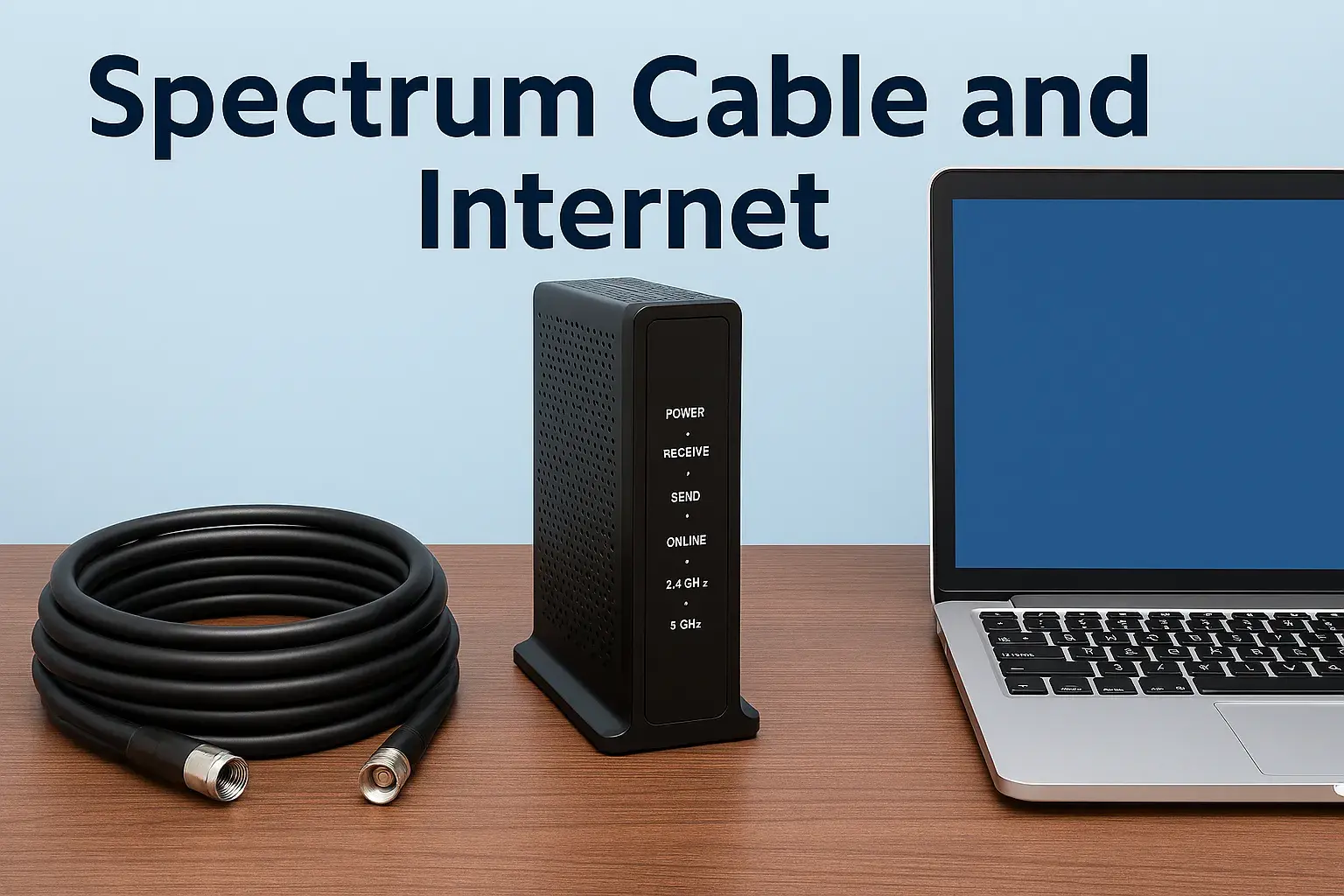
- Fiber Optic Modem/ONT (Optical Network Terminal): This is the device that terminates the fiber optic cable entering your home and converts the light signals into electrical signals that your devices can use. It's the direct interface between Spectrum's network and your home network. For fiber, this is often referred to as an ONT. Spectrum will provide this device.
- Wi-Fi Router: To distribute the internet connection wirelessly throughout your home, you'll need a router. Spectrum usually offers a Wi-Fi router for a monthly rental fee. For their higher-speed fiber plans (like Gigabit), they typically provide a Wi-Fi 6 (802.11ax) router, which is essential for achieving the best possible wireless speeds.
- Ethernet Cables: The installation technician will use Ethernet cables to connect the ONT to the router and potentially to a primary device if requested.
Using Your Own Equipment:
Spectrum generally allows customers to use their own compatible modems and routers to avoid rental fees. However, for fiber internet, it's crucial to ensure your chosen equipment is compatible with Spectrum's fiber network and supports the speeds you are subscribing to. Specifically, for gigabit speeds, you'll need a router that supports Wi-Fi 6 and has Gigabit Ethernet ports. Compatibility can sometimes be a concern, so it’s always best to check Spectrum's official compatibility list or consult with their support before purchasing your own equipment.
The Installation Process
Spectrum's fiber internet requires a professional installation to ensure the fiber optic cable is properly run and connected. This is not a self-installation service.
- Scheduling the Appointment: After signing up for service, you'll schedule an appointment with a Spectrum technician. Installation windows are typically offered in 2-hour or 4-hour blocks.
- Site Preparation: Before the technician arrives, ensure clear access to the location where the fiber line will enter your home and where you want the modem/ONT and router to be placed. This is usually near where your cable TV or phone lines currently enter the house, or at a central location for optimal Wi-Fi coverage.
- Technician Arrival: The technician will arrive within the scheduled window. They will typically wear a Spectrum uniform and drive a Spectrum-branded vehicle.
- Fiber Entry and Connection: The technician will run a new fiber optic cable from the street's demarcation point (e.g., a pedestal or pole) to your home. They will carefully drill a small hole to bring the fiber inside. The fiber optic cable is then connected to the Optical Network Terminal (ONT).
- Equipment Setup: The ONT will be connected to your Wi-Fi router. The technician will then set up the router, configure the Wi-Fi network name (SSID) and password, and ensure basic connectivity.
- Testing and Activation: The technician will perform speed tests to confirm that you are receiving the speeds associated with your chosen plan. They will also ensure all services are activated and working correctly.
- Customer Walkthrough: The technician will walk you through the setup, explain how the equipment works, and answer any questions you may have. They will also provide information on how to access your Wi-Fi password and manage your network settings.
Installation Fees
Spectrum may charge an installation fee for new fiber internet service. This fee can range from $49.99 to $99.99, depending on the complexity of the installation and current promotions. Often, new customers can get the installation fee waived as part of a special offer when signing up for a new service or bundle.
Key Points for Installation:
- Presence Required: An adult (18+) must be present for the entire duration of the installation appointment.
- Location: Decide on the best location for your modem/ONT and router beforehand to ensure good Wi-Fi coverage throughout your home. A central location is usually recommended.
- Existing Wiring: If you have existing cable or phone jacks, the technician may be able to utilize those entry points, but a new hole may be required for fiber.
Proper equipment and a professional installation are critical for unlocking the full potential of Spectrum's high-speed fiber internet. Ensure you discuss your needs and preferences with the technician during the appointment.
Bundling Spectrum Fiber with TV and Phone Services
Spectrum, like many major internet service providers, offers the ability to bundle its residential fiber internet services with other offerings, primarily television (TV) and landline phone services. Bundling can be an attractive option for customers looking to simplify their bills, potentially save money, and gain access to integrated entertainment and communication solutions.
Why Bundle Spectrum Services?
- Cost Savings: Providers often offer discounted rates when multiple services are purchased together compared to subscribing to each service individually.
- Convenience: A single bill for internet, TV, and phone simplifies household management.
- Integrated Packages: Bundles can sometimes include features like free equipment rentals for one service, or bundled features that enhance the overall user experience.
- Exclusive Offers: Bundled packages may come with exclusive promotions or perks not available to single-service subscribers.
Common Spectrum Bundle Combinations
Spectrum typically offers three main types of bundles:
- Internet + TV: This is one of the most popular bundles. It combines high-speed fiber internet with a selection of cable television channels. The TV packages can range from basic channel lineups to comprehensive premium channel bundles, including sports and movie networks.
- Internet + Phone: For customers who still rely on a traditional landline, this bundle pairs fiber internet with Spectrum's home phone service. Spectrum Voice often includes unlimited local and long-distance calling within the U.S., Canada, and Mexico, along with features like voicemail and caller ID.
- Triple Play (Internet + TV + Phone): This is the most comprehensive bundle, offering all three services together. It provides a complete home entertainment and communication solution. Triple Play bundles are often the most heavily discounted and can offer the best overall value for households that use all three services extensively.
What to Expect in Spectrum Fiber Bundles
When bundling Spectrum fiber internet, you can expect the following:
- Fiber Internet Speeds: The internet component of the bundle will be delivered via Spectrum's fiber optic network where available, offering the high speeds and reliability discussed previously. The specific speed tier (e.g., Gig, Ultra) can usually be chosen.
- TV Channel Lineups: Spectrum offers various TV packages, from basic access to a wide array of channels, to more extensive options including premium channels like HBO, Showtime, and sports packages. The specific channels included will depend on the tier of the TV package selected within the bundle.
- Home Phone Features: Spectrum Voice typically includes unlimited nationwide calling and common phone features. International calling plans may be available as add-ons.
- Equipment: Bundles often include the rental of a modem for internet, a cable box for TV (potentially multiple boxes for different rooms), and a phone modem (eMTA). Promotions might waive some or all of these rental fees for a period.
- Pricing Structure: Bundled prices are usually presented as a single monthly rate. This rate is often promotional for the first 12-24 months and then increases to a standard, higher rate. It's essential to understand both the promotional and standard pricing.
Considerations When Bundling
- Actual Need: Only bundle services you genuinely intend to use. If you primarily stream content online and rarely watch traditional cable TV, a triple play bundle might be more expensive than necessary.
- Contract Terms: While Spectrum generally doesn't have annual contracts for internet, some bundled promotions might have specific terms or require you to maintain all services for a certain period to retain the discounted rate. Read the fine print carefully.
- Individual Service Pricing: Compare the bundled price against the cost of subscribing to each service separately from Spectrum or other providers. Sometimes, unbundling can offer better value if you only need specific services.
- Promotional vs. Standard Rates: Be aware of the price increase after the promotional period ends. Factor the standard rate into your long-term budget.
Bundling Spectrum fiber internet with TV and phone can offer a convenient and potentially cost-effective solution for many households. However, it's crucial to evaluate your specific needs and compare the bundled offer against individual service costs to ensure you're getting the best value.
The Pros and Cons of Spectrum Residential Fiber Internet
Spectrum's residential fiber internet, where available, represents a significant technological leap for home connectivity. However, like any service, it comes with its own set of advantages and disadvantages that consumers should carefully consider.
Pros of Spectrum Fiber Internet
- Blazing Fast Speeds: The most significant advantage is the unparalleled speed. With potential for 1 Gbps download and upload speeds, fiber optic connections are exponentially faster than traditional cable or DSL, enabling seamless streaming, rapid downloads, and lag-free online experiences.
- Symmetrical Upload and Download Speeds: Unlike most cable internet plans, Spectrum's fiber plans (where FTTH) offer symmetrical speeds. This is a game-changer for content creators, remote workers, gamers, and anyone who frequently uploads large files or participates in high-quality video conferences.
- Exceptional Reliability: Fiber optic cables are less susceptible to electromagnetic interference and environmental degradation compared to copper or coaxial cables. This translates to a more stable and consistent connection, with fewer service interruptions.
- Low Latency: Fiber connections inherently have lower latency (ping), which is crucial for real-time applications like online gaming, video conferencing, and virtual reality. This results in a more responsive and fluid online experience.
- Unlimited Data: Spectrum's fiber internet plans typically come with no data caps. This means users can stream, download, and browse without the worry of exceeding data limits and incurring extra charges or experiencing speed throttling.
- Future-Proof Technology: Fiber optic infrastructure has a massive capacity that can easily accommodate future increases in bandwidth demands. Investing in fiber means your internet connection is likely to remain sufficient for many years to come.
- No Annual Contracts: Spectrum offers flexibility by not requiring long-term contracts for its internet services, including fiber. This allows customers to switch providers or cancel service without penalty if their needs change.
Cons of Spectrum Fiber Internet
- Limited Availability: This is the primary drawback. Spectrum's pure fiber-to-the-home (FTTH) network is still under development and is not available in all areas. Many customers only have access to Spectrum's HFC (Hybrid Fiber-Coaxial) cable internet, which, while fast, does not offer the full benefits of FTTH.
- Higher Cost: Fiber internet plans, especially gigabit tiers, are generally more expensive than lower-speed cable or DSL plans. While promotional pricing can make it more accessible, the standard rates can be a significant investment.
- Professional Installation Required: Fiber optic installations are complex and require a trained technician. This means scheduling an appointment, potentially paying an installation fee (though often waived with promotions), and being present for the service call.
- Potential for Price Increases: While introductory offers are common, the monthly price for Spectrum fiber internet typically increases after the promotional period ends. Customers need to be prepared for these standard rates.
- Bundling Pressure: While bundling can offer savings, Spectrum might sometimes emphasize bundles, which may not be ideal for customers who only need internet or prefer to mix and match services from different providers.
Ultimately, Spectrum's residential fiber internet offers a premium online experience characterized by speed, reliability, and capacity. However, its limited availability and higher cost mean it's not a viable option for everyone. For those fortunate enough to have access, it represents a top-tier internet solution.
Spectrum Fiber vs. Other Internet Providers
When evaluating Spectrum's residential fiber internet, it's essential to compare it against offerings from other major providers in the market. The landscape of high-speed internet is competitive, with various technologies and pricing structures vying for consumer attention. For this comparison, we'll focus on how Spectrum's FTTH offerings stack up against other fiber providers and leading cable internet providers in 2025.
Spectrum Fiber vs. Other Fiber Providers (e.g., AT&T Fiber, Verizon Fios, Google Fiber)
Fiber-to-the-home (FTTH) providers are Spectrum's most direct competitors in the premium internet space. They generally offer similar core benefits:
| Feature | Spectrum Fiber | Other FTTH Providers (e.g., AT&T, Verizon, Google Fiber) |
|---|---|---|
| Technology | Fiber-to-the-Home (FTTH) | Fiber-to-the-Home (FTTH) |
| Speeds Offered | Up to 1 Gbps symmetrical (Gig), 500 Mbps symmetrical (Ultra) | Often offer plans up to 1 Gbps or 2 Gbps symmetrical, with some providers reaching 5 Gbps or 10 Gbps. |
| Upload Speeds | Symmetrical (e.g., 1 Gbps up / 1 Gbps down) | Symmetrical (a key advantage of fiber) |
| Data Caps | Generally Unlimited | Generally Unlimited |
| Contracts | No annual contracts | Varies; many offer no contracts, some may have introductory terms. |
| Pricing | Promotional rates start around $70-$90 for 500 Mbps, $90-$110 for 1 Gbps. Standard rates are higher. | Can be comparable or slightly higher/lower depending on provider and speed. Some providers like Google Fiber have very competitive, transparent pricing. |
| Availability | Limited to specific regions where Charter has invested in FTTH. | Varies greatly by provider and city. Google Fiber is in select cities, AT&T and Verizon have broader but still geographically limited fiber footprints. |
| Bundling Options | Available with TV and Phone (Triple Play) | Available with TV and Phone (often IPTV or traditional cable TV). |
Key Differentiators:
- Speed Tiers: Some dedicated fiber providers may offer higher top-end speeds (e.g., 2 Gbps, 5 Gbps) than Spectrum's current residential FTTH offerings.
- Pricing Transparency: Google Fiber is known for its straightforward, no-hidden-fees pricing. Spectrum, like many cable companies, relies more heavily on promotional pricing that increases later.
- Network Reach: AT&T and Verizon generally have larger fiber footprints than Spectrum's FTTH deployments, though Spectrum's HFC network is vast.
Spectrum Fiber vs. Cable Internet Providers (e.g., Xfinity by Comcast)
Spectrum's HFC network is directly competitive with other major cable providers like Xfinity. However, when comparing Spectrum's FTTH to their HFC, the differences are stark:
| Feature | Spectrum Fiber (FTTH) | Spectrum/Xfinity Cable (HFC) |
|---|---|---|
| Technology | Fiber-to-the-Home (FTTH) | Hybrid Fiber-Coaxial (HFC) |
| Download Speeds | Up to 1 Gbps | Up to 1 Gbps (or higher in some areas) |
| Upload Speeds | Symmetrical (e.g., 1 Gbps up) | Asymmetrical (e.g., 1 Gbps down / 35 Mbps up - significantly slower) |
| Reliability | Higher; less susceptible to interference. | Good, but more prone to issues from network congestion and interference. |
| Latency | Lower | Higher than fiber, though often good for most users. |
| Data Caps | Generally Unlimited | Often have data caps (e.g., 1.2 TB) with overage charges or throttling, though some plans are unlimited. |
Key Differentiators:
- Upload Speed: The symmetrical upload speeds of fiber are the most significant advantage over cable.
- Consistency: Fiber provides a more consistent and stable connection, less affected by neighborhood usage.
- Data Caps: Spectrum's fiber plans are typically unlimited, whereas many cable plans still impose data caps.
Making the Choice
When choosing an internet provider in 2025:
- Prioritize Availability: The first step is always to check what services are actually available at your address.
- Consider Your Needs: If you are a heavy user, remote worker, gamer, or content creator, fiber is the superior choice if available. For lighter usage, high-speed cable might suffice.
- Compare Pricing: Look beyond introductory offers. Understand the standard pricing and any potential fees.
- Evaluate Bundles: If you need TV and phone, compare bundled offers versus individual services.
Spectrum's fiber internet is a strong contender in the premium internet market, offering competitive speeds and reliability. However, it faces stiff competition from other fiber providers and needs to be weighed against the widespread availability and often lower entry cost of cable internet.
Making the Switch to Spectrum Fiber Internet
Transitioning to a new internet service provider, especially upgrading to a new technology like fiber, can seem daunting. However, with a clear plan, making the switch to Spectrum's residential fiber internet can be a smooth and rewarding process. This section outlines the steps involved and provides tips for a seamless transition.
Step 1: Confirm Availability and Choose Your Plan
As discussed earlier, the absolute first step is to verify that Spectrum fiber internet is available at your address. Use the Spectrum website's address checker or call their sales department. Once confirmed, select the plan that best suits your household's needs – whether it's the high-performance Gig plan for demanding users or the Ultra plan for most households.
Step 2: Understand Your Current Service
Before canceling your current internet service, understand its terms:
- Contract End Date: Check if you are currently under a contract. If so, be aware of any early termination fees (ETFs). Sometimes, providers will offer to pay off ETFs as part of a new customer promotion.
- Billing Cycle: Note your current billing cycle to time the switch effectively and avoid paying for overlapping service periods.
- Equipment Return: Know how to return your current provider's modem and router to avoid unreturned equipment fees.
Step 3: Schedule Your Spectrum Installation
Once you've selected a plan and are ready to proceed, schedule your Spectrum fiber installation appointment. Aim to schedule this appointment for a day when you or another adult (18+) can be home for the entire installation window. It's often advisable to schedule the installation a few days after your current service's anticipated disconnection date to ensure continuity if there are any delays.
Step 4: Prepare for the Installation Day
- Choose Installation Location: Decide where you want the Spectrum modem/ONT and router to be located. A central area of your home usually provides the best Wi-Fi coverage. Ensure there's power access and adequate ventilation for the equipment.
- Clear Access: Make sure the technician has clear access to the exterior of your home where the fiber line will enter and to the interior location for the equipment.
- Network Name & Password: Think about your desired Wi-Fi network name (SSID) and password. The technician will help you set these up.
Step 5: The Installation Appointment
On installation day, the Spectrum technician will run the fiber line, install the ONT, connect the router, and configure your network. They will perform speed tests to confirm service activation and optimal performance. Don't hesitate to ask questions during this process. Ensure you understand how to connect your devices and manage your Wi-Fi settings.
Step 6: Post-Installation Setup and Testing
- Connect Your Devices: Connect your computers, smartphones, smart TVs, gaming consoles, and other devices to your new Wi-Fi network.
- Test Speeds: Use a reliable speed test tool (e.g., Speedtest.net, Fast.com) on multiple devices, both wired (if possible) and wirelessly, to confirm you are getting the expected speeds.
- Troubleshoot: If you encounter any issues, contact Spectrum's technical support immediately.
Step 7: Cancel Your Old Service
Once you are satisfied that your Spectrum fiber service is fully operational and performing as expected, contact your previous internet provider to cancel your service. Follow their procedures for equipment return and final billing. It's often best to cancel *after* confirming Spectrum is working, to avoid a period without internet.
Tips for a Smooth Transition
- Communicate: Be clear with Spectrum sales and installation technicians about your needs and expectations.
- Be Patient: While most installations go smoothly, occasional delays or unforeseen issues can arise. Maintain open communication.
- Keep Records: Save all documentation, including order confirmations, installation reports, and billing statements.
- Consider Bundling: If you also need TV or phone service, explore Spectrum's bundle options during the sign-up process for potential savings and convenience.
- Upgrade Wi-Fi: If you plan to use your own router, ensure it's a modern, high-performance model (Wi-Fi 6 recommended for gigabit speeds) to take full advantage of your new fiber connection.
By following these steps, you can successfully make the switch to Spectrum's residential fiber internet and enjoy the benefits of a faster, more reliable connection.
Conclusion: Is Spectrum Fiber the Right Choice for You?
Spectrum's residential fiber internet, where available, presents a compelling case for consumers seeking the pinnacle of home connectivity in 2025. Its core strengths lie in the unparalleled speed, symmetrical upload/download capabilities, robust reliability, and the absence of data caps that fiber optic technology inherently provides. For households engaged in bandwidth-intensive activities such as 4K streaming, competitive online gaming, extensive cloud usage, or supporting multiple remote workers and connected devices simultaneously, Spectrum's fiber plans, particularly the Gigabit and Ultra tiers, offer a transformative online experience.
The advantages of low latency and consistent performance cannot be overstated, ensuring a smooth and responsive internet experience that is largely unaffected by external factors. Furthermore, Spectrum's commitment to offering these services without long-term contracts provides valuable flexibility for consumers. However, the primary barrier to entry remains availability; Spectrum's true FTTH network is still a work in progress and not universally accessible. For those outside of these fiber-served areas, Spectrum's robust HFC network remains a strong alternative, though it lacks the symmetrical upload speeds and ultimate reliability of pure fiber.
When considering Spectrum fiber, weigh its premium performance and features against the cost, especially after promotional periods conclude. Compare it rigorously with other available fiber providers in your area and assess whether the benefits justify the investment for your specific usage patterns. If Spectrum fiber is indeed available at your address, and your digital lifestyle demands top-tier performance, making the switch is a highly recommended step towards future-proofing your home's internet connection and unlocking its full potential.