Tired of wrestling with paper bills and mailing checks? This guide simplifies paying your Optimum cable bill online, offering a clear, step-by-step process for a hassle-free experience. Discover the easiest ways to manage your account and ensure timely payments, saving you time and potential late fees.
Understanding Your Optimum Bill
Navigating your Optimum bill can sometimes feel like deciphering a new language. However, understanding its key components is the first step towards managing your payments efficiently. Optimum, a prominent provider of internet, TV, and phone services, typically sends out bills on a monthly cycle. These bills detail your services, their costs, any applicable taxes, fees, and promotional discounts that may be expiring. As of 2025-26, Optimum continues to emphasize digital billing, encouraging customers to move away from paper statements for environmental and convenience reasons.
Key Components of Your Optimum Bill
When you receive your Optimum bill, whether online or in print, pay attention to the following sections:
- Account Summary: This is usually at the top and provides your account number, billing period, and the total amount due.
- Services Used: A detailed breakdown of each service you subscribe to (e.g., internet speed tiers, TV channel packages, phone plans) and their respective monthly charges.
- Promotional Offers and Discounts: If you're on a promotional plan, this section will show the discounted price and often indicate when the promotion is set to expire. This is crucial for budgeting as prices can increase significantly post-promotion.
- Taxes and Fees: These are government-imposed taxes and regulatory fees that are passed on to the customer. They can vary by location and are often a significant portion of the total bill.
- One-Time Charges: This might include installation fees, equipment purchase costs, or charges for on-demand movie rentals.
- Payment Due Date: Clearly stated, this is the deadline by which your payment must be received to avoid late fees.
The Shift Towards Digital Billing
Optimum, like many service providers in 2025-26, is heavily invested in digital platforms. This means that accessing your bill online is not only convenient but also the most up-to-date method. Online accounts provide instant access to current and past bills, payment history, and service details. This digital-first approach aligns with consumer trends favoring online management of accounts and finances. For instance, a 2025 survey by the Digital Consumer Insights Group indicated that over 85% of households prefer managing their utility and service bills online.
Why Understanding Your Bill Matters
A thorough understanding of your Optimum bill empowers you to:
- Prevent Overcharges: Regularly reviewing your bill helps you spot any unexpected charges or services you might not be using.
- Budget Effectively: Knowing your exact monthly cost, especially when promotions are ending, allows for better financial planning.
- Avoid Late Fees: Being aware of the due date and the total amount due ensures you make timely payments.
- Track Service Changes: If you've recently upgraded or downgraded services, verifying these changes on your bill is essential.
By familiarizing yourself with these elements, you're better equipped to manage your Optimum account and make payments with confidence. The next step is to ensure you have an online account set up, which is the gateway to these convenient payment methods.
Getting Started: Setting Up Your Optimum Online Account
The foundation for easily paying your Optimum cable bill online is a registered online account. This portal is your central hub for all things related to your Optimum services, from checking your bill and making payments to managing your equipment and troubleshooting issues. Setting up an account is a straightforward process, designed to be accessible even for those who are not particularly tech-savvy. As of 2025-26, Optimum continues to refine its online platform to offer a seamless user experience.
What You'll Need to Register
Before you begin the registration process, ensure you have the following information readily available:
- Your Optimum Account Number: This can be found on your paper bill, in your welcome kit, or by calling Optimum customer service.
- Your Service Address: The address where your Optimum services are installed.
- A Valid Email Address: This will be used for account verification and important communications.
- A Secure Password: Choose a strong password that you can remember but is difficult for others to guess. It should ideally include a mix of uppercase and lowercase letters, numbers, and symbols.
Step-by-Step Registration Process
Follow these steps to create your Optimum online account:
- Visit the Optimum Website: Navigate to the official Optimum website. You can typically find this by searching "Optimum" on your preferred search engine or by typing the direct URL into your browser.
- Locate the "My Account" or "Sign In" Section: Look for a prominent button or link, usually in the top-right corner of the homepage, labeled "My Account," "Sign In," or similar.
- Select "Register" or "Create Account": If you don't have an existing account, you'll need to register. Click on the option that says "Register," "Create Account," or "Sign Up."
- Enter Your Account Information: You will be prompted to enter your Optimum account number and service address to verify your identity.
- Create Your Username and Password: Choose a username (often your email address) and create a strong, secure password. You may also be asked to set up security questions for account recovery.
- Provide Your Email Address: Enter a valid email address. Optimum will send a verification email to this address.
- Verify Your Email: Check your inbox for the verification email from Optimum. Click on the link provided in the email to confirm your email address and activate your account.
- Complete Your Profile: Once your email is verified, you may be asked to complete your profile with additional information, such as a phone number.
- Set Up Payment Preferences (Optional but Recommended): During or after registration, you can often set up your preferred payment method (e.g., credit/debit card, bank account) for future use. This streamlines the payment process significantly.
Benefits of Having an Online Account
Having an online Optimum account offers numerous advantages beyond just bill payment:
- 24/7 Access: Manage your account anytime, anywhere, without being restricted by customer service hours.
- View Bills and Statements: Access current and past bills, download them as PDFs, and review your payment history.
- Make Secure Payments: Pay your bill instantly using various secure methods.
- Manage Services: Upgrade or downgrade your internet, TV, or phone packages.
- Troubleshoot Issues: Access self-help tools, FAQs, and service status updates.
- Update Account Information: Change your contact details, password, or payment methods.
- Order New Equipment or Services: Easily add new features or equipment to your account.
Setting up your Optimum online account is a crucial first step that unlocks a world of convenience. It ensures you have direct control over your account and can easily access all the tools needed for efficient bill management. With your account set up, you're ready to explore the various methods for paying your bill online.
Paying Your Optimum Bill Online: The Step-by-Step Guide
Once your Optimum online account is set up, paying your bill becomes a simple and efficient process. Optimum offers several convenient ways to settle your account online, ensuring you can choose the method that best suits your preferences. This section provides a detailed, step-by-step guide to the most common and recommended online payment methods.
Method 1: One-Time Payment via the Optimum Website
This is the most direct method, allowing you to pay your bill as needed without setting up recurring payments.
Steps to Make a One-Time Payment:
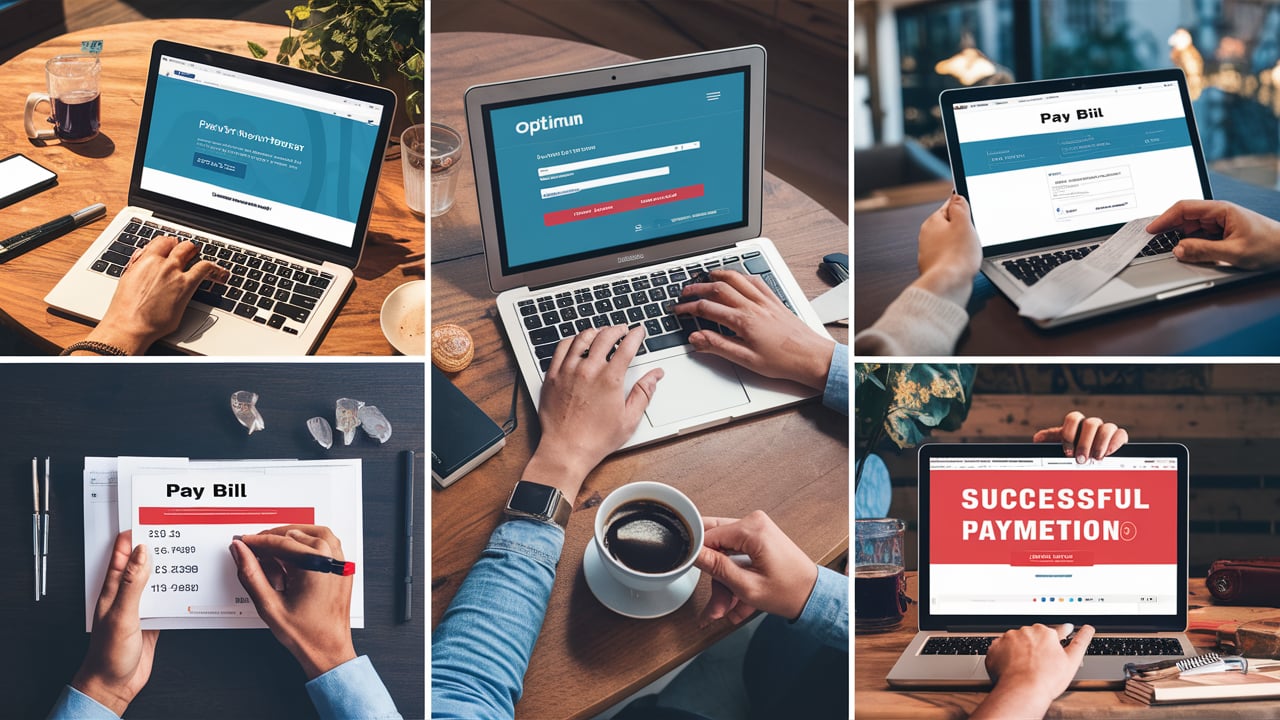
- Log In to Your Optimum Account: Go to the Optimum website and log in using your username and password.
- Navigate to the Billing Section: Once logged in, look for a section labeled "Billing," "My Bill," "Payments," or similar. This is usually found in the main navigation menu or dashboard.
- View Your Current Bill: Your current bill amount and due date should be prominently displayed. You may see an option to "Pay Bill" or "Make a Payment."
- Select Payment Method: Choose your preferred payment method. Common options include:
- Credit/Debit Card: Enter your card number, expiration date, CVV code, and billing zip code.
- Bank Account (EFT/ACH): Enter your bank account number and routing number. You may need to verify your account through a small deposit or by logging into your bank's portal.
Note: Optimum may have specific requirements or limitations on the types of cards accepted (e.g., Visa, Mastercard, Discover).
- Enter Payment Amount: You can typically choose to pay the full balance due, a partial amount, or enter a custom amount.
- Review and Confirm: Before submitting, carefully review all payment details, including the amount, payment method, and billing information.
- Submit Payment: Click the "Submit Payment" or "Confirm" button.
- Confirmation: You should receive an on-screen confirmation of your payment, along with an email confirmation sent to your registered email address. Keep this for your records.
Method 2: Setting Up Automatic Payments (AutoPay)
Automatic payments are the most convenient way to ensure your bill is always paid on time, preventing late fees and saving you the hassle of manual payments each month. This method requires you to link a payment method to your Optimum account, which will then be automatically debited on or around your due date.
Steps to Set Up AutoPay:
- Log In to Your Optimum Account: Access your account on the Optimum website.
- Navigate to Payment Settings: Find the "Billing" or "Payments" section and look for an option like "AutoPay," "Automatic Payments," or "Set Up Recurring Payments."
- Add or Select a Payment Method: If you haven't already, you'll need to add a payment method (credit/debit card or bank account). Enter the required details.
- Choose Payment Date (If Applicable): Some systems allow you to select a specific date for the payment to be processed. Otherwise, it will typically be scheduled around your statement's due date.
- Review and Authorize: Read the terms and conditions for AutoPay carefully. This will outline when payments will be processed and how you'll be notified.
- Enable AutoPay: Confirm and enable the AutoPay feature.
- Confirmation: You will receive a confirmation that AutoPay has been successfully set up.
Important Note on AutoPay: It's still advisable to periodically review your bill to ensure accuracy, even with AutoPay enabled. You will typically receive your bill statement before the automatic payment is processed, giving you a chance to review it.
Method 3: Paying Through the Optimum Mobile App
Optimum often provides a dedicated mobile app that allows you to manage your account and pay your bill directly from your smartphone or tablet. This offers the ultimate convenience for on-the-go payments.
Steps to Pay via the Mobile App:
- Download the App: Search for the official "Optimum" app in your device's app store (Apple App Store or Google Play Store) and download it.
- Log In: Open the app and log in using your Optimum account credentials.
- Find the Payment Option: Look for a "Pay Bill," "Billing," or "Payments" section within the app's interface.
- Select Payment Method and Amount: Choose your preferred payment method (if you've saved one, it will be available) and the amount you wish to pay.
- Confirm and Pay: Review the payment details and confirm the transaction.
Tips for a Smooth Online Payment Experience
- Save Your Payment Information: For faster future payments, save your preferred payment method in your Optimum account settings.
- Set Payment Reminders: Even if you don't use AutoPay, set reminders on your phone or calendar a few days before your due date.
- Keep Records: Always note down the date and confirmation number of your payments.
- Check for Updates: Optimum may update its website or app interface periodically. Familiarize yourself with any changes.
By following these detailed steps, you can confidently pay your Optimum bill online, ensuring your services remain uninterrupted and you avoid unnecessary fees. The ease and security of online payments are significant benefits of being an Optimum customer in the current digital landscape.
Alternative Online Payment Options
While the primary method for paying your Optimum bill online is through your registered Optimum account, there might be instances where you need or prefer to use alternative online channels. These options can be particularly useful if you encounter issues with the main portal or if you want to manage payments through a third-party service. As of 2025-26, service providers are increasingly integrating with various digital payment ecosystems.
Option 1: Third-Party Payment Services
Some users prefer to use third-party payment services like PayPal, Venmo, or other digital wallets. While Optimum might not directly integrate with all of these for bill payments, you can often use them in conjunction with your bank account or credit card to fund your Optimum payment.
How it Works:
- Fund Your Third-Party Wallet: Link your bank account or credit card to your preferred third-party payment service (e.g., PayPal).
- Initiate Payment to Your Bank: If your bank offers an online bill pay service, you can often set up Optimum as a payee. You would then use your third-party service to transfer funds to your bank account, and subsequently, initiate the bill payment from your bank.
- Direct Payment (Less Common): In some rare cases, a third-party service might allow you to pay a bill directly to a company if that company has set up a specific integration. However, for Optimum, this is less common than using their direct online portal.
Considerations: Using third-party services may involve additional steps or potential fees. Always check the terms and conditions of both the third-party service and your bank when using this method.
Option 2: Online Bill Pay Through Your Bank
Most banks offer an online bill pay service that allows you to set up payees and send payments electronically or via check. This is a secure and reliable method that many people use for various recurring bills.
Steps to Set Up Optimum as a Payee with Your Bank:
- Log In to Your Bank's Online Portal: Access your bank's website or mobile app and navigate to the "Bill Pay" section.
- Add a New Payee: Select the option to add a new payee.
- Search for Optimum: Your bank might have Optimum pre-listed. If not, you'll need to manually enter the payee information.
- Enter Optimum's Information: You will typically need:
- Company Name: Optimum
- Account Number: Your Optimum account number (found on your bill).
- Payment Address: This is usually Optimum's payment processing address, which can be found on your Optimum bill or by contacting Optimum customer service.
- Specify Payment Amount and Date: Enter the amount you wish to pay and the date you want the payment to be sent. Your bank will process this in advance to ensure it arrives by the due date.
- Confirm and Schedule: Review the details and confirm the payment.
Benefits: This method consolidates all your bill payments within your banking portal, offering a unified view of your finances. It also provides a layer of security as the transaction is handled by your trusted financial institution.
Option 3: Payment Through an Optimum Retail Location (If Applicable and Online Option Exists)
While the focus is on online payments, it's worth noting that some customers might still prefer or need to visit a physical location. If Optimum has retail or service centers, you might be able to pay your bill there. However, this guide specifically targets online methods, and the availability of physical payment locations can vary and may not be the most efficient online alternative.
Comparing Online Payment Methods
To help you decide, here's a quick comparison:
| Method | Ease of Use | Speed of Payment | Security | Best For |
|---|---|---|---|---|
| Optimum Website/App (Direct) | High | Instant (if using saved card/bank) | Very High (direct from provider) | Most users seeking direct control and convenience. |
| Bank's Online Bill Pay | Medium to High | 1-3 business days (for electronic) | High (handled by bank) | Users who prefer managing all bills through their bank. |
| Third-Party Services | Medium | Varies (can be instant or take days) | High (if reputable service) | Users who heavily rely on specific digital wallets or need to fund payments indirectly. |
Table Styling Note: Minimal styling applied for clarity and adherence to requirements.
Choosing the Right Alternative
The best alternative online payment option for you depends on your personal preferences and banking habits. If you value simplicity and direct interaction with Optimum, using their website or app is ideal. If you prefer to keep all your financial management within your bank's ecosystem, your bank's online bill pay is an excellent choice. Third-party services offer flexibility but might add complexity.
Regardless of the method chosen, always ensure you are using secure networks and verified platforms. Double-checking payment details before submission is crucial for all online transactions.
Troubleshooting Common Issues and Getting Support
While paying your Optimum bill online is generally straightforward, you might occasionally encounter issues. Understanding common problems and knowing how to get support can save you time and frustration. Optimum provides various channels for assistance, ensuring you can resolve most issues efficiently.
Common Online Payment Issues and Solutions
Here are some frequent problems users face and how to address them:
Issue 1: Payment Not Processing or Failing
- Possible Causes:
- Incorrect payment information (card number, expiration date, CVV, bank account/routing number).
- Insufficient funds in your bank account or credit limit on your card.
- Expired credit/debit card.
- The payment gateway is temporarily down or experiencing technical difficulties.
- Your bank or card issuer has flagged the transaction for security reasons.
- Solutions:
- Double-check all details: Carefully re-enter your payment information.
- Verify funds/limit: Ensure you have sufficient funds or available credit.
- Use a different payment method: Try a different credit card or your bank account.
- Contact your bank/card issuer: If you suspect a security flag, contact your financial institution to authorize the payment.
- Try again later: If it's a system issue, wait a few hours and try again.
Issue 2: Double Payment or Incorrect Amount Charged
- Possible Causes:
- Accidentally submitting the payment twice.
- AutoPay processing while a manual payment was also made.
- System error causing an incorrect amount to be debited.
- Solutions:
- Review payment history: Check your Optimum account and bank/card statements for duplicate transactions.
- Contact Optimum Support immediately: If you identify a double payment or incorrect charge, reach out to Optimum customer service as soon as possible. Provide them with transaction details (date, amount, confirmation numbers). They can usually reverse duplicate charges or correct errors.
Issue 3: Unable to Log In to Your Optimum Account
- Possible Causes:
- Incorrect username or password.
- Account locked due to too many failed login attempts.
- Browser issues (cache, cookies).
- Website maintenance.
- Solutions:
- Reset your password: Use the "Forgot Password" link on the login page.
- Verify username: Ensure you are using the correct username (often your email address).
- Clear browser cache and cookies: This can resolve many website-related login problems.
- Try a different browser or device: This helps determine if the issue is browser-specific.
- Contact Optimum Support: If you're still unable to log in, their support team can assist with account access issues.
Issue 4: Payment Confirmation Not Received
- Possible Causes:
- Email sent to spam/junk folder.
- Incorrect email address on file.
- System delay in sending confirmations.
- Solutions:
- Check your spam/junk folder: The email might be filtered there.
- Verify your email address: Log in to your Optimum account and confirm the email address listed is correct.
- Check payment status in your account: Your Optimum account dashboard usually shows recent payment activity.
- Contact Optimum Support: If you still can't confirm, reach out for assistance.
Optimum Customer Support Channels
When troubleshooting yourself doesn't resolve the issue, or for more complex inquiries, Optimum offers several support channels:
- Online Help Center/FAQ: The Optimum website features a comprehensive Help Center with articles, FAQs, and guides covering billing, payments, services, and technical issues. This is often the quickest way to find answers to common questions.
- Live Chat: Many users find live chat to be a fast and convenient way to get real-time assistance from a customer service representative without having to make a phone call. Look for a "Chat" or "Contact Us" link on their website.
- Phone Support: Optimum provides customer service via phone. You can find their customer service number on your bill or their website. Be prepared for potential wait times, especially during peak hours.
- Social Media: Optimum may have official social media accounts (e.g., Twitter, Facebook) where they offer customer support. This can be a quick way to get a response for general inquiries.
- Optimum Mobile App: The app itself often has built-in support features or links to customer service.
Tips for Effective Support Interactions
- Have Your Account Information Ready: Before contacting support, have your Optimum account number and any relevant details about the issue (dates, amounts, error messages) readily available.
- Be Clear and Concise: Explain your problem clearly and directly.
- Note Down Details: When speaking with a representative, jot down their name, the date/time of your interaction, and any reference numbers provided.
- Be Patient: Customer service issues can sometimes take time to resolve.
By understanding these common issues and knowing where to find help, you can navigate any payment-related challenges with Optimum smoothly. Proactive troubleshooting and readily available support ensure a positive customer experience.
Maximizing Your Optimum Experience: Tips and Tricks
Paying your Optimum bill online is just one aspect of managing your services effectively. To truly maximize your Optimum experience and get the most value from your subscription, consider these tips and tricks. These strategies focus on cost savings, service optimization, and leveraging the full potential of your Optimum connection and entertainment packages.
1. Regularly Review Your Bill for Savings Opportunities
As mentioned earlier, your bill is a treasure trove of information. Beyond just checking the due date, actively look for:
- Expiring Promotions: Mark your calendar a month or two before a promotional discount ends. This gives you time to contact Optimum to negotiate a new deal or explore alternative plans. Many customers save by proactively calling and asking for retention offers.
- Unused Services: Are you paying for premium channels you never watch or an internet speed tier that's overkill for your needs? Identify these and consider downgrading. A 2025 study by Broadband Insights found that nearly 30% of users are overpaying for internet speeds they don't utilize.
- Bundling Benefits: Ensure you're taking advantage of any bundling discounts if you have internet, TV, and phone services with Optimum. Sometimes, bundling can offer significant savings compared to subscribing to services individually.
2. Optimize Your Internet Speed and Usage
For internet users, understanding your plan and how to optimize it is key:
- Speed Tests: Periodically run internet speed tests (e.g., using Ookla Speedtest or Google's speed test) to ensure you're getting the speeds you're paying for. If there's a consistent discrepancy, contact Optimum support.
- Wi-Fi Optimization: A strong Wi-Fi signal is crucial. Ensure your router is placed in a central location, away from obstructions and electronic interference. Consider upgrading your router if it's old, as newer models offer better performance and range.
- Understand Data Caps (If Applicable): While many Optimum plans are unlimited, some may have data caps. Monitor your usage through your online account to avoid overage charges.
3. Leverage Optimum's Self-Service Tools
Optimum invests in digital tools to empower customers:
- Optimum App: Beyond payments, the app can be used to manage Wi-Fi settings, troubleshoot common issues, set parental controls, and even stream live TV on compatible devices.
- Online Account Portal: Use it to check service status, schedule appointments, order equipment, and access detailed billing history.
- Troubleshooting Guides: Before calling support, check the online knowledge base. You might find a quick fix for your problem.
4. Explore Bundling and Package Deals
Optimum often offers attractive bundles that combine internet, TV, and phone services. These can provide significant savings compared to purchasing services separately. Research current offers on their website or ask a representative about available bundles that fit your household's needs.
5. Stay Informed About New Services and Upgrades
The telecommunications landscape is constantly evolving. Optimum may introduce new technologies, faster internet speeds, or expanded channel packages. Keep an eye on their announcements and consider if an upgrade might be beneficial for your household, especially if your current services are no longer meeting your demands.
6. Understand Your Contract Terms
Be aware of any contract lengths, early termination fees, and the duration of any promotional pricing. This knowledge helps you avoid unexpected costs and make informed decisions when your contract is nearing its end.
7. Provide Feedback
If you have a positive or negative experience with Optimum's services or customer support, consider providing feedback. This can be done through surveys, customer service interactions, or social media. Your feedback helps Optimum improve its offerings.
8. Utilize Wi-Fi Hotspots
Optimum often provides access to public Wi-Fi hotspots in various locations. If you have an Optimum internet subscription, you can use these hotspots for free internet access when you're away from home, saving your mobile data.
9. Consider Equipment Upgrades
If you're experiencing slow speeds or poor Wi-Fi, your modem or router might be outdated. Optimum provides equipment, but you also have the option to purchase your own compatible equipment, which can sometimes offer better performance or save on monthly rental fees. Always check Optimum's compatibility list if you plan to use your own modem/router.
10. Set Up Alerts
Your Optimum account portal or app may allow you to set up alerts for various events, such as when your bill is ready, when a payment is due, or if there are planned service interruptions in your area. This proactive communication can help you stay on top of your account.
By implementing these tips, you can ensure you're not just paying your Optimum bill online, but you're also optimizing your services, saving money, and getting the most out of your subscription in 2025-26 and beyond.
Conclusion
Mastering the art of paying your Optimum cable bill online transforms a mundane chore into a quick, secure, and efficient task. This comprehensive guide has walked you through understanding your bill, setting up your online account, executing one-time and recurring payments, exploring alternative online methods, and troubleshooting common issues. By leveraging the digital tools provided by Optimum, you gain control over your billing, ensure timely payments, and avoid unnecessary fees, all from the convenience of your preferred device. Remember to regularly review your statements for potential savings, optimize your internet usage, and utilize the self-service tools available. Empower yourself with the knowledge to manage your Optimum account seamlessly, freeing up your time and mental energy for more important matters.