Experiencing a Spectrum internet outage can be incredibly frustrating. This guide provides immediate steps to check if there's a widespread Spectrum internet outage in your area, helping you diagnose the problem and find solutions quickly. We'll cover official tools, community reporting, and what to do next.
How to Detect a Spectrum Internet Outage in Your Area
When your internet suddenly cuts out, the first instinct is to determine if it's just you or a larger problem. Identifying an area-wide Spectrum internet outage is crucial for managing expectations and knowing when to contact support. This section will guide you through the most effective methods to confirm if your connectivity issue is part of a broader disruption. We'll explore official Spectrum resources, community-driven platforms, and what signs to look for that indicate a widespread problem rather than a localized glitch. Understanding these detection methods will save you time and reduce frustration during an internet outage.
Initial Checks Before Declaring an Outage
Before diving into outage detection tools, a few quick checks can help rule out common, simple issues that might mimic an outage. These are the first steps any user should take to ensure the problem isn't within their immediate control.
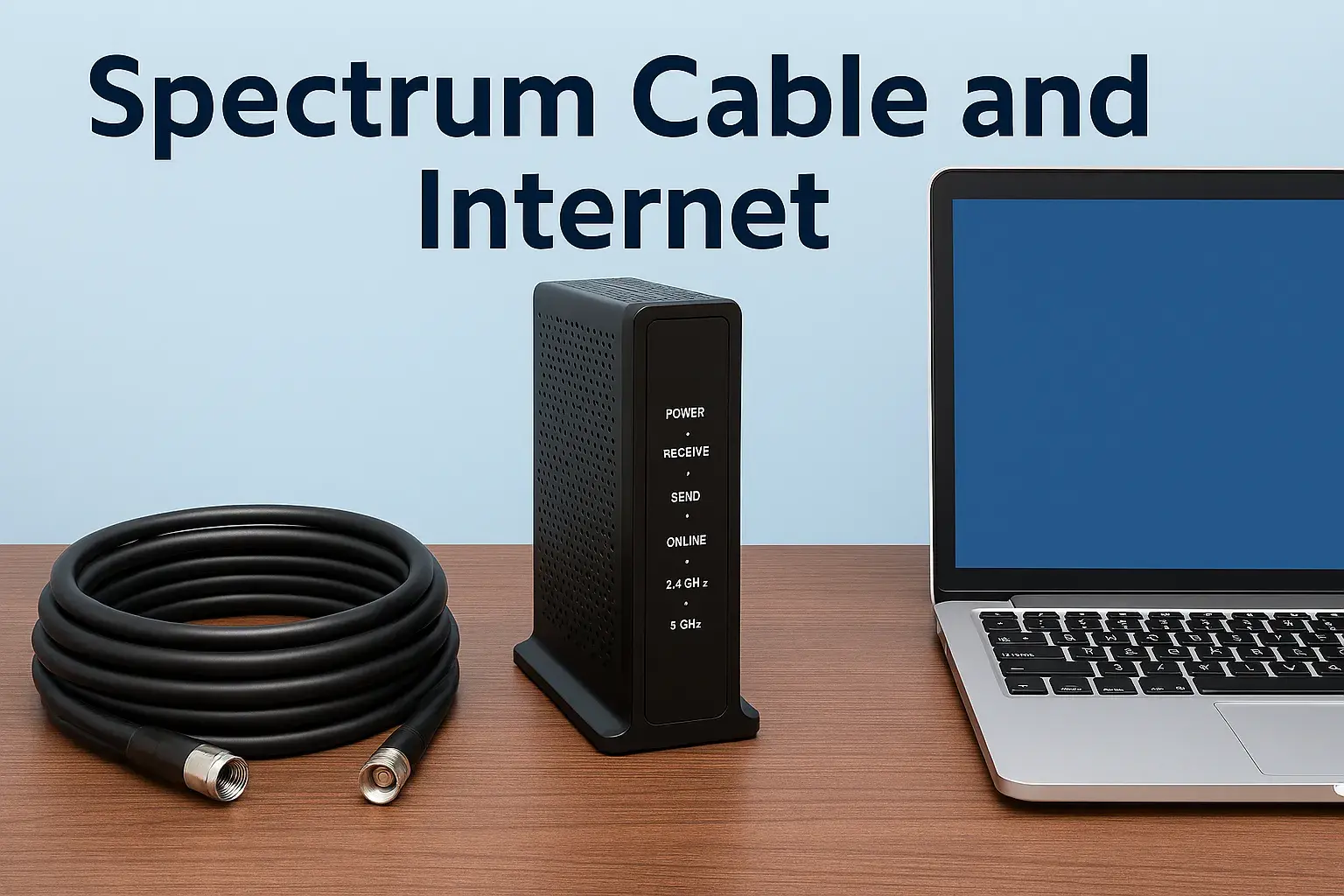
- Check Your Equipment: Ensure your modem and router are powered on and that the indicator lights are behaving as expected. A solid power light, a blinking or solid internet/online light, and steady Wi-Fi lights usually indicate normal operation. If lights are off, blinking erratically, or showing error colors (often red or amber), there might be a local equipment issue.
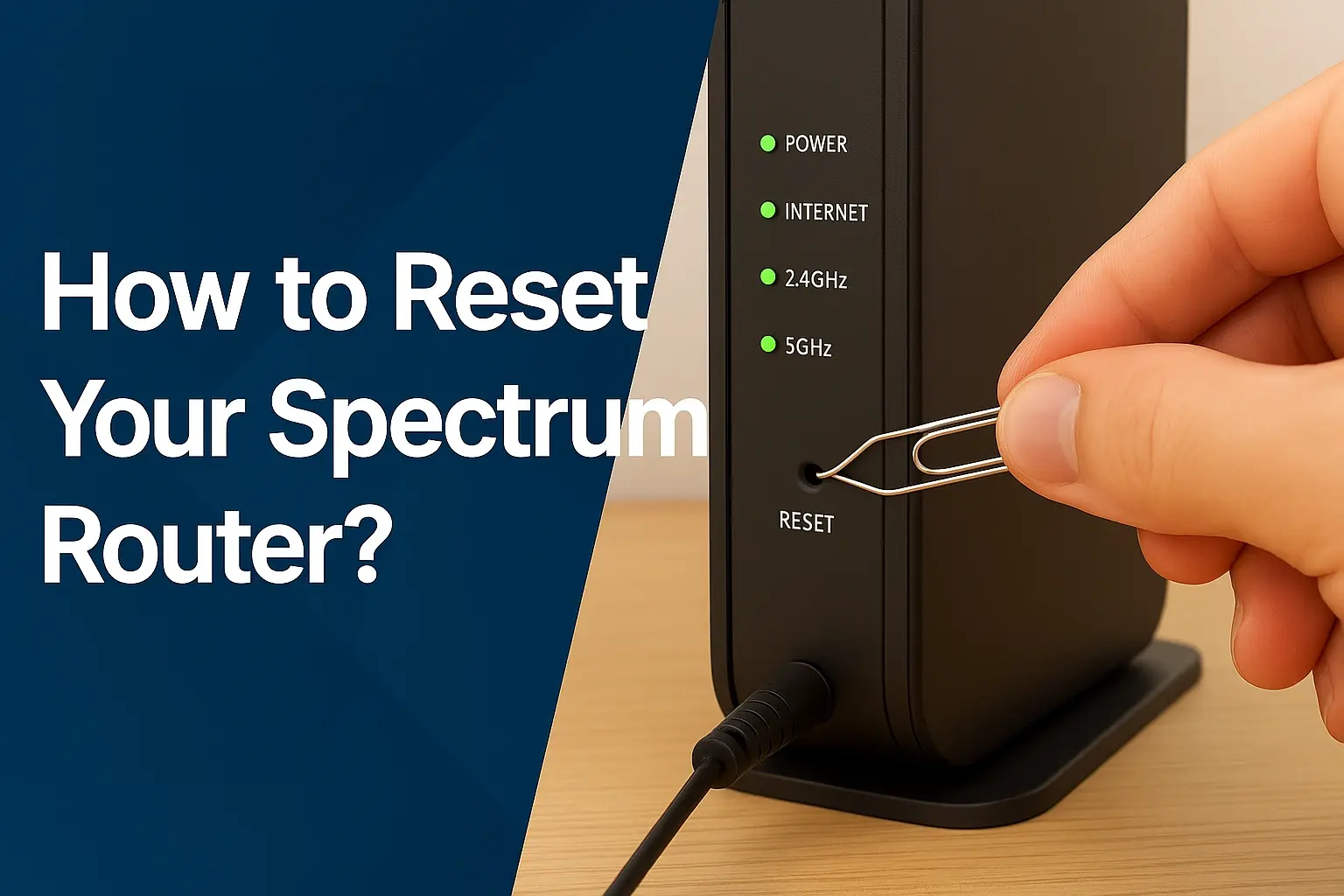
- Restart Your Modem and Router: This is the classic "turn it off and on again" fix. Unplug the power cords from both your modem and router. Wait for at least 30 seconds, then plug the modem back in first. Wait for it to fully boot up (all lights stable), then plug in the router. Give it a few minutes to establish a connection.
- Test Multiple Devices: Try connecting to the internet with different devices (e.g., a laptop, smartphone, tablet). If only one device is having trouble, the issue is likely with that specific device. If all devices are offline, it points more strongly to a network problem.
- Check Physical Connections: Ensure all cables (coaxial, Ethernet) are securely plugged into your modem, router, and wall outlets. A loose connection can easily cause intermittent or complete loss of service.
Confirming a Widespread Issue
Once you've ruled out simple local problems, it's time to investigate if a larger Spectrum internet outage is affecting your neighborhood or city. This involves using specific tools and resources designed for this purpose.
Using Spectrum's Website and App
Spectrum, like most major internet service providers (ISPs), offers official channels to check for service disruptions. These are generally the most reliable sources of information, as they come directly from the company experiencing the outage.
- Spectrum Website: Visit the official Spectrum website. Look for a "Support," "Service Status," or "Outage" section. Often, there's a dedicated page where you can enter your address or zip code to check for reported outages in your specific area. This is usually the fastest way to get official confirmation.
- Spectrum App: If you have the Spectrum TV app or the My Spectrum app installed on your mobile device, these often have built-in features to check service status. Log in to your account, and navigate to the support or account section. You might find a direct link or notification about ongoing outages.
- Account Login: Sometimes, logging into your Spectrum online account can provide personalized notifications about service interruptions affecting your location.
Community Reporting Sites
While not official, third-party websites that aggregate user-reported outages can be incredibly useful, especially if official channels are slow to update or if you're looking for more immediate, granular information. These sites rely on users reporting their own connection issues, which are then mapped and displayed.
- DownDetector: This is one of the most popular platforms for tracking internet outages. Users report problems with various services, including Spectrum. A spike in reports for Spectrum in your geographic area is a strong indicator of an outage. DownDetector often provides a live map and a running count of reported issues.
- IsTheServiceDownRightNow.com: Similar to DownDetector, this site collects user reports to determine if a service is currently down. You can search for Spectrum to see if others are experiencing similar problems.
- Social Media: Twitter (now X) can be a surprisingly effective tool. Search for "#SpectrumOutage" or "Spectrum down" along with your city or state. You'll often find real-time reports from other affected customers. Spectrum's official social media accounts might also post updates during major outages.
Checking with Neighbors
If you have the opportunity, a quick chat with your immediate neighbors can be a simple yet effective way to confirm if the issue is localized to your home or affects a wider area. If your neighbors are also experiencing Spectrum internet problems, it's a very strong sign of a neighborhood-wide outage.
Spectrum's Official Channels for Outage Information
When you suspect a Spectrum internet outage, leveraging the provider's own communication channels is the most direct and reliable method for obtaining accurate information. Spectrum invests in infrastructure and customer communication systems to keep users informed during service disruptions. This section details the primary official avenues you can use to check for outages, understand their scope, and get estimated restoration times.
Spectrum Website and Account Portal
The Spectrum website serves as a central hub for customer information, including service status.
- Outage Map/Status Page: Spectrum often features a dedicated outage map or service status page. After navigating to the support section of their website, you can typically input your service address or zip code. The system will then check for any known outages affecting your location and display information such as the type of outage (e.g., internet, TV, phone), the affected area, and sometimes a status update on restoration efforts. This is the most authoritative source for official outage information.
- My Spectrum Account: Logging into your My Spectrum account online or through the mobile app provides a personalized view of your service. If an outage is impacting your account, you may see a banner notification or a specific alert within your account dashboard. This is particularly useful as it confirms the issue is affecting your specific service address.
- Customer Service Phone Number: While not ideal for initial checks, Spectrum's customer service line can provide information on outages. However, during widespread events, call volumes can be extremely high, leading to long wait times. It's generally more efficient to check online resources first. If you do call, be prepared to provide your account information and service address.
Spectrum Mobile App Features
The My Spectrum app is designed for convenient account management and troubleshooting.
- Service Status Checker: Within the app, there's usually a dedicated section for checking service status. This mirrors the functionality on the website, allowing you to quickly see if there are reported outages impacting your home.
- Notifications: The app can often send push notifications for important service updates, including planned maintenance or unplanned outages. Ensure you have notifications enabled for your Spectrum account to receive these alerts promptly.
- Troubleshooting Tools: Beyond outage information, the app often includes self-help troubleshooting tools that can guide you through common issues, which might be helpful if the problem turns out to be localized to your equipment.
Social Media and Community Forums
While not always the primary source for official updates, Spectrum does maintain a presence on social media platforms.
- Official Spectrum Social Media Accounts: Spectrum may post updates on platforms like X (formerly Twitter) during significant outages. Following their official accounts can provide real-time information, especially for widespread events. However, these updates might be more general and less specific to individual addresses than the website or app.
- Community Forums (if available): Some ISPs host official community forums where users can discuss issues. While Spectrum doesn't prominently feature a public forum for outage discussions, checking for any official community pages or support groups could yield insights from other users and potentially official responses.
Planned Maintenance Notifications
It's important to distinguish between unexpected outages and planned maintenance. Spectrum typically notifies customers in advance of scheduled maintenance that may cause temporary service interruptions. These notifications are usually sent via email, postal mail, or sometimes through the My Spectrum app or website. If you receive such a notification, you'll know the disruption is scheduled and temporary.
Comparing Official vs. Unofficial Sources
While unofficial sources like DownDetector can offer quick insights into widespread issues, official channels are always the most accurate for confirming an outage directly affecting your service. Official sources are updated by Spectrum's network operations and are less prone to the speculation or individual reporting errors that can occur on third-party sites. Always cross-reference information if possible, but prioritize official Spectrum communications when available.
Unofficial but Reliable Outage Reporting Tools
When Spectrum's official channels are slow to update, or you need a quick pulse check on a potential outage, third-party reporting tools can be invaluable. These platforms aggregate user-submitted reports, providing a crowd-sourced view of service disruptions. While they lack the direct authority of ISP-provided information, they are often the fastest to reflect emerging issues.
Down Detector in Depth
Down Detector is a leading platform for tracking real-time service outages across various industries, including internet providers.
- How it Works: Users visit the Down Detector website and select Spectrum. They can then report experiencing issues. Down Detector collects these reports and displays them on a live map, showing clusters of reported problems.
- Key Features:
- Live Map: Visualizes reported outages geographically, allowing you to see if your city or region is experiencing a high volume of issues.
- Reported Problems: Lists the specific issues users are encountering (e.g., "no internet," "slow speeds," "TV not working").
- Outage Timeline: Shows when the outage began and if there are any updates or resolutions reported by users.
- Comments Section: Users often share their experiences, providing anecdotal evidence and potential workarounds.
- When to Use: Ideal for getting an immediate sense of whether a problem is widespread. If you see a significant spike in reports for Spectrum in your area, it's a strong indicator of an outage.
Other Crowd-Sourced Platforms
Beyond Down Detector, several other sites offer similar crowd-sourcing capabilities for outage information.
- IsTheServiceDownRightNow.com: This site functions similarly to Down Detector, allowing users to check the status of various services, including Spectrum. It provides a simple "yes" or "no" answer based on user reports.
- Outage.Report: Another platform that collects user-submitted outage reports. It often provides a map and a timeline of reported issues.
Social Media as a Real-Time Feed
Social media platforms, particularly X (formerly Twitter), can act as informal real-time news feeds for outages.
- Hashtag Searches: Performing searches for relevant hashtags like #SpectrumOutage, #SpectrumDown, or including your city/state (e.g., #SpectrumNYC) can reveal immediate posts from other users experiencing problems.
- Local News Outlets: Sometimes, local news organizations will report on significant service disruptions if they affect a large portion of their audience. Monitoring their social media feeds or websites can provide updates.
- Spectrum's Social Media Presence: While official updates might be delayed, Spectrum's official social media accounts sometimes acknowledge widespread issues and provide general updates.
Pros and Cons of Unofficial Tools
Pros:
- Speed: Often the first to reflect an outage as users report it.
- Granularity: Can sometimes show localized issues before official channels acknowledge them.
- Community Insights: Comments sections can offer shared experiences and potential solutions.
- Accuracy: Relies on user reports, which can sometimes be inaccurate or reflect individual equipment problems.
- Official Confirmation: Does not provide official confirmation from Spectrum.
- Lack of Official Resolution Times: Unlikely to provide estimated restoration times.
Verifying Information
It's always wise to cross-reference information from unofficial sources with Spectrum's official channels. If multiple unofficial sources report an outage in your area, and Spectrum's website or app also indicates a problem, you can be more confident that it's a genuine service disruption. If unofficial sources show issues but official channels do not, it might be worth performing more thorough individual troubleshooting.
Troubleshooting Your Individual Spectrum Internet Connection
Before concluding that a Spectrum internet outage is the culprit, it's essential to perform thorough troubleshooting on your own equipment and connection. Many internet problems are localized and can be resolved with simple steps. This section provides a systematic approach to diagnose and fix issues that might be affecting only your home network.
Step-by-Step Diagnostic Guide
Follow these steps to systematically identify and resolve potential issues with your Spectrum internet service.
- Check Modem and Router Lights:
- Modem: Look for lights indicating power, downstream, upstream, and online status. Solid lights generally mean good connectivity. A blinking online light often indicates it's trying to connect. No light or an error light suggests a problem.
- Router: Check power, internet/WAN, and Wi-Fi lights. The internet light should indicate a connection from the modem.
- Power Cycle Your Equipment:
- Unplug the power cords from both your modem and router.
- Wait for at least 30-60 seconds.
- Plug the modem back in first. Wait for its lights to stabilize (usually 1-2 minutes).
- Plug the router back in. Wait for its lights to stabilize (another 1-2 minutes).
- Test your connection again.
- Test with a Wired Connection:
- If you're primarily using Wi-Fi, connect a computer directly to your modem or router using an Ethernet cable.
- If the wired connection works but Wi-Fi doesn't, the issue is likely with your router's Wi-Fi settings or the router itself.
- If the wired connection also fails, the problem is likely with the modem, the incoming signal, or potentially a broader Spectrum outage.
- Bypass the Router:
- Disconnect your router from the modem.
- Connect a computer directly to the modem via Ethernet cable.
- You may need to restart the modem and computer after making this connection.
- If you get online this way, your router is likely the source of the problem.
- Check Your Device's Network Settings:
- Ensure your device's Wi-Fi is turned on and connected to the correct network.
- Check if Airplane Mode is accidentally enabled.
- Try forgetting your Wi-Fi network and rejoining it.
- Scan for Malware:
- Malware on your computer can sometimes interfere with internet connectivity. Run a full system scan with reputable antivirus software.
- Test on Multiple Devices:
- As mentioned before, if only one device is having issues, the problem is likely device-specific.
- Check Your Account Status:
- Log in to your My Spectrum account to ensure your account is in good standing and there are no service holds or billing issues that could be causing an interruption.
Common Equipment Issues
Problems with your modem or router are frequent causes of internet disruptions.
- Outdated Equipment: Older modems and routers may not be able to keep up with current internet speeds or may develop hardware failures. Spectrum often provides specific modem models that are compatible with their network. Ensure your equipment meets their specifications.
- Overheating: Ensure your modem and router have adequate ventilation. Overheating can cause performance issues and shutdowns.
- Firmware: Like any electronic device, modems and routers have firmware that needs to be up-to-date. Spectrum typically manages modem firmware remotely, but router firmware might need manual updates, depending on the model.
- Faulty Cables: Damaged or old coaxial or Ethernet cables can degrade signal quality and cause connection problems.
When to Contact Spectrum Support
If you have completed the troubleshooting steps above and still cannot connect, or if you consistently see error lights on your modem, it's time to contact Spectrum support.
- Provide Detailed Information: When you call, be ready to explain the steps you've already taken, the status of your modem lights, and whether you've tested wired vs. wireless connections. This information will help their support team diagnose the problem more efficiently.
- Ask About Local Outages: Even if you checked online, confirm with the representative if they see any reported outages in your specific area.
- Schedule a Technician: If Spectrum support cannot resolve the issue remotely, they may need to schedule a technician visit to check the lines coming into your home and your equipment.
Understanding Common Causes of Spectrum Internet Outages
Internet outages, whether from Spectrum or any other provider, stem from a variety of causes. Understanding these common culprits can help you better anticipate potential disruptions and appreciate the complexity of maintaining a stable internet connection. Spectrum's network, like all large-scale infrastructure, is susceptible to issues ranging from environmental factors to equipment failures.
Infrastructure and Equipment Failures
The physical components of the internet network are prone to failure.
- Cable Damage: Coaxial and fiber optic cables can be damaged by construction, accidents, severe weather (e.g., falling trees), or even animal activity. This damage can disrupt service to entire neighborhoods or larger areas.
- Hardware Malfunctions: Routers, switches, amplifiers, and other network hardware located at Spectrum's central offices or in local distribution points can fail due to age, manufacturing defects, or power surges.
- Power Outages: Spectrum's network equipment requires electricity. A power outage at a critical hub or even a local node can bring down service for a significant number of customers until backup power is restored or utility power is fixed.
Environmental and Weather-Related Issues
Nature can be a significant disruptor of internet services.
- Severe Weather: High winds, heavy rain, snowstorms, ice, and lightning strikes can damage above-ground cables, knock down poles, and disrupt power to network equipment.
- Natural Disasters: Events like hurricanes, tornadoes, earthquakes, and floods can cause widespread destruction to infrastructure, leading to prolonged outages.
- Temperature Extremes: While less common, extreme heat or cold can sometimes affect the performance and reliability of sensitive electronic equipment used in network infrastructure.
Network Maintenance and Upgrades
Sometimes, planned work can lead to temporary service interruptions.
- Scheduled Maintenance: Spectrum periodically performs maintenance on its network to improve performance, upgrade equipment, or fix existing issues. These activities are usually scheduled during off-peak hours to minimize disruption, and customers are often notified in advance.
- System Upgrades: Implementing new technologies or expanding network capacity requires significant work that may temporarily affect service availability in certain areas.
Human Error and External Factors
Mistakes and unforeseen external events can also cause outages.
- Accidental Damage: Construction crews digging without proper utility locating, or other accidental physical damage to underground or above-ground cables, can cause immediate service interruptions.
- Cybersecurity Incidents: While less common for direct customer-facing outages, sophisticated cyberattacks on ISP infrastructure could theoretically disrupt service.
- Overload: In rare cases, extremely high demand in a specific area during a major event (e.g., a popular broadcast or online game launch) could theoretically strain local network capacity, though ISPs design their networks to handle significant load.
Spectrum-Specific Challenges (2025 Outlook)
As of 2025, Spectrum continues to invest heavily in its hybrid fiber-coaxial (HFC) network, aiming to increase speeds and reliability. However, the sheer scale of its service area, covering millions of households across diverse geographic regions, presents ongoing challenges. Maintaining aging infrastructure in some older service areas while simultaneously deploying new technologies in others requires constant attention. The transition to higher bandwidths and increased reliance on digital infrastructure means that any disruption, however small, can have a noticeable impact on a growing number of users who depend on their internet for work, education, and entertainment. Spectrum's focus on DOCSIS 4.0 and fiber expansion aims to mitigate many of these issues long-term, but the complexity of such a vast network means localized issues will likely persist.
Reporting and Resolution Times
The time it takes to resolve an outage depends heavily on the cause and scale. Minor issues might be fixed within hours, while major infrastructure damage from severe weather could take days or even weeks. Spectrum's response teams work to prioritize repairs and restore service as quickly and safely as possible.
Preparing for Future Spectrum Internet Outages
While you can't prevent all Spectrum internet outages, you can significantly mitigate their impact on your daily life. Proactive preparation ensures you remain connected, informed, and productive even when your primary internet service is down. This section offers practical strategies and tools to build resilience against internet disruptions.
Backup Internet Options
Having a secondary way to access the internet is the most effective way to prepare.
- Mobile Hotspot: Most smartphones offer a mobile hotspot feature. If you have a generous data plan, this can be a lifesaver for checking emails, essential browsing, or even participating in critical video calls. Ensure your phone plan has sufficient data to cover your needs during an outage.
- Dedicated Mobile Hotspot Device: For more consistent or heavier usage, consider a dedicated mobile hotspot device. These are portable Wi-Fi routers that connect to cellular networks and create a Wi-Fi signal for your devices. They often offer higher data limits and better performance than phone hotspots.
- Secondary ISP (Less Common): For critical home or small business needs, some users opt for a secondary internet service from a different provider (e.g., DSL, fixed wireless, or even satellite internet if available). This is a more significant investment but provides the highest level of redundancy.
Emergency Communication Plan
Establish how you will communicate with family, friends, and work during an outage.
- Contact Lists: Keep a physical or easily accessible digital list of important phone numbers and email addresses that doesn't rely on your primary internet connection.
- Designated Meeting Points: If communication is completely lost, have pre-arranged meeting points for family members.
- Work Communication: Inform your employer about your backup communication methods and availability during potential outages.
Offline Resources and Information
Prepare for situations where you cannot access online information.
- Downloaded Content: Download important documents, maps, entertainment (movies, music, podcasts), and articles for offline access.
- Physical Copies: Keep essential documents, emergency contact information, and local maps in physical form.
- Battery-Powered Radio: A battery-powered or hand-crank radio can be crucial for receiving emergency broadcasts and news updates during widespread power and internet outages.
Power Backup Solutions
An internet outage often coincides with or is caused by a power outage.
- Uninterruptible Power Supply (UPS): A UPS can provide temporary battery backup power for your modem, router, and essential devices like laptops or a mobile hotspot device. This allows you to stay online for a limited time during a power flicker or short outage.
- Portable Power Stations/Generators: For longer power outages, a portable power station or a generator can keep your essential networking equipment and devices powered up. Ensure you use generators safely and in well-ventilated areas.
Staying Informed During an Outage
Even when your home internet is down, you can still get information.
- Monitor Mobile Data: Use your phone's data to check Spectrum's outage map, Down Detector, or social media for updates.
- Listen to Local News: Tune into local radio or TV stations for information on widespread issues, especially those related to weather or emergencies.
- Community Updates: Check with neighbors who might have alternative internet access or information.
Best Practices for Network Resilience
Regularly test your backup systems and ensure your equipment is in good working order. Keep your mobile devices charged and your data plans up-to-date. By implementing these preparation strategies, you can significantly reduce the stress and disruption caused by Spectrum internet outages.
Assessing Spectrum Service Quality and Reliability
Understanding the general reliability of Spectrum's service in your area is crucial for setting expectations and making informed decisions about your internet needs. While individual outages are often temporary, a pattern of frequent disruptions can indicate broader network issues. This section explores how to assess Spectrum's service quality and what factors contribute to its reliability.
Factors Influencing Reliability
Several elements contribute to how reliable Spectrum's internet service is.
- Network Infrastructure: Spectrum primarily uses a hybrid fiber-coaxial (HFC) network. The quality and age of the coaxial cable infrastructure in a specific area, as well as the reach and capacity of their fiber optic backbone, directly impact reliability. Areas with newer, well-maintained fiber deeper into the network tend to be more reliable.
- Geographic Location: Rural areas or regions prone to severe weather may experience more frequent outages due to environmental factors and longer repair times. Densely populated urban areas often have more robust infrastructure but can also experience issues due to higher demand and more potential for accidental damage.
- Equipment Standards: The quality and maintenance of Spectrum's own network equipment (nodes, amplifiers, routers) play a significant role. Regular upgrades and proactive maintenance are key to minimizing hardware-related failures.
- Customer Base Density: While not a direct cause of outages, a higher density of customers in a particular node can mean that a single point of failure affects more users simultaneously.
Using Third-Party Reliability Reports
Beyond checking for immediate outages, various resources provide insights into ISP reliability over time.
- Consumer Reports: Organizations like Consumer Reports often conduct surveys and publish rankings of ISPs based on customer satisfaction, reliability, and speed. These reports offer a broad overview of provider performance.
- J.D. Power: J.D. Power conducts studies on customer satisfaction with internet service providers, which often include metrics on reliability and performance.
- Ookla Speedtest Global Index: While primarily focused on speed, Ookla's data can sometimes indirectly reflect reliability issues if consistent high latency or packet loss is observed in specific regions, which are often symptoms of network strain or instability.
- Local User Forums and Review Sites: Websites like Reddit (e.g., r/Spectrum) or local community forums can provide anecdotal evidence from users in your specific area about the frequency and duration of outages.
Spectrum Service Statistics (2025 Outlook)
As of 2025, Spectrum continues to be one of the largest broadband providers in the United States. The company is in the midst of a multi-year investment plan to upgrade its network, focusing on expanding its fiber footprint and deploying DOCSIS 4.0 technology. These initiatives aim to increase internet speeds and improve the overall reliability and capacity of its HFC network. While specific, real-time outage statistics for the entire company are not publicly released in granular detail, industry analyses suggest that Spectrum's reliability is generally comparable to other major cable providers. However, reliability can vary significantly by region, depending on local infrastructure investment and environmental conditions. Customers in areas with recent network upgrades are likely to experience fewer disruptions than those in older service territories still awaiting modernization. The ongoing shift towards higher bandwidth demands from consumers for streaming, gaming, and remote work places a continuous emphasis on network stability for all ISPs, including Spectrum.
Understanding Service Level Agreements (SLAs)
For most residential customers, Spectrum does not offer formal Service Level Agreements (SLAs) that guarantee uptime or provide financial compensation for outages. SLAs are more common for business clients. However, the general expectation for a reliable ISP is high uptime, typically above 99.9%. Frequent or prolonged outages that fall significantly below this standard may warrant further investigation or communication with Spectrum.
What to Do If Reliability is Poor
If you consistently experience Spectrum internet outages or poor service quality:
- Document Everything: Keep a log of dates, times, and durations of outages, as well as any troubleshooting steps you've taken.
- Contact Spectrum Support Repeatedly: If you believe your service is consistently unreliable, escalate your concerns through Spectrum's customer support channels.
- Check for Competitors: Research alternative internet providers in your area. If other providers offer more reliable service, consider switching.
- Consider a UPS: As mentioned in the preparation section, a UPS can keep your modem and router powered during short outages, maintaining your connection for critical tasks.
Assessing Spectrum's reliability is an ongoing process. By staying informed through official channels, third-party reports, and your own experiences, you can better understand the service you're receiving and take appropriate action if it falls short of expectations.
In conclusion, when facing a Spectrum internet outage, your first step should always be to verify the issue using official Spectrum channels like their website or app. If those are inconclusive or slow to update, reliable third-party sites like Down Detector can offer immediate community-driven insights. Remember to perform thorough troubleshooting of your own equipment before assuming a widespread outage. Understanding common causes, preparing with backup solutions, and assessing overall service reliability will empower you to navigate internet disruptions more effectively.