Are you experiencing frustratingly slow internet speeds and suspect your provider, Spectrum, might be throttling your connection? This comprehensive guide dives deep into the signs, causes, and solutions for potential Spectrum internet throttling, empowering you to reclaim your online experience.
What is Internet Throttling?
Internet throttling, often referred to as bandwidth throttling, is the intentional slowing down of your internet connection by your Internet Service Provider (ISP). ISPs can implement throttling for various reasons, including managing network congestion, enforcing data caps, or discouraging certain types of traffic. While often presented as a network management tool, it can significantly impact user experience, especially for activities like streaming, gaming, and large file downloads. Understanding what throttling is and how it manifests is the first step in diagnosing if Spectrum is deliberately limiting your speeds.
Signs You Might Be Experiencing Spectrum Throttling
Detecting internet throttling isn't always straightforward, as slow speeds can stem from numerous issues. However, certain patterns and behaviors strongly suggest that your Spectrum connection might be intentionally slowed down. Recognizing these signs is crucial for taking the right diagnostic steps.
Inconsistent Speeds
One of the most common indicators is a significant and consistent discrepancy between the advertised speeds of your Spectrum plan and the speeds you actually experience. While speeds can fluctuate due to network load, a persistent and drastic drop, especially during peak hours or when engaging in specific online activities, is a red flag.
Slowdowns During Peak Hours
Many ISPs manage network congestion by throttling speeds during times of high usage, typically evenings and weekends. If your internet becomes almost unusable during these periods, and this pattern is predictable, it could be a sign of congestion management throttling. However, if the slowdown is extreme and affects all activities, it warrants further investigation.
Specific Application Slowdowns
Throttling is often application-specific. If you notice that streaming services like Netflix or Hulu buffer excessively, online games lag severely, or large downloads take an inordinate amount of time, while general web browsing remains relatively stable, it could indicate that Spectrum is targeting specific types of high-bandwidth traffic. This is a common tactic ISPs use to manage their network resources.
Sudden Drops in Speed After Reaching a Data Threshold
While Spectrum's residential plans in many areas do not have strict data caps that lead to outright throttling upon reaching a limit, some older plans or specific regional offerings might have such policies. If you experience a dramatic and consistent speed reduction after a certain amount of data usage, it's a strong indicator of data cap enforcement throttling.
Buffering and Lag During Streaming or Gaming
For avid streamers and gamers, consistent buffering, pixelation, or lag can be incredibly frustrating. If you've upgraded your plan to a higher speed tier but still experience these issues, especially with services that typically run smoothly, Spectrum might be throttling the bandwidth allocated to these applications. For instance, if your 4K streaming consistently drops to 720p or lower, and your plan should support higher resolutions, throttling is a likely culprit.
Inability to Reach Advertised Speeds Consistently
Your advertised Spectrum speed is usually the maximum theoretical speed. However, you should consistently achieve a significant portion of that speed under optimal conditions. If your speed tests regularly show speeds far below what your plan promises, even when connected directly to the modem via Ethernet and during off-peak hours, it suggests a potential issue, which could include throttling.
ISP Policies and Transparency
While not a direct sign of throttling, a lack of transparency from Spectrum regarding their network management practices can fuel suspicion. If it's difficult to find clear information about how they manage their network and what triggers potential speed reductions, users are more likely to suspect throttling when experiencing slow speeds.
Why Spectrum Might Throttle Your Internet
Internet Service Providers, including Spectrum, have several reasons for implementing bandwidth throttling. Understanding these motivations can shed light on why your internet speeds might be affected.
Network Congestion Management
This is the most commonly cited reason for throttling. During peak usage times, when many users in a neighborhood are online simultaneously, the shared network infrastructure can become overloaded. To ensure a baseline level of service for all customers and prevent complete network collapse, ISPs may temporarily slow down speeds for some users, particularly those consuming high amounts of bandwidth. This is a form of traffic shaping designed to distribute available bandwidth more equitably, though it can still lead to a degraded experience for individual users.
Enforcing Data Caps or Usage Limits
Some internet plans come with monthly data allowances. If you exceed your allotted data, your ISP may throttle your speeds to prevent further high usage until the next billing cycle. While Spectrum's standard residential plans in many regions have moved away from hard data caps that trigger throttling, it's essential to verify the specifics of your particular plan. Some promotional or business plans might still have these limitations.
Discouraging High-Bandwidth Activities
ISPs may also throttle specific types of internet traffic that consume significant bandwidth, such as peer-to-peer file sharing (like torrenting), high-definition video streaming, and online gaming. This is often done to manage network resources more effectively and to encourage users to upgrade to higher-tier plans if they consistently require more bandwidth for these activities. For example, if a large percentage of users are streaming 4K content simultaneously, it can strain the network, leading ISPs to shape that traffic.
Promotional vs. Actual Performance
Sometimes, the advertised speeds on an internet plan are the maximum theoretical speeds under ideal conditions. In reality, the actual speeds can be lower due to various factors. While not strictly throttling, this discrepancy can feel like it. ISPs might also offer different tiers of service, and if you're on a lower-tier plan, your speeds will naturally be lower than those on premium plans, especially during peak times.
Customer Retention and Upselling
In some less transparent scenarios, throttling might be used as a subtle way to encourage customers to upgrade their plans. If a user consistently experiences slow speeds that hinder their activities, they might be more inclined to pay for a higher-tier plan that promises better performance. This is a controversial practice if not clearly communicated.
Network Neutrality Concerns
The debate around network neutrality plays a significant role here. In regions with strong net neutrality regulations, ISPs are prohibited from unfairly blocking, throttling, or prioritizing certain internet traffic over others. However, regulations can vary, and ISPs may engage in what they deem "reasonable network management" that still results in speed reductions for users.
How to Check for Spectrum Throttling
Diagnosing whether Spectrum is throttling your internet requires a systematic approach. You need to isolate variables and use specific tools to gather data. Here’s a step-by-step guide:
1. Perform a Baseline Speed Test
What to do: Use reliable speed test websites like Speedtest.net, Fast.com (owned by Netflix, good for testing streaming performance), or Google's high-speed internet speed test. Ensure you are connected directly to your modem via an Ethernet cable, not Wi-Fi, for the most accurate results. Turn off all other devices and close any background applications that might be using bandwidth.
What to look for: Compare the results to the advertised speeds of your Spectrum plan. Note the download speed, upload speed, and ping (latency).
2. Test at Different Times of Day
What to do: Run speed tests multiple times throughout the day, including during peak hours (e.g., 6 PM - 10 PM on weekdays) and off-peak hours (e.g., late at night or early morning). Also, test on weekends.
What to look for: Significant drops in speed during peak hours compared to off-peak hours can indicate congestion management. If speeds remain consistently low regardless of the time, it suggests a different issue.
3. Test Specific Applications
What to do: Use tools or observe performance directly for bandwidth-intensive activities.
- Streaming: Use Fast.com to see how quickly it loads and what quality it defaults to. Try streaming different resolutions on platforms like YouTube or Netflix.
- Gaming: Check your ping and jitter during online gaming sessions. High ping and inconsistent jitter can indicate throttling or general network issues.
- Downloads: Time how long it takes to download a large file (e.g., a Linux ISO, which is freely available) from a reliable source.
What to look for: If streaming quality drops dramatically, games lag, or downloads are unusually slow, but your general speed test results are decent, it might point to application-specific throttling.
4. Test with a VPN
What to do: Subscribe to a reputable VPN service (Virtual Private Network). Connect to a VPN server and then run speed tests and test your streaming/gaming performance. Ensure the VPN server is geographically close to you for accurate comparison.
What to look for: If your speeds significantly improve when using a VPN, it's a strong indicator that Spectrum was throttling your unencrypted traffic. A VPN encrypts your data, making it harder for ISPs to identify and selectively throttle specific types of traffic.
5. Check Your Equipment
What to do: Ensure your modem and router are up-to-date and compatible with your Spectrum plan's speeds. Older equipment can be a bottleneck. If you're using Spectrum's provided equipment, consider if it's performing optimally. Restart your modem and router regularly.
What to look for: If your equipment is outdated or malfunctioning, it could be the cause of slow speeds, mimicking throttling.
6. Review Your Spectrum Plan Details
What to do: Log in to your Spectrum account or contact customer service to confirm the exact speeds of your current plan and any data usage policies associated with it. Check for any fine print regarding network management.
What to look for: Ensure your expectations align with your plan's capabilities. Verify if any data caps or specific traffic limitations apply.
7. Monitor Network Usage
What to do: Use your router's administration interface or third-party network monitoring tools to see which devices and applications are consuming the most bandwidth. This can help identify if a specific device or program is hogging your connection.
What to look for: Unexpectedly high usage from a particular source could be the cause of slowdowns, not necessarily ISP throttling.
8. Contact Spectrum Support
What to do: If you've gathered evidence suggesting throttling, contact Spectrum customer support. Clearly explain your findings, including speed test results, times of slowdowns, and the impact on your activities. Mention your VPN test results if applicable.
What to look for: Spectrum's response can be telling. They may offer troubleshooting steps, acknowledge network issues, or deny throttling. Keep records of all communications.
Troubleshooting Slow Internet When Throttling is Suspected
If your investigation points towards Spectrum throttling your internet, or if you're experiencing slow speeds that could be related, here are troubleshooting steps you can take. These steps aim to rule out other common issues and, if throttling is indeed the cause, to mitigate its effects or gather further evidence.
1. Optimize Your Wi-Fi Network
Even if you're testing with Ethernet, your home Wi-Fi can be a source of slowdowns that might be mistaken for throttling.
- Router Placement: Ensure your router is in a central, open location, away from obstructions like thick walls, metal objects, and other electronics that can cause interference (e.g., microwaves, cordless phones).
- Channel Selection: If you have a dual-band router (2.4 GHz and 5 GHz), ensure you're using the 5 GHz band for devices that support it, as it offers faster speeds and less interference. You can also manually select less congested Wi-Fi channels through your router's settings.
- Firmware Updates: Make sure your router's firmware is up to date. Manufacturers release updates to improve performance and security.
- Reduce Connected Devices: Too many devices simultaneously using Wi-Fi can strain your network. Disconnect devices that are not in use.
- Consider a Wi-Fi Extender or Mesh System: If you have a large home, a single router might not provide adequate coverage. Extenders or a mesh Wi-Fi system can improve signal strength and speed throughout your home.
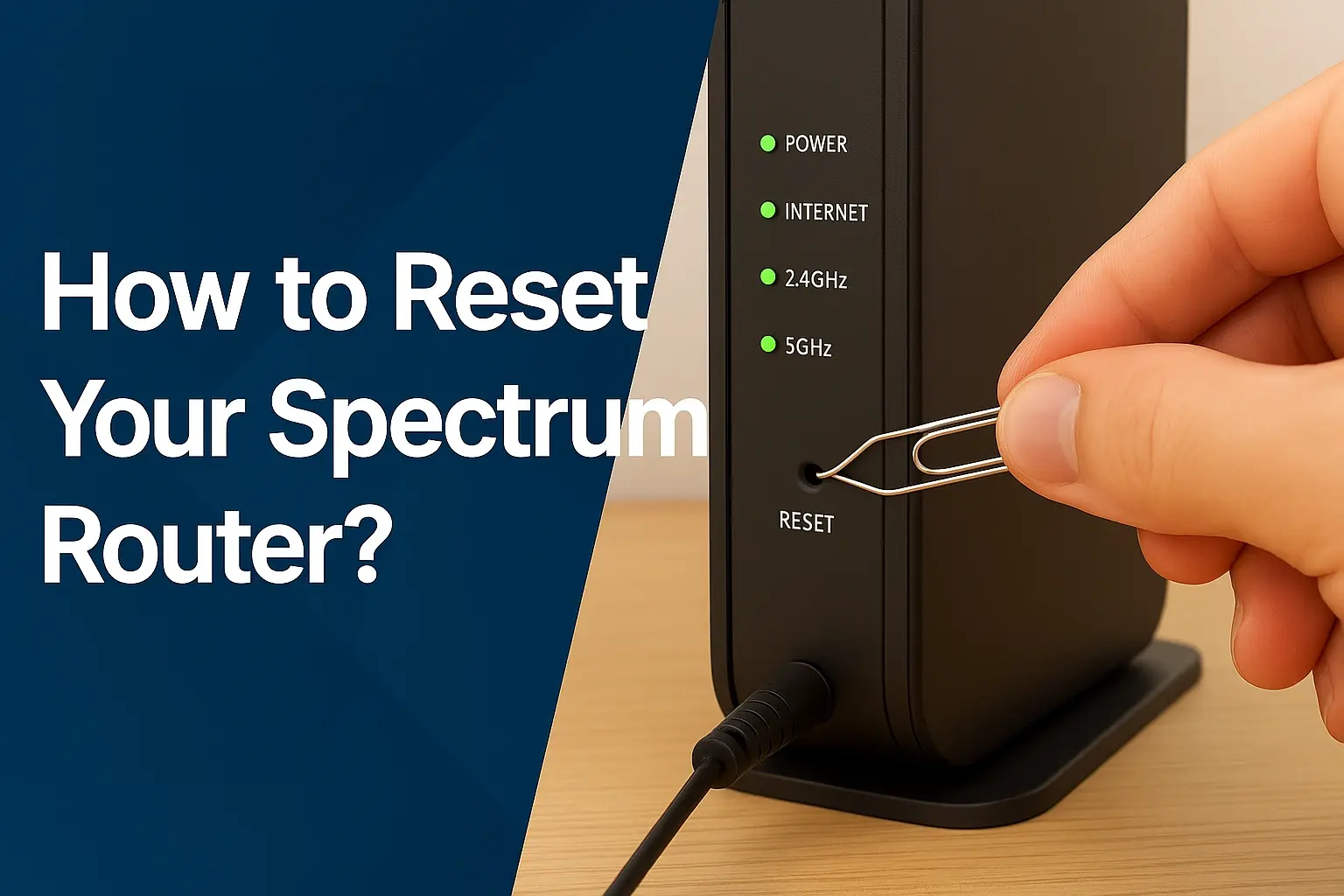
2. Restart Your Network Equipment
This is a classic troubleshooting step that often resolves temporary glitches.
Steps:
- Unplug the power cords from both your modem and your router.
- Wait for at least 60 seconds.
- Plug the modem back in and wait for it to fully boot up (all lights should be stable).
- Plug the router back in and wait for it to boot up.
- Test your internet speed again.
3. Upgrade Your Router and Modem
If your equipment is several years old, it might not be capable of handling the speeds your Spectrum plan offers.
- Modem Compatibility: Check Spectrum's website or contact them to ensure your modem is on their approved list and supports your internet speed tier. If you own your modem, consider upgrading to a DOCSIS 3.1 modem for better performance and future-proofing.
- Router Capabilities: Ensure your router supports the latest Wi-Fi standards (like Wi-Fi 6 or Wi-Fi 6E) and has sufficient processing power to handle your internet speed.
4. Use a Wired Ethernet Connection
As mentioned earlier, Wi-Fi can introduce variables. For definitive testing and optimal performance, use an Ethernet cable to connect your computer directly to the modem or router.
Steps:
- Ensure you have a good quality Ethernet cable (Cat 5e or Cat 6 is recommended).
- Connect one end to your computer's Ethernet port and the other to an available LAN port on your router or modem.
- Disable Wi-Fi on your computer to ensure it's using the wired connection.
- Run speed tests.
If speeds are significantly better via Ethernet than Wi-Fi, the issue lies with your wireless network. If speeds are still poor via Ethernet, it points more strongly to an issue with Spectrum's service or your modem.
5. Utilize a VPN (Virtual Private Network)
As discussed in the "How to Check" section, a VPN can be a powerful tool if Spectrum is throttling specific types of traffic.
How it helps:
- Encryption: A VPN encrypts your internet traffic, making it unreadable to your ISP. This prevents Spectrum from identifying specific activities like streaming or torrenting.
- Masking IP Address: Your IP address is masked, making it harder for Spectrum to target your connection based on usage patterns.
Caveats:
- Speed Reduction: VPNs inherently add overhead, which can slightly reduce your internet speed. However, if your speed dramatically *improves* or becomes usable for certain activities with a VPN, it's a strong indicator of ISP throttling.
- Choosing a VPN: Opt for a reputable VPN service that offers good speeds and a wide server network. Free VPNs are often unreliable and may even compromise your privacy.
6. Adjust Your DNS Settings
While less likely to cause drastic speed drops indicative of throttling, changing your DNS (Domain Name System) server can sometimes improve browsing speeds and responsiveness.
How it works: Your DNS server translates website names (like google.com) into IP addresses. Some ISP DNS servers can be slower than others. You can switch to public DNS servers like Google DNS (8.8.8.8 and 8.8.4.4) or Cloudflare DNS (1.1.1.1 and 1.0.0.1).
Steps: This is typically done within your router's settings or your computer's network adapter settings.
7. Contact Spectrum Support (with Evidence)
If you've exhausted other troubleshooting steps and still suspect throttling, it's time to contact Spectrum support armed with data.
What to prepare:
- Your Spectrum plan details (advertised speeds).
- Results from multiple speed tests conducted at different times, including Ethernet tests.
- Observations about specific application performance (streaming, gaming, downloads).
- Results from VPN tests (if performed).
- Dates and times of any significant slowdowns.
How to approach them: Be polite but firm. Explain that you've performed extensive troubleshooting and believe your speeds are being artificially limited. Ask them to check your line for issues and to explain their network management policies if they suspect congestion. If they offer to send a technician, accept it, as they can test the line from the pole to your home.
The Legal and Regulatory Landscape of ISP Throttling
The practice of internet throttling by ISPs is a complex issue with significant legal and regulatory implications, particularly concerning net neutrality. Understanding this landscape is crucial for consumers advocating for fair internet access.
Net Neutrality Principles
Net neutrality is the principle that Internet Service Providers (ISPs) must treat all internet communications equally and cannot discriminate or charge differently based on user, content, website, platform, application, type of equipment, source address, destination address, or method of communication. Key tenets include:
- No Blocking: ISPs cannot block access to legal content, applications, services, or non-harmful devices.
- No Throttling: ISPs cannot impair or degrade lawful internet traffic on the basis of content, applications, services, or non-harmful devices.
- No Paid Prioritization: ISPs cannot favor some lawful internet traffic over other lawful traffic in exchange for payment or other benefits.
Evolving Regulations in the United States
In the United States, the regulatory approach to net neutrality has been a subject of considerable debate and change.
- FCC Classifications: The Federal Communications Commission (FCC) has shifted how it classifies broadband internet access service. Under the Obama administration (2015), broadband was classified as a Title II telecommunications service, which provided a strong legal basis for enforcing strict net neutrality rules, including prohibitions on blocking and throttling.
- Repeal of Title II: In 2017, under the Trump administration, the FCC repealed the 2015 Open Internet Order, reclassifying broadband as an information service under Title I. This significantly weakened the FCC's authority to enforce net neutrality rules. ISPs argued this move would spur investment and innovation.
- State-Level Actions: Following the federal repeal, several states enacted their own net neutrality laws or regulations to protect consumers within their borders.
- Reinstatement Efforts: As of early 2024, there have been ongoing efforts and discussions at the federal level to reinstate strong net neutrality protections, with the FCC under the Biden administration signaling a potential return to Title II classification.
Spectrum's Stance and Commitments
Spectrum, like other major ISPs, has publicly stated its commitment to an open internet. However, these statements are often accompanied by caveats about "reasonable network management."
- Network Management: ISPs argue that some level of network management, including throttling, is necessary to ensure the overall quality of service for all customers, especially in the face of increasing demand for bandwidth-intensive applications. They often differentiate between "reasonable network management" and discriminatory practices.
- Transparency: Regulations often require ISPs to be transparent about their network management practices. Consumers can usually find this information in their ISP's terms of service or network transparency statements.
Consumer Rights and Advocacy
Consumers have rights when it comes to internet service, although these can be challenging to enforce without strong regulatory oversight.
- Reporting Issues: If you believe your ISP is unfairly throttling your connection, you can report it to the FCC or your state's consumer protection agency.
- Class Action Lawsuits: In cases of widespread alleged misconduct, consumers may participate in class-action lawsuits against ISPs.
- Advocacy Groups: Organizations like the Free Press and the Public Knowledge advocate for strong net neutrality protections and consumer rights in the digital space.
Impact of Throttling on Innovation and Competition
A primary concern regarding ISP throttling is its potential to stifle innovation and competition. If ISPs can slow down or block competing services (e.g., a new streaming platform), they can favor their own services or those of partners, creating an uneven playing field. This can limit consumer choice and hinder the growth of new online businesses.
2025-26 Outlook
The regulatory landscape for net neutrality is expected to remain dynamic. As of late 2025, the FCC's stance on reclassifying broadband under Title II is a significant factor. If reinstated, it would provide stronger protections against throttling. However, legal challenges and industry lobbying mean that the future of these regulations is not entirely settled. Consumers should stay informed about these developments and continue to advocate for an open and fair internet.
Maximizing Your Spectrum Internet Speed
Even if Spectrum isn't throttling your internet, various factors can impact your actual speeds. By optimizing your home network and understanding your plan, you can ensure you're getting the best possible performance. Here’s how to maximize your Spectrum internet speed:
1. Understand Your Plan and Equipment
Know Your Speeds: Be aware of the advertised download and upload speeds for your specific Spectrum plan. Visit Spectrum's official website to confirm your plan's details. Remember that advertised speeds are maximums, and real-world speeds will vary.
Equipment Compatibility: Ensure your modem and router are compatible with your plan's speeds. Older equipment can bottleneck even the fastest connections. Check Spectrum's list of approved modems for your service area. If you rent equipment from Spectrum, inquire about newer, faster models.
2. Optimize Your Home Network
Wired Connections: Whenever possible, use Ethernet cables for devices that require high bandwidth and stable connections, such as desktop computers, gaming consoles, and smart TVs. This bypasses potential Wi-Fi interference and limitations.
Router Placement and Settings:
- Central Location: Place your router in a central, elevated, and open area of your home.
- Avoid Interference: Keep the router away from thick walls, metal objects, and other electronic devices that emit radio waves (microwaves, cordless phones).
- Dual-Band Usage: Utilize the 5 GHz band on your dual-band router for devices that support it, as it offers faster speeds and less congestion than the 2.4 GHz band. Reserve the 2.4 GHz band for devices that are farther away or only support that band.
- Channel Selection: Experiment with different Wi-Fi channels within your router's settings. Use a Wi-Fi analyzer app on your smartphone to identify the least congested channels in your area.
Firmware Updates: Regularly update your router's firmware. Manufacturers release updates to improve performance, security, and stability.
3. Manage Your Connected Devices
Reduce Simultaneous Usage: The more devices connected and actively using the internet, the more your bandwidth is shared. Temporarily disconnect devices that are not in use, especially during activities that require high bandwidth.
Prioritize Devices: Some routers offer Quality of Service (QoS) settings that allow you to prioritize bandwidth for specific devices or applications (e.g., prioritize your gaming console over a smart speaker). Consult your router's manual for instructions.
Background Processes: Disable background updates for applications and operating systems on your devices, or schedule them for off-peak hours, as these can consume significant bandwidth without you realizing it.
4. Consider Upgrading Your Plan or Equipment
Speed Tiers: If you consistently find yourself needing more speed for streaming, gaming, or remote work, consider upgrading to a higher-tier Spectrum internet plan. Compare the costs and benefits carefully.
Mesh Wi-Fi Systems: For larger homes or areas with poor Wi-Fi coverage, a mesh Wi-Fi system can provide a more consistent and stronger signal throughout your house, improving speeds on all connected devices.
DOCSIS 3.1 Modem: If you own your modem, upgrading to a DOCSIS 3.1 modem can offer significant speed improvements and better performance, especially on higher-speed plans.
5. Regular Maintenance and Testing
Restart Equipment: Regularly reboot your modem and router (e.g., weekly). This simple step can clear temporary glitches and improve performance.
Periodic Speed Tests: Continue to perform speed tests periodically, especially after making network changes, to monitor your performance and ensure you're receiving the speeds you expect.
Check for Malware: Malware on your devices can consume bandwidth and slow down your connection. Run regular antivirus and anti-malware scans.
6. Contact Spectrum Support Proactively
If you've optimized your home network and are still experiencing speeds below what your plan promises, don't hesitate to contact Spectrum. They can check your line for issues, test your equipment remotely, and advise on potential network problems in your area.
When to Consider Alternatives to Spectrum
While Spectrum is a major provider in many areas, it's not the only option for internet service. If you've exhausted all troubleshooting steps, suspect persistent throttling, or are simply unhappy with the service, exploring alternatives is a wise move. Here’s when and how to consider switching:
Signs It's Time to Look Elsewhere
- Persistent Slow Speeds: Despite optimizing your network and confirming your equipment is adequate, your internet speeds are consistently far below your plan's advertised rates, and Spectrum cannot resolve the issue.
- Suspected Throttling: You have strong evidence (e.g., VPN tests showing significant speed improvements) that Spectrum is intentionally throttling your connection for specific activities.
- Unreliable Service: Frequent outages, dropped connections, or unstable performance that Spectrum support cannot fix.
- Poor Customer Service: Consistently negative experiences with Spectrum's customer support, including long wait times, unhelpful representatives, or unresolved issues.
- High Costs for Value: You find that competitors offer comparable or better speeds and reliability for a lower price, or you're paying a premium for service that doesn't meet your needs.
- Limited Plan Options: Spectrum's available plans don't meet your specific requirements, such as needing unlimited data without potential throttling or requiring very high upload speeds for professional use.
Types of Internet Service Providers to Consider
The availability of these options will vary significantly by your geographic location.
| Provider Type | Description | Pros | Cons |
|---|---|---|---|
| Fiber Optic Providers (e.g., AT&T Fiber, Verizon Fios, Google Fiber) | Uses light signals transmitted through fiber optic cables. Offers the fastest and most reliable speeds available. | Symmetrical upload/download speeds, very low latency, high reliability, often unlimited data. | Limited availability, can be more expensive, installation may require professional setup. |
| Other Cable Providers (e.g., Xfinity/Comcast, Cox) | Uses coaxial cable infrastructure, similar to Spectrum. | Widely available, competitive pricing, can offer high download speeds. | Upload speeds are typically much lower than download speeds, potential for congestion during peak hours, data caps may apply. |
| DSL Providers (e.g., CenturyLink/Lumen, AT&T DSL) | Uses existing telephone lines to transmit data. | Often the most affordable option, widely available in many areas. | Significantly slower speeds than cable or fiber, speeds degrade with distance from the provider's central office, often has data caps. |
| Fixed Wireless Internet | Uses radio signals to connect a fixed location (your home) to a provider's tower. | Good option in rural or underserved areas where cable/fiber is unavailable, can offer decent speeds. | Performance can be affected by weather and line-of-sight obstructions, speeds can be inconsistent, may have data caps. |
| Satellite Internet (e.g., Starlink, HughesNet, Viasat) | Uses satellites to provide internet access. | Available virtually anywhere, including very remote locations. | High latency (poor for gaming/real-time applications), often expensive, data caps are common, performance can be affected by weather. Starlink offers lower latency and higher speeds than traditional satellite. |
How to Switch Providers
1. Check Availability: Use online tools or contact providers directly to see which services are available at your address. Websites like HighSpeedInternet.com or BroadbandNow.com can help you compare options.
2. Compare Plans and Pricing: Look beyond the advertised speeds. Consider data caps, contract terms, installation fees, equipment rental costs, and any introductory promotions. For 2025-26, be mindful of plans offering symmetrical speeds if upload performance is critical.
3. Read Reviews: Research customer reviews for the providers you're considering, paying attention to reliability, customer service, and actual speeds experienced by users in your area.
4. Order Service: Once you've chosen a provider, sign up for service. Be aware of installation timelines and any potential service disruptions during the switch.
5. Cancel Spectrum Service: After your new service is active and working to your satisfaction, contact Spectrum to cancel your existing service. Be sure to return any leased equipment to avoid additional charges.
Important Note: Before canceling Spectrum, ensure your new service is fully operational. This avoids being without internet access.
Exploring alternatives is a proactive step to ensure you're receiving the reliable and fast internet service you pay for. Don't settle for subpar performance if better options are available.
Conclusion
Experiencing slow internet speeds can be incredibly frustrating, and suspecting Spectrum throttling your connection is a valid concern for many users. This in-depth guide has explored the tell-tale signs, the potential reasons behind ISP throttling, and provided actionable steps for diagnosing and troubleshooting these issues. We've covered everything from performing accurate speed tests and utilizing VPNs to understanding your equipment and navigating the complex regulatory landscape surrounding net neutrality. By systematically investigating your connection, optimizing your home network, and understanding your rights, you can determine if Spectrum is indeed throttling your internet or if other factors are at play. If throttling is confirmed or if you're consistently dissatisfied with your service, exploring alternative providers is a crucial step towards reclaiming a fast and reliable online experience. Armed with this knowledge, you are empowered to take control of your internet service and ensure you're getting the performance you deserve in 2025-26 and beyond.