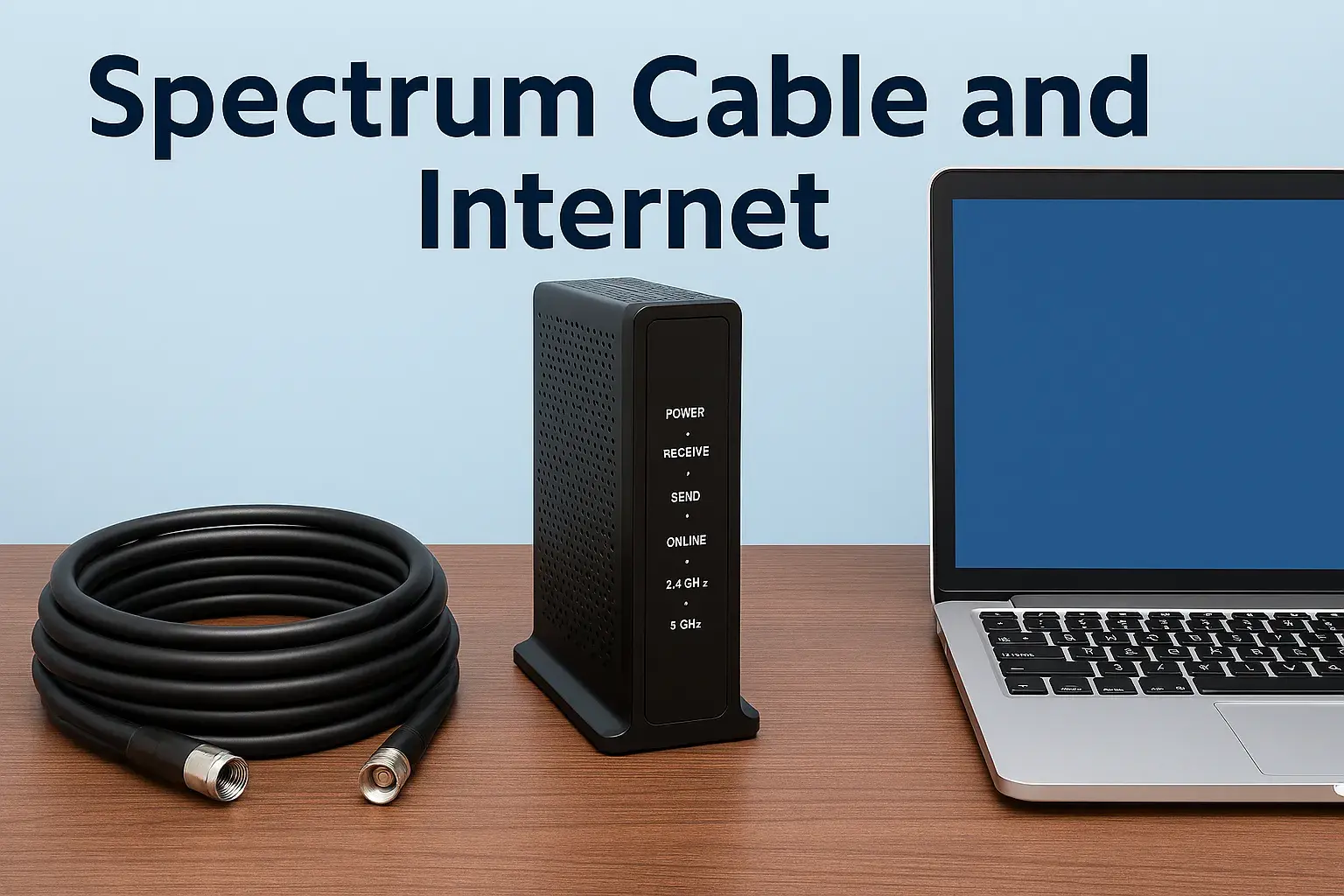
Is Spectrum Internet Down
Experiencing an outage with your Spectrum internet service? This guide provides immediate steps to diagnose if Spectrum internet is down in your area, offers troubleshooting tips, and outlines what to do next. We aim to get you back online swiftly.
Is Spectrum Internet Down? How to Check and Troubleshoot
When your internet connection suddenly drops, the first question on your mind is likely: "Is Spectrum internet down?" This is a common concern for many users, and understanding how to quickly verify an outage and what steps to take can save you significant frustration. This comprehensive guide will walk you through the process of confirming a Spectrum outage, common causes, effective troubleshooting techniques, and what to do while service is disrupted. We'll also delve into Spectrum's reliability statistics for 2025-26 and explore alternatives.
Checking Spectrum's Official Status
Before diving into your own equipment, the most efficient first step is to check if Spectrum has officially reported an outage in your area. This can save you valuable time and prevent unnecessary troubleshooting.
Using Spectrum's Official Channels
Spectrum provides several avenues for users to check for service disruptions:
- Spectrum Website: The most direct method is to visit the official Spectrum website. Look for a "Service Status," "Outage Map," or "Support" section. These pages often display real-time information about known outages, including estimated restoration times. You may need to log in to your account to see localized information specific to your address.
- Spectrum Mobile App: If you have the Spectrum mobile app installed on your smartphone, it often includes a feature to check for local outages. This is particularly useful if your home internet is down, as you can use your mobile data to access the app.
- Social Media: Spectrum often provides updates on major outages through their official social media channels, such as Twitter (X). Following their accounts can be a quick way to get real-time information, especially during widespread events.
- Automated Phone System: You can also call Spectrum's customer service line. While you might face wait times to speak with a representative, their automated system often provides information about known outages in your region.
Third-Party Outage Detectors
Beyond Spectrum's own resources, several third-party websites aggregate user-reported internet outages. These sites can be helpful if Spectrum's official channels are slow to update or if you want to cross-reference information.
- DownDetector: This is a popular platform where users report service issues. You can search for "Spectrum" and see a live map of reported outages and a graph of problem reports over time. This can give you a good indication of whether others in your area are experiencing similar problems.
- Outage.Report: Similar to DownDetector, this site collects user-submitted outage reports and displays them on a map.
When using these third-party sites, look for a spike in reports for your specific area. If many users in your vicinity are reporting issues, it's a strong indicator of a localized or regional outage.
Common Reasons for Spectrum Internet Outages
Understanding why your internet might be down can help you anticipate future issues and appreciate the complexity of maintaining a reliable network. Spectrum, like any major internet service provider (ISP), can experience outages due to a variety of factors.
Infrastructure Issues
The physical infrastructure that delivers internet to your home is susceptible to damage and malfunction.
- Cable Damage: This is a frequent culprit. Construction accidents, severe weather (like high winds, fallen trees, or ice storms), and even animal activity can damage underground or aerial coaxial and fiber optic cables.
- Equipment Failure: Network equipment at Spectrum's central offices or at local nodes can fail due to age, power surges, or manufacturing defects. This can affect a large number of subscribers in a given area.
- Power Outages: While Spectrum has backup power for many of its facilities, prolonged or widespread power outages can overwhelm these systems, leading to service interruptions. If your neighborhood is experiencing a power outage, it's highly likely your Spectrum internet will also be affected.
Network Congestion and Maintenance
Even without physical damage, your service can be impacted by network load and planned work.
- Peak Hour Congestion: While less common for a complete outage, during peak usage times (evenings and weekends), network congestion can sometimes lead to slower speeds or intermittent connectivity. However, this rarely causes a total loss of service.
- Scheduled Maintenance: ISPs periodically perform maintenance on their network to upgrade equipment, implement new technologies, or repair existing infrastructure. Spectrum will typically notify customers in advance of planned outages, but sometimes unexpected issues arise during maintenance.
External Factors
Events outside of Spectrum's direct control can also disrupt service.
- Severe Weather: As mentioned, storms, hurricanes, blizzards, and even extreme heat can damage equipment and infrastructure.
- Natural Disasters: Earthquakes, floods, and wildfires can cause widespread and long-lasting damage to ISP networks.
- Cybersecurity Incidents: Although rare, large-scale cyberattacks targeting network infrastructure could potentially lead to service disruptions.
Troubleshooting Your Spectrum Internet Connection
If you suspect an outage but Spectrum's official channels don't indicate one, or if you want to rule out issues with your own equipment, follow these systematic troubleshooting steps. These are generally applicable whether you're asking "Is Spectrum internet down?" or "Why is my Spectrum internet slow?".
Step 1: Check Your Modem and Router Lights
Your Spectrum modem and router (often a single gateway device) are the first points of contact for your internet connection. The lights on these devices provide crucial diagnostic information.
- Power Light: Should be solid, indicating the device is receiving power.
- Downstream/Receive Light: Indicates the modem is receiving a signal from Spectrum's network. This should typically be solid or blinking, depending on the model. If it's off or blinking erratically, there might be a signal issue.
- Upstream/Send Light: Indicates the modem is sending data back to Spectrum. Similar to the downstream light, it should be solid or blinking.
- Online/Internet Light: This is the most important light. A solid light usually means your modem is connected to Spectrum's network and has internet access. If this light is off, blinking, or a different color (e.g., red or orange), it signifies a problem.
- Wi-Fi Light (on router/gateway): Indicates the Wi-Fi network is active.
Consult your Spectrum modem/router manual or Spectrum's support website for the specific meaning of each light and its color on your particular model.
Step 2: Power Cycle Your Equipment (The "Reboot")
This is the most common and often effective troubleshooting step for a wide range of internet issues. It essentially resets your modem and router, clearing temporary glitches.
- Unplug the power cord from both your modem and your router (if they are separate devices).
- Wait for at least 60 seconds. This allows the devices to fully discharge and reset.
- Plug the modem back in first. Wait for its lights to stabilize, indicating it has reconnected to the network (this can take 2-5 minutes).
- Plug the router back in. Wait for its lights to stabilize.
- Test your internet connection on a device.
This process can resolve temporary software glitches or connectivity issues that might be preventing your devices from accessing the internet.
Step 3: Check Your Physical Connections
Loose or damaged cables can disrupt your internet service.
- Coaxial Cable: Ensure the coaxial cable connecting your modem to the wall outlet is securely screwed in at both ends. Check for any visible damage to the cable itself (kinks, cuts, or fraying).
- Ethernet Cables: If you're using an Ethernet cable to connect a device directly to your router or modem, ensure it's firmly plugged in at both ends. Try a different Ethernet cable if possible.
Step 4: Test with a Wired Connection
If you're primarily using Wi-Fi, the issue might be with your wireless signal rather than the internet service itself.
- Connect a computer directly to your router (or gateway) using an Ethernet cable.
- Try accessing the internet. If you can get online with a wired connection but not Wi-Fi, the problem lies with your Wi-Fi settings or router.
Step 5: Troubleshoot Your Wi-Fi Network
If the wired connection works but Wi-Fi doesn't, consider these Wi-Fi specific issues:
- Router Placement: Ensure your router is in a central, open location, away from obstructions like thick walls, metal objects, and other electronics that can cause interference (microwaves, cordless phones).
- Wi-Fi Signal Strength: If you're far from the router, your signal may be too weak. Try moving closer to the router.
- Too Many Devices: While less likely to cause a complete outage, an excessive number of connected devices can strain your network.
- Router Settings: You might need to access your router's administrative interface (usually via a web browser at an IP address like 192.168.1.1) to check Wi-Fi settings, reboot the router, or update firmware. Consult your router's manual for instructions.
Step 6: Check Other Devices
To determine if the issue is with a specific device or your entire network:
- Test multiple devices: Try connecting to the internet with a different computer, smartphone, or tablet.
- If only one device is affected: The problem is likely with that specific device's network settings or hardware.
- If all devices are affected: The problem is more likely with your modem, router, or the Spectrum service itself.
What to Do During a Spectrum Internet Outage
When you've confirmed that Spectrum internet is indeed down in your area, and your troubleshooting hasn't resolved it, it's time to manage the situation and prepare for service restoration.
Stay Informed
Continue to monitor Spectrum's official channels (website, app, social media) for updates. They will typically provide estimated restoration times (ETRs). Be aware that ETRs can change as crews assess the damage and work on repairs.
Conserve Mobile Data
If you rely on your mobile phone for internet access during an outage, be mindful of your data usage. Streaming video or downloading large files can quickly consume your monthly data allowance, potentially leading to overage charges or throttled speeds.
Utilize Offline Resources
If you need to get work done or entertain yourself, consider activities that don't require an internet connection:
- Download content beforehand: If you anticipate potential outages, download movies, music, or documents when your internet is working.
- Read books or magazines.
- Play offline games.
- Work on local files on your computer.
Prepare for Service Restoration
Once Spectrum indicates that service is being restored, you might want to perform a quick reboot of your modem and router again. This can help your equipment re-establish a stable connection as the network comes back online.
Consider Alternatives for Essential Services
For critical needs, such as remote work or online classes, having a backup internet solution can be invaluable. This could include:
- Mobile Hotspot: Using your smartphone as a hotspot can provide a temporary connection for essential tasks. Check your mobile plan for hotspot data limits.
- Public Wi-Fi: Libraries, coffee shops, or community centers often offer free Wi-Fi.
- Secondary Internet Service: For critical home needs, some users opt for a secondary internet service from a different provider, especially if Spectrum's reliability is a recurring concern.
Reporting a Spectrum Internet Outage
If you've gone through the troubleshooting steps and confirmed that your service is down, and you don't see an outage reported for your area, it's important to report it to Spectrum. This helps them identify and address localized issues that might not be widely known yet.
How to Report an Outage
The most effective ways to report an outage are:
- Through the Spectrum Website or App: Log in to your account. There is usually a clear option to report a service issue or outage. This is often the fastest way to get your issue logged.
- By Phone: Call Spectrum's customer support line. Be prepared for potential wait times. Clearly state that you are experiencing an internet outage.
When reporting, be ready to provide:
- Your account information (name, address, account number).
- A description of the problem (e.g., no internet connection, modem lights indicate no service).
- The troubleshooting steps you have already taken (e.g., rebooted modem, checked cables).
What Happens After Reporting
Once you report an outage, Spectrum's system will log your report. If they receive multiple reports from the same area, it will help them prioritize dispatching technicians or identifying the source of the problem. They may also provide you with a ticket or reference number for your report.
Documenting the Outage
It's good practice to keep a record of when outages occur, how long they last, and any communication you have with Spectrum. This documentation can be useful if you experience recurring issues and wish to discuss potential service credits or alternative solutions.
Spectrum Service Reliability: 2025-26 Insights
Reliability is a key factor when choosing an internet service provider. Understanding Spectrum's performance in recent years can help set expectations.
General Trends in ISP Reliability
The internet infrastructure in the United States is a complex network. While major providers like Spectrum invest heavily in maintaining and upgrading their networks, occasional outages are an unavoidable reality. Factors influencing reliability include:
- Network Investment: Providers that consistently invest in upgrading their infrastructure (e.g., expanding fiber optic networks) tend to offer more reliable service.
- Geographic Coverage: The type of infrastructure available in a particular region (e.g., cable vs. fiber) can impact reliability. Fiber optic networks are generally more robust than older coaxial cable systems.
- Customer Density: Areas with a high concentration of subscribers can sometimes experience more strain on the network during peak times.
Spectrum's Performance (2025-2026 Projections and Data)
Based on industry reports and consumer feedback from late 2024 and early 2025, Spectrum's reliability is generally considered competitive, though it can vary significantly by region. Here's a look at what to expect:
- Positive Aspects: Spectrum has been actively expanding its fiber-optic footprint, which generally leads to improved stability and speed. Their network is designed to handle high bandwidth demands, making it suitable for streaming, gaming, and multiple users. Many users report consistent service with infrequent interruptions.
- Areas for Improvement: Like all cable providers, Spectrum's network can still be susceptible to physical damage from weather or construction. In some older cable areas, users might experience more frequent, albeit usually brief, service interruptions compared to fiber-only networks. Customer service wait times during widespread outages can also be a point of frustration.
Average Outage Frequency and Duration (2025-2026 Estimates)
While precise national averages are difficult to pin down due to regional variations, general estimates for major cable providers like Spectrum suggest:
- Frequency: For most users in well-maintained areas, significant outages might occur anywhere from once or twice a year to a few times a quarter. Minor, short-lived interruptions might be more frequent but often resolve themselves quickly.
- Duration: The duration of an outage can range from a few minutes to several hours, depending on the cause. Widespread weather-related events or major infrastructure damage can lead to longer downtime.
Customer Satisfaction with Reliability
Consumer surveys and reviews from 2025 often place Spectrum in the mid-to-upper tier for reliability among major ISPs. While some users report excellent uptime, others in specific regions might experience more frequent issues. It's always advisable to check local reviews and outage reports for your specific address.
Comparison Table: Spectrum vs. Other ISP Reliability (Illustrative 2025-26 Data)
| Provider Type | Typical Uptime (Est. 2025-26) | Susceptibility to External Factors | Spectrum's Position |
|---|---|---|---|
| Fiber Optic (e.g., Verizon Fios, AT&T Fiber) | 99.9% - 99.99% | Lower (more resilient to interference, but physical damage still possible) | Spectrum is actively expanding fiber, aiming to match this. |
| Cable (e.g., Spectrum, Xfinity) | 99.5% - 99.9% | Moderate (susceptible to weather, physical damage, and signal degradation) | Spectrum generally performs well within this category, with regional variations. |
| DSL (e.g., CenturyLink DSL) | 98% - 99.5% | Higher (performance degrades with distance from central office, more susceptible to line noise) | Spectrum offers significantly better reliability than most DSL services. |
Note: Uptime percentages translate to roughly 8.76 hours of downtime per year for 99.9% and 87.6 hours for 99%.
For the most accurate assessment of Spectrum's reliability in your specific location, it's recommended to consult local consumer reviews, ask neighbors, and check third-party outage trackers for your area.
Considering Alternatives if Spectrum is Consistently Down
If you find yourself frequently asking "Is Spectrum internet down?" and experiencing prolonged or recurring outages, it might be time to explore alternative internet service providers in your area. The availability of alternatives will depend heavily on your geographic location.
Types of Alternative Internet Services
Here are the primary types of internet services you might find:
- Fiber Optic Internet: This is generally considered the gold standard for speed and reliability. Fiber optic cables transmit data using light signals, making them less susceptible to interference and capable of much higher speeds than cable or DSL. If available, it's often the best alternative.
- 5G Home Internet: Major carriers like T-Mobile and Verizon are expanding their 5G home internet services. These services use the 5G cellular network to provide home internet access. They can be a good option in areas where wired infrastructure is limited or unreliable, offering competitive speeds and often easier installation. However, performance can be affected by cellular signal strength and network congestion.
- Satellite Internet: Services like Starlink (SpaceX) and traditional satellite providers (HughesNet, Viasat) offer internet access virtually anywhere with a clear view of the sky. Starlink, in particular, offers much lower latency and higher speeds than older satellite technologies, making it viable for more than just basic browsing. However, it can be more expensive and is still susceptible to weather interference.
- Fixed Wireless Internet: This technology uses radio signals to connect a fixed point (like your home) to a nearby tower. It can be a good option in rural or suburban areas where traditional wired services are unavailable or unreliable. Speeds and reliability can vary depending on the provider and distance from the tower.
- Other Cable Providers: Depending on your region, there might be other cable internet providers available. While they use similar technology to Spectrum, their network management and infrastructure can differ, potentially offering a more stable experience.
How to Research Alternatives
To find out what's available and how reliable it is:
- Use Online Availability Checkers: Most ISP websites have tools where you can enter your address to see available services.
- Check Third-Party Comparison Sites: Websites like BroadbandNow, HighSpeedInternet.com, or Wirefly allow you to compare plans, speeds, and pricing from multiple providers in your area.
- Ask Your Neighbors: Local feedback is invaluable. Ask people in your neighborhood what providers they use and what their experience has been with reliability.
- Review Local Forums and Social Media Groups: Community groups online can be a source of honest reviews and discussions about local internet services.
Factors to Consider When Switching
- Speed and Performance: Ensure the alternative meets your needs for browsing, streaming, gaming, and working from home.
- Reliability Data: Look for providers with a strong track record of uptime in your specific area.
- Cost: Compare monthly fees, installation costs, equipment rental fees, and any data caps.
- Contract Terms: Understand if there's a contract, its duration, and any early termination fees.
- Customer Service: Research customer service reputations, especially regarding outage support.
If Spectrum's outages are becoming a significant problem, proactively researching and potentially switching to a more reliable provider can save you a lot of frustration in the long run.
Conclusion
When you're faced with a Spectrum internet outage, remember that quick diagnosis is key. Start by checking Spectrum's official channels and third-party outage trackers to confirm if it's a widespread issue. If not, systematically troubleshoot your modem, router, and connections. The simple act of power cycling your equipment often resolves minor glitches. During an outage, stay informed, conserve mobile data, and prepare for service restoration. If you experience frequent disruptions, it's wise to research alternative providers like fiber or 5G home internet, as reliability can vary significantly by location. By following these steps, you can minimize downtime and ensure you have the most reliable connection possible.
📚Read More Articles About Spectrum

How to Find a Spectrum Store Near Me: A Comprehensive Guide
February 16, 2026
All About Spectrum Services: Internet, TV, Mobile Plans & Pricing Explained
January 19, 2026
Spectrum Store Locator for 43017: Hours, Services & What to Bring
December 22, 2025