Experiencing an internet outage with Cox? This guide provides immediate steps to check if Cox internet is down right now, troubleshoot common issues, and understand potential causes. We aim to get you back online swiftly with actionable advice and current 2025-26 insights.
How to Check if Cox Internet is Down Right Now
When your Cox internet connection suddenly drops, the first and most crucial step is to determine if the issue is widespread or isolated to your home. This section will guide you through the most effective methods to ascertain if Cox internet is down right now in your area. Understanding these initial checks can save you significant time and frustration.
1. Check the Official Cox Communications Website
Cox Communications maintains an official status page or outage map designed to inform customers about current service disruptions. This is your primary and most reliable source of information.
- Website Navigation: Typically, you can find this information by navigating to the Cox website (www.cox.com) and looking for a "Support," "Outages," or "Service Status" link. In 2025-26, these pages are highly optimized for mobile and desktop users, providing quick access to critical information.
- Account Login: You may need to log into your Cox account to view specific outage information relevant to your service address. This personalized view ensures you are seeing information pertinent to your connection.
- Outage Map: Many providers, including Cox, offer an interactive outage map. This map visually displays reported outages across their service regions, allowing you to see if your neighborhood or city is affected.
2. Utilize Social Media and Community Forums
While not official, social media platforms and online forums can provide real-time, user-generated reports of outages.
- Twitter (X): Search for hashtags like #CoxOutage, #CoxDown, or #InternetOutage. You'll often find other Cox customers reporting similar issues. Cox may also have an official support account on Twitter that provides updates.
- Reddit: Subreddits dedicated to your city, state, or general technology discussions can be valuable. Users frequently post about local service disruptions.
- Community Forums: Cox may host its own community forums where users can discuss issues.
Caveat: Treat social media reports with a degree of caution. While often accurate, they can sometimes be anecdotal or reflect issues specific to individual users rather than a widespread outage. Always cross-reference with official sources.
3. Contact Cox Customer Support
If the online checks don't provide a clear answer, contacting Cox customer support directly is the next logical step.
- Phone Support: Find the customer service number on your Cox bill or on their website. Be prepared for potentially longer wait times during widespread outages.
- Chat Support: Many providers offer online chat support, which can be a quicker way to get assistance without waiting on hold. This is a popular channel in 2025-26 for quick queries.
When you contact support, have your account information ready. This will help them quickly identify your service and provide relevant information.
4. Check Your Modem and Router Lights
Sometimes, the issue isn't a Cox outage but a problem with your home equipment. Observing the lights on your modem and router can offer clues.
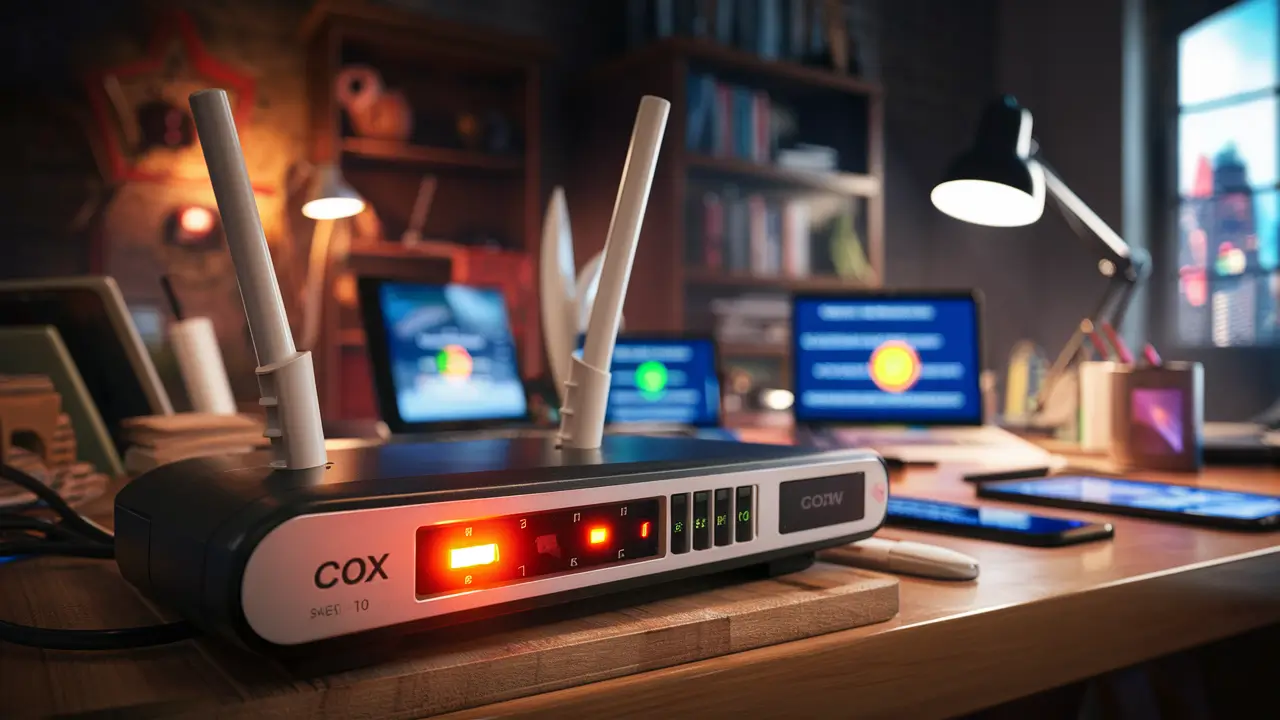
- Modem Lights: Look for lights indicating power, upstream, downstream, and online status. If the "online" or "internet" light is off, blinking erratically, or a different color than usual (e.g., red or amber), it suggests a connection problem. Consult your modem's manual for specific light meanings.
- Router Lights: The router typically has power, internet, and Wi-Fi lights. If the internet light is off or red, it indicates it's not receiving a signal from the modem.
If your modem lights indicate a loss of connection to Cox's network, it strongly suggests an external issue, potentially a Cox outage.
5. Test with Multiple Devices and Wired Connections
To rule out device-specific or Wi-Fi issues, try the following:
- Multiple Devices: Attempt to access the internet on different devices (smartphone, tablet, laptop). If only one device is affected, the problem likely lies with that specific device.
- Wired Connection: If you're primarily using Wi-Fi, try connecting a computer directly to your modem or router using an Ethernet cable. If the wired connection works but Wi-Fi doesn't, the issue is with your Wi-Fi network. If neither works, it points to a broader connection problem.
Common Cox Internet Outage Scenarios
Understanding the typical reasons behind Cox internet outages can help you better diagnose the problem and anticipate solutions. These scenarios range from localized equipment failures to larger-scale infrastructure issues.
1. Localized Equipment Failure
Sometimes, an outage is due to a problem with the network equipment serving a specific neighborhood or block. This could be a damaged cable, a malfunctioning hub, or a power issue at a local node. These outages are usually resolved relatively quickly once identified.
2. Planned Maintenance
Cox, like all service providers, occasionally schedules maintenance to upgrade or repair its network infrastructure. While they usually provide advance notice for planned outages, sometimes these can extend longer than anticipated or occur without sufficient warning due to unforeseen circumstances.
3. Weather-Related Disruptions
Severe weather events, such as heavy storms, high winds, lightning, or even extreme heat, can impact internet service.
- Physical Damage: Lightning strikes can damage equipment. High winds can cause trees to fall on power lines or cable infrastructure.
- Power Outages: If the local power grid is affected by weather, Cox's network equipment may lose power, leading to an outage.
The duration of weather-related outages can vary significantly depending on the severity of the event and the extent of the damage.
4. Network Congestion
During peak usage times, especially in densely populated areas, network congestion can occur. While this usually results in slower speeds rather than a complete outage, extreme congestion can sometimes lead to intermittent connectivity issues or service interruptions. This is a growing concern with increased reliance on streaming and online gaming in 2025-26.
5. Construction or Third-Party Damage
Accidental damage to underground or aerial cables by construction crews or other third parties is a common cause of localized internet outages. These incidents require Cox technicians to assess and repair the damaged infrastructure.
6. Cyber Attacks or System-Wide Failures
Though less common, large-scale outages can sometimes be attributed to cyberattacks targeting network infrastructure or widespread system failures within Cox's core network. These are typically addressed with high priority by Cox's technical teams.
7. Issues with Your Home Network Equipment
As mentioned earlier, your modem, router, or even the coaxial cable connecting to your home can fail. These are not Cox outages but issues within your own setup.
- Modem/Router Malfunction: Overheating, firmware glitches, or hardware failure can render your equipment useless.
- Cable Damage: The coaxial cable running from the wall to your modem can become damaged, kinked, or corroded, disrupting the signal.
- Power Supply Issues: A faulty power adapter for your modem or router will prevent them from operating.
Step-by-Step Troubleshooting Guide
If you suspect your Cox internet is down, or if you're experiencing slow speeds or intermittent connectivity, follow this systematic troubleshooting process. This guide aims to help you resolve common issues before needing to contact Cox support.
1. Power Cycle Your Modem and Router
This is the most common and often effective troubleshooting step. It essentially resets your network equipment and can clear temporary glitches.
- Unplug Power: Disconnect the power cords from both your modem and your router.
- Wait: Leave them unplugged for at least 60 seconds. This allows the devices to fully discharge and reset.
- Plug In Modem: Plug the power cord back into your modem first. Wait for it to fully boot up and establish a connection. This can take several minutes. Watch the indicator lights; they should stabilize, indicating an online connection.
- Plug In Router: Once the modem is online, plug the power cord back into your router. Wait for it to boot up.
- Test Connection: Once both devices are fully operational, try connecting to the internet again.
2. Check Cable Connections
Loose or damaged cables are a frequent culprit for connectivity problems.
- Coaxial Cable: Ensure the coaxial cable is securely screwed into the back of your modem and the wall outlet. Check for any visible damage, kinks, or sharp bends in the cable.
- Ethernet Cables: If you're using an Ethernet cable to connect your router to your modem, or your computer to your router, ensure both ends are firmly plugged in. Check for damage to the cable itself.
3. Verify Your Cox Account Status
Ensure your account is in good standing. Unpaid bills can lead to service suspension.
- Login to Account: Access your Cox account online to check your billing status and any service notifications.
- Contact Billing: If you suspect an account issue, contact Cox billing support.
4. Bypass the Router (Test Modem Directly)
This step helps determine if your router is the source of the problem.
- Disconnect Router: Unplug the Ethernet cable connecting your modem to your router.
- Connect Computer Directly: Connect a computer directly to the modem using an Ethernet cable.
- Restart Modem: Power cycle your modem again (unplug power, wait 60 seconds, plug back in).
- Test Connection: Once the modem is online, try to access the internet from the directly connected computer.
If you can connect to the internet when directly connected to the modem, your router is likely the issue. If you still cannot connect, the problem is likely with the modem or the Cox service itself.
5. Check for Cox Service Alerts
As detailed in the previous section, actively check Cox's official channels for reported outages in your area. This is a critical step that should be revisited if initial troubleshooting fails.
6. Test Internet Speed
If your internet is working but slow, running a speed test can provide valuable data.
- Use a Reliable Speed Test: Visit reputable speed test websites (e.g., Speedtest.net, Fast.com).
- Test on Wired Connection: For the most accurate results, perform the test using a computer connected directly to your modem or router via Ethernet.
- Compare to Plan: Compare your results to the speeds advertised for your Cox internet plan. Significant discrepancies may indicate an issue.
7. Update Router Firmware
Outdated router firmware can sometimes cause performance issues or connectivity problems.
- Access Router Settings: Log into your router's administration interface (usually via a web browser using an IP address like 192.168.1.1 or 192.168.0.1).
- Check for Updates: Look for a firmware update section and follow the instructions to install any available updates.
8. Scan for Malware
Malware on your computer can consume bandwidth and cause slow internet speeds or connection issues.
- Run Antivirus/Antimalware Scan: Use reputable security software to perform a full system scan.
9. Contact Cox Support
If you have exhausted all the above steps and are still experiencing issues, it's time to contact Cox customer support. Be prepared to explain the troubleshooting steps you've already taken. This will help them diagnose the problem more efficiently.
When contacting support, have the following information ready:
- Your Cox account number
- The make and model of your modem and router
- A description of the problem (e.g., no internet, slow speeds, intermittent connection)
- The troubleshooting steps you have already performed
Understanding Cox Service Alerts and Outages
Cox Communications, like any major internet service provider (ISP), experiences service disruptions. Understanding how Cox communicates these issues and what constitutes an "outage" is crucial for managing expectations and getting timely resolutions. In 2025-26, transparency in outage communication is a key customer expectation.
What is a Cox Internet Outage?
A Cox internet outage refers to a period when Cox's network is unable to provide internet service to a specific area or to all of its customers. This can manifest as a complete loss of connectivity, or in some cases, severely degraded service (e.g., extremely slow speeds, intermittent disconnections) that renders the internet effectively unusable.
How Cox Communicates Outages
Cox employs several methods to inform customers about service disruptions:
- Official Website: The primary channel is usually a dedicated "Outage" or "Service Status" page on their official website (www.cox.com). This page often features an interactive map and may require you to log in to see information specific to your address.
- Automated Phone System: When you call Cox customer support, their automated system may inform you of known outages in your area before connecting you to a representative.
- Text and Email Alerts: If you have opted in, Cox may send out text messages or emails to notify you of outages affecting your service. This is a growing trend for ISPs to ensure prompt communication.
- Social Media: Cox's official social media accounts (e.g., Twitter) may post updates on significant outages.
Factors Influencing Outage Duration
The time it takes for Cox to restore service during an outage depends on several factors:
- Cause of Outage: A simple equipment reboot might take minutes, while repairing a severed fiber optic cable due to construction could take hours or even days.
- Severity and Scope: A localized issue affecting a few homes will likely be resolved faster than a regional outage impacting thousands.
- Weather Conditions: Severe weather can hinder repair efforts, extending the duration of outages.
- Resource Availability: The availability of technicians and necessary equipment plays a role in the speed of restoration.
- Time of Day: Outages occurring during business hours may see quicker responses than those happening late at night or on weekends, although critical infrastructure issues are typically addressed 24/7.
Cox Service Level Agreements (SLAs) and Credits
While Cox's residential service agreements typically do not guarantee uptime, business plans often do. For residential customers, prolonged outages can sometimes warrant a request for a service credit.
- Requesting Credits: If you experience a significant and prolonged outage, you can contact Cox customer support to inquire about service credits for the period you were without service. Be prepared to provide details of the outage duration.
- Documentation: Keep records of when the outage started and ended, and any communication you had with Cox support.
Proactive Outage Detection Tools
In 2025-26, ISPs are investing heavily in proactive outage detection. Cox likely uses sophisticated network monitoring tools to identify issues before customers report them. This allows them to dispatch repair crews more quickly. However, the sheer complexity of their network means some issues may still go unnoticed until reported by users.
When to Escalate an Issue
If you've confirmed there's no widespread outage, you've performed all troubleshooting steps, and Cox support is unable to resolve the issue remotely, you may need to request a technician visit.
- Technician Visit: A Cox technician can come to your home to diagnose issues with the lines, equipment, or signal strength. There may be a charge for the visit if the problem is found to be with your own equipment or internal wiring.
- Escalation: If you are unsatisfied with the service or the resolution provided, ask to speak with a supervisor or request an escalation of your case.
Preventative Measures and Best Practices
While you can't prevent Cox from experiencing an outage, you can take steps to minimize the impact on your household and ensure your own home network is as resilient as possible. These practices are more important than ever in 2025-26 with our increasing reliance on stable internet for work, education, and entertainment.
1. Invest in Quality Networking Equipment
Your modem and router are the gateway to your internet connection.
- Own Your Modem/Router: While renting equipment from Cox is convenient, purchasing your own compatible modem and router can sometimes offer better performance and more control. Ensure any purchased modem is on Cox's approved list for your area.
- Router Capabilities: For larger homes or those with many connected devices, consider a mesh Wi-Fi system or a high-performance router that can handle increased bandwidth demands and provide a more stable signal.
2. Maintain Your Home Network
Regular maintenance can prevent issues within your home.
- Keep Equipment Cool: Ensure your modem and router are in a well-ventilated area to prevent overheating, which can cause performance degradation or failure.
- Regular Reboots: Schedule periodic reboots of your modem and router (e.g., weekly) to clear temporary glitches and maintain optimal performance.
- Secure Wi-Fi: Ensure your Wi-Fi network is secured with a strong password to prevent unauthorized access, which can consume bandwidth and slow down your connection.
3. Understand Your Internet Plan
Know the speeds and data caps associated with your Cox internet plan.
- Speed Needs: Ensure your plan meets the demands of your household's internet usage. If you frequently experience slow speeds even when there's no outage, you might need an upgrade.
- Data Caps: Be aware of any data caps. Exceeding them can result in throttled speeds or extra charges.
4. Have a Backup Plan
For critical needs, consider a backup internet solution.
- Mobile Hotspot: Most smartphones offer a mobile hotspot feature. While not suitable for heavy usage, it can be a lifesaver for essential tasks like checking email or sending urgent messages during an outage. Ensure you have sufficient data on your mobile plan.
- Secondary Internet Service: In areas with multiple providers, consider a secondary DSL, fiber, or fixed wireless connection as a backup, especially if you work from home.
5. Optimize Your Home Wiring
The quality of the coaxial cable and its connections can significantly impact your internet signal.
- Quality Cables: Use high-quality RG-6 coaxial cables.
- Secure Connections: Ensure all connections are tight and free of corrosion.
- Minimize Splitters: Each splitter in your home weakens the signal. If possible, run a direct line from the entry point to your modem.
6. Stay Informed About Cox Network Upgrades
Cox periodically upgrades its network infrastructure to improve speeds and reliability. Staying informed about these upgrades in your area might provide insight into potential temporary disruptions or future improvements. Check their website or local communications for announcements.
7. Document Your Network Performance
Keep a log of your internet speeds, connection stability, and any issues you encounter. This documentation can be invaluable when troubleshooting with Cox support or when requesting service credits.
When to Consider Cox Alternatives
While Cox is a major provider in many areas, it's not always the only option. If you're frequently experiencing outages, slow speeds, or are unhappy with the service or pricing, exploring alternatives might be a wise decision. This section will help you evaluate when it's time to look beyond Cox.
Signs It's Time to Switch
Several indicators suggest that Cox internet might not be the best fit for your needs:
- Frequent and Prolonged Outages: If your Cox internet is down more often than it's up, or if outages last for extended periods, it's a clear sign of unreliable service.
- Consistently Slow Speeds: If your actual internet speeds are significantly lower than what you're paying for, even after troubleshooting, it indicates a persistent problem.
- Poor Customer Service: Difficulty reaching support, unresolved issues, or unhelpful customer service experiences can make living with an unreliable service even more frustrating.
- High Prices for Value: If you're paying a premium price for speeds or reliability that other providers offer at a lower cost, it's worth exploring competitors.
- Limited Plan Options: If Cox doesn't offer plans that meet your specific needs (e.g., very high speeds, unlimited data without excessive cost), other providers might.
Types of Internet Service Providers to Consider
The availability of alternatives depends heavily on your geographic location. Here are the common types of internet services you might find:
- Fiber Optic Internet: This is generally the fastest and most reliable type of internet service available. Providers like AT&T Fiber, Verizon Fios, or local municipal fiber projects often offer symmetrical upload and download speeds and are less susceptible to interference.
- Cable Internet (Competitors): In some areas, other cable providers might compete with Cox. Check for providers like Spectrum, Xfinity (Comcast), or Optimum.
- DSL (Digital Subscriber Line): This service uses existing telephone lines. While generally slower than cable or fiber, it can be a viable option in areas where other high-speed services are unavailable. Providers include AT&T, CenturyLink, and Verizon.
- 5G Home Internet / Fixed Wireless: Major carriers like T-Mobile and Verizon are expanding their 5G home internet services, offering a wireless alternative to traditional wired connections. Fixed wireless providers also use radio signals to deliver internet to a fixed location. These can be excellent options if wired infrastructure is limited.
- Satellite Internet: Services like Starlink (SpaceX) and Viasat offer internet access via satellite. While they can provide service in very remote areas, they often come with higher latency, data caps, and can be affected by weather.
How to Research Alternatives
The best way to find out what's available in your area is through dedicated comparison websites and direct checks with providers.
- Online Comparison Tools: Websites like BroadbandNow, HighSpeedInternet.com, or CNET's internet provider reviews allow you to enter your zip code and see available services, speeds, and pricing from various providers.
- Provider Websites: Visit the websites of major ISPs and local providers directly. Use their address lookup tools to check service availability and specific plan details.
- Ask Neighbors: Talk to your neighbors about what internet services they use and their experiences.
Key Factors When Comparing Providers
When evaluating alternatives to Cox, consider these critical factors:
- Speed: Ensure the advertised download and upload speeds meet your needs.
- Reliability: Research customer reviews and outage frequency for potential providers.
- Data Caps: Look for unlimited data plans or plans with generous data allowances.
- Pricing: Compare monthly costs, installation fees, equipment rental fees, and any promotional offers. Be aware of price increases after introductory periods.
- Customer Service: Check customer satisfaction ratings for technical support and billing.
- Contract Length: Understand if there's a contract requirement and what the early termination fees are.
Switching providers can sometimes be a hassle, but if your current Cox service is consistently unreliable or overpriced, the benefits of a stable and affordable connection elsewhere are often well worth the effort.
Conclusion
Navigating a Cox internet outage can be frustrating, but by following a structured approach, you can quickly determine if the issue is widespread or localized. We've outlined the most effective methods to check if Cox internet is down right now, from consulting official channels and social media to examining your own equipment. Understanding common outage scenarios, from weather disruptions to equipment failures, provides context for the problem. Our step-by-step troubleshooting guide empowers you to resolve many common issues yourself, including the essential power cycle and cable checks.
Furthermore, staying informed about Cox's service alerts and understanding their communication methods is key to managing expectations. Proactive measures, such as investing in quality equipment and maintaining your home network, can enhance reliability. Finally, if Cox service consistently falls short, we've provided guidance on researching and switching to viable alternatives. Don't let unreliable internet disrupt your life; take action to ensure a stable connection.