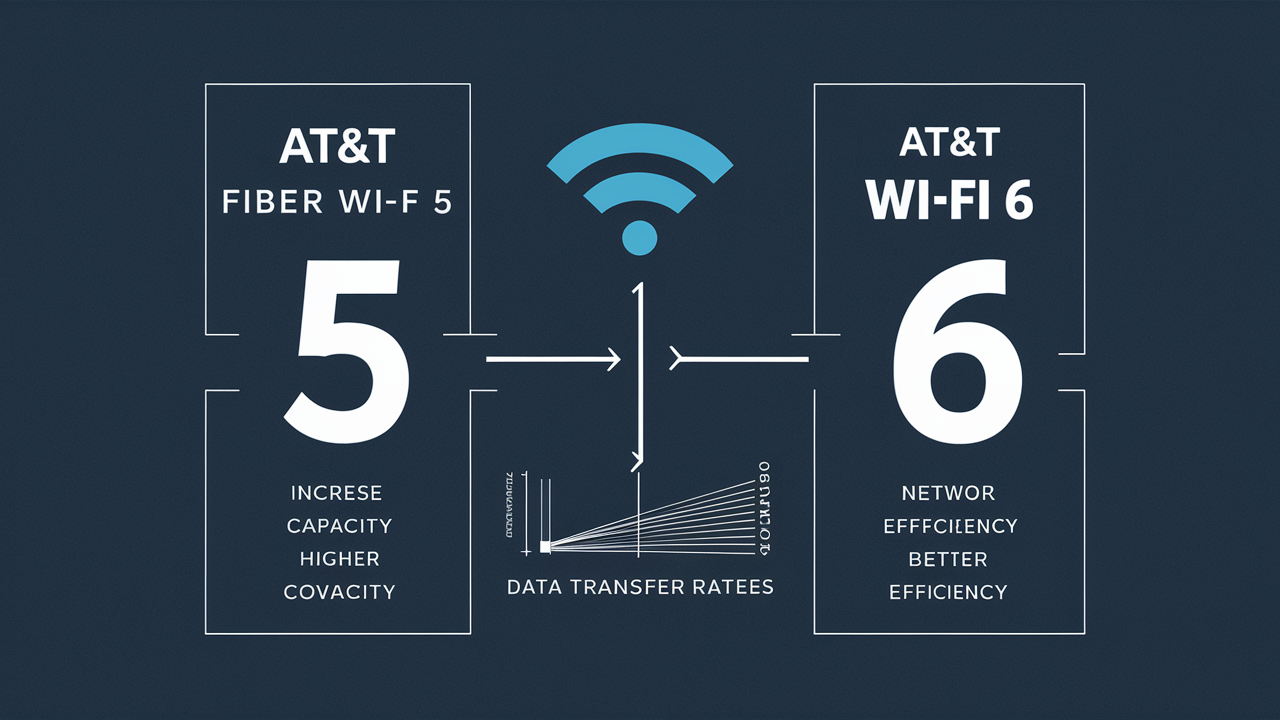
Wondering if AT&T Fiber utilizes Wi-Fi 5 or Wi-Fi 6 technology? This guide clarifies the current standards employed by AT&T Fiber, explaining the implications for your home internet speed and connectivity. We'll break down the differences and help you understand what to expect from your AT&T Fiber service.
Understanding Wi-Fi Standards: The Evolution
The evolution of Wi-Fi technology has been a continuous journey, marked by incremental improvements designed to deliver faster speeds, greater capacity, and more reliable connections. Each new Wi-Fi standard, identified by an IEEE 802.11 designation, brings significant advancements over its predecessor. Understanding these standards is crucial for appreciating the capabilities of your home network, especially when considering high-speed internet services like AT&T Fiber. These standards dictate how your devices communicate wirelessly with your router, influencing everything from streaming quality to the number of devices that can simultaneously connect without performance degradation. As technology progresses, so does the demand for more robust wireless protocols, pushing the boundaries of what's possible in our connected homes and offices.
The IEEE 802.11 Family Tree
The International Engineering Consortium (IEC) and the Institute of Electrical and Electronics Engineers (IEEE) are the bodies responsible for defining Wi-Fi standards. The naming convention, while sometimes confusing, follows a chronological and technological progression. Initially, standards were simply referred to by their IEEE designation, such as 802.11b, 802.11g, and 802.11n. To simplify this for consumers, the Wi-Fi Alliance introduced a generational naming system: Wi-Fi 4 (802.11n), Wi-Fi 5 (802.11ac), and Wi-Fi 6 (802.11ax). This simplified naming makes it easier for users to identify the capabilities of their routers and devices. Each generation builds upon the previous one, incorporating new technologies and optimizations to address the growing needs of an increasingly connected world. For instance, the transition from Wi-Fi 4 to Wi-Fi 5 brought about significant speed improvements, primarily by moving to the 5 GHz band and introducing MU-MIMO technology. Wi-Fi 6, the latest mainstream standard, further enhances efficiency, capacity, and performance, especially in crowded network environments.
Key Milestones in Wi-Fi Development
The journey from the earliest Wi-Fi standards to the current ones is a testament to rapid technological advancement. Here's a brief look at some pivotal moments:
- 802.11b (Wi-Fi 1): Introduced in 1999, it offered speeds up to 11 Mbps and operated on the 2.4 GHz band. This was the first widely adopted Wi-Fi standard.
- 802.11a (Wi-Fi 2): Also released in 1999, it operated on the 5 GHz band, offering faster speeds (up to 54 Mbps) but with shorter range.
- 802.11g (Wi-Fi 3): A significant upgrade in 2003, combining the speed of 802.11a with the range and backward compatibility of 802.11b, operating at up to 54 Mbps on the 2.4 GHz band.
- 802.11n (Wi-Fi 4): Launched in 2009, it was a major leap, introducing MIMO (Multiple-Input Multiple-Output) technology and supporting both 2.4 GHz and 5 GHz bands, with theoretical speeds up to 600 Mbps.
- 802.11ac (Wi-Fi 5): Introduced in 2013, this standard exclusively used the 5 GHz band, offering significantly higher speeds (up to several Gbps) through wider channels and MU-MIMO (Multi-User, Multiple-Input, Multiple-Output).
- 802.11ax (Wi-Fi 6): Released in 2019, Wi-Fi 6 focuses not just on speed but on efficiency and capacity, especially in dense environments. It operates on both 2.4 GHz and 5 GHz bands and introduces technologies like OFDMA and TWT.
Why Wi-Fi Standards Matter for Your Internet
The Wi-Fi standard your router supports directly impacts the performance of your wireless network. While your internet service provider (ISP) delivers the speed to your home via a wired connection (like fiber optic cable), it's your Wi-Fi router and your devices' Wi-Fi capabilities that determine how that speed is distributed wirelessly. An older Wi-Fi standard on your router can become a bottleneck, preventing you from experiencing the full potential of your high-speed internet plan. For example, if you have a multi-gigabit AT&T Fiber plan but a Wi-Fi 5 router, your wireless devices will likely not achieve those top speeds due to the limitations of the Wi-Fi 5 standard. Conversely, having a Wi-Fi 6 router and Wi-Fi 6-compatible devices ensures that the high speeds delivered by AT&T Fiber can be effectively utilized throughout your home wirelessly.
Is AT&T Fiber Wi-Fi 5 or Wi-Fi 6? The Direct Answer
As of late 2025 and into 2026, AT&T Fiber is actively deploying and utilizing Wi-Fi 6 (802.11ax) technology in its latest generation of gateway devices provided to new and upgrading customers. While older AT&T Fiber installations might have been equipped with Wi-Fi 5 (802.11ac) gateways, the company's current strategy prioritizes the superior performance and capacity of Wi-Fi 6. This means that if you are a new AT&T Fiber customer or have recently upgraded your equipment, you are very likely to be using a gateway that supports Wi-Fi 6. This transition is a critical step for AT&T to ensure its high-speed fiber optic network is complemented by a robust and efficient wireless network within the home.
AT&T's Commitment to Current Wi-Fi Standards
AT&T, like other major ISPs, recognizes the increasing demand for high-performance wireless connectivity. With the proliferation of smart home devices, high-definition streaming, online gaming, and remote work, the need for a more capable Wi-Fi network has never been greater. By adopting Wi-Fi 6, AT&T aims to provide its customers with a seamless and reliable wireless experience that can keep pace with the speeds offered by its fiber optic infrastructure. This proactive approach ensures that customers can leverage the full benefits of their AT&T Fiber service, from the moment the signal enters their home to the wireless connection on their devices. The company's investment in Wi-Fi 6 technology reflects its commitment to staying at the forefront of internet service delivery.
What This Means for Your Connection
For AT&T Fiber customers, the presence of Wi-Fi 6 technology in their gateway translates to several tangible benefits. It means potentially faster wireless speeds to compatible devices, improved performance in environments with many connected devices (like smart homes), and more stable connections, especially in areas with significant Wi-Fi interference. Even if some of your devices are not Wi-Fi 6 compatible, a Wi-Fi 6 router still offers improvements over older standards, including better handling of multiple connections simultaneously. This ensures a more consistent and less frustrating online experience for everyone in the household. The goal is to minimize the gap between the wired speed delivered by AT&T Fiber and the wireless speed experienced by your devices.
Deep Dive into Wi-Fi 6 (802.11ax)
Wi-Fi 6, also known by its technical designation 802.11ax, represents a significant evolution in wireless networking, moving beyond simply increasing peak speeds to fundamentally improving network efficiency, capacity, and performance in real-world conditions. Developed by the IEEE and promoted by the Wi-Fi Alliance, Wi-Fi 6 aims to deliver a better experience for all connected devices, particularly in environments where multiple devices are vying for bandwidth simultaneously. This is crucial for modern households that often have dozens of smart devices, smartphones, laptops, and streaming boxes all connected to the same network. The core innovations in Wi-Fi 6 are designed to manage this complexity more effectively, ensuring that each device gets the bandwidth it needs without significantly impacting others.
Key Technologies Powering Wi-Fi 6
Several groundbreaking technologies are integrated into the Wi-Fi 6 standard, differentiating it from its predecessors:
- OFDMA (Orthogonal Frequency Division Multiple Access): This is arguably the most significant advancement. Unlike previous standards that treated each transmission as a separate conversation, OFDMA allows a router to divide a Wi-Fi channel into smaller sub-channels. This means a single transmission can carry data for multiple devices simultaneously, dramatically increasing efficiency and reducing latency, especially for smaller data packets common in IoT devices and general browsing. Think of it like a delivery truck that can carry packages for several different addresses in one trip, rather than making separate trips for each.
- MU-MIMO (Multi-User, Multiple-Input, Multiple-Output): While introduced in Wi-Fi 5, MU-MIMO has been enhanced in Wi-Fi 6. It allows a router to communicate with multiple devices simultaneously, not just one after another. In Wi-Fi 6, MU-MIMO can be used in both the downlink (router to device) and uplink (device to router) directions, further boosting capacity and efficiency, especially when multiple devices are sending data upstream, such as during video calls or online gaming.
- 1024-QAM (Quadrature Amplitude Modulation): This modulation scheme allows for more data to be encoded into each signal transmission. While Wi-Fi 5 used 256-QAM, Wi-Fi 6's 1024-QAM can carry 25% more data per transmission, leading to higher theoretical speeds and better performance, especially in environments with good signal strength.
- Target Wake Time (TWT): This feature is a game-changer for battery-powered devices. TWT allows devices to schedule when they will wake up to communicate with the router. This means devices can sleep for longer periods, significantly conserving battery life. For smart home devices like sensors, cameras, and smart locks, this can extend battery life by months or even years.
- BSS Coloring (Basic Service Set Coloring): In dense environments with many Wi-Fi networks, interference can be a major issue. BSS Coloring helps devices identify transmissions from their own network versus transmissions from neighboring networks. This allows devices to ignore interference more effectively, leading to more stable and reliable connections.
Wi-Fi 6 vs. Wi-Fi 6E: A Brief Distinction
It's important to note the existence of Wi-Fi 6E. While Wi-Fi 6 operates on the traditional 2.4 GHz and 5 GHz bands, Wi-Fi 6E extends these capabilities into the 6 GHz band. This new 6 GHz band is less congested and offers more channels, providing even greater capacity and potentially higher speeds. AT&T Fiber gateways are currently focused on Wi-Fi 6. While Wi-Fi 6E is the next step, Wi-Fi 6 provides substantial improvements over Wi-Fi 5 and is the current standard being deployed by leading ISPs like AT&T for their fiber services. Future AT&T equipment may incorporate Wi-Fi 6E as the technology matures and becomes more widespread.
The Impact of Wi-Fi 6 on Your Network
The collective impact of these technologies is a Wi-Fi network that is not only faster but also more intelligent and efficient. Wi-Fi 6 excels in scenarios where:
- Multiple devices are connected: The efficiency gains of OFDMA and enhanced MU-MIMO are most pronounced when many devices are active.
- High-density environments: In apartment buildings or busy office spaces, BSS Coloring helps mitigate interference.
- Battery-powered devices are prevalent: TWT significantly extends battery life for IoT devices.
- Demand for consistent performance is high: OFDMA and improved modulation ensure more reliable speeds for all users.
For an AT&T Fiber customer, this means a more robust and future-proof wireless network that can better support the growing demands of their digital lives.
Key Benefits of Wi-Fi 6 for AT&T Fiber Users
The adoption of Wi-Fi 6 by AT&T Fiber is not just a technical upgrade; it translates into significant, tangible benefits for end-users. These advantages directly enhance the experience of using high-speed internet, ensuring that the power of fiber optic technology is fully realized within the home's wireless environment. For users who rely on their internet connection for a multitude of tasks, from streaming 4K video to participating in critical video conferences, these benefits are paramount. The improvements are most noticeable in scenarios where older Wi-Fi standards would typically struggle, such as crowded networks or when multiple high-bandwidth applications are running concurrently.
Enhanced Speed and Performance
While Wi-Fi 5 offered substantial speed increases over Wi-Fi 4, Wi-Fi 6 builds upon this by improving efficiency and data encoding. With 1024-QAM modulation, Wi-Fi 6 can pack more data into each transmission, leading to theoretical peak speeds that are up to 40% higher than Wi-Fi 5. For AT&T Fiber customers, this means that devices compatible with Wi-Fi 6 can achieve faster download and upload speeds wirelessly. This is particularly beneficial for tasks like downloading large files, streaming high-resolution content (like 4K or 8K video), and uploading large media files. Even if your device isn't Wi-Fi 6 compatible, the overall network efficiency improvements can still lead to a snappier and more responsive internet experience.
Increased Capacity and Efficiency
One of the most significant advantages of Wi-Fi 6 is its ability to handle a much larger number of connected devices simultaneously without a noticeable drop in performance. Technologies like OFDMA and enhanced MU-MIMO allow the router to communicate with more devices at once, and more efficiently. In a typical household in 2025-26, it's common to have dozens of connected devices: smartphones, tablets, laptops, smart TVs, gaming consoles, smart speakers, security cameras, smart thermostats, and more. Wi-Fi 6 is engineered to manage this complexity, ensuring that each device gets its share of bandwidth without causing congestion. This means smoother streaming, lag-free gaming, and more reliable connections for all your smart home gadgets.
Improved Performance in Congested Environments
Many users, especially those living in apartment buildings or densely populated areas, experience Wi-Fi interference from neighboring networks. Wi-Fi 6 introduces features like BSS Coloring, which helps devices distinguish between their own network's traffic and that of their neighbors. This allows devices to more effectively ignore interference, leading to more stable and reliable connections even in challenging wireless environments. For AT&T Fiber customers in such locations, this means a more consistent and dependable internet experience, reducing dropped connections and buffering.
Extended Battery Life for Devices
The Target Wake Time (TWT) feature in Wi-Fi 6 is a significant benefit for battery-powered devices. By allowing devices to schedule their communication with the router, TWT enables them to spend more time in a low-power sleep state. This can dramatically extend the battery life of smartphones, tablets, laptops, and especially the ever-growing number of Internet of Things (IoT) devices like smart sensors, cameras, and wearables. For AT&T Fiber users with an extensive smart home setup, this translates to less frequent battery replacements and a more seamless smart home experience.
Reduced Latency
Latency, the delay between sending a request and receiving a response, is critical for real-time applications like online gaming, video conferencing, and VoIP calls. Wi-Fi 6's OFDMA technology, by enabling more efficient data transmission, significantly reduces latency. This means that when you press a button in a game or speak in a video call, the action or your voice is transmitted and received with less delay. This leads to a more responsive and immersive experience for interactive online activities, a key benefit for gamers and remote professionals using AT&T Fiber.
Real-World Scenario: A Connected Family
Consider a family in 2025 using AT&T Fiber with a Wi-Fi 6 gateway. The parents are on a video conference for work, the teenagers are streaming 4K movies on separate devices, one child is playing an online multiplayer game, and smart home devices like thermostats and security cameras are actively communicating. With Wi-Fi 5, this scenario might lead to buffering, lag, and dropped connections. With Wi-Fi 6, the OFDMA and MU-MIMO technologies ensure that each of these activities receives the necessary bandwidth and low latency, providing a smooth and uninterrupted experience for everyone. The efficiency of Wi-Fi 6 makes the most of the high speeds provided by AT&T Fiber, ensuring that the wireless experience matches the wired potential.
Wi-Fi 5 vs. Wi-Fi 6: A Comparative Overview
To fully appreciate the advancements that AT&T Fiber is bringing with Wi-Fi 6, it's helpful to directly compare it with its predecessor, Wi-Fi 5 (802.11ac). While Wi-Fi 5 was a significant leap forward from Wi-Fi 4, Wi-Fi 6 introduces fundamental improvements in efficiency, capacity, and performance, particularly in demanding network environments. The differences are not just about theoretical maximum speeds but about how effectively the network handles real-world usage, especially with the increasing number of connected devices in modern homes. Understanding these distinctions clarifies why AT&T's adoption of Wi-Fi 6 is a crucial upgrade for its fiber customers.
Core Technological Differences
The most significant divergences between Wi-Fi 5 and Wi-Fi 6 lie in their underlying technologies:
- Channel Efficiency: Wi-Fi 5 primarily uses OFDM (Orthogonal Frequency Division Multiplexing), where a channel is dedicated to a single user at a time. Wi-Fi 6 introduces OFDMA, which allows a channel to be subdivided and serve multiple users simultaneously. This is a paradigm shift in efficiency.
- MU-MIMO: Wi-Fi 5 introduced MU-MIMO, but it was typically limited to downlink (router to device) and supported fewer simultaneous streams. Wi-Fi 6 enhances MU-MIMO, enabling it for both downlink and uplink, and supporting more simultaneous streams, further boosting capacity.
- Modulation: Wi-Fi 5 uses 256-QAM, while Wi-Fi 6 employs 1024-QAM. This higher modulation scheme in Wi-Fi 6 allows for more data to be transmitted in each signal, leading to higher theoretical speeds.
- Frequency Bands: Wi-Fi 5 operates exclusively on the 5 GHz band (though some routers might offer 2.4 GHz for backward compatibility). Wi-Fi 6 operates on both 2.4 GHz and 5 GHz bands, providing flexibility and leveraging the strengths of each band.
- Target Wake Time (TWT): This power-saving feature for devices is exclusive to Wi-Fi 6, offering significant battery life improvements for compatible devices.
- BSS Coloring: Wi-Fi 6 introduces BSS Coloring to mitigate interference in dense environments, a feature not present in Wi-Fi 5.
Performance Metrics: Speed, Capacity, and Latency
Here's a comparative look at key performance metrics:
| Feature | Wi-Fi 5 (802.11ac) | Wi-Fi 6 (802.11ax) |
|---|---|---|
| Theoretical Peak Speed | Up to 3.5 Gbps | Up to 9.6 Gbps |
| Efficiency & Capacity | OFDM, MU-MIMO (downlink) | OFDMA, Enhanced MU-MIMO (downlink & uplink) |
| Modulation | 256-QAM | 1024-QAM |
| Frequency Bands | Primarily 5 GHz | 2.4 GHz and 5 GHz |
| Latency | Moderate | Significantly Reduced |
| Power Saving (Devices) | Limited | Target Wake Time (TWT) |
| Interference Management | Basic | BSS Coloring |
Real-World Implications for AT&T Fiber Users
For an AT&T Fiber customer, the transition from a Wi-Fi 5 gateway to a Wi-Fi 6 gateway means a more robust and responsive home network. Even if your internet plan is not the highest tier (e.g., 300 Mbps or 500 Mbps), Wi-Fi 6 will ensure that you can utilize that speed more effectively across multiple devices. For those with multi-gigabit plans, Wi-Fi 6 is essential to avoid a wireless bottleneck that would prevent you from experiencing the full potential of your AT&T Fiber connection. The improved capacity means that even with a growing number of smart home devices, your core internet activities like streaming and gaming will remain smooth and uninterrupted. Essentially, Wi-Fi 6 makes your AT&T Fiber connection more future-proof and better equipped to handle the demands of modern digital life.
AT&T Equipment: What You Get with Fiber
When you sign up for AT&T Fiber service, the equipment provided plays a crucial role in delivering both the high-speed wired connection and the wireless network within your home. AT&T has been progressively updating its gateway devices to incorporate the latest Wi-Fi standards. As of late 2025 and into 2026, the company is actively deploying gateways that support Wi-Fi 6 (802.11ax). This ensures that new customers and those who upgrade their service or equipment receive the benefits of this advanced wireless technology. Understanding the typical AT&T Fiber gateway and its capabilities is key to maximizing your internet experience.
The AT&T Fiber Gateway
AT&T typically provides a single device that functions as both a modem (connecting to the fiber line) and a Wi-Fi router. These devices are often referred to as gateways. The specific model may vary depending on your location and the service plan you choose, but the trend is towards equipping customers with the most current technology available. For AT&T Fiber, the latest gateways are designed to be Wi-Fi 6 compliant. This means they broadcast Wi-Fi signals using the 802.11ax standard, offering the enhanced speeds, capacity, and efficiency associated with Wi-Fi 6. These gateways are engineered to handle the high bandwidths that AT&T Fiber can deliver, ensuring that the wired speeds translate effectively to your wireless devices.
Identifying Your Gateway's Wi-Fi Standard
If you are an existing AT&T Fiber customer and are unsure whether your gateway supports Wi-Fi 5 or Wi-Fi 6, there are a few ways to find out:
- Check the Device Label: Often, the model number and Wi-Fi standard are printed on a sticker on the bottom or back of the gateway. Look for terms like "Wi-Fi 6," "802.11ax," or specific model numbers known to support Wi-Fi 6 (e.g., AT&T's Smart Home Manager app or website may list compatible models).
- AT&T Smart Home Manager App: AT&T provides a mobile app called Smart Home Manager. Once logged in with your AT&T account, this app often provides detailed information about your gateway, including its capabilities and the Wi-Fi standards it supports.
- AT&T Account Online: Logging into your AT&T account on their website can also provide equipment details. Navigate to your service or equipment section.
- Contact AT&T Support: If you cannot find the information through the above methods, contacting AT&T customer support directly is the most reliable way to confirm your gateway's Wi-Fi standard.
It's important to note that while AT&T is deploying Wi-Fi 6 gateways, older installations might still be using Wi-Fi 5 (802.11ac) models. If your current gateway is Wi-Fi 5, and you have a high-speed AT&T Fiber plan, upgrading your gateway to a Wi-Fi 6 model could significantly improve your wireless performance.
What if My Device Isn't Wi-Fi 6 Compatible?
Even if some of your devices are older and only support Wi-Fi 5 or even Wi-Fi 4, having a Wi-Fi 6 gateway from AT&T Fiber still provides benefits. Wi-Fi 6 routers are backward compatible, meaning they can communicate with older devices. Furthermore, the overall network efficiency improvements of Wi-Fi 6, such as OFDMA, can still lead to a better experience for all devices on the network, even older ones. The Wi-Fi 6 gateway will manage the network more effectively, reducing congestion and improving performance for everyone. For optimal performance, however, pairing a Wi-Fi 6 gateway with Wi-Fi 6-compatible devices is recommended.
Upgrading Your AT&T Equipment
If you have an older AT&T Fiber gateway that supports only Wi-Fi 5, and you are experiencing performance issues or have a high-speed plan that isn't being fully utilized wirelessly, you may be eligible for an equipment upgrade. Contacting AT&T customer service is the best way to inquire about upgrade options. They can assess your current setup and recommend the most suitable Wi-Fi 6 gateway for your needs, ensuring you can take full advantage of your AT&T Fiber service. This is especially relevant if you've recently upgraded your internet speed tier and are not seeing the expected wireless performance.
Optimizing Your AT&T Fiber Wi-Fi Experience
Having AT&T Fiber and a Wi-Fi 6-capable gateway is a fantastic foundation for a high-performance home network. However, to truly maximize your wireless experience, a few optimization strategies can make a significant difference. These tips focus on leveraging the capabilities of your Wi-Fi 6 equipment and ensuring that your home environment is conducive to strong, reliable Wi-Fi signals. By implementing these best practices, you can ensure that you're getting the most out of your AT&T Fiber connection and enjoying seamless connectivity across all your devices.
Router Placement is Key
The physical location of your AT&T Fiber gateway is one of the most critical factors influencing Wi-Fi signal strength and coverage. Here's how to optimize placement:
- Central Location: Position your gateway as close to the center of your home as possible. This helps distribute the signal evenly in all directions.
- Elevated Position: Place the gateway on a shelf or table, rather than on the floor. Wi-Fi signals tend to travel downwards, so an elevated position can improve coverage.
- Avoid Obstructions: Keep the gateway away from thick walls (especially concrete or brick), large metal objects (like refrigerators or filing cabinets), and aquariums, as these can absorb or reflect Wi-Fi signals.
- Minimize Interference: Position the gateway away from other electronic devices that can cause interference, such as microwaves, cordless phones, and Bluetooth devices.
Update Your Devices
To fully benefit from Wi-Fi 6, your devices (laptops, smartphones, tablets, smart TVs, etc.) should also support Wi-Fi 6. While a Wi-Fi 6 gateway is backward compatible, you'll experience the highest speeds and best performance when both the router and the device are Wi-Fi 6 enabled. Regularly check for firmware updates for your devices, as these can sometimes include improvements to Wi-Fi performance. For newer devices purchased in 2025-26, Wi-Fi 6 support is becoming increasingly standard.
Leveraging the AT&T Smart Home Manager App
The AT&T Smart Home Manager app is a powerful tool for managing your home network. Use it to:
- View Connected Devices: See all devices connected to your network.
- Check Wi-Fi Performance: Monitor your network speed and signal strength.
- Restart Your Gateway: A simple restart can often resolve minor connectivity issues.
- Manage Network Settings: Change your Wi-Fi name (SSID) and password for enhanced security.
- Create Guest Networks: Provide internet access to visitors without compromising your main network security.
Consider a Mesh Wi-Fi System (If Needed)
For larger homes or homes with challenging layouts (e.g., multiple floors, thick walls), a single gateway might not provide adequate coverage to all areas. In such cases, a mesh Wi-Fi system can be an excellent solution. A mesh system consists of a main router and satellite nodes that work together to create a single, seamless Wi-Fi network throughout your home. Many mesh systems are Wi-Fi 6 compatible, allowing them to work harmoniously with your AT&T Fiber Wi-Fi 6 gateway. You would typically connect the mesh system's primary node to your AT&T gateway via Ethernet, and then disable the Wi-Fi on the AT&T gateway to avoid interference.
Steps to integrate a Mesh System:
- Purchase a Wi-Fi 6 Mesh System: Ensure it supports Wi-Fi 6 for optimal performance.
- Connect the Main Mesh Node: Plug the primary mesh node into one of the Ethernet ports on your AT&T Fiber gateway.
- Configure the Mesh System: Follow the manufacturer's instructions to set up your mesh network.
- Disable Wi-Fi on AT&T Gateway: Access your AT&T gateway's settings (usually via the Smart Home Manager app or a web browser) and disable its Wi-Fi broadcast. This prevents interference between the AT&T gateway and your mesh system.
- Place Satellite Nodes: Strategically place the satellite nodes around your home to ensure complete coverage.
Security Best Practices
Keeping your Wi-Fi network secure is paramount. Always ensure your Wi-Fi password is strong and unique. Change the default password provided by AT&T. Regularly update your gateway's firmware, which AT&T typically handles automatically, but it's good to be aware of. Using WPA3 encryption, if supported by your gateway and devices, offers the highest level of security.
The Future of Wi-Fi and AT&T's Role
The landscape of wireless technology is constantly evolving, and AT&T Fiber is positioned to leverage these advancements to deliver increasingly superior internet experiences. As the demand for bandwidth, speed, and seamless connectivity continues to grow, so does the innovation in Wi-Fi standards. AT&T's commitment to deploying Wi-Fi 6 gateways is a clear indication of its strategy to stay ahead of the curve and provide its customers with future-ready technology. Looking ahead, the progression towards even more advanced Wi-Fi standards and the integration of new technologies will shape how we interact with the internet.
Beyond Wi-Fi 6: The Road Ahead
While Wi-Fi 6 is the current leading standard being adopted by ISPs like AT&T, the industry is already looking towards the next generation. Wi-Fi 7 (802.11be) is on the horizon, promising even greater speeds, lower latency, and enhanced capacity. Key advancements expected in Wi-Fi 7 include:
- Multi-Link Operation (MLO): Allows devices to connect to multiple bands simultaneously, improving throughput and reliability.
- Wider Channels: Support for 320 MHz channels in the 6 GHz band, doubling the channel width of Wi-Fi 6E.
- More Advanced Modulation: Potentially 4096-QAM for even higher data density.
- Improved Interference Management: Further enhancements to ensure performance in crowded environments.
As these standards develop and become more mainstream, AT&T will undoubtedly evaluate and integrate them into its service offerings to maintain its competitive edge and provide the best possible experience for its fiber customers. The continuous development of Wi-Fi standards ensures that the bottleneck will increasingly shift from the wireless connection to the available internet speed, making high-speed fiber like AT&T's even more valuable.
AT&T's Role in Enabling Future Connectivity
AT&T's investment in fiber optic infrastructure provides the high-speed backbone necessary to support future wireless technologies. Fiber optic cables offer unparalleled bandwidth and low latency, which are essential for realizing the full potential of advanced Wi-Fi standards. By providing Wi-Fi 6 gateways, AT&T is ensuring that the speed and capacity delivered by its fiber network can be efficiently transmitted wirelessly within the home. This proactive approach means that as new devices and applications emerge that demand more from our networks, AT&T Fiber customers will be well-equipped to handle them. The company's ongoing commitment to network upgrades, including the adoption of Wi-Fi 6, demonstrates its dedication to leading the way in providing high-performance internet services.
The Synergy of Fiber and Advanced Wi-Fi
The true power of modern internet service lies in the synergy between the wired and wireless components of the network. AT&T Fiber provides the robust, high-speed connection from the outside world into the home. Wi-Fi 6, and future standards, then ensure that this speed and capacity are effectively distributed throughout the home to all connected devices. This integrated approach is crucial for supporting the growing demands of smart homes, immersive entertainment, and advanced communication. As AT&T continues to expand its fiber footprint and upgrade its gateway technology, it solidifies its position as a provider of cutting-edge connectivity solutions, ready for the challenges and opportunities of the digital future.
In conclusion, AT&T Fiber is actively deploying and utilizing Wi-Fi 6 (802.11ax) technology in its latest gateway devices. This means that if you are a new AT&T Fiber customer or have recently upgraded your equipment, you are very likely benefiting from the enhanced speeds, capacity, and efficiency of Wi-Fi 6. While older installations might have used Wi-Fi 5, the current standard AT&T provides is Wi-Fi 6. For the best experience, ensure your devices are also Wi-Fi 6 compatible and consider optimizing your gateway's placement. This combination will allow you to fully leverage the incredible speeds of AT&T Fiber.