Returning your CenturyLink modem can seem like a daunting task, but this comprehensive guide breaks down the entire process. We'll cover everything from understanding why you need to return your equipment to the final steps of ensuring a smooth and successful return, saving you potential fees and hassle.
Understanding CenturyLink Modem Returns
CenturyLink, now often operating under the Lumen Technologies umbrella for its internet services, has specific procedures for equipment returns. Whether you're upgrading your service, moving to an area not served by CenturyLink, or switching providers, understanding these procedures is crucial to avoid unexpected charges. This guide aims to demystify the process, providing you with all the information needed to return your CenturyLink modem efficiently and without complications.
The primary reason for returning your CenturyLink modem is typically when your service agreement ends or changes. CenturyLink, like most internet service providers (ISPs), often provides modems or gateways (which combine modem and router functionality) as part of your service package. These devices are usually leased, meaning they remain the property of CenturyLink. When you discontinue service or upgrade to a different type of equipment, you are obligated to return the leased hardware.
Failure to return leased equipment can result in significant fees. These fees can range from the depreciated value of the modem to a flat restocking or unreturned equipment charge. For instance, as of 2025, unreturned modem fees for CenturyLink can range from $100 to $200 or more, depending on the specific model and your service plan. Therefore, understanding the return process is not just about convenience; it's about protecting your wallet.
This article will walk you through every step, from identifying the correct equipment to be returned, to the various methods available for sending it back, and what to do if you encounter any issues. We'll ensure you have the knowledge to handle your CenturyLink modem return with confidence.
When Do You Need to Return Your CenturyLink Modem?
Several scenarios necessitate the return of your CenturyLink modem. Knowing these triggers will help you proactively prepare for the return process.
Discontinuation of Service
The most common reason to return your CenturyLink modem is when you decide to cancel your internet service altogether. Whether you're moving out of CenturyLink's service area, switching to a different ISP, or no longer need internet service, you'll be required to return the equipment provided by CenturyLink.
Upgrading Equipment
In some cases, CenturyLink might upgrade its network technology or offer newer, more advanced modem/router combinations. If you opt for an equipment upgrade, you will likely need to return your old CenturyLink modem to make way for the new one. This is especially true if the new equipment is also a leased device.
Moving to a New Residence
If you are moving to a new home, you have two primary options regarding your CenturyLink service: transferring it or canceling it. If you are transferring service to a new address within CenturyLink's coverage area, you might be able to keep your existing modem, especially if it's compatible with the new location. However, if you're moving to an area not served by CenturyLink, or if the new location requires different equipment (e.g., fiber optic installation versus DSL), you will need to return your current modem.
Service Plan Changes
Occasionally, changes to your service plan might involve different equipment. For example, if you switch from a DSL plan to a fiber optic plan, the modem technology required will differ, and you'll need to return the old DSL modem.
End of Contract or Promotional Period
While less common for modem returns specifically, if your service contract has specific clauses about equipment that change at the end of a term, you might be prompted to return your modem. Always review your service agreement for details regarding equipment obligations.
It's important to note that CenturyLink typically provides a grace period or a specific timeframe within which you must return the equipment after service termination or equipment change. Missing this window can lead to unreturned equipment fees. As of 2025, this window is generally 15 to 30 days from the service disconnection date. You will usually receive a return kit or instructions via mail or email outlining the exact deadline.
Preparing Your CenturyLink Modem for Return
Proper preparation is key to a smooth return process. This involves gathering all necessary components and ensuring the equipment is in good condition.
Identify the Correct Equipment
CenturyLink provides various types of equipment, including modems, routers, and gateways. You need to return all leased CenturyLink-branded hardware. This typically includes the main modem/gateway unit and any associated power adapters and Ethernet cables that were provided by CenturyLink. If you purchased your own modem, you do not need to return it.
Key items to look for:
- The primary modem or gateway unit.
- The power cord/adapter for the modem/gateway.
- Any Ethernet cables that came with the device.
- If you received a separate router from CenturyLink, that should also be returned.
Check your original service agreement or any equipment receipts to confirm which items were leased from CenturyLink.
Gather All Accessories
Ensure you have all the original accessories that came with your CenturyLink modem. This typically includes the power adapter and any necessary cables. If you are missing accessories, contact CenturyLink customer support before returning the modem to understand if this will incur additional charges. In many cases, the power adapter is essential for the equipment to be considered "returned" in a usable state.
Factory Reset (Optional but Recommended)
While not always mandatory, performing a factory reset on your modem can be a good practice. This erases your personal network settings, Wi-Fi name (SSID), and password, ensuring your information is not accessible. To perform a factory reset:
- Locate the reset button on your modem. It's usually a small, recessed button on the back or bottom of the device.
- You will likely need a paperclip or a similar pointed object to press and hold the button.
- With the modem powered on, press and hold the reset button for about 10-15 seconds.
- The modem lights should flash, indicating it's restarting and resetting to factory defaults.
Refer to your modem's specific model documentation for precise instructions, as the process can vary slightly.
Clean the Equipment
Give the modem and its accessories a quick wipe-down to remove dust and grime. While not critical for functionality, it presents a more professional and responsible return.
Securely Package the Equipment
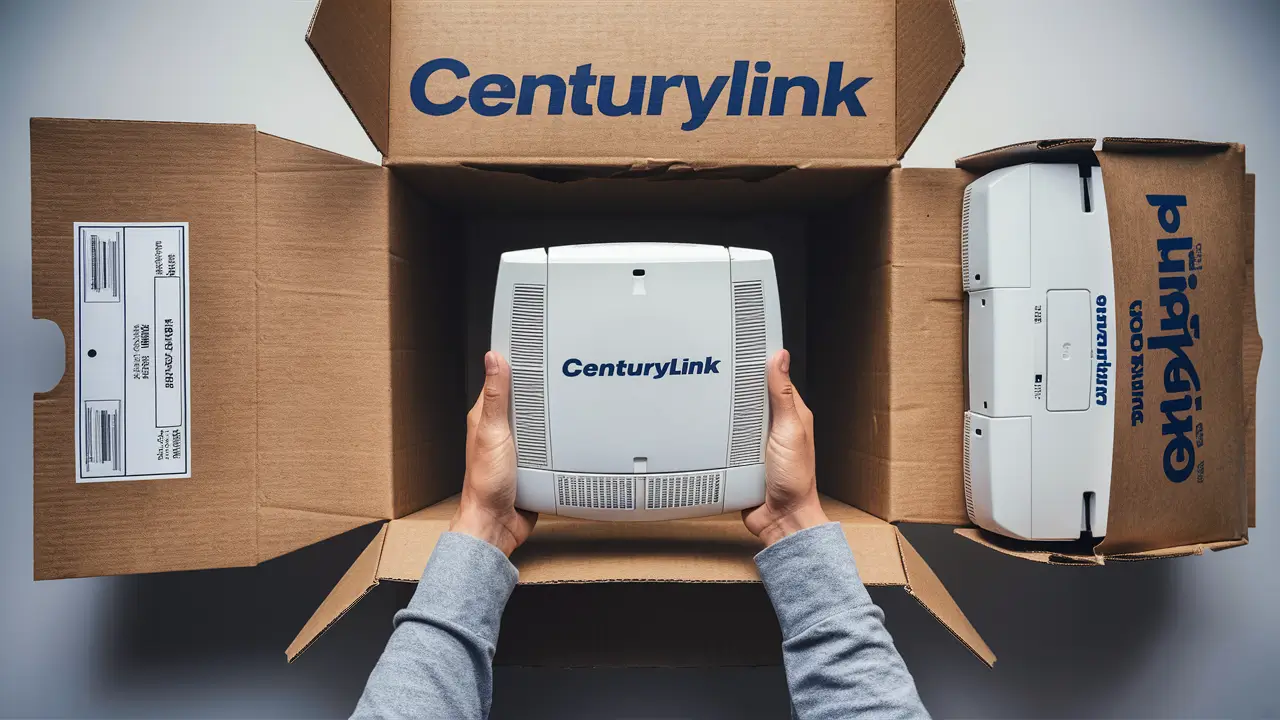
Once you have all the components ready, package them securely. If CenturyLink provided a return kit with a box and shipping label, use that. If not, use a sturdy box and ample packing material (like bubble wrap or packing peanuts) to prevent damage during transit. Ensure the modem and accessories are snug and won't shift around.
Important Note: Do NOT return any personal equipment, such as your own router that you purchased separately, or any equipment that was not provided by CenturyLink.
CenturyLink Modem Return Methods
CenturyLink offers several convenient ways to return your leased modem. Choosing the right method depends on your preference and what's available in your area.
Shipping the Modem via Prepaid Label
This is often the most common and recommended method. CenturyLink will typically send you a prepaid shipping label and packaging materials (or instructions on how to package) to return your equipment via a designated carrier, such as FedEx or UPS.
- How it works: You'll receive a shipping label, usually via email or mail. Package your modem and accessories as instructed, affix the label to the box, and drop it off at an authorized carrier location.
- Tracking: Keep the tracking number provided by the carrier. This is your proof of return and can be invaluable if any issues arise.
- Cost: The shipping is typically prepaid by CenturyLink, meaning you don't incur direct shipping costs.
In-Person Drop-off at a Retail Location
In some areas, CenturyLink (or its authorized partners) may offer in-person return locations. This can be a faster way to return your equipment and get immediate confirmation.
- Locations: These might include specific CenturyLink retail stores, authorized service centers, or partner locations like FedEx or UPS stores that accept returns.
- Process: You'll bring your packaged equipment to the designated location. The staff will scan the equipment and provide you with a receipt or confirmation of the return.
- Convenience: This method eliminates the need for shipping and provides instant verification.
Return Kit Provided by CenturyLink
CenturyLink often sends out a pre-paid return kit. This kit usually contains a box, packing materials, and a prepaid shipping label. Follow the instructions provided with the kit carefully. This is designed to make the process as seamless as possible.
Coordination with Technicians (Less Common)
In rare cases, if a technician is scheduled to visit your home for service changes or disconnection, they might be able to collect the old equipment directly. However, this is not a standard procedure and should be confirmed with customer service when scheduling the appointment.
Important Considerations for All Methods:
- Timing: Always adhere to the return deadline provided by CenturyLink. Missing the deadline can lead to substantial unreturned equipment fees.
- Proof of Return: Regardless of the method chosen, always obtain and keep proof of your return. This could be a shipping receipt with a tracking number or a drop-off confirmation slip.
- Customer Service: If you are unsure about the return method or have specific questions, contact CenturyLink customer support. They can guide you through the process and provide the most up-to-date information.
Shipping Your CenturyLink Modem
Shipping your CenturyLink modem is a straightforward process, especially when you utilize the prepaid shipping label and instructions provided by the company. Here’s a detailed breakdown to ensure everything goes smoothly.
Receiving Your Return Kit and Label
After you've initiated the return process (usually by canceling service or being notified of an equipment upgrade), CenturyLink will typically send you a return kit. This kit may contain:
- A sturdy box suitable for shipping the modem.
- Packing materials like bubble wrap or foam inserts.
- A prepaid shipping label with a tracking number.
- Instructions on how to pack and ship the equipment.
If you don't receive a physical kit, you might receive an email with a link to print a prepaid shipping label. Ensure you check your spam or junk folders if you don't see it in your inbox.
Packaging Your Modem and Accessories
Carefully follow the packaging instructions provided. Generally, you should:
- Place the modem and all its accessories (power cord, Ethernet cables) inside the box.
- Use the provided packing materials to cushion the items and prevent them from moving around during transit. This is crucial to avoid damage.
- Ensure all essential components, like the power adapter, are included. If you are missing an accessory, contact CenturyLink customer support beforehand.
- Seal the box securely with strong packing tape.
Affixing the Shipping Label
Peel and stick the prepaid shipping label onto the outside of the box. Make sure the label is clearly visible and that no other old shipping labels are obstructing it. If you printed the label yourself, ensure it's printed clearly and at the correct size.
Dropping Off the Package
Take the sealed and labeled package to an authorized drop-off location for the shipping carrier specified on the label (e.g., a FedEx or UPS store). These locations are equipped to accept packages and will scan your label.
Obtaining Proof of Shipment
This is a critical step. When you drop off the package, ask the retail associate for a receipt. This receipt will contain the tracking number for your shipment. This tracking number is your proof that you have shipped the equipment back to CenturyLink. Keep this receipt in a safe place until you have confirmation that the return has been processed by CenturyLink.
Tracking Your Return
Use the tracking number from your receipt to monitor the progress of your shipment on the carrier's website (e.g., FedEx.com or UPS.com). This will show you when the package has been delivered to CenturyLink's return facility.
Potential Shipping Issues and Solutions
- Lost Package: If the tracking information shows the package is lost or significantly delayed, contact the shipping carrier immediately. Then, contact CenturyLink customer support with your proof of shipment and tracking details.
- Damaged Equipment: If the equipment is damaged during shipping, the carrier's insurance might cover it, especially if you used their provided packaging. Document any damage with photos if possible and inform CenturyLink.
- No Return Kit Received: If you never received a return kit or prepaid label, contact CenturyLink customer service. They can resend the kit or provide alternative instructions.
By carefully following these steps, you can ensure your CenturyLink modem is shipped correctly and that you have the necessary documentation to protect yourself from potential fees.
In-Person CenturyLink Modem Returns
For customers who prefer a more immediate and tangible way to return their CenturyLink modem, in-person drop-off locations can be a convenient option. This method often provides instant confirmation and eliminates the waiting period associated with shipping.
Identifying Authorized Drop-off Locations
CenturyLink partners with various retail locations and shipping carriers to accept equipment returns. The most common authorized drop-off points include:
- FedEx Office locations: Many FedEx Office stores accept packages for return to CenturyLink.
- UPS Store locations: Similarly, UPS Stores often serve as drop-off points.
- Specific CenturyLink Retail Stores: While less common now, some dedicated CenturyLink stores might still accept returns.
How to find a location:
- Check Your Return Instructions: The most reliable source for authorized locations is the return documentation provided by CenturyLink when you cancel service or arrange for an equipment return. This documentation usually lists specific drop-off partners.
- Contact CenturyLink Customer Support: If you are unsure about available locations, call CenturyLink customer service. They can provide you with the nearest authorized drop-off point based on your address.
- Carrier Websites: You can also visit the websites of FedEx or UPS and use their "Store Locator" or "Drop-off Locator" tools to find authorized shipping centers near you.
Preparing for Your In-Person Return
Even for in-person returns, preparation is key:
- Package Your Equipment: While some locations might offer packaging services, it's best to have your modem and accessories (power cord, cables) securely packaged in a box beforehand. This protects the equipment and speeds up the process.
- Include All Necessary Items: Ensure you have the modem, power adapter, and any other leased accessories provided by CenturyLink.
- Bring Identification: You may need to show identification to the store associate.
The Drop-off Process
When you arrive at the authorized drop-off location:
- Hand Over the Package: Present your packaged modem to the store associate.
- Scanning and Confirmation: The associate will scan the package and the shipping label. They will then process it as a return shipment.
- Obtain a Receipt: This is crucial. Request a printed receipt or a confirmation email that shows the date of return and ideally includes a tracking number or a confirmation code. This receipt is your proof of return.
Benefits of In-Person Returns
- Immediate Confirmation: You get immediate proof that the equipment has been handed over.
- Reduced Risk of Loss: Since the package is scanned upon drop-off, the risk of it getting lost in transit is significantly lower.
- Faster Processing (Potentially): In some cases, returns dropped off in person might be processed slightly faster than those sent through standard mail.
Potential Issues with In-Person Returns
- Limited Availability: In-person drop-off locations might not be available in all areas, especially rural ones.
- Inconvenience: You need to physically travel to a drop-off location, which might not be convenient for everyone.
- Incorrect Drop-off Location: Dropping off equipment at a location not authorized by CenturyLink could lead to it not being processed correctly, potentially incurring fees. Always verify the location is an official partner.
Choosing the in-person return method can offer peace of mind and a quick resolution, provided you have a convenient and authorized location available. Always prioritize obtaining a verifiable receipt.
What to Expect After Returning Your CenturyLink Modem
Once you've successfully returned your CenturyLink modem, there are a few follow-up steps and expectations to manage. Understanding these will help you confirm the return is complete and avoid any lingering issues.
Confirmation of Return Processing
After CenturyLink receives your returned equipment, they will process it at their return facility. This typically involves logging the equipment back into their inventory. This process can take anywhere from a few days to a couple of weeks, depending on shipping times and internal processing speeds.
You might receive a confirmation email from CenturyLink indicating that your equipment has been received and processed. If you don't receive this confirmation within a reasonable timeframe (e.g., 2-3 weeks after shipping), it's a good idea to follow up.
Final Billing and Fees
Your final CenturyLink bill should reflect the disconnection of service and the return of equipment. If you were charged any unreturned equipment fees prior to the return, these should be credited back to your account once the return is processed. However, this can sometimes take another billing cycle.
Review your final bill carefully. Ensure that:
- There are no charges for leased equipment that you have successfully returned.
- Any prorated charges for your last month of service are accurate.
- There are no unexpected service fees or penalties.
If you see any discrepancies, especially unreturned equipment fees after you have proof of return, contact CenturyLink customer support immediately. Having your shipping receipt and tracking information will be crucial in resolving such disputes.
Account Closure
The return of equipment is usually the final step in closing your CenturyLink account. Once the equipment is processed, your account should be fully deactivated. You will no longer be billed for internet service.
What if You Don't Get Confirmation?
If you haven't received confirmation of your return within 3-4 weeks of shipping, and your tracking information shows it was delivered, it's time to act:
- Gather Your Proof: Have your shipping receipt, tracking number, and any correspondence with CenturyLink readily available.
- Contact CenturyLink Customer Support: Call their customer service line. Explain the situation, provide your tracking details, and inquire about the status of your return.
- Escalate if Necessary: If the initial customer service representative cannot resolve the issue, ask to speak with a supervisor or a representative from the equipment returns department.
- File a Dispute: If CenturyLink insists the equipment was not returned despite your proof, you may need to file a formal dispute. This process can vary, but it usually involves submitting documentation to a dedicated department.
Returning Equipment You Own
If you purchased your modem outright from CenturyLink or a third party and are no longer using it, you do not need to return it. CenturyLink only requires the return of leased equipment. If you are unsure whether your modem was leased or purchased, check your original service agreement or billing statements.
By staying vigilant and keeping records, you can ensure a clean closure of your CenturyLink account and avoid any unwanted charges related to your modem.
Common Issues and Solutions When Returning a CenturyLink Modem
While the return process is generally smooth, some customers encounter issues. Being aware of these common problems and their solutions can save you time and frustration.
Issue 1: Not Receiving Return Instructions or Kit
Problem: You've canceled service or been told to return your modem, but you haven't received any return instructions or a shipping kit from CenturyLink.
Solution:
- Check Spam/Junk Folders: Emails with return labels or instructions can sometimes be filtered incorrectly.
- Contact Customer Support: Call CenturyLink customer service. Explain that you need to return equipment and haven't received the necessary materials. They can resend the instructions, email you a printable label, or guide you to an in-person drop-off location.
- Verify Contact Information: Ensure CenturyLink has your correct mailing address and email address on file.
Issue 2: Damaged or Missing Equipment
Problem: The modem or accessories were damaged during shipping, or you realize you're missing a crucial component like the power adapter.
Solution:
- Missing Accessories: Contact CenturyLink customer support immediately. Explain which accessory is missing. They will advise if this will incur a fee or if you can proceed with the return. Sometimes, they may allow you to return without a minor accessory, but it's best to confirm.
- Damaged Equipment: If the damage occurred during shipping, and you used CenturyLink's provided packaging and label, the carrier's insurance should cover it. Document the damage with photos if possible. Contact CenturyLink customer support with your tracking information and details about the damage. They will guide you on how to proceed, which might involve filing a claim with the carrier.
Issue 3: Missing Proof of Return
Problem: You returned the modem, but you can't find your shipping receipt or drop-off confirmation.
Solution:
- Contact Carrier: If you shipped via FedEx or UPS, you can often contact the carrier with the approximate date and location of drop-off. They might be able to retrieve the tracking information or a confirmation scan from their system.
- Contact CenturyLink: Explain the situation. While proof is essential, CenturyLink might be able to locate the return in their system if it was delivered. However, this is more challenging without your documentation.
- Preventative Measure: Always take a photo of your shipping receipt or the package with the label before dropping it off.
Issue 4: Charged Unreturned Equipment Fees After Returning
Problem: You received your final bill and were charged a fee for unreturned equipment, even though you have proof you sent it back.
Solution:
- Gather All Evidence: Collect your shipping receipt, tracking number, delivery confirmation from the carrier's website, and any communication with CenturyLink regarding the return.
- Contact Customer Support: Call CenturyLink and explain that you were incorrectly charged. Provide all your evidence.
- Escalate the Issue: If the initial representative cannot resolve it, ask to speak with a supervisor or a specialized department that handles billing disputes and equipment return discrepancies.
- Formal Dispute: If necessary, file a formal dispute with CenturyLink. Follow their prescribed process for disputing charges.
Issue 5: Returning Equipment You Own
Problem: You're unsure if the modem you have is leased or purchased, and you're returning it unnecessarily.
Solution:
- Review Service Agreement: Check your original CenturyLink service contract. It should specify whether the modem was leased or purchased.
- Check Billing Statements: Look at your past CenturyLink bills. Leased equipment is typically listed as a monthly rental fee. Purchased equipment would have been a one-time charge.
- Contact Customer Support: If you're still unsure, call CenturyLink and ask them to confirm the status of your equipment.
Being proactive, keeping thorough records, and communicating clearly with CenturyLink customer support are the best strategies for overcoming any challenges during the modem return process.
Frequently Asked Questions (Covered in Detail)
This section addresses common queries about returning CenturyLink modems, providing detailed answers to ensure you have a complete understanding.
What happens if I don't return my CenturyLink modem?
If you fail to return your leased CenturyLink modem within the specified timeframe after service cancellation or equipment change, CenturyLink will charge you an unreturned equipment fee. As of 2025, these fees can be substantial, often ranging from $100 to $200 or more, depending on the model of the modem and your service plan. These fees represent the cost of the equipment that CenturyLink can no longer recover. It's crucial to adhere to the return policy to avoid these penalties.
How long do I have to return my CenturyLink modem?
The typical timeframe provided by CenturyLink for returning leased equipment is between 15 to 30 days from the date your service is disconnected or you receive notification to return the equipment. This period is clearly stated in the return instructions you receive, often via email or mail. It is essential to mark this deadline on your calendar and initiate the return process promptly to avoid missing it.
Can I return my modem to any CenturyLink store?
Not necessarily. While some CenturyLink retail stores might accept returns, it's not a universal practice. CenturyLink often partners with specific shipping carriers like FedEx or UPS for returns. The most reliable way to determine authorized return locations is to check the return instructions provided by CenturyLink or to call their customer service directly. Returning equipment to an unauthorized location could result in it not being processed correctly, leading to potential fees.
What if I moved and didn't take my modem with me?
If you moved and canceled your CenturyLink service at your old address, you are still obligated to return any leased equipment from that location. You should arrange for the return of the modem from your previous residence. If you are transferring service to a new address, CenturyLink will advise you whether you can keep your existing modem or if you need to return it and receive new equipment at your new location.
Do I need to return the original box?
Generally, you do not need to return the original retail box the modem came in. CenturyLink usually provides a shipping box as part of their return kit, or they instruct you to use any suitable sturdy box. The primary goal is to ensure the modem and its essential accessories are packaged securely to prevent damage during transit.
Can I sell my CenturyLink modem instead of returning it?
You can only sell a CenturyLink modem if you purchased it outright from CenturyLink or a third-party retailer and it is not leased equipment. Leased modems are the property of CenturyLink, and attempting to sell them would be a violation of your service agreement. If you are unsure whether your modem is leased or owned, check your service contract or billing statements. If it's leased, it must be returned to CenturyLink.
What if my modem is broken or not working?
If your modem is broken or malfunctioning, you still need to return it. CenturyLink's return process is designed to handle equipment that may be defective. Ensure you clearly communicate the condition of the modem when you initiate the return process or when you drop it off. If the damage was due to a manufacturing defect or occurred while under warranty, CenturyLink's policy should cover it. However, if the damage was caused by misuse or negligence, you might be liable for an unreturned equipment fee. Always follow the specific instructions provided by CenturyLink for returning damaged equipment.
How can I check if CenturyLink has received my returned modem?
The best way to check if CenturyLink has received your returned modem is by using the tracking number provided by the shipping carrier (e.g., FedEx, UPS) on their respective websites. This will show you the delivery status. Once delivered, you can expect CenturyLink to process it within a few weeks. Some customers may receive a confirmation email from CenturyLink. If you don't receive confirmation within 3-4 weeks of delivery, contact CenturyLink customer support with your tracking information.
By understanding these frequently asked questions and the detailed explanations provided throughout this guide, you should be well-equipped to handle your CenturyLink modem return with confidence and avoid any unnecessary complications or charges.
Conclusion
Returning your CenturyLink modem is a necessary step when discontinuing service, upgrading equipment, or moving. By understanding the process, preparing your equipment correctly, and utilizing the available return methods, you can ensure a smooth and hassle-free experience. Remember to always obtain and keep proof of your return, whether it's a shipping receipt with a tracking number or an in-person drop-off confirmation. This documentation is your safeguard against potential disputes and unexpected fees, which can range from $100 to $200 or more as of 2025. Proactively following CenturyLink's guidelines within the typical 15-30 day return window will prevent these charges and ensure your account is closed cleanly. If you encounter any issues, such as not receiving return instructions or being incorrectly charged, don't hesitate to contact CenturyLink customer support with your evidence. This comprehensive guide has equipped you with the knowledge to navigate this process effectively, saving you both time and money.