Canceling CenturyLink internet can seem daunting, but this guide simplifies the process. We'll walk you through every step, from understanding your contract to returning equipment, ensuring a smooth transition and avoiding unexpected fees. Get ready to navigate your CenturyLink cancellation with confidence.
Understanding Your CenturyLink Contract
Before you even think about picking up the phone or logging into your account, the most crucial first step in canceling CenturyLink internet is to thoroughly understand your current service agreement. This document is the blueprint for your relationship with CenturyLink and dictates the terms under which you can terminate your service. Ignoring this step can lead to unexpected fees, prolonged service, or other complications.
Key Contractual Elements to Scrutinize
When reviewing your CenturyLink contract, pay close attention to the following:
- Contract Length and Term: Most internet service providers, including CenturyLink, offer various contract lengths. Some might be month-to-month, while others could be for 12, 24, or even 36 months. Knowing your term is vital. If you are still within a fixed-term contract, canceling early will likely incur an early termination fee (ETF).
- Early Termination Fees (ETFs): This is arguably the most critical clause to identify. ETFs are penalties charged when you break a contract before its agreed-upon end date. The amount can vary significantly, often calculated on a pro-rata basis for the remaining months of your contract. For instance, a common structure might be $10-$20 per month remaining on the contract. Always verify the exact ETF amount and how it's calculated.
- Notice Period: Some contracts require you to give a specific amount of advance notice before your cancellation takes effect. This could be 30 days, 15 days, or another period. Failing to provide adequate notice might result in you being billed for an additional month of service.
- Equipment Clauses: Understand what equipment you are renting from CenturyLink (modem, router, etc.) and the associated return policy. Failure to return rented equipment in good condition can result in substantial unreturned equipment fees, which can sometimes be as high as the cost of the equipment itself.
- Promotional Pricing and Discounts: If you signed up for CenturyLink with a promotional discount, be aware that canceling may mean you forfeit any remaining benefits or may have to repay certain installation charges that were waived under the promotion.
- Service Level Agreements (SLAs): While less common for residential customers, if you have a business account, SLAs might outline conditions for service disruption and potential credits, which could indirectly affect cancellation terms.
Where to Find Your Contract
If you don't have a physical copy of your contract readily available, don't panic. You can usually find it in a few places:
- Your Welcome Kit: When you first signed up, CenturyLink likely sent you a welcome packet that included your service agreement.
- Online Account Portal: Log in to your CenturyLink account on their official website. Most providers make contract details accessible through your account dashboard. Look for sections like "My Account," "Billing," "Service Details," or "Contract Information."
- Customer Service: If you cannot locate your contract online, your next best step is to contact CenturyLink customer service directly. They can access your account information and inform you about the specific terms of your agreement, including any ETFs or notice periods.
2025 Contract Trends
As of 2025, the trend in internet contracts continues to lean towards flexibility. While long-term contracts with ETFs are still prevalent, especially for bundled services or premium speeds, there's a growing segment of providers offering month-to-month options, albeit often at a slightly higher monthly rate. This shift is driven by increased competition and consumer demand for greater freedom. However, for established providers like CenturyLink, especially in areas with less competition, longer contracts remain a common offering to ensure customer retention. Always assume you are on a contract unless explicitly stated otherwise, and always verify.
Preparing for Cancellation: What You Need to Know
Once you've thoroughly reviewed your contract and understand the terms, it's time to get organized. Proper preparation is key to a smooth and hassle-free cancellation process. This involves gathering necessary information, understanding potential costs, and deciding on your preferred cancellation method. Rushing this stage can lead to errors and additional stress.
Gathering Essential Information
Before you contact CenturyLink, have the following information readily available. This will expedite the process and ensure the representative can quickly access your account details:
- Account Number: This is the primary identifier for your CenturyLink service.
- Full Name on the Account: Ensure you provide the exact name as it appears on your CenturyLink bill.
- Service Address: The physical address where the internet service is installed.
- Phone Number Associated with the Account: The contact number linked to your CenturyLink profile.
- Security PIN or Password: CenturyLink, like most service providers, will require you to verify your identity. This might be a PIN you set up or a password associated with your online account. If you don't know it, you may need to go through an identity verification process.
- Billing Information: Have your latest bill handy, as it contains most of the required information and can serve as a reference.
Estimating Potential Costs
Based on your contract review, you should have a good idea of potential costs. However, it's wise to confirm these with CenturyLink during your cancellation call. The primary costs to anticipate are:
- Early Termination Fees (ETFs): As discussed, if you're still within a contract term, this is likely the largest potential fee. Calculate it based on the number of remaining months and the per-month ETF amount.
- Final Bill: You will receive a final bill that covers your service up to the cancellation date. This bill might also include prorated charges or credits depending on your billing cycle.
- Unreturned Equipment Fees: If you rent equipment from CenturyLink, failure to return it according to their policy will result in charges. These can be significant, so understanding the return process is crucial.
- Outstanding Balance: Ensure there are no other outstanding balances on your account, such as late fees or charges for services you may have overlooked.
Choosing Your Cancellation Method
CenturyLink offers several ways to initiate the cancellation process. The best method for you will depend on your preference for direct interaction, speed, and convenience. We will delve into these methods in more detail in the next section, but consider which one you are most comfortable with:
- Phone Call: Often the most direct way to speak with a representative and get immediate answers.
- Online Chat: Some users prefer the convenience of online chat for documentation and ease of access.
- In-Person (Less Common): While less common for internet service, some CenturyLink stores might assist, though phone or online is usually preferred.
Important Considerations for 2025
In 2025, customer service channels are more integrated than ever. While phone support remains a staple, online chat and even secure messaging within account portals are becoming more sophisticated. Be prepared for potential wait times, especially during peak hours. Many providers are also implementing automated systems that can handle basic requests, so be patient and follow the prompts until you reach a live agent if necessary. Always ask for a confirmation number or email for your cancellation request – this is your proof of action.
Methods to Cancel CenturyLink Internet
Canceling your CenturyLink internet service requires a direct interaction with the company. While there isn't a simple "cancel button" on their website for service termination, CenturyLink provides a few established channels to guide you through the process. Each method has its own advantages, and choosing the right one can make the experience smoother.
1. Canceling by Phone: The Direct Approach
Calling CenturyLink customer service is often the most direct and recommended method for canceling your internet service. This allows for real-time conversation, immediate clarification of terms, and the ability to negotiate or ask specific questions about your account and final charges.
Steps for Phone Cancellation:
- Find the Correct Phone Number: The primary customer service number for CenturyLink is typically 1-800-274-6816. However, it's always a good idea to check their official website for the most current contact information, as numbers can sometimes change.
- Prepare Your Information: Before calling, gather all the necessary account details mentioned in the previous section (account number, name, address, security PIN/password).
- Call During Business Hours: To avoid long wait times and ensure you can speak to a representative who can process cancellations, call during their standard business hours. Check their website for specific operating times.
- Navigate the Automated System: You'll likely encounter an automated phone system (IVR). Listen carefully to the options and select the one that best fits "billing," "account changes," or "service cancellation." You may need to press multiple buttons.
- Speak to a Representative: Be patient. If the automated system doesn't directly offer a cancellation option, select the option to speak with a customer service agent.
- Clearly State Your Intent: Once connected, clearly and politely state that you wish to cancel your CenturyLink internet service.
- Provide Verification: The representative will ask for your account information to verify your identity.
- Discuss Contract Terms and Fees: This is your opportunity to confirm any early termination fees, outstanding balances, and the effective date of your cancellation. Ask for a breakdown of your final bill.
- Confirm Cancellation and Get a Confirmation Number: Crucially, ask for a confirmation number for your cancellation request. Note down the date and time of your call, and the name of the representative you spoke with. Request an email confirmation if possible.
- Inquire About Equipment Return: Simultaneously, ask about the process for returning any rented CenturyLink equipment.
Pros of Phone Cancellation:
- Direct interaction with a human agent.
- Immediate answers to your questions.
- Opportunity to potentially negotiate or understand retention offers (though not always successful).
- Confirmation of cancellation and fees in real-time.
Cons of Phone Cancellation:
- Can involve long wait times.
- Requires speaking over the phone, which some may find less convenient.
- Potential for misunderstandings if not clearly communicated.
2. Canceling via Online Chat
Many customers prefer the convenience of online chat, as it allows for a written record of the conversation and can be done from your computer or mobile device without needing to be on the phone. CenturyLink typically offers chat support through their website.
Steps for Online Chat Cancellation:
- Visit the CenturyLink Website: Go to the official CenturyLink website.
- Locate Chat Support: Look for a "Chat," "Support," or "Contact Us" link, which usually leads to their customer service options.
- Initiate a Chat Session: Click on the chat icon or link. You may need to select a topic or category. Choose "Billing," "Account Management," or "Service Cancellation."
- Provide Account Information: The chat agent will likely ask for your account number, name, and other verification details to access your account.
- State Your Intent: Clearly type your request to cancel your internet service.
- Follow the Agent's Instructions: The agent will guide you through the process, explaining any fees, your final bill, and the cancellation date.
- Request Confirmation: Ask for a chat transcript or an email confirmation of your cancellation. Ensure you have a reference number.
- Inquire About Equipment Return: Ask about the equipment return process through the chat.
Pros of Online Chat Cancellation:
- Provides a written record of the conversation.
- Convenient and can be done while multitasking.
- Avoids phone wait times (though chat queues can exist).
- Allows for easy copy-pasting of information.
Cons of Online Chat Cancellation:
- May not be as immediate as a phone call if chat queues are long.
- Complex issues might be harder to explain and resolve via text.
- Some agents may be less empowered to offer solutions than phone agents.
3. Email or Mail (Generally Not Recommended for Direct Cancellation)
While you can use email or mail to communicate with CenturyLink for general inquiries, these methods are generally not recommended for initiating service cancellation. They are slow, lack immediate confirmation, and can easily lead to delays or lost communication. If you must use these methods, ensure you send certified mail with return receipt requested and keep meticulous records.
Important Note on Service Transfers
If you are moving and want to transfer service, the process is different from canceling. You would typically contact CenturyLink to discuss transferring your service to a new address. However, if you are moving out of CenturyLink's service area or switching providers, then cancellation is the correct path. Always clarify your intent to ensure you follow the right procedure.
2025 Customer Service Trends
In 2025, providers are increasingly integrating their support channels. This means that information gathered during a chat session might be accessible to a phone agent, and vice-versa. However, the core methods of phone and chat remain the most effective for direct service cancellation. The emphasis is on efficiency and providing a clear, documented outcome for the customer. Always prioritize getting a confirmation number, regardless of the method used.
Returning Your CenturyLink Equipment
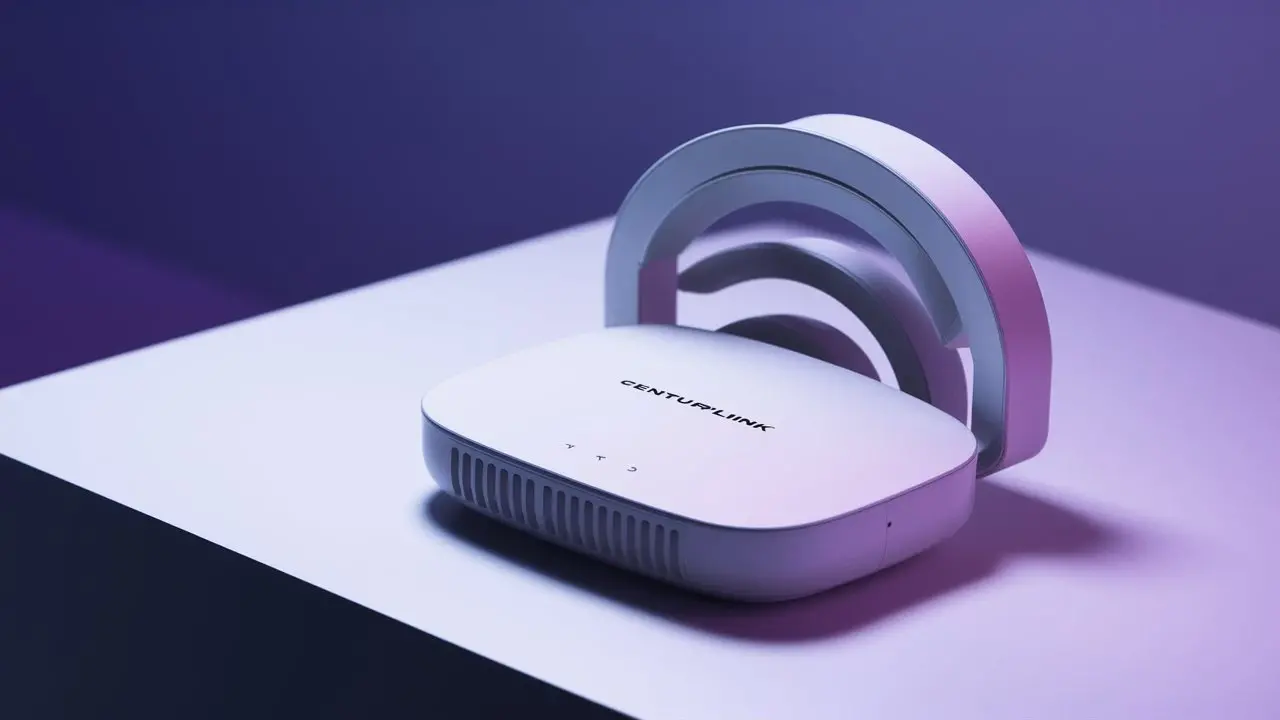
A critical, and often overlooked, part of canceling your CenturyLink internet service is the proper return of any equipment you have rented from them. Failure to do so can result in significant charges that can negate any savings you hoped to achieve by switching providers. CenturyLink typically requires customers to return modems, routers, and other leased devices.
Identifying Rented Equipment
First, you need to know what equipment you are required to return. This usually includes:
- Modems: The device that connects your home to the internet.
- Routers: If provided by CenturyLink, this device manages your home network and Wi-Fi.
- Other Devices: This could include set-top boxes for TV services if bundled, or specific networking equipment for business accounts.
If you purchased your own modem or router, you obviously do not need to return it. Your contract or your CenturyLink account details should specify which equipment is rented and needs to be returned.
The Standard Return Process
CenturyLink generally uses a mail-in return process for its equipment. Here's how it typically works:
- Receive a Return Kit: After you initiate your cancellation, CenturyLink should send you a pre-paid shipping box and labels, along with instructions on how to pack the equipment. This kit is usually sent to your service address.
- Pack the Equipment Securely: Carefully pack all the required equipment into the box. Ensure you include all necessary cables and power adapters that came with the device. If you've lost any accessories, you may be charged for them.
- Attach the Shipping Label: Securely affix the provided shipping label to the outside of the box.
- Drop Off the Package: Take the package to a designated shipping carrier location (e.g., UPS Store, FedEx Office, depending on the carrier specified by CenturyLink).
- Get a Receipt: It is imperative that you get a receipt from the shipping carrier. This receipt serves as proof that you have shipped the equipment back. Keep this receipt in a safe place.
Important Considerations and Timelines
- Return Window: You will usually have a specific timeframe (e.g., 10-30 days) from your service disconnection date to return the equipment. Missing this window can trigger charges.
- Condition of Equipment: Return the equipment in good working condition, free from significant damage. Normal wear and tear is usually acceptable, but intentional damage will result in fees.
- Tracking Your Return: If possible, use the tracking number on your shipping receipt to monitor the return shipment.
- Confirmation of Return: Once CenturyLink receives and processes the returned equipment, they should update your account. Check your final bill or your online account to ensure you are not charged for unreturned items.
Potential Fees for Non-Return or Damage
If you fail to return the equipment, or if it's returned damaged or incomplete, you will be charged. These fees can be substantial, often ranging from $50 to $200 or more per device, depending on the model. For example, a common modem might cost around $100 to replace if not returned.
What If You Don't Receive a Return Kit?
If you cancel your service and do not receive a return kit within a reasonable timeframe (e.g., a week), contact CenturyLink customer service immediately. Do not assume you don't need to return the equipment. They can arrange to send you another kit or provide alternative instructions.
2025 Equipment Return Trends
Providers are continually refining their logistics for equipment returns. In 2025, expect streamlined online tracking for return kits and more robust digital notifications regarding return deadlines and confirmation. Some providers are exploring partnerships with retail locations for easier drop-offs, but the mail-in kit remains the most common method for major ISPs like CenturyLink. Always err on the side of caution and proactively manage the return process.
Common Pitfalls and How to Avoid Them
Canceling any service can have its share of unexpected hurdles. With CenturyLink internet, several common pitfalls can lead to frustration, extra charges, or delays. By being aware of these potential issues and taking proactive steps, you can significantly improve your cancellation experience.
Pitfall 1: Not Understanding Early Termination Fees (ETFs)
This is perhaps the most common and costly mistake. Customers either forget they are under a contract or miscalculate the remaining term and the associated ETF.
How to Avoid:
- Thorough Contract Review: As emphasized earlier, read your contract carefully. Know your contract end date.
- Direct Confirmation: When canceling, explicitly ask the representative to confirm the ETF amount and how it's calculated based on your remaining contract term.
- Document Everything: Keep a record of your contract start date, end date, and any communications regarding ETFs.
Pitfall 2: Forgetting to Return Rented Equipment
The charges for unreturned equipment can be surprisingly high and can easily add hundreds of dollars to your final bill.
How to Avoid:
- Note Down Rented Items: Keep a list of all equipment you rent from CenturyLink.
- Proactive Inquiry: Ask about the equipment return process as soon as you initiate cancellation.
- Follow Instructions Precisely: Pack all items, including cables and power adapters, and ship them within the specified timeframe.
- Get Proof of Shipment: Always obtain a receipt from the shipping carrier.
- Track the Return: Use the tracking number to confirm delivery to CenturyLink.
Pitfall 3: Incomplete Cancellation Process
Sometimes, customers believe they have canceled but haven't completed all the necessary steps, leading to continued billing.
How to Avoid:
- Get a Confirmation Number: This is non-negotiable. A confirmation number is your proof that the cancellation request has been processed.
- Request Written Confirmation: Ask for an email confirmation of your cancellation, including the effective date.
- Verify Final Bill: Carefully review your final bill to ensure it accurately reflects the cancellation date and any agreed-upon fees.
Pitfall 4: Not Being Prepared for the Call
Calling customer service without the necessary information can lead to lengthy verification processes, frustration, and potentially being transferred multiple times.
How to Avoid:
- Gather All Account Details: Have your account number, name, address, and security PIN/password ready before you dial.
- Know Your Reason for Leaving: While not always necessary, having a brief, polite reason can sometimes help the representative process your request more smoothly.
- Be Polite but Firm: Maintain a calm and respectful demeanor. Clearly state your intention to cancel.
Pitfall 5: Assuming You Can Cancel Online with a Few Clicks
Unlike some subscription services, internet providers typically require a more direct form of communication for service termination due to the technical and contractual implications.
How to Avoid:
- Understand the Channels: Be prepared to call or use online chat, as these are the primary methods.
- Don't Rely on Third-Party Sites: Always go through official CenturyLink channels for cancellation.
Pitfall 6: Not Checking for Service Availability Elsewhere
Canceling without a plan for your next internet provider can leave you without service, which is especially problematic if you rely on it for work or communication.
How to Avoid:
- Research Alternatives Early: Start looking for new providers in your area well before your cancellation date.
- Compare Speeds and Prices: Use comparison tools and check availability for your specific address.
- Schedule New Service Installation: Aim to have your new service installed on or shortly after your CenturyLink disconnection date.
2025 Consumer Protection Trends
In 2025, consumer protection regulations continue to evolve. Many jurisdictions are implementing stricter rules around contract transparency and cancellation processes. However, it remains the consumer's responsibility to be informed and proactive. Always verify information directly with the provider and keep meticulous records of all interactions and transactions. The emphasis is on empowering consumers with clear information and straightforward cancellation paths, but diligence on the customer's part is still paramount.
Transitioning to a New Internet Provider
Once you've successfully navigated the cancellation of your CenturyLink service, the next logical step is to ensure a seamless transition to your new internet provider. This involves planning, coordination, and understanding how to minimize any downtime or disruption to your online connectivity. A well-executed transition ensures you're back online quickly with your new service.
Choosing Your New Provider: Key Considerations
Before you even cancel CenturyLink, you should have already chosen and arranged for your new service. When selecting a new provider, consider:
- Availability: Not all providers service every area. Use online tools to check which providers are available at your specific address.
- Speed and Performance: Match the speeds offered to your household's needs. For 2025, consider factors like streaming quality, online gaming, and the number of connected devices.
- Pricing and Contracts: Compare monthly costs, contract lengths, and any hidden fees. Look for introductory offers but understand the regular pricing.
- Customer Service Reputation: Research reviews and ratings for customer support quality.
- Bundling Options: See if bundling with TV or phone services offers savings, but only if you need those services.
For 2025, the landscape of internet service is increasingly diverse, with fiber optic expansion continuing rapidly in many urban and suburban areas, offering significantly higher speeds and lower latency. Fixed wireless and satellite options are also improving for rural locations.
Scheduling Your New Service Installation
This is a critical step to avoid being without internet.
- Coordinate Dates: Ideally, schedule your new service installation for the same day or the day after your CenturyLink service is officially disconnected.
- Confirm Installation Time: Get a firm appointment window for the installation.
- Prepare Your Home: Ensure the installation location is accessible. If you're using your own equipment, make sure it's ready.
- Be Present: It's usually required that an adult be present during the installation.
The Day of Transition: What to Expect
On the day your CenturyLink service is set to disconnect and your new service is scheduled for installation:
- CenturyLink Disconnection: Your CenturyLink internet should stop working as scheduled.
- New Provider Installation: The technician from your new provider will arrive to set up their equipment and connect you to their network. This process can take anywhere from one to several hours, depending on the complexity.
- Testing Your New Service: Once the installation is complete, test your new internet connection thoroughly. Run speed tests, try streaming video, and ensure all your devices can connect.
- Returning CenturyLink Equipment: If you haven't already, this is a good time to finalize the return of your CenturyLink equipment if you received your return kit.
Troubleshooting Common Transition Issues
- Downtime: If there's a gap between disconnection and installation, you might need to rely on mobile hotspots or public Wi-Fi.
- Installation Delays: If your new provider's installation is delayed, contact them immediately. You may need to temporarily extend your CenturyLink service if possible, though this is usually not ideal.
- Equipment Issues: If your new service isn't working after installation, the technician should troubleshoot. If problems persist, contact the new provider's technical support.
- Final CenturyLink Bill: Always review your final CenturyLink bill for accuracy, especially regarding ETFs and equipment charges.
Post-Transition Checklist
- Confirm CenturyLink equipment has been returned and no charges are pending.
- Verify your new provider's service is working as expected.
- Ensure your final CenturyLink bill is paid.
- Update any services that relied on your previous internet connection (e.g., smart home devices, security systems) with your new network details.
2025 Connectivity Trends
The drive for faster, more reliable internet continues in 2025. Fiber-to-the-home (FTTH) is becoming more accessible, offering symmetrical upload/download speeds that are transformative for remote work and high-bandwidth activities. 5G home internet is also a growing competitor, providing a viable alternative in many areas. When choosing a new provider, research the underlying infrastructure (fiber, cable, fixed wireless) to understand the potential performance and reliability.
By carefully planning your transition, you can minimize disruption and quickly enjoy the benefits of your new internet service. Always prioritize getting confirmation of your CenturyLink cancellation and equipment return, and ensure your new service is fully operational before considering the process complete.
Conclusion
Successfully canceling CenturyLink internet is achievable with the right approach. By thoroughly understanding your contract, meticulously gathering your account information, and choosing the most effective cancellation method—whether phone or online chat—you can navigate the process with confidence. Remember that returning rented equipment promptly and in good condition is paramount to avoiding unexpected fees, so always follow CenturyLink's instructions precisely and obtain proof of shipment. Being aware of common pitfalls, such as underestimating early termination fees or neglecting the equipment return process, will help you steer clear of costly mistakes. Finally, a smooth transition to a new provider, with installation scheduled strategically, ensures minimal disruption to your daily life. Always seek confirmation numbers and written verification for all cancellation-related actions. With these steps, you can ensure a clean break from CenturyLink and embrace your new, potentially superior, internet service.