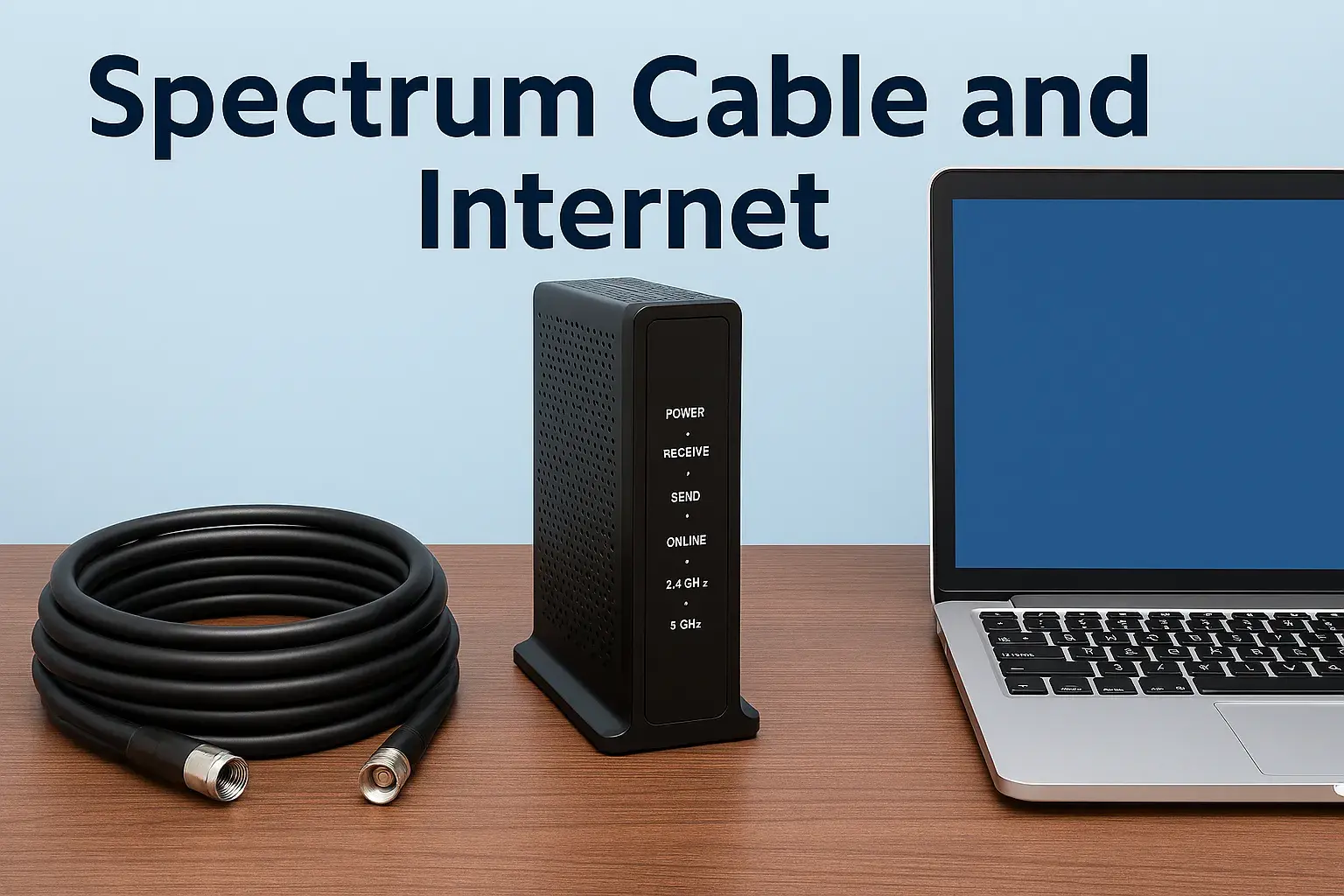
How Much Is Internet Per Month Spectrum

Understanding Spectrum's monthly internet costs is crucial for budgeting. This guide breaks down Spectrum internet prices, including common plans, hidden fees, and strategies to find the best value, ensuring you get the most for your money in 2025-2026.
Spectrum Internet Pricing Overview
When you're searching "How Much Is Internet Per Month Spectrum," you're looking for clarity on costs. Spectrum, a major internet service provider (ISP) in the United States, offers a range of internet plans with varying speeds and prices. In 2025-2026, understanding these costs involves more than just the advertised monthly rate. It requires a deep dive into plan tiers, potential introductory offers, equipment rental fees, and unavoidable regulatory surcharges. Spectrum's pricing model is designed to be competitive, often featuring promotional rates for new customers that increase after a set period. Therefore, a comprehensive understanding is key to avoiding bill shock and ensuring you're getting a fair deal for your internet service. This guide will dissect these elements to provide a transparent view of Spectrum's monthly internet expenses.
Spectrum Internet Plans and Speeds (2025-2026)
Spectrum's internet offerings are primarily structured around speed tiers, catering to a broad spectrum of user needs, from basic browsing to demanding online gaming and streaming. As of 2025-2026, their most common residential plans include:
Spectrum Internet® (Basic)
This entry-level plan is designed for households with lighter internet usage. It typically offers download speeds suitable for web browsing, email, and standard-definition streaming on a few devices simultaneously. While specific speeds can vary slightly by region, expect download speeds in the range of 100-300 Mbps. Upload speeds are generally lower, which is typical for cable internet. This plan is often the most budget-friendly option and is ideal for individuals or small families who don't heavily rely on multiple high-bandwidth activities at once.
Spectrum Internet® Ultra
Stepping up, the Internet Ultra plan significantly boosts download speeds, often reaching 300-500 Mbps. This tier is well-suited for households with moderate internet needs. It can comfortably handle multiple users streaming HD or 4K content, participating in video calls, and online gaming without significant lag. The increased bandwidth allows for smoother multitasking across several devices, making it a popular choice for many families. The price point reflects this increased performance, positioning it as a mid-range option.
Spectrum Internet® Gig
For the most demanding users, Spectrum Internet Gig provides download speeds of up to 1 Gbps (1000 Mbps). This plan is engineered for power users who require the fastest possible connection. It's perfect for large households with numerous connected devices, heavy gamers, professionals working from home who frequently upload and download large files, and those who want to future-proof their home network. With gigabit speeds, buffering becomes a distant memory, and downloading large files takes mere seconds. This is Spectrum's premium offering, and its price reflects the cutting-edge technology and bandwidth provided.
Speed Considerations for 2025-2026
It's important to note that advertised speeds are "up to" speeds, meaning actual performance can vary based on network congestion, your home's wiring, and the device you're using. For 2025-2026, the expectation is that internet usage will continue to grow, with more devices and higher-resolution content becoming standard. Therefore, choosing a plan that offers a bit more speed than you think you might need can be a wise investment for future-proofing your connectivity. For instance, if you're considering the basic plan, but often have 3-4 people using the internet, the Ultra plan might offer a much better experience without a prohibitive price jump.
Understanding Upload Speeds
Cable internet, like Spectrum's, typically has asymmetrical speeds, meaning download speeds are significantly faster than upload speeds. While most casual internet users prioritize download speeds for consuming content, those who frequently upload large files (e.g., video editors, content creators, heavy cloud users) should pay close attention to upload capabilities. Spectrum's upload speeds for its residential plans usually range from 10-35 Mbps for the basic and Ultra plans, and can be higher for the Gig plan, but still generally lower than download speeds. If your primary activities involve uploading, you might need to explore other ISP technologies or specific business plans.
The monthly cost for these plans in 2025-2026 can range significantly. Introductory offers often make the basic plan appear very affordable, perhaps in the $50-$70 range. The Ultra plan might start around $70-$90, and the Gig plan could be $90-$120 or more, before any promotional periods end.
Factors Influencing Spectrum Internet Costs
The price you see advertised for Spectrum internet is rarely the final number you'll pay each month. Several factors can influence the total cost, making it essential to understand these variables before committing to a plan. Ignoring these can lead to unexpected increases in your monthly bill.
Promotional vs. Standard Pricing
Spectrum, like most ISPs, heavily relies on promotional pricing to attract new customers. These introductory offers can significantly reduce the monthly cost for the first 12 to 24 months. However, once the promotional period ends, the price typically reverts to the standard, higher rate. It's crucial to know the duration of any promotion and what the standard rate will be. For example, a plan advertised at $49.99 per month might jump to $79.99 or more after the introductory period. Always ask for the "everyday" or "standard" rate.
Contract Lengths
While Spectrum often advertises no-contract plans, this can sometimes be misleading. Some promotional bundles or specific offers might tie you into a longer-term commitment to secure the advertised rate. If you break a contract early, you could face early termination fees. Understanding whether your plan is truly month-to-month or has a hidden contract is vital for flexibility and avoiding unexpected charges.
Equipment Rental Fees
Spectrum charges a monthly fee for modem and router rentals. This fee is typically per device and can add $10-$20 or more to your monthly bill. While convenient, these rental fees accumulate over time. Purchasing your own compatible modem and router can be a significant cost-saving measure in the long run. Spectrum's website or customer service can provide a list of approved devices. For 2025-2026, the cost of a good quality modem/router combo can be recouped within 1-2 years of rental fees saved.
Service Location and Availability
Internet pricing can vary based on your geographical location. Areas with more competition might offer more aggressive pricing, while more remote or less competitive areas might have higher rates. Spectrum's network coverage also dictates which plans and speeds are available to you. What's available and priced in a major city might differ from a rural town within the same state.
Bundling Services
Spectrum offers bundles that combine internet, TV, and sometimes phone services. While bundling can sometimes lead to overall savings compared to subscribing to each service individually, it can also increase the total monthly cost if you don't need all the bundled services. It's important to compare the bundled price against the cost of individual services to ensure you're actually saving money.
Taxes, Fees, and Surcharges
Beyond the base price, federal, state, and local taxes, as well as various regulatory fees and surcharges, are added to your bill. These can include items like FCC regulatory fees, state sales tax, franchise fees, and other administrative charges. These fees are often non-negotiable and can add a substantial amount to your final monthly payment. They are often not included in the advertised promotional price.
Understanding Spectrum Fees and Surcharges
Navigating the fine print of your Spectrum bill can be daunting, especially when it comes to the various fees and surcharges. These charges, while often small individually, can significantly inflate your monthly internet cost. Understanding what each fee represents is key to managing your budget and potentially identifying areas where you might be overpaying or where transparency is lacking.
Common Spectrum Fees and Surcharges (2025-2026 Estimates)
The exact fees and their amounts can fluctuate and vary by state and municipality. However, here are some common categories you'll likely encounter:
- Broadcast TV Surcharge: This fee is ostensibly to cover the costs of retransmitting local broadcast television signals. Even if you only have internet service, some regulatory fees might be tied to the infrastructure that also supports TV.
- FCC Regulatory Fees: These are mandated by the Federal Communications Commission to fund its operations.
- State and Local Sales Taxes: Standard taxes applied to services in your area.
- Franchise Fees: Payments made by Spectrum to local governments for the right to use public rights-of-way to provide services.
- Customer Protection Fee: A fee intended to cover costs associated with consumer protection regulations.
- Other Administrative Fees: Various other small charges can be added for administrative costs.
Equipment Rental Fees in Detail
As mentioned, equipment rental is a significant recurring cost. In 2025-2026, expect to pay approximately:
- Modem Rental: $15 - $20 per month.
- Wi-Fi Router Rental: $10 - $15 per month.
- Modem/Router Combo Unit: $20 - $30 per month.
These fees are charged for Spectrum-provided equipment. If you opt to purchase your own compatible modem and router, you can eliminate these monthly charges entirely. For example, a decent DOCSIS 3.1 modem might cost around $100-$150, and a good Wi-Fi 6 router can range from $80-$200. Over a year, these upfront costs can be recouped by saving $240-$360 in rental fees.
Installation Fees
Spectrum typically charges an installation fee for new service. This can range from $49.99 to $99.99 or more, depending on the type of installation required (e.g., self-installation vs. professional installation). Sometimes, new customer promotions waive or reduce this fee. If you're moving within Spectrum's service area and transferring service, you might also incur a transfer fee.
Late Payment Fees and Other Penalties
Spectrum, like all service providers, will charge late fees if your payment is not received by the due date. It's also important to be aware of any fees associated with returned checks or failed payment methods.
How to Minimize Fees
- Purchase Your Own Equipment: This is the most impactful way to reduce monthly costs. Ensure the equipment is compatible with Spectrum's network.
- Opt for Self-Installation: If feasible, choosing self-installation can save you the professional installation fee. Spectrum often sends a technician for Gig plans, but simpler plans may allow self-setup.
- Review Your Bill Carefully: Regularly check your bill for any unfamiliar or incorrect charges. Contact customer service immediately if you find discrepancies.
- Ask About Fee Waivers: Sometimes, long-term customers or those experiencing service issues might be able to negotiate certain fees.
By understanding these various charges, you can better estimate your true monthly Spectrum internet cost and take steps to reduce it.
Spectrum Internet Deals and Promotions (2025-2026)
Spectrum actively uses promotions to attract new subscribers and retain existing ones. These deals can significantly lower your monthly bill, especially during the initial period of your service. However, it's crucial to understand the terms and conditions of these promotions to avoid surprises when the introductory period ends.
New Customer Offers
For 2025-2026, new customers can typically expect offers such as:
- Discounted Monthly Rates: The most common promotion is a reduced monthly price for the first 12 or 24 months. For example, a Gig plan might be advertised at $89.99/month for 24 months, after which it reverts to a higher standard rate.
- Waived Installation Fees: Spectrum often waives the standard installation fee for new subscribers, especially if you opt for self-installation.
- Free Modem/Router Rental: Occasionally, Spectrum might offer a period of free equipment rental as part of a promotional package.
Bundled Service Discounts
If you're considering TV or phone services from Spectrum, bundling can unlock additional savings. Promotions often include:
- Package Deals: Significant discounts are offered when you combine internet with TV packages. For instance, a bundle of Internet Ultra and a basic TV package might be cheaper than subscribing to both separately.
- Limited-Time Offers on Bundles: Keep an eye out for special seasonal or event-based promotions on bundled services.
Existing Customer Promotions
While less common than new customer deals, existing customers can sometimes benefit from promotions:
- Upgrade Offers: Spectrum might offer existing customers a discounted rate for upgrading to a faster speed tier.
- Loyalty Discounts: In some cases, loyal customers who have been with Spectrum for a long time might be eligible for small discounts or temporary promotional rates, especially if they threaten to leave.
- Referral Programs: Spectrum may have referral programs where existing customers can earn credits or discounts for referring new subscribers.
Where to Find Spectrum Deals
- Spectrum's Official Website: This is the primary source for current promotions. Navigate to their internet plans section and look for advertised deals.
- Third-Party Comparison Sites: Websites that compare ISP plans often list current promotions. However, always verify the details on Spectrum's official site.
- In-Store Promotions: Spectrum retail stores might have exclusive offers not always advertised online.
- Customer Service: When calling to inquire about service or to negotiate your bill, ask specifically about available promotions and discounts.
Key Considerations for Promotions
- Duration of Promotion: Always know how long the promotional price will last and what the standard price will be afterward.
- Contract Terms: Ensure you understand if the promotion requires a long-term contract.
- Equipment Costs: Confirm whether equipment rental fees are included in the promotional price or are additional.
- Hidden Fees: Be aware that taxes, fees, and surcharges are usually added on top of the promotional rate.
By actively seeking out and understanding these deals, you can significantly reduce your monthly Spectrum internet bill. However, remember that the best deal is one that meets your actual needs without unnecessary add-ons or a price hike you can't afford later.
Comparing Spectrum to Competitors
When determining "How Much Is Internet Per Month Spectrum," it's vital to see how its pricing and offerings stack up against other major Internet Service Providers (ISPs) in 2025-2026. Spectrum primarily uses cable internet technology, putting it in direct competition with other cable providers like Xfinity (Comcast) and Cox, as well as fiber optic providers like Verizon Fios, AT&T Fiber, and CenturyLink Fiber, and fixed wireless or satellite providers in less dense areas.
Spectrum vs. Other Cable Providers (Xfinity, Cox)
Cable providers often offer similar speed tiers and pricing structures. In 2025-2026, you'll find that:
- Speed Tiers: All three providers typically offer plans ranging from basic speeds (100-300 Mbps) to gigabit speeds (1 Gbps).
- Pricing: Introductory prices are often competitive, hovering around the same range for comparable speeds. However, standard pricing after promotions can vary. Xfinity, for example, sometimes offers slightly lower entry-level prices but can have more complex fee structures.
- Bundles: All offer bundles of internet, TV, and phone, with varying discount levels.
- Equipment Fees: Rental fees for modems and routers are standard across these providers.
- Network Performance: Generally, cable internet offers reliable speeds, but upload speeds are typically asymmetrical and lower than download speeds.
The choice between Spectrum, Xfinity, or Cox often comes down to availability in your specific area and the current best promotional offers. You might find Spectrum has a slight edge in customer satisfaction in some regions, but this can be highly subjective.
Spectrum vs. Fiber Optic Providers (Verizon Fios, AT&T Fiber, Google Fiber)
Fiber optic internet is generally considered superior in terms of speed, reliability, and symmetrical upload/download speeds. As of 2025-2026:
- Speeds: Fiber providers often offer symmetrical speeds, meaning your upload speeds match your download speeds. Plans can easily reach 1 Gbps or even higher (e.g., 2 Gbps, 5 Gbps).
- Pricing: Fiber plans can be competitively priced, especially for gigabit speeds. Sometimes, the standard rates for fiber are comparable to or even lower than Spectrum's standard rates for similar speeds, especially when factoring in equipment.
- Reliability: Fiber is less susceptible to interference and degradation than cable, offering more consistent performance.
- Availability: Fiber optic networks are not as widespread as cable. While Spectrum has broad cable coverage, fiber availability is more limited to specific cities and neighborhoods.
If fiber is available in your area, it's often the preferred choice for performance. However, Spectrum might be the only viable high-speed option in many locations.
Spectrum vs. DSL and Fixed Wireless Providers
In areas where cable or fiber are not available, customers may have to consider DSL (Digital Subscriber Line) or fixed wireless services. As of 2025-2026:
- DSL: Speeds are typically much lower than cable, often ranging from 10-100 Mbps, and are highly dependent on the distance from the telephone company's central office.
- Fixed Wireless: Offers internet access via radio signals from a tower to a receiver at your home. Speeds can vary greatly, from basic to near-cable speeds, but can be affected by weather and line-of-sight obstructions. Data caps are also more common.
- Satellite Internet: While improving, satellite internet (like Starlink) often has higher latency and can be affected by weather. It's usually a last resort for very remote areas.
Spectrum's cable internet is generally a significant upgrade in speed and reliability over DSL and many fixed wireless or satellite options, making it a strong contender in areas where these are the only alternatives.
Key Comparison Points for 2025-2026
| Feature | Spectrum (Cable) | Fiber Optic | DSL/Fixed Wireless |
|---|---|---|---|
| Typical Speeds (Download) | 100 Mbps - 1 Gbps+ | 100 Mbps - 10 Gbps+ | 10 Mbps - 100+ Mbps |
| Upload Speeds | Asymmetrical (lower than download) | Symmetrical (equal to download) | Asymmetrical (very low) |
| Reliability | Good, can be affected by network congestion | Excellent, very stable | Variable, can be affected by distance, weather, line-of-sight |
| Availability | Widespread | Limited to specific areas | Widespread, often in areas without cable/fiber |
| Introductory Pricing | Competitive | Competitive, sometimes higher standard rates | Often lower due to lower speeds |
Ultimately, the "best" provider depends on your location, budget, and internet usage habits. Spectrum provides a solid, widely available cable internet service, but it's always wise to compare current offers from all available providers in your area.
Optimizing Your Spectrum Internet Bill
Once you've chosen a Spectrum internet plan, the next step is to ensure you're paying the least amount possible for the service you receive. Optimizing your bill involves a combination of understanding your usage, leveraging available discounts, and managing your equipment costs. Here’s how to keep your Spectrum internet expenses in check for 2025-2026.
1. Understand Your Actual Internet Needs
Before you even sign up or when renewing, assess your household's internet consumption. Ask yourself:
- How many people use the internet in your home?
- What are the primary uses (streaming, gaming, browsing, working from home)?
- How many devices are connected simultaneously?
- Do you experience significant buffering or slowdowns with your current plan?
If you're consistently using less bandwidth than your plan provides, or if you're paying for a high-speed plan that goes largely unused, you might be able to downgrade to a less expensive tier without a noticeable difference in performance. Conversely, if you're constantly struggling with slow speeds, upgrading might be worth the cost for improved quality of life.
2. Negotiate Your Rate
This is a crucial step that many people overlook. ISPs, including Spectrum, often have retention departments designed to keep customers from leaving. If you're out of your promotional period or find a better deal elsewhere, call Spectrum and state your case:
- Mention Competitor Offers: "I've received an offer from [Competitor Name] for [Speed] Mbps for $[Price] per month. Can you match or beat that?"
- Express Dissatisfaction (if applicable): If you've experienced service issues, use that as leverage.
- Inquire About New Promotions: "Are there any new customer or loyalty promotions available for my account?"
- Be Polite but Firm: Customer service representatives have some flexibility, especially if they believe you're ready to switch.
You might be surprised at how much you can save by simply asking. Aim to secure a new promotional rate or a discount on your standard rate.
3. Purchase Your Own Modem and Router
As detailed previously, this is one of the most significant ways to save money. Spectrum's modem and router rental fees can add up to $30-$40 per month. Investing in your own compatible equipment can save you hundreds of dollars annually. Ensure you purchase DOCSIS 3.0 or 3.1 modems that are on Spectrum's approved device list. For routers, look for Wi-Fi 6 or Wi-Fi 6E models for optimal performance.
4. Avoid Unnecessary Bundles
While bundling internet with TV and phone services can sometimes offer savings, it's only beneficial if you actually use all the bundled services. If you primarily use streaming services for entertainment and a mobile phone for calls, a bundle might force you to pay for cable channels or landline features you don't need. Compare the cost of a bundle against the cost of individual services (including your own streaming subscriptions and mobile plan) to determine the true savings.
5. Take Advantage of Autopay and Paperless Billing
Spectrum may offer small discounts or waive certain fees for customers who sign up for automatic payments and paperless billing. While not a massive saving, every bit helps, and it also helps you avoid late fees.
6. Review Your Bill Regularly
Make it a habit to review your monthly Spectrum bill. Check for:
- Price Increases: Did your bill go up after a promotional period ended without notification?
- Unfamiliar Fees: Are there new surcharges or fees you don't recognize?
- Incorrect Charges: Were you charged for equipment you returned?
If you find any discrepancies, contact Spectrum's customer service immediately to get them resolved. Keep records of your conversations and any promises made.
7. Consider Your Plan Speed Needs
If you find yourself consistently paying for a high-speed plan but rarely utilizing its full capacity, consider downgrading. For example, if you have the Gig plan but primarily use it for browsing and occasional HD streaming, the Internet Ultra plan might suffice and save you $20-$30 per month. Use speed test tools to monitor your usage and identify if you're overpaying for unused bandwidth.
By implementing these strategies, you can significantly reduce your monthly Spectrum internet bill, ensuring you're getting the best value for your money.
Spectrum Internet Installation and Equipment Costs
When signing up for Spectrum internet, the initial costs related to installation and equipment are important factors to consider beyond the monthly service fee. These upfront expenses can impact the total cost of getting connected.
Installation Options and Fees
Spectrum offers a few ways to get your internet service set up:
- Professional Installation: This is the most common option for new customers, especially for higher-tier plans like Gig. A Spectrum technician visits your home to set up the service, ensure optimal signal strength, and connect your modem and router.
- Cost: Typically ranges from $49.99 to $99.99. This fee covers the technician's visit and setup.
- Promotions: Often, new customer promotions include a waived or discounted professional installation fee.
- Self-Installation: For simpler setups or if you're transferring service within the same location, Spectrum may offer a self-installation kit. This includes a modem and instructions for you to set up the service yourself.
- Cost: Usually free or a significantly reduced fee compared to professional installation.
- Eligibility: Not always available for all plans or locations, particularly for the highest speed tiers which may require a technician.
- Service Transfer: If you are moving to a new address within Spectrum's service area and want to transfer your existing service, there might be a transfer fee. This fee covers the logistics of moving your service to the new location.
- Cost: Varies, but can be in the range of $20-$50.
Equipment Rental Costs
Spectrum provides internet equipment, typically a modem and a Wi-Fi router, for a monthly rental fee. As of 2025-2026, these costs are estimated as follows:
- Modem Rental: Approximately $15 - $20 per month. This is for the device that connects your home to Spectrum's network.
- Wi-Fi Router Rental: Approximately $10 - $15 per month. This is for the device that creates your home's wireless network.
- Combined Modem/Router Unit: Spectrum may offer a single device that functions as both a modem and a router. The rental fee for these units typically ranges from $20 - $30 per month.
These rental fees are recurring and can add a significant amount to your monthly bill over time. For example, renting both a modem and router at $25 per month would cost $300 per year.
Purchasing Your Own Equipment
To avoid recurring equipment rental fees, you have the option to purchase your own compatible modem and router. This is a one-time upfront cost that can lead to substantial savings in the long run.
- Compatible Modems: Spectrum requires DOCSIS 3.0 or DOCSIS 3.1 modems. Popular brands include Arris, Netgear, and Motorola. Prices typically range from $70 to $150 for a good quality modem.
- Compatible Routers: You can purchase any standard Wi-Fi router. For optimal performance, especially with faster internet plans, consider Wi-Fi 6 or Wi-Fi 6E routers. Prices can range from $80 to $200+.
- Combined Modem/Router Units (Gateways): You can also purchase your own gateway device. These are generally more expensive, ranging from $150 to $300+, but offer the convenience of a single device.
Example Savings: If you buy a modem for $100 and a router for $150 (total $250), and Spectrum's rental fees are $25/month, you would recoup your investment in approximately 10 months ($250 / $25 per month). After that, you would be saving $300 per year.
Factors Affecting Equipment Needs
- Internet Speed Tier: For higher speed tiers (e.g., Gig plans), you'll need a DOCSIS 3.1 modem to achieve maximum speeds. Lower tiers might be compatible with DOCSIS 3.0.
- Home Size and Layout: A larger home or one with many walls might require a more powerful router or a mesh Wi-Fi system to ensure strong signal coverage throughout.
- Number of Devices: If you have many devices connected simultaneously, a robust router is essential for managing traffic efficiently.
When considering purchasing your own equipment, always check Spectrum's official website or contact their support to ensure the specific model you're interested in is compatible with their network and the plan you intend to subscribe to. This proactive approach can save you money and ensure a smoother setup process.
Spectrum Internet Packages and Bundles
Spectrum offers more than just standalone internet services. They provide various packages and bundles that combine internet with television and home phone services. These offerings can present opportunities for savings, but it's essential to evaluate whether the bundled services align with your needs and budget.
Standalone Internet Plans
As discussed, Spectrum's core offering is its internet service, available in different speed tiers:
- Spectrum Internet®: Entry-level speeds, suitable for basic usage.
- Spectrum Internet® Ultra: Mid-tier speeds, ideal for families and moderate usage.
- Spectrum Internet® Gig: High-speed, premium service for demanding users.
These plans can be purchased individually, offering flexibility if you only need internet service.
Bundled Services: Internet + TV
Spectrum's most popular bundles combine internet with their television packages. These are often marketed as "Triple Play" (Internet, TV, Phone) or "Double Play" (Internet + TV or Internet + Phone).
- Double Play Bundles (Internet + TV): These packages are designed for households that want both internet and a selection of cable channels.
- TV Tiers: Spectrum offers various TV channel lineups, from basic starter packages with local channels to more comprehensive tiers with premium movie channels and sports.
- Savings: Bundling internet and TV often results in a lower combined monthly price than subscribing to each service separately. The savings can be more significant for higher-tier TV packages.
- Example: A bundle might offer Internet Ultra speeds along with a starter TV package for a set monthly fee, often with an introductory discount.
Bundled Services: Internet + TV + Phone (Triple Play)
The Triple Play bundle includes internet, TV, and Spectrum's home phone service.
- Home Phone: Spectrum Voice offers unlimited local and long-distance calling within the U.S., Canada, and Mexico.
- Value Proposition: This bundle is typically aimed at households that still rely on a landline phone and want a comprehensive entertainment and communication solution from a single provider.
- Potential Savings: Similar to Double Play bundles, Triple Play packages often offer the most substantial savings compared to individual service subscriptions.
Benefits of Bundling
- Cost Savings: The primary advantage is usually a lower monthly bill compared to subscribing to each service independently.
- Simplified Billing: You receive a single bill for all your services, making budgeting and payment easier.
- Convenience: Managing services from one provider can be more convenient than dealing with multiple companies.
- Promotional Offers: Bundles are often accompanied by attractive introductory discounts and promotional packages.
Drawbacks of Bundling
- Paying for Unused Services: If you don't watch much cable TV or use a landline phone, a bundle might force you to pay for services you don't need or use. In such cases, standalone internet or a different bundle might be more cost-effective.
- Less Flexibility: You are tied to one provider for multiple services. If you're unhappy with one aspect (e.g., TV channel selection), it can be harder to switch without disrupting your entire service package.
- Price Increases After Promotions: Like standalone internet, bundled packages usually have introductory pricing that significantly increases after the promotional period ends.
Evaluating Bundle Deals
When considering a Spectrum bundle in 2025-2026:
- Assess Your Needs: Honestly evaluate how much TV you watch, if you use a landline, and what internet speed you truly require.
- Compare Total Cost: Calculate the total monthly cost after the promotional period ends.
- Compare to Individual Services: Price out the cost of standalone internet from Spectrum (or another provider) plus your current streaming subscriptions and mobile phone plan. See if the bundle truly offers savings.
- Read the Fine Print: Understand what channels are included, any data caps (though Spectrum generally offers unlimited data on cable internet), and equipment fees associated with the bundle.
For many, Spectrum's internet-only plans provide the best value if they are content with streaming services for entertainment. However, for those who want a traditional TV experience and perhaps a landline, their bundled packages can offer a streamlined and potentially cost-effective solution.
Spectrum Internet for Businesses
While this guide primarily focuses on residential internet costs, it's worth noting that Spectrum also offers business internet services. Business plans differ significantly from residential plans in terms of pricing, features, and support.
Key Differences in Business Plans
- Dedicated IP Addresses: Business plans often include static IP addresses, which are essential for hosting servers, running VPNs, or managing remote access. Residential plans typically use dynamic IP addresses.
- Service Level Agreements (SLAs): Business plans usually come with Service Level Agreements that guarantee uptime and performance, with potential credits issued if these guarantees are not met. Residential plans generally do not have such guarantees.
- Symmetrical Speeds: Some business-tier plans offer symmetrical upload and download speeds, which are crucial for businesses that frequently upload large files or rely on cloud-based applications.
- Enhanced Support: Business customers often receive priority customer support, with faster response times and dedicated account managers.
- Advanced Security Features: Business plans may include enhanced security features or options for business-grade firewalls and network management.
Spectrum Business Internet Pricing
Spectrum Business internet pricing is generally higher than residential plans due to the enhanced features and support. For 2025-2026, expect business internet plans to start at:
- Basic Business Internet: Speeds comparable to residential plans but with business features, potentially starting around $70-$100 per month.
- Higher Speed Tiers: Business plans offering symmetrical speeds or higher bandwidth can range from $100 to several hundred dollars per month, depending on the speed and features required.
- Dedicated Fiber: For very high bandwidth needs and guaranteed performance, Spectrum offers dedicated fiber optic solutions for businesses, with pricing that is highly customized.
When to Consider Spectrum Business Internet
- You need static IP addresses.
- You require guaranteed uptime and performance (SLAs).
- Your business relies heavily on uploading large files or cloud services.
- You need priority customer support.
- You are running a home-based business that requires a more robust and reliable connection than a standard residential plan can offer.
For small businesses or home offices that don't require the advanced features, a high-tier residential plan (like Spectrum Gig) might suffice, especially if purchased with your own equipment. However, for established businesses, a dedicated business plan is usually the more appropriate and reliable choice.
Spectrum Customer Service and Support
The quality of customer service and technical support can significantly impact your overall experience with an ISP. When considering "How Much Is Internet Per Month Spectrum," it's also important to factor in the accessibility and effectiveness of their support channels.
Spectrum's Support Channels
Spectrum offers a multi-channel approach to customer support:
- Online Support Center: Their website provides a comprehensive knowledge base with FAQs, troubleshooting guides, and self-help tools for common issues.
- Phone Support: Customers can call Spectrum's customer service and technical support lines. Wait times can vary, and experiences are often mixed, as with most large service providers.
- Chat Support: Live chat is available on their website for quick questions and basic troubleshooting.
- Mobile App: The My Spectrum app allows users to manage their account, pay bills, and sometimes access support or troubleshoot issues.
- Social Media: Spectrum often has a presence on social media platforms where customers can seek assistance.
- In-Store Support: Spectrum retail stores can assist with account inquiries, equipment exchanges, and some technical issues.
Technical Support Effectiveness
Technical support is crucial for resolving connectivity problems, modem issues, or Wi-Fi setup challenges. For Spectrum:
- Troubleshooting: Their support teams are generally equipped to guide users through common troubleshooting steps.
- Technician Dispatch: If remote troubleshooting is unsuccessful, they can dispatch a technician to your home. The efficiency and expertise of these technicians can vary by region.
- Response Times: For critical issues, prompt response is vital. While Spectrum aims for timely service, experiences can differ based on call volume and technician availability.
Customer Service Experiences
Customer service handles billing inquiries, account changes, and service complaints. User reviews for Spectrum's customer service are often polarized:
- Positive Feedback: Some customers report efficient and helpful interactions, particularly when dealing with account management or billing adjustments.
- Negative Feedback: Common complaints include long hold times, difficulty reaching a resolution, and inconsistent information provided by different representatives.
Tips for Better Support Experiences
- Be Prepared: Before contacting support, have your account number, modem/router model, and a clear description of the issue ready.
- Note Down Details: Record the name of the representative you speak with, the date and time of your call, and any reference numbers provided.
- Be Specific: Clearly explain the problem you're experiencing, including any error messages or symptoms.
- Ask for Escalation: If you're not getting the help you need, politely ask to speak with a supervisor or a higher level of technical support.
- Utilize Online Resources: For common questions, the online support center and app can often provide faster solutions than calling.
While Spectrum's pricing is a key factor, the quality of their support can significantly influence your overall satisfaction with the service. Researching local reviews for Spectrum's service and support in your specific area might provide further insights.
Making the Right Choice for Your Spectrum Internet Needs
Deciding on the right Spectrum internet plan and understanding its monthly cost involves a careful balance of speed, features, and budget. As we've explored the various aspects of Spectrum's pricing, plans, fees, and competitive landscape for 2025-2026, a clear path emerges for making an informed decision.
Recap of Key Considerations
- Speed Requirements: Assess your household's internet usage. Basic browsing and email might suffice with lower speeds, while 4K streaming, online gaming, and heavy work-from-home activities necessitate higher bandwidth plans like Ultra or Gig.
- Promotional vs. Standard Pricing: Always be aware of introductory offers and their duration. Understand the standard monthly rate that will apply after the promotion ends to avoid unexpected bill increases.
- Equipment Costs: Factor in modem and router rental fees. Purchasing your own compatible equipment can lead to significant long-term savings.
- Fees and Surcharges: Recognize that advertised prices rarely include all taxes, fees, and regulatory surcharges, which can add a notable amount to your monthly bill.
- Bundling Options: Evaluate whether bundling internet with TV and phone services offers genuine value based on your actual usage, or if standalone internet is a better fit.
- Competitor Analysis: Always compare Spectrum's offers with those from other available ISPs in your area, particularly fiber optic providers if available, for the best overall value and performance.
Actionable Recommendation
For most households in 2025-2026 seeking a reliable internet connection with good speeds without breaking the bank, the following approach is recommended:
- Start with Spectrum Internet® Ultra: This plan typically offers a strong balance of speed and affordability, suitable for a wide range of common internet activities for families. It provides enough bandwidth for multiple users and devices to stream, game, and work concurrently without major issues.
- Invest in Your Own Equipment: Immediately purchase a DOCSIS 3.1 modem and a capable Wi-Fi 6 router. This one-time investment will save you substantial monthly rental fees and provide better performance and control over your home network.
- Leverage Introductory Offers: Sign up for a new customer promotion if available, but be diligent about understanding the terms and the price after the promotion ends.
- Negotiate Annually: Before your promotional period expires, or at least once a year, contact Spectrum to negotiate your rate. Mention competitor offers and inquire about loyalty discounts or new promotions.
- Review Your Bill: Regularly check your monthly bill for any unexpected charges or price increases and address them promptly.
By adopting this proactive strategy, you can effectively manage the monthly cost of Spectrum internet, ensuring you receive a high-quality service that meets your needs without overpaying. While the exact price will vary based on your location and current promotions, this framework will help you navigate the complexities and achieve the best possible value.
📚Read More Articles About Spectrum
How to Find a Spectrum Store Near Me: A Comprehensive Guide
February 16, 2026
All About Spectrum Services: Internet, TV, Mobile Plans & Pricing Explained
January 19, 2026
Spectrum Store Locator for 43017: Hours, Services & What to Bring
December 22, 2025