Navigating internet service provider pricing can be complex, especially when you're looking for the most straightforward answer to "How much for just Spectrum Internet?" This guide breaks down Spectrum's pricing for internet-only plans, considering various speeds, potential hidden fees, and how to secure the best deal in 2025-26.
Spectrum Internet Pricing Overview
When asking "How much for just Spectrum Internet?", the answer isn't a single number. Spectrum, a major player in the U.S. broadband market, offers a range of internet plans with varying speeds and prices. In 2025-26, the cost of Spectrum's internet-only services typically falls between $50 and $100 per month, but this is a broad estimate. Several factors, including the specific speed tier you choose, your geographic location, and whether you're a new or existing customer, can significantly impact the final price. Understanding these variables is key to getting an accurate quote and ensuring you're not overpaying for your internet service.
Understanding Spectrum Internet Plans
Spectrum's approach to internet service is generally straightforward, focusing on providing high-speed cable internet to a wide customer base. Unlike some providers that offer numerous intricate plans, Spectrum tends to simplify its offerings, making it easier for consumers to grasp the core options. However, this simplicity doesn't mean a lack of choice; rather, it means choices are primarily driven by speed and the associated pricing. For those seeking "just Spectrum Internet," the focus is on the standalone internet packages, distinct from their bundled TV and phone services. This section will delve into the typical structure of these plans and what differentiates them.
Core Internet Tiers
Spectrum typically offers a few primary speed tiers for its internet-only customers. These are designed to cater to different user needs, from basic web browsing and email to more demanding activities like streaming high-definition content, online gaming, and supporting multiple connected devices simultaneously. The most common tiers usually include:
- Basic/Standard Speed: Suitable for light internet usage, checking email, social media, and occasional browsing.
- Fast/Advanced Speed: A popular choice for households with moderate internet use, including streaming in HD, video calls, and supporting a few devices.
- Ultra/Gigabit Speed: For power users, large households, and those who require the fastest possible speeds for heavy downloading, 4K streaming, advanced gaming, and a multitude of connected devices.
The exact names and advertised speeds can vary slightly by region and may be updated by Spectrum periodically. However, the underlying principle remains the same: higher speeds come with a higher monthly cost.
Internet-Only vs. Bundles
It's crucial to distinguish between internet-only plans and bundled packages. Spectrum is well-known for its triple-play bundles (Internet, TV, and Phone). While these bundles can sometimes offer savings, they aren't what you're looking for if your sole interest is "just Spectrum Internet." Internet-only plans are priced independently. This means you avoid paying for services you don't intend to use, which can be a significant cost-saver for many consumers. When you contact Spectrum or visit their website, ensure you are explicitly looking at their standalone internet offerings.
Contractual Agreements
A key benefit of Spectrum's internet-only plans is that they typically do not require long-term contracts. This offers flexibility, allowing customers to switch providers or upgrade/downgrade their plan without penalty. This freedom from contracts is a significant selling point and contrasts with some competitors who may lock customers into 1- or 2-year agreements. The absence of a contract can also mean that pricing is more transparent, though promotional periods still apply.
Factors Influencing Spectrum Internet Costs
The price you'll ultimately pay for Spectrum Internet is not static. Several variables come into play, and understanding them will help you anticipate the actual monthly bill. These factors range from the speed you select to the specific promotions available in your area.
Speed Tier Selection
This is arguably the most significant determinant of your monthly bill. Spectrum offers different download and upload speed tiers. The faster the speed, the more you can expect to pay. For example, a plan offering 300 Mbps will cost more than a plan offering 100 Mbps. It's essential to assess your household's actual internet needs to choose a speed tier that balances performance with cost-effectiveness. Overpaying for a speed you don't utilize is a common pitfall.
Promotional Pricing for New Customers
Spectrum, like most internet service providers (ISPs), frequently offers attractive introductory pricing for new customers. These promotions can significantly reduce the monthly cost for the first 6, 12, or even 24 months. The crucial point here is that this is "promotional" pricing. Once the introductory period ends, the price will revert to the standard, non-promotional rate, which is considerably higher. When researching "How much for just Spectrum Internet," it's vital to look beyond the initial advertised deal and understand the long-term cost.
Geographic Location
Internet pricing can vary based on your geographic location. Factors such as local market competition, the cost of infrastructure in a particular area, and regional demand can influence the prices Spectrum sets. While Spectrum aims for a degree of standardization, you might find slight price differences between states or even within different neighborhoods of the same city. This is why it's always best to check Spectrum's official website or contact them directly with your specific address for the most accurate pricing.
Equipment Rental Fees
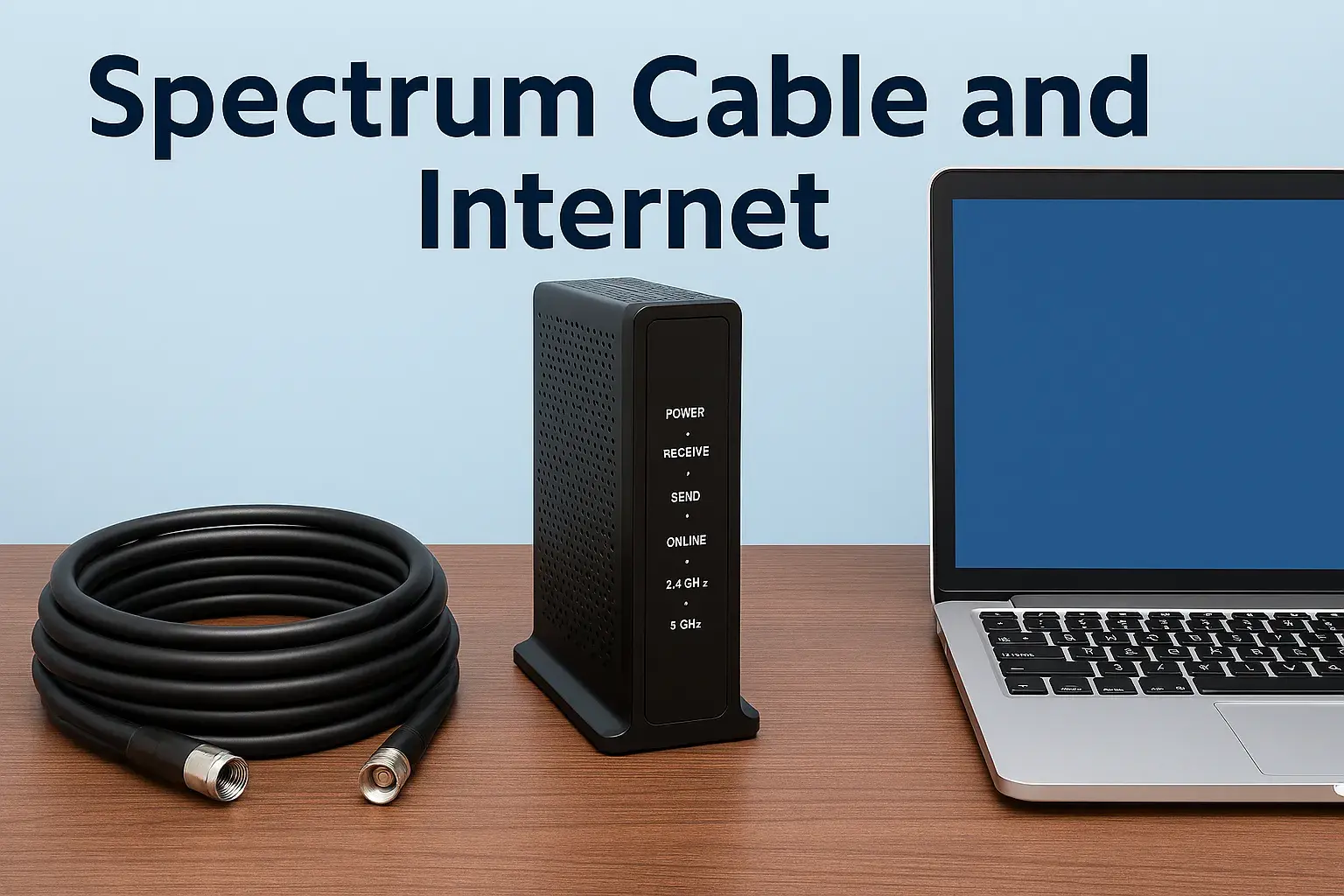
While Spectrum often includes a modem in their internet plans, they may charge a separate monthly fee for modem rental. This fee is typically a few dollars per month. Alternatively, you can often purchase your own compatible modem and router to avoid these recurring rental charges. This is a common area where costs can add up over time, so it's worth investigating whether purchasing your own equipment is a viable and cost-effective option for you. The price for a modem rental is generally in the range of $5-$15 per month.
Taxes and Fees
Beyond the advertised monthly price, expect to see additional charges on your Spectrum bill in the form of taxes and regulatory fees. These vary by locality and can add a significant percentage to your total monthly expenditure. While not always explicitly advertised, they are a standard part of ISP billing. It's wise to factor these in when budgeting for your internet service.
Data Caps (or Lack Thereof)
A positive aspect of Spectrum's internet service is that they generally do not impose data caps on their internet-only plans. This means you can use as much data as you need without worrying about overage charges. This is a significant advantage for heavy internet users, streamers, and gamers, and it simplifies the cost structure by removing a potential variable expense. This contrasts with some other providers who might have strict data limits.
Spectrum Internet Speed Tiers and Pricing (2025-26)
Understanding the specific speed tiers and their associated pricing is fundamental to answering "How much for just Spectrum Internet?" In 2025-26, Spectrum continues to offer a tiered structure, with pricing reflecting the bandwidth provided. It's important to note that these figures are estimates and can vary by region and current promotions. Always verify with Spectrum directly for the most precise, location-specific pricing.
Spectrum Internet Ultra (Up to 300 Mbps)
This tier is often positioned as a mid-range to high-end option, suitable for most households. It can comfortably handle multiple users streaming HD content simultaneously, online gaming, video conferencing, and downloading large files. The typical promotional price for Spectrum Internet Ultra in 2025-26 might range from $60 to $75 per month for new customers. After the promotional period, the standard rate could increase to $75 to $90 per month. This speed is generally sufficient for households with 3-5 active users and multiple connected devices.
Spectrum Internet Gig (Up to 1 Gbps)
For households with extremely high bandwidth demands, such as those with many simultaneous 4K streamers, extensive smart home ecosystems, or users who frequently download/upload massive files, Spectrum offers its Gigabit service. This is their premium offering. Promotional pricing for Spectrum Internet Gig in 2025-26 could start around $80 to $95 per month for new subscribers. The standard rate after promotions can then climb to $95 to $110+ per month. This tier is ideal for large families, small businesses operating from home, or anyone who needs the absolute fastest connection available.
Spectrum Internet (Up to 100-200 Mbps)
Spectrum also often provides a more basic tier, sometimes advertised with speeds up to 100 Mbps or 200 Mbps, depending on the area. This is a good option for smaller households or individuals with more modest internet needs. Promotional pricing for this entry-level plan in 2025-26 might be around $50 to $65 per month. The standard rate after promotions could then be $65 to $80 per month. This speed is adequate for general web browsing, email, social media, and streaming standard-definition content on one or two devices.
Example Pricing Scenarios (Illustrative - 2025-26 Estimates):
To illustrate, consider these hypothetical scenarios:
| Plan Name (Approx. Speed) | New Customer Promo (Monthly) | Standard Rate (Monthly) | Estimated Equipment Fee (Monthly) | Total Estimated Monthly Cost (Promo) | Total Estimated Monthly Cost (Standard) |
|---|---|---|---|---|---|
| Spectrum Internet (100-200 Mbps) | $55 | $70 | $10 | $65 | $80 |
| Spectrum Internet Ultra (300 Mbps) | $65 | $80 | $10 | $75 | $90 |
| Spectrum Internet Gig (1 Gbps) | $85 | $100 | $10 | $95 | $110 |
Note: These prices are estimates for 2025-26 and do not include taxes and fees, which can add an additional 10-20% to the total bill. Equipment fees are also estimates and may vary.
Speed and Price Correlation
The direct correlation between speed and price is clear. As you move up the speed tiers, the monthly cost increases. The decision of which tier to choose depends entirely on your household's internet usage patterns. For a single person or a couple with basic needs, the lower-tier plan might suffice. For a family of four with multiple devices and streaming habits, the Ultra or Gig plan would be more appropriate. Overestimating your needs leads to unnecessary expenses, while underestimating leads to a frustratingly slow internet experience.
Spectrum Internet: Promotional vs. Standard Pricing
One of the most critical aspects of understanding "How much for just Spectrum Internet?" involves differentiating between promotional and standard pricing. This distinction is where many consumers can be caught off guard, leading to sticker shock when their bill increases after the initial introductory period.
The Lure of Introductory Offers
Spectrum heavily relies on promotional pricing to attract new subscribers. These offers are designed to be highly competitive and appealing, making Spectrum's services seem more affordable than they are in the long run. For instance, a Spectrum Internet Ultra plan might be advertised at $50 per month for the first 12 months. This price point is significantly lower than the standard rate and is a powerful incentive to sign up.
Understanding the "After Promotion" Price
The key to budgeting accurately is to know the standard rate that applies after the promotional period concludes. This is often referred to as the "regular price" or "standard rate." Using the example above, that $50/month plan might jump to $80 or $90 per month after 12 months. It is imperative that when you inquire about pricing, you ask for both the promotional rate and the standard rate that will apply thereafter. Many consumers overlook this detail, leading to unexpected increases in their monthly expenses.
Duration of Promotions
Promotional periods for Spectrum Internet typically range from 6 to 24 months. The length of the promotion can influence the overall savings during the introductory phase. Longer promotions offer sustained savings but might come with a slightly higher initial monthly cost compared to shorter, more aggressive introductory offers. Always clarify the exact duration of any promotional pricing.
New Customer Exclusivity
These attractive promotional rates are almost exclusively for new customers or those who haven't been a Spectrum subscriber for a certain period (often 30-90 days). Existing customers looking to upgrade or switch plans may not be eligible for the same introductory offers. This can sometimes lead to existing customers paying more than new customers for the exact same service. If you are an existing customer, it's worth inquiring if any "loyalty" promotions are available, though they are often less substantial.
Strategies to Mitigate Price Increases
To avoid the sting of standard pricing, consider these strategies:
- Budget for the Standard Rate: When you sign up, mentally budget for the higher, standard rate from the beginning. This way, the increase won't be a shock.
- Negotiate Before Renewal: As your promotional period nears its end, contact Spectrum to see if you can negotiate a new promotional rate or if there are any new offers available. Sometimes, threatening to switch providers can prompt a better offer.
- Consider Downgrading: If the standard rate for your current plan is too high, explore if a lower-tier plan would still meet your needs. This is easier with Spectrum due to their lack of contracts.
- Purchase Your Own Equipment: As mentioned earlier, avoiding modem rental fees can save you $10-$15 per month consistently, which can help offset the price of the internet service itself.
By being aware of the difference between promotional and standard pricing, you can make a more informed decision and better manage your budget for Spectrum Internet.
Spectrum Internet Bundle Deals and Internet-Only Considerations
When exploring "How much for just Spectrum Internet?", it's essential to understand how their offerings compare to bundled packages. Spectrum is a major provider of bundled services, including TV, internet, and phone. While bundles can sometimes offer savings, they are not always the most cost-effective solution if your primary goal is simply to get internet service.
The Appeal of Bundles
Spectrum's bundles, often called "Triple Play" or "Double Play" packages, combine multiple services into a single monthly bill. The primary advantage of bundling is perceived convenience and potential cost savings. For example, a bundle might offer internet, a selection of TV channels, and home phone service for a set price that is advertised as being lower than the sum of individual services purchased separately. These bundles are often marketed with attractive introductory rates for the first 12-24 months.
Why Internet-Only Might Be Better for You
However, if your question is specifically about "just Spectrum Internet," then focusing on standalone internet plans is crucial. Here's why:
- You Don't Need Other Services: If you already have a streaming service for your entertainment, use a mobile phone for all your calls, or have no need for a landline, paying for bundled TV and phone is essentially paying for services you won't use. This defeats the purpose of saving money.
- Flexibility and Control: Internet-only plans offer greater flexibility. You can mix and match your internet speed with your preferred TV provider (e.g., a streaming service like YouTube TV, Hulu + Live TV, or a different cable company) and your mobile phone plan independently. This allows you to tailor your services precisely to your needs and budget.
- Avoiding Price Hikes on Unused Services: When you bundle, the price of the entire package is often subject to increases. If the internet portion of your bundle goes up, you might be stuck paying more for TV and phone services you don't actively use, even if those prices remain stable.
- Easier to Switch: If you decide to switch providers for any of your services, managing an internet-only plan is simpler than disentangling a complex bundle.
When Bundles Might Make Sense
There are scenarios where a Spectrum bundle might still be a good option, even if you're primarily interested in internet:
- You Truly Need All Services: If you genuinely want Spectrum's TV and phone services alongside your internet, and the bundle price is significantly lower than purchasing them separately, it can be a good deal.
- Significant Savings on a High-Speed Plan: Sometimes, the promotional pricing on a bundle that includes a high-speed internet plan might be so aggressive that it's cheaper than the internet-only plan itself, even if you don't fully utilize the other services. This is rare but worth checking.
- Consolidated Billing: For some, having a single bill for all their home services is a significant convenience, and they are willing to pay a slight premium for it.
How to Compare
To make an informed decision, it's best to:
- Get a Quote for Internet-Only: Find out the exact monthly cost for the Spectrum internet speed you need, including any equipment fees and estimated taxes.
- Get a Quote for Relevant Bundles: Inquire about bundle deals that include the internet speed you want and the TV/phone services you might consider.
- Compare the Total Costs: After the promotional period ends, compare the total monthly cost of the internet-only plan versus the bundled package. Factor in the value of the TV and phone services you would receive in the bundle.
For those strictly asking "How much for just Spectrum Internet?", prioritizing the internet-only plan quotes will provide the most direct and accurate answer to your needs.
Hidden Fees and Additional Charges to Watch For
When calculating the true cost of "just Spectrum Internet," it's crucial to look beyond the advertised monthly price. Several less obvious fees and charges can significantly increase your total bill. Being aware of these potential costs will help you avoid surprises and budget more accurately.
Equipment Rental Fees
As previously mentioned, Spectrum typically charges a monthly fee for renting their modem and, if you choose, their Wi-Fi router. In 2025-26, this fee can range from $5 to $15 per month for a modem, and potentially more if a separate router is rented. While this might seem small, it adds up to $60-$180 per year. Purchasing your own compatible modem and router can eliminate this recurring cost. Ensure you confirm the exact rental fee and explore compatible third-party equipment options.
Installation and Activation Fees
New customers may encounter one-time fees for professional installation and service activation. These fees can range from $40 to $100 or more, depending on the complexity of the installation and any ongoing promotions. Sometimes, Spectrum offers free installation as a promotional incentive, so always ask if this is available. If you are comfortable with self-installation (which Spectrum may offer for some plans), you might be able to avoid these charges.
Late Payment Fees
If you miss your payment due date, Spectrum will likely charge a late fee. These fees are typically a percentage of the outstanding balance or a flat rate, often in the range of $10-$20. It's essential to pay your bill on time to avoid these unnecessary charges.
Service Call Fees
If a Spectrum technician needs to visit your home to resolve an issue, and the problem is determined to be with your equipment or inside wiring (not Spectrum's network), you might be charged a service call fee. These fees can be substantial, potentially $50-$100 or more. This highlights the importance of ensuring your home's wiring is in good condition and understanding what constitutes a network issue versus a customer-owned equipment issue.
Restoral Fees
If your service is disconnected due to non-payment, there might be a fee to reconnect your service, often called a "restoral fee." This is typically in addition to any overdue balance you need to pay.
Taxes and Government Fees
These are unavoidable and vary significantly by location. They can include federal, state, and local taxes, as well as various regulatory fees (e.g., Universal Service Fund fees, franchise fees). While not technically "hidden," they are often not prominently displayed in advertised pricing and can add 10-20% or more to your monthly bill. Always ask for a breakdown of all potential taxes and fees when getting a quote.
Potential Price Increases After Promotions
While not a "fee" in the traditional sense, the significant price jump after a promotional period ends is perhaps the most impactful "hidden" cost. As discussed in the previous section, understanding the standard rate is crucial for long-term budgeting.
How to Minimize These Costs
- Ask for Fee Waivers: Always inquire if installation or activation fees can be waived or if promotions are available.
- Purchase Your Own Equipment: Invest in a compatible modem and router to avoid monthly rental fees.
- Pay Bills on Time: Set up auto-pay or calendar reminders to avoid late fees.
- Understand Service Call Policies: Be aware of what constitutes a billable service call.
- Request a Detailed Bill Breakdown: Understand every line item on your monthly statement.
By being diligent and asking the right questions, you can get a much clearer picture of the total monthly cost for "just Spectrum Internet" and avoid unwelcome surprises.
How to Get the Best Deal on Spectrum Internet
Securing the best possible price for "just Spectrum Internet" requires a proactive approach and a bit of negotiation. Spectrum, like many service providers, has pricing structures designed to attract new customers and retain existing ones, but often requires customer initiative to unlock the best value.
1. Know Your Needs and Research Speeds
Before you even contact Spectrum, determine your actual internet usage. Do you need gigabit speeds, or will 300 Mbps suffice? Understanding your requirements will prevent you from overpaying for unnecessary bandwidth. Research the different speed tiers Spectrum offers in your area and their general price ranges. This empowers you with knowledge before entering negotiations.
2. Target New Customer Promotions
Spectrum's most aggressive pricing is almost always reserved for new customers. If you are a new subscriber, leverage this. Look for online deals, advertised discounts, and introductory offers. These can significantly reduce your monthly bill for the first 12-24 months. Be sure to note the expiration date of these promotions and the standard rate that will apply afterward.
3. Negotiate, Negotiate, Negotiate
This is arguably the most critical step. Don't accept the first price you're quoted.
- Call and Ask: Contact Spectrum's sales department and explicitly state you are looking for the best available price for internet-only service.
- Mention Competitors: If you know what competing providers in your area are offering, mention it. This can prompt Spectrum to offer a more competitive rate.
- Ask About Bundles (Even If You Don't Want Them): Sometimes, asking about bundle deals might reveal that a specific internet speed is cheaper within a bundle, even if you plan to decline the other services. This can be a negotiating tactic.
- Inquire About "Loyalty" or Retention Offers: If you are an existing customer or your promotion is ending, ask if there are any retention deals or loyalty discounts available. Sometimes, threatening to leave can trigger a better offer.
- Be Polite but Firm: A friendly but determined approach often yields better results than an aggressive one.
4. Purchase Your Own Equipment
As highlighted earlier, Spectrum charges a monthly fee for modem and router rentals. These fees can add up significantly over time. Invest in a high-quality, compatible modem and router. You can find a list of approved devices on Spectrum's website. The upfront cost of purchasing equipment can be recouped within a year or two through savings on rental fees, and you'll own the equipment outright.
5. Watch Out for Hidden Fees and Taxes
When getting a quote, always ask for a full breakdown of all potential fees, including installation, activation, equipment rental, and all applicable taxes and surcharges. Try to get an estimate of the total monthly cost, not just the advertised promotional price. This transparency is key to avoiding surprises.
6. Consider Self-Installation
If Spectrum offers self-installation for your chosen plan, it can save you the one-time installation fee, which can be $50-$100 or more. If you are comfortable with basic technical setups, this is a straightforward way to reduce upfront costs.
7. Be Aware of Contract Terms (or Lack Thereof)
Spectrum generally does not require long-term contracts for its internet service. This is a significant advantage. It means you have the flexibility to switch providers if a better deal comes along or if Spectrum's prices increase significantly after your promotion ends. Always confirm that you are signing up for an internet-only plan without a contract.
8. Timing Your Sign-Up
While not always a major factor, sometimes ISPs offer special promotions during certain times of the year (e.g., back-to-school, holidays). It might be worth waiting a short period if you aren't in urgent need of service, though consistent negotiation is usually more effective.
By combining research, negotiation, and smart equipment choices, you can significantly reduce the monthly cost of "just Spectrum Internet" and ensure you're getting the best value for your money.
Spectrum Internet Availability and Coverage
When considering "How much for just Spectrum Internet?", a fundamental prerequisite is whether Spectrum service is even available in your area. Spectrum operates primarily through a hybrid fiber-coaxial cable network, which means its availability is tied to areas where Charter Communications (the parent company) has infrastructure. This section will explore how to check for availability and what coverage generally looks like.
Where is Spectrum Available?
Spectrum's service footprint is extensive across the United States, particularly in major metropolitan areas and their surrounding suburbs. They are a dominant provider in many regions, especially in states like New York, California, Texas, Florida, and the Midwest. However, their service is not nationwide. Availability is concentrated in specific markets where they have built out their cable network.
How to Check for Availability
The most accurate and direct way to determine if Spectrum Internet is available at your specific address is to use their official website:
- Visit the Spectrum Website: Navigate to the Spectrum homepage.
- Look for "Check Availability" or "Shop Plans": There will typically be a prominent link or section for this.
- Enter Your Address: You will be prompted to enter your full street address, city, state, and zip code.
- View Available Services: The system will then show you which Spectrum services, including internet plans, are offered at your location. You'll also see the specific speeds and pricing applicable to your area.
Alternatively, you can call Spectrum's customer service line and provide your address to an agent who can check availability for you.
Factors Affecting Availability
- Cable Infrastructure: Spectrum's service relies on existing cable lines. If your home is not connected to their cable network, service will not be available.
- New Developments: In newer housing developments, ISPs may not have yet extended their infrastructure.
- Rural vs. Urban: While Spectrum serves many suburban areas, their presence in very rural or remote locations can be limited compared to satellite or fixed wireless providers.
Coverage Quality and Reliability
Spectrum generally offers reliable internet service due to its hybrid fiber-coaxial network. This technology provides a good balance of speed and stability. However, the quality of service can be influenced by:
- Network Congestion: In densely populated areas, especially during peak usage hours (evenings and weekends), network congestion can sometimes lead to slower speeds than advertised.
- Infrastructure Age: The age and maintenance of the local cable infrastructure can impact performance and reliability.
- Distance from Hubs: While fiber optic technology is used to bring the signal to neighborhood nodes, the coaxial cable segment from the node to your home can experience some signal degradation over distance, though this is usually managed well.
Customer reviews and online forums specific to your geographic area can sometimes offer insights into the perceived reliability of Spectrum service in your neighborhood.
What If Spectrum Isn't Available?
If Spectrum service is not available at your address, you will need to explore other Internet Service Providers (ISPs) in your area. Options might include DSL, fiber optic (from other providers like Verizon Fios or AT&T Fiber), fixed wireless, or satellite internet. The best alternative will depend on what is available and the speeds and pricing offered by those providers.
Therefore, before getting too deep into pricing discussions for "just Spectrum Internet," always confirm availability for your specific location. This initial step is crucial to avoid disappointment and wasted effort.
Comparing Spectrum Internet to Competitors
To truly understand "How much for just Spectrum Internet?" and whether it's a good deal, it's essential to compare its offerings, pricing, and features against other major Internet Service Providers (ISPs) in 2025-26. The competitive landscape varies by region, but common competitors include AT&T, Verizon, Xfinity (Comcast), Cox, and various smaller regional providers or fiber-optic companies.
Spectrum vs. Xfinity (Comcast)
Spectrum and Xfinity are often direct competitors, both utilizing similar cable infrastructure.
- Speeds: Both offer a wide range of speeds, from basic to gigabit. Xfinity often has slightly higher top-end speeds available in some markets.
- Pricing: Promotional pricing is common for both. Spectrum generally has a reputation for slightly simpler pricing structures and fewer data caps on its core plans compared to Xfinity, which can sometimes have more aggressive introductory offers but also more complex plans and data caps on certain tiers.
- Contracts: Both typically offer no-contract options, which is a major plus.
- Bundles: Both are major bundle providers.
Spectrum vs. AT&T/Verizon (Fiber)
If fiber optic internet is available in your area from providers like AT&T Fiber or Verizon Fios, it often presents a strong alternative to Spectrum's cable internet.
- Speeds: Fiber optic technology is generally considered superior, offering symmetrical upload and download speeds (e.g., 1 Gbps upload and 1 Gbps download), whereas cable internet typically has much lower upload speeds.
- Pricing: Fiber providers can sometimes offer comparable or even lower prices for gigabit speeds, especially when factoring in symmetrical uploads. However, availability is more limited than cable.
- Reliability: Fiber is often seen as more reliable and less susceptible to congestion than cable.
Spectrum vs. DSL Providers
DSL (Digital Subscriber Line) internet, often provided by traditional phone companies (like CenturyLink/Lumen), is typically slower and less expensive than cable or fiber.
- Speeds: DSL speeds are significantly lower, often maxing out at 100 Mbps, and can be affected by distance from the provider's central office.
- Pricing: DSL is usually the cheapest option, but the performance trade-off is substantial.
- Availability: DSL is available in many areas where cable and fiber are not.
Spectrum vs. Fixed Wireless and Satellite
These options are typically for rural or underserved areas where cable, fiber, or DSL are not feasible.
- Speeds: Speeds can vary widely, but are often slower and less consistent than wired connections.
- Pricing: Pricing can be competitive, but often comes with data caps and higher latency.
- Reliability: Satellite internet is highly susceptible to weather conditions. Fixed wireless can be affected by line-of-sight obstructions.
Key Comparison Points for "Just Spectrum Internet":
| Feature | Spectrum (Cable) | Fiber (e.g., AT&T, Verizon) | DSL (e.g., AT&T, CenturyLink) | Satellite/Fixed Wireless |
|---|---|---|---|---|
| Typical Speeds (Download) | 100 Mbps - 1 Gbps+ | 100 Mbps - 10 Gbps | 10 Mbps - 100 Mbps | 25 Mbps - 100 Mbps+ (Variable) |
| Typical Speeds (Upload) | 10 Mbps - 20 Mbps (Lower than download) | Symmetrical (Equal to download) | 1 Mbps - 10 Mbps (Very low) | 1 Mbps - 20 Mbps (Variable) |
| Availability | Widespread in many metro/suburban areas | Growing, but limited to specific neighborhoods/cities | Widespread, especially in areas with phone lines | Broad, including rural/remote areas |
| Pricing (Promotional) | $50 - $95+ / month | $55 - $90+ / month | $40 - $70+ / month | $60 - $100+ / month |
| Pricing (Standard) | $70 - $110+ / month | $75 - $100+ / month | $55 - $85+ / month | $70 - $120+ / month |
| Contracts | Typically No Contract | Often No Contract (check specific plan) | Often No Contract | Often Contract Required |
| Data Caps | Generally None | Generally None | Generally None | Often Have Caps |
| Reliability | Good, can be affected by congestion | Excellent, very stable | Fair, affected by distance and line quality | Variable, can be affected by weather/obstructions |
Note: Pricing is illustrative for 2025-26 and varies by location and specific plan. Always check with providers directly.
When comparing, consider not just the advertised price but also the actual speeds (especially upload), contract terms, data caps, and reliability. For "just Spectrum Internet," its strength lies in its widespread availability, generally good speeds, and lack of data caps, making it a strong contender in many markets, especially where fiber is not yet an option.
What to Expect During Installation
Once you've decided on a Spectrum Internet plan and confirmed availability, the next step is installation. Understanding the process can help ensure a smooth experience and answer any lingering questions about the setup for your "just Spectrum Internet" service.
Self-Installation vs. Professional Installation
Spectrum typically offers two installation options:
- Self-Installation: For customers who are comfortable with basic technical tasks, Spectrum may offer a self-installation kit. This usually includes a modem and any necessary cables. You'll be provided with instructions on how to connect the equipment to your wall outlet and power source, and how to activate your service online or via phone. This option is generally free of charge and can be completed at your convenience.
- Professional Installation: If you prefer or require a technician to set up your service, Spectrum offers professional installation. A technician will visit your home, connect the necessary equipment, ensure the signal is strong, and set up your modem and router. This service usually incurs a one-time fee, which can range from $40 to $100 or more, though it's often waived as a promotional offer for new customers.
Scheduling the Installation
When you sign up for service, you'll be given options for scheduling your installation. For professional installations, you'll typically choose a date and a time window (e.g., morning or afternoon). It's important to be home during the scheduled window to grant the technician access.
What the Technician Will Do (Professional Installation)
If you opt for professional installation, the technician will generally:
- Assess Your Home's Wiring: They will check the existing cable outlets and wiring to ensure they are compatible and in good condition.
- Connect the Modem: They will connect the Spectrum modem to the cable outlet and power.
- Test the Signal: The technician will use specialized equipment to test the signal strength and quality coming into your home and to the modem.
- Set Up Wi-Fi (If Applicable): If you are renting a Spectrum router or using their gateway device, they will help set up the Wi-Fi network name (SSID) and password.
- Verify Service: They will ensure your internet connection is active and working properly.
- Answer Questions: The technician can often answer basic questions about your service and equipment.
What You Need to Provide
- Access: Ensure clear access to the location where the modem and router will be placed, as well as any cable outlets.
- Power Outlets: The modem and router will need to be plugged into working electrical outlets.
- Your Own Router (Optional): If you plan to use your own router instead of Spectrum's rental unit, have it ready.
Post-Installation Steps
After installation, whether self or professional, you'll typically need to:
- Activate Your Service: Follow the provided instructions to activate your modem and internet service. This might involve visiting a specific web page or calling a number.
- Connect Your Devices: Connect your computers, smartphones, tablets, and other devices to your Wi-Fi network or via Ethernet cable.
- Test Your Speeds: Use an online speed test tool (like Speedtest.net or Fast.com) to verify that you are receiving the speeds you are paying for.
While Spectrum's installation process is generally straightforward, being prepared and understanding the options can make the transition to their service much smoother.
Customer Support and Troubleshooting
When you're asking "How much for just Spectrum Internet?", the cost is only one part of the equation. The quality of customer support and the ease of troubleshooting issues are also crucial factors in the overall value of the service. Spectrum provides various channels for customer assistance and resources for troubleshooting common problems.
Spectrum Customer Support Channels
Spectrum offers several ways to get help:
- Phone Support: This is often the most direct way to speak with a representative. Spectrum has dedicated phone lines for sales, technical support, and customer service. Wait times can vary, especially during peak hours.
- Online Chat: Many customers find the online chat feature on Spectrum's website to be a convenient way to get quick answers to common questions or to initiate technical support requests without having to make a phone call.
- Spectrum Website/App: The official Spectrum website and mobile app are valuable resources. They often feature extensive FAQs, troubleshooting guides, account management tools, and service status updates.
- Social Media: Spectrum sometimes monitors its social media channels for customer service inquiries, although this may not be the primary or most efficient channel for complex issues.
- In-Person (Limited): While Spectrum is primarily a remote service provider, they do have some physical retail locations or service centers where customers can visit for certain issues, though this is less common than for other types of retailers.
Common Troubleshooting Steps for Internet Issues
If you experience problems with your Spectrum Internet service, here are some common troubleshooting steps you can take before contacting support:
- Check Your Equipment: Ensure your modem and router are powered on and that the indicator lights are functioning as expected. Consult your equipment manual or Spectrum's online resources to understand what the lights mean.
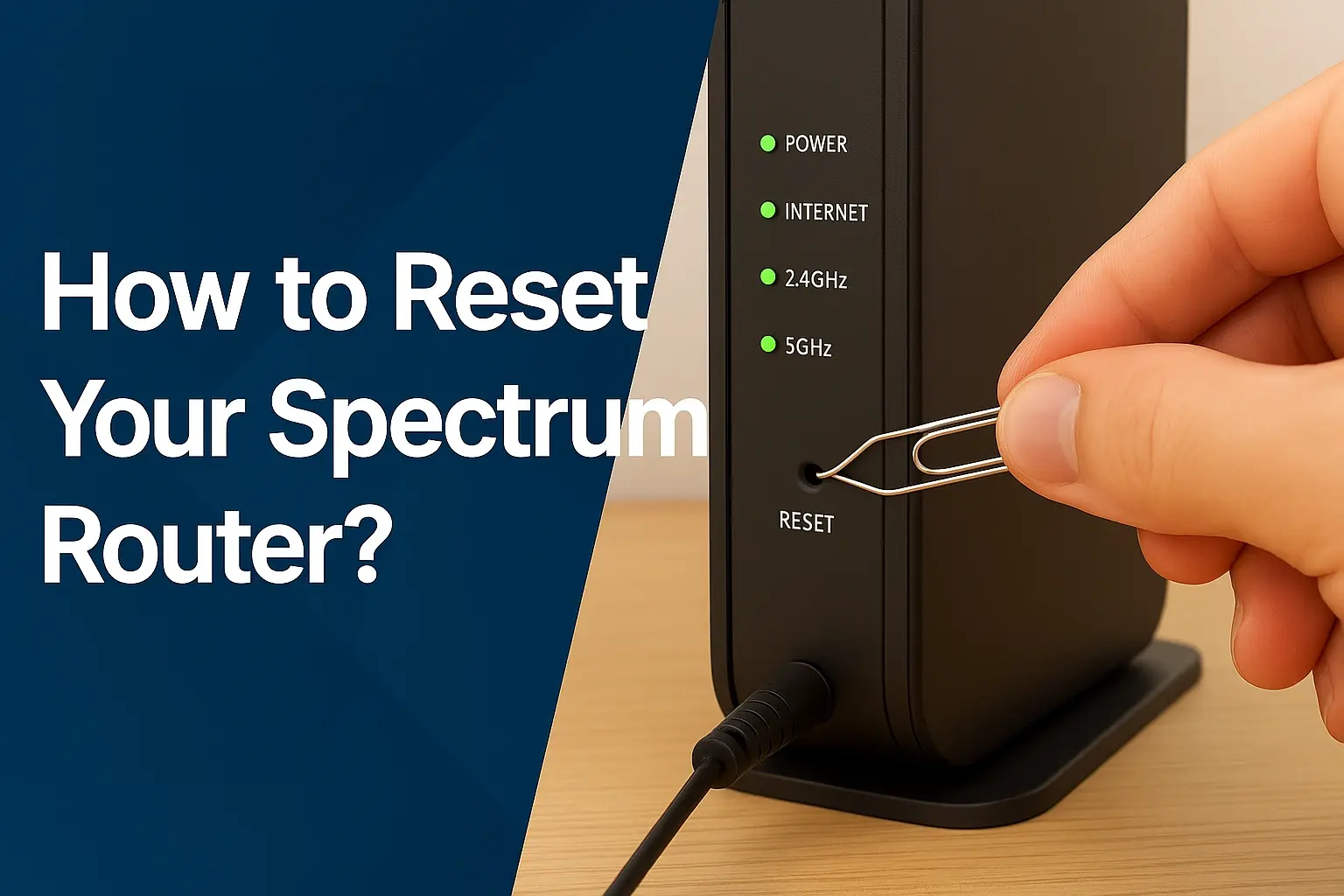
- Restart Your Modem and Router: This is the most common and often effective fix. Unplug the power cords from both your modem and router. Wait for about 30-60 seconds, then plug the modem back in first. Wait for it to fully boot up (all lights stable), then plug in the router. Wait for it to boot up, then test your connection.
- Check Cable Connections: Ensure all coaxial cables are securely screwed into the modem and the wall outlet. Loose connections can cause intermittent service or slow speeds.
- Test with a Wired Connection: If you're experiencing Wi-Fi issues, try connecting a computer directly to the modem or router using an Ethernet cable. If the wired connection works well, the problem is likely with your Wi-Fi setup.
- Check for Service Outages: Visit the Spectrum website or use their app to check if there are any reported service outages in your area. This can save you a lot of time and frustration.
- Test on Multiple Devices: If only one device is having trouble connecting, the issue might be with that specific device rather than the internet service itself.
- Run a Speed Test: If your internet is slow, run a speed test (e.g., Speedtest.net) to measure your download and upload speeds. Compare these results to the speeds advertised for your plan.
When to Contact Spectrum Support
You should contact Spectrum support if:
- The basic troubleshooting steps do not resolve your issue.
- You are experiencing frequent service interruptions or significantly slower speeds than you are paying for.
- Your equipment is malfunctioning or damaged.
- You have questions about your billing or account.
- You need to schedule a service appointment.
When contacting support, have your account information ready, and be prepared to describe the problem and the troubleshooting steps you've already taken. This will help the support agent diagnose and resolve your issue more efficiently.
Spectrum Internet for Specific Needs
Beyond the general question of "How much for just Spectrum Internet?", individuals and households often have specific needs that influence their choice of internet service. Spectrum's offerings can cater to a variety of these requirements, from remote work to heavy entertainment consumption.
For Remote Workers and Home Offices
Reliable, high-speed internet is crucial for remote work. Spectrum's higher-tier plans, such as Spectrum Internet Ultra (300 Mbps) or Spectrum Internet Gig (1 Gbps), are well-suited for this. These plans offer sufficient bandwidth for:
- Video Conferencing: Smooth, uninterrupted video calls without lag or pixelation.
- Large File Transfers: Quickly uploading and downloading documents, presentations, and project files.
- Cloud-Based Applications: Seamless access to cloud storage, collaboration tools, and CRM software.
- Multiple Devices: Supporting a work laptop, personal devices, and potentially other smart home devices without performance degradation.
The lack of data caps is also a significant advantage for remote workers who may exceed typical residential usage limits.
For Gamers
Online gaming requires low latency (ping) and consistent speeds. While Spectrum's cable internet is generally good, fiber optic connections are often preferred by serious gamers due to their superior latency. However, Spectrum's higher speed tiers can still provide a good gaming experience:
- Fast Downloads: Quickly downloading large game files and updates.
- Stable Connection: Minimizing disconnections during online play.
- Sufficient Bandwidth: Allowing for streaming gameplay while gaming without impacting performance.
It's advisable for gamers to opt for the fastest available Spectrum plan to ensure the best possible experience, and to consider a wired Ethernet connection over Wi-Fi for the lowest latency.
For Streaming Enthusiasts (4K, Multiple Devices)
If your household relies heavily on streaming services like Netflix, Hulu, Disney+, or YouTube, especially in 4K resolution, you'll need substantial bandwidth. Spectrum's Ultra (300 Mbps) and Gig (1 Gbps) plans are ideal:
- 4K Streaming: 4K content requires around 25 Mbps per stream. A 300 Mbps plan can support multiple 4K streams simultaneously, while a Gig plan can handle dozens.
- Buffering Reduction: Higher speeds ensure that content loads quickly and plays without constant buffering.
- Simultaneous Usage: Allows multiple family members to stream different content on different devices at the same time without impacting each other's experience.
For Smart Homes and IoT Devices
The increasing number of smart home devices (smart thermostats, lights, security cameras, voice assistants, smart TVs, etc.) all consume bandwidth and require a stable connection. A robust internet plan is essential:
- Device Connectivity: Ensures all your smart devices can connect reliably to your network.
- Data Demands: Some smart home devices, especially security cameras that stream video, can consume significant data.
- Network Stability: A higher-tier plan can better handle the demands of a large number of connected devices without slowing down your primary internet activities.
For Budget-Conscious Users
For individuals or households with more basic internet needs (email, social media, light browsing, standard-definition streaming on one device), Spectrum's entry-level plans (often around 100-200 Mbps) can be a cost-effective solution. By carefully assessing your needs and looking for new customer promotions, you can find a plan that fits your budget. Remember to factor in the cost of purchasing your own equipment to save on monthly rental fees.
No matter your specific needs, Spectrum offers a range of speeds and plans. The key is to accurately assess your usage patterns to choose the right tier, understand the pricing beyond promotions, and leverage available deals to get the best value for your "just Spectrum Internet" service.
Conclusion
When inquiring "How much for just Spectrum Internet?", the answer hinges on several dynamic factors, primarily the speed tier you select, current promotional offers, and your geographic location. In 2025-26, expect internet-only plans to range roughly from $50-$75 per month for basic speeds during promotional periods, climbing to $70-$110+ per month for higher speeds or after introductory offers expire. Remember to factor in potential equipment rental fees (which can be avoided by purchasing your own modem/router) and unavoidable taxes and fees, which can add 10-20% to your bill. Spectrum's appeal lies in its widespread availability, generally reliable cable internet, and absence of data caps, making it a strong contender, especially where fiber is not an option. To secure the best deal, always research new customer promotions, be prepared to negotiate, and understand the standard pricing that will apply after the introductory period ends. By carefully assessing your household's actual internet needs and being a savvy consumer, you can find a Spectrum Internet plan that offers excellent value and performance.