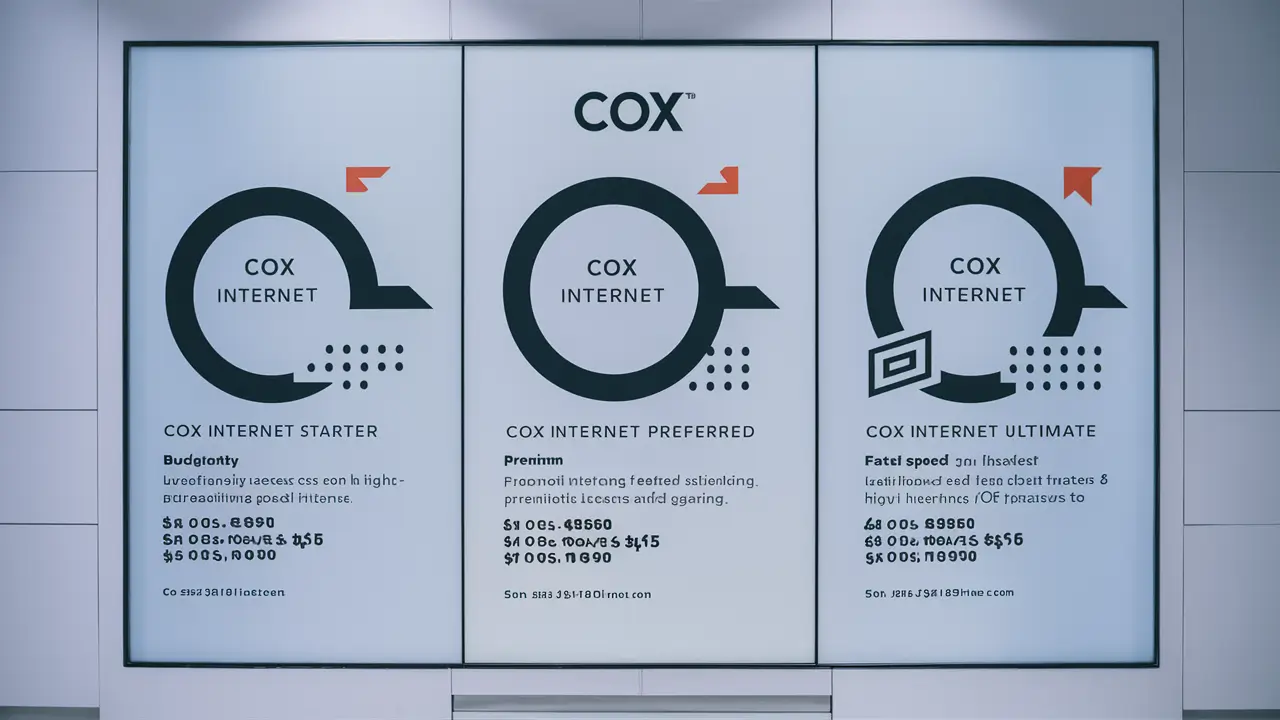
Understanding Cox internet costs is crucial for making an informed decision. This comprehensive guide breaks down the pricing for Cox's various plans, highlighting factors that influence the final bill and offering tips to secure the best value in 2025-26.
Cox Internet Plans Overview
Cox Communications offers a range of internet plans designed to cater to diverse user needs, from basic web browsing to heavy streaming and online gaming. The cost of Cox internet is not a one-size-fits-all figure; it fluctuates based on the speed tier selected, promotional offers, contract terms, and additional services. In 2025-26, understanding these variables is key to managing your budget effectively. Cox primarily operates through a cable internet infrastructure, which generally provides reliable speeds and consistent performance. Their offerings are typically bundled with other Cox services like TV and phone, which can sometimes lead to cost savings but also complicate the pricing structure for internet-only users.
When exploring Cox internet costs, it's important to look beyond the advertised monthly price. Many factors can influence the total amount you pay, including installation fees, equipment rentals, taxes, and potential price increases after promotional periods expire. This guide aims to demystify these costs, providing a clear picture of what to expect when signing up for Cox internet service in the coming year.
Factors Influencing Cox Internet Costs
The price you ultimately pay for Cox internet service is a composite of several elements. Understanding each of these factors can help you anticipate your monthly bill and identify areas where you might be able to save money. These elements are consistent across most of Cox's service areas in 2025-26.
Speed Tier and Data Caps
The most significant determinant of your Cox internet cost is the speed tier you choose. Higher download and upload speeds naturally come with a higher price tag. Cox categorizes its plans based on advertised download speeds, ranging from basic packages suitable for light internet use to ultra-fast plans for demanding applications. Data caps, while becoming less common for some providers, can still be a factor with certain Cox plans or in specific regions. Exceeding data allowances can result in overage charges or speed throttling, effectively increasing your overall cost if not managed.
Promotional Offers and Contract Length
Cox, like many internet service providers, frequently offers introductory pricing for new customers. These promotions are typically valid for a limited time, often 12 or 24 months. After the promotional period ends, the monthly rate will revert to the standard, higher price. Contract lengths also play a role. Signing a longer-term contract (e.g., 24 months) might secure a lower monthly rate during the promotional period, but it also locks you into that price and provider for an extended duration. Month-to-month plans often offer more flexibility but may come at a slightly higher cost or with fewer initial discounts.
Bundling Services
Cox heavily promotes bundling its internet service with its TV and phone packages. Bundling can often lead to significant savings compared to subscribing to each service individually. For example, a bundle might offer a discounted rate on internet when combined with a specific TV channel lineup and home phone service. However, it's crucial to evaluate whether you truly need all the bundled services. Sometimes, the perceived savings might not justify paying for services you won't use. Always compare the bundled price against the cost of standalone internet and any other services you might need from different providers.
Equipment Rental Fees
Cox typically charges a monthly fee for renting their modem and router (often provided as a single gateway device). While this is convenient, the cumulative cost of equipment rental over time can add up significantly. For instance, if a modem rental is $15 per month, that's $180 per year. Many users find it more cost-effective in the long run to purchase their own compatible modem and router. This requires an initial investment but eliminates recurring rental fees. Ensure any purchased equipment is on Cox's approved list to avoid compatibility issues.
Installation and Activation Fees
New customers are often subject to one-time installation and activation fees. These charges cover the cost of setting up your service, whether it's a self-installation kit or a professional technician visit. Cox may offer free or reduced installation fees as part of promotional packages, but it's a cost to factor in during your initial setup. Understanding the exact amount of these fees before signing up is important for accurate budgeting.
Taxes and Surcharges
Beyond the advertised plan price, your monthly bill will include various federal, state, and local taxes, as well as regulatory fees and surcharges imposed by Cox. These can add a noticeable percentage to your total bill. While these are generally unavoidable, their exact amounts can vary by location. It’s good practice to check Cox’s fine print or inquire about typical tax and surcharge amounts in your area.
Service Area Limitations
Cox's service availability is not nationwide. Their network primarily covers specific regions, mainly in the Western, Southwestern, and Southeastern United States. The pricing and plan availability can also differ slightly between these service areas due to local regulations and market competition. Always verify Cox's availability at your specific address to understand the exact costs applicable to you.
Cox Internet Packages and Pricing (2025-26)
Cox offers a tiered structure for its internet plans, with pricing generally reflecting the download speeds provided. It's crucial to note that the prices listed below are estimates for 2025-26 and can vary significantly based on your location, current promotions, contract terms, and whether you bundle services. For the most accurate pricing, always check Cox's official website or contact their sales representatives for your specific address. These figures represent common advertised prices for new customers signing up for a 12-month term without bundles, but actual costs may be higher or lower.
Essential Internet
Target User: Basic internet users who primarily browse the web, check email, and use social media. Suitable for single-user households or very light usage.
Advertised Speeds: Up to 100 Mbps download.
Estimated Price Range (2025-26): $50 - $70 per month.
Notes: This plan is often the entry-level offering. Data caps may apply, and speeds might be insufficient for multiple users or bandwidth-intensive activities like HD streaming or online gaming.
Preferred Internet
Target User: Households with moderate internet usage, including streaming HD video, online gaming, and multiple connected devices. A good balance for most families.
Advertised Speeds: Up to 500 Mbps download.
Estimated Price Range (2025-26): $70 - $90 per month.
Notes: This is often Cox's most popular plan, offering a significant speed upgrade. It generally handles typical household demands well. Data caps might still be a consideration, but often higher than the Essential tier.
Ultimate Internet
Target User: Power users, large households, and individuals who frequently stream 4K content, engage in competitive online gaming, work from home with large file transfers, or have many smart home devices.
Advertised Speeds: Up to 1 Gig (1000 Mbps) download.
Estimated Price Range (2025-26): $90 - $110 per month.
Notes: This plan offers speeds comparable to fiber optic connections in many areas. It’s designed for high-demand scenarios and ensures smooth performance even with extensive usage. Data caps might be more generous or even unlimited on these higher tiers.
Gigablast Internet
Target User: Extremely demanding users, businesses operating from home, or households with an exceptionally high number of connected devices and simultaneous high-bandwidth activities.
Advertised Speeds: Up to 2 Gig (2000 Mbps) download (availability may be limited).
Estimated Price Range (2025-26): $110 - $150+ per month.
Notes: This is Cox's premium offering, providing some of the fastest residential internet speeds available. It requires compatible networking equipment and may only be available in select, upgraded service areas. Data allowances are typically very generous or unlimited.
Example Pricing Table (Illustrative - 2025-26 Estimates)
| Plan Name | Advertised Download Speed | Estimated Monthly Cost (New Customer, 12-mo term, Internet-Only) | Best For |
|---|---|---|---|
| Essential Internet | Up to 100 Mbps | $50 - $70 | Basic browsing, email |
| Preferred Internet | Up to 500 Mbps | $70 - $90 | Streaming HD, moderate gaming |
| Ultimate Internet | Up to 1 Gig (1000 Mbps) | $90 - $110 | 4K streaming, heavy gaming, WFH |
| Gigablast | Up to 2 Gig (2000 Mbps) | $110 - $150+ | Extreme usage, multiple users |
Important Note: These prices are illustrative for 2025-26 and represent advertised rates for new customers on a 12-month term. Actual costs will vary by location, promotions, contract status, and bundled services. Always verify pricing directly with Cox for your specific address.
Understanding Cox Fees and Surcharges
The advertised monthly price for a Cox internet plan is rarely the final amount you will pay. A variety of fees and surcharges are typically added to your bill, increasing the overall cost. Understanding these can help you budget more accurately and potentially negotiate or avoid some costs. These fees are standard across Cox's operations in 2025-26.
Monthly Equipment Rental Fee
As mentioned, Cox charges a monthly fee for renting their modem and Wi-Fi router (often combined into a single gateway device). This fee can range from approximately $15 to $25 per month, depending on the equipment model and your specific plan. Over a year, this can amount to $180-$300 in rental costs alone. Purchasing your own compatible equipment can eliminate this recurring expense.
Installation Fees
Cox may charge an installation fee for new service. This can vary depending on whether you opt for a self-installation kit or require a professional technician visit. Professional installation fees can range from $50 to $100 or more. Cox often offers promotions that waive or reduce these fees for new customers, so it’s worth inquiring about current deals.
Activation Fees
Similar to installation fees, activation fees are sometimes applied to new accounts to cover the cost of setting up your service in their system. These fees are typically a one-time charge, often in the range of $20 to $50.
Taxes and Government Fees
Your Cox bill will include federal, state, and local taxes. These are levied by government entities and are unavoidable. The exact amount will depend on your municipality and state.
Regulatory Fees and Surcharges
Cox also passes on various regulatory fees and surcharges. These can include:
- Federal Universal Service Fund (FUSF) Surcharge: Supports telecommunications services in high-cost areas, schools, libraries, and healthcare facilities.
- State and Local Regulatory Fees: Vary by jurisdiction and support state-level telecommunications regulation.
- Network Access and Technology Surcharges: Fees related to maintaining and upgrading the network infrastructure.
These surcharges are common among ISPs and can add a significant percentage to your base monthly rate. While they are often non-negotiable, understanding their purpose can provide clarity.
Late Payment Fees
If your payment is not received by the due date, Cox will typically charge a late fee. This fee amount can vary but is usually a fixed percentage of the outstanding balance or a flat rate.
Service Call Fees
If a technician needs to visit your home to resolve an issue, and the problem is determined to be with your inside wiring or customer-owned equipment (rather than Cox's network), you may be charged a service call fee. This fee can be substantial, often ranging from $75 to $150.
Data Overage Charges
While Cox is moving towards more generous data allowances, some plans or specific regions might still have data caps. If you exceed your monthly data allowance, you could incur overage charges, which can significantly increase your bill. It's crucial to understand your plan's data limit and monitor your usage.
Tip: Always request a detailed breakdown of all potential fees and surcharges when signing up for service. Many of these are listed in the terms and conditions, but asking directly ensures you have the most current information.
Cox Internet Deals and Promotions
Cox actively uses deals and promotions to attract new customers and retain existing ones. These offers can significantly reduce the cost of internet service, especially during the initial contract period. Staying informed about these can help you secure the best possible price for your Cox internet in 2025-26.
New Customer Discounts
The most common type of promotion is a discount for new subscribers. These offers typically provide a lower monthly rate for the first 12 or 24 months of service. For example, a plan that normally costs $80 per month might be advertised at $50 per month for the first year. These discounts are a primary way to lower your initial Cox internet cost.
Bundled Service Savings
Cox strongly incentivizes bundling. When you combine internet with Cox Contour TV and/or Cox Homelife security services, you can often unlock substantial savings. These bundles are frequently marketed as a package deal with a single, reduced monthly price that is lower than the sum of individual services. Evaluate if the bundled services align with your needs to maximize the value.
Limited-Time Offers
Cox frequently runs limited-time promotions, especially around holidays or major sporting events. These can include enhanced discounts, waived fees, or even gift cards for signing up. It’s advisable to check the Cox website regularly or speak with a sales representative to learn about any current limited-time deals.
Free Equipment Upgrades or Installation
Some promotions may include a free modem/router rental for a specified period or a complimentary professional installation. These offers can save you money on one-time setup costs and recurring equipment fees, making the initial transition to Cox more affordable.
Loyalty Programs and Retention Offers
While primarily aimed at new customers, Cox may offer retention deals to existing customers who are considering switching to a competitor. If your contract is nearing its end, or if you've received offers from other providers, contacting Cox's customer service or retention department might yield a discount or promotional rate to keep you as a subscriber.
Student and Military Discounts
In some areas, Cox may offer special discounts for students or members of the military. These are typically ongoing discounts that can be applied to your monthly bill after verification of eligibility. Inquire with Cox customer service if you fall into one of these categories.
How to Find and Maximize Deals:
- Visit the Cox Website: The most up-to-date promotions are usually listed on Cox's official website. Look for sections like "Deals," "Offers," or "Bundles."
- Contact Sales Representatives: Sometimes, sales agents have access to additional promotions not advertised online. Don't hesitate to ask what deals are available for your specific address.
- Read the Fine Print: Always understand the terms and conditions of any promotion. Pay close attention to the expiration date of discounts and the standard price that will apply afterward.
- Negotiate: If you find a better deal from a competitor, use it as leverage when speaking with Cox. They may be willing to match or beat the offer to retain your business.
- Consider Contract Length: Longer contracts (12-24 months) often come with better introductory pricing but reduce flexibility. Weigh the savings against your need for flexibility.
By actively seeking out and understanding these promotions, you can significantly reduce the overall cost of your Cox internet service.
Comparing Cox Internet Costs to Competitors
To truly understand if Cox internet costs are competitive, it's essential to compare them against other major internet service providers (ISPs) in their service areas. Cox primarily operates as a cable internet provider, meaning its main competitors are other cable companies and, increasingly, fiber optic providers. For 2025-26, here’s a general comparison:
Cox vs. Other Cable Providers (e.g., Spectrum, Xfinity)
Cable providers generally offer similar speed tiers and pricing structures. Cox, Spectrum, and Xfinity often compete directly in many markets. Pricing for comparable speeds (e.g., 300-500 Mbps) can be very close, typically ranging from $60-$90 per month for introductory offers. Key differences often lie in:
- Promotional Periods: The length and depth of introductory discounts can vary.
- Data Caps: Some cable providers may have stricter data caps than Cox, or vice versa, depending on the region.
- Bundling Options: The attractiveness and cost-effectiveness of TV and phone bundles can differ.
- Equipment Fees: Rental fees for modems and routers are usually comparable but can vary by $5-$10 per month.
- Customer Service Reputation: This is subjective but can be a deciding factor.
In many areas, Cox's pricing for mid-tier plans (like Preferred Internet) is competitive with other cable giants. However, it's crucial to check availability and specific offers for your address.
Cox vs. Fiber Optic Providers (e.g., AT&T Fiber, Verizon Fios, Google Fiber)
Fiber optic internet is generally considered superior in terms of speed, reliability, and often symmetrical upload/download speeds. When available, fiber can be a strong competitor to Cox.
- Speed: Fiber providers often offer gigabit speeds (1000 Mbps) or even multi-gigabit speeds (2 Gbps, 5 Gbps) at prices comparable to or sometimes lower than Cox's equivalent tiers. For instance, 1 Gbps fiber might be available for $70-$90 per month, with no data caps and symmetrical speeds.
- Reliability: Fiber optic cables are less susceptible to interference and degradation than coaxial cables, leading to more consistent performance.
- Upload Speeds: This is a major differentiator. Fiber typically offers symmetrical upload speeds (same as download), which is crucial for video conferencing, large file uploads, and live streaming. Cox's cable internet usually has significantly lower upload speeds.
- Data Caps: Most fiber providers do not impose data caps on their residential plans.
- Availability: Fiber optic networks are still expanding and are not as widely available as cable internet. Cox's cable network has broader reach in its operating regions.
If fiber is available at your address, it often presents a compelling alternative to Cox, especially if symmetrical speeds and unlimited data are priorities. However, Cox's introductory offers can sometimes make its cable plans more affordable initially.
Cox vs. DSL Providers (e.g., CenturyLink/Lumen)
DSL (Digital Subscriber Line) uses telephone lines to deliver internet. It is generally the slowest and least reliable option among the three major technologies (cable, fiber, DSL).
- Speed: DSL speeds are typically much lower than cable or fiber, often ranging from 10 Mbps to 100 Mbps, with upload speeds being very slow.
- Cost: DSL can sometimes be cheaper than cable, especially for lower speed tiers. However, the performance trade-off is significant.
- Availability: DSL is widely available in areas where phone service exists.
For most users seeking reasonable performance, DSL is usually not a direct competitor to Cox's offerings, unless budget is the absolute primary concern and higher speeds are not needed.
Key Comparison Points for 2025-26:
| Feature | Cox (Cable) | Fiber Providers | DSL Providers |
|---|---|---|---|
| Typical Download Speeds | 100 Mbps - 2 Gbps | 100 Mbps - 10 Gbps+ | 10 Mbps - 100 Mbps |
| Typical Upload Speeds | 10 Mbps - 35 Mbps | Symmetrical (same as download) | 1 Mbps - 10 Mbps |
| Data Caps | May apply, varies by plan/region | Rarely apply | May apply |
| Introductory Pricing | Common, significant discounts | Less common, often standard pricing | Less common |
| Equipment Rental Fees | Common ($15-$25/mo) | Less common, sometimes included or purchase required | Common |
| Availability in Cox Areas | High | Varies, growing | High (if phone service exists) |
Ultimately, the best way to compare is to check availability and specific pricing for your address from all providers operating in your area. Cox's strength lies in its widespread availability within its service footprint and competitive introductory offers. However, if fiber is an option, it often provides superior long-term value and performance.
Tips for Saving on Your Cox Internet Bill
Managing your Cox internet costs effectively requires a proactive approach. By implementing these strategies, you can potentially lower your monthly bill and avoid unnecessary expenses throughout 2025-26.
1. Negotiate Your Rate
Don't accept the first price you're quoted. When your contract is nearing its end, or if you find a better offer from a competitor, contact Cox's customer service or retention department. Many customers report success in negotiating lower monthly rates, extended promotional periods, or waived fees by simply asking. Be polite but firm, and highlight any competitive offers you've received.
2. Purchase Your Own Modem and Router
The monthly equipment rental fee from Cox can add up significantly over time. Investing in your own compatible modem and router can save you money in the long run. Ensure the equipment you buy is on Cox's approved device list and meets the speed requirements for your chosen plan. While there's an upfront cost, it typically pays for itself within 6-12 months.
3. Review Your Plan Regularly
Your internet needs may change. If you find you're paying for a high-speed plan but rarely utilize its full capacity, consider downgrading to a lower-tier plan. Conversely, if your usage has increased, upgrading might be necessary, but always compare the cost-to-speed ratio of different plans. Cox often has deals on lower tiers as well.
4. Take Advantage of Bundling Wisely
If you use or plan to use Cox's TV or phone services, bundling can offer savings. However, only bundle if the services are genuinely valuable to you. Calculate the cost of the bundle versus the cost of individual services from Cox and other providers to ensure you're getting a true deal.
5. Look for New Customer Promotions (Even as an Existing Customer)
While primarily for new subscribers, sometimes switching to a different plan or service address temporarily (if feasible) and then returning can allow you to access new customer deals. Alternatively, ask if any current new customer promotions can be applied to your existing account, especially if you are out of contract.
6. Monitor Your Data Usage
If your plan has data caps, be mindful of your usage. Streaming in lower quality, downloading files during off-peak hours, and using Wi-Fi efficiently can help you stay within your allowance and avoid overage charges. Some plans offer unlimited data, which might be worth the upgrade if you frequently exceed limits.
7. Understand All Fees and Surcharges
Scrutinize your monthly bill. Ensure you understand every charge. Sometimes, fees are added that you weren't aware of. Question any charges that seem incorrect or unusually high. This also helps you budget accurately.
8. Consider a Contract Buyout (If Applicable)
If you are locked into a contract with another provider and want to switch to Cox, Cox sometimes offers contract buyout promotions. These can help offset early termination fees from your previous ISP, making the switch more financially feasible.
9. Check for Military, Student, or Senior Discounts
Inquire with Cox customer service if any specific demographic discounts are available in your area. While not always offered, they can provide additional savings if you qualify.
10. Utilize Self-Installation When Possible
If Cox offers a self-installation option for your chosen plan and location, it can save you the professional installation fee, which can range from $50 to $100.
By consistently applying these saving tips, you can ensure that your Cox internet service remains as affordable as possible without compromising on the speed and reliability you need.
Cox Internet Installation Costs
When you sign up for new Cox internet service, installation is a necessary step to get connected. The costs associated with this process can vary, and understanding them upfront is crucial for budgeting. Cox offers different installation methods, each with its own pricing structure for 2025-26.
Professional Installation
This is the most common and often recommended option, especially for users who are not comfortable with technical setups or if the installation requires running new lines or complex configurations. A Cox technician will visit your home, set up the necessary equipment (modem, router, wiring), test the connection, and ensure everything is working correctly.
- Estimated Cost: Typically ranges from $50 to $100. This is a one-time fee.
- When it's necessary: If you need new wiring run, if you're in a new construction home, or if you're unsure about the setup process.
- Promotional Offers: Cox frequently waives or reduces professional installation fees as part of new customer promotions. Always ask if this is included in any deals you're considering.
Self-Installation
For customers who are comfortable with basic technical tasks, Cox may offer a self-installation option. This involves Cox mailing you a kit with a modem, router, and instructions. You'll be responsible for connecting the cables, powering on the equipment, and activating the service online or via phone.
- Estimated Cost: Often free or a nominal fee ($10-$20) for the shipping/handling of the kit.
- When it's suitable: If your home already has active cable outlets in the desired location and you have basic knowledge of connecting network devices.
- Limitations: Self-installation may not be available for all plans or service areas, especially if new wiring or complex setup is required.
Activation Fee
In addition to installation, Cox may charge a separate one-time activation fee. This fee covers the cost of setting up your account and provisioning your service in their network.
- Estimated Cost: Typically ranges from $20 to $50.
- Promotional Offers: Like installation fees, activation fees can sometimes be waived as part of promotional packages.
Factors Influencing Installation Costs
- Promotional Deals: The biggest factor influencing installation costs is whether a promotional offer includes free or discounted installation and activation. These are common for new customers.
- Service Location: While Cox aims for consistency, minor variations in installation pricing might exist across different regions due to local market conditions or logistical costs.
- Equipment Needed: If specialized equipment is required beyond a standard modem/router, this could potentially influence costs, though it's less common for residential internet.
Step-by-Step Guide to Cox Installation (General Process):
- Order Service: Choose your plan and sign up online or by phone.
- Schedule Installation: If opting for professional installation, schedule a date and time window with Cox. If self-installing, specify delivery of the kit.
- Prepare Your Home: For professional installation, ensure clear access to the location where the modem will be placed and where cable outlets exist. For self-installation, identify the main cable outlet and power source.
- Technician Visit (Professional Install): The technician will arrive within the scheduled window, install/connect the equipment, and test the service.
- Self-Setup (Self-Install): Unpack the kit, connect the coaxial cable to the modem and wall outlet, connect the modem to the router (if separate), and plug in the power.
- Activate Service: Follow the instructions provided (either by the technician or in the self-install kit) to activate your service. This usually involves visiting a Cox activation webpage or calling a support number.
- Test Your Connection: Once activated, run a speed test and browse a few websites to confirm everything is working as expected.
Recommendation: Always inquire about current installation and activation fees when signing up. If you are eligible for self-installation, it's usually the most cost-effective option, provided you are comfortable with the process. Otherwise, look for promotions that waive professional installation costs.
Choosing the Right Cox Plan for Your Needs
Selecting the ideal Cox internet plan involves balancing your household's internet usage habits with the available speed tiers and their associated costs. Overspending on a plan that's too fast or underspending and suffering from slow speeds can both lead to dissatisfaction. Here’s a guide to help you make an informed choice in 2025-26.
Assess Your Household's Internet Usage
Before looking at Cox's plans, honestly evaluate how your household uses the internet. Consider the following:
- Number of Users: How many people will be using the internet simultaneously?
- Number of Devices: How many devices (smartphones, tablets, laptops, smart TVs, gaming consoles, smart home devices) are connected at any given time?
- Primary Activities: What are the main internet activities? (e.g., basic web browsing, email, social media, streaming standard-definition video, streaming HD/4K video, online gaming, video conferencing for work/school, large file downloads/uploads).
- Peak Usage Times: When is internet usage highest in your home?
Matching Usage to Cox Plans
Based on your assessment, here’s a general guideline for matching your needs to Cox's typical plan offerings:
1. Essential Internet (Up to 100 Mbps Download)
Ideal For:
- 1-2 users
- 1-5 devices
- Basic activities: Email, web browsing, social media, standard-definition streaming on one device at a time.
- Households where internet is not the primary form of entertainment or work.
Avoid If: You have multiple users, stream HD/4K content regularly, play online games, or have many smart home devices.
2. Preferred Internet (Up to 500 Mbps Download)
Ideal For:
- 2-5 users
- 5-15 devices
- Moderate to heavy activities: Streaming HD video on multiple devices simultaneously, casual online gaming, video conferencing, working from home with moderate file transfers.
- Most typical families.
Consider If: You want a good balance of speed and cost for a variety of common internet tasks.
3. Ultimate Internet (Up to 1 Gig / 1000 Mbps Download)
Ideal For:
- 4+ users
- 15+ devices
- Intensive activities: Streaming 4K video on multiple devices, competitive online gaming, heavy file downloads/uploads, running multiple smart home devices, working from home with large data needs.
- Households with high overall internet demand.
Consider If: You want a future-proof connection that can handle almost any online activity smoothly.
4. Gigablast (Up to 2 Gig / 2000 Mbps Download)
Ideal For:
- Very large households or power users
- Extremely high number of connected devices
- Demanding applications: Simultaneous 4K/8K streaming, high-end online gaming with low latency, professional content creation, hosting servers, extensive smart home ecosystems.
Consider If: You need the absolute fastest speeds available and your budget allows. Ensure your home network hardware can support these speeds.
Key Questions to Ask Yourself:
- What is my budget? Determine how much you are willing to spend monthly. Remember to factor in potential fees and the cost after promotional periods expire.
- Do I need the fastest speeds? For most users, 500 Mbps is more than sufficient. Gig speeds are often overkill unless you have very specific, high-demand needs.
- What are my upload speed requirements? Cox's cable internet has relatively low upload speeds. If you frequently upload large files or rely heavily on video calls, this might be a limitation. Fiber providers often offer symmetrical speeds, which are much better for uploads.
- Are data caps a concern? Check the data allowance for each plan. If you anticipate exceeding it, look for plans with higher caps or unlimited data, or consider providers known for unlimited data.
- Am I eligible for any discounts? Check for student, military, or bundled service discounts.
Finalizing Your Choice
Once you have a general idea of the speed tier you need, visit the Cox website or contact their sales team. Input your address to see the exact plans, pricing, and promotions available in your specific area. Compare the introductory price with the standard rate after the promotion ends. If you are between two plans, consider which one offers the best value for your typical usage. It’s often better to slightly overestimate your needs than to be stuck with a plan that’s too slow.
Remember that Cox offers a satisfaction guarantee or a trial period in some cases. If you find the plan you chose isn't meeting your needs, you may be able to switch plans or providers within that period.
By carefully assessing your needs and comparing the available options, you can confidently choose the Cox internet plan that provides the best balance of performance, features, and cost for your household.
Conclusion
Determining "How Much Does Cox Internet Cost?" involves understanding a multifaceted pricing structure. In 2025-26, expect base monthly costs for Cox internet plans to range from approximately $50 for basic speeds up to $150 or more for gigabit-plus services, before accounting for additional fees. Key cost influencers include the speed tier, promotional discounts, contract length, equipment rental fees, and the potential savings or added costs of bundling services. While Cox's introductory offers can make their plans highly competitive, it's crucial to look beyond the initial price and consider the standard rate after promotions expire, as well as the recurring equipment rental charges.
To secure the best value, actively seek out deals, consider purchasing your own modem and router to eliminate rental fees, and regularly review your plan to ensure it still meets your household's needs. Comparing Cox's offerings against local competitors, especially fiber providers if available, is also essential. By carefully assessing your internet usage, understanding all associated fees, and leveraging available savings strategies, you can make an informed decision and manage your Cox internet costs effectively.