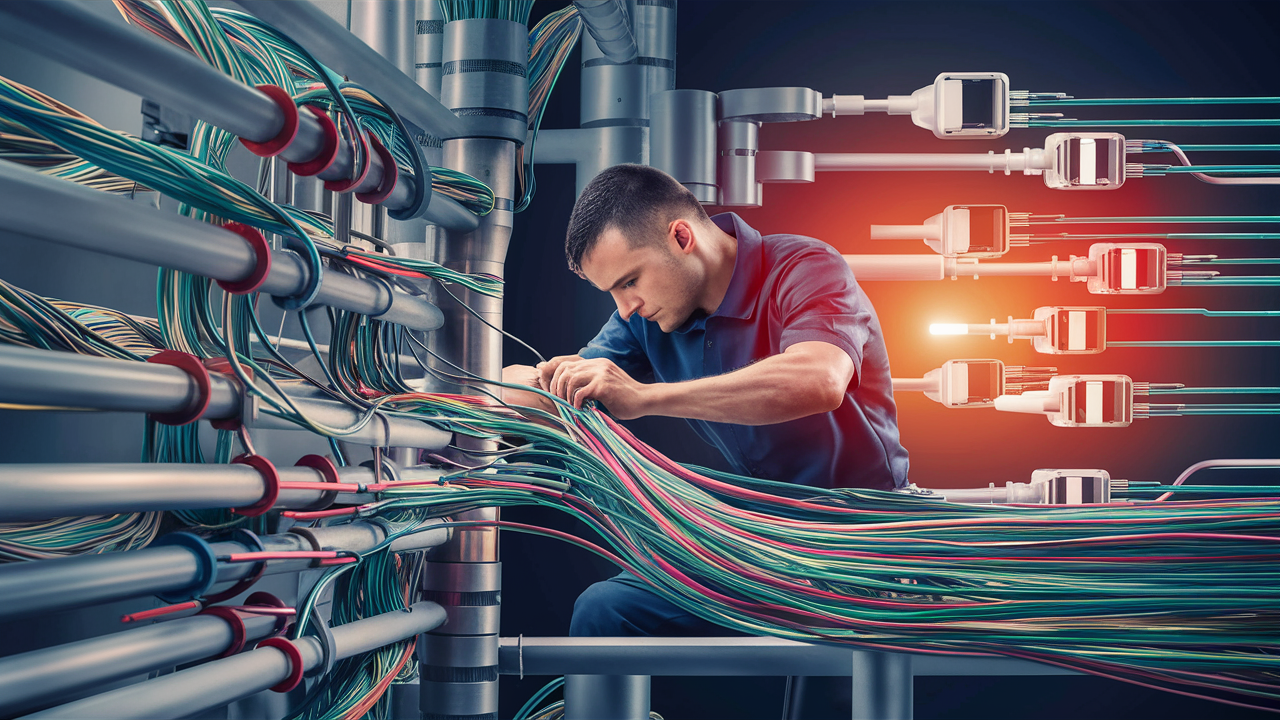
The time it takes to install fiber-optic internet can vary significantly, typically ranging from a few hours for a simple in-home setup to several weeks or even months for more complex deployments. Understanding the process and influencing factors helps manage expectations for getting your high-speed connection.
Understanding the Fiber Optic Internet Installation Timeline
When considering a switch to fiber-optic internet, one of the most common questions is, "How long does it take to install fiber-optic internet?" This question is crucial for planning, as internet connectivity is no longer a luxury but a necessity for work, education, entertainment, and staying connected. The answer, however, is not a simple one-size-fits-all figure. The timeline for fiber installation is influenced by a multitude of factors, from the type of property you have to the existing infrastructure in your area and the specific provider you choose.
In 2025, the demand for faster and more reliable internet speeds continues to surge, making fiber optic technology the gold standard. While the promise of gigabit speeds and symmetrical upload/download capabilities is enticing, potential customers often grapple with the installation process itself. This guide aims to demystify the timeline, providing a comprehensive overview of what to expect, from the initial order to the final activation of your service. We will delve into the various stages of installation, the elements that can expedite or delay the process, and how to prepare for a smooth transition to fiber.
The typical installation window for residential fiber can range from a single appointment lasting a few hours to a multi-day or even multi-week project, particularly if new trenching or aerial cable deployment is required. For businesses, the complexity often increases, potentially extending the timeline considerably due to the need for more robust infrastructure and tailored solutions. By understanding these nuances, you can better gauge the commitment involved and make informed decisions about your internet service provider.
Key Factors Influencing Fiber Optic Installation Time
Several critical elements dictate the overall duration of a fiber optic internet installation. Recognizing these factors is the first step in accurately estimating how long the process will take for your specific situation. These aren't just minor variables; they can significantly shift the timeline from a quick afternoon job to a project spanning weeks.
1. Type of Property and Existing Infrastructure
The nature of your home or business plays a pivotal role.
- Existing Conduit/Ducts: If your building already has pre-existing conduits or pathways for telecommunications, the installation can be much faster. Technicians can often pull new fiber optic cables through these existing routes, minimizing the need for new construction. This is especially common in newer developments or areas where fiber has been previously laid for other services.
- New Trenching or Aerial Installation: In areas where no existing infrastructure is present, the installation becomes significantly more involved. This could mean digging trenches to lay new underground cables or installing new poles and aerial cables. These processes are time-consuming, often requiring permits, specialized equipment, and coordination with local authorities and utility companies. This is a major reason why rural or older suburban areas might experience longer wait times.
- Apartment Buildings and Multi-Dwelling Units (MDUs): Installing fiber in apartment buildings presents unique challenges. It requires coordination with building management, potentially accessing multiple units, and navigating shared building infrastructure. While some buildings may have pre-installed fiber backbones, others might need extensive work to bring fiber to each unit, which can extend the timeline considerably.
2. Proximity to the Fiber Network Node
The distance from your property to the nearest fiber optic network node (the point where the provider's main fiber lines are located) is a crucial determinant of installation complexity and time.
- Short Distances: If your property is close to an existing fiber hub, the installation will likely be quicker. Technicians will have less distance to cover to connect your premises to the main network.
- Longer Distances/New Infrastructure: If your location is far from the existing network, it may necessitate the extension of the fiber optic lines. This could involve laying new underground cables or stringing aerial lines over a considerable distance, which significantly increases the installation time and cost. This is often a factor in areas undergoing fiber expansion.
3. Provider's Workload and Technician Availability
Like any service, fiber providers experience periods of high demand.
- Peak Demand Periods: During periods of high demand, such as when a new fiber network is being rolled out in an area or following major service disruptions from other providers, technician schedules can become fully booked. This can lead to longer waiting times for installation appointments.
- Technician Skill and Experience: The expertise of the installation team can also play a role. Experienced technicians can often complete installations more efficiently and with fewer complications.
- Geographic Service Area: The density of the provider's service area matters. Providers in densely populated urban areas might have more streamlined processes due to established infrastructure, while those expanding into less populated or rural regions may face more logistical hurdles.
4. Permitting and Local Regulations
This is a significant factor, especially when new infrastructure is required.
- Digging Permits: If new trenching is needed, obtaining permits from local municipalities or authorities can be a lengthy process. This involves applications, reviews, and approvals, which can add weeks to the overall timeline.
- Right-of-Way Access: Securing rights-of-way for laying cables, whether underground or aerial, can also involve bureaucratic procedures and negotiations with property owners or local government.
- Utility Coordination: When new poles or underground lines are installed, coordination with existing utility companies (power, water, gas) is essential to avoid conflicts and ensure safety. This coordination can add time to the project schedule.
5. Type of Installation (e.g., Aerial vs. Underground)
The method used to bring fiber to your property has a direct impact on the time required.
- Aerial Installation: This involves running cables from utility poles to your home. It is generally faster than underground installation, as it doesn't require digging. However, it is dependent on the availability of existing poles and can be subject to weather conditions.
- Underground Installation: This is often preferred for its aesthetics and durability but is more labor-intensive. It can involve trenching or directional boring to lay conduit and then pull fiber through it. This process is significantly slower, especially if new trenches must be dug from the street to your house.
6. Complexity of the Installation Site
The physical characteristics of your property can also affect the installation duration.
- Terrain: Difficult terrain, such as rocky ground, steep slopes, or densely wooded areas, can make trenching or aerial cable placement more challenging and time-consuming.
- Obstacles: Existing landscaping, driveways, patios, or other structures may need to be navigated or temporarily removed, adding complexity and time.
- Interior Wiring: The path the fiber takes inside your home to reach the modem or router can also influence the time. If neat, hidden wiring is desired, it might require more effort from the technician.
The Residential Fiber Optic Installation Process: A Step-by-Step Guide
Understanding the typical steps involved in a residential fiber optic installation can help you anticipate the process and prepare for the technician's visit. While specific procedures may vary slightly between providers, the general flow remains consistent. This guide outlines the common stages from initial order to service activation.
Step 1: Ordering Service and Initial Assessment
The process begins when you place an order with your chosen fiber internet provider.
- Service Inquiry: You contact the provider, provide your address, and inquire about fiber availability.
- Eligibility Check: The provider verifies if fiber service is available at your location. This often involves checking their network maps.
- Site Survey (Sometimes): For more complex installations or in areas where new infrastructure is needed, a preliminary site survey might be conducted. This helps the provider assess the feasibility, potential challenges, and estimate the installation timeline. This survey can occur remotely or with a technician visit.
Step 2: Scheduling the Installation Appointment
Once your service is confirmed, you'll schedule an installation appointment.
- Appointment Booking: You'll work with the provider to find a suitable date and time for the installation. The availability will depend on the provider's schedule and the factors mentioned previously.
- Time Window: Providers typically offer a time window (e.g., 8 AM - 12 PM) during which the technician will arrive.
- Confirmation: You'll receive a confirmation of your appointment details.
Step 3: External Installation (Bringing Fiber to Your Property)
This is where the physical connection to your home or building is established.
- Locating the Network Point: The technician will identify the nearest point on the provider's fiber network (e.g., a utility pole, a street cabinet).
-
Running the Fiber Line:
- Aerial: If aerial installation is used, the technician will attach a cable from the pole to your house, often using existing support structures or installing a new anchor point.
- Underground: If underground installation is required, this is the most labor-intensive part. It may involve digging a trench from the street to your house, using directional boring, or utilizing existing conduits. This step can take several hours to a few days, depending on the distance and complexity.
- Installing the Network Interface Device (NID): A small box, the NID (also known as an Optical Network Terminal or ONT), is typically mounted on the exterior of your home where the fiber line enters. This device converts the optical signal to an electrical signal.
Step 4: Internal Installation (Connecting Inside Your Home)
Once the fiber is at your NID, it needs to be brought inside and connected to your equipment.
- Drilling Entry Point: The technician will drill a small hole through an exterior wall to bring the fiber cable inside, usually near where you want your modem/router to be located.
- Running Interior Cable: The fiber cable is then run from the entry point to the desired location for your modem or router. Technicians aim to make this wiring as neat and unobtrusive as possible, often running it along baseboards or through attics/crawl spaces.
- Installing the Optical Network Terminal (ONT) or Modem: The fiber cable is connected to the ONT, which is the device that translates the optical signal into data. In many cases, the ONT is integrated into the modem provided by the ISP. This device is usually placed in a central location for optimal Wi-Fi coverage.
Step 5: Equipment Setup and Service Activation
The final steps involve connecting your devices and ensuring the service is live.
- Connecting Router: The technician will connect your router to the ONT/modem. If the provider supplies a combined modem/router unit, this step is simplified.
- Testing the Connection: The technician will perform speed tests and connectivity checks to ensure your service is working correctly and meeting the advertised speeds.
- Wi-Fi Setup (Optional): If you've opted for the provider's Wi-Fi service or equipment, the technician will assist with setting up your Wi-Fi network name (SSID) and password.
- Demonstration: The technician may briefly demonstrate how to use the equipment and answer any initial questions you may have.
- Service Activation: In most cases, the service is activated immediately upon successful testing. Some providers might require a remote activation by their network operations center, which could happen shortly after the technician leaves.
Typical Residential Installation Timeframe
For a standard residential installation where fiber is already available at the street or pole, the entire process, from the technician's arrival to service activation, typically takes between 2 to 4 hours. However, this is the *on-site* time. The total time from ordering to having working fiber can be much longer due to scheduling and potential infrastructure work.
Commercial Fiber Optic Installation: What's Different?
Installing fiber optic internet for businesses often involves a more complex and lengthy process compared to residential installations. The scale, requirements, and infrastructure needs of commercial clients necessitate a tailored approach that can extend the timeline significantly.
1. Scalability and Bandwidth Requirements
Businesses typically require higher bandwidth and more robust connections to support multiple users, devices, and critical operations.
- Dedicated Circuits: Businesses often opt for dedicated fiber lines, ensuring guaranteed bandwidth and performance, unlike shared residential services.
- Higher Capacity: The fiber infrastructure needs to support significantly more data traffic, which might require upgrades to the provider's network in the vicinity of the business.
2. Infrastructure and Site Preparation
Commercial properties may require extensive groundwork.
- New Fiber Builds: If fiber isn't already present, a new fiber optic cable often needs to be run from the provider's nearest point of presence directly to the business premises. This can involve trenching, directional boring, or aerial installation over significant distances.
- Building Entry and Distribution: Bringing fiber into a commercial building and distributing it throughout the premises to various points of use (offices, server rooms) requires careful planning and execution. This might involve conduit installation within walls, ceilings, or server racks.
- Coordination with Building Management/Owners: Commercial installations require significant coordination with building owners, property managers, and potentially multiple tenants to gain access and ensure minimal disruption.
3. Permitting and Regulatory Hurdles
The permitting process for commercial installations can be more stringent.
- Complex Permits: Large-scale trenching or aerial deployments often require more extensive permits from municipal, state, and sometimes federal agencies.
- Environmental Impact Studies: Depending on the scale of the project and location, environmental impact assessments might be necessary.
- Right-of-Way Agreements: Securing rights-of-way for public or private land access can be a protracted negotiation process.
4. Equipment and Network Design
Commercial setups demand more sophisticated equipment and network planning.
- Advanced Routers and Switches: Businesses often use enterprise-grade networking equipment that requires professional configuration.
- Redundancy and Failover: For mission-critical operations, businesses may require redundant fiber lines or failover solutions, adding complexity to the installation and design phase.
- Custom Network Configuration: The network is often customized to meet specific business needs, including VLANs, VPNs, and other security measures.
5. Timeline for Commercial Installations
Given these complexities, commercial fiber installations typically take longer than residential ones.
- Planning and Design: This phase alone can take several weeks to months.
- Permitting: Obtaining all necessary permits can add 1 to 3 months, or even longer.
- Construction/Deployment: Laying new fiber lines, trenching, or aerial work can take anywhere from a few weeks to several months, depending on the distance and terrain.
- On-Site Installation and Configuration: The actual setup within the business premises can take several days to a week or more, depending on the size and complexity of the network.
In summary, while a residential fiber installation might be completed in a single afternoon, a commercial fiber installation can span anywhere from 4 weeks to 6 months or more, from initial consultation to full service activation. This longer lead time is due to the intricate planning, extensive infrastructure work, and regulatory requirements involved.
Fiber Optic vs. Other Internet Technologies: A Time Comparison
To truly appreciate the timeline of fiber optic internet installation, it's helpful to compare it with the installation processes of other common internet technologies. This comparison highlights why fiber, while potentially having a longer lead time for initial infrastructure deployment, offers distinct advantages once it reaches your premises.
Fiber Optic Internet
- Installation Time (On-Site): 2-4 hours for standard residential; 1-2 days for complex residential or basic commercial.
-
Total Time (Order to Activation):
-
Existing Fiber Network: 1-4 weeks (dominated by scheduling and technician availability).
Example: In a well-established fiber city, you might order on Monday and get installed the following week. -
New Fiber Deployment: 2 months to 1 year+ (dominated by infrastructure build-out, permitting, and construction).
Example: A new neighborhood getting fiber might have a 6-month wait from announcement to service availability.
-
Existing Fiber Network: 1-4 weeks (dominated by scheduling and technician availability).
- Key Differentiator: The "heavy lifting" for fiber is often the initial network build-out. Once the fiber is near your property, the on-site installation is relatively quick.
DSL (Digital Subscriber Line)
- Installation Time (On-Site): 1-3 hours.
- Total Time (Order to Activation): 1-3 weeks.
- Process: DSL uses existing copper telephone lines. The installation typically involves activating the service at the local phone company's central office and ensuring the line is functional. A technician may visit to install a DSL modem and splitter if needed.
- Limitations: Speed is highly dependent on distance from the local exchange and line quality.
Cable Internet
- Installation Time (On-Site): 2-4 hours.
- Total Time (Order to Activation): 1-3 weeks.
- Process: Cable internet uses the same coaxial cable network as cable television. Installation involves connecting the modem to the cable outlet. A technician may need to install a new outlet or ensure the existing one is compatible. If new cable lines need to be run to the house, it can take longer.
- Limitations: Bandwidth is shared among users in a neighborhood, which can lead to slower speeds during peak hours.
Satellite Internet
- Installation Time (On-Site): 2-4 hours (for dish setup).
- Total Time (Order to Activation): 2-6 weeks.
- Process: Requires the installation of a satellite dish on the roof or a clear outdoor location, connected to a modem inside. The longer lead time is often due to equipment shipping and scheduling the specialized technician.
- Limitations: High latency, susceptible to weather interference, data caps are common.
Fixed Wireless Internet
- Installation Time (On-Site): 2-4 hours.
- Total Time (Order to Activation): 1-4 weeks.
- Process: Involves mounting an antenna on the exterior of the building to receive a signal from a nearby tower. A technician installs and aligns the antenna and runs a cable inside to the router.
- Limitations: Performance can be affected by distance from the tower, line-of-sight obstructions, and weather.
Comparison Table (Estimated Timelines)
| Internet Type | Typical On-Site Installation Time | Estimated Total Time (Order to Activation) | Key Infrastructure |
|---|---|---|---|
| Fiber Optic | 2-4 hours (residential) | 1-4 weeks (existing network) 2 months - 1 year+ (new deployment) |
Dedicated fiber optic cables |
| DSL | 1-3 hours | 1-3 weeks | Existing copper telephone lines |
| Cable | 2-4 hours | 1-3 weeks | Coaxial cable network |
| Satellite | 2-4 hours (dish setup) | 2-6 weeks | Satellite dish and transceiver |
| Fixed Wireless | 2-4 hours | 1-4 weeks | Wireless antenna and tower infrastructure |
As the table illustrates, the *on-site* installation time for fiber is comparable to cable and DSL. The primary difference lies in the potential for longer lead times if new fiber infrastructure needs to be built. However, once that infrastructure is in place, the actual connection to your home is often swift. The long-term benefits of fiber's speed, reliability, and future-proofing often outweigh the initial waiting period for new deployments.
What to Expect on Installation Day
The day of your fiber optic internet installation can be a mix of anticipation and practical considerations. Being prepared can ensure the process goes smoothly and efficiently. Here’s a breakdown of what you can typically expect when the technician arrives.
Before the Technician Arrives
- Confirm Appointment: Double-check your appointment time and ensure you have the provider's contact information in case of any last-minute changes.
- Clear the Work Area: Ensure the technician has clear access to the exterior of your home where the fiber will enter, as well as the interior path to your desired modem/router location. This might involve moving vehicles, garden furniture, or clearing clutter from hallways.
- Identify Desired Equipment Location: Decide where you want your modem/router to be placed. A central location is usually best for Wi-Fi coverage. Consider proximity to power outlets and potential cable routing.
- Prepare Pets: If you have pets, ensure they are secured in a separate room or on a leash to prevent them from interfering with the technician's work or escaping.
- Be Present: You or an authorized adult (18+) must be present for the entire duration of the installation.
During the Installation
- Technician Arrival: The technician will typically arrive within the scheduled time window. They will usually introduce themselves and confirm the service details.
- Site Assessment: The technician will assess the exterior of your home to determine the best route for the fiber cable from the nearest network point (e.g., pole) to your house. They will also identify the best point for entry.
-
Exterior Work:
- Running the Fiber: The technician will run the fiber optic cable from the network point to your home. This might involve attaching it to existing poles, running it along fences, or, if underground, digging a shallow trench or using directional boring.
- Mounting the NID: A Network Interface Device (NID) or Optical Network Terminal (ONT) will be mounted on the exterior wall of your home.
-
Interior Work:
- Drilling Entry Point: A small hole will be drilled through the exterior wall to bring the fiber cable inside. The technician will typically seal this hole afterward.
- Routing Interior Cable: The fiber cable will be routed from the entry point to your chosen location for the modem/router. The technician will aim for a clean installation, minimizing visible wires.
- Connecting Equipment: The fiber cable will be connected to the ONT (if separate) or directly to the modem/router unit.
- Equipment Setup: The technician will connect the modem/router and power it up.
- Testing and Activation: The technician will test the connection speed and stability. They will activate your service with the provider's network operations center.
- Wi-Fi Configuration: If applicable, they will help set up your Wi-Fi network name (SSID) and password.
- Demonstration and Questions: The technician will show you how to use the equipment and answer any questions you may have about your new service.
Post-Installation
- Clean-Up: The technician should clean up any debris from their work.
- Documentation: You may receive documentation about your service and equipment.
- Troubleshooting: If you encounter any immediate issues, contact the provider's customer support.
Duration of the Visit
The technician's visit itself typically lasts between 2 to 4 hours for a standard residential installation. This can extend to 4-8 hours or even require multiple visits for more complex scenarios, such as extensive trenching or interior wiring challenges.
It's important to remember that this is the time the technician is on-site. The total time from ordering to having service can be much longer due to scheduling backlogs and potential infrastructure work required before the technician can even visit.
Troubleshooting and Common Delays in Fiber Installation
While providers strive for seamless installations, several factors can lead to delays or require troubleshooting. Being aware of these common issues can help you navigate the process more effectively and understand why your installation might take longer than expected.
Common Delays
- Scheduling Backlogs: This is perhaps the most frequent cause of delay. High demand, especially in areas undergoing new fiber rollouts, can lead to weeks or even months of waiting for an available installation slot.
- Permitting Issues: As discussed, obtaining necessary permits for trenching or aerial installations can be a slow bureaucratic process. Delays in local government approvals directly impact the project timeline.
- Weather Conditions: Extreme weather (heavy rain, snow, high winds, lightning) can prevent technicians from working safely outdoors, leading to postponed appointments. This is particularly true for aerial installations.
-
Infrastructure Problems:
- Existing Utilities: Unmarked or incorrectly marked underground utilities (water, gas, power lines) can halt trenching work until they are identified and rerouted, which can be a significant delay.
- Access Issues: Difficulty accessing the property or the network connection point (e.g., overgrown vegetation, locked gates, complex building access) can slow down or prevent installation.
- Faulty Network Components: Sometimes, the existing fiber infrastructure near the property might have an issue that needs to be resolved by the provider's network team before a new connection can be made.
-
Property-Specific Challenges:
- Difficult Terrain: Rocky soil, steep inclines, or dense vegetation can make trenching or cable pulling much more time-consuming.
- Structural Issues: Older homes or buildings might have structural limitations that make running interior cables more challenging, requiring creative solutions.
- Technician Availability and Training: A shortage of skilled technicians or the need for specialized training for certain installation types can also contribute to delays.
Troubleshooting Common Issues
-
No Internet After Installation:
- Check Equipment: Ensure all cables are securely connected to the modem/router and ONT. Check that the equipment is powered on.
- Reboot Equipment: Power cycle your modem/router and ONT by unplugging them for 30 seconds and plugging them back in.
- Check Indicator Lights: Consult your equipment manual to understand what the status lights mean. Solid lights usually indicate a good connection, while blinking or off lights may signal a problem.
- Contact Provider: If these steps don't resolve the issue, contact your internet provider's technical support. There might be a network issue or a problem with the initial setup.
-
Slow Speeds:
- Run Speed Tests: Use a reliable speed test tool (e.g., Ookla Speedtest, Fast.com) connected directly to the router via Ethernet cable for the most accurate results.
- Check Wi-Fi vs. Wired: Compare speeds when connected via Wi-Fi versus an Ethernet cable. If wired speeds are good but Wi-Fi is slow, the issue might be with your router's placement, interference, or Wi-Fi settings.
- Check for Network Congestion: Ensure no other devices on your network are consuming excessive bandwidth (e.g., large downloads, streaming on multiple devices).
- Contact Provider: If wired speeds are consistently below what you're paying for, contact your provider.
-
Intermittent Connectivity:
- Check Cable Connections: Loose or damaged fiber optic cables can cause intermittent drops.
- Environmental Factors: Extreme temperatures or humidity can sometimes affect sensitive fiber optic equipment.
- Router/ONT Issues: The equipment itself might be overheating or malfunctioning.
- Provider Network Issues: There might be instability in the provider's network in your area.
- Contact Provider: Intermittent issues can be tricky to diagnose remotely, so professional help is often needed.
Proactive communication with your provider and a clear understanding of the potential hurdles can significantly ease the installation process. If delays occur, politely inquire about the reasons and ask for an updated estimated completion time.
Maximizing Your Fiber Optic Installation Experience
While the installation timeline is largely dictated by external factors, there are several proactive steps you can take to ensure your fiber optic internet installation experience is as smooth, efficient, and successful as possible. These tips focus on preparation, communication, and understanding the process.
1. Thorough Research and Provider Selection
Before you even schedule an installation, do your homework.
- Check Availability Accurately: Use provider websites or call to confirm fiber availability at your specific address. Don't rely on general neighborhood availability.
- Understand Installation Policies: Ask potential providers about their typical installation process, estimated timelines for your area, and any associated fees. Some providers might offer different installation tiers (e.g., standard vs. premium interior wiring).
- Read Reviews: Look for reviews specifically mentioning installation experiences in your local area. This can provide insights into common delays or technician quality.
2. Clear Communication with the Provider
Effective communication is key throughout the process.
- Be Specific About Your Needs: Clearly communicate where you want the modem/router located and if you have any specific requirements for cable routing (e.g., hidden wiring).
- Ask Questions: Don't hesitate to ask the customer service representative or the technician about any part of the process you don't understand.
- Confirm Appointment Details: Reconfirm your appointment date, time window, and any requirements before the installation day.
- Notify of Changes: If your circumstances change (e.g., you need to reschedule, there's a new obstacle on your property), inform the provider immediately.
3. Property Preparation
Being ready for the technician can save time and prevent issues.
- Clear Access: Ensure the technician has unobstructed access to the exterior of your home (where the fiber enters) and the interior path to your desired equipment location. This includes driveways, yards, and hallways.
- Designate Equipment Location: Have a clear idea of where you want the modem/router placed. A central location is usually best for Wi-Fi. Consider proximity to a power outlet and ease of cable routing.
- Secure Pets: Keep pets confined or leashed to ensure their safety and prevent them from interfering with the technician's work.
- Clear Interior Pathways: Remove clutter from hallways, rooms, or crawl spaces that the technician might need to access to run cables.
4. During the Installation
Be present and engaged during the technician's visit.
- Be Available: You or an authorized adult must be present for the entire installation.
- Collaborate with the Technician: Discuss the planned cable routing with the technician. They are professionals, but your input on aesthetics or specific placement can be valuable.
- Observe the Work: While not necessary to hover, be aware of what the technician is doing. If something seems amiss or you have concerns, politely voice them.
- Test Thoroughly: Before the technician leaves, ensure you understand how to use the equipment and that the internet is working as expected. Ask for a speed test.
5. Post-Installation Follow-Up
The process doesn't end when the technician leaves.
- Keep Documentation: Save any paperwork or login details provided by the technician.
- Monitor Performance: Over the next few days, monitor your internet speed and stability.
- Address Issues Promptly: If you encounter any problems, contact the provider's technical support immediately. The sooner you report an issue, the quicker it can be resolved.
- Consider Wi-Fi Optimization: If you experience Wi-Fi dead spots, consider repositioning your router or investing in a mesh Wi-Fi system.
By taking these steps, you can significantly enhance your fiber optic installation experience, minimize potential disruptions, and ensure you start enjoying the benefits of high-speed fiber internet as quickly and smoothly as possible.
Future Trends in Fiber Optic Deployment and Installation
The landscape of fiber optic internet is constantly evolving, driven by technological advancements and increasing demand for faster, more reliable connectivity. These trends are shaping how fiber is deployed and installed, promising even quicker and more efficient service in the future.
1. Accelerated Network Expansion
Providers are investing heavily in expanding fiber networks, particularly in underserved rural and suburban areas.
- Government Initiatives: Programs like the Broadband Equity, Access, and Deployment (BEAD) Program in the US are funding significant fiber build-outs, aiming to bring high-speed internet to millions of unserved and underserved locations.
- Public-Private Partnerships: Collaborations between municipalities and private companies are becoming more common, streamlining the deployment process and sharing costs.
- Advanced Construction Techniques: Innovations in trenching, micro-trenching, and directional boring are reducing the time and cost associated with laying underground fiber.
2. "Fiber-to-the-Room" and "Fiber-to-the-Desk"
While "Fiber-to-the-Home" (FTTH) is the current standard, the trend is moving towards even more granular fiber deployment.
- Internal Fiber Networks: In new commercial buildings and even some residential developments, fiber optic cables are being run directly to individual rooms or workstations, eliminating the need for intermediate copper wiring.
- Simplified In-Home Wiring: This approach simplifies the final installation steps within a building, as the fiber connection is already in place.
3. Automation and AI in Deployment
Technology is playing a larger role in optimizing the deployment process.
- AI-Powered Network Planning: Artificial intelligence is being used to analyze geographic data, predict optimal routes for fiber deployment, and identify potential obstacles more efficiently.
- Automated Splicing and Testing: Advancements in automated fiber splicing machines and testing equipment reduce the manual labor and time required for connecting fiber segments.
- Drone Technology: Drones are being explored for surveying routes, inspecting existing infrastructure, and even assisting in the deployment of aerial fiber cables in difficult-to-reach areas.
4. Integration with 5G and Future Wireless Technologies
Fiber optic networks are the backbone for advanced wireless technologies.
- Dense Fiber for Small Cells: The rollout of 5G and future wireless generations requires a dense network of small cell sites, each needing high-capacity fiber backhaul. This drives further fiber deployment.
- Seamless Connectivity: The synergy between fiber and wireless ensures seamless, high-speed connectivity across all devices and applications.
5. Reduced Installation Times for Standard Deployments
As providers gain more experience and refine their processes, standard installations are becoming quicker.
- Standardized Procedures: Many providers are developing highly standardized installation procedures that technicians can follow efficiently.
- Improved Tools and Equipment: The development of lighter, more portable, and more efficient tools for fiber splicing, testing, and cable pulling contributes to faster on-site work.
These future trends suggest that while the initial infrastructure build-out for fiber can still be a significant undertaking, the actual installation process for end-users is likely to become more streamlined and potentially faster over time. The ongoing innovation in fiber technology and deployment strategies ensures that fiber optic internet will remain the leading choice for high-speed connectivity for years to come.
Conclusion
The question of "How long does it take to install fiber-optic internet?" is multifaceted, with answers ranging from a few hours for an on-site connection to many months for new infrastructure deployment. For residential installations where fiber is already present at the street, expect the technician's visit to last 2-4 hours, with total service activation typically occurring within 1-4 weeks from ordering, depending on scheduling. Commercial installations are more complex, often requiring weeks to months for planning, permitting, and build-out before the final setup.
Key factors influencing this timeline include the property's existing infrastructure, proximity to network nodes, provider workload, and the necessity for permits and new construction. While delays can occur due to weather, permitting, or unforeseen site challenges, being prepared and maintaining clear communication with your provider can significantly smooth the process.
Ultimately, the investment in time for fiber optic installation is rewarded with unparalleled speed, reliability, and future-proofing. As technology advances and deployment strategies evolve, we anticipate even more efficient fiber rollouts. For the best experience, research providers thoroughly, prepare your property, and communicate openly with the installation team.