Wondering about the speed of Spectrum Internet Ultra? This plan offers a significant upgrade for households needing robust bandwidth for streaming, gaming, and multiple connected devices. We break down exactly what speeds you can expect and how they stack up in 2025-2026.
What is Spectrum Internet Ultra?
Spectrum Internet Ultra is a premium internet service tier offered by Charter Communications, operating under the Spectrum brand. It's designed for users who require significantly higher download and upload speeds than basic or standard internet plans. This tier is positioned to handle demanding online activities such as high-definition and 4K streaming, extensive online gaming, large file downloads and uploads, and supporting a large number of connected devices simultaneously within a household. In the evolving digital landscape of 2025 and 2026, where bandwidth needs continue to escalate, Spectrum Internet Ultra aims to provide a robust and reliable connection for even the most data-intensive users.
Spectrum Internet Ultra Speed Breakdown
The primary question for many potential subscribers is: "How fast is Spectrum Internet Ultra?" Spectrum advertises specific speed tiers for its Ultra plan, though these can vary slightly by location due to network infrastructure and local regulations. However, the general offering aims to provide a substantial leap in performance.
Advertised Speeds for Spectrum Internet Ultra
As of late 2025 and projected into 2026, Spectrum Internet Ultra typically advertises download speeds of up to 500 Mbps (Megabits per second). This is a significant increase over their standard or basic plans, which often hover around 100-300 Mbps. The "up to" phrasing is crucial, as actual speeds can fluctuate. However, 500 Mbps is a strong baseline that many users will experience consistently, especially during off-peak hours.
Upload Speeds with Spectrum Ultra
While download speeds are often the headline feature, upload speeds are increasingly important for activities like video conferencing, live streaming, and uploading large files. Spectrum Internet Ultra generally offers upload speeds of up to 20 Mbps. While this might seem modest compared to the download speeds, it's often sufficient for most home users' upload needs. For professionals who frequently upload large video files or host high-quality streams, this upload speed might be a consideration, and they might look towards even higher-tier business plans or alternative providers if their needs are exceptionally demanding in this specific area.
Consistency of Speeds
One of the key selling points of higher-tier plans like Spectrum Ultra is the expectation of more consistent speeds. Unlike lower-tier plans that can become significantly bogged down during peak usage times (evenings and weekends), the increased bandwidth of the Ultra plan is designed to absorb more traffic, leading to a more stable and predictable experience. This is achieved through a combination of network prioritization and the sheer capacity of the connection.
Download vs. Upload Speeds: Understanding the Difference
To truly appreciate the speed of Spectrum Internet Ultra, it's essential to understand the distinction between download and upload speeds and their implications for your online activities.
Download Speeds Explained
Download speed refers to the rate at which data is transferred from the internet to your device. This is the speed that matters most for activities like:
- Streaming video (Netflix, YouTube, Hulu)
- Browsing websites
- Downloading files, music, or software
- Online gaming (receiving game data)
- Receiving emails and messages
A higher download speed means these activities will be faster and smoother. For example, downloading a large movie file that might take an hour on a 100 Mbps connection could potentially be done in under 10 minutes on a 500 Mbps connection.
Upload Speeds Explained
Upload speed, conversely, is the rate at which data is transferred from your device to the internet. This is critical for activities such as:
- Video conferencing (Zoom, Google Meet)
- Live streaming on platforms like Twitch or YouTube
- Uploading photos and videos to social media or cloud storage
- Sending large email attachments
- Online gaming (sending your actions to the game server)
- Backing up data to cloud services
While Spectrum Ultra's upload speeds are generally lower than its download speeds, the 20 Mbps offered is often sufficient for typical home use. However, power users or those with specific professional needs might find this a limiting factor.
Why the Asymmetry?
The asymmetry between download and upload speeds is common in cable internet technologies like the one Spectrum uses. This is largely due to how data is transmitted over the coaxial cable network. Download traffic typically vastly outweighs upload traffic for most residential users, so networks are engineered to prioritize download capacity. Emerging technologies and future upgrades aim to reduce this gap, but for current cable offerings, this asymmetry is standard.
How Spectrum Ultra Speeds Compare to Other Plans
Understanding the speed of Spectrum Internet Ultra is best done by comparing it to other tiers Spectrum offers and general industry averages. This provides context for its value proposition.
Spectrum's Tiered Offerings
Spectrum typically offers several internet tiers:
- Spectrum Internet (Basic/Standard): Often around 100-300 Mbps download, with lower upload speeds. Suitable for basic browsing, email, and occasional streaming.
- Spectrum Internet Ultra: As discussed, typically up to 500 Mbps download and 20 Mbps upload. Ideal for households with multiple users and moderate to heavy internet usage.
- Spectrum Internet Gig: This is Spectrum's highest residential tier, offering speeds up to 1 Gbps (1000 Mbps) download and typically 10-50 Mbps upload, depending on the specific Gig plan and technology deployed. This is for the most demanding users.
The jump from a standard 300 Mbps plan to the 500 Mbps Ultra plan represents a significant increase in capacity, roughly a 67% speed boost in download capability. This translates to a noticeably smoother experience for bandwidth-intensive applications.
Industry Averages (2025-26)
As of 2025-26, average broadband speeds continue to climb. However, cable internet, particularly at the higher tiers like Spectrum Ultra, remains very competitive. While fiber optic providers may offer symmetrical speeds (equal download and upload), cable's download speeds are often on par with or exceed many fiber offerings for residential users. The 500 Mbps download speed offered by Spectrum Ultra is well above the national average download speed, which hovers around 150-200 Mbps, making it a high-performance option for most consumers.
Speed Test Considerations
It's important to note that advertised speeds are "up to." Actual speeds can be affected by various factors (discussed later). When comparing, always look at advertised speeds, but also consider real-world speed test results from reputable sources. For example, a speed test conducted on a 500 Mbps plan might show results ranging from 400 Mbps to 500 Mbps download, depending on the time of day, server load, and your internal network setup.
Factors Affecting Your Spectrum Ultra Speed
While Spectrum advertises specific speeds for its Internet Ultra plan, several factors can influence the actual performance you experience on your devices. Understanding these can help you troubleshoot and optimize your connection.
Your Equipment
Modem and Router
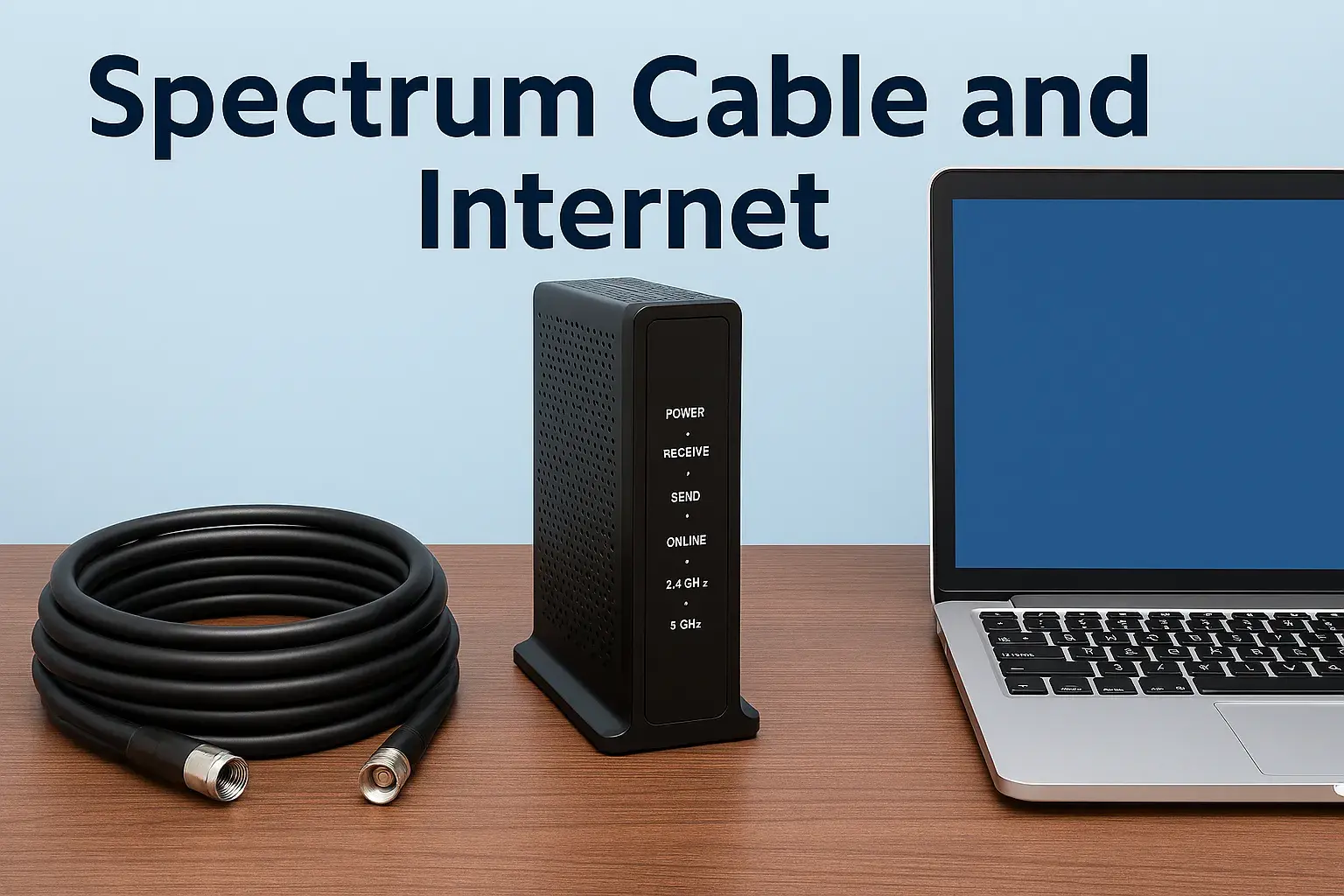
The modem and router you use are critical. Spectrum typically provides a modem, and for higher speeds like Ultra, it needs to be DOCSIS 3.1 compatible to handle the bandwidth. If you're using an older DOCSIS 3.0 modem, you might not be able to achieve the advertised 500 Mbps. Similarly, your Wi-Fi router plays a significant role. An older Wi-Fi standard (like Wi-Fi 4 or 5) might create a bottleneck, preventing your devices from reaching the full speed even if the modem is capable. For Spectrum Ultra speeds, a Wi-Fi 6 (802.11ax) or Wi-Fi 6E router is highly recommended for optimal wireless performance.
Number of Devices and Usage
The advertised speed is the total bandwidth available to your household. If you have numerous devices connected and actively using the internet simultaneously (e.g., multiple people streaming 4K video, gaming, video conferencing, and downloading files), the available bandwidth will be shared among them. This means each individual device might not experience the full 500 Mbps, even if the connection to your home is performing optimally. Spectrum Internet Ultra is designed to handle this load better than lower-tier plans, but extreme usage across many devices can still lead to perceived slowdowns.
Network Congestion
Local Network Congestion
Cable internet networks are shared. In densely populated areas, during peak usage hours (typically evenings and weekends), the shared bandwidth in your neighborhood can become congested. This can lead to temporary slowdowns. While Spectrum Ultra's higher capacity helps mitigate this, it's not entirely immune, especially in very high-demand areas.
Spectrum's Network
Spectrum continuously invests in upgrading its network infrastructure. However, the speed you receive can also depend on the overall capacity and maintenance of Spectrum's wider network in your region. Issues like maintenance or unexpected outages can temporarily affect speeds.
Wi-Fi vs. Wired Connection
The most accurate way to test your internet speed is by connecting a device directly to your router via an Ethernet cable. Wi-Fi speeds are almost always lower than wired speeds due to signal interference, distance from the router, and the capabilities of your Wi-Fi adapter. If you're experiencing slower speeds wirelessly, it might be a Wi-Fi issue rather than a problem with your Spectrum Ultra service itself.
Time of Day
As mentioned, internet speeds can fluctuate based on the time of day. Peak hours (e.g., 7 PM - 11 PM) often see higher usage across the network, which can lead to slightly reduced speeds compared to off-peak hours (e.g., early morning or late night).
Your Device's Capabilities
The device you are using (computer, smartphone, tablet) also has limitations. An older computer with a slower processor or network card might not be able to process data as quickly as a newer, high-performance machine, even if your internet connection is very fast. Similarly, the Wi-Fi chip in your device affects wireless speeds.
Optimizing Your Spectrum Ultra Connection
To ensure you're getting the most out of your Spectrum Internet Ultra service, consider these optimization tips. These steps can help you achieve speeds closer to the advertised 500 Mbps and ensure a smoother online experience.
1. Use a Compatible Modem and Router
Modem: Ensure your modem is DOCSIS 3.1 compatible. If you're renting from Spectrum, they will likely provide a compatible model. If you own your modem, check its specifications. For 500 Mbps speeds, a DOCSIS 3.0 modem might struggle, and a DOCSIS 3.1 modem is ideal.
Router: Invest in a modern Wi-Fi router. A Wi-Fi 6 (802.11ax) or Wi-Fi 6E router is recommended. These offer faster speeds, better capacity for multiple devices, and improved performance in crowded Wi-Fi environments. Position your router in a central location, away from obstructions like thick walls or large metal objects.
2. Connect via Ethernet When Possible
For critical tasks like online gaming, large file downloads/uploads, or streaming in the highest quality, connect your device directly to the router using an Ethernet cable. This bypasses potential Wi-Fi interference and limitations, providing the most stable and fastest connection available from your router.
3. Manage Your Connected Devices
Be mindful of how many devices are actively using the internet simultaneously. If you have many devices consuming bandwidth, consider pausing non-essential activities or scheduling large downloads for off-peak hours. You can often manage connected devices through your router's administrative interface.
4. Update Router Firmware
Manufacturers regularly release firmware updates for routers to improve performance, security, and stability. Check your router's settings or the manufacturer's website for the latest firmware and install it. This is a simple step that can often resolve performance issues.
5. Optimize Wi-Fi Settings
If you're relying on Wi-Fi, consider using the 5 GHz band, which generally offers faster speeds than the 2.4 GHz band, though it has a shorter range. If your router supports Wi-Fi 6E, utilize the 6 GHz band for the fastest possible wireless speeds if your devices are compatible.
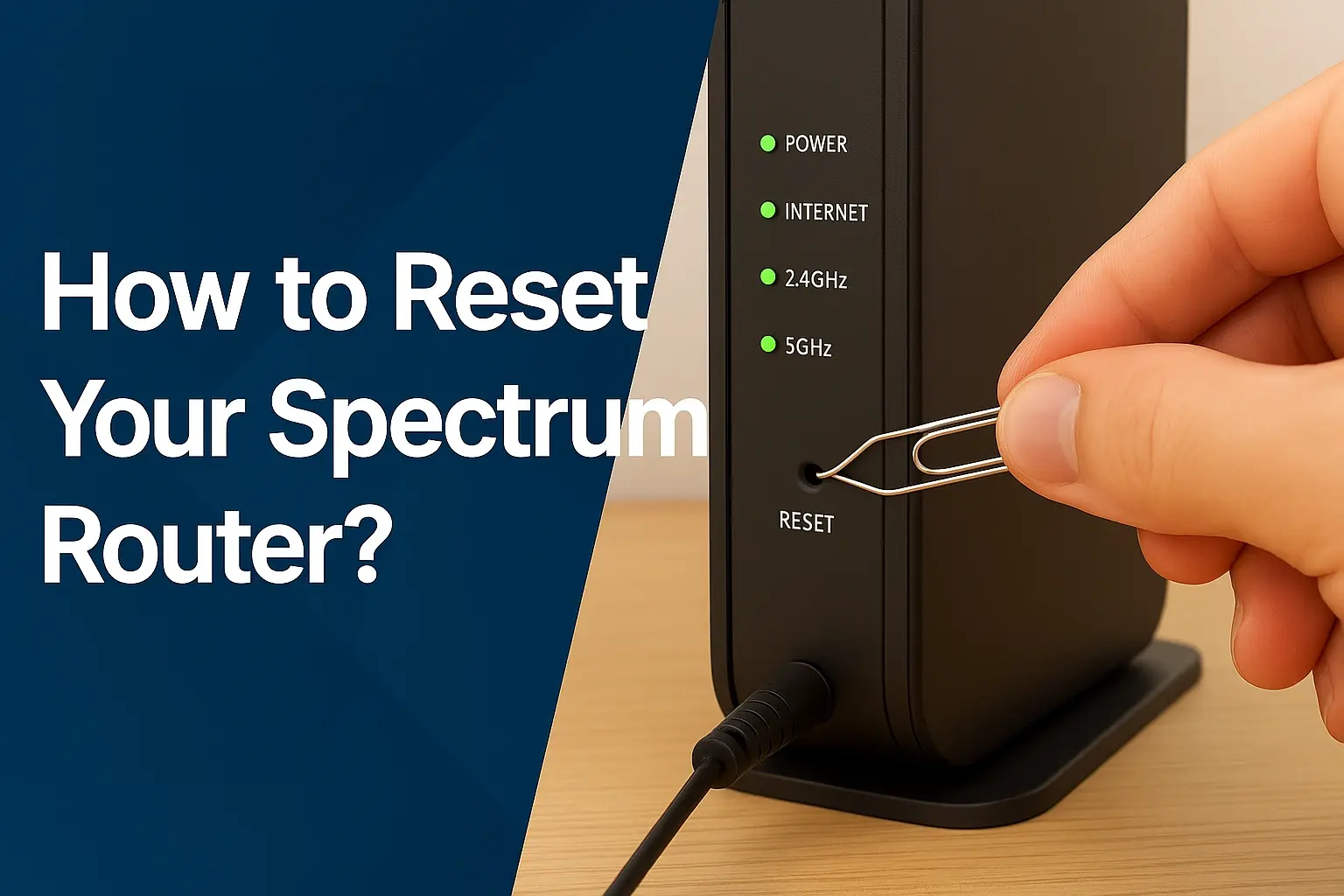
6. Reboot Your Modem and Router Regularly
A simple reboot can often resolve temporary glitches and improve performance. Unplug both your modem and router, wait about 30 seconds, then plug the modem back in first. Once the modem is fully online, plug in the router. This process can refresh your connection and clear out any temporary issues.
7. Run Speed Tests
Periodically run speed tests (using reputable sites like Speedtest.net or Fast.com) to monitor your performance. Test at different times of the day and both wired and wirelessly. If you consistently see speeds significantly below the advertised 500 Mbps (download) and 20 Mbps (upload) even after implementing these tips, it might be time to contact Spectrum support.
8. Consider Your Home's Wiring
In older homes, coaxial cable wiring can degrade over time or be of lower quality, potentially impacting internet speeds. If you suspect this is an issue, you might need to consult a professional to assess and potentially upgrade your home's internal cabling.
Real-World Spectrum Ultra Performance (2025-26)
While advertised speeds provide a benchmark, understanding how Spectrum Internet Ultra performs in real-world scenarios is crucial for making an informed decision. Based on user reports, technical reviews, and industry analyses from late 2025 and projected into 2026, the performance generally aligns with expectations, with some caveats.
Consistent Download Speeds
For users with compatible equipment and within areas not experiencing extreme local congestion, download speeds for Spectrum Internet Ultra frequently fall within the 400-500 Mbps range during wired tests. This is more than sufficient for simultaneous 4K streaming on multiple devices, rapid downloads of large files (e.g., game updates, software), and smooth, lag-free online gaming. Many users report that the experience is a significant upgrade from lower-tier plans, with fewer buffering issues and faster page loads.
Upload Speed Realities
The 20 Mbps upload speed is generally adequate for most home users. Video calls are clear, and basic cloud backups function well. However, for content creators who regularly upload large video files (e.g., 4K footage), or for individuals who frequently stream live content at high bitrates, this upload speed can become a bottleneck. Users in these categories might find themselves waiting longer for uploads or needing to compromise on stream quality. For such users, a gigabit plan with higher upload speeds or a fiber-optic alternative might be more suitable.
Impact of Wi-Fi
As expected, Wi-Fi performance is highly variable. With a high-end Wi-Fi 6 or 6E router and devices that support these standards, users can achieve wireless download speeds in the 300-450 Mbps range, depending on proximity to the router and interference. However, using older Wi-Fi standards or devices can result in significantly lower speeds, often in the 100-250 Mbps range, even if the wired connection is delivering close to 500 Mbps. This highlights the importance of a robust Wi-Fi setup for leveraging the full potential of Spectrum Ultra.
Network Stability and Latency
Spectrum's cable network, particularly in areas where it has been upgraded, generally offers good stability. Latency (ping), which is crucial for online gaming and real-time applications, is typically in the 20-50ms range for wired connections to nearby servers. While not as low as dedicated fiber optic connections, this latency is more than acceptable for the vast majority of online activities, including competitive gaming. Occasional spikes in latency can occur during peak hours or due to network maintenance, but consistent high latency is less common on the Ultra tier compared to lower tiers.
User Satisfaction (2025-26 Trends)
User satisfaction with Spectrum Internet Ultra remains generally high, particularly for those who previously had slower internet. The perceived value is strong for households with multiple users and a high demand for streaming and general internet consumption. The primary areas of concern, as identified in user forums and reviews, continue to be the upload speed limitations for specific professional use cases and occasional variability in speeds during peak network congestion, which is inherent to cable technology.
Who is Spectrum Internet Ultra For?
Spectrum Internet Ultra is not a one-size-fits-all solution. It's tailored for a specific segment of internet users whose needs exceed basic browsing and email but may not require the absolute highest speeds offered by gigabit plans. Here's a breakdown of who would benefit most from this tier:
1. Households with Multiple Users and Devices
If your home has several people, each with their own smartphones, tablets, laptops, and smart TVs, Spectrum Ultra provides the necessary bandwidth to prevent slowdowns. Everyone can browse, stream, and communicate without significant performance degradation.
2. Avid Streamers
For families that enjoy streaming movies and TV shows in HD or 4K, Spectrum Ultra is an excellent choice. The 500 Mbps download speed ensures smooth playback without buffering, even when multiple streams are active simultaneously.
3. Online Gamers
Gamers benefit from high download speeds for downloading large game files and updates quickly. The relatively low latency typical of Spectrum's network on this tier also ensures a responsive gaming experience, minimizing lag during gameplay.
4. Remote Workers and Students
Individuals who work or study from home and frequently participate in video conferences, download large documents, or upload assignments will find Spectrum Ultra provides a reliable and efficient connection. The download speeds are ample, and the upload speeds are generally sufficient for most remote work and academic needs.
5. Smart Home Enthusiasts
As smart home technology becomes more prevalent, with devices like smart thermostats, security cameras, smart speakers, and connected appliances, the demand on your internet connection increases. Spectrum Ultra can comfortably handle the data needs of a robust smart home ecosystem.
6. Users Upgrading from Slower Plans
If you're currently on a Spectrum plan with speeds of 100-300 Mbps and find yourself frequently experiencing buffering or slow load times, upgrading to Spectrum Ultra will offer a noticeable and appreciated improvement in performance and responsiveness.
Who Might Need More (or Less):
- Content Creators/Heavy Uploaders: Individuals who regularly upload large video files (e.g., YouTube creators, professional photographers) might find the 20 Mbps upload speed limiting and should consider Spectrum Gig or alternative providers offering higher symmetrical upload speeds.
- Basic Users: If your internet usage primarily consists of occasional web browsing, email, and very light streaming, Spectrum's standard plans might be more cost-effective and sufficient for your needs.
Ultimately, Spectrum Internet Ultra strikes a balance, offering substantial speed for demanding tasks without the premium cost of gigabit plans, making it an attractive option for a large segment of residential users in 2025-26.
Spectrum Ultra vs. Competitors (2025-26)
When evaluating Spectrum Internet Ultra, it's essential to compare its offerings against major competitors in the broadband market as of late 2025 and into 2026. The landscape is dominated by cable, fiber, and DSL providers, each with its own strengths and weaknesses.
Cable Competitors (e.g., Xfinity, Cox)
Cable providers like Xfinity (Comcast) and Cox offer similar tiered plans. Their "mid-to-high" tier plans often mirror Spectrum Ultra's download speeds, typically ranging from 300 Mbps to 1 Gbps. Upload speeds on cable are generally comparable, often in the 10-30 Mbps range for these tiers. Pricing can fluctuate based on promotions and regional competition. Spectrum Ultra's 500 Mbps download is competitive, but users should always compare specific plan details, pricing, and availability in their area.
Fiber Optic Providers (e.g., Verizon Fios, AT&T Fiber, Google Fiber)
Fiber optic internet is generally considered the gold standard for speed and reliability. Providers like Verizon Fios, AT&T Fiber, and Google Fiber often offer symmetrical speeds, meaning upload speeds are as fast as download speeds. For example, a 500 Mbps fiber plan would offer 500 Mbps download and 500 Mbps upload. This is a significant advantage for heavy uploaders, streamers, and those who require the absolute lowest latency. However, fiber availability is still more limited than cable, and pricing for comparable speeds can sometimes be higher, especially if you're looking at gigabit symmetrical plans.
Comparison Table Snippet (Illustrative):
| Provider | Plan Tier (Example) | Download Speed (Up to) | Upload Speed (Up to) | Technology |
|---|---|---|---|---|
| Spectrum | Internet Ultra | 500 Mbps | 20 Mbps | Cable |
| Xfinity | Performance Pro | 400 Mbps | 10 Mbps | Cable |
| AT&T Fiber | Internet 500 | 500 Mbps | 500 Mbps | Fiber |
| Verizon Fios | Gigabit Connection | 940 Mbps | 880 Mbps | Fiber |
Note: Speeds and plan names are illustrative for 2025-26 and can vary by location and promotion.
DSL Providers (e.g., CenturyLink/Lumen)
DSL (Digital Subscriber Line) uses existing telephone lines. While it has improved over the years, it generally offers lower speeds than cable or fiber, especially at longer distances from the provider's central office. DSL plans typically range from 10 Mbps to 100 Mbps, though some newer fiber-fed DSL can be faster. For most users seeking the performance of Spectrum Internet Ultra, DSL is usually not a competitive alternative.
5G Home Internet (e.g., T-Mobile Home Internet, Verizon 5G Home Internet)
Wireless home internet services using 5G technology are becoming increasingly popular, especially in areas where wired options are limited or expensive. These services can offer speeds comparable to cable, sometimes reaching 300 Mbps or more. However, performance can be more variable, depending heavily on signal strength, network congestion, and the specific device used. Upload speeds can also be inconsistent. While a viable option for some, it may not offer the consistent reliability and high speeds of Spectrum Ultra for demanding users.
Key Differentiators for Spectrum Ultra
- Availability: Spectrum's cable network is widely available in many parts of the United States.
- Download Speed: 500 Mbps download is a strong offering for cable.
- Upload Speed: This remains the primary limitation compared to fiber.
- Bundling: Spectrum often offers bundles with TV and phone services, which can provide cost savings for some consumers.
When choosing, always check for specific availability and pricing in your exact location, as this is the most significant factor determining your best internet option.
Troubleshooting Slow Spectrum Ultra Speeds
If you're experiencing speeds that are consistently lower than expected on your Spectrum Internet Ultra plan, don't panic. Many issues can be resolved with some basic troubleshooting steps. Here’s a systematic approach to identify and fix the problem:
Step 1: Perform a Wired Speed Test
This is the most critical first step. Connect a computer directly to your modem (or router, if it's a combined modem/router unit) using an Ethernet cable. Go to a reliable speed test website (like Speedtest.net or Fast.com) and run the test. Ensure no other devices are heavily using the internet during the test.
- If Wired Speeds Are Good (Close to 500 Mbps): The issue is likely with your Wi-Fi network or the devices connected wirelessly. Proceed to Step 2.
- If Wired Speeds Are Still Slow: The problem might be with your modem, Spectrum's service, or external factors. Proceed to Step 3.
Step 2: Troubleshoot Your Wi-Fi Network
If your wired speeds are good, focus on your wireless connection:
- Router Placement: Ensure your router is in a central location, away from obstructions, electronics that cause interference (microwaves, cordless phones), and metal objects.
- Router Reboot: Power cycle your router (unplug, wait 30 seconds, plug back in).
- Wi-Fi Band: If your router supports it, try connecting to the 5 GHz band for faster speeds, or the 6 GHz band if you have Wi-Fi 6E. The 2.4 GHz band is more prone to interference.
- Router Firmware: Check if your router has the latest firmware installed.
- Device Wi-Fi Capabilities: Ensure your device's Wi-Fi adapter is capable of high speeds (e.g., Wi-Fi 5 or Wi-Fi 6). Older devices will be limited.
- Distance: Move closer to the router. Performance degrades with distance and obstructions.
- Too Many Devices: If you have many devices connected, try disconnecting some to see if speeds improve.
- Consider a Wi-Fi Extender or Mesh System: If you have a large home or dead spots, these can improve coverage.
Step 3: Troubleshoot Modem and Service Issues
If your wired speeds are consistently slow, investigate further:
- Modem Reboot: Power cycle your modem (unplug, wait 30 seconds, plug back in, wait for it to fully boot up).
- Check Modem Lights: Ensure your modem has stable indicator lights for power, downstream, upstream, and online connectivity. Consult your modem's manual or Spectrum's support site for what the lights mean.
- Modem Compatibility: Verify that your modem is DOCSIS 3.1 compatible and approved by Spectrum for the Ultra tier. An older DOCSIS 3.0 modem may not be able to handle 500 Mbps.
- Check for Outages: Visit Spectrum's website or use their app to check for reported outages in your area.
- Test Different Ethernet Cables: A damaged Ethernet cable can also cause issues. Try a different, known-good cable.
- Test a Different Device: If possible, try a different computer or laptop for the wired speed test to rule out a problem with the specific device.
Step 4: Contact Spectrum Support
If you've gone through the above steps and are still experiencing significantly slower speeds than advertised (e.g., consistently below 300 Mbps download on a wired connection), it's time to contact Spectrum customer support. Be prepared to tell them:
- The troubleshooting steps you've already taken.
- Your modem model.
- The results of your wired speed tests.
- The times of day you notice the slowdowns.
Spectrum support can check your line for issues, remotely diagnose your modem, and schedule a technician visit if necessary. They can also confirm if your modem is provisioned correctly for the Ultra speed tier.
By following these steps, you can effectively diagnose and often resolve issues leading to slower-than-expected speeds on your Spectrum Internet Ultra service.
Conclusion
Spectrum Internet Ultra stands as a robust internet solution for 2025-26, delivering advertised download speeds of up to 500 Mbps. This tier is a significant upgrade, perfectly suited for demanding households that engage in extensive streaming, online gaming, and support numerous connected devices. While its 20 Mbps upload speed is adequate for most, power users requiring substantial upload capacity might need to explore higher tiers or alternative technologies. By understanding the factors influencing speed and implementing optimization strategies, users can maximize their experience. If you're consistently falling short of expectations, systematic troubleshooting and contacting Spectrum support are your next best steps to ensure you're receiving the high-performance internet you're paying for.