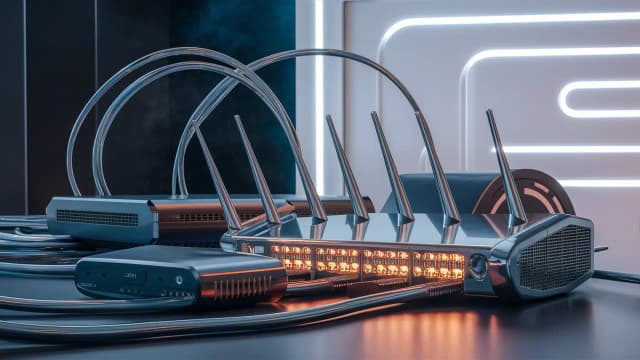
Fidium Fiber Modem: Everything You Need to Know for Optimal Performance
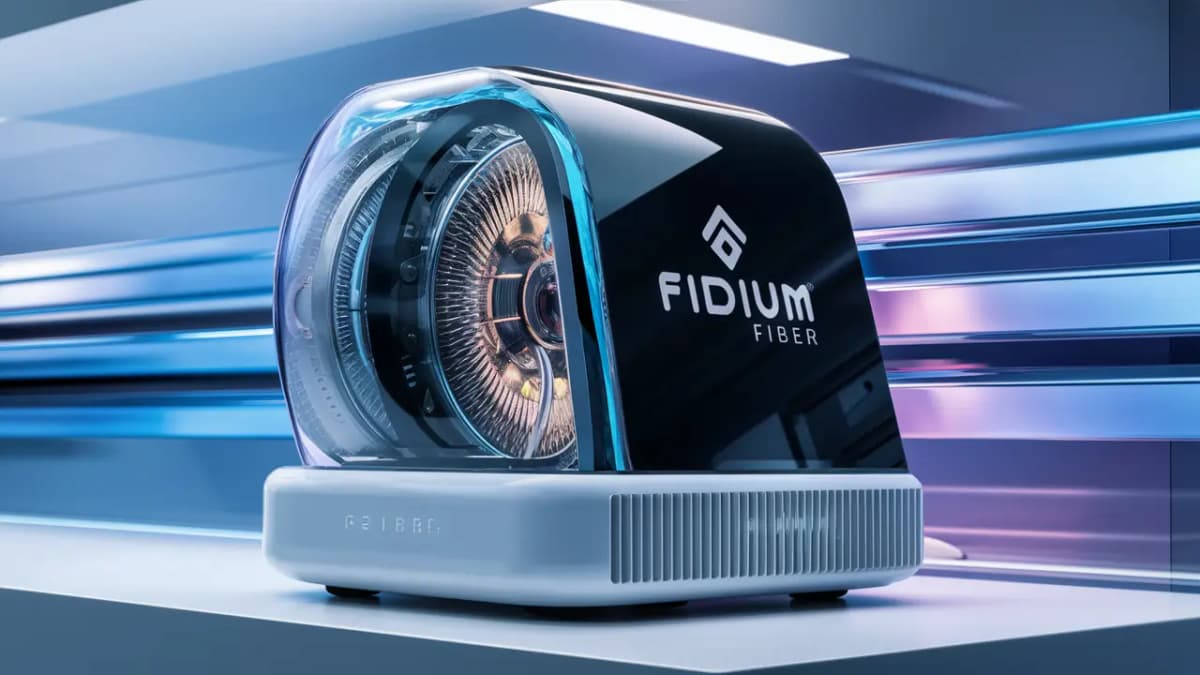
Unlock the full potential of your Fidium Fiber internet with the right modem. This comprehensive guide covers everything you need to know about Fidium Fiber modems, from understanding their role to choosing the best device for your home, ensuring a seamless and high-performance online experience.
Understanding Fidium Fiber Modems
In the realm of high-speed internet, the modem is the unsung hero. For Fidium Fiber subscribers, understanding the modem's role is paramount to achieving the advertised speeds and a stable connection. Unlike traditional cable internet, which uses coaxial cables, Fidium Fiber utilizes fiber optic technology. This means the data travels as light pulses through thin strands of glass, offering significantly higher speeds and lower latency. The modem, in this context, acts as the crucial bridge between the Fidium Fiber network entering your home and your home network (your router and connected devices).
The primary function of any modem is signal conversion. The light signals from the Fidium Fiber network need to be converted into electrical signals that your router and devices can understand, and vice-versa for outgoing data. For fiber optic internet, this device is often referred to as an Optical Network Terminal (ONT) or a Network Interface Device (NID). While Fidium Fiber might use different terminology internally or for their provided equipment, the fundamental concept remains the same: it's the device that terminates the fiber optic line and makes the internet accessible to your home network. In many Fidium Fiber installations, the ONT is a separate unit installed by Fidium technicians, and then a separate router is connected to it. However, some setups might integrate these functions into a single modem/router combo unit, especially if you opt for Fidium's managed Wi-Fi service.
The performance of your internet connection is directly influenced by the capabilities of your modem. A modem that is not up to par, or one that is not configured correctly, can become a bottleneck, preventing you from experiencing the full benefits of Fidium's gigabit-plus speeds. Factors such as the modem's processing power, its ability to handle high bandwidth, and its compatibility with the latest networking standards all play a significant role. For instance, if you're subscribing to a 1 Gbps plan, your modem must be capable of handling at least that speed, if not more, to avoid throttling your connection.
Furthermore, the modem is the first point of contact for potential network issues. Understanding its specifications, how it interacts with your router, and what lights indicate its status can be invaluable for troubleshooting. This guide aims to demystify the Fidium Fiber modem landscape, empowering you to make informed decisions and ensure your internet service performs at its absolute best. We will delve into the specifics of Fidium's provided equipment, explore the possibilities and limitations of using your own modem, and highlight the critical features that define a high-performing modem in 2025.
Fidium-Provided Modems: The Default Choice
When you sign up for Fidium Fiber service, the company typically provides you with a modem, often referred to as an Optical Network Terminal (ONT) or a gateway device that combines modem and router functionalities. This is the most straightforward and often recommended option for several reasons, primarily centered around compatibility and ease of use. Fidium engineers their network and services with specific equipment in mind, ensuring that their provided modems are optimized to work seamlessly with their infrastructure.
The Fidium Gateway: A Closer Look
Fidium's standard offering usually includes a modem/router combo unit. This device is designed to receive the fiber optic signal from the Fidium network and then broadcast a Wi-Fi signal throughout your home. For most users, this all-in-one solution is sufficient and hassle-free. It eliminates the need for separate purchases and complex setup procedures, as the device is pre-configured by Fidium to work out-of-the-box.
Key characteristics of Fidium-provided modems typically include:
- Plug-and-Play Setup: Fidium technicians usually install and activate the modem during the initial service setup. If you're self-installing, the process is generally guided and straightforward.
- Optimized Performance: These devices are chosen and configured by Fidium to deliver the best possible performance on their network, ensuring you receive the speeds you're paying for.
- Integrated Wi-Fi: Most Fidium gateways include built-in Wi-Fi capabilities, often supporting the latest Wi-Fi standards like Wi-Fi 6 (802.11ax) to provide robust wireless connectivity.
- Customer Support: When you use Fidium's equipment, their technical support team is fully equipped to assist you with any issues related to the modem, as they have intimate knowledge of its workings.
- Potential for Rental Fees: It's important to note that Fidium, like many ISPs, may charge a monthly rental fee for their provided modem/gateway. This fee can add to your overall monthly internet bill.
Managed Wi-Fi Services
Fidium also offers managed Wi-Fi services, which often involve a more advanced gateway device. This service goes beyond just providing internet access; it includes features like:
- Whole-Home Wi-Fi Coverage: Often employing a mesh system with multiple access points to ensure strong Wi-Fi signals in every corner of your home.
- Advanced Security Features: Including built-in firewalls and parental controls.
- Remote Management: Fidium can remotely monitor and optimize your network performance.
- Dedicated Support: Enhanced support for Wi-Fi related issues.
If you opt for Fidium's managed Wi-Fi, the gateway provided will be specifically designed to support these advanced features. The cost of this service typically includes the equipment rental and the ongoing support.
Understanding the ONT vs. Gateway Distinction
It's crucial to distinguish between an ONT and a gateway. An ONT is the device that terminates the fiber optic cable and converts the optical signal to an electrical one. It typically has an Ethernet port that then connects to a separate router. A gateway, on the other hand, is a combination device that includes both the modem (or ONT functionality) and a router, broadcasting Wi-Fi signals. Fidium's provided equipment might be a standalone ONT requiring a separate router, or it might be an integrated gateway. The service agreement and technician's installation will clarify which setup you have.
For users who prioritize simplicity and guaranteed compatibility, sticking with the Fidium-provided modem is often the best path. It ensures that your service is set up correctly from the start and that you have a direct line of support for any hardware-related problems. While there might be a recurring rental fee, it often simplifies the overall internet experience, especially for those who are not technically inclined.
Third-Party Modem Compatibility with Fidium Fiber
While Fidium Fiber generally provides and supports their own modems, a common question among tech-savvy users is whether they can use their own third-party modem. This desire often stems from a wish to avoid monthly rental fees, to utilize a more powerful or feature-rich router they already own, or to have greater control over their network hardware. However, with fiber optic internet services like Fidium's, the compatibility landscape for third-party modems is significantly different and often more restrictive than with cable or DSL services.
The Technical Hurdles of BYOD (Bring Your Own Device) for Fiber
The primary challenge with using a third-party modem for Fidium Fiber lies in the nature of fiber optic technology itself. Unlike cable modems that connect via coaxial cable and adhere to DOCSIS standards, fiber optic connections require specialized equipment to interface with the fiber optic cable. This equipment is typically an ONT (Optical Network Terminal) or a compatible device that can interpret the optical signals. These ONTs are usually provisioned and managed by the Internet Service Provider (ISP) to ensure they are correctly configured for their specific network infrastructure.
Fidium's Stance on Third-Party Modems
As of 2025, Fidium Fiber, like most fiber ISPs, generally does not support customers bringing their own modems or ONTs. The network is designed to work with specific hardware that Fidium deploys and manages. This is for several critical reasons:
- Network Security: ISPs need to maintain control over the devices connected to their network to ensure security and prevent unauthorized access or disruptions.
- Performance Optimization: Fidium configures their network and equipment to deliver optimal speeds and stability. Unapproved third-party devices may not meet these performance standards.
- Provisioning and Activation: The process of activating a new connection involves Fidium's network engineers provisioning the specific modem/ONT to recognize and communicate with their network. This is not typically possible with customer-owned equipment.
- Technical Support: If a customer uses their own modem, Fidium's technical support team may be unable to troubleshoot issues effectively, as they are not familiar with the intricacies of the third-party hardware. This can lead to finger-pointing between the ISP and the modem manufacturer.
- Service Level Agreements (SLAs): Using unsupported equipment can void the SLA for your internet service, meaning Fidium may not be obligated to resolve performance issues stemming from your modem.
What If You Want More Control? The Router is Key.
While you generally cannot replace the Fidium-provided ONT/modem, you often have the flexibility to use your own router. In installations where Fidium provides a standalone ONT, there will be an Ethernet port on the ONT. You can then connect your own high-performance router to this Ethernet port. This allows you to:
- Upgrade Wi-Fi Capabilities: Use a router with the latest Wi-Fi standards (e.g., Wi-Fi 6E or Wi-Fi 7 in 2025), better coverage, and more advanced features.
- Enhance Network Management: Utilize routers with more robust Quality of Service (QoS) settings, advanced parental controls, and VPN capabilities.
- Consolidate Devices: If Fidium provides a modem/router combo, you can often put their device into "bridge mode" (if supported) and use your own router as the primary device, disabling the Wi-Fi on the Fidium unit. This avoids Wi-Fi interference and gives you full control over your wireless network.
Important Considerations for Using Your Own Router:
If you plan to use your own router with Fidium Fiber, ensure the following:
- Confirm ONT Setup: Verify with Fidium whether they provide a standalone ONT or a modem/router combo. If it's a combo, inquire about bridge mode capabilities.
- Router WAN Port Speed: Your router's WAN (Wide Area Network) port must be capable of handling the speeds of your Fidium Fiber plan (e.g., a Gigabit Ethernet port for a 1 Gbps plan).
- Router Wi-Fi Standard: For optimal performance with high-speed fiber, consider a router supporting Wi-Fi 6 (802.11ax) or Wi-Fi 6E. Wi-Fi 7 is emerging in 2025 and offers even greater potential.
- Ethernet Cable Quality: Use high-quality Cat 6 or Cat 6a Ethernet cables to connect the ONT to your router to avoid speed degradation.
In summary, while bringing your own modem to Fidium Fiber is generally not an option due to the nature of fiber optic technology and ISP provisioning requirements, you can often leverage your own router to enhance your home network's performance and features. Always consult Fidium's official documentation or customer support for the most current policies regarding equipment compatibility.
Key Features to Consider for Optimal Performance
When aiming for optimal performance with your Fidium Fiber internet, the modem (or ONT/gateway) is a critical component. While Fidium's provided equipment is designed to meet their network standards, understanding the underlying features can help you appreciate its capabilities and identify potential upgrade paths, especially concerning your router if you choose to use your own. For 2025, the focus remains on speed, reliability, and future-proofing.
1. Speed Capabilities: Matching Your Plan
The most fundamental feature is the modem's ability to handle the speeds offered by your Fidium Fiber plan. If you have a 1 Gbps plan, your modem must be capable of at least 1 Gbps. However, it's wise to look for equipment that can handle slightly more to account for overhead and potential future speed increases.
- Gigabit Ethernet Ports: Ensure the modem/ONT has Gigabit Ethernet ports (1000 Mbps). Older Fast Ethernet ports (100 Mbps) will severely bottleneck your connection. If you're connecting your own router, its WAN port must also be Gigabit Ethernet.
- Throughput: While advertised speeds are theoretical maximums, real-world throughput is what matters. A high-quality modem will deliver speeds closer to the advertised rate.
2. Wi-Fi Standards (for Gateway Devices)
If your Fidium service includes a gateway (modem/router combo), the Wi-Fi standard it supports is crucial for your wireless performance. As of 2025, the most relevant standards are:
- Wi-Fi 6 (802.11ax): This is the current mainstream standard, offering significant improvements over Wi-Fi 5 (802.11ac) in terms of speed, capacity, and efficiency, especially in crowded wireless environments. It's essential for multi-device households and high-bandwidth applications like 4K streaming and online gaming.
- Wi-Fi 6E: This standard extends Wi-Fi 6 into the 6 GHz band, providing a cleaner, less congested spectrum for devices that support it. This can lead to even faster speeds and lower latency.
- Wi-Fi 7 (802.11be): Emerging in 2025, Wi-Fi 7 promises even greater speeds, lower latency, and improved reliability through features like multi-link operation and wider channels. While adoption is still growing, it represents the future of wireless networking.
Recommendation: For new installations or if upgrading your Fidium gateway is an option, aim for Wi-Fi 6 or Wi-Fi 6E. If you're using your own router, investing in a Wi-Fi 7 router would be a strong future-proofing move.
3. Processor and Memory
These internal components determine how efficiently the modem/gateway handles data traffic, manages multiple connections, and runs its firmware. A more powerful processor and ample memory can lead to:
- Reduced Latency: Faster processing means quicker response times for online activities.
- Better Stability: The device is less likely to freeze or slow down under heavy load.
- Smoother Wi-Fi Performance: Especially important for managing many connected devices simultaneously.
While these specs aren't always readily advertised for ISP-provided equipment, they are a key differentiator when choosing your own router.
4. Number of Ethernet Ports
If your Fidium setup involves a separate ONT, the number of Ethernet ports on the device is limited. However, if you use a gateway or your own router, having multiple Gigabit Ethernet ports is beneficial for connecting wired devices like gaming consoles, desktop computers, smart TVs, and network-attached storage (NAS) devices. Wired connections are generally more stable and faster than Wi-Fi.
5. Quality of Service (QoS) Features
QoS allows you to prioritize certain types of internet traffic over others. For example, you might want to prioritize video conferencing or online gaming traffic to ensure a smooth experience, even when other devices are consuming bandwidth. This feature is more commonly found in routers than in basic modems/ONTs, but if your Fidium gateway offers it, it's a valuable tool for optimizing performance for specific applications.
6. Security Features
A modem/gateway is the entry point to your home network. Therefore, built-in security features are important:
- Firewall: A basic firewall helps protect your network from unauthorized external access.
- WPA3 Encryption: For Wi-Fi security, WPA3 offers stronger encryption than WPA2.
- Regular Firmware Updates: Ensure the device receives regular security updates from Fidium to patch vulnerabilities.
7. Reliability and Build Quality
A well-built modem/gateway from a reputable manufacturer is less likely to fail or experience intermittent issues. While Fidium typically uses reliable equipment, understanding the importance of build quality is key. For third-party routers, researching brands known for reliability is advisable.
Comparison Table: Fidium Provided vs. High-End Third-Party Router (for use with Fidium ONT)
This table illustrates the typical differences and considerations when using Fidium's integrated solution versus pairing their ONT with a premium third-party router.
| Feature | Fidium Provided Gateway (Typical) | High-End Third-Party Router (for use with Fidium ONT) |
|---|---|---|
| Modem/ONT Functionality | Integrated | Separate (provided by Fidium) |
| Wi-Fi Standard (2025) | Often Wi-Fi 6, potentially Wi-Fi 6E | Wi-Fi 6, Wi-Fi 6E, or Wi-Fi 7 |
| Processor/Memory | Adequate for standard use | Often more powerful, enabling advanced features |
| Ethernet Ports | Typically 1-4 Gigabit LAN ports | Often 4+ Gigabit LAN ports, sometimes 2.5 Gbps or 10 Gbps ports |
| QoS Features | Basic or none | Advanced, customizable |
| Security Features | Standard firewall, WPA2/WPA3 | Advanced firewall, WPA3, often VPN support |
| Setup Complexity | Simple, plug-and-play | Requires configuration, potentially bridge mode |
| Cost | Monthly rental fee | One-time purchase cost |
| Support | Fidium Fiber | Router Manufacturer |
By considering these features, whether you're evaluating the Fidium-provided equipment or planning to enhance your network with your own router, you can make informed decisions to ensure your Fidium Fiber connection delivers the best possible performance for all your online activities in 2025 and beyond.
Installation and Setup: Getting Connected
Getting your Fidium Fiber internet up and running involves a setup process that, while generally straightforward, requires attention to detail to ensure optimal performance from day one. Whether you opt for professional installation or a self-setup, understanding the steps involved with your Fidium modem/ONT is crucial. As of 2025, Fidium offers both options, catering to different customer preferences and technical comfort levels.
Professional Installation: The Fidium Standard
For most Fidium Fiber subscribers, professional installation is the default and recommended method. This ensures that the fiber optic cable is correctly run into your home, the ONT is properly installed and configured, and your internet service is activated without a hitch. Here's what you can typically expect:
- Scheduling: After signing up for service, you'll schedule an installation appointment with Fidium. Installation windows are usually provided, and technicians will confirm the appointment closer to the date.
- Site Survey: Upon arrival, the technician will assess your home to determine the best location for the ONT. This is usually near where the fiber line enters the house, but considerations are made for proximity to your desired router location or central wiring closet.
- Fiber Entry and ONT Installation: The technician will carefully run the fiber optic cable into your home. This might involve drilling a small hole. The ONT, the device that converts the optical signal to an electrical one, will then be mounted and connected to the fiber line.
- Power and Connection: The ONT will be powered on and connected to Fidium's network. The technician will verify the signal strength and ensure the device is provisioned correctly.
- Router Connection (if applicable): If Fidium provides a gateway (modem/router combo), they will set it up and configure the Wi-Fi network. If you are using your own router, the technician will connect it to the ONT via an Ethernet cable and ensure it receives an internet connection. They may assist with basic router configuration or simply confirm connectivity.
- Service Activation and Testing: The technician will activate your service and perform speed tests to confirm you are receiving the speeds specified in your plan. They will also check for basic connectivity on your devices.
- Walkthrough and Q&A: The technician will walk you through the setup, explain the status lights on the equipment, and answer any questions you may have about your new service.
Self-Installation: For the DIY Enthusiast
Fidium may offer self-installation kits for certain areas or for customers who prefer to set up their service themselves. This option can sometimes lead to quicker activation and may be preferred by those comfortable with basic networking tasks. The process typically involves:
- Receiving the Kit: You'll receive a self-installation kit containing the ONT, power adapter, Ethernet cables, and potentially a simple router or gateway.
- Connecting the ONT: Follow the provided instructions to connect the ONT to the incoming fiber line. This is the most critical step and requires careful handling of the fiber optic cable.
- Powering Up: Connect the power adapter to the ONT and plug it in.
- Connecting Your Router: Connect your own router (or the provided Fidium gateway) to the ONT using an Ethernet cable.
- Activation: You will typically need to activate your service online or via a phone call. This process guides you through connecting the ONT to Fidium's network and registering your equipment.
- Configuring Wi-Fi: If using a Fidium gateway, you'll set up your Wi-Fi network name (SSID) and password. If using your own router, you'll configure it according to its manual.
- Testing: Once activated, perform speed tests using a wired connection to your router and then wirelessly to verify performance.
Important Setup Tips for Optimal Performance:
- Placement is Key: For gateways, place the router in a central, open location, away from obstructions like thick walls, metal objects, and other electronics that can cause interference (e.g., microwaves, cordless phones).
- Wired Connections for Critical Devices: For devices that require the highest speeds and lowest latency (gaming consoles, high-end PCs, smart TVs), connect them directly to the router or ONT using high-quality Ethernet cables (Cat 6 or higher).
- Router Settings (if using your own): If you're using your own router, ensure its firmware is up-to-date. Explore QoS settings to prioritize essential traffic. For modem/router combos, enable "bridge mode" if available to prevent double NAT issues and allow your router to manage the network.
- Network Segmentation (Advanced): For advanced users, consider setting up separate Wi-Fi networks (e.g., a 2.4 GHz band for older devices and a 5 GHz or 6 GHz band for newer, faster devices) to optimize performance and reduce congestion.
- Mesh Wi-Fi Systems: If you have a large home or areas with weak Wi-Fi signals, consider a mesh Wi-Fi system. This can be integrated with your Fidium ONT by placing the main mesh node in bridge mode and connecting it to the ONT.
Understanding Modem/ONT Lights
The status lights on your Fidium modem/ONT are your primary indicators of its operational status. While specific light patterns vary by model, generally:
- Power Light: Indicates the device is receiving power.
- Internet/Online Light: Shows a stable connection to Fidium's network.
- DSL/Cable/Fiber Light: Indicates the physical link to the network is established. For fiber, this might be labeled "Link" or "Fiber."
- Wi-Fi Lights (for gateways): Indicate the Wi-Fi radios are active.
- Ethernet Port Lights: Show activity on wired connections.
Consult your Fidium documentation or their support website for a detailed explanation of the lights on your specific equipment. Proper installation and configuration are the bedrock of a high-performing Fidium Fiber connection. By following these guidelines, you can ensure your service is set up for success.
Troubleshooting Common Modem Issues
Even with the most advanced technology, internet connectivity issues can arise. When experiencing problems with your Fidium Fiber service, the modem/ONT is often the first place to look for solutions. Understanding common issues and how to troubleshoot them can save you time and frustration, ensuring you get back online quickly. As of 2025, many troubleshooting steps remain consistent, focusing on power cycling, checking connections, and verifying status lights.
1. No Internet Connection / Slow Speeds
This is the most common complaint. Before contacting Fidium support, try these steps:
- Power Cycle the Modem/ONT and Router: This is the universal first step for almost any network issue.
- Unplug the power cords from both your Fidium modem/ONT and your router (if separate).
- Wait for at least 30-60 seconds. This allows the devices to fully discharge and reset.
- Plug the modem/ONT back in first. Wait for its lights to stabilize (indicating it has reconnected to Fidium's network). This can take several minutes.
- Once the modem/ONT lights are stable, plug your router back in. Wait for its lights to stabilize.
- Test your internet connection.
- Check Physical Connections: Ensure all Ethernet cables are securely plugged into the correct ports on the modem/ONT, router, and your device. For fiber, ensure the fiber optic cable is not kinked or damaged.
- Examine Status Lights: Refer to the "Understanding Modem/ONT Lights" section in the previous chapter. If critical lights (like "Internet" or "Online") are off, blinking erratically, or showing an error color (often red or amber), it indicates a problem with the connection to Fidium's network.
- Test with a Wired Connection: If you're experiencing Wi-Fi issues, connect a computer directly to the modem/ONT or router using an Ethernet cable. If the wired connection works, the problem likely lies with your Wi-Fi.
- Bypass the Router (if applicable): If you're using your own router and suspect it's the cause, connect a computer directly to the Fidium ONT via Ethernet. If you get internet access, your router is likely the issue.
- Check for Outages: Visit the Fidium website or their social media channels to see if there are any reported network outages in your area.
2. Wi-Fi Connectivity Issues (Slow, Intermittent, or No Signal)
If your wired connection is working but Wi-Fi is problematic:
- Restart Router: Perform a power cycle on your router (as described above).
- Check Router Placement: Ensure the router is centrally located and not obstructed.
- Reduce Interference: Move the router away from other electronic devices that emit radio waves.
- Change Wi-Fi Channel: Log into your router's settings and try changing the Wi-Fi channel. Some routers can automatically select the least congested channel.
- Update Router Firmware: Ensure your router's firmware is up-to-date.
- Test Different Bands: If your router supports 2.4 GHz and 5 GHz (or 6 GHz) bands, try connecting to each to see if one performs better.
- Check Number of Connected Devices: Too many devices can overload older routers.
- Consider a Mesh System or Extender: If you have dead zones, a mesh Wi-Fi system or Wi-Fi extender might be necessary.
3. Modem/ONT Not Powering On
- Check Power Outlet: Ensure the power outlet is working by plugging in another device.
- Verify Power Adapter: Ensure the correct power adapter is being used and is securely connected to both the modem/ONT and the outlet.
- Inspect Power Cable: Check for any visible damage to the power cable.
4. Specific Device Connectivity Problems
If only one device is having trouble connecting:
- Restart the Device: A simple reboot can often resolve temporary glitches.
- Forget and Reconnect to Wi-Fi: On the device, "forget" the Wi-Fi network and then reconnect, entering the password again.
- Update Device Drivers: Ensure network adapter drivers are up-to-date on computers.
- Check Device IP Settings: Ensure the device is set to obtain an IP address automatically (DHCP).
5. Frequent Disconnections
This can be a sign of an unstable connection:
- Check Cables: Loose or damaged Ethernet or fiber optic cables can cause intermittent drops.
- Overheating: Ensure the modem/ONT and router are in a well-ventilated area and not overheating.
- ISP Equipment Issue: If power cycling and cable checks don't resolve it, it might be an issue with the line coming into your home or with Fidium's network equipment.
When to Contact Fidium Support
You should contact Fidium support if:
- The power light on your modem/ONT is off.
- Critical status lights (Internet, Online, Fiber/Link) are not solid or are showing error colors after a power cycle.
- You've tried all the troubleshooting steps above, and the issue persists.
- You suspect a problem with the fiber optic line entering your home.
- You are experiencing persistent slow speeds despite having a wired connection.
Information to Provide to Fidium Support:
When you call Fidium support, be prepared to provide:
- Your account information.
- A description of the problem (e.g., no internet, slow speeds, Wi-Fi issues).
- The status of the lights on your modem/ONT and router.
- The troubleshooting steps you have already taken.
- Whether the issue affects wired or wireless connections, or both.
By systematically working through these troubleshooting steps, you can often resolve common Fidium Fiber modem issues yourself. This proactive approach ensures you maximize your uptime and enjoy a consistent, high-performance internet experience.
Future-Proofing Your Network with the Right Modem
In the rapidly evolving landscape of internet technology, future-proofing your home network is a smart investment. For Fidium Fiber subscribers, this means selecting and configuring your modem and router not just for today's needs, but also for the demands of tomorrow. As internet speeds continue to increase and new online applications emerge, having the right foundation is essential. As we look towards 2025 and beyond, several key considerations come into play when ensuring your Fidium Fiber setup is ready for the future.
1. Embracing Higher Speeds
Fidium Fiber is known for offering gigabit and multi-gigabit speeds. While you might be on a 1 Gbps plan now, future upgrades could easily push speeds to 2 Gbps, 5 Gbps, or even higher. Ensure your modem/ONT and router can support these potential upgrades.
- ONT Capacity: While Fidium provides the ONT, understand its theoretical maximum throughput. If Fidium offers an upgrade path to a higher-capacity ONT, consider it.
- Router WAN Port Speed: If you use your own router, ensure its WAN port is at least Gigabit Ethernet. For future-proofing, consider routers with 2.5 Gbps, 5 Gbps, or even 10 Gbps WAN ports. This ensures your router won't be the bottleneck when Fidium offers faster plans.
- Router LAN Port Speed: Similarly, having multiple LAN ports that support speeds beyond 1 Gbps (e.g., 2.5 Gbps or 10 Gbps) is beneficial for connecting high-speed devices directly.
2. The Rise of Wi-Fi 7 and Beyond
Wi-Fi technology continues to advance rapidly. While Wi-Fi 6 and 6E are current standards, Wi-Fi 7 (802.11be) is becoming more prevalent in 2025. Wi-Fi 7 offers significant improvements in speed, latency, and capacity, crucial for bandwidth-intensive applications like high-resolution streaming, cloud gaming, virtual reality (VR), and augmented reality (AR).
- Wi-Fi 7 Routers: Investing in a Wi-Fi 7 router today, even if you don't have Wi-Fi 7-compatible devices yet, ensures your network is ready for future device upgrades. Features like Multi-Link Operation (MLO) in Wi-Fi 7 allow devices to connect simultaneously across multiple frequency bands, dramatically improving performance and reliability.
- Mesh Systems: For comprehensive whole-home coverage, consider a Wi-Fi 7 mesh system. This will ensure consistent high-speed Wi-Fi in every room, essential for seamless operation of smart home devices and demanding applications.
3. Increased Device Density and IoT Growth
The number of connected devices in the average home continues to grow exponentially, driven by the Internet of Things (IoT). Smart thermostats, security cameras, voice assistants, smart appliances, and multiple personal devices all compete for bandwidth and network resources. Your modem and router need to handle this density efficiently.
- Router Capacity: Routers with more powerful processors and greater memory are better equipped to manage a large number of simultaneous connections without performance degradation.
- MU-MIMO and OFDMA: Technologies like Multi-User, Multiple-Input, Multiple-Output (MU-MIMO) and Orthogonal Frequency Division Multiple Access (OFDMA), prevalent in Wi-Fi 6 and later, are designed to improve efficiency when multiple devices are connected. Ensure your router supports these.
4. Emerging Applications: VR, AR, and Cloud Computing
The future of entertainment and productivity is increasingly leaning towards immersive experiences like VR and AR, along with reliance on cloud-based services and remote work. These applications demand not only high speeds but also extremely low latency and high reliability.
- Low Latency: Fiber optic internet inherently offers low latency, but your modem and router play a role. A well-performing router with features like Quality of Service (QoS) can help prioritize latency-sensitive traffic, ensuring smooth online gaming and responsive VR/AR experiences.
- Bandwidth Allocation: As these applications become more common, the ability to intelligently allocate bandwidth becomes crucial. Advanced routers offer granular control over network traffic.
5. Security and Network Management
As your network becomes more complex and connected, robust security and management features are vital.
- Advanced Firewall and Intrusion Prevention: Look for routers with sophisticated security features to protect against emerging cyber threats.
- Parental Controls and Network Segmentation: Features that allow you to manage access for different users or devices, and to segment your network (e.g., for IoT devices), enhance security and control.
- Firmware Updates: Ensure that any equipment you choose, especially your own router, receives regular firmware updates from the manufacturer to patch security vulnerabilities and improve performance.
Strategic Decision: Fidium Provided vs. Your Own Router
For future-proofing, the decision often comes down to leveraging Fidium's provided ONT and investing in a high-end, future-ready router. While Fidium's gateway might offer Wi-Fi 6, it may not be the cutting edge of Wi-Fi 7. By using your own router, you gain control over the latest Wi-Fi standards, more advanced features, and potentially higher port speeds, ensuring your home network remains robust for years to come.
Example Scenario: The Future-Ready Home Network (2025)
Imagine a home with a Fidium Fiber 2 Gbps plan. The setup:
- Fidium ONT: The standard Fidium ONT, providing a stable fiber connection.
- Router: A high-performance Wi-Fi 7 router with a 10 Gbps WAN port and multiple 2.5 Gbps LAN ports. This router is placed centrally.
- Devices:
- A desktop PC connected via Ethernet to a 2.5 Gbps LAN port for high-speed work tasks and gaming.
- A new Wi-Fi 7 enabled laptop connecting wirelessly for seamless browsing and streaming.
- Several Wi-Fi 6 devices (smartphones, tablets) connecting to the 5 GHz or 6 GHz bands.
- Smart home devices (lights, speakers, cameras) operating on the 2.4 GHz band, potentially on a separate IoT network for security.
- A VR headset connecting wirelessly for immersive gaming experiences.
In this scenario, the Fidium ONT provides the raw speed, while the Wi-Fi 7 router ensures that speed is delivered efficiently and reliably to all devices, with ample capacity and low latency for demanding future applications. This setup is designed to handle increasing bandwidth demands and evolving technologies for the next several years.
By staying informed about technological advancements and making strategic choices about your networking equipment, you can ensure your Fidium Fiber connection remains a powerful asset, ready to support your digital life well into the future.
Conclusion
Navigating the world of Fidium Fiber modems and ensuring optimal performance requires understanding the technology, the equipment provided, and the potential for enhancement. As we've explored, Fidium's provided modems/ONTs are engineered for seamless integration with their network, offering a reliable starting point for your high-speed internet experience. For most users, relying on Fidium's equipment simplifies setup and guarantees compatibility, backed by their dedicated support.
However, for those seeking to maximize performance, unlock advanced features, or avoid recurring rental fees, integrating a high-quality third-party router with the Fidium-provided ONT presents a compelling avenue. By focusing on key features such as Wi-Fi standards (aiming for Wi-Fi 6E or the emerging Wi-Fi 7 in 2025), processor power, port speeds, and robust security, you can build a home network that not only meets your current needs but is also future-proofed against the increasing demands of emerging technologies and applications. Remember that proper installation, regular troubleshooting, and staying informed about network advancements are crucial steps in maintaining a consistently fast and stable internet connection.
Ultimately, achieving optimal performance with Fidium Fiber is a combination of the ISP's robust infrastructure and your informed choices regarding home networking equipment. By leveraging this comprehensive guide, you are well-equipped to make the best decisions for your Fidium Fiber modem and router setup, ensuring a superior online experience for years to come.
📚Read More Articles About Fidium Fiber

The True Cost of Fidium Fiber Internet: What to Expect in 2024
August 29, 2024
What is Fidium Fiber Internet? Everything You Need to Know
August 29, 2024
Is Fidium Fiber Internet Good? A Comprehensive Review
August 29, 2024