Experiencing EarthLink internet outages can be frustrating, disrupting work, entertainment, and communication. This guide provides immediate steps to diagnose and resolve common issues, offering insights into why these disruptions occur and how to minimize their impact, so you can get back online faster.
Understanding EarthLink Internet Outages
An internet outage, whether from EarthLink or any other provider, signifies a disruption in the service that allows your devices to connect to the World Wide Web. These can range from minor, localized glitches affecting a single user to widespread service interruptions impacting entire neighborhoods or regions. For EarthLink customers, understanding the nature and potential causes of these outages is the first step toward a swift resolution. It's not always "Armageddon," but it can certainly feel that way when your connection drops during a critical task or a binge-watching session. This section aims to demystify what constitutes an EarthLink internet outage and why they are an unfortunate reality of modern connectivity.
Internet service providers (ISPs) like EarthLink rely on a complex network of physical infrastructure, including fiber optic cables, copper wires, satellites, and numerous data centers. Any point of failure within this intricate system can lead to a service interruption. These failures can stem from a multitude of sources, from environmental factors like severe weather to human error during maintenance or even sophisticated cyberattacks. Recognizing that your EarthLink connection is part of a larger, interconnected system helps frame the problem and manage expectations during downtime.
In 2025, the demand for stable, high-speed internet continues to surge. With the rise of remote work, online education, smart home devices, and immersive digital entertainment, even brief outages can have significant repercussions. EarthLink, like its competitors, strives for maximum uptime, but the inherent complexities of delivering internet service mean that occasional disruptions are almost inevitable. The goal for both the provider and the customer is to minimize the frequency and duration of these outages and to have effective strategies in place for when they do occur.
This guide is designed to equip you with the knowledge and tools to navigate these situations. We'll explore the common culprits behind EarthLink internet outages, provide a practical, step-by-step troubleshooting guide, and outline when and how to best engage with EarthLink customer support. Furthermore, we'll touch upon proactive measures you can take to enhance your own network's resilience and look at the broader trends shaping the future of internet service reliability.
Types of EarthLink Internet Outages
EarthLink internet outages can manifest in several ways, and understanding the type of outage you're experiencing can help in diagnosing the problem. Broadly, they can be categorized by their scope and duration.
Localized Outages
These are the most common and typically affect a single household or a small group of nearby residences. They are often caused by issues with your specific modem, router, or the physical connection line leading to your home. Troubleshooting these usually falls within your immediate control.
Neighborhood or Regional Outages
When a larger area experiences a loss of service, it indicates a problem with EarthLink's infrastructure in that specific zone. This could be due to damage to a local fiber optic cable, issues at a nearby network hub, or maintenance work. These outages are beyond your direct control, and you'll typically need to wait for EarthLink to resolve the issue.
Widespread Service Disruptions
These are the most severe and least frequent types of outages, affecting a significant portion of EarthLink's customer base across multiple regions. They can be caused by major network failures, large-scale equipment malfunctions, or significant external events like natural disasters or widespread power grid failures. During such events, information flow might be limited, and patience is paramount.
Intermittent Connectivity Issues
Sometimes, it's not a complete outage but rather a connection that drops in and out. This can be incredibly frustrating as it might work for a while and then suddenly stop. These issues can be harder to diagnose and might point to unstable connections, overloaded equipment, or signal interference.
By identifying the type of outage, you can better assess the situation and determine the appropriate course of action, whether it's a quick fix at home or waiting for EarthLink's technicians to restore service.
Common Causes of EarthLink Internet Outages
Understanding the root causes of EarthLink internet outages is crucial for effective troubleshooting and prevention. While the specific reasons can vary, several common factors consistently contribute to service disruptions. In 2025, with increasing reliance on digital infrastructure, these causes remain relevant, and sometimes even amplified by the growing demands placed upon them.
Equipment Malfunctions
Your home networking equipment – the modem and router – are the first line of defense for your internet connection. Like any electronic device, they can malfunction, overheat, or simply reach the end of their lifespan.
- Modem Issues: The modem is responsible for translating the signal from EarthLink's network into a format your devices can use. If it's faulty, outdated, or not properly configured, it can lead to no connection or intermittent drops.
- Router Problems: The router creates your local Wi-Fi network and directs traffic between your devices and the modem. A malfunctioning router can cause connectivity issues within your home, even if the modem is working correctly.
- Firmware Glitches: Outdated or corrupted firmware on your modem or router can also lead to performance problems and outages.
Network Infrastructure Failures
EarthLink's service relies on a vast network of physical infrastructure. Failures at any point in this chain can cause widespread outages.
- Cable Damage: Fiber optic and coaxial cables can be damaged by construction, digging accidents, rodent chewing, or environmental factors like falling trees.
- Equipment Failure at Hubs/Nodes: EarthLink operates numerous network hubs and distribution points. A failure in the equipment at these critical locations can affect many customers.
- Power Outages: If EarthLink's equipment or the power grid supplying it experiences an outage, service will be interrupted.
External Factors and Environmental Issues
The physical environment plays a significant role in internet service reliability.
- Severe Weather: High winds, lightning strikes, heavy rain, snow, and ice can damage overhead cables, satellite dishes, and ground equipment.
- Natural Disasters: Earthquakes, floods, wildfires, and hurricanes can cause extensive damage to network infrastructure, leading to prolonged outages.
- Third-Party Interference: Accidental or intentional interference from other services or equipment can sometimes disrupt internet signals.
Maintenance and Upgrades
While necessary for improving service, planned maintenance and upgrades by EarthLink can sometimes result in temporary service interruptions. These are usually communicated in advance, but unexpected issues during maintenance can extend downtime.
Configuration and Software Issues
Less common for end-users but possible for the provider, software bugs or incorrect network configurations on EarthLink's end can trigger outages. These are typically resolved by the ISP's technical teams.
Cybersecurity Incidents
While rare for end-user connectivity, large-scale Distributed Denial of Service (DDoS) attacks or other cyber threats targeting ISP infrastructure could theoretically cause service disruptions.
In 2025, the increasing density of connected devices and the growing bandwidth demands mean that network infrastructure is under constant pressure. This makes robust maintenance and rapid response to failures even more critical for providers like EarthLink.
Step-by-Step Troubleshooting for EarthLink Outages
When your EarthLink internet connection goes down, it's natural to feel a sense of urgency. Fortunately, many common issues can be resolved with a systematic troubleshooting approach. This guide provides a step-by-step process to help you diagnose and potentially fix your EarthLink internet outage, getting you back online as quickly as possible.
Step 1: Check Your Equipment Status
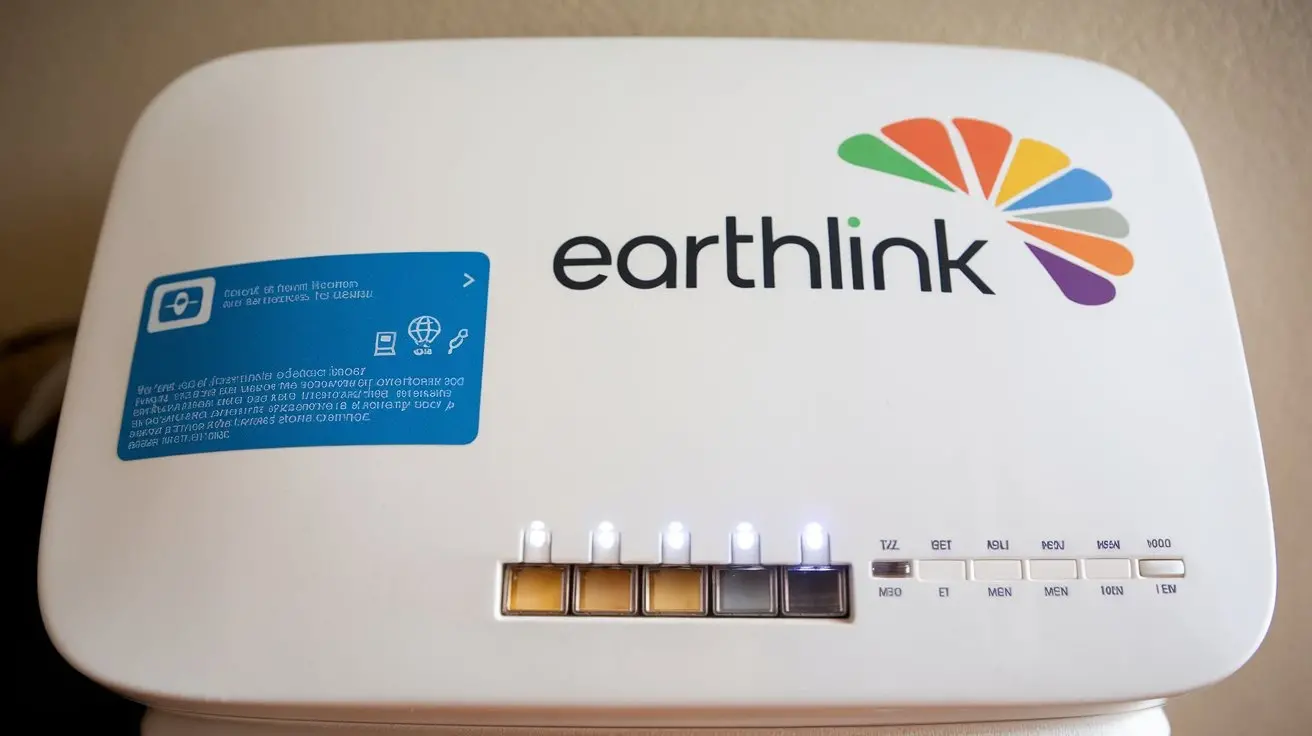
The first and often most effective step is to examine your modem and router. These devices usually have indicator lights that provide crucial information about their operational status.
- Power Light: Ensure the device is powered on. If not, check the power cable and the power outlet.
- Internet/Online Light: This light indicates a successful connection to EarthLink's network. If it's off, blinking erratically, or a different color (e.g., red), it signifies a problem with the connection to EarthLink.
- DSL/Cable/WAN Light: This light confirms a physical connection to the line coming into your home. If it's off or blinking, there might be an issue with the cable itself or the port.
- Wi-Fi Light (for routers): This indicates if the Wi-Fi network is broadcasting. If it's off, your wireless network might not be active.
Consult your modem and router manuals or EarthLink's support website for the specific meaning of each light's status for your particular models.
Step 2: Perform a Power Cycle (Reboot)
This is the most common fix for many technical glitches and is often referred to as the "IT crowd" solution for a reason. It can reset your equipment and re-establish a connection.
- Unplug the power cords from both your modem and your router.
- Wait for at least 30-60 seconds. This allows the devices to fully discharge and reset.
- Plug the modem back in first. Wait for all its lights to stabilize (usually 1-2 minutes).
- Plug the router back in. Wait for its lights to stabilize (another 1-2 minutes).
- Test your internet connection on a device.
This simple reboot can resolve temporary software glitches or network communication errors.
Step 3: Check Physical Connections
Loose or damaged cables are a frequent culprit for internet outages.
- Coaxial Cable (for Cable Internet): Ensure the coaxial cable is securely screwed into the back of the modem and the wall outlet. Check for any visible damage, kinks, or cuts in the cable.
- Ethernet Cables: Verify that all Ethernet cables connecting your modem to your router, and your router to any wired devices, are firmly plugged in at both ends. Try swapping out an Ethernet cable if you suspect it might be faulty.
- DSL Phone Line (for DSL Internet): Ensure the phone line is securely connected to the modem and the wall jack. Avoid using DSL filters if you don't have a landline, or ensure they are correctly installed if you do.
Step 4: Test a Direct Connection (Bypass Router)
This step helps determine if the issue lies with your router or the EarthLink service itself.
- Unplug the Ethernet cable that connects your modem to your router.
- Connect a computer directly to the modem using an Ethernet cable.
- Restart your modem (power cycle as described in Step 2).
- Attempt to access the internet on the directly connected computer.
If you can get online with a direct connection to the modem, the problem likely lies with your router. If you still cannot connect, the issue is more likely with the EarthLink service or the modem itself.
Step 5: Check for Outages in Your Area
It's possible that the problem isn't with your equipment but with EarthLink's network. In 2025, many ISPs provide online tools or apps to check for reported outages.
- EarthLink Website: Visit the official EarthLink website and look for a "Service Status," "Outage Map," or "Support" section. You may need to log in to your account to see localized outage information.
- EarthLink Mobile App: If EarthLink offers a mobile app, it often includes an outage checker.
- Social Media: Check EarthLink's official social media channels (like Twitter/X) for any announcements regarding service disruptions.
- Third-Party Outage Detectors: Websites like DownDetector can show user-reported outages for EarthLink. While not official, they can be a good indicator if many people are reporting issues.
If an outage is reported in your area, there's little you can do but wait for EarthLink to resolve it.
Step 6: Test Different Devices and Connections
This helps isolate whether the problem is with a specific device or your entire network.
- Try connecting with a different device: If your computer isn't connecting, try your smartphone or tablet (using Wi-Fi, not cellular data).
- Test wired vs. wireless: If you're using Wi-Fi, try connecting a device directly to the router with an Ethernet cable. If wired works but Wi-Fi doesn't, the issue is likely with your router's Wi-Fi capabilities.
Step 7: Check Your EarthLink Account Status
Occasionally, internet service can be suspended due to billing issues or account problems. Log in to your EarthLink account portal to ensure your account is in good standing and there are no pending service interruptions due to non-payment or other account-related matters.
Step 8: Reset Your Router to Factory Defaults (Advanced)
If you suspect your router's settings are corrupted and a simple reboot didn't help, you can perform a factory reset. Caution: This will erase all your custom settings, including your Wi-Fi network name (SSID) and password, and revert them to the defaults printed on the router. You will need to reconfigure your network afterward.
- Locate the reset button on your router (often a small, recessed button on the back or bottom).
- While the router is powered on, use a paperclip or a similar pointed object to press and hold the reset button for about 10-30 seconds (refer to your router's manual for exact timing).
- The router will reboot. Once it's back online, you'll need to set up your Wi-Fi network again.
If you're uncomfortable with this step, it's best to contact EarthLink support.
If you have gone through these steps and still cannot restore your EarthLink internet service, it is time to escalate the issue.
When to Contact EarthLink Support
After exhausting the self-troubleshooting steps, or if you identify a problem that clearly requires professional intervention, contacting EarthLink support is the next logical move. Knowing when and how to engage with their customer service can streamline the resolution process. In 2025, customer support channels are more diverse than ever, but the core principles of clear communication and preparation remain key.
Indicators That Require Support
- Persistent No Connection: If after rebooting your equipment, checking cables, and testing direct connections, you still have no internet access, it's time to call.
- Area Outage Confirmed: If EarthLink's website or app confirms a service outage in your area, you can contact them for an estimated time of restoration (ETR) or to report your specific experience, though widespread outages are usually handled systemically.
- Intermittent Connectivity: If your internet connection frequently drops, making it impossible to reliably use online services, EarthLink support can investigate potential line issues or network congestion.
- Slow Speeds: While not strictly an outage, consistently slow speeds that don't match your subscribed plan can indicate underlying problems that EarthLink needs to address.
- Equipment Malfunction (Provided by EarthLink): If your modem or router was supplied by EarthLink and you suspect it's faulty (e.g., unusual noises, constant error lights, failure to power on), they are responsible for troubleshooting or replacing it.
- Router Reset Issues: If you've attempted a factory reset on your router and are still experiencing problems, or if you're uncomfortable performing advanced resets, support can guide you.
- Billing or Account Issues Affecting Service: If you suspect an issue with your account status is causing the outage, customer service can clarify and resolve it.
Preparing for Your Call
To make your interaction with EarthLink support as efficient as possible, gather the following information before you call:
- Your Account Number: This is essential for them to access your service details.
- Contact Information: Your name, phone number, and email address.
- Modem and Router Model Numbers: These are usually found on a sticker on the devices themselves.
- Status of Indicator Lights: Be ready to describe the lights on your modem and router (e.g., "The 'Online' light is off," "The 'Wi-Fi' light is blinking red").
- Troubleshooting Steps Taken: Briefly explain what you've already tried (e.g., "I rebooted the modem and router," "I tested a direct connection"). This saves time and prevents them from asking you to repeat basic steps.
- When the Problem Started: Note the approximate time the outage began.
- Specific Symptoms: Describe exactly what is happening (e.g., "No internet at all," "Wi-Fi works but no internet access," "Connection drops every 10 minutes").
Contact Methods
EarthLink typically offers several ways to get in touch:
- Phone Support: This is often the most direct way to speak with a technician. Look for their customer service number on your bill or their website.
- Online Chat: Many ISPs provide live chat support through their website, which can be convenient for quick questions or initial troubleshooting.
- Email Support: While often slower, email can be useful for documenting issues and providing detailed information.
- Social Media: As mentioned earlier, their official social media channels might offer support or direct you to the right resources.
What to Expect from Support
A customer service representative will likely guide you through some of the same troubleshooting steps you've already performed. They may also access your connection remotely to check signal levels and equipment status. If they cannot resolve the issue over the phone, they may schedule a technician visit to your home to inspect the lines and equipment. Be patient, as support lines can sometimes be busy, especially during widespread outages.
Remember to be polite and clear in your communication. Providing accurate information will help them diagnose and resolve your EarthLink internet outage more effectively.
Preventative Measures and Best Practices
While you can't entirely prevent external factors from causing EarthLink internet outages, you can take several proactive steps to minimize their occurrence and impact on your household. In 2025, with an ever-increasing number of connected devices, optimizing your home network is more important than ever for consistent service.
Optimize Your Home Network Setup
- Invest in Quality Equipment: If you own your modem and router, ensure they are relatively new and compatible with EarthLink's latest service offerings. Older or low-quality equipment can be a bottleneck. Consider upgrading to a DOCSIS 3.1 modem for cable internet or a Wi-Fi 6 router for better performance and stability.
- Proper Equipment Placement: Place your modem and router in a central, open location, away from obstructions, large metal objects, and other electronic devices that can cause interference (like microwaves or cordless phones). Avoid placing them in enclosed cabinets or basements.
- Secure Your Wi-Fi Network: Use a strong, unique password for your Wi-Fi network (WPA2 or WPA3 encryption) to prevent unauthorized access, which can slow down your connection and potentially lead to instability.
- Regularly Update Firmware: Keep the firmware on your modem and router up-to-date. Many modern devices offer automatic updates, but it's worth checking periodically. Outdated firmware can contain security vulnerabilities and bugs that affect performance.
Manage Network Demand
- Limit Simultaneous High-Bandwidth Activities: If your internet speed is struggling, try to stagger activities that consume a lot of bandwidth, such as large file downloads, 4K streaming, or online gaming, especially if multiple people are using the internet at once.
- Prioritize Devices (QoS): Some routers offer Quality of Service (QoS) settings that allow you to prioritize certain devices or applications. For example, you can give your work computer or video conferencing higher priority over less critical activities.
- Monitor Bandwidth Usage: Use your router's interface or third-party apps to monitor which devices are consuming the most bandwidth. This can help identify unexpected usage or rogue devices.
Consider a Backup Solution
For critical needs (e.g., remote work, urgent communication), having a backup internet option can be a lifesaver.
- Mobile Hotspot: Most smartphones can act as a Wi-Fi hotspot. If your cellular plan has sufficient data, this can provide a temporary connection during an EarthLink outage.
- Secondary Internet Service: In some areas, you might have the option to subscribe to a secondary internet service from a different provider (e.g., DSL if you have cable, or fixed wireless). This is a more significant investment but offers the highest level of redundancy.
- Satellite Internet Backup: While typically slower and more expensive, satellite internet can serve as a reliable backup in areas where other options are limited.
Maintain Your Equipment
- Regular Cleaning: Dust can accumulate inside modems and routers, leading to overheating. Periodically dust off your equipment.
- Check Cables Regularly: Inspect cables for any signs of wear and tear, especially if they are exposed or routed through high-traffic areas.
- Consider Surge Protection: Use a good quality surge protector for your modem and router to protect them from power surges, which can be caused by lightning strikes or power fluctuations.
Stay Informed
- Sign Up for EarthLink Alerts: If EarthLink offers an alert system for planned maintenance or unexpected outages, sign up to receive notifications.
- Follow EarthLink on Social Media: As mentioned, their social media channels can be a source of timely information.
Understand Your Service Level Agreement (SLA)
Familiarize yourself with the terms of your EarthLink contract, particularly regarding uptime guarantees and compensation for prolonged outages. While not a preventative measure, knowing your rights can be helpful if service issues are persistent.
By implementing these preventative measures, you can significantly improve the reliability of your internet connection and reduce the frustration associated with EarthLink internet outages.
The Future of EarthLink Service and Outage Resilience
The landscape of internet service provision is constantly evolving, and providers like EarthLink are continually working to enhance the reliability and resilience of their networks. In 2025, several key trends are shaping the future of internet service, with a direct impact on the frequency and severity of outages. Understanding these developments can offer a glimpse into what customers can expect moving forward.
Advancements in Fiber Optics
Fiber optic technology continues to be the gold standard for internet connectivity due to its speed, capacity, and resilience. EarthLink, like many ISPs, is investing in expanding its fiber optic footprint. Fiber optic cables are less susceptible to electromagnetic interference and physical damage compared to older copper lines, leading to fewer disruptions. As more homes and businesses are connected via fiber, the overall stability of the network is expected to improve.
5G and Fixed Wireless Expansion
The rollout of 5G technology and other fixed wireless solutions offers alternative pathways for internet delivery. While not always a direct replacement for high-speed fiber, these technologies can provide more robust and flexible connectivity options, especially in areas where laying fiber is cost-prohibitive. This diversification of infrastructure can create redundancy and potentially reduce the impact of outages on traditional wired networks.
Edge Computing and Distributed Networks
The rise of edge computing, where data processing is moved closer to the source of data generation, is leading to more distributed network architectures. This can make networks more resilient, as a failure at a central data center may not impact all services. By distributing network functions, ISPs can potentially isolate and resolve issues more quickly, minimizing widespread outages.
Artificial Intelligence and Automation in Network Management
In 2025, Artificial Intelligence (AI) and automation are playing an increasingly vital role in network operations. AI algorithms can predict potential equipment failures, identify anomalies in network traffic, and even automatically reroute data to avoid congested or failing segments. This proactive approach allows ISPs to address issues before they result in service disruptions, leading to improved uptime.
Enhanced Monitoring and Response Systems
EarthLink and other providers are continuously investing in sophisticated network monitoring tools. These systems provide real-time insights into network performance, allowing technicians to detect and diagnose problems much faster. Advanced response systems enable quicker deployment of repair crews and more efficient resolution of issues, thereby reducing the duration of outages.
Cybersecurity Measures
As cyber threats evolve, ISPs are bolstering their cybersecurity defenses to protect their infrastructure from attacks that could cause service disruptions. This includes implementing robust firewalls, intrusion detection systems, and DDoS mitigation strategies. A secure network is a more reliable network.
Customer Empowerment Through Better Tools
Looking ahead, expect ISPs to provide customers with more sophisticated tools and information to manage their own connections and understand service status. This includes improved mobile apps, more detailed outage maps, and clearer communication channels, empowering users to troubleshoot more effectively and stay informed.
While no internet service can guarantee 100% uptime, the ongoing technological advancements and strategic investments by providers like EarthLink are steadily improving network resilience. The focus is shifting towards proactive maintenance, faster response times, and more robust infrastructure, aiming to minimize the impact of those "not quite Armageddon" but still quite annoying internet outages.
Conclusion
EarthLink internet outages, while inconvenient, are often manageable with a systematic approach. We've explored the common culprits, from simple equipment glitches to complex infrastructure failures, and provided a detailed, step-by-step guide to help you troubleshoot and resolve many issues yourself. Understanding the status lights on your modem and router, performing a power cycle, and checking physical connections are your first lines of defense. If these steps don't yield results, knowing when to contact EarthLink support and how to prepare for that conversation is crucial for an efficient resolution.
Furthermore, adopting preventative measures such as optimizing your home network, managing bandwidth usage, and considering backup solutions can significantly enhance your internet's reliability. The future of internet service, driven by advancements in fiber optics, 5G, AI, and robust network management, promises greater resilience. However, until perfect uptime is a reality, being prepared is your best strategy.
Your actionable recommendation: Bookmark this guide, keep a pen and paper handy near your modem, and familiarize yourself with EarthLink's support contact information. By being proactive and informed, you can minimize the disruption caused by EarthLink internet outages and ensure your digital life stays connected.