Yes, AT&T absolutely provides essential equipment for its internet services, typically including a modem and/or router. This ensures a seamless setup and optimal performance for your home or business connection, removing the need for separate purchases in most cases.
AT&T Internet Equipment: The Essential Overview
When you sign up for AT&T internet service, a fundamental question that arises is about the necessary hardware. Does AT&T provide equipment for internet? The straightforward answer is a resounding yes. AT&T is committed to ensuring its customers have the tools they need to get online quickly and efficiently. This typically involves providing a modem, a router, or a combined modem/router unit, often referred to as a gateway. This equipment is crucial for translating the internet signal from AT&T's network into a usable connection for your home devices. Without this vital hardware, your internet service would be non-functional. Understanding what AT&T provides, how it works, and the associated costs or rental options is key to a smooth and satisfying internet experience. This comprehensive guide will delve into every aspect of AT&T's internet equipment, from the types of devices you can expect to receive to the process of installation and potential troubleshooting steps, ensuring you are fully informed.
Understanding Your AT&T Modem/Router
The heart of your AT&T internet connection lies within the modem and router, or the integrated gateway device. It's important to understand the role each plays and how they work in tandem to bring the internet into your home and distribute it to your devices.
The Modem's Role
The modem, short for modulator-demodulator, is the device that establishes a direct connection to AT&T's network. It takes the digital data from your computer and converts it into an analog signal that can travel over the physical lines (such as fiber optic cables or DSL lines) to AT&T's servers. Conversely, it receives analog signals from AT&T's network and converts them back into digital data that your devices can understand. Think of it as the translator between your home network and the vast expanse of the internet.
The Router's Role
The router's primary function is to manage and direct network traffic within your home. It creates your local area network (LAN) and assigns unique IP addresses to each device connected to it, allowing them to communicate with each other and with the internet. The router also acts as a firewall, providing a basic level of security by protecting your network from unauthorized access. Modern AT&T gateways often include Wi-Fi capabilities, broadcasting a wireless signal that allows your devices to connect without physical cables.
The Gateway: A Unified Solution
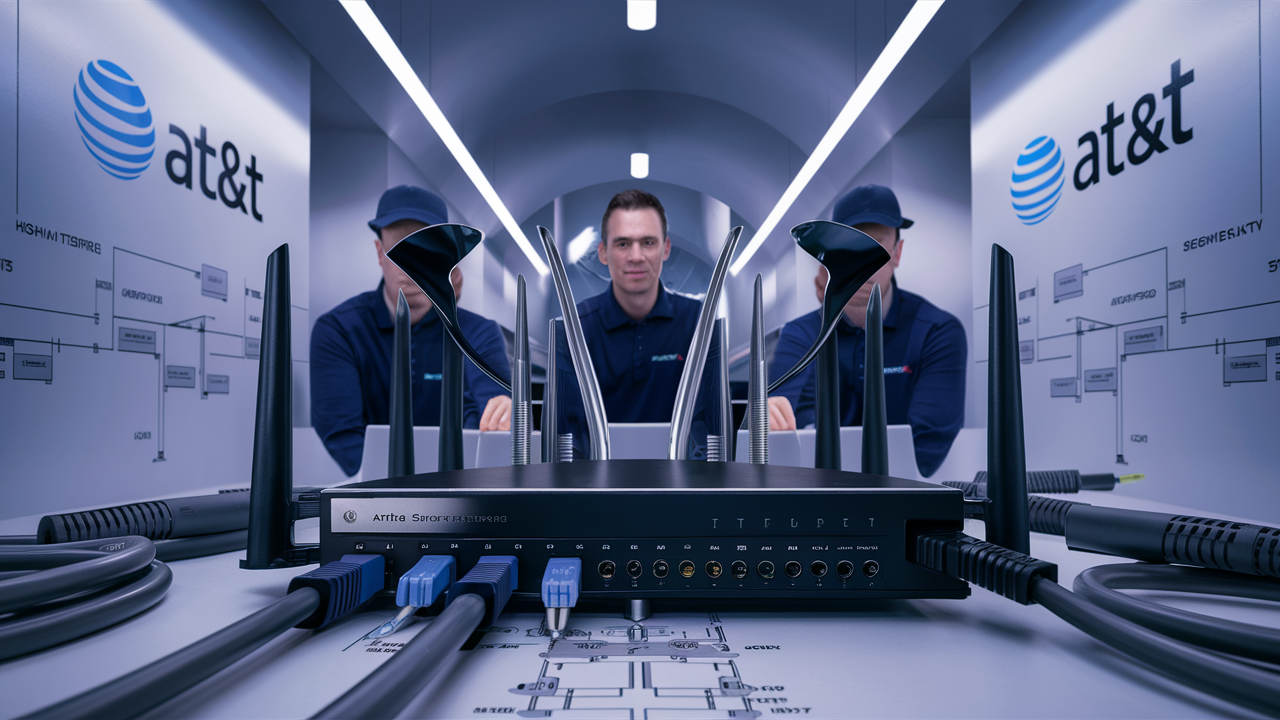
AT&T frequently provides a "gateway" device, which is a single unit that combines the functionality of both a modem and a router. This simplifies setup and reduces the number of devices you need to manage. These gateways are designed to be compatible with AT&T's specific network technologies, ensuring optimal performance and reliability. They are typically equipped with Ethernet ports for wired connections and Wi-Fi antennas for wireless connectivity.
Key Components and Indicators
Your AT&T gateway will have various lights and ports. Understanding these can be helpful for basic troubleshooting:
- Power Light: Indicates the device is receiving power.
- Internet/Online Light: Shows that the modem has successfully connected to AT&T's network. This light should be solid green or blue when everything is working correctly.
- Wi-Fi Lights: Indicate the status of the wireless network broadcast.
- Ethernet Ports: For connecting devices via Ethernet cables.
For detailed information on the specific lights and ports of your AT&T gateway, it's always best to consult the user manual provided with the equipment or visit the AT&T support website.
Types of AT&T Internet Equipment Provided
AT&T offers different types of internet service, and the equipment provided often varies depending on the technology being used. Understanding these differences can help you anticipate what you'll receive and how it will function.
Fiber Optic Internet Equipment (AT&T Fiber)
For AT&T's high-speed fiber optic internet service, the equipment is generally more advanced to handle the significantly faster speeds. Customers typically receive an Optical Network Terminal (ONT) and a Wi-Fi gateway. The ONT is installed at the demarcation point where the fiber enters your home and converts the optical signal to an electrical signal. This signal is then passed to the AT&T Wi-Fi gateway, which acts as the router and Wi-Fi access point for your home network. These gateways are designed to support gigabit speeds and are essential for maximizing the performance of AT&T Fiber.
DSL Internet Equipment (AT&T Internet plans using copper lines)
For AT&T internet plans that utilize traditional copper telephone lines (DSL), the equipment is typically a combined DSL modem and router. These devices connect to the phone jack in your home and translate the DSL signal. While these plans offer more widespread availability, the speeds are generally lower than fiber. The provided gateway will be optimized for DSL technology.
Fixed Wireless Internet Equipment
AT&T also offers Fixed Wireless internet in certain rural or underserved areas. For this service, customers usually receive an outdoor antenna or dish that captures the wireless signal from a nearby AT&T tower. This antenna is then connected via cable to an indoor modem/router unit. The indoor unit processes the signal and creates your home Wi-Fi network. The specific equipment might vary based on the availability and strength of the signal in a particular location.
Combination Gateways
As mentioned, AT&T heavily relies on integrated gateways. These devices are designed to be user-friendly and efficient, consolidating the modem and router into a single unit. This reduces clutter and simplifies the setup process for the customer. The specific model of the gateway can vary based on the internet plan, the technology deployed in your area, and the age of the equipment.
Considerations for Different Speeds
Higher-speed internet plans, especially those on fiber optic networks, will necessitate more robust gateway hardware. These advanced gateways are engineered to handle the high throughput and low latency required for gigabit speeds, ensuring that you can fully utilize the bandwidth you're paying for. If you're subscribing to a plan with speeds of 100 Mbps or higher, you can expect a more powerful gateway designed for peak performance.
Equipment Included with Different AT&T Plans
The specific equipment AT&T provides is intrinsically linked to the type of internet plan you choose. AT&T offers a range of plans designed to cater to various needs and budgets, from basic connectivity to high-speed fiber.
AT&T Fiber Plans
For customers opting for AT&T Fiber, which offers the fastest speeds available, the equipment provided is top-tier. You will typically receive a high-performance Wi-Fi 6 gateway. These gateways are designed to support multi-gigabit speeds, handle numerous connected devices simultaneously, and provide robust Wi-Fi coverage throughout your home. The installation process for fiber also involves an Optical Network Terminal (ONT), which is essential for the fiber connection.
- Example: For AT&T Fiber 1 Gig plan, a Wi-Fi 6 capable gateway is provided to ensure seamless multi-gigabit performance.
AT&T Internet Plans (DSL/VDSL)
For AT&T's traditional internet plans that utilize copper phone lines (often referred to as DSL or VDSL), the provided equipment is a DSL modem/router combo. These devices are sufficient for delivering the speeds offered by these plans, which can range from a few Mbps up to around 100 Mbps in some areas. The gateway will be optimized for the specific DSL technology in your region. While these plans are more widely available, they generally offer lower speeds compared to fiber.
- Example: For a plan offering up to 50 Mbps, a standard AT&T DSL gateway will be provided.
AT&T Internet Air (Fixed Wireless)
AT&T Internet Air is designed for areas where traditional wired broadband is not readily available. The equipment for this service includes an indoor receiver/router and potentially an outdoor antenna, depending on signal strength. The indoor unit connects to your devices and broadcasts Wi-Fi. The setup is designed to capture the fixed wireless signal efficiently.
- Example: For AT&T Internet Air, an indoor gateway unit is provided, with an optional outdoor antenna if needed for optimal signal reception.
Bundled Services
If you bundle AT&T internet with other services like AT&T TV (now DIRECTV STREAM) or AT&T Wireless, the equipment provided for the internet service remains consistent with the plan type. However, separate equipment might be provided for other services, such as a streaming device for DIRECTV STREAM.
Equipment Upgrades
It's important to note that AT&T may update its gateway models over time. If you are a new customer or upgrade your plan, you will likely receive the latest compatible gateway model available at that time. For existing customers, AT&T may offer equipment upgrades if their current equipment is outdated or no longer supported for newer technologies or speeds.
How AT&T Equipment is Provided
AT&T employs a couple of primary methods for getting their internet equipment into the hands of new subscribers, ensuring a smooth transition to their service.
Professional Installation
For many AT&T internet services, particularly AT&T Fiber, a professional installation is the standard and often required method. In this scenario, an AT&T technician will visit your home on a scheduled appointment. They will:
- Assess your home's wiring and identify the best location for the equipment.
- Install any necessary external components (like an ONT for fiber or an antenna for fixed wireless).
- Connect and configure the AT&T gateway.
- Test the connection to ensure it's working optimally.
- Provide a brief overview of how to use the equipment and set up your Wi-Fi network.
This method ensures that the equipment is installed correctly, maximizing performance and minimizing potential issues. It's particularly beneficial for complex installations or when dealing with newer technologies like fiber optics.
Self-Installation Kits
For some AT&T internet plans, especially those utilizing existing copper lines (DSL) where no new wiring is required, AT&T may offer a self-installation option. In this case, AT&T will ship the necessary gateway equipment directly to your home. The kit will typically include:
- The AT&T gateway (modem/router).
- Power adapter.
- Ethernet cable.
- Coaxial cable (if applicable).
- A simple, step-by-step instruction guide.
The guide will walk you through connecting the device to the phone jack or cable outlet, powering it on, and following on-screen prompts or instructions to activate your service. This option is convenient for those who are comfortable with basic technology setup and want to avoid scheduling an appointment.
Equipment Shipping and Delivery
If you opt for or are assigned a self-installation kit, AT&T will ship the equipment to your address. You will typically receive tracking information so you can monitor its delivery. The shipping time can vary, but it's usually coordinated to arrive shortly before your service activation date.
What to Expect Upon Arrival (Professional Installation)
When a technician arrives for a professional installation, they will typically bring the required equipment with them. They will need access to the location where the modem/router will be placed, as well as the point where the service enters your home. The process usually takes between 1 to 3 hours, depending on the complexity of the installation.
Installation and Setup of AT&T Equipment
Whether you're receiving a professional installation or a self-installation kit, setting up your AT&T internet equipment is a critical step. AT&T aims to make this process as straightforward as possible.
Professional Installation Steps
When you schedule a professional installation, the AT&T technician will manage the entire setup process. Here's a general overview of what they will do:
- Site Survey: The technician will assess your home's layout and existing wiring to determine the optimal placement for the gateway and any other necessary equipment (like an ONT for fiber).
- Wiring and Connections: They will run any necessary cables and connect the equipment to the AT&T network. For fiber, this involves connecting the ONT. For DSL, they will connect the gateway to a phone jack.
- Gateway Configuration: The technician will power on the AT&T gateway and connect it to the network. They will configure the device, including setting up the Wi-Fi network name (SSID) and password.
- Service Activation: They will ensure your internet service is active and functioning correctly.
- Testing: The technician will perform speed tests and check for connectivity issues to confirm optimal performance.
- Customer Walkthrough: Finally, they will walk you through the setup, explain how to connect your devices, and answer any initial questions you may have.
Self-Installation Steps
If you receive a self-installation kit, AT&T provides clear instructions. The general steps are as follows:
- Unpack the Equipment: Carefully unpack your AT&T gateway, power adapter, and any included cables.
- Connect to the Outlet:
- For DSL: Connect one end of the provided phone cable to the gateway and the other end to a live phone jack in your home.
- For Cable (less common for AT&T's primary internet, but possible in some areas): Connect the coaxial cable to the gateway and a cable outlet.
- For Fiber: If self-install is an option for fiber, the process is more involved and may require specific instructions for the ONT. However, fiber typically mandates professional installation.
- Connect to Power: Plug the power adapter into the gateway and then into a wall outlet.
- Power On and Wait: The gateway will power on. Allow several minutes for it to boot up and establish a connection to the AT&T network. You'll typically see indicator lights change as it connects.
- Activate Service: Follow the instructions in your guide to activate your service. This often involves visiting a specific AT&T web address on a computer or mobile device connected via Ethernet or waiting for the Wi-Fi network to appear.
- Connect Your Devices: Once activated, your Wi-Fi network name (SSID) and password will be displayed on the gateway or in your instructions. Connect your wireless devices using these credentials. For wired connections, use an Ethernet cable to connect your computer or other devices to the gateway's Ethernet ports.
Important Tips for Setup
- Placement: For optimal Wi-Fi coverage, place your gateway in a central, open location, away from obstructions like thick walls, metal objects, and other electronic devices that can cause interference.
- Read the Instructions: Always refer to the specific setup guide provided with your AT&T equipment.
- Contact Support: If you encounter any issues during setup, don't hesitate to contact AT&T customer support for assistance.
Troubleshooting Common AT&T Equipment Issues
Even with reliable equipment, occasional issues can arise. Knowing how to troubleshoot common problems can save you time and frustration. Here are some frequent issues and their solutions:
No Internet Connection
This is the most common problem. Before calling support, try these steps:
- Check Indicator Lights: Examine the lights on your AT&T gateway. A solid "Online" or "Internet" light (usually green or blue) indicates a successful connection to AT&T's network. If this light is off, blinking, or red/orange, there's a connection issue.
- Reboot the Gateway: Unplug the power adapter from the gateway, wait for about 30 seconds, and then plug it back in. Allow the gateway a few minutes to fully restart and re-establish the connection. This simple step resolves many connectivity problems.
- Check Cables: Ensure all cables (power, Ethernet, phone line for DSL, coaxial for cable) are securely plugged into both the gateway and the wall outlet.
- Test with a Wired Connection: If you're primarily using Wi-Fi, try connecting a computer directly to the gateway using an Ethernet cable. If you get internet access via Ethernet but not Wi-Fi, the issue is likely with your wireless settings.
Slow Internet Speeds
If your internet is consistently slower than expected:
- Run a Speed Test: Use a reliable speed test website (like Speedtest.net or AT&T's own speed test tool) to measure your current download and upload speeds.
- Reboot Gateway: A simple reboot can often refresh the connection and improve speeds.
- Check for Interference (Wi-Fi): Other electronic devices (microwaves, cordless phones, Bluetooth devices) can interfere with Wi-Fi signals. Try moving your gateway or the interfering devices.
- Reduce Network Congestion: If multiple devices are heavily using the internet simultaneously (streaming, downloading large files), it can slow down speeds for everyone.
- Check Your Plan: Ensure your current internet plan is sufficient for your needs. If you consistently experience slow speeds and have checked all other factors, you might need to consider upgrading your plan.
- Wired vs. Wireless: Test speeds using both a wired Ethernet connection and Wi-Fi. If wired speeds are significantly faster, your Wi-Fi signal might be the bottleneck.
Wi-Fi Connectivity Issues
If your devices can't connect to your Wi-Fi network:
- Restart Gateway: Rebooting the gateway often resolves Wi-Fi issues.
- Check Wi-Fi Name (SSID) and Password: Ensure you are connecting to the correct Wi-Fi network name and entering the password accurately. Passwords are case-sensitive.
- Signal Strength: If you're too far from the gateway, the signal might be too weak. Try moving closer or consider a Wi-Fi extender or mesh system.
- Router Reboot: Some gateways have separate Wi-Fi settings. Accessing your gateway's admin interface might be necessary for advanced troubleshooting, but start with a simple reboot.
Gateway Overheating
If your gateway feels excessively hot:
- Ensure Proper Ventilation: Make sure the gateway is in an open area with good airflow and not enclosed in a cabinet or covered by anything.
- Check Power Adapter: Ensure you are using the official AT&T power adapter.
- Contact Support: If overheating persists, the device may be faulty, and you should contact AT&T support.
When to Contact AT&T Support
If you've tried these basic troubleshooting steps and are still experiencing issues, it's time to contact AT&T customer support. Be prepared to provide them with information about the problem, the indicator lights on your gateway, and the steps you've already taken. They can remotely diagnose your connection and equipment and schedule a technician visit if necessary.
Bringing Your Own Equipment to AT&T
A common question for many internet users is whether they can use their own modem and router with AT&T service instead of renting AT&T's provided equipment. The answer to this varies significantly depending on the type of AT&T internet service you are signing up for.
AT&T Fiber: Generally Not Supported
For AT&T Fiber internet, the use of customer-owned equipment is generally not permitted. AT&T Fiber requires specific Optical Network Terminals (ONTs) and compatible gateways that are tightly integrated with their network infrastructure. These devices are essential for translating the optical signals and ensuring optimal performance and security. AT&T provides this specialized equipment as part of the service, and it is typically included in the monthly service fee or has a separate equipment charge. Attempting to use your own modem or router with AT&T Fiber will likely result in no service connection.
AT&T Internet (DSL/VDSL): Limited Support
For AT&T's traditional internet plans that operate over copper phone lines (DSL and VDSL), the situation is more nuanced. Historically, AT&T has allowed customers to use their own compatible DSL modems and routers. However, AT&T has been phasing out support for customer-owned equipment on many of its DSL/VDSL plans. As of 2025, it is increasingly common for AT&T to require the use of their provided gateway, especially for newer activations or for plans that offer higher speeds.
Key considerations for DSL/VDSL BYOD (Bring Your Own Device):
- Compatibility: If AT&T does allow BYOD, you must ensure your modem is compatible with AT&T's network and the specific DSL standards they use in your area (e.g., ADSL2+, VDSL2).
- Activation Issues: Even with a compatible modem, you may encounter difficulties activating the service with your own equipment. AT&T's activation systems are primarily designed for their own hardware.
- Performance and Support: If you use your own equipment, AT&T's technical support may be limited. They may not be able to troubleshoot issues related to your modem/router, and they might require you to switch to their provided equipment to resolve problems.
- Features: Many of AT&T's provided gateways include advanced Wi-Fi capabilities and other features that might not be present in older or basic customer-owned modems.
Recommendation: Before purchasing your own modem for an AT&T DSL/VDSL plan, it is crucial to contact AT&T directly and confirm their current policy for your specific service area and plan. They can provide a list of approved modems or inform you if their equipment is mandatory.
AT&T Internet Air (Fixed Wireless): Not Supported
For AT&T Internet Air, which is a fixed wireless service, you are generally required to use the equipment provided by AT&T. This includes the outdoor antenna/dish and the indoor gateway. These components are specifically configured and optimized to receive the fixed wireless signal from AT&T's towers and create your home network. Using your own equipment is not an option for this service.
Summary of BYOD Policy
In summary, for AT&T Fiber and AT&T Internet Air, you cannot use your own equipment. For AT&T Internet (DSL/VDSL), the ability to use your own modem is becoming increasingly restricted, and it's essential to verify AT&T's current policy before making any purchases. For most users, especially those seeking the best performance and support, using the AT&T-provided gateway is the recommended and often mandatory approach.
Equipment Fees and Costs with AT&T
Understanding the costs associated with AT&T's internet equipment is vital for budgeting your monthly internet expenses. AT&T has different approaches to equipment charges depending on the service type and whether you opt for rental or purchase (where applicable).
AT&T Fiber Equipment Costs
For AT&T Fiber, the high-performance Wi-Fi 6 gateway is typically provided. As of 2025, AT&T often includes the equipment rental cost within the advertised monthly price for many of their fiber plans. This means you don't pay an additional monthly fee for the gateway itself. However, there might be an activation fee or an installation fee, especially for professional installations.
- Included Rental: The monthly fee for AT&T Fiber usually covers the use of the gateway.
- One-Time Fees: Be aware of potential one-time charges for installation or activation, which can range from $0 to $99, depending on promotions and the complexity of the installation.
- Damage/Loss Fees: If you cancel service, you will be required to return the AT&T equipment. Failure to do so will result in charges for the unreturned equipment, which can be substantial (e.g., several hundred dollars for a high-end gateway).
AT&T Internet (DSL/VDSL) Equipment Costs
For traditional AT&T Internet plans (DSL/VDSL), AT&T typically charges a monthly equipment rental fee for their gateway. This fee is usually a modest amount, often in the range of $10 to $15 per month. This fee is added to your monthly service charge.
- Monthly Rental Fee: A recurring charge for the use of the AT&T modem/router.
- Self-Installation Option: If you opt for self-installation, the shipping of the equipment might be included or have a small fee.
- Professional Installation Fee: If you choose or require a professional installation, there will likely be an associated fee.
- BYOD Savings: If AT&T allows you to use your own equipment for these plans (which is becoming less common), you would avoid this monthly rental fee, potentially saving money. However, as noted, verify this policy directly with AT&T.
AT&T Internet Air Equipment Costs
The equipment for AT&T Internet Air is also typically provided by AT&T. Similar to AT&T Fiber, the cost of this equipment is often bundled into the monthly service price, or there might be a specific, often one-time, equipment fee associated with it. Installation might also incur a separate charge.
- Bundled Cost: The equipment cost is usually integrated into the monthly subscription.
- Potential One-Time Fee: Some plans might have an upfront cost for the installation kit.
Potential Additional Fees
Regardless of the service type, be aware of these potential additional fees:
- Installation Fees: For professional installations, especially for fiber, these can vary.
- Activation Fees: Some plans may have a one-time activation charge.
- Late Fees: Standard late fees apply if your bill is not paid on time.
- Equipment Replacement/Loss Fees: As mentioned, if you fail to return AT&T-provided equipment upon cancellation or if it's damaged due to negligence, you will be charged its full replacement cost.
Finding Specific Costs
The most accurate and up-to-date information on equipment fees can be found:
- On the AT&T website when you are checking service availability and plan details for your specific address.
- By speaking directly with an AT&T sales representative.
- In your AT&T service agreement and monthly bills.
Always clarify all equipment costs and rental terms before signing up for service to avoid any surprises.
Upgrading Your AT&T Internet Equipment
As technology advances and your internet needs evolve, you might find yourself needing to upgrade your AT&T internet equipment. AT&T offers pathways for existing customers to get newer, more capable hardware.
When to Consider an Upgrade
Several factors might prompt you to consider upgrading your AT&T gateway:
- Slower Speeds: If your current equipment is unable to support the speeds of your subscribed plan, leading to slower performance than expected.
- New Plan Subscription: When you upgrade your internet plan to a higher speed tier, AT&T may require or recommend an equipment upgrade to take full advantage of the new speeds. This is particularly common when moving to higher-tier fiber plans.
- Wi-Fi Performance Issues: If you're experiencing poor Wi-Fi coverage, frequent disconnections, or slow wireless speeds, a newer gateway with improved Wi-Fi technology (like Wi-Fi 6) might be beneficial.
- Device Compatibility: Newer devices and smart home gadgets often benefit from the latest Wi-Fi standards. An older gateway might not provide optimal performance for these devices.
- Equipment Age: Like any electronic device, gateways have a lifespan. If your equipment is several years old, it might be less efficient or prone to issues compared to newer models.
- End-of-Life Support: AT&T eventually phases out support for older gateway models, meaning they may no longer receive firmware updates or be compatible with new network technologies.
How to Upgrade Your Equipment
The process for upgrading your AT&T equipment typically depends on your current service and plan:
- Contact AT&T Customer Service: The most direct way to inquire about an equipment upgrade is to call AT&T's customer support line. Explain your situation and why you believe an upgrade is necessary.
- Online Account Management: Log in to your AT&T online account. Sometimes, upgrade options or notifications about available upgrades are presented within your account portal.
- Plan Upgrades: If you are upgrading your internet plan speed, AT&T representatives will usually inform you if a new gateway is required or recommended during the plan change process.
- Technician Visit: For fiber or more complex upgrades, AT&T will likely schedule a professional installation appointment for a technician to replace and configure the new gateway.
- Self-Install Option: In some cases, particularly for DSL/VDSL customers who are upgrading to a similar service tier, AT&T might send a new gateway via mail for self-installation.
Costs Associated with Upgrades
The cost of upgrading your AT&T equipment can vary:
- Free Upgrade: Often, if you are upgrading to a higher speed plan that necessitates a new gateway, AT&T may provide the upgrade at no additional cost for the equipment itself, though installation fees might still apply.
- Equipment Purchase/Rental Fee: If you are upgrading for reasons other than a plan change (e.g., to improve Wi-Fi), AT&T might charge a fee for the new gateway, either as a one-time purchase or an increased monthly rental fee.
- Installation Fees: As with initial installations, professional installation of a new gateway may incur a fee.
- Return of Old Equipment: You will be required to return your old gateway to AT&T. Failure to do so will result in charges for the unreturned equipment.
Maximizing Your New Equipment
Once you have your new gateway, ensure you place it in an optimal location for Wi-Fi coverage. If it's a Wi-Fi 6 or Wi-Fi 6E model, make sure your devices also support these standards to take full advantage of the enhanced performance and features.
The Future of AT&T Internet Equipment
The landscape of internet technology is constantly evolving, and AT&T is at the forefront of deploying new advancements. The equipment provided to customers is a direct reflection of these ongoing innovations, aiming to deliver faster speeds, greater reliability, and enhanced user experiences.
Advancements in Wi-Fi Technology
One of the most significant areas of development is Wi-Fi technology. We've seen the progression from Wi-Fi 5 (802.11ac) to Wi-Fi 6 (802.11ax) and now the emergence of Wi-Fi 6E, which utilizes the 6 GHz band for less interference and higher speeds. AT&T's latest gateways are increasingly incorporating Wi-Fi 6 and Wi-Fi 6E capabilities. This means:
- Higher Speeds: Support for faster wireless data transfer rates.
- Increased Capacity: Better performance when multiple devices are connected simultaneously, crucial for smart homes with numerous connected gadgets.
- Reduced Latency: Improved responsiveness for online gaming and real-time applications.
- Enhanced Efficiency: Better power management for connected devices.
The future will likely see even more advanced Wi-Fi standards, such as Wi-Fi 7, becoming integrated into AT&T's equipment offerings to meet the growing demand for bandwidth and connectivity.
The Role of 5G in Home Internet
While AT&T is a major player in mobile 5G, they are also leveraging this technology for home internet solutions. AT&T Internet Air, their fixed wireless service, is an example of using wireless spectrum to deliver broadband. As 5G technology matures and expands, we can expect AT&T to offer more sophisticated 5G home internet solutions that compete directly with traditional wired broadband in terms of speed and reliability. This could involve more advanced indoor/outdoor 5G receivers and gateways designed specifically for fixed wireless access.
Increased Integration and Smart Home Capabilities
Future AT&T gateways may become more integrated with smart home ecosystems. This could include:
- Built-in Smart Home Hubs: Gateways that can directly manage and connect various smart home devices (lights, thermostats, security systems) without the need for separate hubs.
- Enhanced Security Features: More robust built-in firewalls, intrusion detection, and parental controls managed through user-friendly interfaces.
- AI-Powered Network Management: Gateways that use artificial intelligence to optimize network performance, predict potential issues, and automatically adjust settings for the best user experience.
Fiber Network Expansion and Equipment
AT&T continues to invest heavily in expanding its fiber optic network. As fiber deployment grows, the equipment associated with it will also evolve. We can anticipate:
- Support for Higher Speeds: Gateways capable of handling multi-gigabit speeds (e.g., 2 Gbps, 5 Gbps, or even 10 Gbps) will become more common as AT&T offers these plans.
- More Efficient ONTs: Continued improvements in Optical Network Terminals to handle higher bandwidths and potentially integrate additional functionalities.
Sustainability and Energy Efficiency
As environmental concerns grow, AT&T, like many technology providers, will likely focus on developing more energy-efficient equipment. This means gateways that consume less power without compromising performance.
In conclusion, AT&T is committed to providing its customers with the latest internet equipment to ensure a high-quality, reliable, and fast online experience. From advanced Wi-Fi 6E gateways for fiber customers to innovative 5G solutions for underserved areas, AT&T's equipment strategy is geared towards meeting the demands of an increasingly connected world.
Conclusion
To directly answer the question, yes, AT&T absolutely provides equipment for its internet services. For the vast majority of AT&T internet plans, including their high-speed Fiber, traditional DSL/VDSL, and Fixed Wireless offerings, the company supplies the necessary modem, router, or integrated gateway device. This provision is fundamental to establishing your internet connection and ensuring it functions correctly. For AT&T Fiber, you can expect advanced Wi-Fi 6 or Wi-Fi 6E gateways designed to handle multi-gigabit speeds, while DSL plans typically come with a compatible modem/router combo. AT&T Internet Air utilizes specialized fixed wireless equipment. While AT&T Fiber and Internet Air strictly require their provided hardware, the ability to use your own modem for DSL/VDSL is diminishing, and verification with AT&T is essential. Understanding the type of equipment provided, how it's installed (either professionally or via self-install kit), and the associated costs—whether through rental fees or bundled into the service price—is crucial for a seamless experience. AT&T also offers pathways to upgrade your equipment as technology advances or your needs change, ensuring you can leverage the latest in connectivity. By providing the essential hardware, AT&T aims to simplify the setup process and deliver optimal performance for all its internet subscribers.