ATT Fiber generally does not use existing cable lines for its service. Fiber optic internet requires a new, dedicated fiber optic cable to be run directly to your home, offering a distinct advantage over traditional coaxial cable. This guide clarifies the installation process and what to expect.
ATT Fiber vs. Existing Cable: The Fundamental Difference
The core of understanding whether ATT Fiber uses existing cable lies in recognizing the distinct technologies at play. Cable internet, provided by companies like Spectrum or Xfinity, relies on coaxial cables that were originally laid for cable television. These cables transmit data using electrical signals over copper wires. ATT Fiber, on the other hand, is a fiber optic internet service. This means it uses thin strands of glass or plastic to transmit data as pulses of light. This fundamental difference in transmission medium dictates the installation process and the performance capabilities of each service.
Coaxial cable technology has been around for decades. While it has been upgraded over time to offer higher speeds (e.g., DOCSIS 3.1 and the upcoming DOCSIS 4.0), its inherent limitations stem from the physical properties of copper. Electrical signals degrade over distance and are susceptible to interference, which can impact speed and reliability. Cable internet providers leverage the existing network of coaxial cables that already reach millions of homes, making it a relatively straightforward upgrade path for them.
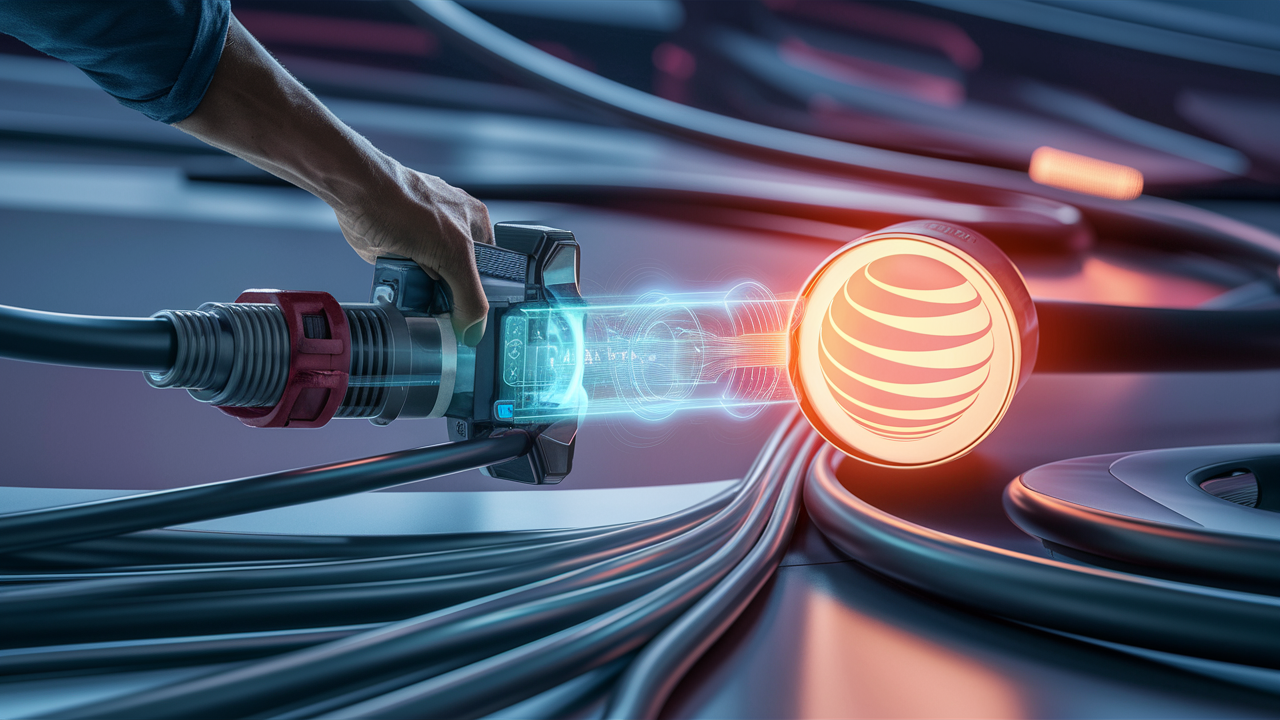
Fiber optic internet, conversely, represents a newer, more advanced infrastructure. The installation of fiber optic networks is a more involved process because it requires laying entirely new cables. These cables are typically made of glass or plastic and are significantly thinner than coaxial cables. They transmit data using light signals, which are immune to electromagnetic interference and can carry data over much longer distances with minimal signal loss. This inherent superiority of light transmission is why fiber optic internet offers significantly higher speeds, lower latency, and greater reliability compared to cable.
When ATT deploys its Fiber service, it is building out a dedicated fiber optic network. This means that for a home to receive ATT Fiber, a new fiber optic cable must be physically run from the ATT network infrastructure (like a local node or distribution point) all the way to the customer's premises. This new cable is installed either underground, through existing conduit if available and suitable, or overhead on utility poles. It is not connected to or integrated with the existing coaxial cable network that might already be in your home for cable TV. The decision to build a new fiber network is a strategic one for ATT, aimed at providing a future-proof internet solution that can support the ever-increasing demand for bandwidth.
Therefore, the direct answer to "Does ATT Fiber use existing cable?" is a resounding no, in the sense that it does not tap into or utilize the coaxial cable infrastructure that powers traditional cable internet. While there might be instances where existing underground conduits or pathways are repurposed for the new fiber optic cables, the actual transmission medium is entirely different. This distinction is crucial for consumers looking to understand the installation process, potential costs, and the performance benefits they can expect from ATT Fiber. The deployment of fiber is a significant infrastructure investment, and its primary advantage is its complete independence from older, slower technologies.
The ATT Fiber Installation Process: What to Expect
Understanding the installation process for ATT Fiber is key to demystifying how it works and why it doesn't use existing cable. The process is designed to bring a dedicated fiber optic line directly to your home, ensuring you receive the full benefits of this advanced technology. While the specifics can vary slightly depending on your location and the existing infrastructure, the general steps remain consistent.
Initial Site Survey and Planning
Before any physical work begins, ATT technicians will typically conduct a site survey. This involves assessing the best route for the fiber optic cable to reach your home from the nearest ATT network point. They will look at existing utility poles, underground conduit access, and the most efficient path to your house. This planning phase is crucial for minimizing disruption and ensuring a clean installation. They will also determine the optimal location for the Optical Network Terminal (ONT), the device that converts light signals into electrical signals your home network can use, usually installed inside your home.
Running the Fiber Optic Cable
This is the most significant part of the installation. The fiber optic cable is a thin, delicate strand of glass or plastic. It needs to be brought from the street-level network infrastructure to your home.
Underground Installation
If your neighborhood has underground utilities, the fiber cable will likely be pulled through existing underground conduits or a new conduit will be bored and laid. This method is often preferred for aesthetic reasons and to protect the cable from weather damage. In some cases, existing conduits used for other utilities (like telephone or cable TV) might be utilized if they are in good condition and accessible. However, this is not always possible, and new conduits may need to be installed. The process involves digging trenches, pulling the cable, and then restoring the ground.
Aerial Installation
In areas with overhead utility lines, the fiber cable will be strung from utility poles to your home. This is often a quicker installation method than underground deployment. Technicians will attach the fiber cable to poles and run it to a designated point on the exterior of your house.
Inside Your Home
Once the fiber optic cable reaches your home, a small entry point will be made through an exterior wall. The cable is then routed to the chosen location for the ONT. The ONT is a small box that acts as the modem for your fiber connection. It requires a power source. From the ONT, an Ethernet cable typically connects to your router, which then distributes the internet connection throughout your home via Wi-Fi or wired connections.
Equipment Setup and Testing
After the ONT and router are connected, the ATT technician will set up your service, ensure it's activated, and perform speed tests to confirm you are receiving the advertised speeds. They will also ensure your Wi-Fi is functioning correctly and answer any questions you may have about your new service.
The entire process, from the initial survey to the final testing, can take anywhere from a few hours to a full day, depending on the complexity of the installation and whether any significant trenching or drilling is required. It is important to note that ATT Fiber does not reuse the coaxial cable that might already be present in your home for cable television. The fiber optic cable is a completely new line dedicated to providing your internet service.
Why New Fiber Optic Cables are Essential
The decision by ATT and other fiber providers to lay new fiber optic cables, rather than attempting to repurpose existing coaxial cable infrastructure, is driven by fundamental technological requirements and performance imperatives. Fiber optics and coaxial cables are fundamentally different in their construction, the way they transmit data, and their capacity for speed and reliability.
Data Transmission Medium
Coaxial cables transmit data using electrical signals that travel through a copper conductor. These signals are susceptible to electromagnetic interference (EMI) from sources like electrical appliances, power lines, and even other cables. This interference can degrade the signal, leading to slower speeds, dropped connections, and increased latency. Furthermore, electrical signals weaken significantly over distance, requiring amplifiers to maintain signal strength, which can introduce noise and further impact performance.
Fiber optic cables, conversely, transmit data using pulses of light. These light signals travel through ultra-pure glass or plastic strands. Light is not affected by EMI, making fiber optic connections inherently more stable and reliable, especially in environments with a lot of electrical activity. The signal loss over distance is also drastically lower with fiber optics, meaning that high-speed data can be transmitted much further without the need for repeaters or amplifiers. This characteristic is crucial for delivering symmetrical high speeds (upload and download speeds being equal) that are a hallmark of fiber internet.
Bandwidth Capacity
The physical properties of coaxial cable limit its bandwidth capacity. While advancements like DOCSIS 3.1 have significantly increased the speeds achievable over coaxial cable, there are practical limits to how much data can be efficiently transmitted. These limits are dictated by the physics of electrical signals and the inherent noise that can be introduced.
Fiber optic cables, on the other hand, have an almost limitless bandwidth capacity. The speed of light is the primary constraint, and the infrastructure itself can support speeds far beyond what is currently offered to consumers. This makes fiber optic technology future-proof, capable of handling the increasing demands for bandwidth as new applications and services emerge, such as higher-resolution streaming, virtual reality, and advanced cloud computing.
Installation and Compatibility
Attempting to use existing coaxial cable for fiber optic signals would be technologically impossible. The connectors, the transmission method, and the overall network architecture are entirely incompatible. Fiber optic cables require specialized connectors and equipment that are designed to handle light signals, not electrical ones.
Furthermore, the physical installation of fiber is different. While fiber optic cables are thinner and more flexible than coaxial cables, they are also more delicate and require careful handling to avoid damage. The process of splicing and terminating fiber optic cables is a specialized skill. The infrastructure for delivering fiber optic internet is therefore built from the ground up, with new cables laid from the network’s core to the customer’s premises.
In summary, the need for new fiber optic cables is not a matter of preference but a fundamental requirement of the technology. The superior performance, reliability, and future-proofing capabilities of fiber optics are only achievable through dedicated fiber optic infrastructure. This is why ATT, and indeed all major fiber providers, invest heavily in deploying new fiber optic lines directly to homes and businesses, bypassing older coaxial cable networks.
The Advantages of Fiber Optic Internet
The decision to upgrade to ATT Fiber, or any fiber optic internet service, is often motivated by the significant advantages it offers over traditional cable or DSL connections. These benefits are rooted in the fundamental differences in how fiber optic technology transmits data. By understanding these advantages, consumers can better appreciate why the installation of new fiber cables is a worthwhile endeavor.
Unparalleled Speed
Perhaps the most significant benefit of fiber optic internet is its speed. ATT Fiber typically offers symmetrical download and upload speeds, meaning your connection is just as fast when sending data as it is when receiving it. Plans often start at 300 Mbps and can go up to 5 Gigabits per second (Gbps) or even higher in select areas. In 2025-26, the average fiber speed available to consumers is significantly higher than cable. For instance, while cable might offer 500 Mbps download and 50 Mbps upload, fiber can easily provide 1 Gbps download and 1 Gbps upload. This is crucial for activities like video conferencing, online gaming, uploading large files, and supporting multiple devices simultaneously.
Lower Latency
Latency, also known as ping, is the time it takes for data to travel from your device to a server and back. Fiber optic internet boasts significantly lower latency than cable or DSL. This is because light travels faster and more directly than electrical signals. For online gamers, low latency is critical for responsive gameplay, as it minimizes lag. For video conferencing, it ensures smoother conversations with less delay. In 2025-26, typical fiber latency can be as low as 10-20 milliseconds, while cable latency might range from 20-50 milliseconds or more, especially during peak usage times.
Exceptional Reliability
Fiber optic cables are less susceptible to environmental factors and interference compared to copper-based networks. They are not affected by electromagnetic interference, and they are more resistant to damage from weather events like lightning strikes. This translates to a more stable and reliable internet connection with fewer outages and less downtime. ATT Fiber's infrastructure is designed for high uptime, contributing to a consistent user experience.
Future-Proofing
The bandwidth capacity of fiber optic cables is virtually unlimited. As internet usage evolves and demands increase with emerging technologies like augmented reality, virtual reality, and the Internet of Things (IoT), fiber optic networks are well-equipped to handle these future needs. Investing in fiber now means you are choosing a service that will continue to meet your bandwidth requirements for years to come, without needing frequent infrastructure upgrades.
Symmetrical Speeds
As mentioned, a key differentiator for fiber is symmetrical speeds. Many cable internet plans offer much slower upload speeds than download speeds. This can be a bottleneck for users who frequently upload large files, stream live content, or participate in video calls. With ATT Fiber, your upload speed is often equal to your download speed, providing a much more balanced and efficient internet experience. For example, a 1 Gbps fiber plan will offer 1 Gbps for both downloads and uploads, a significant advantage over cable plans that might offer 1 Gbps download and only 50 Mbps upload.
These advantages collectively make ATT Fiber a superior choice for households and businesses that rely heavily on their internet connection for work, entertainment, and communication. The investment in new fiber optic infrastructure by ATT is precisely to deliver these enhanced benefits to its customers.
Can Existing Conduits or Pathways Be Used?
While ATT Fiber does not use the existing coaxial cable *wires* themselves, there is a possibility that existing underground conduits or aerial pathways might be utilized during the installation process. This is a common practice in infrastructure deployment to minimize disruption and cost. However, it's crucial to understand that this is about reusing the *pathway*, not the *cable*.
Underground Conduits
Many neighborhoods have underground conduits that were originally installed for telephone lines, power cables, or cable television. When ATT deploys its fiber network underground, technicians will often attempt to pull new fiber optic cables through these existing conduits. This is generally preferred over digging new trenches, as it is less disruptive to landscaping and reduces installation time.
However, several factors determine if an existing conduit can be used:
- Condition: The conduit must be intact, free from breaks, collapses, or significant obstructions. If a conduit is damaged, it cannot be used.
- Accessibility: Technicians need to be able to access the ends of the conduit to pull the fiber cable through.
- Size and Capacity: The conduit must be large enough to accommodate the new fiber optic cable, along with any protective sheathing. Sometimes, existing conduits are already filled with other cables, leaving no room for new ones.
- Ownership and Permissions: ATT needs the right to use the conduit, which may involve agreements with other utility companies or municipalities.
If an existing conduit is deemed unsuitable, ATT will typically bore and install a new conduit, or resort to direct burial of the fiber cable if conditions permit.
Aerial Pathways
For aerial installations, the fiber optic cable is strung from utility poles. In these cases, the existing poles and the general aerial pathway are being reused. The new fiber cable is attached to these poles and run to the customer's home. This is similar to how existing cable TV or telephone lines are delivered. The key difference is that the new fiber cable is entirely separate from any existing coaxial cables attached to the poles.
What This Means for the Customer
For the end-user, the reuse of existing conduits or pathways generally means a less intrusive installation process. If the fiber can be pulled through an existing underground conduit, there might be less digging in your yard. If aerial pathways are reused, the visual impact might be similar to existing utility lines.
However, it's important to reiterate that the actual fiber optic cable carrying your internet signal is always new and dedicated. It is not spliced into or connected with any pre-existing coaxial cable infrastructure. The technology is fundamentally different, and the signals are incompatible. Therefore, while pathways might be shared, the core infrastructure for ATT Fiber is a new fiber optic network.
ATT Fiber vs. Cable Internet: A Feature Comparison (2025-26)
To further illustrate the differences and advantages of ATT Fiber, here is a comparison table highlighting key features relevant to consumers in 2025-26. This table emphasizes why fiber optic technology, requiring new cable installations, stands apart from traditional cable internet.
| Feature | ATT Fiber Optic | Cable Internet (e.g., Spectrum, Xfinity) |
|---|---|---|
| Technology | Fiber Optic (Glass/Plastic Strands) | Coaxial Cable (Copper Wires) |
| Data Transmission | Pulses of Light | Electrical Signals |
| Installation Requirement | New dedicated fiber optic cable required. Existing conduits may be reused for pathway. | Utilizes existing coaxial cable network. |
| Typical Download Speeds (2025-26) | 300 Mbps to 5 Gbps+ | 100 Mbps to 1 Gbps (often with shared bandwidth) |
| Typical Upload Speeds (2025-26) | 300 Mbps to 5 Gbps+ (Symmetrical) | 10 Mbps to 50 Mbps (Asymmetrical) |
| Latency (Ping) | Very Low (e.g., 10-20 ms) | Moderate to High (e.g., 20-50+ ms), can fluctuate |
| Reliability | High; less susceptible to interference and weather. | Moderate; susceptible to interference, network congestion, and weather. |
| Bandwidth Capacity | Extremely High; future-proof. | Limited by current technology (DOCSIS standards); upgrades are more complex. |
| Impact of Usage | Minimal impact from neighborhood usage due to dedicated fiber. | Can be affected by neighborhood congestion during peak hours. |
| Cost (General) | Often comparable or slightly higher for equivalent speeds, but offers superior performance. | Can be more affordable for lower speeds, but higher tiers approach fiber costs. |
As evident from the table, the fundamental difference in technology necessitates a new installation for ATT Fiber. While cable providers leverage existing infrastructure, fiber providers build new, superior networks. This distinction is crucial for understanding performance, reliability, and future-proofing.
Preparing for Your ATT Fiber Installation
Once you've decided to get ATT Fiber and scheduled your installation, a little preparation can ensure the process goes smoothly. While the ATT technicians will handle the technical aspects, there are steps you can take to facilitate their work and ensure your new service is set up efficiently.
Confirm Installation Details
Before the scheduled date, double-check the appointment time and any specific instructions provided by ATT. Ensure that the service address is correct and that someone over 18 years of age will be present for the entire duration of the installation.
Identify Potential Equipment Locations
ATT technicians will need to install an Optical Network Terminal (ONT) inside your home. This device converts the light signal from the fiber optic cable into an electrical signal that your router can use. Think about where you would like this device to be installed. Common locations include a utility closet, a basement, a garage, or a central room. The ONT requires a power outlet. Discuss your preferred location with the technician upon their arrival, but having an idea beforehand can save time.
Clear Access to Installation Areas
The technician will need clear access to:
- The exterior of your home where the fiber cable will enter.
- The pathway from the exterior entry point to the chosen ONT location.
- The area around your existing router (if you plan to use your own) or where the new ATT router will be placed.
- Any outdoor areas where trenching or conduit work might occur, such as the point where the cable enters your property from the street.
Move any furniture, plants, or obstructions that might hinder the technician's access. If the installation involves outdoor work, ensure gates are unlocked and pathways are clear.
Prepare for Potential Drilling or Trenching
Even if ATT attempts to use existing conduits, there's a possibility that new holes may need to be drilled through exterior walls, or minor trenching may be required for underground installations. If you have specific concerns about landscaping or property features, communicate them to the technician.
Consider Your Home Network Setup
If you plan to use your own router instead of the one provided by ATT, ensure it is compatible with fiber optic connections (i.e., it has a WAN Ethernet port). Have your router and any necessary Ethernet cables ready. The technician will connect the ONT to your router.
Understand Existing Wiring
While ATT Fiber doesn't use your existing coaxial cable for its internet service, you might have existing coaxial outlets for cable TV. The technician will not interact with these for your internet setup. However, if you have other active services (like landline phone service from another provider), be aware of their locations.
Be Ready to Test
Once the installation is complete, the technician will perform speed tests and ensure your internet is working. Have a device ready (laptop, smartphone) to test your connection and Wi-Fi.
By taking these preparatory steps, you help ensure a more efficient and less disruptive installation process for your new ATT Fiber service.
Common Questions About ATT Fiber Installation
Addressing common questions can further clarify the installation process and the technology behind ATT Fiber, reinforcing why it's a distinct service from cable.
Will ATT Fiber damage my existing cable TV wiring?
No. ATT Fiber uses a completely separate fiber optic cable that is installed independently of your existing coaxial cable wiring for TV. The technologies are incompatible, and the installation process for fiber does not involve tampering with your cable TV lines.
How long does an ATT Fiber installation typically take?
The duration can vary significantly. A simple aerial installation might take 2-4 hours. A more complex underground installation involving trenching or boring could take longer, potentially up to a full day. The technician will provide an estimated timeframe on the day of the appointment.
What if ATT cannot run fiber to my house?
ATT is continuously expanding its fiber network. If fiber is not yet available at your address, you can check the ATT website for availability updates or explore other available ATT services. Availability is determined by the presence of their fiber optic infrastructure in your immediate vicinity.
Do I need to be home for the entire installation?
Yes, an adult (18 years or older) must be present for the entire duration of the installation appointment. This is to authorize the work, confirm placement of equipment, and ensure you understand the service.
What is an ONT and where will it be installed?
An ONT (Optical Network Terminal) is the device that converts the light signal from the fiber optic cable into an internet signal. It's essentially the fiber modem. It is typically installed inside your home, usually on an exterior wall, near where the fiber cable enters the house. Common locations include basements, garages, or utility closets. The technician will discuss placement options with you.
Can I use my own router with ATT Fiber?
Yes, ATT generally allows you to use your own compatible router. The technician will connect the ONT to your router via an Ethernet cable. If you choose to use your own router, ensure it has a WAN Ethernet port and supports the speeds you are subscribing to. ATT may offer a gateway device that combines modem and router functions.
What if there are no existing conduits?
If there are no suitable existing conduits for underground installation, ATT technicians will typically bore a new conduit or use a direct burial method for the fiber optic cable. This may involve minor digging in your yard. For aerial installations, new support wires and the fiber cable will be attached to utility poles.
Does ATT Fiber require a new phone line?
No, ATT Fiber internet does not require a new phone line. The fiber optic cable is solely for internet data transmission. If you subscribe to ATT's Voice over IP (VoIP) phone service, it will run over your internet connection, but it does not use a traditional copper phone line.
These FAQs highlight the distinct nature of fiber optic installations and reinforce that ATT Fiber is a separate, advanced network solution.
Making the Switch to ATT Fiber
In conclusion, the question of whether ATT Fiber uses existing cable can be definitively answered: no, it does not use existing coaxial cable lines for its internet service. Fiber optic technology is fundamentally different, requiring a dedicated fiber optic cable to be run directly to your home. This necessity for new infrastructure is precisely what enables the superior performance, reliability, and future-proofing that ATT Fiber offers.
While existing underground conduits or aerial pathways might be reused to facilitate the installation route, the actual data transmission medium is always new fiber optic cable. This ensures that you benefit from the full potential of light-speed internet, free from the limitations and interference inherent in older copper-based coaxial networks. The installation process, though requiring a new cable run, is designed to be as efficient as possible, delivering unparalleled speeds and a more stable connection.
For anyone seeking the fastest, most reliable internet available, especially for demanding online activities, the upgrade to ATT Fiber is a compelling choice. Embrace the future of internet connectivity by understanding its distinct installation requirements and enjoying its significant advantages.