Discover whether AT&T Fiber necessitates a new modem for your internet setup. This guide provides a clear, in-depth answer, detailing what equipment AT&T provides and what you might need, ensuring a seamless connection experience. We'll cover compatibility, installation, and potential upgrades.
Understanding AT&T Fiber Equipment
When you sign up for AT&T Fiber internet service, the core of your home network setup revolves around the equipment provided by AT&T. This equipment is specifically designed to interface with their fiber optic network, ensuring optimal performance and reliability. Understanding what AT&T provides is the first step in determining whether you'll need additional or different hardware. AT&T's approach to delivering high-speed internet through fiber optics is built on a foundation of specialized hardware that acts as the gateway between the external fiber line and your internal home network. This gateway is crucial for translating the optical signals into usable data for your devices.
The technology behind fiber optics is fundamentally different from traditional copper-based internet technologies like DSL or cable. Fiber uses light pulses to transmit data, allowing for significantly higher speeds, lower latency, and greater bandwidth. Because of this, the equipment used must be compatible with these light signals. AT&T invests heavily in ensuring their provided equipment meets the demands of modern internet usage, which includes streaming high-definition content, online gaming, video conferencing, and supporting multiple connected devices simultaneously. In 2025 and 2026, with the increasing prevalence of smart home devices and the growing demand for bandwidth-intensive applications, the role of this gateway equipment becomes even more critical. AT&T's strategy is to offer a bundled solution where their provided gateway is typically the central piece of hardware for most subscribers. This simplifies the setup process and ensures a level of performance that aligns with the advertised speeds of their fiber plans.
For many users, the AT&T gateway will serve as both the modem and the router. This all-in-one device is designed to handle the conversion of the incoming fiber signal and the distribution of that signal wirelessly and via Ethernet to your devices. However, the term "modem" can sometimes cause confusion, especially for those accustomed to separate modem and router units from older internet technologies. In the context of fiber, the device that terminates the fiber line and makes the internet signal usable is often referred to as an Optical Network Terminal (ONT) or, more commonly in residential settings, is integrated into what AT&T calls a "Gateway." This gateway is the primary piece of equipment you'll interact with when setting up your AT&T Fiber service.
Does AT&T Fiber Require a New Modem? The Short Answer
No, AT&T Fiber generally does not require you to purchase a new modem. AT&T provides a proprietary device, called an AT&T Gateway, which functions as both the modem (ONT) and the router for your fiber connection. This all-in-one unit is designed to work seamlessly with their fiber network and is typically included with your service installation, often with no additional rental fee for standard plans in 2025-26.
AT&T-Provided Equipment for Fiber
AT&T's approach to delivering fiber internet is centered around a unified piece of hardware that simplifies the user experience and ensures compatibility. This device is known as the AT&T Gateway, and it plays a pivotal role in your home network. Understanding its function and capabilities is key to grasping why you typically don't need a separate modem.
The AT&T Gateway Explained
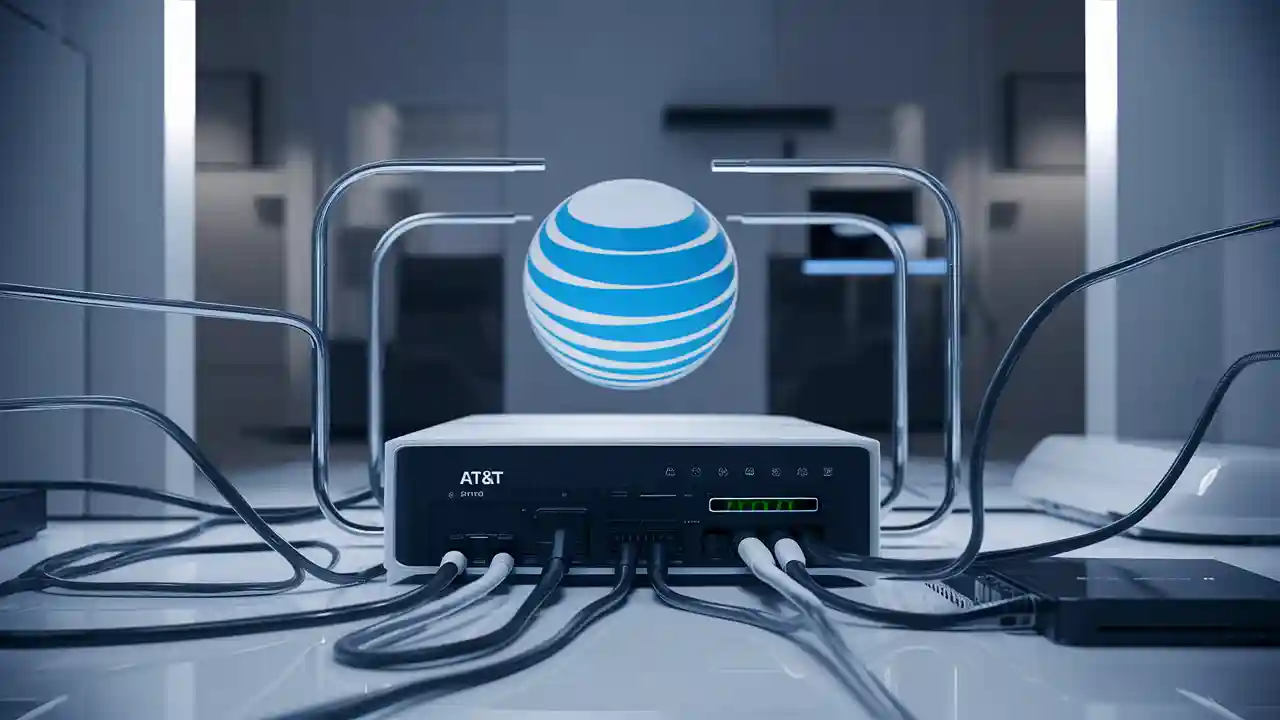
The AT&T Gateway is an advanced piece of networking equipment that consolidates several functions into one unit. For fiber optic internet, the primary function of the gateway is to act as the Optical Network Terminal (ONT). The ONT is responsible for converting the light signals transmitted through the fiber optic cable into electrical signals that your devices can understand, and vice-versa. This is the equivalent of what a traditional modem does for DSL or cable internet, but it's specifically designed for the fiber optic infrastructure.
Beyond its role as an ONT, the AT&T Gateway also integrates a high-performance router. This means it handles the creation of your Wi-Fi network, assigning IP addresses to your connected devices, managing traffic, and providing wired Ethernet ports for devices that require a direct connection. This all-in-one design is a significant advantage for most users, as it reduces the number of devices you need to manage, simplifies setup, and ensures that the modem and router components are optimized to work together for the best possible performance on AT&T's network. In 2025-26, AT&T continues to refine these gateways to support the latest Wi-Fi standards and deliver robust connectivity for increasingly demanding home networks.
Gateway Models and Features (2025-26)
AT&T offers different Gateway models depending on the specific fiber plan and the subscriber's location and needs. While specific model numbers can change, the general features and capabilities are designed to support high-speed internet. For 2025-26, common AT&T Fiber Gateways are engineered to support speeds of up to 5 Gigabits per second (Gbps) and beyond. They typically feature:
- Advanced Wi-Fi Standards: Support for Wi-Fi 6 (802.11ax) or even Wi-Fi 6E for faster wireless speeds, improved capacity, and better performance in crowded wireless environments. Some newer models might even be testing or deploying Wi-Fi 7 capabilities for future-proofing.
- Multi-Gigabit Ethernet Ports: At least one, and often multiple, Ethernet ports capable of speeds of 1 Gbps or 2.5 Gbps, with higher-end models offering 5 Gbps or 10 Gbps ports to fully utilize the ultra-high-speed fiber plans.
- High-Performance Antennas: Designed to provide broad Wi-Fi coverage throughout a typical home, often incorporating beamforming and MU-MIMO technology to direct signals more efficiently to connected devices.
- Robust Security Features: Built-in firewalls and security protocols to protect your home network from external threats.
- Integrated ONT: Seamlessly handles the conversion of fiber optic signals.
- Smart Home Compatibility: Optimized to support a growing ecosystem of smart home devices.
The specific model provided will depend on the installation technician's assessment and the availability of hardware at the time of service setup. For instance, the AT&T Smart Home Gateway series is commonly deployed, with models like the BGW320 or the newer NVG599 being prevalent. These are designed to be plug-and-play, meaning once installed by a technician or by yourself following their instructions, they are ready to provide internet service.
When You Might Need a New Modem or Router
While AT&T provides a capable Gateway, there are specific scenarios where you might consider using your own equipment or upgrading the AT&T-provided hardware. These situations often arise from existing infrastructure, performance expectations, or unique networking requirements that the standard AT&T Gateway might not fully address for every user.
Existing Equipment Compatibility Issues
If you have existing networking equipment that you wish to continue using, such as a high-end router you purchased previously, you'll need to ensure it's compatible with AT&T Fiber. The AT&T Gateway typically has a "passthrough" or "IP Passthrough" mode. This mode allows the AT&T Gateway to act solely as an ONT, passing the public IP address directly to your own router. Your router then handles all the network management, Wi-Fi broadcasting, and device connections. This is a common setup for users who prefer to manage their own network with their preferred hardware.
However, not all older routers are equipped to handle the high speeds of fiber optic internet. If your existing router is several years old, it might not support multi-gigabit speeds or the latest Wi-Fi standards, becoming a bottleneck. In such cases, you might need to upgrade your router even if AT&T provides a capable Gateway. The primary consideration here is the WAN port speed on your router. If your AT&T Fiber plan offers speeds greater than 1 Gbps (e.g., 2 Gbps or 5 Gbps), your personal router must have a 2.5 Gbps or 5 Gbps WAN port to take full advantage of those speeds. Many older routers only have 1 Gbps WAN ports, which would limit your connection speed to 1 Gbps, regardless of your AT&T plan.
Performance and Feature Enhancements
For users with very large homes, multiple floors, or specific dead zones, the Wi-Fi coverage provided by a single AT&T Gateway might not be sufficient. While AT&T offers Wi-Fi extenders or mesh systems (sometimes for an additional fee), some users prefer the advanced features and performance of third-party mesh Wi-Fi systems or high-end standalone routers. These systems often offer superior Wi-Fi coverage, more advanced network management features, and better performance for a large number of connected devices.
Furthermore, if you are a power user, gamer, or run a home office that requires specific Quality of Service (QoS) settings, advanced firewall configurations, or VPN capabilities, a third-party router might offer more granular control and superior performance compared to the standard AT&T Gateway. For example, some gaming routers are optimized for low latency and prioritize gaming traffic, which might be a significant advantage for competitive gamers. Similarly, professionals might need robust VPN client capabilities built into their router, which may not be a standard feature on all AT&T Gateways.
In 2025-26, with the continued growth of smart home ecosystems, users may find that their existing third-party router or a new one offers better integration with specific smart home hubs or protocols. This could include support for newer Wi-Fi standards like Wi-Fi 6E or early Wi-Fi 7 implementations, which can improve the performance and reliability of a multitude of connected smart devices, from thermostats and lighting to security cameras and entertainment systems. The AT&T Gateway's Wi-Fi capabilities are generally robust, but for those pushing the boundaries of home networking, external solutions can offer an edge.
Specific Networking Needs
Some users have very specialized networking requirements that go beyond the standard offerings of a residential gateway. This can include:
- Advanced Network Segmentation: Creating multiple, isolated Wi-Fi networks (SSIDs) for different purposes, such as a separate network for guests, IoT devices, or work devices.
- Dedicated Network Hardware: Users who run complex home labs, network-attached storage (NAS) devices, or require specific network configurations might prefer to use their own enterprise-grade or prosumer routers and switches.
- Higher Throughput for Wired Devices: While AT&T Gateways offer multi-gigabit Ethernet ports, some users might need more ports or specific configurations for wired devices that demand extremely high bandwidth and low latency, such as high-performance workstations or servers.
- Parental Controls and Content Filtering: While AT&T Gateways offer some basic parental controls, advanced filtering, time-based access, and content blocking might be better managed through a third-party router with more comprehensive features.
In these cases, utilizing the AT&T Gateway in IP Passthrough mode and connecting your own advanced router becomes the preferred solution. This allows you to leverage AT&T's high-speed fiber connection while maintaining complete control over your internal network's architecture and functionality. The key is to ensure that your chosen router is capable of handling the speeds provided by your AT&T Fiber plan and supports the necessary features for your specific use case.
Bringing Your Own Equipment (BYOE)
The option to bring your own equipment (BYOE) to AT&T Fiber is a common consideration for many users. This allows for greater control over your home network and the potential to use hardware you've already invested in or prefer for specific reasons. However, AT&T has specific policies and requirements regarding BYOE for fiber services.
AT&T BYOE Policy (2025-26)
For AT&T Fiber, the BYOE policy primarily applies to the router component, not the modem (ONT) itself. AT&T requires you to use their provided AT&T Gateway because it's the device that terminates the fiber optic line and is essential for connecting to their network. You cannot bypass the AT&T Gateway entirely by using your own ONT. Instead, the strategy is to use the AT&T Gateway in a "passthrough" mode, often referred to as IP Passthrough. In this mode, the AT&T Gateway essentially acts as a bridge, passing the public IP address assigned by AT&T directly to your own router. Your router then takes over all the networking functions, including Wi-Fi, DHCP, and firewalling.
It's crucial to understand that AT&T does not support third-party ONTs for fiber connections. Therefore, you will always have the AT&T Gateway connected to the fiber line. The BYOE aspect comes into play when you decide to use your own router instead of the Wi-Fi capabilities built into the AT&T Gateway. This is a widely supported configuration and is often the preferred method for users who want more control over their network. The setup process for IP Passthrough is typically managed through the AT&T Gateway's administrative interface, and AT&T provides guidance on how to enable this feature. It's important to check the latest AT&T documentation or consult with their support to ensure your specific Gateway model supports IP Passthrough and to get the most accurate instructions for 2025-26.
What to Look For in a Compatible Router
When choosing your own router to use with AT&T Fiber in IP Passthrough mode, several key specifications are essential to ensure optimal performance and compatibility:
- WAN Port Speed: This is the most critical factor. Your router's WAN (Wide Area Network) port connects to the AT&T Gateway. For AT&T Fiber plans offering speeds up to 1 Gbps, a router with a 1 Gbps WAN port is sufficient. However, if you have or plan to upgrade to AT&T Fiber plans offering 2 Gbps, 5 Gbps, or higher, your router MUST have a WAN port that supports these speeds (e.g., 2.5 Gbps or 5 Gbps WAN port). Many high-end routers released in 2023-2025 now include these multi-gigabit WAN ports.
- Wi-Fi Standard: For current high-speed internet, Wi-Fi 6 (802.11ax) is highly recommended. If you have many devices or plan for future upgrades, consider Wi-Fi 6E or even routers supporting the emerging Wi-Fi 7 standard for enhanced performance, capacity, and reduced interference.
- Processor and RAM: A powerful processor and sufficient RAM are crucial for handling high-speed internet traffic, managing multiple connected devices, and running advanced features like VPNs or QoS without becoming a bottleneck.
- Mesh Capability: If you have a large home, consider a mesh Wi-Fi system. These systems use multiple nodes to create a seamless Wi-Fi network throughout your property, eliminating dead zones. Ensure the system you choose is compatible with IP Passthrough.
- Security Features: Look for routers with robust built-in security features, including firewalls, intrusion detection, and regular firmware updates. Some routers offer advanced security suites or parental controls.
- Advanced Networking Features: Depending on your needs, you might look for features like Quality of Service (QoS) for traffic prioritization, VPN client/server capabilities, VLAN support for network segmentation, or advanced parental controls.
A comparison table highlighting these features can be useful:
| Feature | Essential for AT&T Fiber (2025-26) | Recommended for High Performance | Consider for Future-Proofing |
|---|---|---|---|
| WAN Port Speed | 1 Gbps (for up to 1 Gbps plans) | 2.5 Gbps or 5 Gbps (for 2 Gbps+ plans) | 5 Gbps or 10 Gbps |
| Wi-Fi Standard | Wi-Fi 5 (802.11ac) - Minimum | Wi-Fi 6 (802.11ax) | Wi-Fi 6E or Wi-Fi 7 |
| Processor/RAM | Mid-range | High-end | Latest generation |
| Mesh Support | Not essential for smaller homes | Highly recommended for larger homes | Standard in most modern mesh systems |
| Security | Basic firewall, WPA3 | Advanced firewall, regular updates, intrusion detection | Threat prevention, advanced VPN |
Potential Downsides of BYOE
While bringing your own router offers many advantages, there are potential downsides to consider:
- Complexity: Setting up IP Passthrough and configuring your own router can be more complex than using the all-in-one AT&T Gateway. This might require some technical expertise or willingness to follow detailed instructions.
- No AT&T Support for Your Router: If you encounter issues with your own router, AT&T support will not be able to assist you with troubleshooting. You will need to rely on the router manufacturer's support or online communities.
- Compatibility Issues: While most modern routers are compatible, there's always a small risk of encountering unforeseen compatibility problems with the AT&T Gateway's IP Passthrough mode.
- Cost: High-performance routers, especially those with multi-gigabit ports and advanced Wi-Fi standards, can be expensive. This upfront cost might negate any savings from avoiding potential AT&T equipment rental fees (though AT&T often includes their Gateway at no extra charge for fiber).
- Firmware Updates: You are responsible for keeping your router's firmware updated. Failure to do so can leave your network vulnerable to security threats or lead to performance issues.
For users who are not particularly tech-savvy or prefer a hassle-free experience, sticking with the AT&T Gateway is often the simplest and most reliable option. However, for those who desire more control, advanced features, or superior Wi-Fi performance, BYOE can be a rewarding choice.
Installation Process and Equipment Setup
The installation process for AT&T Fiber is designed to be straightforward, whether you opt for professional installation or decide to handle it yourself. The setup of the AT&T Gateway is a critical part of this process, as it establishes your connection to the AT&T network.
Professional Installation
For most AT&T Fiber installations, a professional technician will visit your home. This is often the recommended route, especially for new fiber hookups, as it ensures the external fiber line is properly run and connected to your home, and the internal wiring is set up correctly.
- Site Survey: The technician will assess your home to determine the best location for the Network Interface Device (NID) outside your home and where the fiber line will enter.
- Fiber Installation: They will run the fiber optic cable from the street or pole to your home and install the NID.
- Gateway Placement: The technician will then run a cable from the NID to the chosen location inside your home for the AT&T Gateway. This is typically a central location to optimize Wi-Fi coverage.
- Gateway Setup: The technician will connect the AT&T Gateway, power it on, and ensure it establishes a connection with the AT&T network.
- Wi-Fi Configuration: They will help you set up your Wi-Fi network name (SSID) and password.
- Testing: Finally, they will test the internet connection to ensure it's working at the speeds specified in your plan and answer any initial questions you may have.
This hands-on approach ensures that all physical connections are made correctly and that the equipment is configured for optimal performance from the start. It's also the best way to guarantee that the fiber line is undamaged and properly terminated.
Self-Installation Guide
In some cases, AT&T may offer a self-installation option, particularly if fiber is already present at your home or if you are moving to a location with existing AT&T Fiber service. This can save time and potentially allow you to schedule your service activation more flexibly.
- Receive Equipment: AT&T will ship you the AT&T Gateway and any necessary cables.
- Locate Existing Connection Point: You'll need to identify where the fiber optic cable enters your home or the designated connection point (often a small box or port).
- Connect the Gateway: Plug the fiber optic cable into the designated port on the AT&T Gateway. Connect the power adapter and turn on the device.
- Follow On-Screen/App Instructions: The AT&T Gateway will boot up, and you'll typically use the AT&T Smart Home Manager app or a web interface to complete the setup. This involves connecting your devices to the Wi-Fi network and activating your service.
- Troubleshooting: If you encounter issues, AT&T provides online resources and customer support to assist with self-installation.
It's important to note that self-installation is only available in specific circumstances and requires that the external fiber infrastructure is already in place and accessible. If any physical connection or wiring needs to be done outside your home, professional installation is usually required.
For BYOE Setup (using your own router):
- Install AT&T Gateway: Follow the professional or self-installation steps to get the AT&T Gateway connected and operational.
- Access Gateway Settings: Log into the AT&T Gateway's administrative interface via a web browser (usually by typing an IP address like 192.168.1.254 into the address bar).
- Enable IP Passthrough: Navigate to the firewall or connection settings and enable the IP Passthrough feature. You will typically need to select your own router's MAC address from a list of connected devices or manually enter it.
- Connect Your Router: Disconnect your computer from the AT&T Gateway's Wi-Fi and connect your own router's WAN port to one of the LAN ports on the AT&T Gateway.
- Configure Your Router: Set up your own router as you normally would, including configuring its Wi-Fi network name and password. Ensure its WAN connection is set to DHCP to obtain the public IP address passed from the AT&T Gateway.
- Test Connection: Verify that your devices can access the internet through your own router.
This process effectively turns the AT&T Gateway into a modem-only device, allowing your router to manage your entire home network.
Troubleshooting Common Equipment Issues
Even with the robust AT&T Gateways, occasional issues can arise. Understanding common problems and their solutions can save you time and frustration. Most troubleshooting steps involve checking connections, restarting the equipment, or consulting AT&T's support resources.
- No Internet Connection:
- Check that the AT&T Gateway is powered on and that the lights indicate a stable connection (usually a solid green or blue light).
- Ensure all cables are securely connected: the fiber optic cable to the gateway, the power adapter, and any Ethernet cables.
- Restart the AT&T Gateway by unplugging the power for 30 seconds and plugging it back in.
- If using your own router, ensure it's properly connected to the AT&T Gateway and configured for DHCP.
- Slow Internet Speeds:
- Perform a speed test using a wired Ethernet connection directly to the AT&T Gateway to rule out Wi-Fi issues.
- If wired speeds are slow, the issue might be with the AT&T service or equipment. Contact AT&T support.
- If Wi-Fi speeds are slow, try moving closer to the Gateway, restarting it, or checking for interference from other devices. Consider upgrading your router or using a mesh system if coverage is an issue.
- Ensure your devices are capable of supporting the speeds of your plan (e.g., a Wi-Fi 5 device won't reach Wi-Fi 6 speeds).
- Wi-Fi Connectivity Problems:
- Restart your AT&T Gateway and your connected devices.
- Check that your Wi-Fi is enabled on your devices.
- Ensure you are connecting to the correct Wi-Fi network name (SSID) and entering the correct password.
- If using a third-party router, ensure its Wi-Fi settings are correctly configured.
- If the issue persists, there might be an issue with the Gateway's Wi-Fi radio, or interference.
- IP Passthrough Not Working:
- Double-check that IP Passthrough is enabled in the AT&T Gateway's settings.
- Ensure you have correctly entered your router's MAC address if required.
- Restart both the AT&T Gateway and your router.
- Confirm your router is set to obtain an IP address via DHCP on its WAN port.
- Consult AT&T's support documentation for your specific Gateway model, as configuration steps can vary.
For persistent issues, contacting AT&T customer support is always the best course of action. They can remotely diagnose your connection and equipment status and schedule a technician visit if necessary.
Comparing AT&T Gateways vs. Personal Routers
Deciding whether to rely solely on the AT&T Gateway or to use your own router involves weighing the pros and cons of each approach. The best choice depends on your technical expertise, networking needs, and budget.
| Feature | AT&T Gateway (All-in-One) | Personal Router (with AT&T Gateway in IP Passthrough) |
|---|---|---|
| Ease of Use | Very High. Designed for plug-and-play simplicity. | Moderate to High. Requires initial setup and configuration. |
| Installation Support | Full support from AT&T technicians or self-install guides. | AT&T supports the Gateway; you support your router. |
| Network Control | Basic to moderate. Limited advanced features. | High. Full control over Wi-Fi, security, QoS, etc. |
| Wi-Fi Performance | Good to very good, optimized for AT&T network. | Potentially Superior. Access to latest Wi-Fi standards and advanced features. |
| Multi-Gigabit Support | Supported on higher-end models for specific plans. | Requires a router with multi-gigabit WAN/LAN ports. |
| Cost | Typically included at no extra charge for fiber plans (2025-26). | Upfront purchase cost, can be significant for high-end models. |
| Troubleshooting | Direct support from AT&T. | Requires self-troubleshooting or manufacturer support. |
| Advanced Features | Limited. | Extensive (VPN, VLANs, advanced QoS, parental controls). |
| Firmware Updates | Managed by AT&T. | Managed by the user. |
When to Stick with the AT&T Gateway:
- You want the simplest, most hassle-free setup.
- You have basic internet needs (browsing, streaming, general use).
- You prefer to have AT&T support for all aspects of your internet connection.
- You don't need advanced networking features or granular control.
- Your home is of average size, and the Wi-Fi coverage is adequate.
When to Use Your Own Router:
- You have a large home or multiple floors requiring superior Wi-Fi coverage (mesh systems).
- You are a power user, gamer, or run a home office with specific performance needs.
- You require advanced network management features like VPNs, VLANs, or robust parental controls.
- You want to leverage the latest Wi-Fi standards (Wi-Fi 6E, Wi-Fi 7) for optimal device performance.
- You already own a high-quality router that you wish to continue using.
- You prefer to have complete control over your network's security and configuration.
Ultimately, the AT&T Gateway is designed to provide a reliable and high-speed internet connection. For the vast majority of users, it will be sufficient. However, for those with more demanding requirements, integrating a personal router offers a path to enhanced performance and customization.
Future-Proofing Your Fiber Setup
As internet speeds and bandwidth demands continue to grow, it's wise to consider how to future-proof your AT&T Fiber setup. This involves making choices today that will ensure your home network can handle the technologies and applications of tomorrow.
1. Choose the Fastest Plan You Can Afford: While you might not need 5 Gbps today, subscribing to a higher-speed plan means you're ready for when your usage patterns evolve. AT&T's fiber infrastructure is built for scalability, so upgrading speeds is often a matter of a plan change rather than new hardware installation.
2. Invest in a High-Performance Router: If you opt for BYOE, select a router that supports the latest Wi-Fi standards (Wi-Fi 6E or Wi-Fi 7) and has multi-gigabit WAN and LAN ports. This ensures your router won't become a bottleneck as your AT&T speeds increase or as new high-bandwidth devices enter the market. Routers with powerful processors and ample RAM will also handle increased network traffic and more connected devices more efficiently.
3. Consider a Mesh Wi-Fi System: As smart home devices proliferate and more users stream 4K/8K content, a robust Wi-Fi network is paramount. Mesh systems provide consistent coverage throughout your home, ensuring all your devices have a strong connection, regardless of their location. Look for mesh systems that are Wi-Fi 6 or Wi-Fi 6E enabled for the best performance.
4. Wired Connections for Critical Devices: While Wi-Fi is convenient, wired Ethernet connections remain the most stable and fastest option for critical devices like gaming consoles, desktop computers, smart TVs, and network-attached storage (NAS). Ensure your router has enough multi-gigabit Ethernet ports, or consider adding a managed switch if needed.
5. Keep Equipment Firmware Updated: Whether you use the AT&T Gateway or your own router, regularly updating firmware is crucial for security and performance. AT&T manages updates for their Gateways, but you'll need to be proactive about updating your personal router.
By making informed decisions about your equipment and service plan, you can ensure your AT&T Fiber connection remains a high-performance asset for years to come, ready to support the evolving digital landscape of 2025, 2026, and beyond.
Conclusion
In summary, AT&T Fiber generally does **not** require you to purchase a new modem. AT&T provides a sophisticated, all-in-one device called the AT&T Gateway, which effectively serves as both the modem (ONT) and the router for your fiber connection. This integrated unit is designed to work seamlessly with their network and is typically included with your service. For most users, the AT&T Gateway offers sufficient performance and features for everyday internet needs in 2025-26.
However, there are specific circumstances where you might consider using your own router, such as needing superior Wi-Fi coverage for a large home, requiring advanced network management features, or wanting to leverage the latest Wi-Fi standards. In these cases, you can utilize the AT&T Gateway in IP Passthrough mode and connect your preferred router. When selecting your own equipment, prioritize multi-gigabit WAN ports and the latest Wi-Fi standards to match your AT&T Fiber plan's speeds. Ultimately, AT&T's provided Gateway is your primary connection device, simplifying setup and ensuring compatibility, while personal routers offer advanced customization for those who need it.