You're wondering if AT&T Fiber installation requires a special "fiber jack." The short answer is: AT&T Fiber typically uses a standard wall plate with an Ethernet port, often referred to as an ONT (Optical Network Terminal) or a fiber jack, to connect your home. This guide clarifies what you need to know.
What Exactly is a Fiber Jack?
The term "fiber jack" can be a bit ambiguous, leading to confusion for many homeowners looking to upgrade to fiber optic internet. In essence, a fiber jack is the point where the fiber optic cable from the outside world connects to your home's internal network. It's the physical interface that translates the light signals carried by fiber optic cables into electrical signals that your router and devices can understand. Think of it as the modem or gateway for fiber internet, but specifically designed for optical technology. Unlike traditional coaxial cable jacks used for cable internet, fiber jacks are built to handle the unique properties of light transmission.
While the term "fiber jack" is commonly used by consumers, AT&T and other providers often use more technical terms like Optical Network Terminal (ONT) or Network Interface Device (NID). Regardless of the name, its function remains the same: to terminate the fiber optic line and provide a connection point for your internet equipment. The physical appearance can vary. Some might resemble a small box mounted on the wall, while others might be integrated into a more sophisticated device that also acts as a modem and router. The crucial element is the port, typically an Ethernet port (RJ45), that allows you to plug in your router or directly connect a computer.
The installation of this component is a critical step in bringing fiber internet to your residence. It ensures a clean, reliable connection from the AT&T network to your home. The technician will carefully install and configure this device to optimize signal strength and stability. Understanding its role helps demystify the installation process and manage expectations about what AT&T provides versus what might already exist in your home.
The AT&T Fiber Installation Process: What to Expect
When you sign up for AT&T Fiber, the installation process is designed to be as seamless as possible, bringing high-speed internet directly to your home. The process typically involves a certified AT&T technician visiting your property to establish the fiber optic connection. They will assess the best location for the necessary equipment, ensuring optimal signal strength and accessibility for future maintenance.
The installation begins with the technician running a fiber optic cable from the AT&T network's demarcation point (usually a utility pole or underground box near your property) to your home. This cable is carefully routed to avoid damage and minimize aesthetic impact. Once the fiber cable reaches your house, it will be brought inside through a small, discreet opening. This is where the "fiber jack" or ONT comes into play.
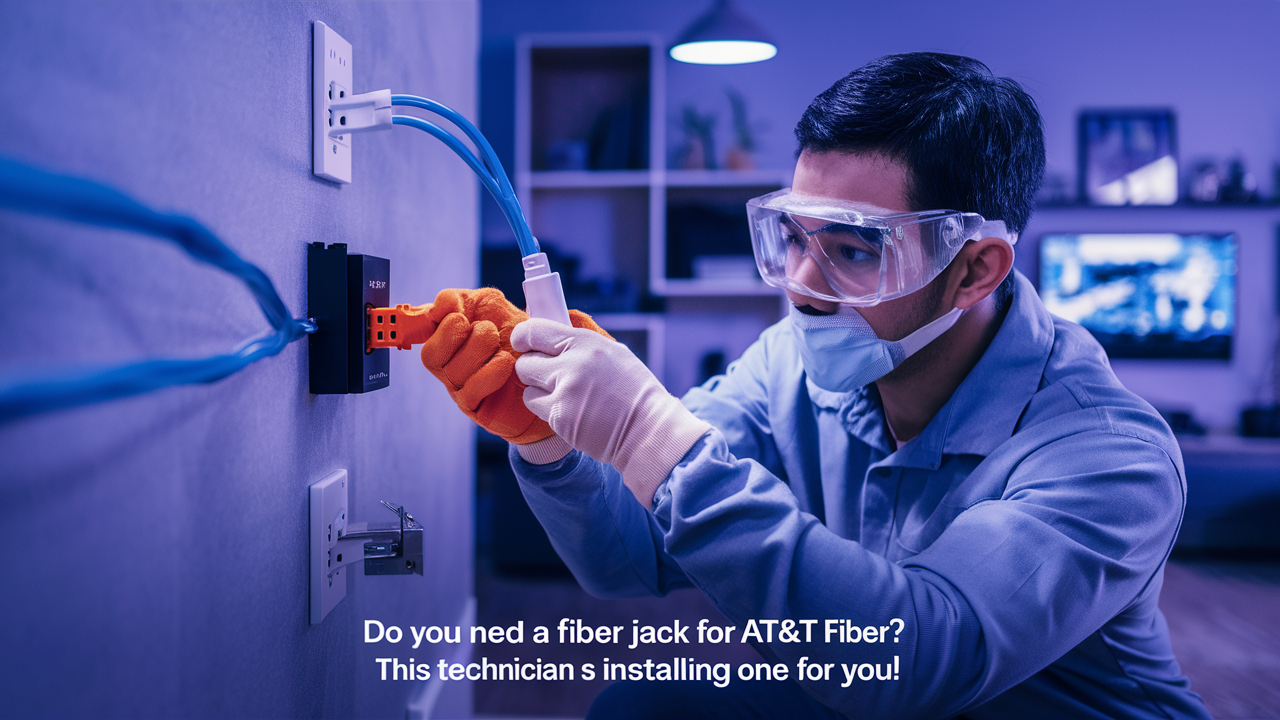
The technician will then install and connect the ONT. This device is the heart of your fiber internet connection, converting the optical signals into data that your router can use. It typically features an Ethernet port where you will connect your AT&T-provided router or your own compatible router. The technician will ensure the ONT is properly powered, connected, and communicating with AT&T's network. They will also perform speed tests to confirm you are receiving the speeds you signed up for. For 2025-2026, AT&T is heavily investing in expanding its fiber footprint, with over 25 million customer locations expected to have access to its multi-gigabit fiber network by the end of 2026. This expansion means more installations and a greater need for understanding the technical requirements.
During the installation, the technician will also set up your AT&T gateway (router). They will connect it to the ONT via an Ethernet cable and configure the Wi-Fi network. You'll be provided with the Wi-Fi network name (SSID) and password. The technician will walk you through the basic setup and answer any immediate questions you might have. They aim to leave you with a fully functional internet connection and a basic understanding of how to manage your new service. The entire process usually takes a few hours, depending on the complexity of the installation and the existing infrastructure at your home.
Do You Need to Provide a Fiber Jack for AT&T Fiber?
This is a crucial question for many prospective AT&T Fiber customers. The straightforward answer is: no, you generally do not need to provide your own fiber jack for AT&T Fiber installation. AT&T is responsible for providing and installing the necessary equipment to bring their fiber service to your home. This includes the Optical Network Terminal (ONT), which functions as the fiber jack, and the AT&T gateway (router).
The ONT is a specialized piece of hardware that terminates the fiber optic cable and converts the light signals into electrical signals. It's essential for the functioning of the fiber service. AT&T technicians are trained to install this device in an optimal location within your home, typically near where the fiber cable enters the building. They will ensure it is correctly connected and configured.
The ONT usually has at least one Ethernet port. This port is where you will connect your AT&T gateway (router) using an Ethernet cable. The gateway then broadcasts your Wi-Fi signal and manages your home network. In some cases, AT&T might install a simple wall plate with an Ethernet port that the ONT connects to, or the ONT itself might be mounted directly on the wall. Either way, the core functionality of a "fiber jack" is provided by AT&T as part of their installation service.
It's important to distinguish this from situations where you might be upgrading from another service and already have existing wiring. While you might have Ethernet ports already wired throughout your home, these are typically connected to a different type of network infrastructure (like DSL or cable). AT&T's fiber installation will establish its own dedicated fiber line and ONT. The technician will determine the best place to install the ONT based on the fiber entry point and your desired router location. They will bring the necessary components and expertise to complete the setup.
Understanding the ONT vs. Fiber Jack Terminology
The confusion surrounding "fiber jack" often stems from the variety of terms used in the industry. Let's clarify the distinction between "fiber jack" and the more technical term, Optical Network Terminal (ONT).
Fiber Jack: This is a consumer-friendly term that refers to the physical interface or wall plate where the fiber optic cable connects to your home's internal network. It's the point of access for the fiber service. It might look like a simple Ethernet port on a wall plate, but it's specifically designed to receive the signal from the ONT.
Optical Network Terminal (ONT): This is the actual piece of equipment provided by AT&T that performs the critical function of converting optical signals from the fiber optic cable into electrical signals that your router can understand. The ONT is the device that terminates the fiber line. It typically has an Ethernet port (RJ45) that connects to your router. In many AT&T Fiber installations, the ONT itself is mounted on the wall, and it effectively serves as the "fiber jack" by providing the Ethernet connection point.
Network Interface Device (NID): This term is sometimes used interchangeably with ONT, especially in older installations or by different providers. A NID is the physical point where the telecommunications provider's network terminates at your property line. For fiber, the ONT is often integrated within or replaces the function of a traditional NID.
AT&T Gateway: This is AT&T's branded term for their modem/router combination device. It connects to the ONT via an Ethernet cable and then provides Wi-Fi connectivity and wired Ethernet ports for your devices. The gateway is what you interact with daily for your home network.
In essence, when people ask if they need a "fiber jack," they are usually asking if they need to provide the equipment that the fiber optic cable plugs into. For AT&T Fiber, the answer is no. AT&T provides the ONT, which is the device that acts as the critical interface, and it will have an Ethernet port for your router. The technician will install this ONT. So, while the term "fiber jack" is understandable, the technical component is the ONT, and AT&T supplies it.
What If I Already Have Ethernet Ports in My Home?
Many modern homes are pre-wired with Ethernet ports in various rooms. This is a common feature, especially in newer constructions, and is incredibly useful for wired internet connections. If you already have Ethernet ports, you might be wondering how they integrate with AT&T Fiber and whether you need to do anything special. The good news is that these existing Ethernet ports can be very beneficial, but they don't replace the need for AT&T's fiber installation and ONT.
Here's how your existing Ethernet ports can work with AT&T Fiber:
- Connection to the AT&T Gateway: The AT&T Fiber installation will involve running a fiber optic cable to your home and installing an ONT. This ONT will then connect to your AT&T gateway (router) via an Ethernet cable.
- Distribution of the Network: Your AT&T gateway will likely have multiple Ethernet ports. You can use these ports to connect directly to your existing Ethernet wall plates.
- Wired Connectivity Throughout Your Home: The Ethernet wall plates in your rooms are typically connected back to a central point, often where your AT&T gateway will be located. By plugging an Ethernet cable from your AT&T gateway into one of these wall plates, you effectively extend wired internet access to all rooms connected to that network of ports.
What you do NOT need to do:
- You do not need to provide your own ONT or "fiber jack." AT&T supplies and installs this.
- You do not need to re-wire your home for fiber. The existing Ethernet wiring is sufficient for distributing the internet signal from the AT&T gateway.
What the AT&T technician will do:
- The technician will install the ONT and the AT&T gateway.
- They will determine the best location for the gateway, ideally near the ONT and where you can best distribute the signal.
- If your existing Ethernet wiring is properly terminated and connected to a central point accessible by the gateway, the technician may help you connect the gateway to this system. However, their primary responsibility is to get the fiber service operational to the gateway.
Important Considerations:
- Quality of Existing Wiring: The performance of your wired connections will depend on the quality and category of your existing Ethernet cables (e.g., Cat 5e, Cat 6, Cat 6a). For multi-gigabit speeds offered by AT&T Fiber (e.g., 1 Gig, 2 Gig, 5 Gig), Cat 6 or higher is recommended for optimal performance.
- Central Connection Point: Ensure that the Ethernet ports in your rooms are all connected to a single patch panel or a network switch that can be accessed by the AT&T gateway. If this central point is not readily accessible or properly configured, you might need to hire a low-voltage electrician or network installer to set it up.
In summary, existing Ethernet ports are a significant advantage when getting AT&T Fiber. They allow you to easily leverage the high speeds of fiber for wired devices throughout your home without needing additional wiring. The AT&T technician will install the fiber service, and you can then utilize your existing infrastructure to distribute that service.
Common Installation Scenarios and Fiber Jack Needs
Understanding different installation scenarios helps clarify the role of the "fiber jack" (ONT) and what AT&T provides. The specific setup can vary based on whether you're in a new build, an existing home, or an apartment complex.
New Construction Homes
In new homes, builders often pre-wire for modern connectivity. This usually includes running conduit and Ethernet cabling to strategic locations. The AT&T technician will typically run the fiber optic cable to the exterior of the house and then bring it inside to a designated network panel or a suitable wall location. The ONT will be installed here, and it will then connect to the home's internal Ethernet network, allowing for wired connections in multiple rooms. AT&T provides the ONT, and the builder usually ensures the infrastructure is in place to distribute the signal from where the ONT is installed.
Existing Homes with No Prior Fiber
This is a common scenario. The AT&T technician will need to run a new fiber optic cable from the street or pole to your home. The entry point into the house will be determined during the site survey. The ONT will be installed near this entry point. If you have existing Ethernet ports that are properly wired back to a central location, the technician can connect the AT&T gateway to this system. If not, you might rely solely on Wi-Fi from the gateway, or you may need to consider adding wiring later if you want wired connections in specific rooms. AT&T provides the ONT and gateway.
Existing Homes with Previous Broadband Wiring
If your home previously had cable internet or DSL, you might have coaxial cable outlets or phone jacks. These are not directly compatible with fiber optic technology. The AT&T technician will still run a new fiber optic cable to your home and install the ONT. They will then connect the AT&T gateway to the ONT. Your old coaxial or phone wiring will not be used for the fiber internet service itself, though the technician might use existing entry points if they are suitable. AT&T provides the ONT and gateway.
Apartments and Multi-Dwelling Units (MDUs)
Installation in apartments can be more complex due to building management and existing infrastructure. AT&T often works with building owners to install fiber throughout the building. The fiber may enter the building at a central point, and then smaller distribution cables are run to individual units. Inside your apartment, the technician will install the ONT, often near the main communication entry point for your unit. This ONT will then connect to the AT&T gateway. The process is managed by AT&T and building management, and you do not need to provide the fiber jack (ONT).
Scenarios Where You Might Need Additional Equipment (Not a Fiber Jack)
While AT&T provides the essential fiber termination equipment (ONT), you might need other networking gear to optimize your home network:
- Your Own Router: If you prefer to use your own high-performance router instead of the AT&T gateway, you can do so. The AT&T technician will still install their ONT, and you will connect your router to the ONT's Ethernet port.
- Mesh Wi-Fi Systems: For larger homes or areas with Wi-Fi dead spots, you might invest in a mesh Wi-Fi system. This system connects to your AT&T gateway (or your own router) and provides extended Wi-Fi coverage.
- Network Switches: If you have many wired devices and your AT&T gateway doesn't have enough Ethernet ports, you might need to purchase an unmanaged network switch to expand your wired connectivity.
In all these scenarios, the core fiber optic termination point – the ONT, which functions as the "fiber jack" – is provided and installed by AT&T. Your responsibility is to ensure your home's internal network is ready to distribute the signal from the AT&T gateway.
Troubleshooting Fiber Jack Issues
While fiber optic connections are generally very stable, occasional issues can arise. Most problems related to the "fiber jack" (ONT) or its connection will require AT&T's intervention, as it's their equipment and part of their network. However, understanding common issues and basic troubleshooting steps can help you identify the problem and communicate effectively with AT&T support.
No Internet Connection
Symptom: Your devices cannot connect to the internet, or you see an error message indicating no internet access.
Troubleshooting Steps:
- Check the ONT Lights: Look at the indicator lights on the AT&T ONT. There are usually lights for Power, PON (Passive Optical Network), LOS (Loss of Signal), and Data/Internet. Refer to your AT&T documentation or their website for the meaning of specific light patterns. A solid green light on PON and Power usually indicates a good connection. A flashing or red LOS light often means there's a problem with the fiber line or the signal from AT&T's network.
- Check the AT&T Gateway: Ensure your AT&T gateway is powered on and its lights indicate a connection. Reboot the gateway by unplugging it for 30 seconds and plugging it back in.
- Check Ethernet Cable: Verify that the Ethernet cable connecting the ONT to the AT&T gateway is securely plugged in at both ends and is not damaged. Try using a different Ethernet cable if possible.
- Check Router Connection (if using your own): If you're using your own router, ensure it's correctly connected to the ONT and configured properly.
When to Call AT&T: If the ONT lights indicate a signal issue (e.g., red LOS light), or if rebooting the equipment doesn't resolve the problem, it's time to contact AT&T support. They can remotely diagnose the ONT and schedule a technician visit if necessary.
Slow Internet Speeds
Symptom: Your internet connection is noticeably slower than expected, even on wired connections.
Troubleshooting Steps:
- Run Speed Tests: Use a reliable speed test website (like AT&T's own speed test or Ookla Speedtest) connected directly to the AT&T gateway via Ethernet.
- Test Wired vs. Wireless: Compare speeds on a wired connection versus Wi-Fi. If wired speeds are good but Wi-Fi is slow, the issue is likely with your Wi-Fi signal, router, or home environment, not the fiber connection itself.
- Check for Network Congestion: Ensure no single device is hogging bandwidth (e.g., large downloads, streaming on multiple devices).
- Router Placement and Interference: If using Wi-Fi, ensure your gateway is centrally located and free from obstructions or sources of interference (microwaves, cordless phones).
- Check Ethernet Cable Quality: For multi-gigabit speeds, ensure you are using Cat 6 or higher Ethernet cables.
When to Call AT&T: If wired speed tests consistently show speeds significantly lower than your subscribed plan, even after basic troubleshooting, contact AT&T. There might be an issue with the signal strength reaching your ONT or a problem with the ONT itself.
Intermittent Connectivity
Symptom: Your internet connection drops out periodically.
Troubleshooting Steps:
- Check ONT and Gateway Lights: Look for any changes in the indicator lights during the times the connection drops.
- Inspect Cables: Ensure all Ethernet and power cables are securely connected and not loose or damaged.
- Environmental Factors: Extreme temperatures or power fluctuations can sometimes affect equipment.
When to Call AT&T: Intermittent issues can be harder to diagnose. If the problem persists, AT&T support can monitor your connection remotely for patterns of instability and dispatch a technician if needed. They can check the fiber line for any physical damage or signal degradation.
Physical Damage to the ONT
Symptom: The ONT appears physically damaged (cracked casing, loose ports).
Action: Do not attempt to repair the ONT yourself. Contact AT&T immediately. Physical damage will likely require a technician to replace the unit.
Important Note: The ONT is AT&T's property. Any tampering or unauthorized modifications can void your service agreement and may incur charges. Always rely on AT&T technicians for any repairs or replacements of their equipment.
Fiber Jack Alternatives and Connectivity Options
While the AT&T Fiber installation process standardizes the use of an ONT as the primary "fiber jack," it's worth exploring how this integrates with your broader home connectivity strategy and what alternatives exist in the broader networking landscape, even if they don't directly replace the AT&T ONT.
Using Your Own Router
As mentioned, AT&T allows customers to use their own routers. If you have a high-performance router that you prefer, you can connect it directly to the AT&T ONT's Ethernet port. This bypasses the AT&T gateway's routing and Wi-Fi functions, giving you full control over your home network. This is a popular choice for users who need advanced features like VPN support, custom firewall rules, or superior Wi-Fi performance. The ONT still acts as the essential fiber-to-Ethernet converter, but your router handles everything else.
Mesh Wi-Fi Systems
For larger homes or those with thick walls that impede Wi-Fi signals, a mesh Wi-Fi system is an excellent solution. These systems consist of a main router unit and several satellite nodes placed around your home. They work together to create a single, seamless Wi-Fi network. The main mesh router connects via Ethernet to the AT&T ONT (or gateway), and the nodes extend the coverage. This doesn't replace the fiber jack but enhances the Wi-Fi experience delivered by the fiber service.
Powerline Ethernet Adapters
Powerline adapters use your home's existing electrical wiring to transmit network data. You plug one adapter into an electrical outlet near your AT&T gateway and connect it via Ethernet. You then plug another adapter into an outlet in a different room and connect your device (or a Wi-Fi access point) to it. While not as fast or reliable as direct Ethernet or Wi-Fi, they can be a convenient way to get a wired connection in rooms where running new cables is difficult. The signal still originates from the ONT/gateway.
MoCA (Multimedia over Coax Alliance) Ethernet over Coax Adapters
If your home is wired with coaxial cable outlets (like those used for cable TV), MoCA adapters can leverage this existing infrastructure to create a high-speed wired network. Similar to powerline adapters, you connect one adapter to your AT&T gateway and a coax outlet, and another adapter to a coax outlet in another room and your device. MoCA is generally faster and more reliable than powerline adapters. This is a viable option for extending wired connectivity without new Ethernet runs, but it still relies on the signal coming from the ONT/gateway.
Direct Ethernet Wiring
The gold standard for home networking remains direct Ethernet cabling. If your home is pre-wired with Ethernet ports, as discussed earlier, this is the most straightforward way to distribute the AT&T Fiber internet. If your home isn't pre-wired, you can hire a professional to install Ethernet drops to key locations. This setup works seamlessly with the AT&T ONT and gateway, providing the fastest and most reliable wired connections.
In all these "alternatives," the fundamental role of the AT&T ONT as the device that interfaces with the fiber optic cable remains unchanged. These options focus on how the internet signal is distributed within your home *after* it has been converted from light to electrical signals by the ONT.
The Future of Fiber Connectivity
The landscape of internet connectivity is rapidly evolving, with fiber optics at the forefront of this revolution. As of 2025-2026, AT&T and other providers are aggressively expanding their fiber networks, recognizing the unparalleled speed, reliability, and capacity that fiber offers. The demand for higher bandwidth is driven by an increasing number of connected devices in homes, the rise of high-definition streaming, cloud computing, online gaming, and emerging technologies like virtual and augmented reality.
The "fiber jack," or more accurately, the ONT, will continue to be the critical point of entry for fiber internet. However, the technology within these ONTs is also advancing. We are seeing a push towards higher speeds, with multi-gigabit (2 Gbps, 5 Gbps, and even 10 Gbps) services becoming more accessible to residential customers. This requires ONTs capable of handling these increased data rates and the development of routers and customer premises equipment (CPE) that can fully utilize these speeds.
Beyond raw speed, future developments in fiber connectivity may include:
- Increased Integration: ONTs might become more integrated with other smart home technologies or offer enhanced security features.
- Wi-Fi 7 and Beyond: As Wi-Fi standards evolve (Wi-Fi 7 is becoming more prevalent in 2025-26), the equipment connected to the ONT will need to keep pace to deliver seamless wireless experiences.
- Passive Optical Network (PON) Enhancements: Technologies like XGS-PON (10 Gigabit Symmetrical PON) and NG-PON2 are enabling symmetrical upload and download speeds that are crucial for modern internet usage. AT&T is actively deploying these technologies to support its multi-gigabit offerings.
- Simplified Installations: While technicians are essential now, future innovations might explore more streamlined installation processes, perhaps with pre-configured equipment or less invasive fiber entry methods.
The ongoing investment in fiber infrastructure by companies like AT&T signifies a long-term commitment to providing the most robust internet service available. For consumers, this means a future where bandwidth limitations are increasingly a thing of the past, enabling richer online experiences and supporting the next wave of technological innovation. The "fiber jack" remains a fundamental component, but its role is part of a much larger, ever-advancing ecosystem.
In conclusion, you do not need to procure your own fiber jack for AT&T Fiber. AT&T provides and installs the necessary Optical Network Terminal (ONT), which serves as the critical interface for their fiber optic service. This device converts light signals into usable data for your home network. Your existing Ethernet wiring, if present and properly configured, can be leveraged to distribute this high-speed internet throughout your home from the AT&T gateway. Understanding this process ensures a smoother installation and a better appreciation of the technology bringing you high-speed fiber internet.
Key Takeaways:
- AT&T provides and installs the ONT (fiber jack).
- You do not need to purchase a separate fiber jack.
- The ONT connects to your AT&T gateway (router) via Ethernet.
- Existing Ethernet ports in your home can extend wired internet access.
- Troubleshooting often involves checking ONT lights and rebooting equipment.
When considering AT&T Fiber, focus on understanding the installation process and how the provided equipment will integrate with your home's network. AT&T's commitment to fiber expansion means you're investing in a future-proof internet solution. Enjoy the speeds and reliability that only fiber can offer!