4K Streaming Guide
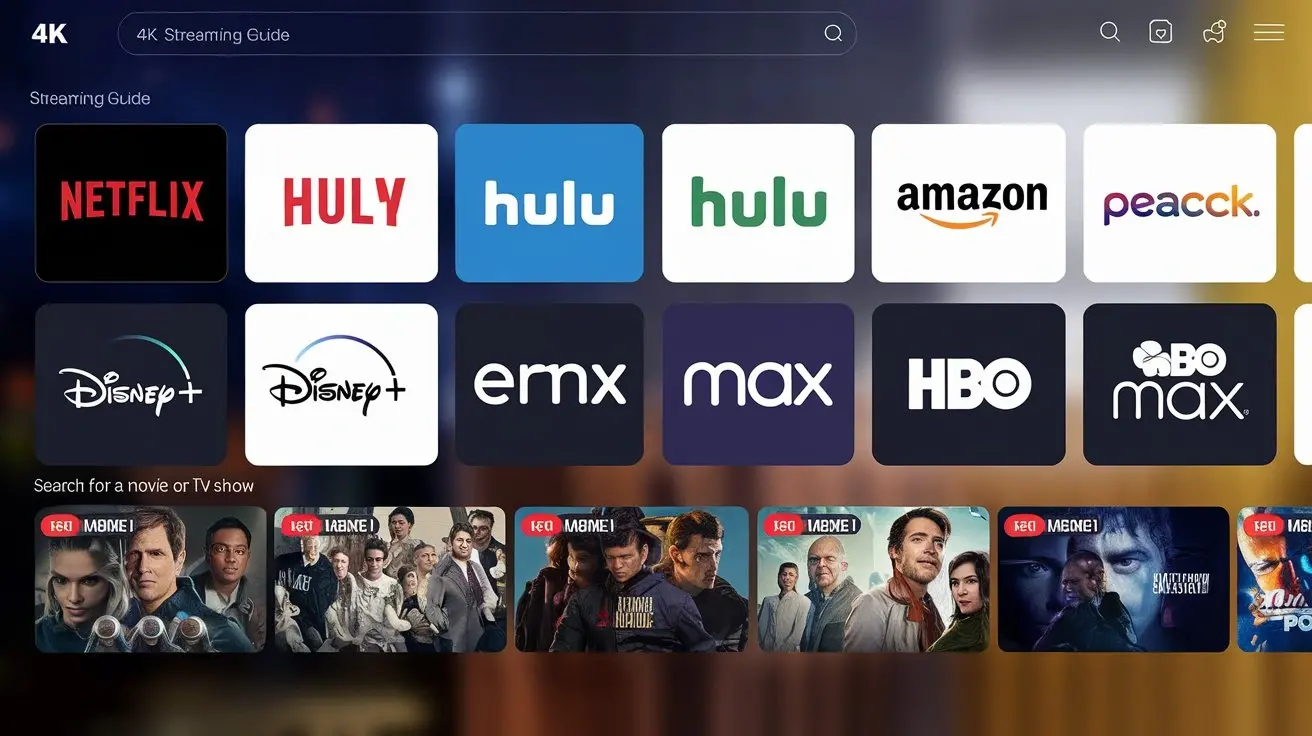
Unlock the ultimate visual experience with our comprehensive 4K streaming guide. Discover everything you need to know to enjoy crystal-clear, ultra-high-definition content, from choosing the right devices and internet speeds to navigating the best streaming services and optimizing your setup. Get ready for breathtaking clarity.
What Exactly is 4K Streaming?
4K streaming refers to the delivery and playback of video content at a resolution of 3840 pixels horizontally by 2160 pixels vertically. This is often referred to as Ultra High Definition (UHD) and boasts four times the number of pixels as Full HD (1080p). The increased pixel density results in sharper images, more vibrant colors, and an overall more immersive viewing experience, making it the current standard for high-quality home entertainment.
The Unrivaled Benefits of 4K Streaming
The transition to 4K streaming offers a significant upgrade over previous resolutions. The most apparent benefit is the incredible detail and clarity. Images are incredibly sharp, allowing you to see finer textures, subtle nuances, and even individual strands of hair with remarkable realism. This enhanced detail makes everything from nature documentaries to action-packed movies more engaging.
Beyond sheer resolution, 4K often goes hand-in-hand with High Dynamic Range (HDR) technology. HDR expands the range of colors and contrast that can be displayed, resulting in deeper blacks, brighter whites, and a much wider spectrum of colors. This translates to more lifelike visuals, with subtle gradations and a more natural, impactful picture. The overall viewing experience is richer, more dynamic, and closer to what the filmmaker intended.
Furthermore, the increased pixel count in 4K means that on larger screens, the image remains sharp and clear even when viewed from a closer distance. This allows for a more cinematic feel in your living room, blurring the lines between home viewing and cinema experiences. For gamers, 4K offers a competitive edge with more detailed environments and clearer visuals, enhancing immersion and gameplay.
Essential Requirements for 4K Streaming
To fully enjoy the benefits of 4K streaming, several components need to be in place. It's not just about having a 4K TV; it's about the entire ecosystem working together. Let's break down the essential requirements:
Internet Speed: The Backbone of 4K
This is arguably the most critical component. Streaming 4K content requires a substantial amount of bandwidth to download the high-resolution video data in real-time without interruption. Insufficient internet speed is the most common culprit behind poor 4K streaming experiences, leading to buffering, low-resolution playback, and frustrating pauses.
Compatible Devices: Your Gateway to 4K
Not all devices can handle 4K streaming. You'll need a device that is capable of decoding and outputting a 4K signal. This includes modern Smart TVs, dedicated streaming devices (like Apple TV 4K, Roku Ultra, Amazon Fire TV Stick 4K Max), certain gaming consoles (PlayStation 5, Xbox Series X/S), and 4K Blu-ray players.
4K Displays: The Canvas for Clarity
Naturally, you need a display that can actually show 4K content. This means a television or monitor with a native resolution of 3840x2160 pixels. While many TVs are now marketed as 4K, it's important to ensure they support the latest standards for HDR and high refresh rates if those are important to you.
Streaming Services Offering 4K Content
Even with the right hardware, you need content. A growing number of streaming services offer 4K content, but often at a premium subscription tier. You'll need to subscribe to services that provide the movies and shows you want to watch in UHD, and ensure your subscription plan includes 4K access.
Bandwidth Considerations and Data Caps
Beyond just speed, consider your overall data usage. 4K streaming consumes significantly more data than HD. If your internet plan has a data cap, a few hours of 4K streaming can quickly deplete your monthly allowance, leading to throttling or extra charges. Many ISPs offer unlimited data plans, which are highly recommended for heavy 4K streamers.
Choosing the Right 4K Streaming Device
Selecting the right streaming device is crucial for a seamless 4K experience. The market offers a variety of options, each with its own strengths and weaknesses. Understanding these can help you make an informed decision.
Streaming Sticks and Boxes
These are compact devices that plug directly into your TV's HDMI port or sit near it. They are popular for their affordability and ease of use. Many offer excellent 4K and HDR support. Examples include:
- Amazon Fire TV Stick 4K/4K Max: Offers good performance, Alexa integration, and access to a vast library of apps. The 4K Max model provides Wi-Fi 6 support for potentially faster streaming.
- Roku Streaming Stick 4K/Ultra: Known for its simple interface and wide app support. The Ultra model offers enhanced connectivity and a voice remote with a headphone jack.
- Apple TV 4K: A premium option with excellent performance, a user-friendly interface, and strong integration with the Apple ecosystem. It's particularly good for those invested in Apple services.
- NVIDIA SHIELD TV Pro: A powerful device often favored by enthusiasts for its advanced features, AI upscaling capabilities, and robust gaming support.
When choosing, consider the operating system, available apps, remote control features, and any specific ecosystem integrations you might need.
Smart TV Built-in Apps
Most modern Smart TVs come with built-in streaming apps. For many users, these are sufficient for 4K streaming. The advantage is convenience – no extra device needed. However, the performance and app selection can vary significantly between TV brands and models. Older Smart TVs might not support the latest 4K or HDR formats, or their apps may become outdated quickly.
Key Considerations:
- Processor Power: A more powerful processor leads to smoother navigation and faster app loading.
- App Updates: Ensure the TV manufacturer regularly updates its smart platform to support new apps and features.
- HDR Support: Verify that the TV's built-in apps support the HDR formats (HDR10, Dolby Vision, HLG) offered by streaming services.
Gaming Consoles
High-end gaming consoles like the PlayStation 5 and Xbox Series X/S are powerful multimedia devices capable of 4K streaming and often support advanced HDR formats. If you already own one, it's a convenient way to access 4K content without an additional purchase. They also excel at playing 4K Blu-ray discs.
Pros: High performance, excellent HDR support, can play 4K Blu-rays (PS5 Digital Edition does not), integrated into your gaming setup.
Cons: Can be more expensive if purchased solely for streaming, interface might be geared more towards gaming.
4K Blu-ray Players
For the absolute best picture and audio quality, a dedicated 4K Ultra HD Blu-ray player is the way to go. These players offer uncompressed video and audio, delivering a superior experience compared to streaming. They also serve as excellent streaming devices with built-in apps for popular services.
Pros: Highest possible video and audio quality, reliable playback, good for physical media collectors.
Cons: Requires purchasing physical discs, can be more expensive than streaming sticks.
Deep Dive: Your 4K Internet Speed Guide
Internet speed is the cornerstone of a smooth 4K streaming experience. Understanding what speeds are necessary and how to achieve them is vital. Let's break down the specifics.
Minimum Recommended Speeds for 4K
Most streaming services recommend a minimum internet speed to deliver 4K content. These are generally:
- Netflix: 15 Mbps
- Amazon Prime Video: 15 Mbps
- Disney+: 25 Mbps
- Max: 25 Mbps
- Apple TV+: 25 Mbps
These figures represent the *minimum* to achieve 4K playback. In reality, you'll often want more to ensure consistent quality and buffer-free viewing, especially if other devices are using your internet simultaneously.
Optimal Speeds for Multiple Devices
In a typical household, multiple devices are often connected to the internet at once. Streaming 4K on one device while someone else is browsing, gaming, or downloading on another requires significantly more bandwidth. For a household with several users and devices, especially if 4K streaming is common, aiming for speeds of 100 Mbps or higher is highly recommended.
Consider this scenario:
| Activity | Estimated Bandwidth Usage (Mbps) |
|---|---|
| 4K Streaming (1 device) | 25-50 |
| HD Streaming (1 device) | 5-10 |
| Web Browsing/Social Media (1 device) | 1-5 |
| Online Gaming (1 device) | 3-10 (peak, plus upload) |
| Video Conferencing (1 device) | 5-10 (peak, plus upload) |
As you can see, a single 4K stream can consume a significant portion of a lower-speed plan. To avoid issues, aggregate bandwidth needs are crucial.
Understanding ISP Plans and Speeds
Internet Service Providers (ISPs) offer various plans with different advertised speeds. It's important to understand that advertised speeds are often "up to" speeds, meaning you might not consistently achieve them. Speeds are typically divided into download (for receiving data, like streaming) and upload (for sending data, like video calls or online gaming).
Key Terms:
- Download Speed: Measured in Mbps (Megabits per second). Crucial for streaming and downloading.
- Upload Speed: Measured in Mbps. Important for video calls, online gaming, and uploading files.
- Latency (Ping): Measured in milliseconds (ms). The time it takes for data to travel from your device to a server and back. Lower latency is better for gaming and real-time applications.
- Data Caps: Limits on the amount of data you can use per month. 4K streaming can quickly exceed these.
When choosing a plan, look for one that offers sufficient download speeds for your household's needs and ideally has no data caps. Fiber optic internet generally offers the best performance and consistency for 4K streaming.
How to Test Your Internet Speed
Regularly testing your internet speed is essential to ensure you're getting what you pay for and to diagnose potential issues. You can do this using various online tools:
- Use a reputable speed test website: Popular options include Speedtest.net by Ookla, Fast.com (by Netflix), and Google's own speed test tool.
- Connect via Ethernet: For the most accurate results, connect your computer directly to your router using an Ethernet cable. Wi-Fi speeds can be affected by distance, interference, and router capabilities.
- Run tests at different times: Speeds can fluctuate throughout the day due to network congestion. Test during peak hours (evenings) and off-peak hours.
- Test on your streaming device: If possible, run a speed test directly on the device you use for streaming to get the most relevant data.
If your tests consistently show speeds lower than what you expect or what your ISP promises, contact your provider to troubleshoot.
The Top 4K Streaming Services in 2025
The landscape of streaming services is vast, with many now offering content in glorious 4K. Here's a look at the leading platforms providing Ultra HD content in 2025, along with what you need to know to access it.
Netflix
Netflix was an early adopter of 4K streaming and continues to be a major provider of UHD content. To access 4K on Netflix, you need:
- The Premium plan (currently around $22.99/month in the US).
- A 4K-compatible device.
- An internet connection of at least 15 Mbps.
- Content must be available in 4K (look for the "4K" or "Ultra HD" badge).
Netflix offers a wide range of original series, documentaries, and movies in 4K, often including Dolby Vision and Dolby Atmos support.
Amazon Prime Video
Amazon Prime Video also offers a substantial library of 4K content, including many original productions. Accessing 4K content is generally included with a standard Prime membership (around $14.99/month or $139/year in the US).
- A standard Prime membership.
- A 4K-compatible device.
- An internet connection of at least 15 Mbps.
- Look for the "UHD" or "4K" badge on content.
Amazon also supports HDR formats like HDR10+ on compatible devices.
Disney+
Disney+ is a treasure trove for fans of Disney, Pixar, Marvel, Star Wars, and National Geographic. Many of its flagship titles are available in 4K, often with Dolby Vision and Dolby Atmos.
- A Disney+ subscription (plans vary, often bundled with Hulu and ESPN+).
- A 4K-compatible device.
- An internet connection of at least 25 Mbps.
- Content is usually marked with "4K UHD" and "Dolby Vision" badges.
Max (Formerly HBO Max)
Warner Bros. Discovery's streaming service, now rebranded as Max, offers a growing selection of 4K content, particularly its blockbuster movies and popular HBO originals. Access to 4K is typically part of the higher-tier plans.
- A subscription to the "Ultimate Ad-Free" plan (currently around $19.99/month in the US).
- A 4K-compatible device.
- An internet connection of at least 25 Mbps.
- Look for the "4K UHD" badge.
Apple TV+
Apple's streaming service is known for its high-quality, critically acclaimed original programming. Almost all content on Apple TV+ is available in 4K, often with Dolby Vision and Dolby Atmos, and it's included in the standard subscription price.
- An Apple TV+ subscription (around $9.99/month in the US).
- A 4K-compatible device (especially Apple TV 4K).
- An internet connection of at least 25 Mbps.
YouTube
YouTube is a massive platform with a vast amount of user-generated and professional 4K content. While not a traditional "streaming service" for movies and TV shows in the same vein, it's a significant source of 4K video.
- A standard internet connection (speeds vary widely based on content).
- A 4K-compatible device.
- Content creators upload in 4K, so look for videos with 2160p (4K) resolution options.
YouTube Premium offers an ad-free experience and background playback, but 4K playback itself is free.
Vudu
Vudu is a digital movie store and rental service that offers a good selection of 4K movies, often for purchase or rent. They also have some free content with ads.
- A Vudu account.
- A 4K-compatible device.
- An internet connection of at least 15 Mbps.
- Look for the "4K UHD" or "Dolby Vision" badges.
Other Notable 4K Services
Several other services offer 4K content, often as part of specific packages or for niche audiences:
- Hulu: Offers 4K on its "Hulu (No Ads)" plan with specific device compatibility.
- Peacock: Some content, particularly live sports and select movies/shows, is available in 4K on higher-tier plans.
- Paramount+: Offers 4K for select live events and originals on its higher-tier plans.
- Sling TV / YouTube TV / Hulu + Live TV: Some live TV streaming services are beginning to offer 4K channels, but availability can be inconsistent.
Always check the specific subscription tier and device compatibility for 4K access on any service.
Optimizing Your 4K Streaming Setup
Once you have the necessary hardware and services, optimizing your setup can further enhance your 4K streaming experience. Small adjustments can make a big difference.
Wired vs. Wireless Connections
While Wi-Fi has become incredibly convenient, a wired Ethernet connection generally offers a more stable and faster connection for 4K streaming. Ethernet cables are less susceptible to interference and can provide a more consistent speed, reducing the likelihood of buffering.
Recommendation: If your streaming device and router are close enough, use an Ethernet cable. If Wi-Fi is your only option, ensure you have a strong signal and consider using the 5GHz band, which offers faster speeds but has a shorter range than the 2.4GHz band.
Router Placement and Upgrades
The placement of your Wi-Fi router significantly impacts signal strength throughout your home. For optimal performance:
- Central Location: Place your router in a central location, away from walls, corners, and large metal objects.
- Elevated Position: Routers often broadcast signals downwards, so placing it on a shelf or table can improve coverage.
- Avoid Interference: Keep the router away from other electronic devices that can cause interference, such as microwaves, cordless phones, and Bluetooth devices.
If you have a large home or experience weak Wi-Fi signals, consider upgrading to a newer router (Wi-Fi 6 or Wi-Fi 6E) or using a mesh Wi-Fi system for more consistent coverage.
Understanding HDR (High Dynamic Range)
HDR is often paired with 4K and is crucial for the enhanced visual experience. It expands the contrast ratio and color palette of the image, making colors more vibrant, blacks deeper, and whites brighter. The main HDR formats you'll encounter are:
- HDR10: The most common open standard, supported by almost all 4K HDR devices.
- Dolby Vision: A proprietary format that uses dynamic metadata to optimize the picture scene-by-scene, often resulting in superior image quality. Requires compatible hardware and content.
- HDR10+: An open-source alternative to Dolby Vision that also uses dynamic metadata.
- HLG (Hybrid Log-Gamma): Primarily used for broadcast television.
Ensure your TV, streaming device, and even soundbar (if applicable) support the HDR formats you intend to use. Most services will automatically deliver the best format your devices support.
Audio Considerations for Immersive 4K
While visual fidelity is paramount in 4K, don't neglect audio. Many 4K streams also support advanced audio formats like Dolby Atmos, which provides immersive, three-dimensional sound. To take advantage of this:
- Soundbar or Home Theater System: A compatible soundbar with Dolby Atmos support or a full surround sound system will deliver the best audio experience.
- HDMI ARC/eARC: Ensure your TV and audio system are connected via HDMI ARC (Audio Return Channel) or eARC (enhanced ARC) to pass through high-quality audio signals.
- Check Content Audio Specs: Verify that the content you're watching is actually encoded with Dolby Atmos or another advanced audio format.
Even without Dolby Atmos, a good soundbar or sound system will significantly enhance your viewing experience compared to TV speakers.
Troubleshooting Common 4K Streaming Issues
Even with the best setup, you might encounter occasional streaming problems. Here's how to tackle some of the most common ones.
Buffering and Lag
This is the most frequent complaint. It occurs when your internet connection can't download data fast enough to keep up with the video playback.
Solutions:
- Check your internet speed: Use a speed test tool. If it's low, contact your ISP or consider upgrading your plan.
- Restart your modem and router: A simple reboot can often resolve temporary network glitches.
- Reduce the number of connected devices: Temporarily disconnect other devices from your network.
- Use a wired connection: Switch from Wi-Fi to Ethernet if possible.
- Move your router: Improve Wi-Fi signal strength by repositioning the router.
- Check streaming service status: Sometimes, the issue might be with the service provider itself.
Pixelation and Low Quality
If your 4K content looks blocky or blurry, it's usually a sign of insufficient bandwidth or a poor connection.
Solutions:
- Follow the buffering troubleshooting steps: These often resolve pixelation issues as well.
- Check the content's resolution setting: Ensure your streaming device is set to output 4K and that the streaming service is delivering 4K.
- Lower streaming quality temporarily: If the issue persists, try setting your streaming app to a lower quality (e.g., HD) to see if the problem resolves.
No 4K Option Available
If you're not seeing the option to play content in 4K, several factors could be at play.
Solutions:
- Verify your subscription: Ensure your streaming service plan includes 4K access.
- Check device compatibility: Confirm your TV, streaming device, and HDMI cables are all 4K and HDR compatible.
- Update firmware: Make sure your TV, streaming device, and router have the latest firmware installed.
- Check HDMI cable: Ensure you are using an HDMI 2.0 or higher cable, especially for 4K HDR content.
- Check content availability: Not all content on a service is available in 4K. Look for the 4K badge.
Audio/Video Sync Problems
When the audio and video are out of sync, it can be incredibly distracting.
Solutions:
- Restart the streaming device and TV: A simple reboot can often fix temporary glitches.
- Check HDMI connections: Ensure all HDMI cables are securely plugged in.
- Disable audio enhancements: Sometimes, advanced audio processing can cause sync issues. Try disabling features like Dolby Atmos or surround sound temporarily.
- Update device software: Ensure your streaming device and TV have the latest software updates.
- Try a different HDMI port: Some ports might have better bandwidth or compatibility.
The Future of 4K Streaming
The evolution of streaming technology doesn't stop at 4K. While 4K has become the standard for high-quality home viewing, the industry is already looking towards further advancements. We can expect to see increased adoption of higher frame rates (HFR) for smoother motion, particularly in sports and gaming. Furthermore, the integration of more advanced HDR formats and even higher resolutions like 8K will continue to push the boundaries of visual fidelity. Innovations in AI-powered upscaling and content delivery will also play a significant role, making 4K content more accessible and visually stunning than ever before. As internet infrastructure continues to improve globally, the seamless delivery of these premium formats will become the norm, solidifying 4K as the foundation for the next generation of immersive entertainment.
In conclusion, embracing 4K streaming is no longer a luxury but a pathway to significantly enhanced entertainment. By understanding the essential requirements – from robust internet speeds and compatible devices to choosing the right streaming services and optimizing your setup – you can unlock a world of breathtaking visual clarity. Regularly test your speeds, keep your devices updated, and don't hesitate to troubleshoot common issues. The future of streaming is here, and it's in stunning 4K. Make the upgrade and experience your favorite content like never before.
📚Read More Articles About Internet Providers
How to Get Cheap Internet in Texas That's Actually Reliable
September 7, 2026
How Do I Know If I Can Get Fiber Internet? A Step-by-Step Availability Guide
August 24, 2026
Verizon Fios vs. AT&T Fiber: Which Fiber Internet Is Better in 2026?
August 3, 2026